

Search "Clueso vs Loom" and you are comparing two tools that start with a screen recording, then solve different jobs. Clueso takes a rough product walkthrough and turns it into a polished tutorial video plus a written guide. Loom records a quick screen or camera message and gives you a link your team can watch, react to, and discuss.
Both are good tools. Clueso is better when the recording needs to become a durable enablement asset. Loom is better when the recording is the message and speed matters more than production polish. This guide compares Clueso vs Loom on workflow, output quality, documentation, async sharing, AI features, and pricing. It also shows where ngram fits as the stronger third option when your real deliverable is a finished, on-brand video built from the recording.
Clueso vs Loom at a glance
Here is the short version before the deep dive. ngram sits in the table because a lot of buyers comparing Clueso and Loom are not choosing a recorder. They are choosing what the recording should become.
| Tool | Best for | Starting price | Main distinction |
|---|---|---|---|
| ngram | Teams turning recordings, prompts, docs, URLs, decks, and screenshots into finished branded videos | Free, paid from $29/mo | Plans and builds the full business video, with recording polish as one input |
| Clueso | Product, support, and L&D teams making polished tutorials plus step-by-step docs | Free trial, paid from $120/mo billed yearly | One recording becomes a branded video and a documentation article |
| Loom | Distributed teams replacing meetings with quick async screen and camera messages | Free Starter, Business from $18/user/mo, Business + AI $24/user/mo | Fast cloud recording, instant links, transcripts, comments, and AI summaries |
Core output: finished tutorial asset or quick video message
Clueso's center of gravity is the finished asset. You record or upload a workflow, and Clueso rewrites the narration, adds AI voiceover, applies zooms, captions, and branded templates, then publishes both a video and a written guide. That makes sense for customer education, sales enablement, support, and training teams that expect a tutorial to live in a help center or onboarding library.
Loom's center of gravity is the message. You record your screen and camera, stop the recording, and share the cloud link. The output is a watchable video message with transcript, comments, reactions, and Loom AI add-ons such as titles, summaries, chapters, workflows, and Jira-oriented bug reports. That is ideal for async updates, feedback, handoffs, and bug context.
Winner: Clueso for polished reusable tutorials, Loom for fast async video messages. If the video needs to become a marketing demo, onboarding clip, feature announcement, or training asset with a planned script and brand system, ngram is the better fit than either because it treats the recording as source material, not the final container.
Workflow: automation depth versus capture speed
Clueso asks for a little more intent up front. Its flow is record or upload, let AI improve the script and visuals, review the generated video and doc, then publish. That extra pass is useful when a rough recording needs a clean voiceover, clearer steps, and visual treatment that a customer can watch without context.
Loom wins when the workflow is conversational. Record, share, move on. It has editing tools, transcript-based cleanup, filler-word removal on AI plans, and workflow automation, but the product still rewards speed over craft. You usually do not open Loom because you want to produce a polished asset. You open it because typing would take longer.
Winner: Loom for low-friction capture and sharing, Clueso for AI automation after capture. ngram fits when you want automation to go beyond cleanup: plan a storyboard, add product callouts, write a stronger script, add captions and voiceover, apply brand assets, and render in the format the channel needs.
Documentation and knowledge-base output
This is Clueso's clearest win. The same recording can produce a polished video and a written step-by-step documentation article. Its public materials position that dual output for SOPs, how-to articles, customer education, and training modules. If your team is trying to keep a help center current, that second output matters as much as the video.
Loom has AI workflows that can turn a recording into text documents, messages, or bug reports, and Atlassian ownership makes the Jira path more prominent. That is useful for project work and engineering handoff, but it is not the same as a docs-first authoring workflow with a polished tutorial asset and structured help article as the core output.
Winner: Clueso for documentation from recordings, Loom for Jira and async work-item context. ngram is honest here: it produces polished videos, hosted watch pages, and supporting outputs such as decks and graphics, but it is not a dedicated knowledge-base article generator. If the written SOP is the deliverable, Clueso should stay on your shortlist.
Editing, branding, and video polish
Clueso is built for non-editors who still need the result to look professional. Its public feature set emphasizes AI script cleanup, lifelike AI voiceovers, smart auto-zooms, captions, brand voice, visual effects, music, and templates. The trade-off is that the workflow is optimized for the tutorial and documentation lane, so broader campaign videos may need another production tool.
Loom's editing is practical rather than deep. You can trim, stitch, edit by transcript, remove filler words on AI plans, add summaries and chapters, and share the result quickly. That is enough for an internal walkthrough. It is often not enough when the clip needs intro and outro structure, on-screen callouts, branded motion, a stronger narrative arc, or a customer-facing finish.
Winner: Clueso for polish inside screen-recording tutorials, Loom for fast cleanup of messages. ngram wins the wider finished-video slice because it combines screen-recording polish with script planning, storyboards, product callouts, branded motion graphics, captions, voiceover, avatars when useful, background music, and MP4 export.
Pricing and value
Clueso costs more at the entry paid tier because it sells team-oriented automation. Its Starter plan is listed at $120 per month billed yearly for two users, with video and article export limits. The monthly equivalent is higher when the yearly discount is removed, so Clueso is easiest to justify when the dual video-and-documentation workflow replaces hours of manual tutorial work.
Loom is cheaper to start. Its Starter plan is free, Business is listed from $18 per user per month in the CSV source, and Business + AI is listed at $24 per user per month on current Atlassian pricing. The per-seat model is friendly for small async teams, but the total rises as more employees need seats, and AI-heavy workflows require the AI tier.
ngram's Basic plan is $29 per month, or $23.20 per month billed annually, with 3,000 credits each month. It is not trying to be the cheapest screen recorder. The value case is that a prompt, recording, PDF, URL, deck, or screenshot set can become a planned, branded video without buying separate tools for script, voiceover, captions, motion, and export.
Here is how the AI-capable entry plans compare on public monthly and annual-equivalent pricing. For Loom, the annual AI rate is not confirmed in the current source set, so the chart uses the monthly Business + AI price for both bars.
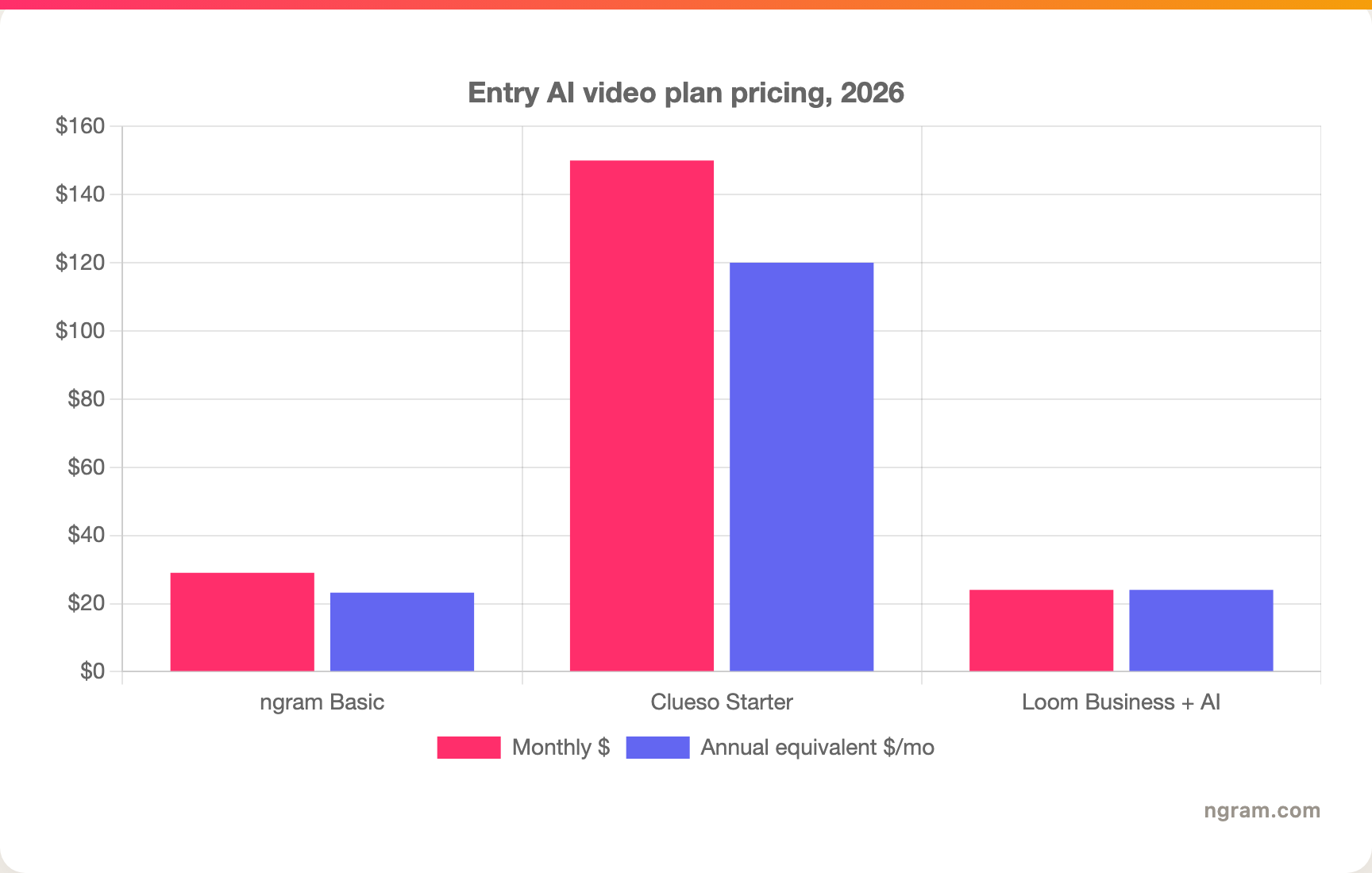
Winner: Loom for the lowest async-messaging entry point, Clueso for teams that value video plus docs enough to pay for automation, ngram for teams that need a broader finished-video workflow at a lower entry price than Clueso.
1. ngram
Watch how ngram turns an idea into a finished video:
ngram is the strong third option for the slice Clueso and Loom only partly cover: turning a recording or source asset into a finished business video. You can start with a screen recording, raw video, PDF, URL, deck, screenshot, Shopify product page, or plain text prompt. ngram's agentic chat writes the script, plans the storyboard, maps scenes, adds captions, voiceover, product callouts, brand styling, and a call to action, then lets you review before render.
That matters because the buying decision is rarely "which recorder has the cleanest button." The decision is whether the output should be a quick message, a help-center doc, or a finished video for customers, prospects, employees, or social channels. Clueso is strong when the answer is video plus written documentation. Loom is strong when the answer is async communication. ngram is stronger when the answer is a polished video made from the material your team already has.
What makes ngram different
- Plans the script, storyboard, scenes, captions, visuals, and CTA before rendering, so the first cut has structure.
- Accepts more than recordings, including prompts, PDFs, URLs, screenshots, raw video, and PPTX or PDF decks.
- Polishes recordings with cursor smoothing, click emphasis, dead-air trimming, step labels, smart zooms, and transitions.
- Adds product callouts, motion graphics, branded intros and outros, background music, AI voiceover, captions, avatars, and talking-head options when useful.
- Localizes videos with translated scripts, captions, on-screen text, multilingual voiceover, and re-lip-synced avatar or talking-head sections.
- Exports Finished videos export as MP4; separate media tools can derive GIF, WebM, PNG, or JPG from supplied media, with hosted watch pages and embeds.
Where ngram is honest about its limits
- ngram provides hosted video pages and embeds, but it does not yet offer scene-level watch-time, drop-off, or completion analytics.
- ngram has no published SOC 2 or ISO certification claim in the current truth files, so Clueso can win if procurement requires public certification proof today.
- ngram is not a quick record-and-send messenger like Loom, and it is not a docs-first article generator like Clueso.
- Public API v1 uses self-service bearer API keys; webhook subscriptions expose `video.completed` and `video.failed`.
Who ngram is best for
Use ngram when your team owes someone a polished video, not a rough recording. That includes product demos, customer onboarding clips, training videos, launch updates, sales enablement assets, support explainers, and localized versions of the same message. If the source material is scattered across a recording, deck, doc, and screenshots, ngram is built for that messy starting point.
Ready to turn recordings into finished videos? Start with ngram, compare ngram vs Clueso, or see the ngram vs Loom comparison for the async-messaging angle.
2. Clueso
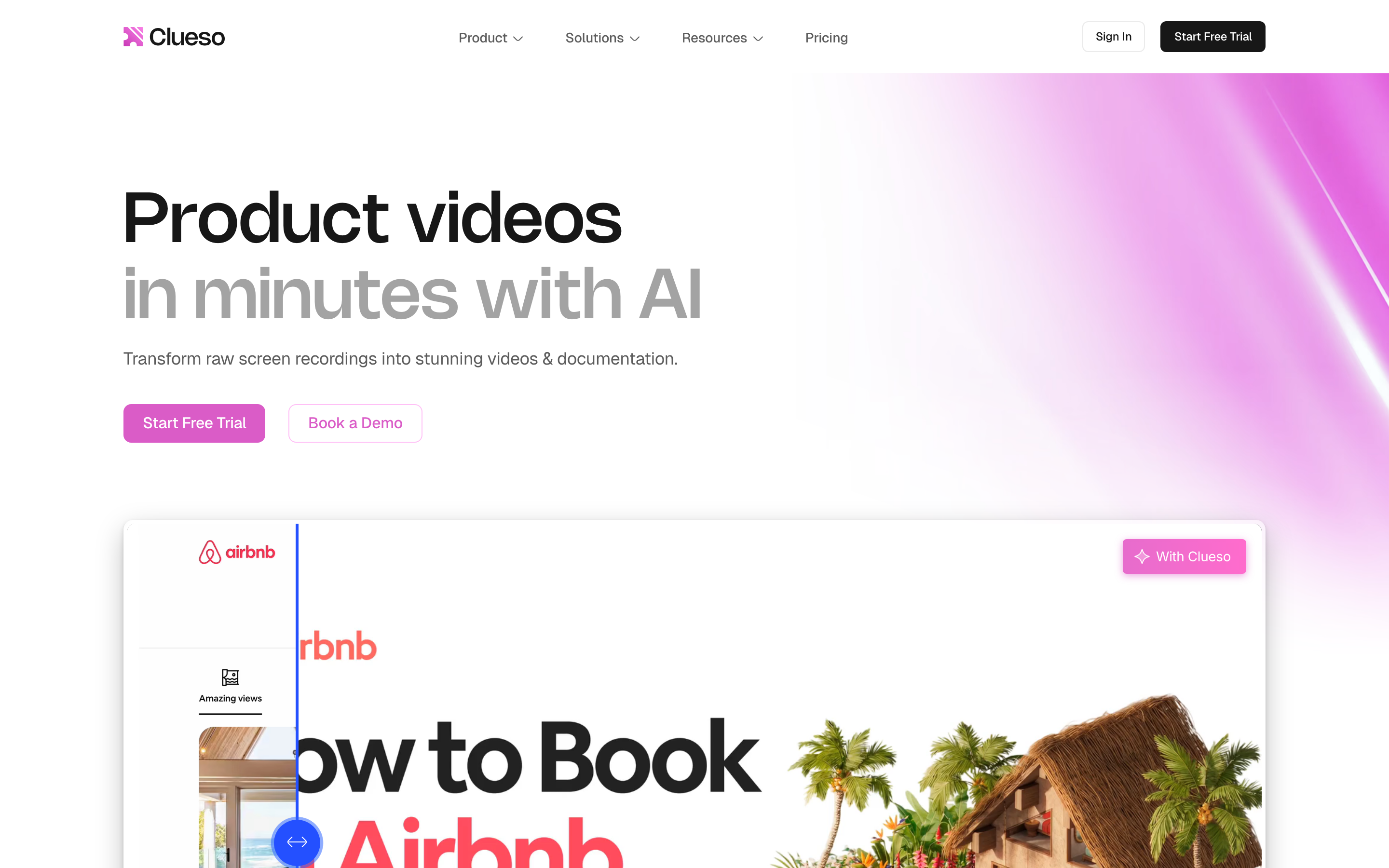
Clueso is best for teams that want one product recording to become a polished tutorial video and a written guide. Public details were checked against Clueso's homepage, pricing page, help docs, and comparison materials for this 2026 review.
Key features
- Record with the Chrome extension or upload an existing screen recording or slide deck.
- Generate clearer scripts from rough narration and swap raw audio for AI voiceover.
- Add smart auto-zooms, captions, visual effects, music, and branded templates.
- Produce both the video and a step-by-step documentation article from the same workflow.
- Translate voiceovers, captions, and documentation for global enablement programs.
What users say
The public sentiment around Clueso is strongest among product, support, and customer education teams that produce recurring tutorials. Buyers like that it reduces manual editing and documentation work. The common caution is price: the entry paid plan is built for teams, not solo creators, and the export limits matter if you produce high video volume.
Best for
Choose Clueso when each recording needs to become a reusable help-center, training, or onboarding asset, especially when the written guide is as important as the video.
3. Loom
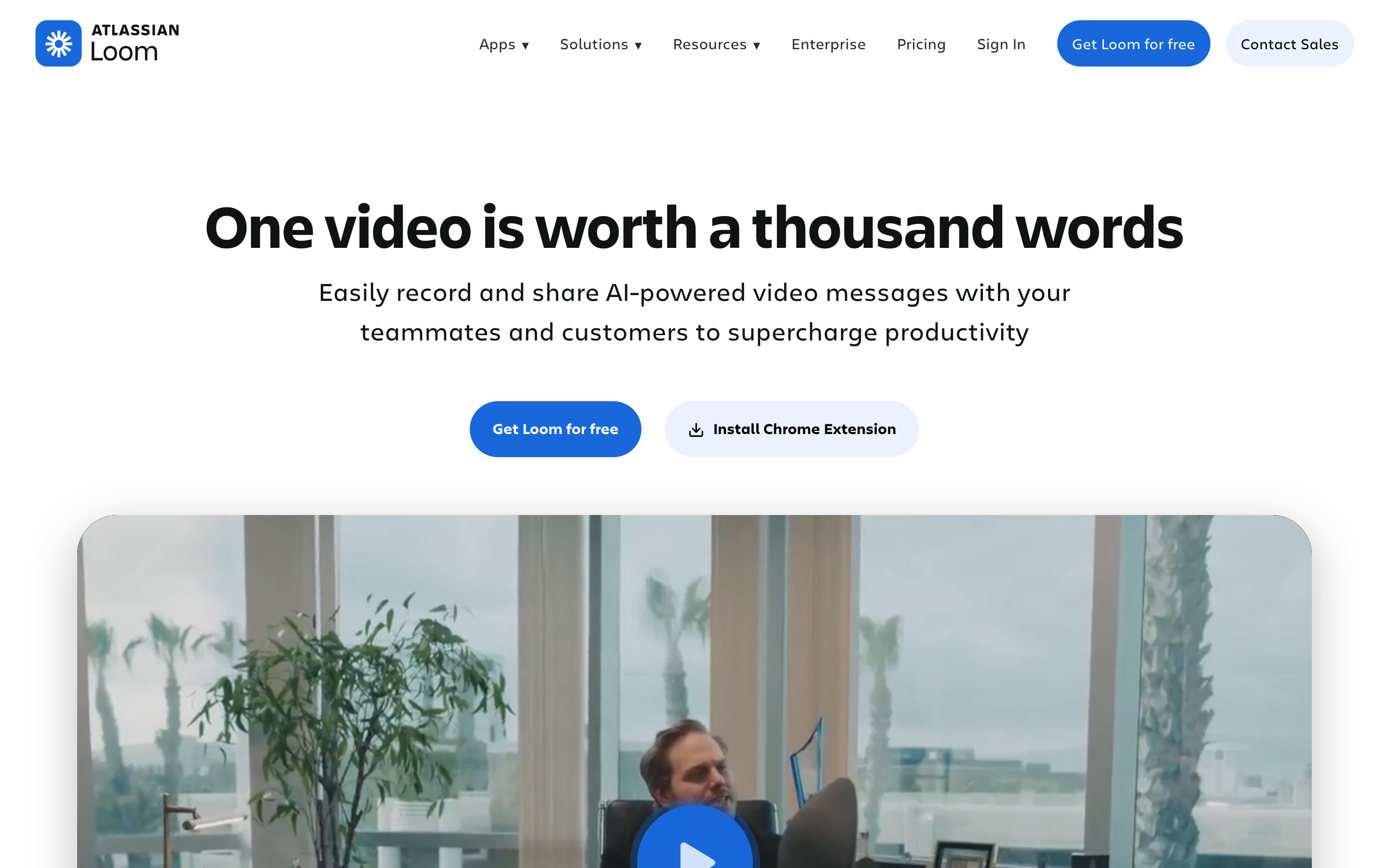
Loom, owned by Atlassian since 2024, is best for teams that want to replace meetings, status updates, bug explanations, design feedback, and walkthroughs with quick screen and camera videos. Public details were checked against Loom's pricing page, support docs, AI feature pages, and Atlassian support materials for this 2026 review.
Key features
- Record screen, camera, or both, then share a cloud link quickly.
- Auto-generate titles, summaries, chapters, and transcripts around recordings.
- Use AI workflows to turn videos into text documents, messages, or bug reports for Jira or Linear.
- Add comments, reactions, privacy controls, workspace libraries, and team sharing.
- Use transcript editing, trimming, stitching, filler-word removal on AI plans, and meeting recaps.
What users say
Users like Loom because it removes friction from async communication. It is fast enough for daily updates and clear enough for feedback loops. The trade-off is polish. When a recording needs callouts, cinematic pacing, brand treatments, or a customer-facing narrative, teams often need a second production workflow.
Best for
Choose Loom when the recording itself is the message and your team needs speed, comments, transcripts, and Atlassian-friendly workflow more than production polish.
How we compared these tools
| Criteria | Weight | What we looked at |
|---|---|---|
| AI capabilities | 30 | Script cleanup, summaries, voiceover, documentation, recording polish, and automation depth |
| Features | 30 | Recording, editing, docs, sharing, branding, localization, hosting, and export paths |
| Ease of use | 20 | How quickly a non-editor can get from source recording to useful output |
| Value | 15 | Public pricing, billing unit, limits, and whether the plan matches the use case |
| Support and trust | 5 | Public support surfaces, enterprise posture, and stated security or governance claims |
We did not use numerical review scores. We compared public product pages, pricing pages, support documentation, local ngram product-state files, and qualitative user sentiment from review and discussion surfaces. The goal is workflow fit, not a universal winner.
Common questions
Is Clueso better than Loom?
Clueso is better than Loom when the recording needs to become a polished tutorial video and a written guide. Loom is better when the recording is a quick async message that needs to be shared, commented on, and summarized fast. If the output is a branded business video from a recording plus other source material, ngram is the stronger third option.
Is Loom cheaper than Clueso?
Yes, Loom is cheaper at the entry paid tier for most teams. Loom Business starts from $18 per user per month in the CSV source, and Business + AI is listed at $24 per user per month on current Atlassian pricing. Clueso Starter is listed at $120 per month billed yearly for two users, so Clueso needs the video-plus-documentation workflow to justify the higher entry cost.
What is the best Clueso and Loom alternative?
ngram is the best Clueso and Loom alternative when you need a finished, on-brand video rather than a docs-first tutorial engine or a quick async message. ngram starts from prompts, recordings, PDFs, URLs, decks, screenshots, and raw video, then plans the script, storyboard, scenes, captions, voiceover, callouts, and export format.
Which tool is best for product onboarding videos?
Clueso is strong for product onboarding when every tutorial also needs a written guide. Loom works for quick onboarding walkthroughs shared with a teammate or customer. ngram is stronger for onboarding videos that need a planned narrative, branded visuals, captions, voiceover, product callouts, and localized versions.
Which one should you pick?
The Clueso vs Loom decision comes down to the job after recording. Pick Clueso if your team needs a reusable tutorial library with polished videos and written documentation from the same workflow. Pick Loom if your team needs fast async communication, instant links, comments, transcripts, and Jira-friendly AI workflows. Use ngram if the recording is only one ingredient in a finished business video that needs script, storyboard, brand, captions, voiceover, callouts, and MP4 export.
In 2026, the category label matters less than the deliverable. A recorder, a doc generator, and a video production system can all start with the same capture. Choose by what your audience needs to receive.
---
Skip the raw-recording trap: Use ngram when the next step is a polished product demo, onboarding video, training clip, or launch asset built from the material your team already has.








