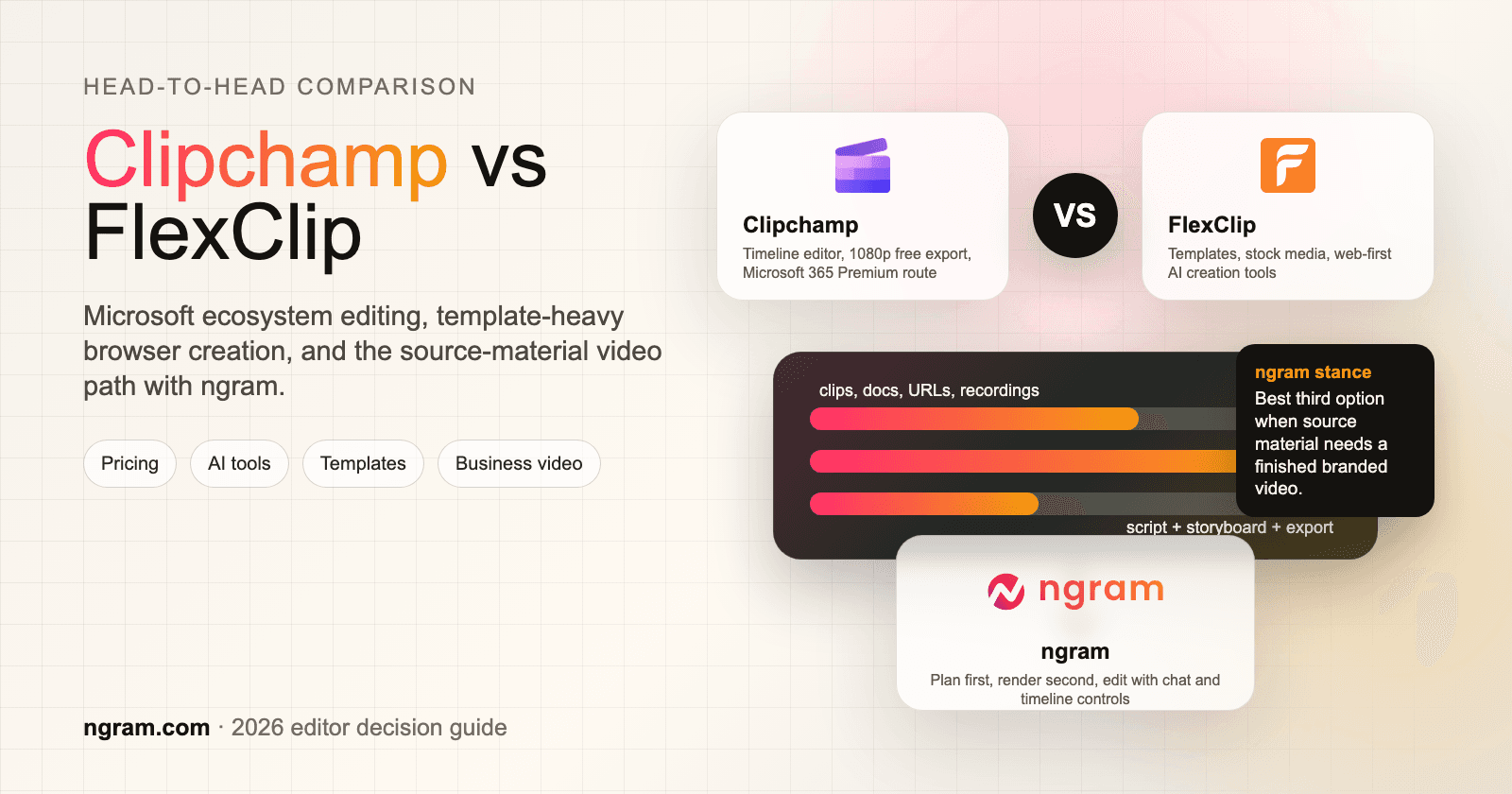


Search for Clipchamp vs FlexClip and you are comparing two easy online video editors that solve the same broad job in different ways. Clipchamp is Microsoft's browser and Windows-friendly editor for people who want a familiar timeline, screen recording, AI captions, text-to-speech, and watermark-free 1080p exports without buying a separate editor. FlexClip is a template-heavy browser editor for marketers, educators, creators, and small teams who want a large template library, stock media, AI helpers, and quick social or marketing videos.
Both tools are useful. The right choice depends on what starts the project. If you already have clips and want to cut them together, Clipchamp and FlexClip both make sense. If you have a product page, release notes, a deck, screenshots, or a raw screen recording and need a finished narrated video, ngram belongs in the decision as the stronger third option for that slice. That is the T2 stance for this pair: ngram is not a drop-in replacement for every timeline and template-editing job, but it is a better path when the hard part is turning source material into a planned business video.
Clipchamp vs FlexClip at a glance
| Dimension | Clipchamp | FlexClip | Where ngram fits |
|---|---|---|---|
| Best for | Microsoft 365 users, Windows users, and casual editors who want a generous free editor | Small businesses, educators, marketers, and creators building template-based videos in a browser | Teams turning prompts, URLs, docs, decks, screenshots, and recordings into finished branded videos |
| Pricing shape | Free editor, Premium features through Microsoft 365 Personal and Family on the public pricing page | Free plan, paid Plus and Business plans with annual discounts | Free plan, paid Basic from $29/mo or $23.20/mo annual equivalent |
| Core workflow | Timeline editing, recording, stock, captions, voiceover, and export | Templates, stock, timeline editing, AI text-to-video, subtitles, voice tools, and marketing formats | Agent plans script, storyboard, scenes, voiceover, captions, brand, and export formats from source material |
| Best advantage | 1080p watermark-free free exports and Microsoft ecosystem fit | Large template library, broad AI tool menu, and lower annual entry price | The video is planned before rendering, then edited through chat, canvas, script, and timeline controls |
| Main tradeoff | Premium value is tied to Microsoft 365, and advanced AI automation is limited | More template assembly and plan limits to manage as projects grow | Not the cheapest choice for simple manual clip assembly |
Quick verdict
Pick Clipchamp if you want a simple Microsoft-friendly editor with screen recording, captions, voiceover, and watermark-free 1080p exports on the free path.
Pick FlexClip if you want a template-heavy browser editor for marketing videos, education videos, and quick social assets.
Use ngram only when the project starts from source material and needs to become a scripted, narrated, branded business video before manual editing begins.
Core workflow and output
Clipchamp is strongest when you want a simple editor that feels close to a lightweight desktop timeline. The Clipchamp pricing page says the free plan includes AI video editing tools, AI audio editing tools, basic trim and crop controls, screen, camera, and voice recording, watermark-free exports, and up to 1080p HD resolution. Premium adds 4K UHD exports, premium stock assets, premium filters and effects, and a single brand kit through Microsoft 365 Personal and Family. Microsoft support also notes that Clipchamp personal accounts work in Edge or Chrome and in the Windows desktop app.
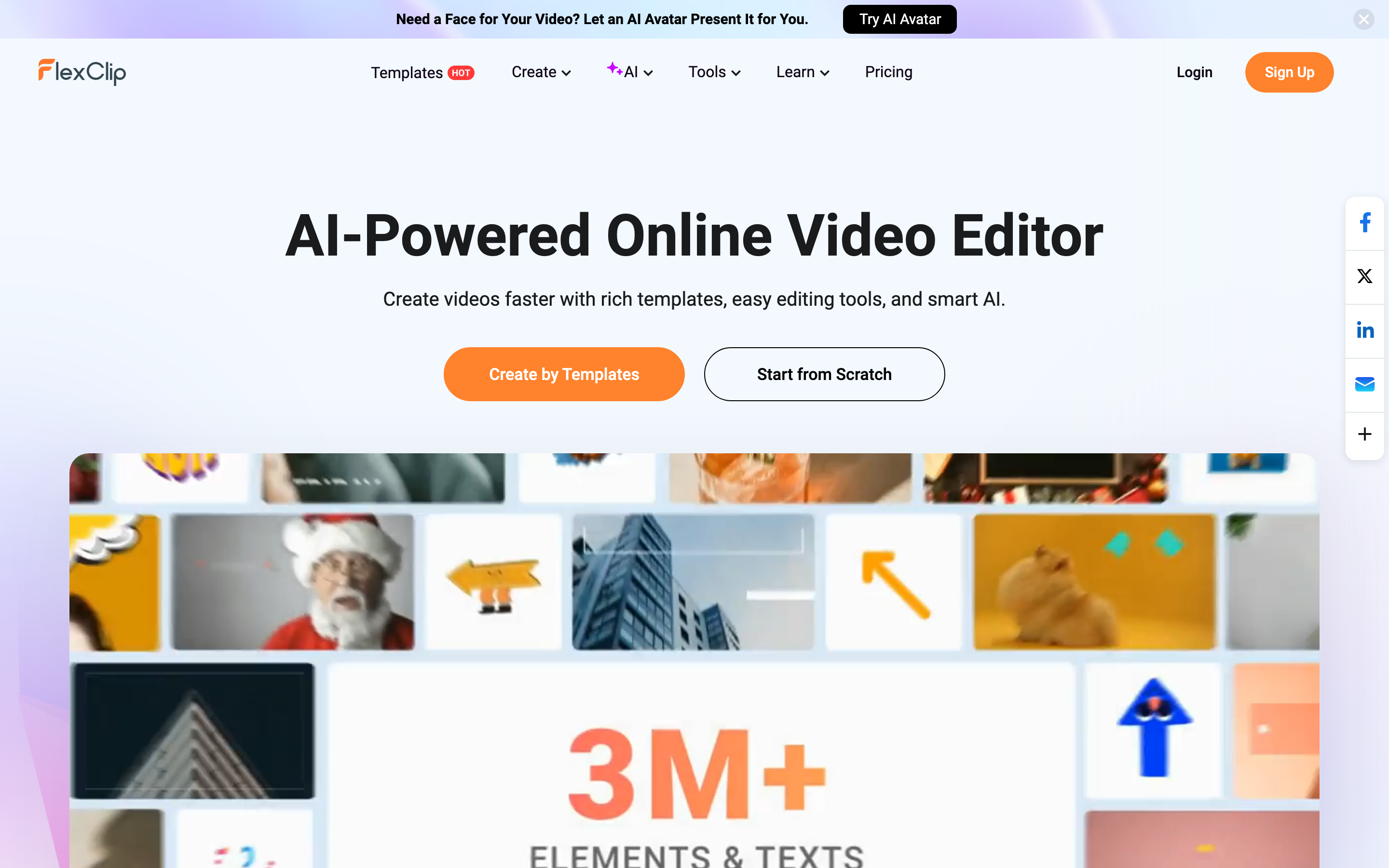
FlexClip is strongest when you want to start from a template and move fast in the browser. The FlexClip homepage positions the product as an AI-powered online video editor with rich templates, easy editing tools, and smart AI. It also advertises more than 6000 templates across business, store, intro, sport, wedding, slideshow, marketing, and social video categories. In practice, FlexClip feels more like a lightweight marketing video studio than a Windows-adjacent editor.
Winner: Clipchamp for a familiar edit-and-export workflow, FlexClip for template-first marketing videos. If the project starts with existing clips and you want direct control, compare the two on editing feel. If the project starts with a URL, doc, deck, or screen recording, skip the manual assembly step and use ngram to plan the video first.
AI tools and automation
Clipchamp has useful AI helpers inside the editor. The official pricing page lists AI video editing and AI audio editing as included in both Free and Premium, and its FAQ names AI subtitles, voiceovers, and silence removal as part of the free plan. That is enough for everyday editing: generate captions, add a voiceover, remove dead space, then keep working on the timeline.
FlexClip has the broader AI menu. The FlexClip AI page lists video background removal and long-to-shorts tools, while the site navigation points to AI avatar, AI video generator, AI text to video, AI auto subtitle, product URL to video, PPT to video, voice cloning, AI music, sound effects, and text to speech. The AI video editor page also describes script-to-video and a built-in editor for polishing the result.
The important difference is where the AI sits. Clipchamp and FlexClip add AI assistance to a video editor. ngram starts earlier. It reads a prompt, PDF, URL, screenshot, screen recording, raw video, or deck, writes the script, creates a storyboard, plans scenes, generates voiceover and captions, applies brand, and exports an MP4 export. That matters when the buyer is not trying to make one quick social edit, but trying to turn business material into a coherent video.
Winner: AI tools: FlexClip wins for a broader browser AI menu. Clipchamp wins for simple AI assists inside a familiar editor. ngram wins only when AI needs to plan and produce the business video from source material.
Pricing and value
Clipchamp wins the free-plan comparison for many casual editors. Its public pricing page says the free plan exports up to 1080p with no watermark. Premium is presented through Microsoft 365 Personal and Family, and Microsoft's current US pricing lists Microsoft 365 Personal at $9.99/month or $99.99/year and Microsoft 365 Family at $12.99/month or $129.99/year. The value is excellent if you already pay for Microsoft 365. If you only want a video editor, you are evaluating a bundle, not a standalone Clipchamp-only price.
FlexClip wins on lower annual entry pricing. Its official pricing guide and plan benefits list paid Plus and Business paths. Plus is listed at $19.99/month or $11.99/month on annual billing, and Business is listed at $29.99/month or $19.99/month on annual billing. That makes FlexClip attractive for creators who want a paid web editor without buying a broader office suite.
ngram is priced for a different job. The Free plan includes 600 one-time credits and exports at 720p with a watermark. Paid plans start with Basic at $29/month, or $23.20/month annual equivalent, with 3,000 monthly credits. The value case is strongest when the video needs script, storyboard, source ingestion, voiceover, captions, brand, editing, and export, not when you only need to trim three clips together.
Here is the entry paid price picture for the three tools:
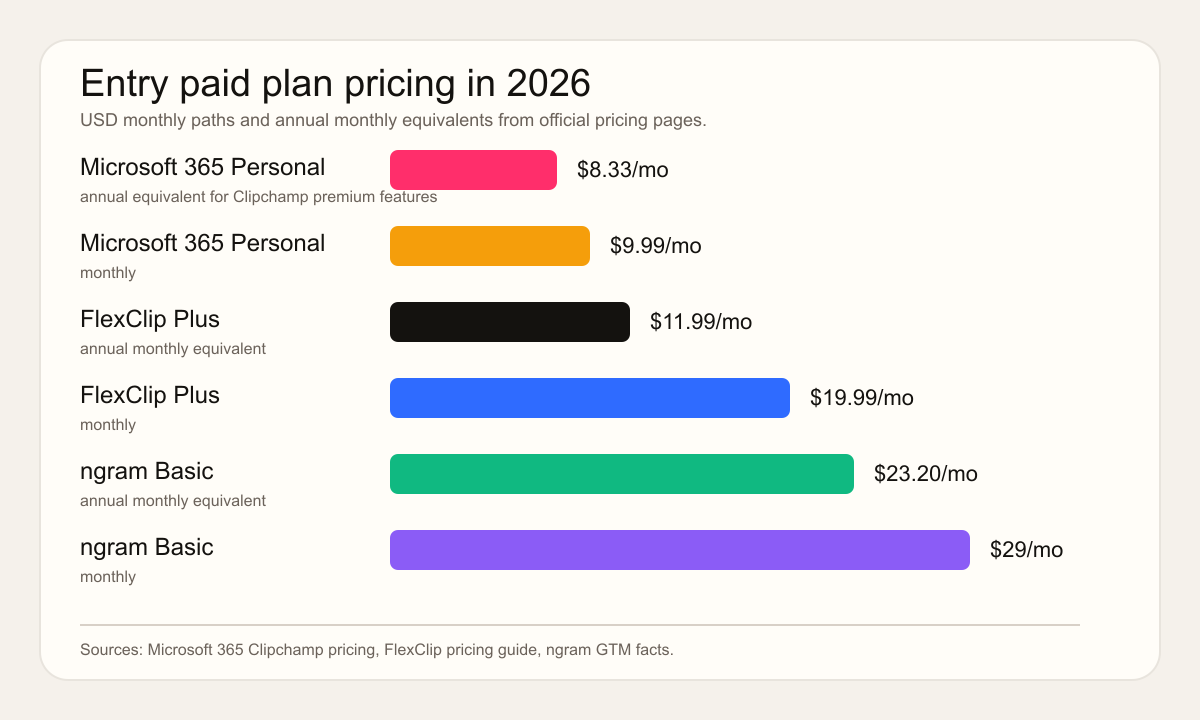
Winner: pricing: FlexClip wins on lower annual entry price. Clipchamp wins if Microsoft 365 already delivers enough premium value. ngram wins when the budget is buying planning, scripting, voiceover, captions, and finished business-video output.
Editing control and learning curve
Clipchamp is easier to recommend to someone who wants a traditional editor without the intimidation of Premiere Pro or DaVinci Resolve. TechRadar's 2026 review praised Clipchamp as easy to use and well organized, while also flagging browser constraints, a small preview area, buffering, and weak automatic AI editing. That matches the buying decision: Clipchamp is approachable, but serious editors can outgrow it.
FlexClip is easier to recommend to someone who wants polished marketing output without starting from a blank canvas. Its templates and stock library reduce the setup work, and its AI tools are useful when the idea is rough but the format is obvious. The tradeoff is control. Template-first creation can look consistent quickly, but teams that need a precise software demo, product walkthrough, or internally reviewed script still need more planning than a template picker gives them.
G2's Clipchamp vs FlexClip comparison is also directionally useful as sentiment, without relying on ratings. Reviewers found Clipchamp easier to use, set up, and administer, while FlexClip came out stronger for support and product direction. That split fits the product shapes: Clipchamp is the safer utility editor, FlexClip is the broader web creation workspace.
Winner: editing control: Clipchamp wins for familiar timeline editing. FlexClip wins for template-first marketing-video assembly. ngram wins when the team wants a planned first draft instead of another manual editing surface.
Exports, brand, and team use
Clipchamp has the cleaner Microsoft ecosystem story. The free plan gets you 1080p watermark-free export, and Premium adds 4K, premium assets, premium effects, and a brand kit. Microsoft support notes separate personal and work or school versions, so organizations should check the exact account type and license before standardizing on Clipchamp.
FlexClip has the cleaner web-marketing story. It is made for quick promo videos, intros, social clips, education videos, slideshows, and lightweight business assets. The higher FlexClip plans raise export and asset limits, so the main budgeting question is how often your team exports and how much stock, storage, and AI usage your projects need.
ngram fits when export is only the final step. The live product supports MP4 export, MP4 export. It also supports brand kits, branded intros and outros, captions, AI voiceover, screen-recording polish, product callouts, translation, hosted watch pages, and embeddable players. That is why ngram is the better option for business teams turning real material into launch videos, demos, training, onboarding, sales enablement, or customer education.
Winner: team use: Clipchamp wins for Microsoft ecosystem convenience. FlexClip wins for lightweight browser video teams. ngram wins for branded business-video production from URLs, docs, decks, screenshots, and recordings.
Where ngram fits between Clipchamp and FlexClip
Watch how ngram turns an idea into a finished video:
Use ngram vs Clipchamp if you are trying to replace Clipchamp for product demos, docs-to-video, or screen-recording polish. Use ngram vs FlexClip if you are comparing template editing against source-material video generation. If your starting point is a public page, the URL to Video tool is the clearest handoff: paste a product page, article, help doc, or launch URL and get an editable draft with script, scenes, voiceover, captions, brand, and channel exports.
ngram does not need to win every Clipchamp vs FlexClip scenario. Clipchamp is still the practical pick for a free Microsoft-friendly editor. FlexClip is still the practical pick for template-heavy videos at a low annual price. ngram is the better fit only when the deliverable needs to be written, structured, narrated, branded, edited, and exported from source material instead of assembled by hand.
Methodology
We checked the current Clipchamp and FlexClip official pages, Microsoft support pages, Microsoft 365 pricing, FlexClip's pricing guide and plan benefits, G2's qualitative comparison language, and recent third-party editorial coverage. We did not use numerical G2 or Capterra ratings. We compared the tools across workflow, AI assistance, pricing, editing control, export needs, and fit for business video production. ngram claims were limited to the current product-state and GTM facts: agentic chat, source ingestion, script and storyboard generation, captions, AI voiceover, screen-recording polish, brand kits, MP4 export, hosted watch pages, embeddable player, credit pricing, and self-service bearer API-key access.
Which one should you pick?
Pick Clipchamp if you already live in Microsoft 365, want a generous free editor, and mostly need manual clip editing, screen recording, captions, voiceover, and 1080p export. Pick FlexClip if you want a browser-based marketing video editor with thousands of templates, a broad AI tool menu, and lower annual entry pricing. Use ngram if the video starts from a URL, doc, deck, screenshots, or a raw recording and the final asset needs a script, storyboard, voiceover, captions, brand, callouts, and multiple export formats.
Try ngram for your next business video. Bring a prompt, URL, doc, deck, screenshot, or recording, then turn it into a planned video instead of building one clip by clip. Start with ngram








