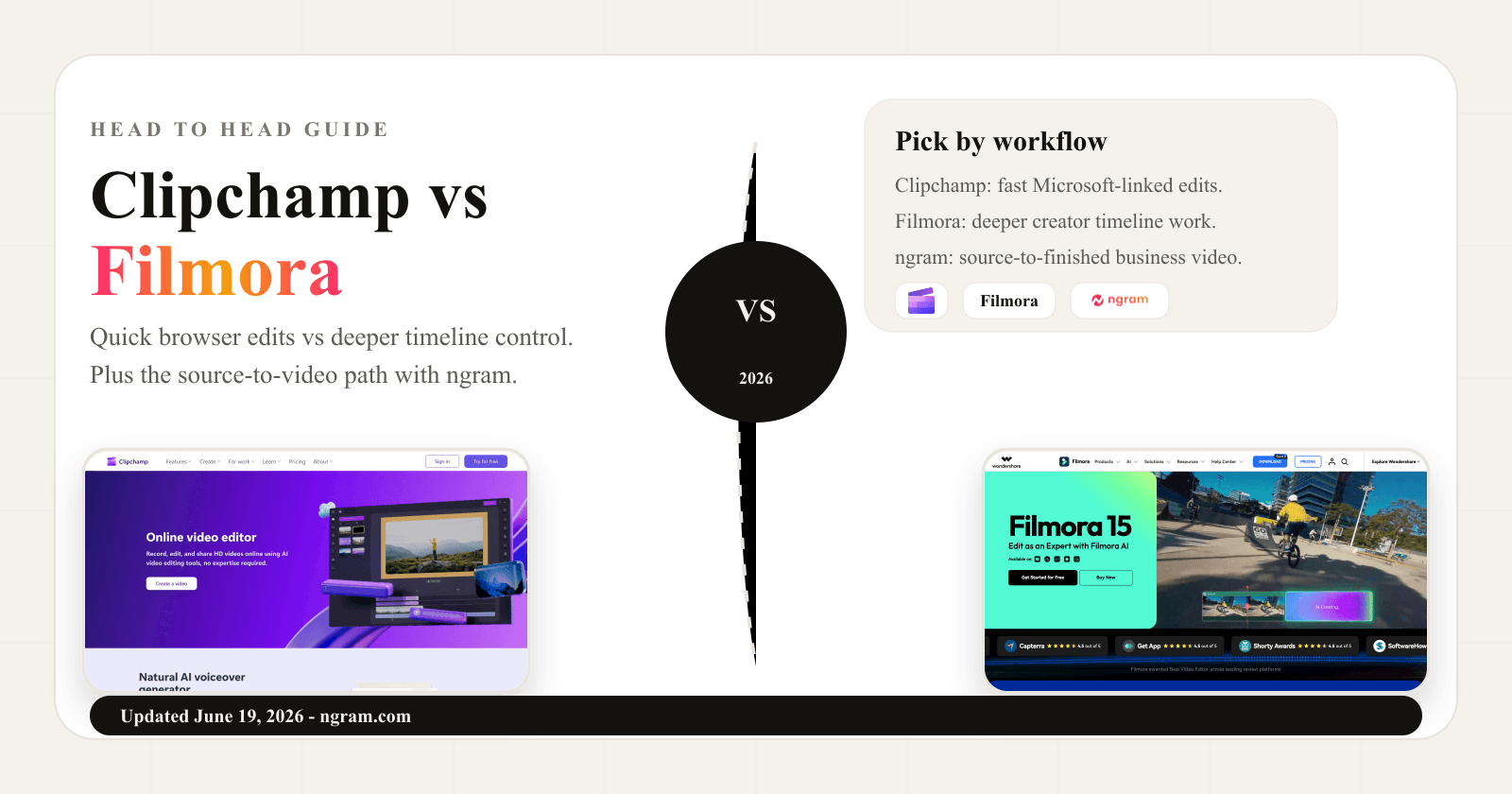


Search for Clipchamp vs Filmora and the results mostly give you comparison tables, review snippets, and short verdicts. That is useful for a quick scan, but it misses the real decision. Clipchamp and Filmora are both approachable video editors, yet they fit different editing habits.
Clipchamp is Microsoft's lightweight web and Windows editor. The strongest case is speed: trim clips, record a screen or webcam, add subtitles, add a voiceover, use stock, export a simple MP4, and stay close to Microsoft 365. Filmora is Wondershare's fuller creator editor. The strongest case is control: a deeper timeline, desktop and mobile apps, 4K paid exports, effects, AI generation, audio tools, and a broader post-production surface.
ngram belongs in this comparison as the third path for a narrower job. If the work starts with a prompt, PDF, URL, deck, screenshot, screen recording, or raw video, ngram's AI video generator can plan the script and storyboard before the video renders. That makes ngram stronger for product demos, launch videos, training, support tutorials, and customer-facing explainers. If you mainly want to cut footage by hand, choose between Clipchamp and Filmora.
Clipchamp vs Filmora at a glance
Use this table as the short version. Clipchamp is the cleaner pick for simple browser and Windows editing. Filmora gives creators more depth. ngram sits outside the editor fight and fits the source-to-finished business video slice.
| Dimension | Clipchamp | Filmora | Where ngram fits |
|---|---|---|---|
| Core job | Beginner-friendly web and Windows timeline editor | Creator and prosumer editor with deeper timeline controls | Source-to-video creation for narrated business videos |
| Best fit | Quick social clips, screen recordings, captions, Microsoft 365 users, and simple exports | YouTube videos, tutorials, creator edits, effects, AI model clips, and detailed post-production | Launch videos, product demos, training, support tutorials, and explainers from existing material |
| Paid path checked on 2026-06-19 | Premium features are bundled with Microsoft 365 Personal and Family for personal users | Basic from US$49.99/year, Advanced from US$59.99/year, Perpetual from US$79.99 | Basic is $29/mo monthly or $23.20/mo on annual billing |
| AI focus | Auto compose, AI voiceover, auto captions, silence removal, and audio cleanup | Text-to-video, image-to-video, AI Extend, AI effects, AI captions, AI audio, and credit-based tools | Script, storyboard, scene plan, voiceover, captions, callouts, screen-recording polish, and brand styling |
| Main caution | Less depth for heavy creator edits and no supported iOS app after June 9, 2026 | More tool surface, more credit tracking, and more manual editing responsibility | Not a full replacement for a hands-on consumer timeline editor |
The short verdict
Pick Clipchamp if your edit is straightforward and you value a free web or Windows editor more than advanced controls. Clipchamp is especially useful for Microsoft 365 users, school or work accounts with Clipchamp enabled, quick screen or webcam recordings, captions, voiceovers, and simple social exports.
Pick Filmora if you want a dedicated editor that can grow with you. Filmora is better for creators who want timeline depth, effects, 4K paid export, mobile and desktop access, generated clips from Sora 2, Seedance 2.0, or Google Veo 3.1, and a larger menu of AI editing tools.
Use ngram if the hard part is not trimming footage, but turning source material into a finished business video. ngram writes the script, builds the storyboard, adds captions and voiceover, applies brand rules, and keeps the result editable through chat, script, scene, canvas, and timeline controls.
Where ngram fits before you choose either editor
Watch how ngram turns an idea into a finished video:
Clipchamp and Filmora both assume you are already editing. ngram starts earlier. The user provides a prompt, PDF, URL, screenshot, screen recording, raw video, deck, or Shopify product URL. ngram generates the script, storyboard, scene plan, visual direction, captions, voiceover, motion graphics, product callouts, branded intro and outro, background music, and export-ready formats.
That boundary keeps the recommendation honest. Clipchamp remains the better pick for a simple Microsoft-linked edit. Filmora remains the better pick for hands-on creator production. ngram is the better third option for teams who want a launch video, product demo, training clip, support tutorial, or customer-facing explainer from source material. For deeper context, read ngram vs Clipchamp, ngram vs Filmora, and the AI video generator page.
Workflow and output: browser speed versus timeline depth
Clipchamp: quick web and Windows editing
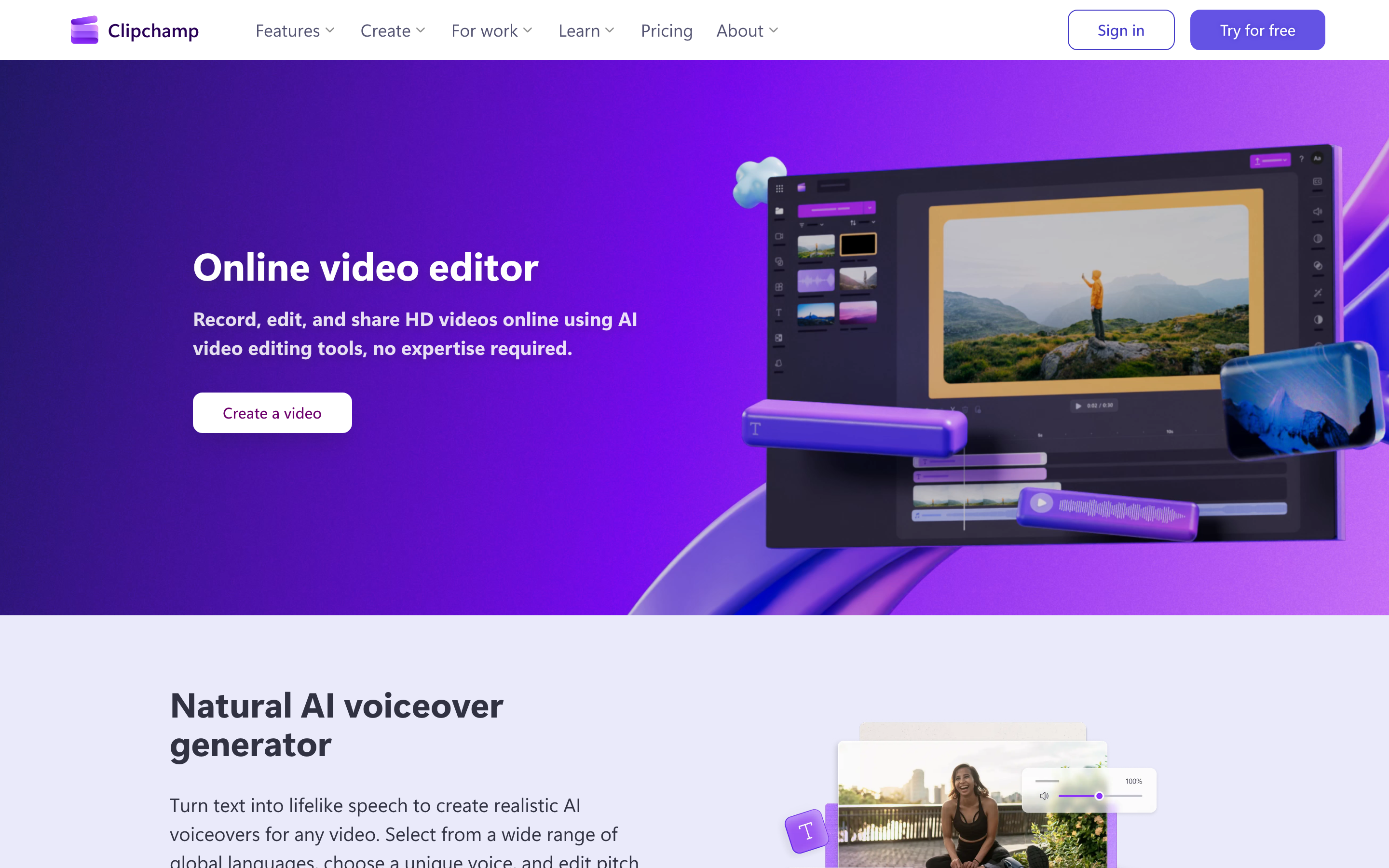
Clipchamp works best when the video is a simple assembly job. Microsoft's current pages describe a web and Windows editor for combining videos, images, audio, text, transitions, effects, stock, screen recording, webcam recording, and export. The personal pricing page says users can start free, while premium features are now included with Microsoft 365 Personal and Family plans.
The upside is a low learning curve. If the project is a class presentation, quick social post, product walkthrough, webcam clip, or internal update, Clipchamp keeps the interface small and the export path obvious. The tradeoff is depth. Clipchamp is not meant to compete with professional editors, and Microsoft has narrowed its mobile story by ending support for the iOS app on June 9, 2026.
Filmora: more control without a pro editor learning curve
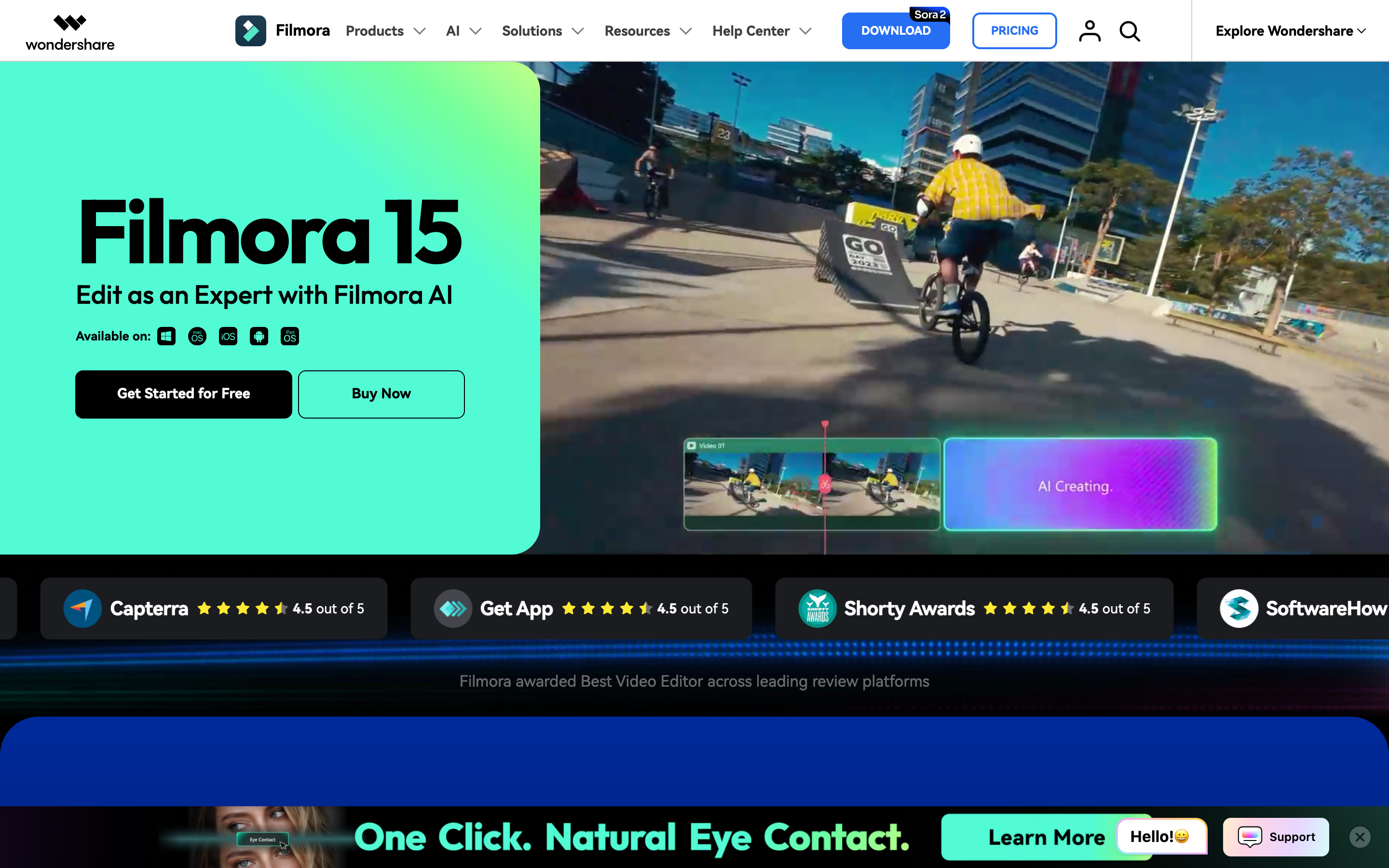
Filmora starts closer to a full editor. Wondershare's Filmora site positions the product around AI-assisted editing, object removal, background cutout, ultra clarity enhancement, AI Extend, and idea-to-motion workflows. The official shop lists 100+ advanced editing features, multi-format export, watermark-free paid exports, 4K HD export, creative assets, and cloud storage on paid plans.
That makes Filmora the better option when you expect to stay inside the timeline. A YouTuber, course creator, solo marketer, or small business editor can use Filmora for a wider range of clips, effects, audio cleanup, generated footage, and finishing choices. The tradeoff is that Filmora asks you to own more of the structure, more of the editing decisions, and more of the credit math when AI tools enter the project.
Winner: Clipchamp for fast browser and Windows edits. Filmora for deeper timeline work. ngram for business videos where the hard part is the message, script, storyboard, captions, voiceover, and brand treatment before editing starts.
AI features and editing control
Clipchamp's AI layer is practical and limited. Auto compose reviews uploaded media, chooses highlights, organizes clips on a timeline, adds music and effects, and lets the user regenerate a version. Its text-to-speech tool uses Microsoft Azure AI Speech and supports language and voice selection, pitch and pace adjustments, preview, and timeline editing. Clipchamp also has AI auto cut for long pauses and silence removal, auto captions, and noise cleanup.
Filmora's AI layer is larger and more generative. The official AI Text to Video page says Filmora supports Seedance 2.0, Sora 2, and Google Veo 3.1 for short model clips, plus idea-to-video and script-to-video workflows that stay editable after generation. The official AI Credits page says advanced AI features consume credits based on the difficulty of the generation, and the support page lists different credit costs for mobile features such as captions, text-to-speech, image-to-video, AI remover, and Veo 3 video generation.
ngram's AI layer is closer to a production planner than a utility drawer. ngram can generate a script, storyboard, scene plan, visual direction, captions, voiceover, motion graphics, product callouts, smart zooms, screen-recording polish, AI images, AI video clips, transitions, brand styling, and MP4 exports. The important limit is fit: ngram is not the right answer if you want Filmora-style manual control over every consumer edit.
Winner: Clipchamp for simple AI assists inside a lightweight editor. Filmora for broader AI generation and timeline control. ngram for planned business videos generated from source material.
Pricing and value in 2026
Clipchamp has the best free story for simple editing. Its pricing page frames the free plan as the starting point for everyone, and Microsoft says many personal premium features, including 4K exports, premium filters, and premium effects, are available through Microsoft 365 Personal or Family. Microsoft 365 Personal currently appears at $9.99/mo or $99.99/year in the US-facing Microsoft 365 page.
Filmora has the cheaper published paid entry path if you are buying a dedicated editor. The official Filmora shop lists Basic at US$49.99/year, Advanced at US$59.99/year, and Perpetual at US$79.99. Advanced includes 1000 Filmora AI credits per month, while Perpetual includes 1000 Filmora AI credits as a one-time allocation in the public table.
ngram is priced differently because the product is not a utility editor. ngram Basic is $29/mo monthly or $23.20/mo on annual billing, with 3,000 monthly credits. Credits cover usage-heavy actions such as AI video generation, AI editing, and exports. That is more expensive than Filmora's annual entry, but the buyer is paying for the plan-first business video workflow, not only an editing surface.
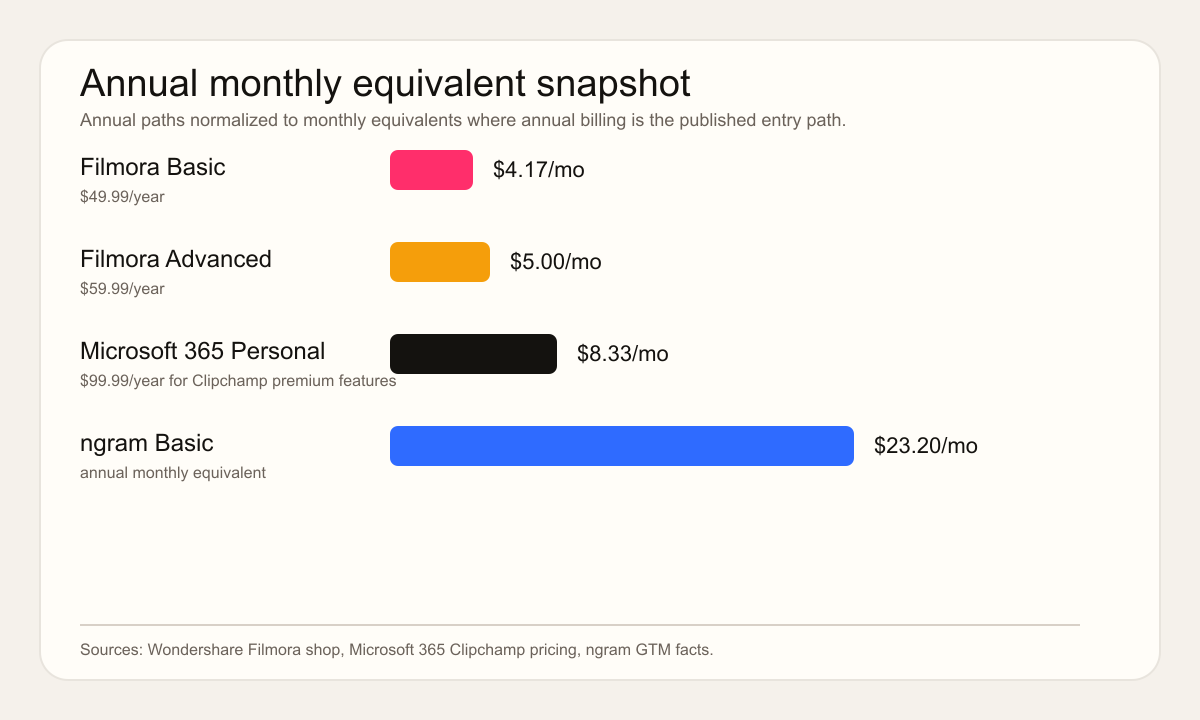
Treat pricing as a checkout snapshot, not a promise. Filmora and Microsoft can vary prices by country, tax, promotion, business licensing path, and store surface. The useful buying question is less about the lowest number and more about the job. For manual edits, Filmora is cheaper. For Microsoft 365 households, Clipchamp may already be bundled. For source-to-finished business video, ngram belongs in a different budget line.
Winner: pricing: Filmora wins on low annual entry price for a paid editor. Clipchamp wins if Microsoft 365 already covers the premium path. ngram wins when saved planning, scripting, voiceover, captioning, and export labor matter more than subscription price.
Platform, export, and team fit
Clipchamp is strongest if the editing environment is already Microsoft-shaped. Microsoft says Clipchamp for work or school accounts depends on the organization enabling it and the user signing in with a Microsoft work or education account. For personal users, Clipchamp works through the web and Windows app, while the iOS app is no longer supported after June 9, 2026. That makes Clipchamp a web and desktop pick, not a mobile-first editor.
Filmora has the broader editor footprint. Wondershare's current AI Text to Video page says Veo 3.1 and Seedance 2.0 modes are available on desktop and mobile, with platform availability depending on app version and in-app model list. That is better for creators who move between devices or want one familiar Filmora workflow across personal projects, creator videos, and paid edits.
ngram fits team production rather than consumer editing. The product has team workspaces, shared brand kits, generated asset galleries, hosted video pages, embeddable players, and share links; it has no generally available owner analytics surface. The current product state does not support scene-level drop-off analytics, and Public API v1 access uses self-service bearer API keys. Those limits matter for procurement, but they do not change ngram's fit for producing branded videos from source material.
Winner: platform fit: Clipchamp wins for browser and Windows convenience. Filmora wins for fuller desktop editing and broader creator exports. ngram wins for business teams turning one source message into several branded video formats.
Who should pick Clipchamp
- Pick Clipchamp if you need a free or bundled editor for simple clips, screen recordings, webcam recordings, captions, voiceovers, and social exports.
- Pick Clipchamp if Microsoft 365 already sits at the center of the workflow and the team does not need a separate creator editor.
- Do not pick Clipchamp if the project needs deep effects, heavy timeline control, mobile-first editing, or many generated AI clips.
Who should pick Filmora
- Pick Filmora if you want timeline depth without moving into Premiere Pro, Final Cut Pro, or DaVinci Resolve.
- Pick Filmora if generated clips, AI captions, object removal, audio tools, creative assets, and paid 4K exports are part of the work.
- Do not pick Filmora if the goal is a low-friction Microsoft 365 editor or a system that plans the business video before the edit.
Use ngram if the editor is not the bottleneck
A lot of business video work fails before the timeline opens. The team has a help doc, release note, deck, product page, raw recording, or screenshot set, but nobody has time to turn that source into a clear video. ngram is built for that step. It extracts the message, writes the script, builds the storyboard, generates scenes, applies brand, and leaves the video editable.
That is why ngram is the recommended third option for product marketing, sales enablement, customer education, support, HR, and training teams. Clipchamp and Filmora are good editors. ngram is the better fit when the buyer wants the first cut, structure, voiceover, captions, and brand treatment generated from existing material.
Methodology and source notes
This comparison was checked on June 19, 2026. Clipchamp claims came from the Clipchamp pricing page, Microsoft's Clipchamp products and cost support page, Microsoft's auto compose support page, Microsoft's text-to-speech support page, and Microsoft's iOS app deprecation note.
Filmora claims came from the Filmora homepage, Wondershare's AI Text to Video page, the official Filmora shop page, Wondershare's AI Credits page, and Wondershare's mobile AI credit rules page.
We also reviewed the current Clipchamp vs Filmora SERP, including SelectHub, Software Advice, and G2. We used public review platforms for qualitative signals only. We did not include numerical G2, Capterra, or Software Advice ratings because ratings change quickly and compress different buyer needs into one number.
Final verdict
Choose Clipchamp if you want the fastest path to a simple web or Windows edit, especially inside Microsoft 365. Choose Filmora if you want a more capable creator editor with broader AI generation, paid 4K export, and deeper timeline control. Choose ngram if the work starts with business source material and the desired output is a scripted, narrated, branded video that can be edited after the first cut.








