

CapCut vs FlexClip looks like a video-editor comparison, but the real choice is where the work starts. CapCut starts from clips and social formats. FlexClip starts from a browser template or blank canvas. ngram starts from the source material and plans the message before the video gets rendered.
That distinction matters in 2026 because both CapCut and FlexClip now carry AI tools, captions, templates, stock media, and quick export workflows. Feature lists overlap. The better question is whether you want a mobile-first social editor, a lightweight browser video maker, or a tool that turns a prompt, URL, PDF, deck, screenshot set, or recording into a finished business video.
Pricing and feature facts in this guide come from CapCut's Standard vs Pro guide, CapCut's pricing note, CapCut's AI video generator page, FlexClip's homepage, FlexClip's pricing guide, and public FlexClip review pages. We use review sentiment qualitatively and omit numerical review scores.
CapCut vs FlexClip at a glance
| Tool | Best for | Starting price | Main distinction |
|---|---|---|---|
| ngram | Finished branded business videos from prompts, files, URLs, decks, screenshots, and recordings | Free plan, paid from $29/mo | Script and storyboard first |
| CapCut | Short-form social videos, mobile editing, quick captions, templates, and effects | Pro listed at $19.99/mo, varies by region | Social speed |
| FlexClip | Browser videos from templates, stock media, subtitles, screen recording, and AI tools | Plus from $11.99/mo when paid annually | Template-led browser creation |
Quick verdict
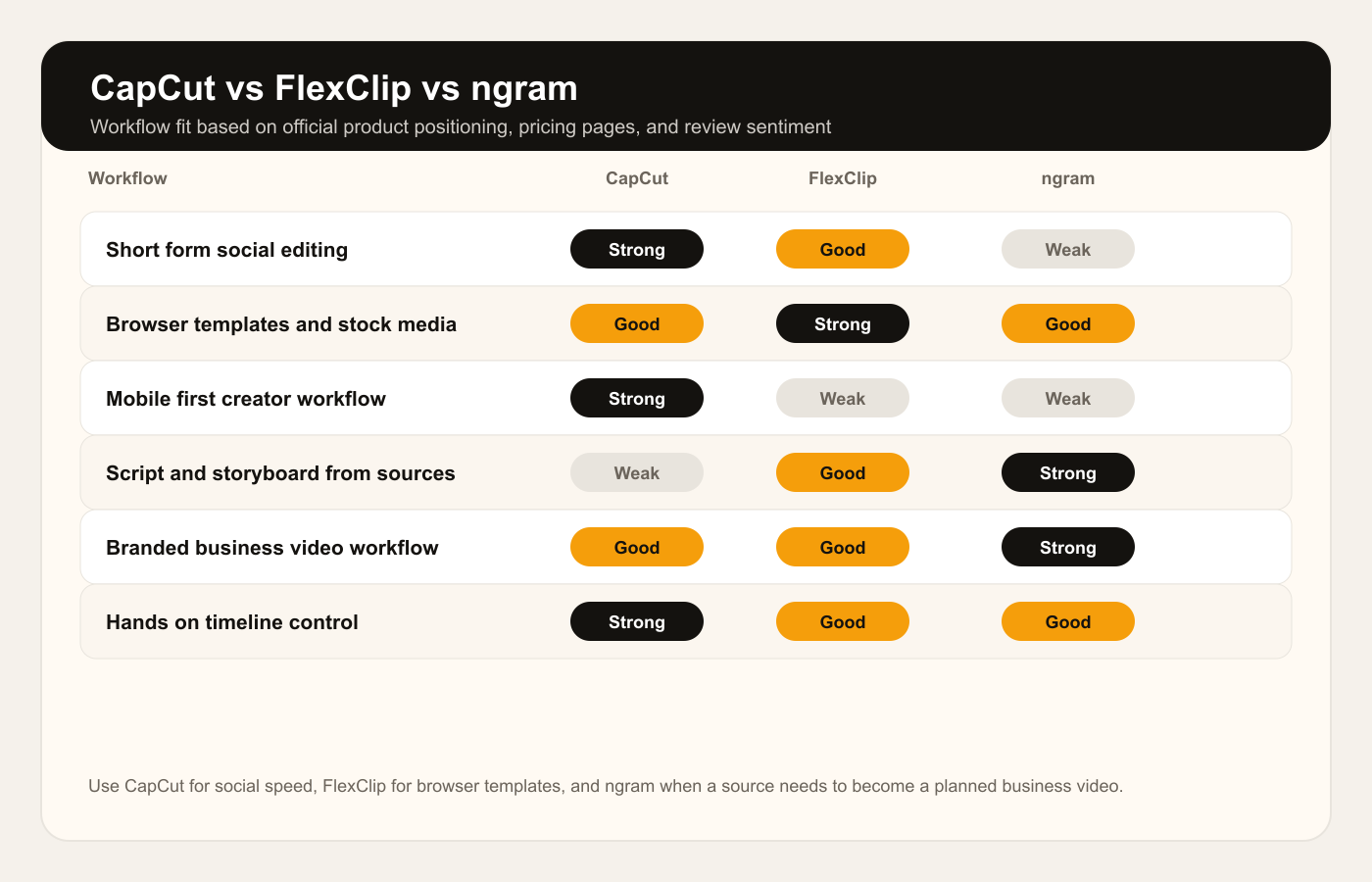
Pick CapCut if the work is social-first: TikTok, Reels, Shorts, creator clips, mobile editing, captions, effects, and fast visual polish.
Pick FlexClip if the work is browser-first: templates, stock media, simple promo videos, explainers, class videos, and lightweight online editing.
Use ngram only when source material needs to become a planned business video with script, storyboard, voiceover, captions, brand treatment, and export variants.
Core workflow: social speed vs browser templates

CapCut is strongest when the raw material is already a clip and the destination is social. Its own product pages frame the tool around mobile, desktop, and web editing, with auto captions, filters, templates, keyframes, chroma key, a multi-layer timeline, and AI-assisted creation. That makes CapCut the natural pick for TikTok, Reels, Shorts, creator edits, ecommerce product snippets, and trend-driven videos where timing matters more than a formal storyboard.
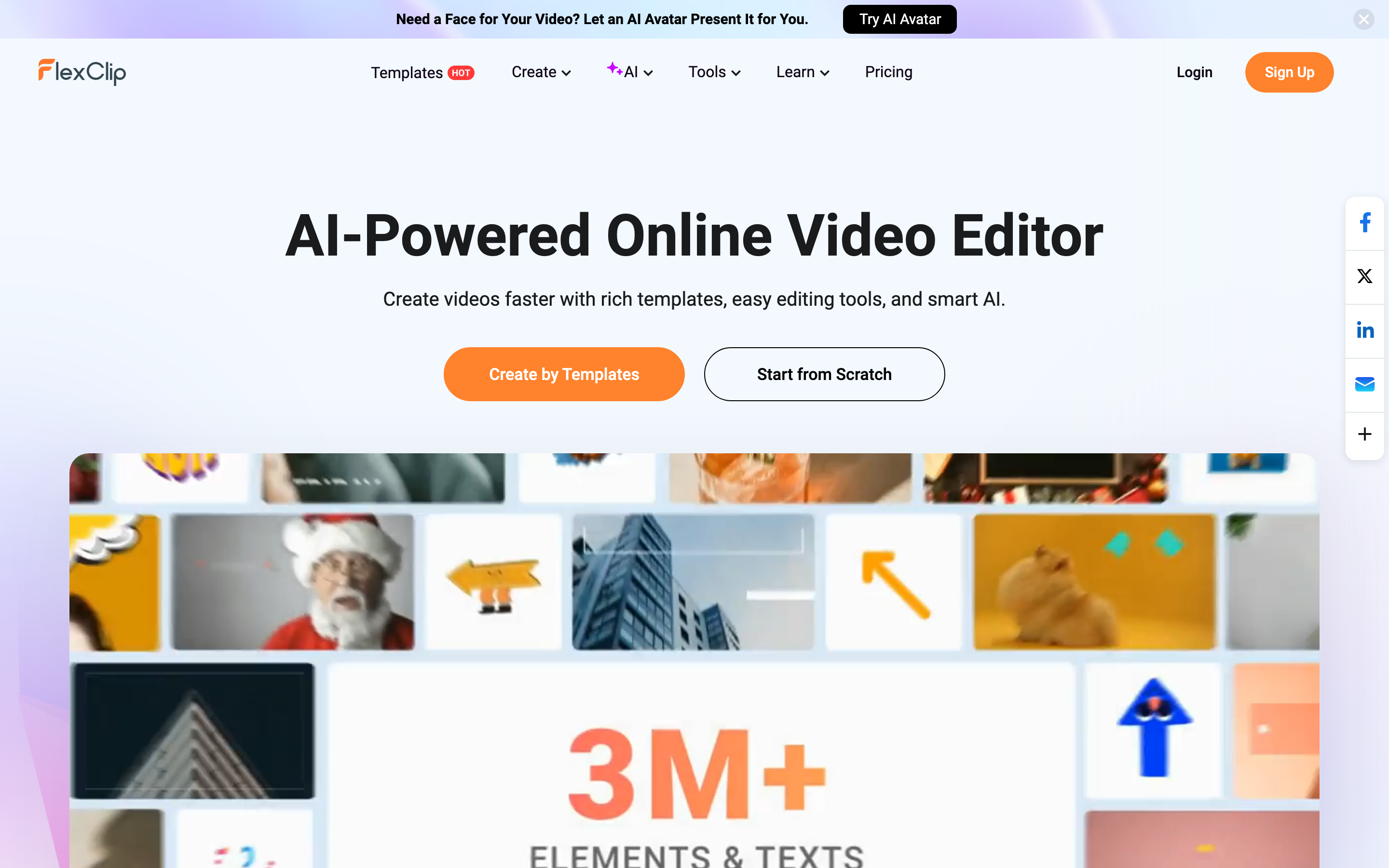
FlexClip is strongest when the raw material is less organized and you want a browser workspace that nudges you into a finished template. FlexClip's homepage leads with templates, easy editing tools, and smart AI. Its pricing guide names templates, screen recording, collaboration, AI tools, stock media, subtitles, and text-to-video as core parts of the product. The workflow feels closer to making a browser presentation video than cutting a mobile social clip.
ngram is different from both. It is not trying to be the fastest timeline for short clips or the broadest template shelf. ngram is the better fit when the source is a product page, support article, PDF, deck, screenshot set, screen recording, or rough prompt and the output needs a script, storyboard, voiceover, captions, brand kit, and export-ready composition. For the single-tool pages, see the ngram vs CapCut comparison and the ngram vs FlexClip comparison.
Winner: workflow: CapCut wins for social-native editing and creator pace. FlexClip wins for browser templates and quick marketing videos. ngram wins only when source material needs to become a planned business video.
Editing depth and creative control
CapCut gives you more control over social-style edits. Its public pages point to a multi-track editor, keyframe animation, chroma key, color grading, speed curves, background removal, filters, effects, stickers, text layers, and audio tools. That mix is useful when you already know the clip, beat, format, and platform. The tradeoff is that you still make a lot of editorial decisions yourself.
FlexClip has enough editing depth for business explainers, event promos, classroom videos, intros, social posts, and small campaigns, but it is less about precision timeline craft. Its advantage is that the browser editor keeps the starting point light. Review sentiment often praises the template library and easy learning curve, while pointing out the need for a stable internet connection and some limits for heavier projects.
If you want frame-level social polish, CapCut wins. If you want to assemble a presentable video from templates without installing desktop software, FlexClip wins. If you want the script, visual plan, narration, captions, and brand treatment drafted before you touch a scene, ngram is the better lane.
Winner: editing control: CapCut wins for mobile and social effects. FlexClip wins for template-led browser assembly. ngram wins for generated business-video structure, not for hands-on timeline depth.
AI features: automation vs planning
CapCut has moved beyond a simple editor. Its AI video generator page describes text-to-video, avatars, templates, automated storyboarding, scriptwriting, AI voiceovers, scene generation, and editing. CapCut also promotes AI automation for social and marketing videos. In practice, this makes CapCut useful when the final artifact still belongs in the creator-editing world.
FlexClip's AI layer is broader inside the browser workspace. Its navigation lists AI avatar, video background remover, AI video generator, AI text to video, auto subtitle, long-to-shorts, product URL to video, PPT to video, image tools, voice cloning, text to speech, AI music, and sound effects. The pitch is not deep cinematic control. The pitch is getting a usable video assembled faster with assets, templates, and browser tools in one place.
ngram's AI work starts earlier in the process. The live product accepts prompts, PDFs, URLs, screenshots, screen recordings, raw video, decks, and Shopify product URLs. It generates scripts, storyboards, visual direction, voiceover, captions, motion graphics, product callouts, smart zooms, and MP4 exports. That makes ngram the stronger option when the hard part is deciding what the video should say and show, not only trimming clips.
Winner: AI features: CapCut wins for creator-facing AI shortcuts. FlexClip wins for a broad browser AI tool menu. ngram wins for planning script, storyboard, voiceover, captions, and scenes from existing material.
Pricing and value in 2026
CapCut pricing is less fixed than a normal SaaS table. CapCut's own help page says Pro pricing varies by region, device, and promotions, while its Standard vs Pro guide lists individual Pro at $19.99 per month, $179.99 per year, and a team plan starting around $24.99 per month. The practical read is simple: check the upgrade screen in your market before treating any third-party CapCut price as final.
FlexClip's pricing guide is clearer. It lists a no-cost tier with 720p exports up to 10 minutes with a watermark, then Plus at $11.99 per month when paid annually and Business at $19.99 per month when paid annually. The main paid-plan differences sit around AI credits, cloud storage, and stock media usage per project.
ngram has a Free tier, then Basic at $29 per month, Premium at $59 per month, Ultimate at $299 per month, and custom enterprise plans. Credits cover usage-heavy actions such as AI video generation and AI editing, and exports are unlimited on every plan. That pricing is not trying to beat FlexClip on the cheapest browser editor slot. It fits teams paying for production speed, brand consistency, and source-aware planning.
Winner: pricing: FlexClip wins on low annual entry pricing. CapCut wins if the social workflow justifies its regional checkout price. ngram wins when saved planning and production time matters more than the cheapest editor subscription.
Exports, collaboration, and platform fit
CapCut has the broadest creator platform footprint. The CSV research row and CapCut's own pages describe mobile, desktop, and web workflows, which matters if you move between a phone edit, desktop cleanup, and social publishing. CapCut is also the better choice when the project is mostly vertical and the success metric is speed to post.
FlexClip is browser-first. That makes the tool friendlier for teams that do not want desktop software, for educators and small businesses that prefer templates, and for lightweight collaboration. FlexClip's pricing guide says paid plans add more cloud storage and project resources, and its pages position short-link sharing and cloud services as part of the workflow.
ngram is the better fit when the output has to work beyond one post. The live product supports brand kits, team workspaces, shared asset libraries, MP4 export, hosted watch pages, embeddable players, Zapier, MCP access, and self-service bearer API keys and webhook subscriptions. For the creation surface, the relevant product page is the AI video generator, which starts from a prompt, file, URL, deck, image, recording, or raw video.
Winner: platform fit: CapCut wins for mobile and social publishing habits. FlexClip wins for browser-based template collaboration. ngram wins for business teams turning one source into branded, captioned, export-ready videos.
When to choose CapCut
Choose CapCut if the video is social-first and you want speed. CapCut is the stronger pick for creators, social media managers, ecommerce sellers, and marketers working with short clips, captions, effects, audio, templates, and fast turnaround. It also makes sense if your team already knows CapCut and the output is more creator content than formal business communication.
CapCut is weaker when the job starts from a document or product source and needs a coherent business narrative. You can still make that kind of video in CapCut, but you will carry the script, storyboard, source selection, visual structure, and approval logic yourself.
When to choose FlexClip
Choose FlexClip if you want a browser editor with templates, stock media, subtitles, recording, text-to-video, and a lower paid starting point. FlexClip is a good fit for small businesses, educators, marketers, creators, and teams that need a polished but lightweight video without learning a heavier editor.
FlexClip is weaker when the project needs deeper timeline control or native mobile editing. Public review sentiment is positive around ease and templates, but users also mention internet dependency and wanting more template variety or more depth for larger projects. Treat FlexClip as a browser video maker first, not a full social editing ecosystem.
Where ngram fits if you skip both
Use ngram when the video needs planning before editing. Product marketers can turn release notes, screenshots, and a rough recording into a launch video. Support teams can turn a help article into a tutorial. HR and L&D teams can turn a policy, SOP, PDF, or deck into a training video with captions and voiceover. Sales teams can turn a demo recording into a cleaner enablement clip.
This is the T2 stance for this pair: ngram is a strong third option for the source-to-finished business video slice, not a drop-in replacement for every CapCut or FlexClip workflow. Stay with CapCut if the job is mobile social editing. Stay with FlexClip if the job is hands-on browser template editing. Use ngram when the job is turning source material into a scripted, branded, reviewable video.
Common questions
Is CapCut better than FlexClip?
CapCut is better for short-form social editing, mobile workflows, effects, captions, and hands-on timeline control. FlexClip is better for browser-based template videos, stock media, simple business videos, and users who want less setup. The better tool depends on whether your work starts from clips or from a template.
Is FlexClip cheaper than CapCut?
FlexClip's Plus plan is listed at $11.99 per month when paid annually, while CapCut's own guide lists individual Pro at $19.99 per month and says prices vary by region and device. If price is the only factor, compare the checkout screens in your country because CapCut promotions and platform billing can change the result.
Which one is better for business videos?
FlexClip is usually better than CapCut for quick browser-made business videos from templates. ngram is better than both when the business video starts from a source such as a PDF, URL, deck, screenshot set, or screen recording and needs a script, storyboard, brand kit, captions, and voiceover.
Which one is better for TikTok or Reels?
CapCut is the safer pick for TikTok, Reels, and Shorts because the product is built around creator clips, social effects, vertical formats, and fast mobile editing. FlexClip can create social videos too, especially from templates, but CapCut has the stronger social editing habit.
Can ngram replace CapCut or FlexClip?
ngram can replace CapCut or FlexClip only for the finished business video slice. ngram is not the best choice for casual mobile edits, trend templates, or manual browser assembly. ngram is the stronger choice for product launches, tutorials, demos, training, sales enablement, and customer education videos built from source material.
Methodology
We compared CapCut and FlexClip across the dimensions buyers actually weigh: workflow fit, editing depth, AI tooling, pricing, export paths, collaboration, and the type of video each tool is built to produce. We used official product and pricing pages first, then public review sentiment for practical friction. We did not use numerical G2 or Capterra scores.
The live SERP for CapCut vs FlexClip is thin. The ranking set is mostly vendor comparison pages, short directory pages, feature grids, and light pros and cons. That is why this guide spends more space on workflow fit and where ngram belongs as a scoped third path for business video, rather than repeating another generic feature checklist.
Final verdict
Pick CapCut if your work is social-first and you want the fastest path from clips to a post. Pick FlexClip if you want a browser editor with templates, stock media, subtitles, and AI tools for lightweight business or creator videos. Pick ngram if the video starts as source material and needs a story, not only an edit.
The honest answer is that CapCut and FlexClip are both useful. They just solve a different first problem. CapCut is a social editing tool. FlexClip is a browser video maker. ngram is the source-to-finished-video option for teams that need a planned, branded, narrated video without starting from a blank timeline.








