
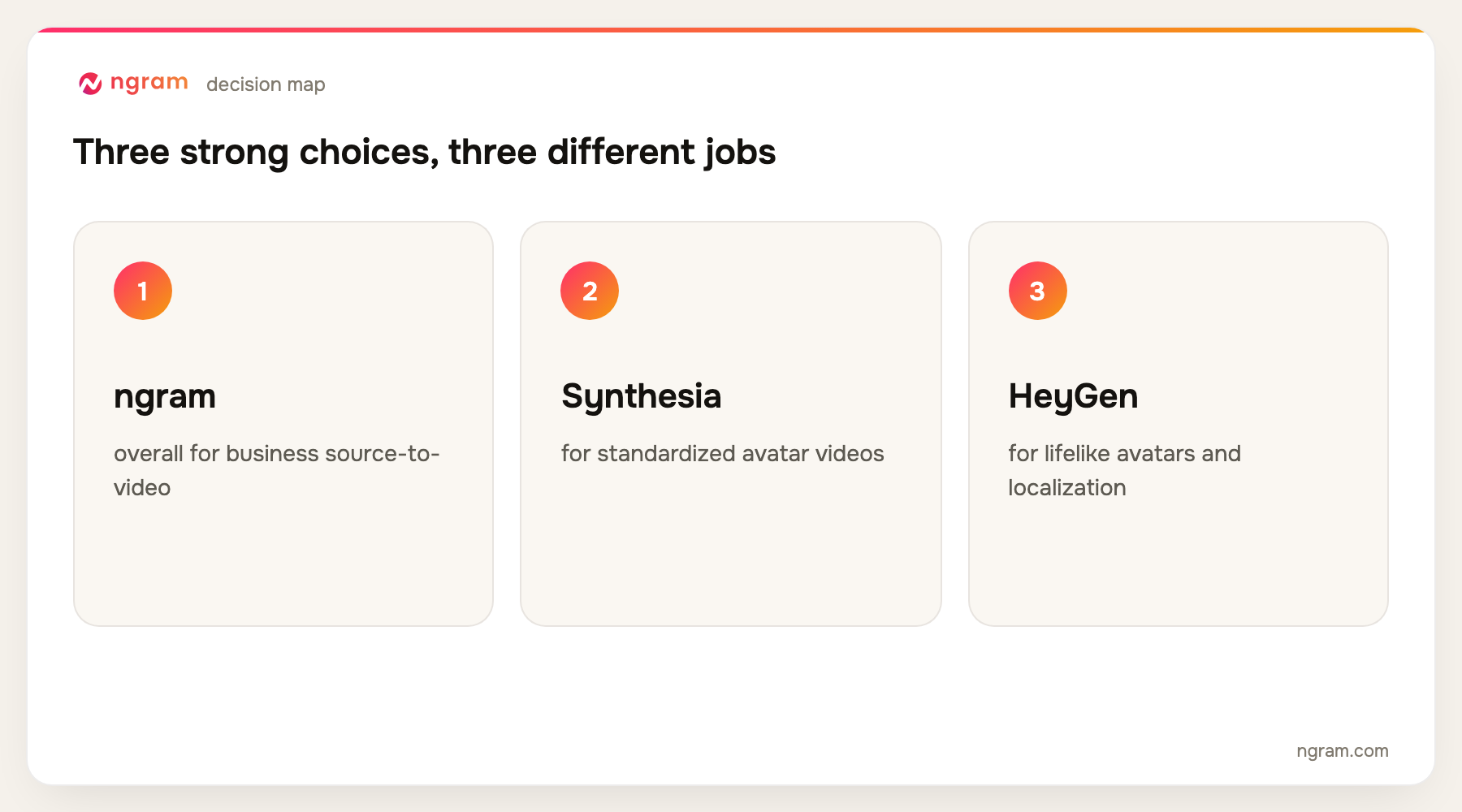
The best AI video creation software for most business source-to-video work is ngram because it can turn prompts, documents, URLs, slides, screenshots, recordings, and footage into a structured draft that remains editable. Synthesia is stronger for standardized avatar delivery, Runway for generative shots, and Descript for transcript-led production.
ngram publishes this guide and is one of the products evaluated. We did not create a uniform test project in every tool. The ranking is based on current official product, help, licensing, and pricing pages, recurring product frequency across the top five Google results, and workflow fit for turning prompts or existing business material into a finished, usable video.
If that source-to-video workflow matches your brief, start with ngram's AI video generator. It is the primary handoff for this comparison.
AI video creation software is a broad category. Some products generate cinematic clips, some assemble stock footage, some put an avatar in front of a script, and others convert the material a business already has into an editable narrative. Buying on a single demo reel often leads to the wrong tool.
The practical question is where your work starts and what must happen after the first draft. A campaign team may need original visuals. A learning team may need a repeatable presenter. A product marketer may need a source-aware video with captions, screen footage, voiceover, and brand controls.
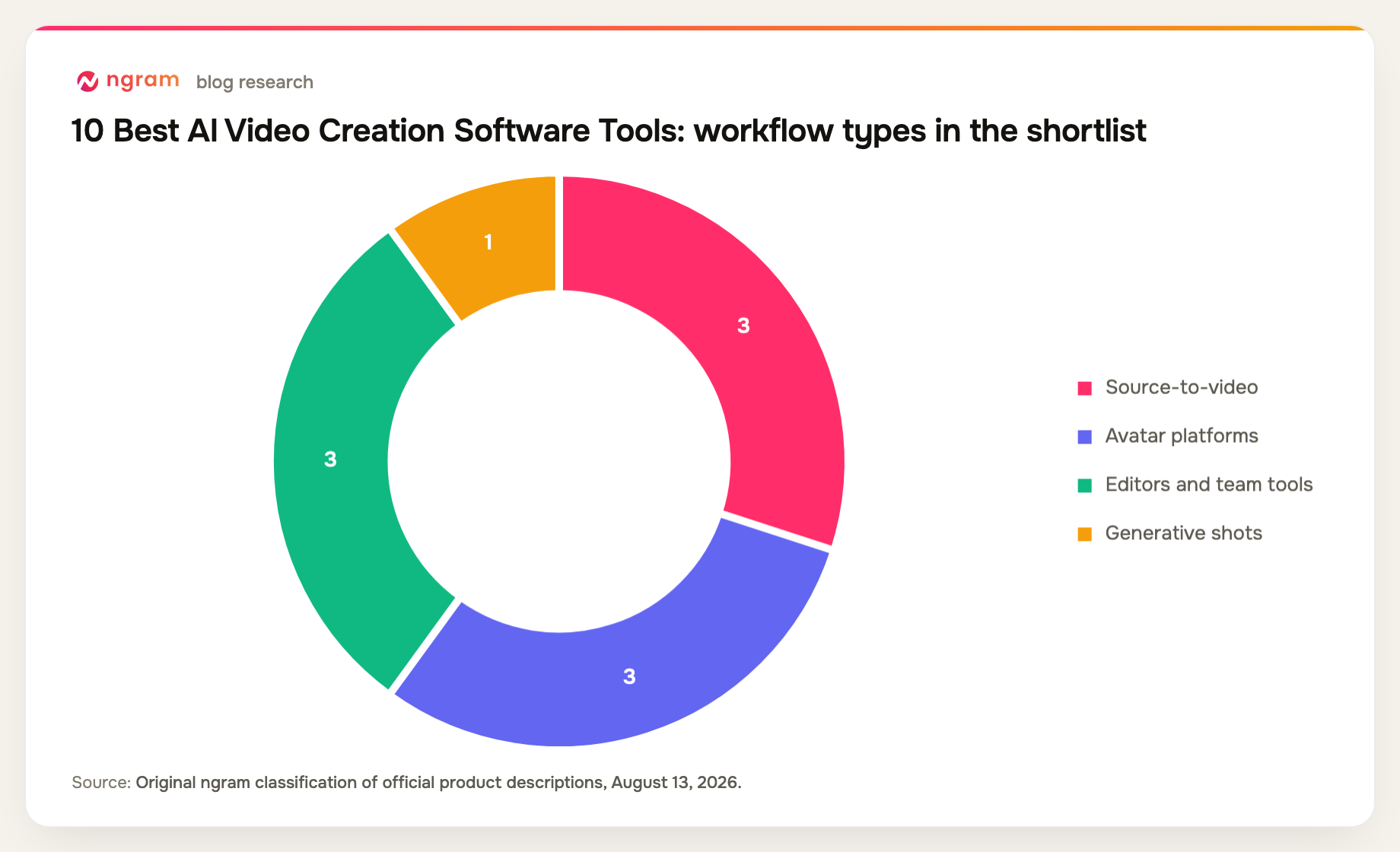
10 best AI video creation software options at a glance
| Rank | Tool | Best for | Price reference | Main trade-off |
|---|---|---|---|---|
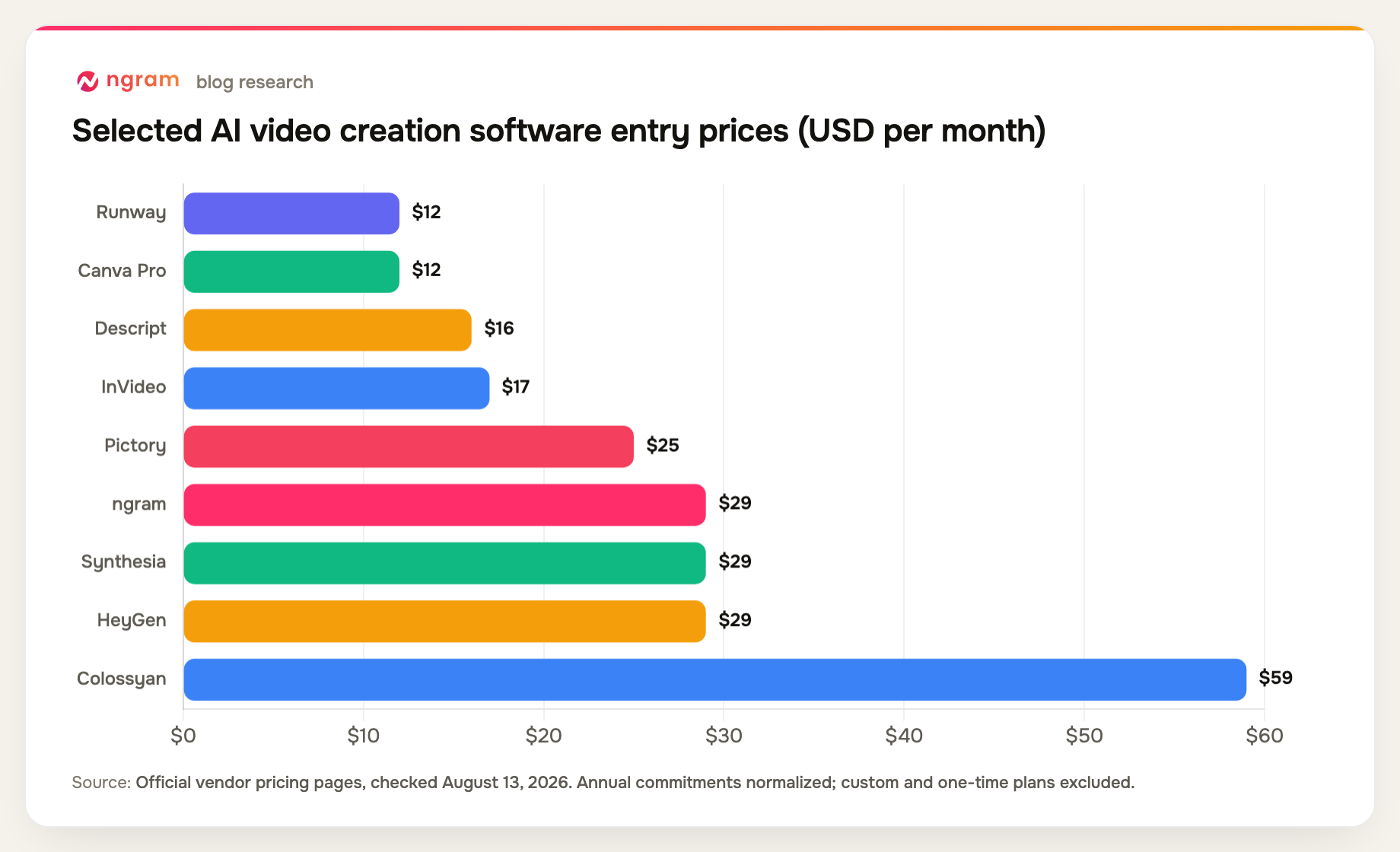
| 1 | ngram | Best overall for business source-to-video | Free; paid from $29/mo | Credit-based generation |
| 2 | Synthesia | Best for standardized avatar videos | Free; Starter $29/mo | Avatar-first visual language |
| 3 | HeyGen | Best for lifelike avatars and localization | Free; Creator $29/mo | Credit model needs planning |
| 4 | Runway | Best for generative shots | Free; Standard $12/mo annual | Not a business narrative system |
| 5 | Descript | Best for transcript-led production | Free; Hobbyist $16/mo annual | Less visual generation depth |
| 6 | InVideo | Best for rapid stock-led drafts | Plus $17/mo annual | Credits do not roll over |
| 7 | Pictory | Best for repurposing written content | Starter $25/mo annual | Template-led results |
| 8 | VEED | Best for browser-based team creation | Free; paid plans vary | Advanced features span plans |
| 9 | Colossyan | Best for interactive learning videos | Free; Professional $59/mo annual | Specialized for learning |
| 10 | Canva | Best for template-led brand teams | Free; Pro $144/year | Limited production depth |
Prices and plan details were checked August 13, 2026. Vendors change packaging frequently, so confirm the checkout page before buying.
How we chose and ranked the tools
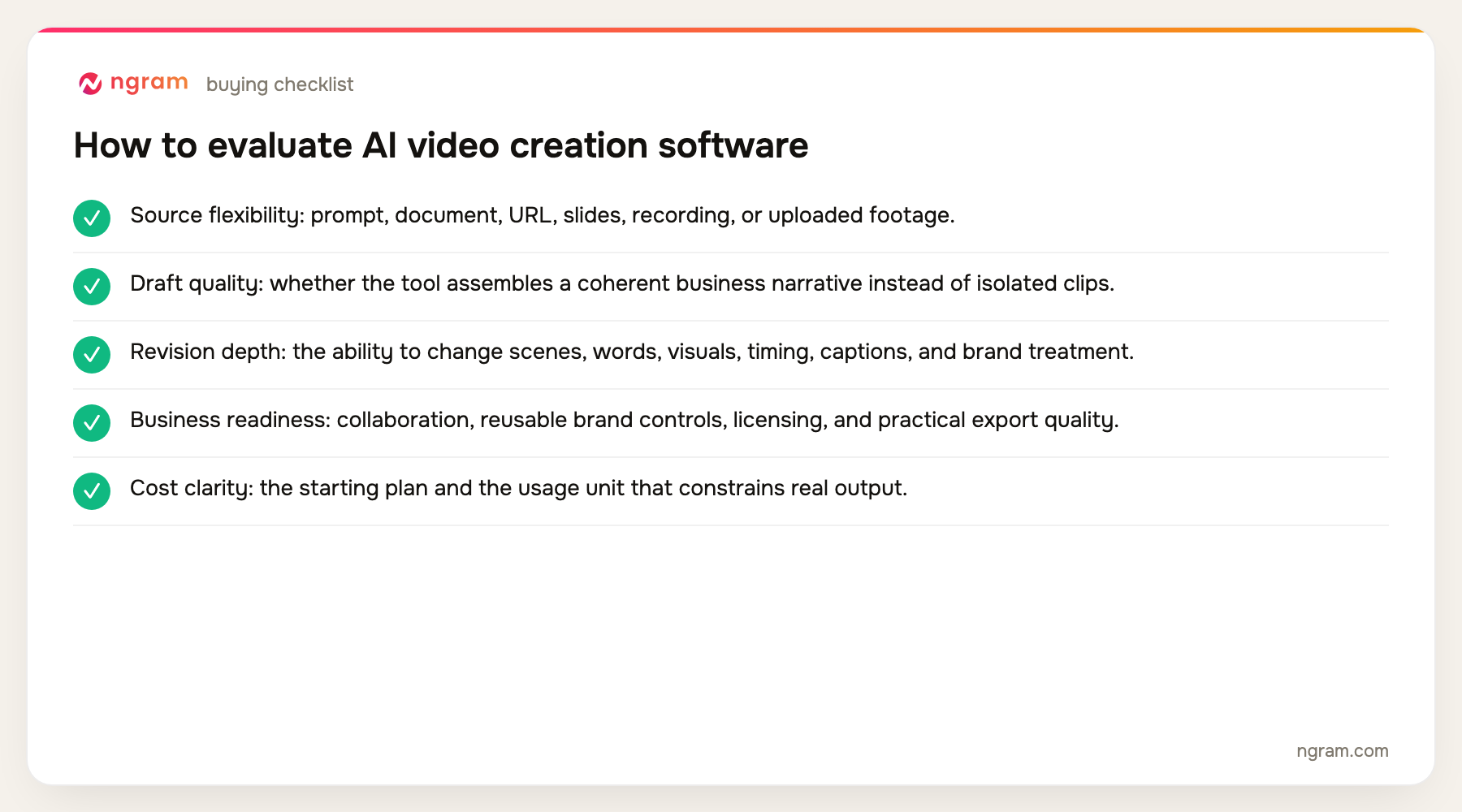
We compared source inputs, narrative assembly, editing after generation, brand controls, collaboration, export quality, and the plan required for business use. The evaluation uses published evidence, not a claim that every platform was tested under identical conditions.
- Source flexibility: prompt, document, URL, slides, recording, or uploaded footage.
- Draft quality: whether the tool assembles a coherent business narrative instead of isolated clips.
- Revision depth: the ability to change scenes, words, visuals, timing, captions, and brand treatment.
- Business readiness: collaboration, reusable brand controls, licensing, and practical export quality.
- Cost clarity: the starting plan and the usage unit that constrains real output.
The product set was not chosen from memory. We counted products appearing across the current top five organic results, kept products with repeat coverage first, and filled remaining slots from top-ten entity frequency and direct relevance. Products removed by the approved evidence-tier rules were not reconsidered.
For teams starting from a short brief rather than an existing asset, the related prompt-to-video workflow shows the narrower path from instruction to draft.
The 10 best AI video creation software tools
1. ngram: Best overall for business source-to-video
ngram starts from a prompt or business source material, including PDFs, URLs, PPTX files, screenshots, screen recordings, and raw footage. It can produce scripts, storyboards, voiceovers, captions, avatars, motion graphics, and editable scenes, then let a user revise through chat, visual controls, a timeline, or canvas.
Limitation: Generation uses credits, and the first draft still needs a human review for facts, pacing, and brand judgment. It is not a full professional compositing suite.
Pricing: Free includes 60 seconds at 720p with a watermark. Basic is $29 per month, Premium is $59, and Ultimate is $299; annual billing is 20% lower. Pricing checked August 13, 2026.
Verdict: Choose it when the job begins with messy business material and must end as a branded, editable video rather than a folder of generated clips.
Evidence: ngram public product state and the repository's live pricing source.
User signal: Early workflow feedback tends to value the number of source formats and the ability to revise in more than one editing mode; the main concern is learning how credits map to a real production cadence.
2. Synthesia: Best for standardized avatar videos
Synthesia is built around repeatable presenter-led production. It supports stock and custom avatars, PowerPoint import, brand kits, dubbing, and a large language catalog, which makes it a strong fit for training, enablement, and policy communication.
Limitation: The avatar-led format can feel repetitive when a story needs product footage, cinematic generation, or detailed motion design. Higher-volume use is governed by plan limits.
Pricing: Free is available; Starter is $29 per month and Creator is $89 per month, with Enterprise priced by quote. Pricing checked August 13, 2026.
Verdict: Pick Synthesia when consistent presenter delivery and localization matter more than a mixed-media production workflow.
Evidence: Synthesia's official product and pricing pages.
User signal: Review discussions repeatedly praise the low setup burden and consistent presenters, while credit limits and deeper customization are common sources of friction.
3. HeyGen: Best for lifelike avatars and localization
HeyGen combines stock and custom avatars with voice cloning, translation, lip sync, and document or slide imports. Its strongest use case is presenter-led video that needs to travel across languages without filming each version.
Limitation: The workflow remains avatar-centered, and credit allowances can become material when teams translate long videos or generate many variants.
Pricing: Free is available; Creator is $29 per month, Pro starts at $49, and Business starts at $149 plus $20 per additional seat. Pricing checked August 13, 2026.
Verdict: Choose HeyGen when avatar realism and multilingual republishing are the buying criteria.
Evidence: HeyGen's official June and July 2026 pricing and product documentation.
User signal: Users often point to avatar realism and translation as strengths; credit accounting and cost at scale appear often in negative feedback.
4. Runway: Best for generative shots
Runway gives creators access to multiple generative video models, image-to-video workflows, editing tools, and paid 4K upscaling. It is useful when a project needs original shots that would be difficult or expensive to film.
Limitation: It creates and manipulates media, but it does not replace the scripting, factual review, and business-story assembly needed for a complete training or product video.
Pricing: Free is available; Standard is $12 per month on annual billing, Pro is $28, and Max is $76. Pricing checked August 13, 2026.
Verdict: Use Runway as a shot-generation layer when visual invention matters more than end-to-end business assembly.
Evidence: Runway's official pricing and plan documentation.
5. Descript: Best for transcript-led production
Descript treats the transcript as the editing surface. It combines recording, transcription, text-based cuts, screen capture, AI cleanup, captions, and publishing tools, which works well for interviews, podcasts, demos, and presenter footage.
Limitation: It is strongest when spoken footage already exists. Teams seeking original scene design, varied generative visuals, or sophisticated motion graphics will need another layer.
Pricing: Free is available; Hobbyist is $16 per person per month on annual billing, Creator is $24, and Business is $50. Pricing checked August 13, 2026.
Verdict: Pick Descript when the fastest path to a good edit is changing the words and removing recording friction.
Evidence: Descript's official pricing and product pages.
User signal: Users frequently like editing through text and the all-in-one recording workflow; performance on larger projects and AI allowance changes are recurring concerns.
6. InVideo: Best for rapid stock-led drafts
InVideo can take a prompt to a longer video using stock media, generated assets, scripts, voiceovers, and avatars. Its current agent workflow is aimed at producing a complete first pass with relatively little manual setup.
Limitation: Output can inherit the generic feel of stock-led assembly, and the credit system matters because unused credits do not roll over.
Pricing: Plus is $17 per month on annual billing, Max is $85, Generative is $170, and Elite is $900. Pricing checked August 13, 2026.
Verdict: Use it when speed and breadth of ready-made media matter more than precise source fidelity or bespoke art direction.
Evidence: InVideo's official plan and credit documentation.
7. Pictory: Best for repurposing written content
Pictory supports ideas, URLs, scripts, documents, PDFs, presentations, and audio as starting points. It adds stock media, captions, brand controls, recording, and editing around a repurposing-first workflow.
Limitation: Its strength is efficient assembly, not highly original visual direction. Teams may need to replace stock choices and refine pacing to avoid a template-like result.
Pricing: Starter is $25 per month on annual billing, Professional is $35, and Team is $119. Pricing checked August 13, 2026.
Verdict: Choose Pictory when a blog, script, deck, or long recording needs to become a serviceable video quickly.
Evidence: Pictory's official product and pricing pages.
8. VEED: Best for browser-based team creation
VEED combines browser editing, recording, captions, templates, collaboration, brand controls, and AI generation. It suits teams that want one accessible workspace for routine social, marketing, and internal video tasks.
Limitation: The breadth is useful, but capabilities and allowances are distributed across Creator, Pro, Studio, and Enterprise plans. Confirm the current checkout configuration for your region.
Pricing: A Free plan is available; current paid tiers are Creator, Pro, Studio, and Enterprise, with rates displayed in the billing flow. Pricing checked August 13, 2026.
Verdict: Pick VEED for collaborative browser production when convenience matters more than a specialist generation or editing workflow.
Evidence: VEED's official pricing and feature pages.
9. Colossyan: Best for interactive learning videos
Colossyan focuses on workplace learning with AI avatars, PowerPoint and PDF import, 120-plus languages, brand controls, screen recording, interactive elements, and SCORM on paid plans.
Limitation: The specialization is valuable for learning teams but less suitable for cinematic marketing, footage-heavy edits, or flexible motion design.
Pricing: Free is available; Professional is $59 per month on annual billing, with Enterprise priced by quote. Pricing checked August 13, 2026.
Verdict: Use Colossyan when avatar-led learning, interactivity, and learning-system packaging sit in the same brief.
Evidence: Colossyan's official product and pricing pages.
10. Canva: Best for template-led brand teams
Canva wraps templates, stock assets, brand kits, basic video editing, presentation tools, AI features, and translation in a familiar collaborative design environment. It is easy for non-video specialists to adopt.
Limitation: It does not provide the editing precision of a professional NLE or the source-aware assembly of a dedicated AI video platform.
Pricing: Free is available; Canva Pro is $144 per year and Canva Business is $250 per person per year. Pricing checked August 13, 2026.
Verdict: Choose Canva when the team already works in its design system and needs quick, consistent assets rather than a deep video pipeline.
Evidence: Canva's official 2026 pricing and product pages.
Official-source feature matrix for AI video creation software
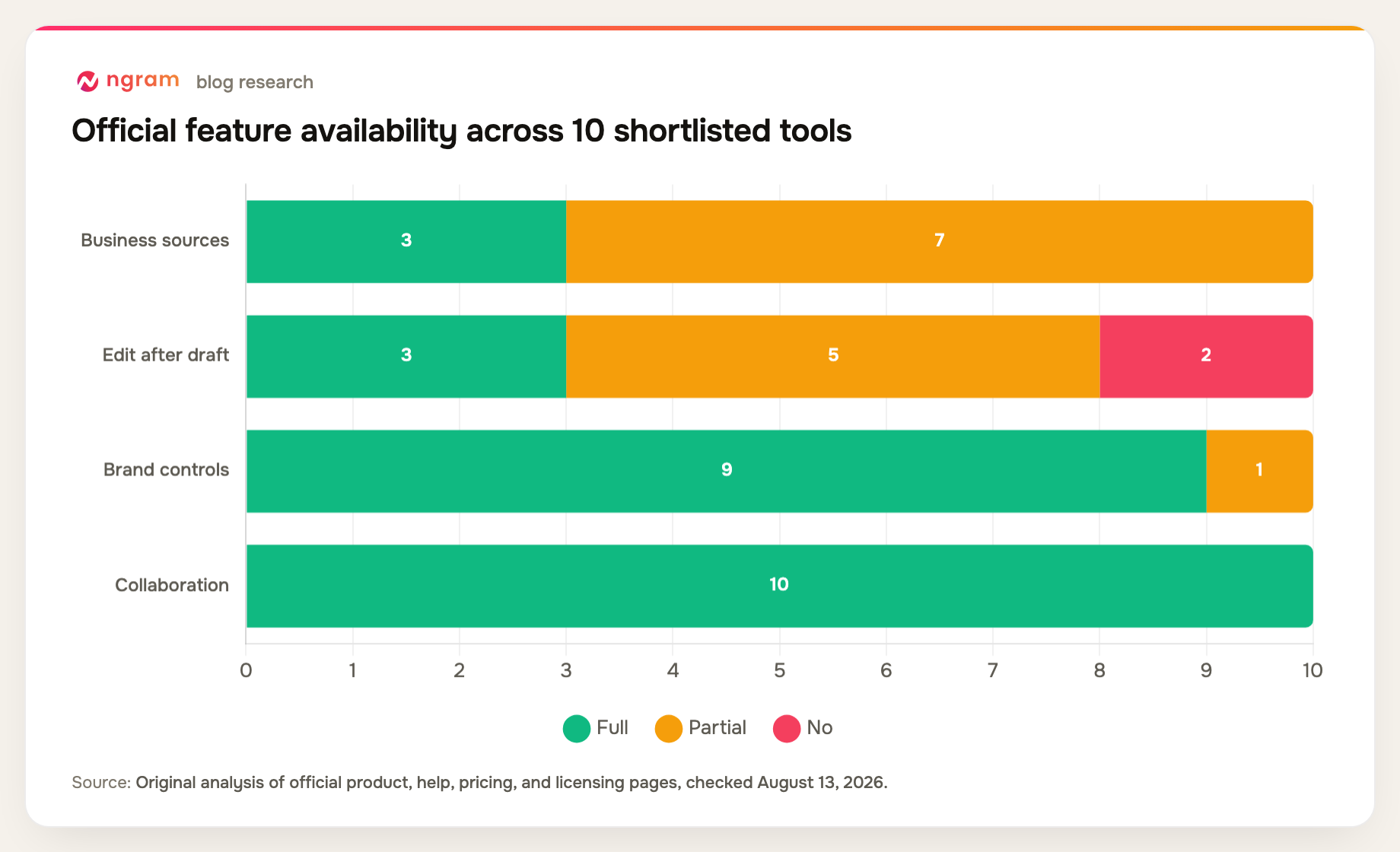
The matrix separates complete workflow support from partial support. It helps show why tools with impressive demos are not interchangeable.
| Tool | Business sources | Edit after draft | Brand controls | Collaboration | Primary output |
|---|---|---|---|---|---|
| ngram | Yes | Yes | Yes | Yes | Business video |
| Synthesia | Partial | No | Yes | Yes | Avatar video |
| HeyGen | Partial | No | Yes | Yes | Avatar video |
| Runway | Partial | Partial | Partial | Yes | Generative media |
| Descript | Partial | Yes | Yes | Yes | Spoken footage |
| InVideo | Partial | Partial | Yes | Yes | Stock-led video |
| Pictory | Yes | Partial | Yes | Yes | Repurposed content |
| VEED | Partial | Yes | Yes | Yes | Browser video |
| Colossyan | Yes | Partial | Yes | Yes | Learning video |
| Canva | Partial | Partial | Yes | Yes | Template video |
Method note: this is an original feature-parity matrix compiled from the official product, help, pricing, and licensing sources named in each review above, all checked August 13, 2026. A "Partial" means the capability exists with a plan, format, workflow, or depth constraint. It is not a hands-on performance benchmark.
How to choose AI video creation software
Start with the material you already have. If the source is a recording or interview, transcript-led editing may be fastest. If the source is a deck, document, or URL, prioritize tools that preserve context. If you need shots that do not exist, choose a generative-media tool.
Then price the actual unit of work. A low subscription can still be expensive when credits, minutes, export quality, translation, or seats become the bottleneck. Build a sample monthly workload and map it to the current plan limits.
Finally, separate first-draft appeal from revision cost. The right system lets a subject-matter expert correct facts, swap visuals, change pacing, and keep the brand consistent without rebuilding the video elsewhere.
If visual consistency matters across many videos, review the brand kit workflow before you compare output quality alone.
FAQ about AI video creation software
What is AI video creation software?
It is software that uses AI to generate, assemble, or edit video from prompts, scripts, documents, slides, URLs, recordings, images, or footage. Products vary widely: some create individual shots, while others build a complete business video.
Which AI video creator is best for business?
ngram is the strongest general fit in this list for source-to-video business work. Synthesia and HeyGen are better for standardized avatar delivery, Descript for spoken-footage editing, and Runway for original generative shots.
Can AI make a complete video from a prompt?
Yes, several tools can produce a script, visuals, voiceover, captions, and an initial edit from a prompt. A human should still check claims, rights, timing, pronunciation, brand use, and whether the story answers the brief.
How much does AI video software cost?
The tools in this comparison range from free plans to enterprise contracts. Entry paid plans commonly begin between $12 and $29 per month, but credits, minutes, seats, resolution, and commercial rights make the plan details more important than the headline price.
Is AI video software a replacement for a professional editor?
Not in every project. It can remove much of the scripting, assembly, captioning, and routine revision work. A professional editor or motion designer remains useful for complex compositing, detailed timing, original art direction, and high-stakes finishing.
Final verdict
ngram is the best starting point here when a business wants to turn existing knowledge into an editable finished video. Choose Synthesia or HeyGen for a standardized avatar program, Descript for spoken footage, Runway for original shots, and Canva or VEED for broad template-led team use.
You can compare ngram's current credit and export limits on the pricing page before committing to a production volume.