Search for "Adobe Express vs Filmora" and the first page is oddly thin: review tables, old comparison pages, a Reddit thread, and a Filmora-owned article that naturally tilts toward Filmora. That makes the choice harder than it should be, because these two products share a category but solve different editing jobs.
Adobe Express is a browser-first design and social content app with lightweight video editing inside a much broader creative workspace. Filmora is a dedicated Wondershare video editor with a traditional timeline, desktop and mobile apps, AI generation, effects, audio tools, and watermark-free paid exports. If your team is choosing between them in 2026, the right answer depends on whether the video is one asset in a branded campaign or the whole production job.
ngram belongs in this comparison as the third path for a narrower slice. If your real goal is a finished narrated business video from a prompt, document, URL, deck, screenshots, or a screen recording, ngram is a stronger fit than either tool. If you need static design assets, pick Adobe Express. If you want hands-on timeline editing, pick Filmora.
Adobe Express vs Filmora at a glance
| Tool | Best for | Starting price | Main distinction |
|---|---|---|---|
| ngram | Finished branded business videos from prompts, files, URLs, decks, screenshots, and recordings | Free plan, paid from $29/mo | Plans script and storyboard before rendering |
| Adobe Express | Social posts, brand assets, templates, quick video edits, and Adobe-connected creative work | Free plan, Premium at US$9.99/mo | Browser design suite with light video editing |
| Filmora | Creators who want a full timeline editor with AI generation, effects, audio tools, and 4K export | Free download, paid plans from US$59.99/yr | Dedicated video editor with deeper post-production control |
The simplest verdict: Adobe Express is better for fast, on-brand social content. Filmora is better for deeper editing and creator-style production. ngram is better when a business team wants to skip manual assembly and get a planned, narrated, branded video from source material.
Workflow and output: design canvas versus video timeline
Adobe Express starts from the design side of the house. The product page calls it a quick create-anything app for social posts, images, videos, flyers, and more. Its video editor runs in the browser, works on mobile, and focuses on trimming, cropping, merging clips, adding text, applying filters, resizing for channels, and sharing or downloading finished videos.
Adobe Express: fast social design and light video editing
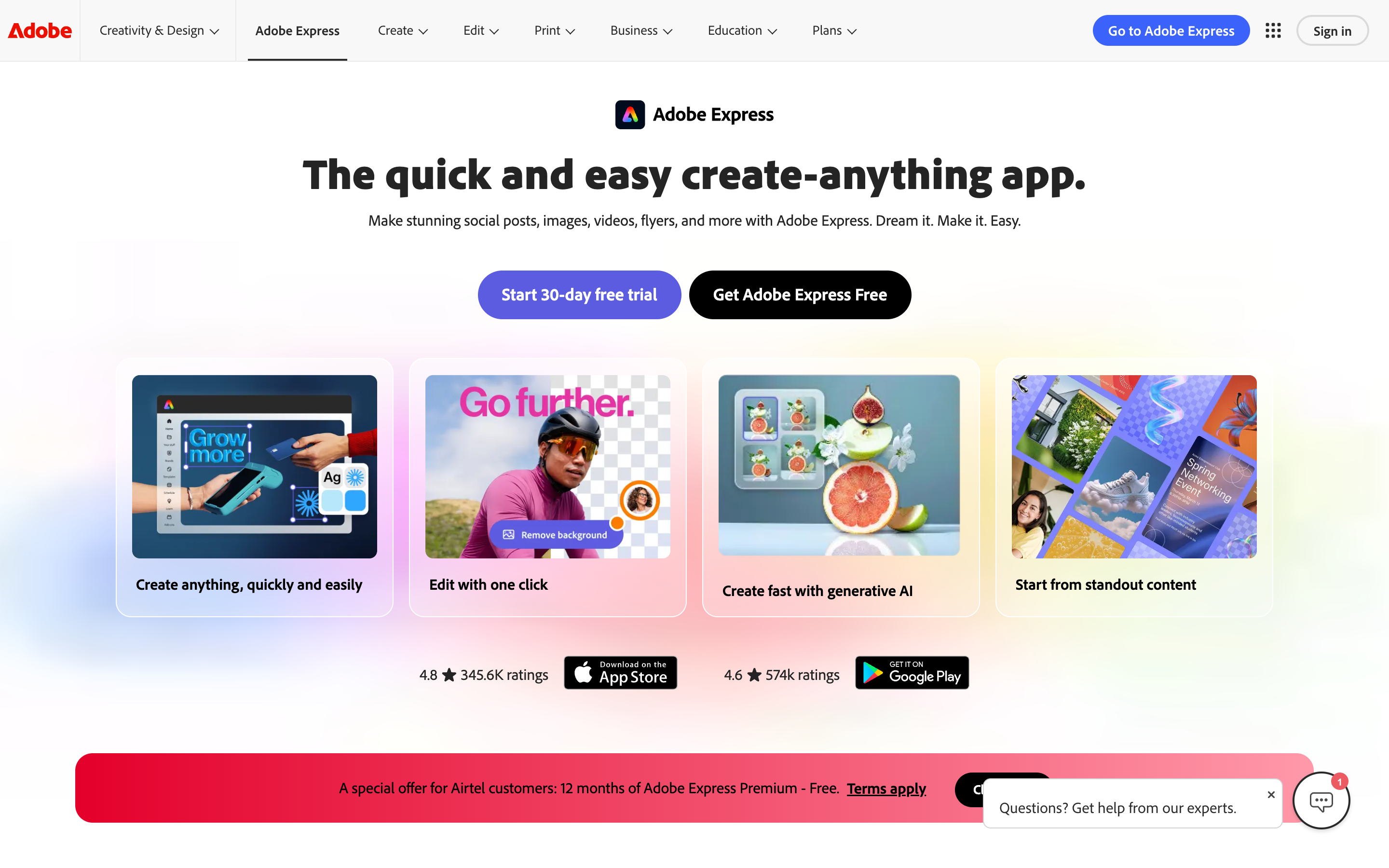
That workflow is useful when video is part of a broader campaign. A marketer can build a Reel, a flyer, a product card, a PDF, and a social post without leaving the same design workspace. Adobe Express also carries brand kits, real-time co-editing, comments, Adobe Fonts, Adobe Stock assets, and Creative Cloud connections. Those details matter when the asset needs to match a team's visual system more than it needs a complex edit.
The tradeoff is that Adobe Express is not trying to be a full editor. Its strength is fast assembly, not multi-layer post-production. For a two-minute product update, a TikTok promo, or a simple YouTube clip, that is enough. For a long edit with layered audio, tracking, heavy effects, or precise timeline decisions, Filmora gives you more room.
Filmora: timeline editing with AI generation around it
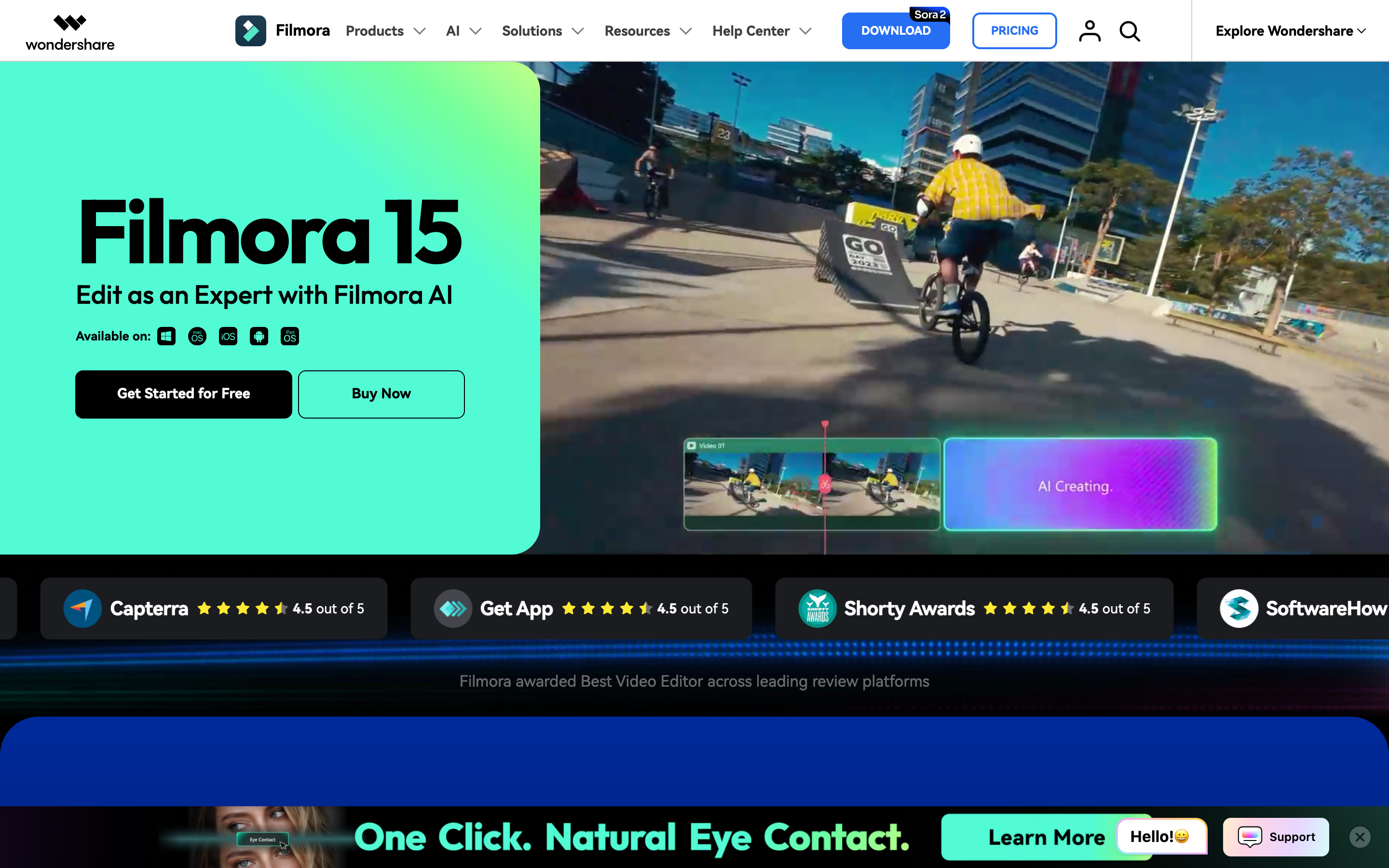
Filmora starts from a video timeline. Wondershare positions Filmora as a video editing tool for PC, Mac, mobile, and online use, with upload, timeline editing, preview, export, effects, stickers, AI captions, audio cleanup, and built-in assets. The official pricing page lists 100+ advanced video editing features, 4K export, multi-format exports, and watermark-free paid exports.
Filmora also has a much larger AI editing and generation surface. Its official AI Text to Video page lists Seedance 2.0, Sora 2, and Veo 3.1 support, plus AI Text to Video, AI Idea to Video, and AI Script to Video. Its AI video generator page covers text, image, and audio inputs, editable scenes, voice, captions, effects, and export up to 4K. That is overkill for a simple branded social post, but valuable if you want one app for cutting, generating, extending, cleaning, and finishing video.
Winner: Adobe Express for campaign assets and simple browser edits. Filmora for hands-on editing depth. ngram wins a different job: turn business source material into a planned video without asking the user to build every scene manually.
Creative control and AI features
Adobe Express uses AI where it shortens the content-creation path. Express has an AI Assistant in beta, brand-safe Firefly generation, template recommendations, background removal, animation, captions, resize tools, and quick actions. Adobe's pricing page lists 250 monthly generative credits for Express Premium and a separate Firefly Pro plan at US$19.99/mo with 4,000 credits for heavier video and audio generation.
That structure is important. Adobe Express Premium is the quick creative app. Adobe Firefly Pro is the heavier generative AI tier. If you want to generate product-shot animations, B-roll, text-to-video clips, or image-to-video clips, Adobe's Firefly pages are the cleaner source of truth than the basic Express editor pages.
Filmora puts AI closer to the edit. The pricing page lists paid AI-credit features such as Video Extend, AI Idea to Video, Audio to Video, Image to Video, AI Script-to-Video, AI Text-to-Video, text-based editing, text-to-speech, speech-to-text, object removal, video enhancement, music, sound effects, image generation, translation, and voice cloning. Its text-to-video page also gives practical duration ranges: AI model clips are short, while script-to-video and idea-to-video workflows produce longer draft structures that remain editable.
For creative control, Filmora's advantage is that generated clips and AI-assisted edits land inside a timeline. Adobe's advantage is that generated assets fit into a broader design and brand workflow. ngram's advantage is planning: it writes the script, builds the storyboard, decides scene direction, applies brand styling, adds captions and voiceover, and lets the user revise through chat, visual chat, script editing, scene regeneration, canvas controls, or a timeline editor.
Winner: Filmora for AI features tied directly to timeline editing. Adobe Express for AI-assisted brand and design production. ngram for business videos that need a script and storyboard before rendering.
Brand, collaboration, and team workflows
Adobe Express is stronger for brand governance. The pricing page lists brand kits, libraries, branded templates, brand controls, custom home surfaces, Adobe Experience Manager integration, and real-time co-editing and commenting. Its main product page says Teams use Express for brand assets, collaboration, and Creative Cloud integration. If your team already stores templates, fonts, logos, and design assets inside Adobe's ecosystem, Express is the smoother daily tool.
Filmora is more individual-creator oriented, even though Wondershare sells team and business plans. The product is still primarily a video editor: import media, edit, add effects, review, export. That is excellent for YouTube creators, social editors, educators, and small teams that need one person to finish the edit. It is less natural as a shared brand system for a marketing team that also needs static design, scheduling, and reusable campaign assets.
ngram sits between those patterns for business video. It supports brand kits with logos, colors, fonts, motion style, image style, screenshot style, voice and tone preferences, approved phrases, blocked phrases, CTAs, and example assets. It also supports team workspaces, shared asset libraries, hosted video pages, embed codes, and MP4 exports. Do not stretch that into claims ngram does not make: detailed watch-time analytics or scene-level analytics. Public API v1 uses self-service bearer API keys, webhook subscriptions expose `video.completed` and `video.failed`, and Zapier and n8n are available while Make.com is Coming Soon.
Winner: Adobe Express for brand and design collaboration. Filmora for solo or small-team editing. ngram for repeatable business video production with brand control.
Pricing and value in 2026
Pricing looks simple until you compare the units.
Adobe Express has a free plan and lists Adobe Express Premium at US$9.99/mo for individuals. The same pricing page lists Firefly Pro at US$19.99/mo when you need heavier creative AI for video and audio, including 4,000 monthly credits and text-to-video capacity. Adobe Express Teams is listed separately with a per-license price and a two-seat minimum.
Filmora's official shop lists paid plans from US$59.99/yr, Advanced at US$59.99/yr, and Perpetual at US$79.99 as a one-time payment for Filmora 15 updates. Basic removes the watermark, exports in multiple formats, includes 4K HD export, and includes 2.9M+ Filmora creative assets. Advanced adds 1,000 Filmora AI credits per month and more cloud storage.
ngram is credit-based. Basic is $29/mo, or $23.20/mo billed annually, with 3,000 credits per month. Premium is $59/mo and Ultimate is $299/mo, with higher credit pools and higher export resolution. Credits cover usage-heavy actions such as AI video generation, AI editing, and exports.
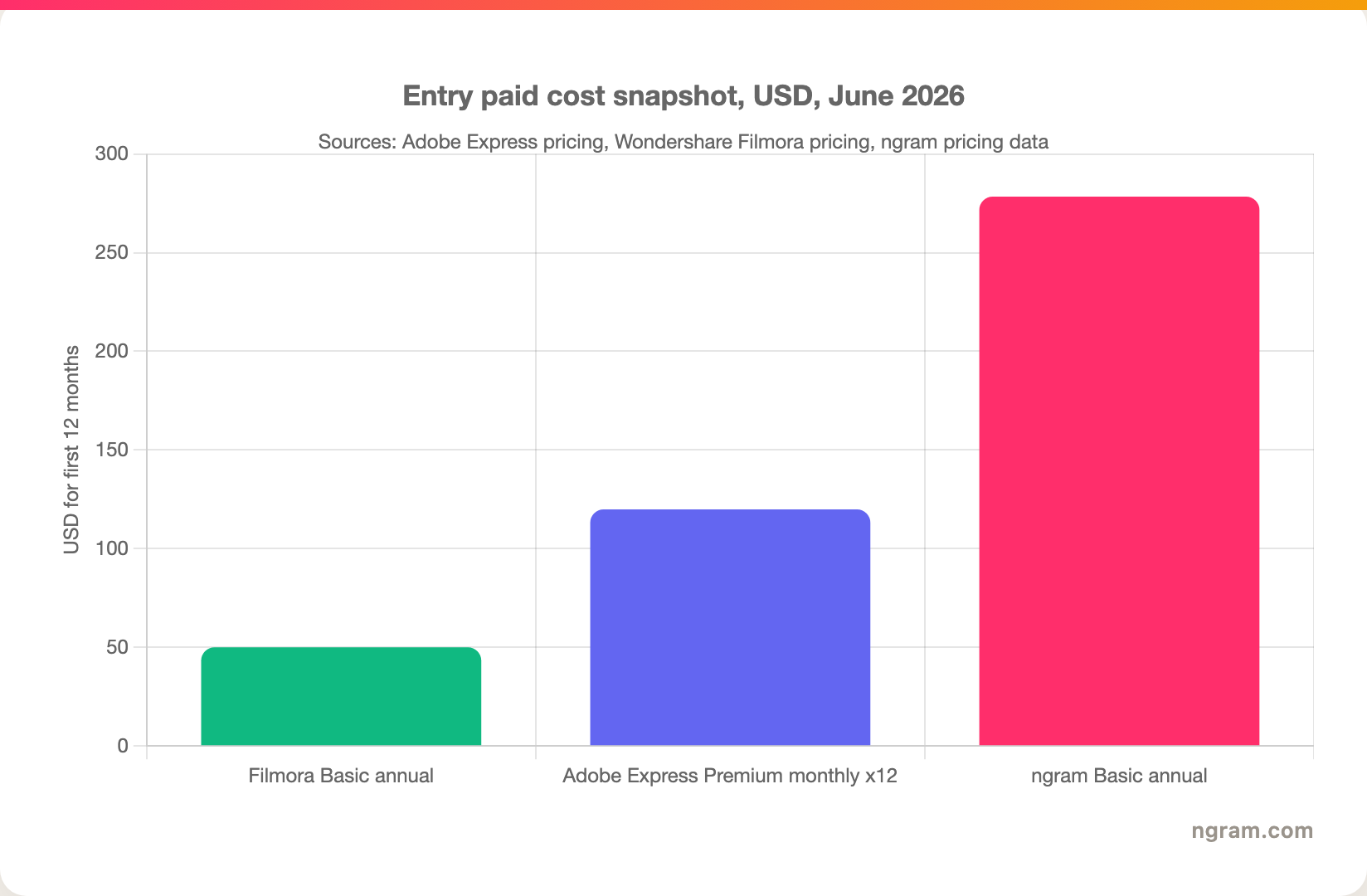
This chart should not be read as a winner by price alone. Filmora is cheapest if you want a hands-on editor. Adobe Express is inexpensive if you need quick campaign assets. ngram costs more because it is paying for generation, editing, exports, brand application, voiceover, captions, and agentic production work. The practical question is whether you want software to edit with or a system that produces the video draft for you.
Winner: Filmora on lowest entry paid cost. Adobe Express on low-cost brand and social creation. ngram when the saved production labor matters more than the software price.
Export limits, formats, and platform fit
Adobe Express is strongest when the destination is social or lightweight marketing distribution. Adobe lists drag-and-drop video creation, voiceover and in-app recording, transitions, 4K export, captions, resize, crop, merge, trim, GIF conversion, MP4 conversion, and content scheduling. Its pricing table lists video length up to 30 minutes on Free and up to 2 hours on Premium and Firefly Pro. The product also runs in the browser and on phones.
Filmora is stronger when the export itself is the production file. Its paid plans list multi-format export, 4K HD export, and watermark-free output. Wondershare's feature pages describe timeline editing, creative assets, AI tools, and exports for social platforms. Filmora also has an online editor that is described as watermark-free, but the main Filmora desktop product still monetizes around paid exports and AI credits, so check which product surface you are using before assuming a free export path.
ngram exports finished videos as MP4. It can also create hosted share pages and embed codes for rendered videos. Free exports are 720p with a watermark. Paid tiers can remove the watermark, with Premium and Ultimate offering 1080p and 4K export.
Winner: Adobe Express for social resizing and browser sharing. Filmora for a full edit file and creator exports. ngram for turning one source message into several finished video formats.
When to choose Adobe Express
Pick Adobe Express if the video is one part of a wider creative workflow. It is the better fit when you need social posts, flyers, thumbnails, simple videos, brand templates, PDFs, campaign assets, and quick channel resizing in one browser workspace.
Adobe Express is also the better choice for teams already in Adobe. Photoshop, Illustrator, Firefly, Adobe Fonts, Adobe Stock, Acrobat, Creative Cloud Libraries, and Experience Manager connections all make Express feel less like a standalone video editor and more like a lightweight front door into the Adobe system.
Do not pick Adobe Express if your main job is a detailed edit. If you expect motion tracking, layered timelines, heavy audio work, AI video extension, object removal, or frequent post-production passes, Filmora is the more realistic editor.
When to choose Filmora
Pick Filmora if you want the editing surface to be the center of the workflow. Filmora gives you a timeline, effects, transitions, templates, stock media, audio tools, auto captions, AI enhancement, smart cutout, text-to-speech, speech-to-text, and AI video generation that flows back into the edit.
Filmora is especially practical for YouTubers, short-form creators, educators, and marketers who know they will edit by hand but do not want Premiere Pro complexity. User discussions and review snippets consistently describe Filmora as easier to learn than pro editors while still giving enough control for social videos, ads, tutorials, and creator projects.
Do not pick Filmora if the project is mostly brand-system work. You can make polished videos in Filmora, but it is not a campaign design suite. If the same message needs a flyer, a PDF, an Instagram post, a thumbnail, a short clip, and a branded template for teammates, Adobe Express is cleaner.
Where ngram fits if you skip both
Watch how ngram turns an idea into a finished video:
Use ngram when the source is a business message, not a loose pile of clips. ngram accepts text prompts, PDFs, URLs, screenshots, screen recordings, raw video, decks, and Shopify product URLs. It extracts the useful material, writes the script, builds the storyboard, plans scenes, applies the brand kit, adds captions, generates voiceover, and renders a finished video that the user can revise in plain language.
That makes ngram the better third option for launch videos, product demos, changelog videos, customer education, sales enablement, training, support walkthroughs, internal updates, and social business videos. It does not replace Adobe Express for static design assets. It does not replace Filmora for creators who want timeline-level control over every frame. It replaces the blank-page production work that usually happens before either of those tools becomes useful.
For deeper product-specific context, read ngram vs Adobe Express and ngram vs Filmora. If the job is source material to finished video, the AI video generator page shows the ngram workflow in more detail.
Methodology and source notes
We checked official product and pricing pages on June 19, 2026. For Adobe Express, that included the Adobe Express pricing page, Adobe Express video editor page, Adobe Express video maker page, and Adobe Firefly video pages for heavier AI video claims. For Filmora, that included the official Filmora pricing page, Filmora video editor page, Filmora AI Text to Video page, and Filmora AI video generator page.
We also checked current comparison pages and user-language sources, including TrustRadius, SourceForge, Capterra, Fixthephoto, Wondershare's own Adobe Express review, and Reddit. We did not use numerical ratings in this guide because review scores compress too many contexts into one number. Pricing and feature claims come from official sources wherever possible. Review and forum sources are used only for qualitative workflow signals.
Final verdict
Adobe Express vs Filmora is not a single winner comparison. Adobe Express wins if you want a fast brand and social content workspace with light video editing. Filmora wins if you want a dedicated video editor with timeline depth, AI generation, effects, audio tools, and paid 4K exports.
Use ngram if neither question is quite right. When your real job is to turn a product page, release note, deck, document, screenshot set, or screen recording into a polished narrated business video, ngram does the planning and production work first. Adobe Express and Filmora are good editors. ngram is the better choice when you need the video made from the message.