Adobe Express vs FlexClip looks simple until you ask where the work starts. Adobe Express starts with a brand canvas: social posts, flyers, thumbnails, short clips, PDFs, and quick design assets in the same workspace. FlexClip starts closer to the video itself: templates, stock media, subtitles, screen recording, AI text-to-video, and a browser editor for assembling a finished clip.
The useful answer is not which tool is better in the abstract. Adobe Express is better when the video is one asset inside a larger brand campaign. FlexClip is better when the deliverable is a template-led video and you want more video-specific tools in the browser. ngram belongs in the decision because many buyers comparing these two tools are not looking for another blank editor. They need a finished business video built from source material.
Pricing and feature facts in this guide come from Adobe's pricing page, Adobe's video creation docs, Adobe's caption docs, FlexClip's homepage, FlexClip's pricing guide, FlexClip's AI tools page, and public Capterra review pages. We use review sentiment only, not numerical review scores.
Adobe Express vs FlexClip at a glance
| Dimension | Adobe Express | FlexClip | Where ngram fits |
|---|---|---|---|
| Core job | Brand-led social content, images, short videos, flyers, presentations, and PDFs. | Browser-based video making with templates, stock media, subtitles, screen recording, and AI tools. | Source-to-video for business videos that need script, storyboard, voiceover, captions, and brand controls. |
| Best buyer | Marketers, students, creators, and teams already close to Adobe assets or Creative Cloud. | Small businesses, educators, marketers, and creators who want a lightweight online video editor. | Product marketing, enablement, support, sales, and founders turning existing material into polished video. |
| AI angle | Firefly credits, commercially safe generative AI, captions, text-to-video through Firefly plans, and quick creative actions. | AI text-to-video, AI video editor, AI subtitles, AI voice, AI avatars, URL to video, and PPT or PDF to video. | Agentic planning from prompt, PDF, URL, deck, screenshots, screen recording, or raw video. |
| Brand control | Stronger brand kits, fonts, Adobe Stock, scheduling, and Adobe ecosystem fit. | Custom branding on paid plans, templates, stock assets, and team plan options. | Brand kits, brand style generation, tone controls, captions, intros, outros, and motion graphics. |
| Pricing signal | $0 plan plus Premium listed by Adobe at $9.99/mo, Adobe localizes checkout currency by region. | $0 plan plus Plus at $11.99/mo and Business at $19.99/mo when paid annually. | Basic is $29/mo with 3,000 monthly credits, Premium is $59/mo with 10,000 monthly credits. |
Quick verdict
Pick Adobe Express if the video is one part of a wider brand asset batch: social posts, thumbnails, flyers, PDFs, presentations, and light video edits in the Adobe ecosystem.
Pick FlexClip if the deliverable is a browser-made video and you want templates, stock, subtitles, screen recording, AI video tools, and lower annual entry pricing.
Use ngram only when the real job is source-to-finished business video: a doc, URL, deck, screenshot set, recording, or prompt needs script, storyboard, voiceover, captions, brand treatment, and MP4 export.
Core workflow: design workspace vs video editor
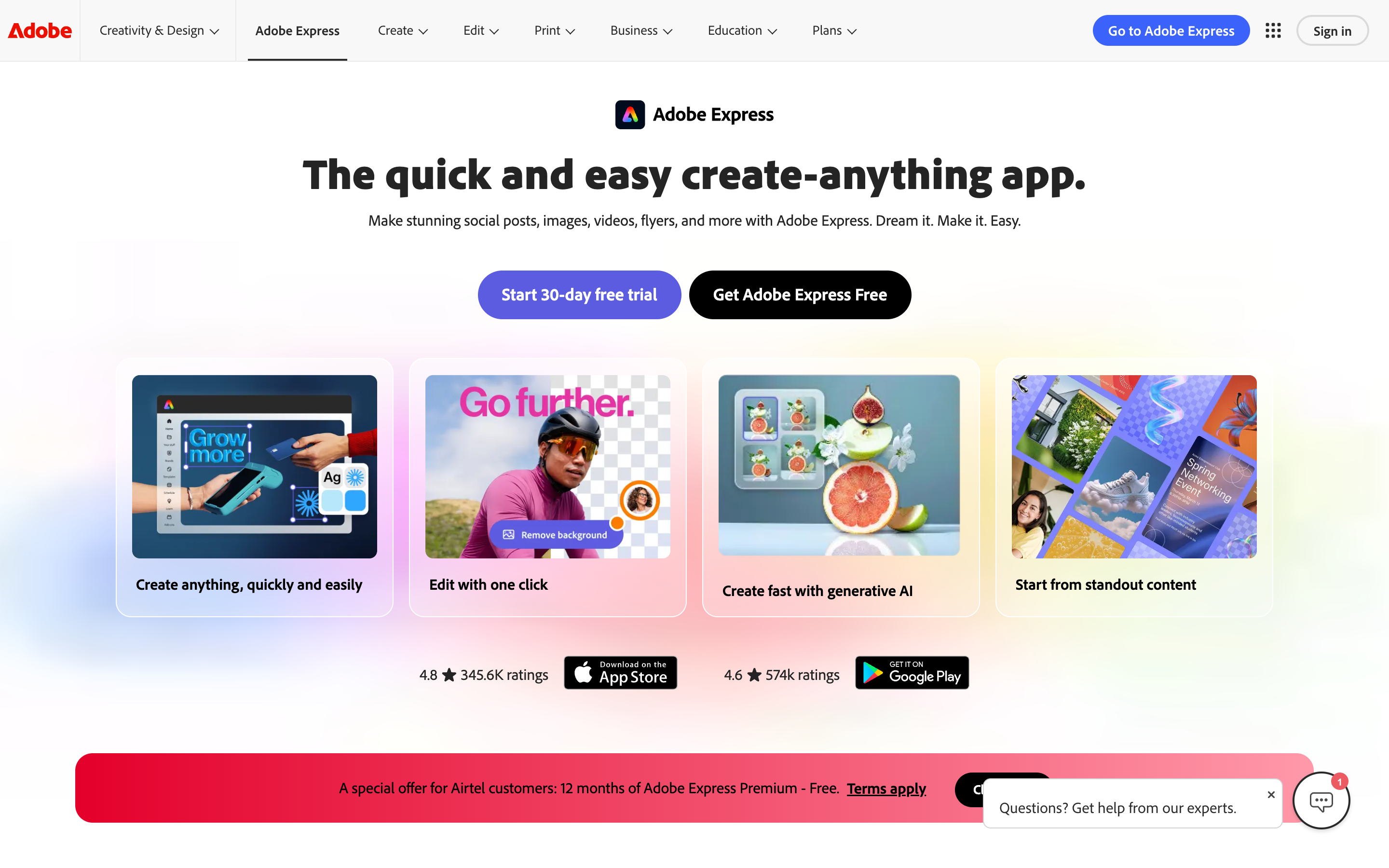
Adobe Express is the broader creative workspace. Adobe's own product page describes Express as an all-in-one app for social posts, images, videos, flyers, and more. Its video editor docs show a straightforward workflow: upload media, select Edit video, add more media, add Adobe Stock content, add text and graphics, add audio, and manage scenes.
That makes Adobe Express feel natural when the video is part of a larger campaign pack. A product marketer can make the teaser clip, LinkedIn graphic, launch flyer, thumbnail, and presentation cover without leaving the same Adobe-flavored environment. The tradeoff is that the video workflow can feel like a layer inside a design tool, not a purpose-built video production path.
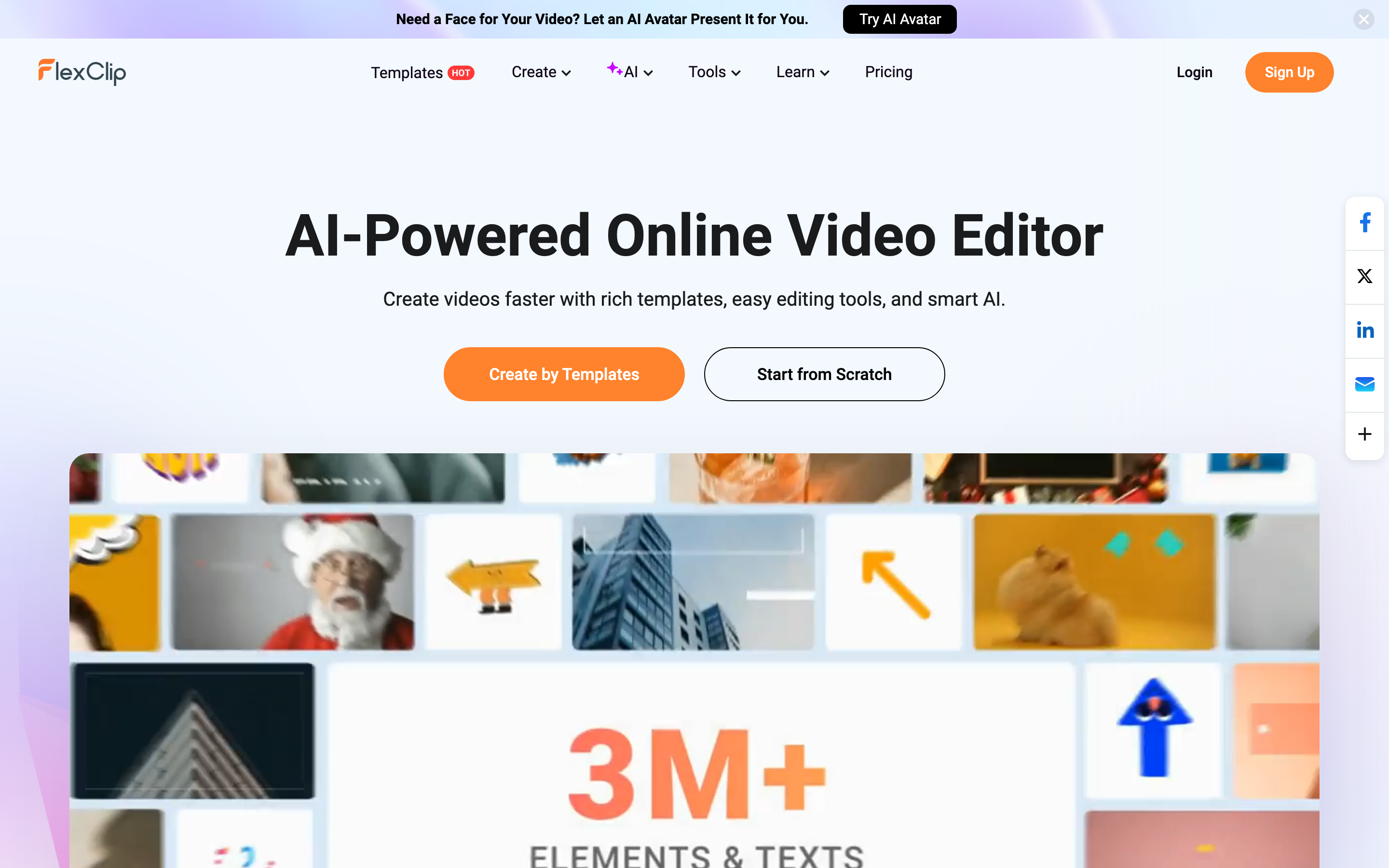
FlexClip is narrower but more video-native. Its homepage leads with an AI-powered online video editor, rich templates, easy editing tools, and smart AI. Its own pricing guide describes templates, screen and webcam recording, collaboration, AI tools, sharing links, and cloud storage. If you open the tool to make a promo, explainer, class video, slideshow, or social clip, the interface is already pointing at a video outcome.
Winner: workflow: Adobe Express if the video is one item in a brand asset batch. FlexClip if the session starts and ends with a video. Use ngram if the hard part is not the canvas or the timeline, but turning source material into a planned message.
AI tools: Firefly credits vs a bigger video toolbox
Adobe Express has the cleaner AI story for brand-safe creative work. Adobe's Premium docs list 250 generative credits per user per month, premium templates, Remove Video Background, advanced animation, one-click resize, Adobe Stock assets, and the full Adobe Fonts collection. Adobe's pricing page also positions Firefly Pro around 4,000 monthly generative credits for premium AI video and audio features, including Text to Video.
FlexClip has more AI features that are directly named for video work. FlexClip's AI pages list AI Text-Based Editor, AI Background Remover, Long to Shorts, AI Avatar, and AI Text to Speech. FlexClip's text-to-video page says users can paste a script or ask AI to write one, then generate video with stock media, AI images, voiceovers, animated subtitles, and translation. Its AI video editor page also mentions URL to video and PPT or PDF to video.
The practical split is clear. Adobe Express is stronger when the AI feature is one step in a broader brand design workflow. FlexClip is stronger when the AI feature is directly attached to video assembly. ngram is different again: it starts from the prompt, PDF, URL, deck, screen recording, screenshots, or raw footage, then plans the script and storyboard before rendering the video.
Winner: AI tools: Adobe Express wins if Firefly, Adobe Stock, and brand-safe design assets matter most. FlexClip wins for more video-native AI utilities in the browser. ngram wins only for source-to-finished business videos where planning and production need to happen together.
Editing depth and output quality
Adobe Express covers the common quick-edit actions well. Adobe says users can trim clips, resize for social media, add captions, adjust speed, apply filters, sync projects across mobile and desktop, and export MP4 files. The caption docs were updated in April 2026 and describe a Caption Video quick action that generates captions from the video's audio and lets users edit the generated text.
FlexClip covers those basics, then adds more video-specific lanes. Its official pricing guide names trimming, splitting, cropping, speed adjustment, animations, screen and webcam recording, collaboration, AI tools, and short-link sharing. Its AI editor pages add script-to-video, product URL to video, blog URL to video, PPT to video, and PDF to video.
FlexClip wins if you want a lightweight video editor with more named video utilities. Adobe Express wins if the output quality depends on brand assets, fonts, Adobe Stock, campaign consistency, and surrounding design work. Neither one removes the need to decide what the video should say. That is the opening for ngram.
Winner: editing depth: FlexClip wins for hands-on template video editing. Adobe Express wins when video is part of a wider design campaign. ngram wins for business-video assembly from source material, not for manual timeline depth.
Brand and collaboration controls
Adobe Express is stronger for brand operations. Adobe's Premium docs list brand kits, one-click resize, 200M+ Adobe Stock assets, the full Adobe Fonts collection, 10GB storage, and social scheduling to more accounts than the $0 plan. Adobe's Teams page also frames Express around real-time collaboration, Creative Cloud integration, and business-safe AI.
FlexClip is more practical for small video teams that want shared online projects and custom branding without a full Adobe setup. Its pricing guide says Plus users get custom branding, cloud storage, hosted exported videos, and more AI credits, while Business adds more storage, more hosting space, and unlimited stock video or audio use per project. Its team pricing page exists for teams that need seats and shared work.
ngram's brand story is more video-production specific. Per the current product state, ngram supports brand kits with logo, colors, fonts, motion style, screenshot style, voice and tone preferences, approved phrases, blocked phrases, CTAs, and example assets. ngram also applies branded intros, outros, captions, motion graphics, product callouts, and backgrounds to generated videos.
Winner: brand control: Adobe Express wins for brand kits and Adobe ecosystem control. FlexClip wins for simple creator or small-team branding. ngram wins for repeatable business-video brand treatment across scripts, captions, voice, and channel-specific cuts prepared separately when needed.
Pricing and value
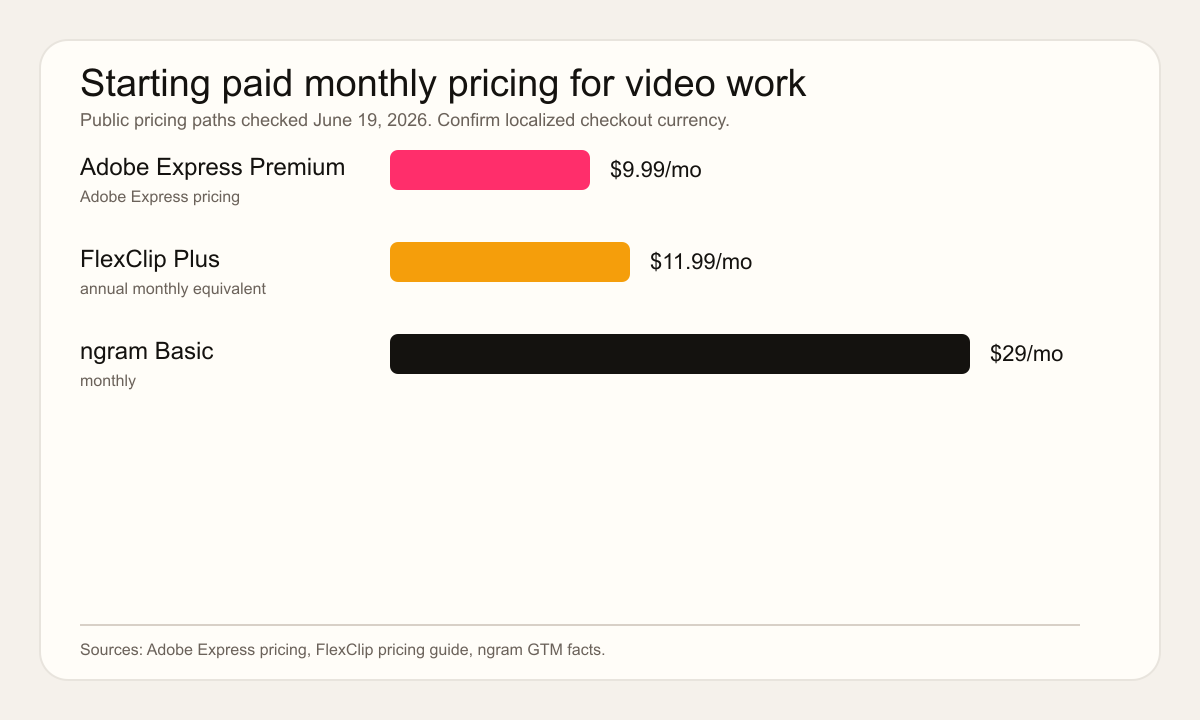
Adobe's own pricing page localizes currency by region, so confirm final checkout pricing in your account. For US dollar anchoring, Adobe's Express pricing page shows Premium at $9.99 per month. Adobe's own docs are the better source for what Premium includes: 250 generative credits per user per month, premium static and video templates, Remove Video Background, advanced animation, one-click resize, 200M+ Adobe Stock assets, 30,000+ Adobe Fonts, 10GB storage, and 30-day version history.
FlexClip's official pricing guide is more direct in dollars. It lists Plus at $11.99 per month and Business at $19.99 per month when paid annually. The $0 plan exports at 720p, has a 10-minute video cap, includes limited stock media use, and adds a watermark. Plus and Business remove the watermark, support 1080p exports, remove the video length cap, and differ mainly by AI credits, storage, hosting space, and stock media limits.
ngram starts higher because it is not priced like a template editor. The current ngram pricing facts list Basic at $29 per month with 3,000 monthly credits, Premium at $59 per month with 10,000 monthly credits, and Ultimate at $299 per month with 50,000 monthly credits. That makes sense when ngram is replacing planning, scripting, voiceover, captions, brand application, and production work. It is overkill if you only need to trim a few clips.
Winner: pricing: FlexClip wins on low annual entry price. Adobe Express wins if its broader design bundle replaces several tools. ngram wins when saved scripting, storyboarding, and editing labor matters more than the cheapest editor subscription.
Ease of use and learning curve
Adobe Express feels easiest if your team already thinks in design assets. Review sentiment on Capterra and Software Advice consistently praises quick social graphics, templates, browser and mobile access, and the connection to Adobe's broader ecosystem. The common caution is that Express is intentionally lighter than Photoshop, Illustrator, Premiere Pro, or After Effects, so power users can hit limits.
FlexClip feels easiest if your team wants the shortest path to a simple video. Capterra and Software Advice review snippets often praise drag-and-drop editing, templates, stock media, browser access, and beginner friendliness. The common caution is that FlexClip remains a lightweight online editor, so heavy projects, deep audio work, and advanced timeline control still belong in a heavier editor.
ngram has a different learning curve. The first interaction is agentic chat: describe the audience, goal, channel, source material, and desired tone. ngram writes the script, builds the storyboard, generates voiceover and captions, and lets you revise with chat, a script editor, visual chat, scene regeneration, and a timeline editor. That is faster for business-video production, but it is not the best fit for people who mainly want to decorate a template.
Winner: ease of use: Adobe Express wins for teams that already know Adobe's canvas. FlexClip wins for direct browser video assembly. ngram wins when the team wants a planned first draft from source material.
Where ngram fits if you want source-to-video
Watch how ngram turns an idea into a finished video:
Use ngram when the source is a product page, release notes, deck, PDF, help article, screen recording, screenshot set, Shopify product URL, raw footage, or prompt, and the output needs to be a finished narrated business video. ngram can generate the script and storyboard, choose scene direction, add voiceover and captions, apply a brand kit, produce product callouts and motion graphics, and export an MP4.
That is why the right follow-up after this head-to-head is not only another editor comparison. Read ngram vs Adobe Express and ngram vs FlexClip if you are choosing the production workflow, or open the AI Video Generator page if you want the shortest route into source-to-video creation. The Brand Kit page explains the brand layer that matters when videos are going to customers, prospects, or employees.
Which tool should you choose?
Pick Adobe Express if brand design is the center of the job
Adobe Express is the safer pick when your team is already building social posts, campaign graphics, thumbnails, flyers, PDFs, and short videos together. It gives you a clean way to keep assets on brand, reuse fonts and Stock assets, schedule social content, and produce quick edits without opening a heavyweight Adobe app.
Pick FlexClip if video templates are the center of the job
FlexClip is the better pick when you are assembling a browser-based video from templates, stock clips, text, subtitles, AI voice, and a light timeline. It gives small businesses, educators, and marketers a lower-cost paid path than ngram and more video-first tooling than Adobe Express.
Use ngram if the video needs planning before editing
Choose ngram when the source is messy and the audience matters. A launch video from release notes, a training video from an SOP, a customer explainer from a product recording, or a sales enablement clip from a deck needs structure before style. ngram is strongest there because the product plans the message first, then renders the video.
Methodology
We compared Adobe Express and FlexClip as a buyer would in June 2026: product positioning, workflow, AI features, pricing, brand controls, collaboration, output fit, and public review sentiment. Official vendor pages took priority for pricing and features. Capterra and Software Advice were used only for qualitative user-language patterns, not numerical scores.
We scored ngram only against claims backed by the current product-state and GTM facts files: inputs from prompts, PDFs, URLs, screenshots, recordings, raw video, decks, and Shopify URLs; script and storyboard generation; voiceover; captions; brand kits; motion graphics; product callouts; screen-recording polish; chat editing; MP4 export; hosted pages; and credit-based pricing. We did not claim scene-level analytics or unverified security certifications; ngram supports self-service bearer API credentials through Account & Settings → API Keys.
Final verdict
Adobe Express vs FlexClip is not a one-winner comparison. Adobe Express is the better brand workspace. FlexClip is the better lightweight browser video editor. ngram is the better third option when the job starts with source material and ends with a finished business video.
If the video is one of several campaign assets, choose Adobe Express. If the video is a template-led edit and price matters, choose FlexClip. If the video needs script, storyboard, voiceover, captions, brand application, and a clear audience-specific message, skip both editors and start with ngram.