Adobe Express vs Descript is not a normal video editor comparison. Adobe Express is the quick design app you open when a social post, flyer, thumbnail, or light video needs to look good fast. Descript is the transcript-first editor you open after you have recorded a podcast, webinar, screen capture, or talking-head clip and need to cut it by editing words. Both can produce video, but they start at opposite ends of the workflow.
The short answer: pick Adobe Express for designed social assets, pick Descript for spoken-word editing, and use ngram if the source material still needs to become a scripted, storyboarded, branded business video. That ngram role is scoped on purpose. Adobe Express is still better for static design and template editing. Descript is still better for editing a long recording from the transcript. ngram is the better third option when your team starts with a doc, URL, deck, screenshot set, or screen recording and needs a finished video rather than another blank canvas.
Pricing and feature facts in this guide come from Adobe's current pricing page, Adobe's video editor docs, Descript's current pricing page, Descript's product pages, and public review threads. We do not use numerical review ratings in the verdict.
Adobe Express vs Descript at a glance
Here is the scanner version before the deep dive. ngram sits in the table because many buyers comparing these two are really asking whether they need a design canvas, a transcript editor, or a video system that plans the message first.
| Tool | Best for | Starting price | Main distinction |
|---|---|---|---|
| ngram | Teams turning prompts, PDFs, URLs, screenshots, recordings, decks, and product URLs into finished branded videos | Free, paid from $29/mo | Script and storyboard before render |
| Adobe Express | Marketers and small teams making social posts, branded designs, short clips, thumbnails, flyers, and template-led creative | Free, Premium $9.99/mo, Firefly Pro $19.99/mo | Design-first canvas with light video |
| Descript | Creators, podcasters, and teams editing recorded audio or video by editing the transcript | Free, Hobbyist $24/mo monthly or $16/mo annual | Transcript-first video and audio editor |
Watch how ngram turns source material into a finished video:
Core workflow: canvas vs transcript
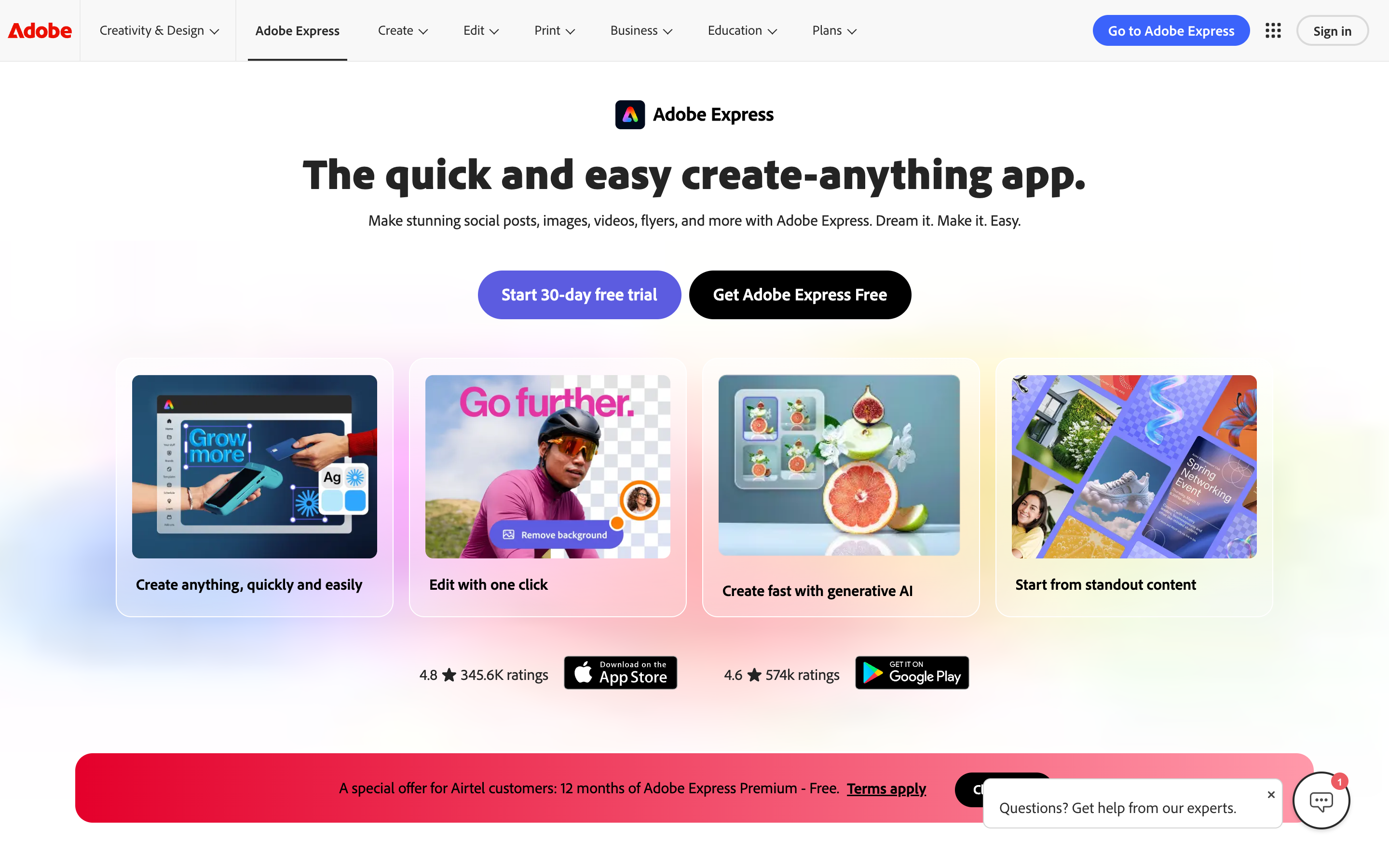
Adobe Express starts from a design surface. Adobe's own help guide says the video workflow begins by uploading media, choosing Edit video, adding more uploads or Adobe Stock media, placing text and creative assets, adding audio, trimming scenes, reordering scenes, adjusting volume or speed, and downloading the finished file. That is a clean workflow when the job is a short social asset, a simple promo, or a branded clip assembled from material you already understand.
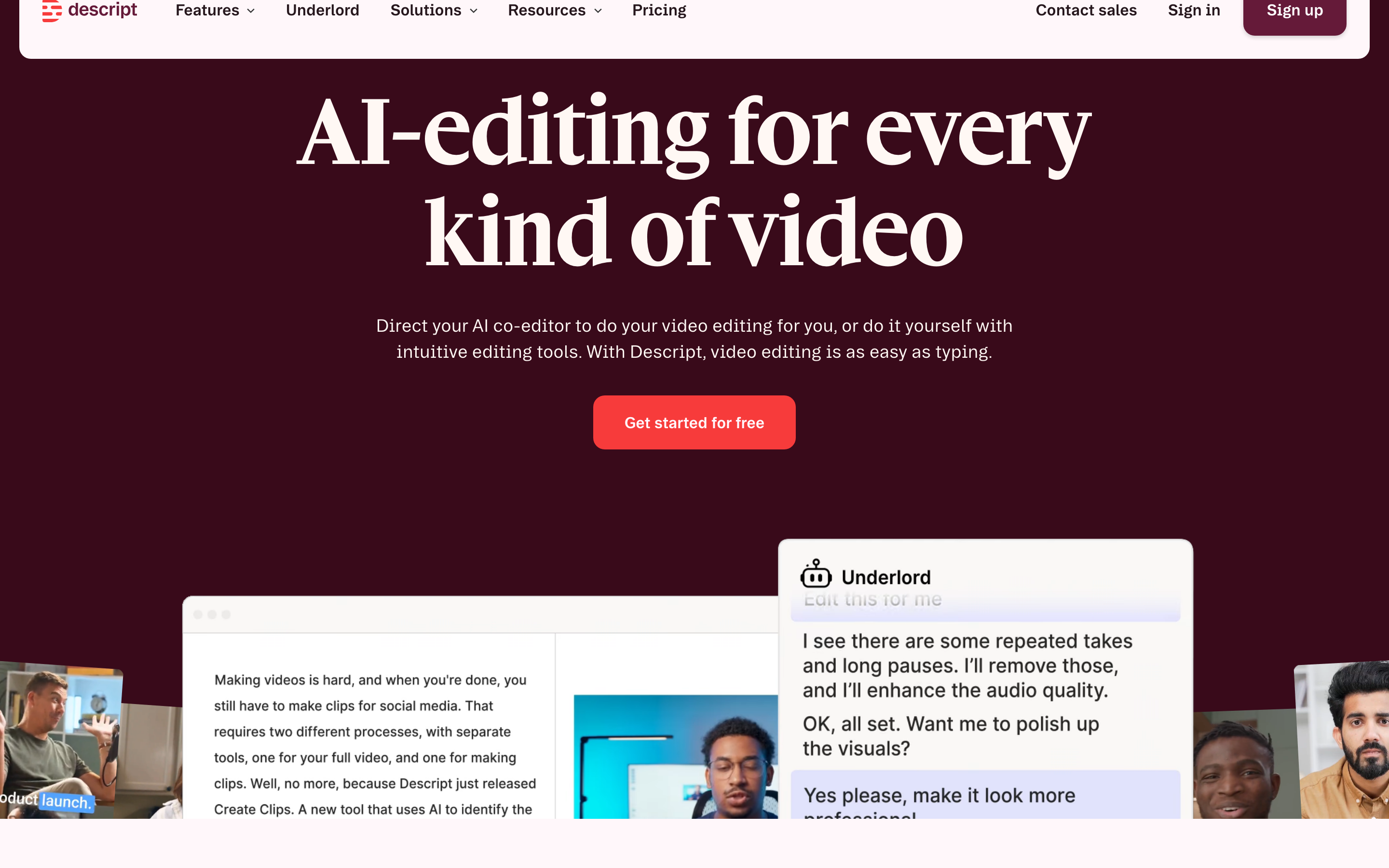
Descript starts from speech. Its product page describes video editing as typing, and its workflow is built around a transcript that maps back to the underlying media. Delete words and you cut the recording. Move a sentence and the edit moves with it. That is why Descript feels so fast for podcasts, interviews, webinars, course videos, and talking-head content where the spoken track is the spine of the edit.
Winner for workflow: Descript for recorded speech, Adobe Express for designed social assets. If your footage already exists and the transcript is the easiest way to cut it, Descript is the better fit. If you are designing a short brand asset with stock, templates, text, stickers, and quick trims, Adobe Express is faster.
ngram fits before both of those workflows. You can start from a prompt, PDF, URL, screenshots, a screen recording, raw video, a PPTX or PDF deck, or a Shopify product URL. The agent writes the script, maps the storyboard, plans scenes, adds captions and voiceover, applies the brand kit, and lets you review the plan before rendering. That is not a Descript-style transcript editor or an Adobe-style design canvas. It is the route for teams whose video still needs a message.
Video output and quality ceiling
Adobe Express produces polished lightweight assets. It can trim, split, crop, resize, add transitions, add text, add Adobe Stock audio, apply animations, generate captions from uploaded video audio, and export MP4 files. Adobe also documents text-to-video generation inside Express through Firefly, but the pricing page places the bigger video and audio AI credit bundle inside Firefly Pro, not the standard Premium plan.
The quality ceiling is the template and canvas model. Adobe Express can make a good Reel, short promo, thumbnail, slideshow, or branded announcement. It is not built around script planning, long-form transcript cleanup, deep audio repair, or a full video production review loop. A Reddit thread about simple social video editing captures the fit well: users praise Express for trim, split, transitions, text, stickers, music, sound effects, and auto captions, then point advanced work toward Premiere Pro or DaVinci Resolve.
Descript produces stronger finished edits when the raw material is spoken footage. It is built for transcription, filler-word removal, Studio Sound, captions, screen recording, remote recording, AI voices, clips, and publishing. The result can feel much closer to a finished YouTube, podcast, course, or internal training edit than an Adobe Express asset, especially when the main task is cleaning a person talking.
Descript's ceiling shows up in more detailed production work. Its own avatar help page lists known model limitations such as background movement, hand artifacts, and facial behavior during silence. Public threads also praise the transcript workflow while flagging awkward AI cuts, sync friction, and project reliability worries on heavier edits. So Descript is excellent for speech-led editing, but it is not the safest default for every marketing video, motion-heavy product launch, or designed campaign asset.
Winner for output: Descript for spoken video, Adobe Express for design-led social. Use ngram when the output should be a planned business video from source material, with script, storyboard, captions, voiceover, brand treatment, and editable scenes handled in one flow.
AI features and automation
Adobe Express has become much more AI-heavy. The Premium plan includes 250 monthly generative credits, premium templates, remove video background, advanced animation, Resize, Adobe Stock assets, and the full Adobe Fonts collection. Firefly Pro, listed at $19.99/mo on Adobe's pricing page, adds 4,000 monthly credits for premium video and audio features, text-to-video generation, partner models, limited video and audio translation, and sound effects.
Descript's AI is more editor-native. Underlord can add captions, split a long video into social clips, reformat clips vertically, add zooms, apply animated callouts, translate subtitles, apply Studio Sound, and turn slides or a PDF into a narrated video with an avatar and generated media. Descript's help center also notes that Underlord is in beta and that its large language model features can make incorrect assumptions or follow tasks beyond their depth.
The pricing model matters here. Descript measures many AI tools with media minutes and AI credits. Its AI credit guide says tools such as Underlord, Studio Sound, filler-word removal, Green Screen, Eye Contact, AI speech, avatars, and generated video consume credits, unused AI credits do not roll over, and top-ups are available from the usage tab.
ngram's AI is built around planning and generation rather than after-the-fact cleanup. The agent extracts intent, audience, channel, and message from your prompt and sources, then writes the script, builds the storyboard, plans scenes, generates captions and voiceover, adds motion graphics, applies brand kits, and supports chat edits, visual edits, script edits, scene regeneration, and direct timeline editing after the first draft.
Winner for AI automation: ngram for source-to-finished-video, Descript for transcript cleanup, Adobe Express for design and Firefly assets. That split is the most honest way to buy this category.
Pricing and value in 2026
Adobe Express is the cheapest paid entry if your goal is a template-led creative suite. The Free plan covers basic creation, Premium is $9.99/mo, and Firefly Pro is $19.99/mo for buyers who want the larger generative AI credit pool and Photoshop on web and mobile. Teams pricing has an introductory first-year offer, then a higher regular per-license price.
Descript costs more because the paid plans meter media hours and AI credits around a production editor. Its current pricing page lists Hobbyist at $24/mo monthly or $16/mo annual, Creator at $35/mo monthly or $24/mo annual, and Business at $65/mo monthly or $50/mo annual. The Hobbyist plan includes 10 media hours per month, 400 AI credits per month, 1080p watermark-free export, Underlord access, Studio Sound, filler-word removal, and AI speech with custom voice clones.
ngram is credit-based. The Free plan has 600 one-time credits. Basic is $29/mo monthly or $23.20/mo annual with 3,000 credits per month. Premium is $59/mo monthly or $47.20/mo annual with 10,000 credits. Ultimate is $299/mo monthly or $239.20/mo annual with 50,000 credits. Credits cover usage-heavy work such as AI video generation, AI editing, and exports.
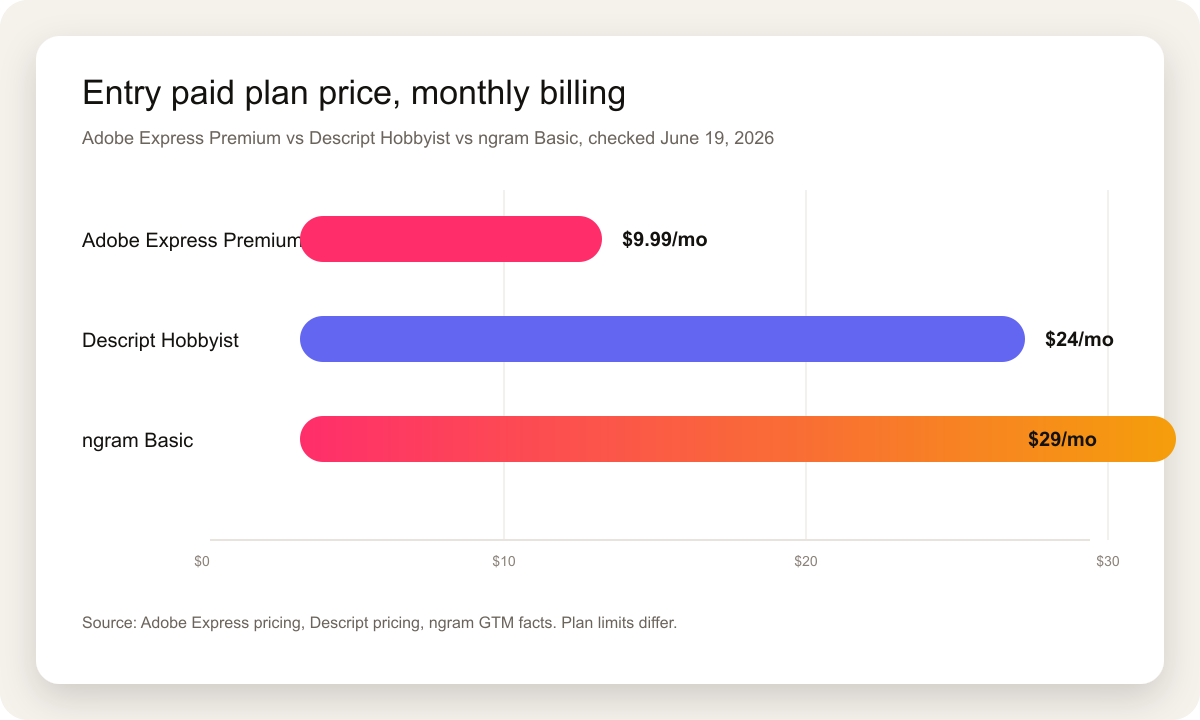
Winner for price: Adobe Express. Winner for value depends on the job. If you mostly need social designs and short clips, Adobe Express is hard to beat on cost. If you edit hours of interviews or podcasts, Descript's higher price buys a workflow Adobe Express does not have. If the work is turning source material into a finished business video, ngram's higher entry price pays for the script and storyboard work that both tools leave mostly on you.
Collaboration, brand control, and reuse
Adobe Express has the stronger broad creative operations layer. It covers brand kits, shared templates, projects, libraries, comments, review and approval workflows, content scheduling, social sharing, and integrations for business teams. For organizations already using Adobe assets, that ecosystem gravity is real.
Descript is stronger for production collaboration around media. Creator and Business tiers add more hours, credits, team scale, Brand Studio access on Business, translation and dubbing on Business, and custom avatars. The editor also fits a producer-reviewer workflow because a non-editor can read the transcript and mark what should change.
ngram's collaboration story is tied to business video reuse. Team workspaces, shared brand kits, custom face and voice libraries, shared asset galleries, hosted video pages, share links, embeds, and agentic variants let one message become a launch video, training version, sales version, social cut, and localized variant. The analytics claim is intentionally narrow: ngram tracks view counts today, not scene-level drop-off or completion analytics.
Winner for brand systems: Adobe Express for creative operations, ngram for video brand governance, Descript for recorded-media collaboration. The buyer should choose the center of gravity, not the longest feature list.
Where ngram fits between Adobe Express and Descript
This pair is a T2 comparison in ngram's internal competitor map. That means ngram covers a real slice of the video-editor job, but it is not a drop-in replacement for everything either product does. ngram does not replace Adobe Express for broad static design, flyers, thumbnails, and one-off creative assets. ngram does not replace Descript for transcript-first podcast editing or long-form spoken-word cleanup.
The overlap is finished business video from source material. If your starting point is release notes, a product page, a PDF, a training deck, a help article, screenshots, a screen recording, or raw footage that still needs a story, ngram is the cleaner path. Use the ngram vs Adobe Express comparison when the question is design app vs video engine. Use the ngram vs Descript comparison when the question is transcript editor vs source-to-video workflow. Use ngram's AI video editing page if the team cares about chat edits, timeline edits, canvas edits, and scene regeneration after the first draft.
That framing keeps the recommendation useful. Adobe Express wins when the deliverable is a designed asset that happens to move. Descript wins when the deliverable is an edited recording that happens to need AI cleanup. ngram wins when the deliverable is a planned business video and the hard part is deciding what the video should say.
Which tool should you choose?
Pick Adobe Express if your work lives in social content, light brand design, thumbnails, flyers, simple clip edits, and fast cross-channel creative. It is affordable, familiar to Adobe users, and strong when templates, stock assets, fonts, captions, resizing, scheduling, and basic video edits are enough.
Pick Descript if the source is mostly recorded speech. Podcasts, interviews, webinars, founder videos, training recordings, course content, and screen recordings all benefit from transcript-first editing. Descript makes cuts feel like word processing, and its AI cleanup tools are aimed at that exact workflow.
Use ngram if your team starts earlier. Product marketers, learning teams, founders, sales enablement teams, and customer education teams often have a doc, deck, URL, recording, or screenshot set, not a finished script. ngram turns that source into the script, storyboard, voiceover, captions, brand treatment, and editable video draft.
Methodology
We checked the official Adobe Express and Descript pages on June 19, 2026, then cross-checked public comparison and review pages for user language. Official pricing and help docs won whenever third-party pages disagreed. We used Adobe's pricing page, Adobe's Express video creation and caption docs, Descript's pricing page, Descript's Underlord and AI credit help pages, Descript's avatar help page, one TrustRadius Adobe Express vs Descript comparison page, and Reddit threads about Adobe Express social editing and Descript transcript editing.
We judged the tools across seven buyer dimensions: starting point, editing workflow, finished output, AI automation, pricing, brand control, and team reuse. We did not use numerical review scores, and we did not count speculative roadmap features. For ngram claims, we used only the current product state and GTM facts in the repo.
Final verdict
Adobe Express vs Descript has no universal winner. Adobe Express is the better choice for design-led social content and quick brand assets. Descript is the better choice for transcript-first editing of recorded audio and video. ngram is the better third option when the real job is not editing an existing asset, but turning source material into a scripted, storyboarded, branded business video.
The clean buying rule is simple: canvas, transcript, or source-to-video. Choose Adobe Express for the canvas. Choose Descript for the transcript. Choose ngram for source-to-video.