

Search for VEED vs Visla and you are comparing two tools that now overlap more than their old categories suggest. VEED started as a fast browser editor and now leads with AI video generation, avatars, dubbing, subtitles, and access to models such as Sora 2, Veo 3.1, and Kling. Visla started closer to an AI video workflow platform for business and now bundles recording, AI video generation, scene-based editing, collaboration, avatars, stock media, and sharing in one workspace.
The short answer is not that one product is better for everyone. VEED wins when the job is fast creator or marketing output, especially short social clips, subtitles, dubbing, and model experiments. Visla wins when a business team needs to record, generate, edit, review, and publish repeatable videos with more workflow control. ngram is the third option when your real task is not a blank editor at all, but a finished branded business video from a doc, URL, deck, screenshot, screen recording, or raw footage.
VEED vs Visla at a glance
Use this table as the quick filter. The rest of the guide explains the tradeoffs behind each row.
| Dimension | VEED | Visla | Where ngram fits |
|---|---|---|---|
| Best fit | Creators and marketers making fast social videos, captions, ads, and edits in a browser | Business teams making training, sales, support, product, and internal videos in a shared workspace | Teams that want the script, storyboard, scenes, captions, and brand treatment generated from existing business material |
| Starting point | Text, scripts, images, uploaded media, recordings, and prompt-based AI video tools | Idea, text, script, footage, audio, images, PDF, PPT, and screen recording | Prompt, PDF, URL, screenshot, screen recording, raw video, deck, or Shopify product URL |
| Workflow feel | Fast editor with AI tools and model playgrounds around the timeline | All-in-one video studio with AI agent, recorder, scene editor, stock, and team review | Plan-first agentic workflow, then chat, script, visual, or timeline editing |
| Pricing signal | Credit-based AI generation, public pricing references list Lite from $19/user/month on annual billing | Pro is $18/mo, or about $9/mo on annual billing, with 10,000 credits | Basic is $29/mo, or $23.20/mo on annual billing, with 3,000 monthly credits |
| Biggest caution | You still own structure, edit decisions, and credit planning when AI generation gets heavy | The broader studio can be more product than a solo creator needs for quick social posts | Not a replacement for VEED's broad utility editor or Visla's dedicated all-in-one recording studio |
Core output and workflow
VEED is strongest when you want a fast creation surface wrapped around a browser editor. Its AI video generator says it can generate videos from text, scripts, or images with visuals, AI voiceovers, avatars, and subtitles. The same site also lists a broad menu of adjacent tools: automatic subtitles, video translation, noise removal, eye contact correction, AI avatars, video editor, screen recorder, and AI models. That breadth matters if your day is full of short clips, vertical videos, repurposed posts, and quick edits.
Visla feels more like a business video workspace. Its homepage describes a recording suite, an AI Video Agent, AI personalization, a video editing suite, collaboration, SOC 2 Type II positioning, and SSO. The AI Video Agent can start from an idea, text or script, existing footage, audio, images, or a PPT/PDF, then assemble a video with narration, visuals, scenes, and transitions. That makes Visla a better fit when the video is part of a team process, not a one-off post.
ngram overlaps with both but starts earlier than either editor-first workflow. In ngram, the source can be a prompt, PDF, URL, screenshot, screen recording, raw video, deck, or Shopify product URL. The agent writes the script, builds the storyboard, chooses visual direction, and gives you a plan before rendering. If you are comparing VEED vs Visla because you need a finished product demo, training video, launch video, or support walkthrough, that planning step is the main reason to consider ngram's AI video generator.
Winner: VEED for fast browser editing and social output, Visla for a broader business video studio, ngram for source-to-finished business video.
Editing depth and control
VEED is the cleaner choice if you want a familiar online editor with many AI utilities close by. You can work with captions, voice, dubbing, avatars, stock, background cleanup, eye contact correction, and model-generated clips without leaving the browser. That is useful for creator teams and marketers who already know the shape of the video and want to assemble it quickly.
Visla gives you more business workflow around the edit. Its text-to-video page describes a flow where AI rewrites text into a video script, pairs it with stock footage, voiceover, and music, then leaves the draft editable scene by scene. Its screen recording page adds another important path: record your screen in the desktop app, choose AI polished screen recording for cleanup and subtitles, then edit the result in the Scene-Based Editor.
This is one of the fairest splits in the comparison. VEED feels lighter and faster if the work is caption, clip, resize, publish. Visla feels more organized if the work is record, generate, review, revise, share. ngram is different again: you can edit through agentic chat, visual chat, a script editor, scene regeneration, canvas controls, and a full timeline after the agent generates the draft.
Pricing and value
Pricing is hard to compare cleanly because the units differ. VEED uses subscriptions plus AI credits for model-based generation. Its AI Playground help page says credits are used per generation, costs depend on the selected model, and unused monthly credits expire at the end of the month while annual credits reset after a year. VEED's official pricing page renders parts of the table dynamically, so use the public Lite reference of $19/user/month on annual billing as a dated baseline and verify checkout.
Visla is more explicit in its help center. Pro costs $18 per month on a monthly billing cycle, with a 50% annual discount. Business costs $59 per month on a monthly billing cycle, with a 34% annual discount. Pro starts with 10,000 credits, Business starts with 20,000 credits, and the always-on entry plan includes 2,000 monthly credits. Annual plans keep the same monthly base credit refresh while discounting the subscription fee.
ngram is also credit-based, but the credits are shared across AI video generation, AI editing, and exports. Basic is $29 per month, or $23.20 per month on annual billing, with 3,000 monthly credits. Premium is $59 per month with 10,000 monthly credits, and Ultimate is $299 per month for higher volume. The no-cost tier exports with a watermark, paid tiers can remove it, Premium unlocks 1080p export, and Ultimate unlocks 4K export.
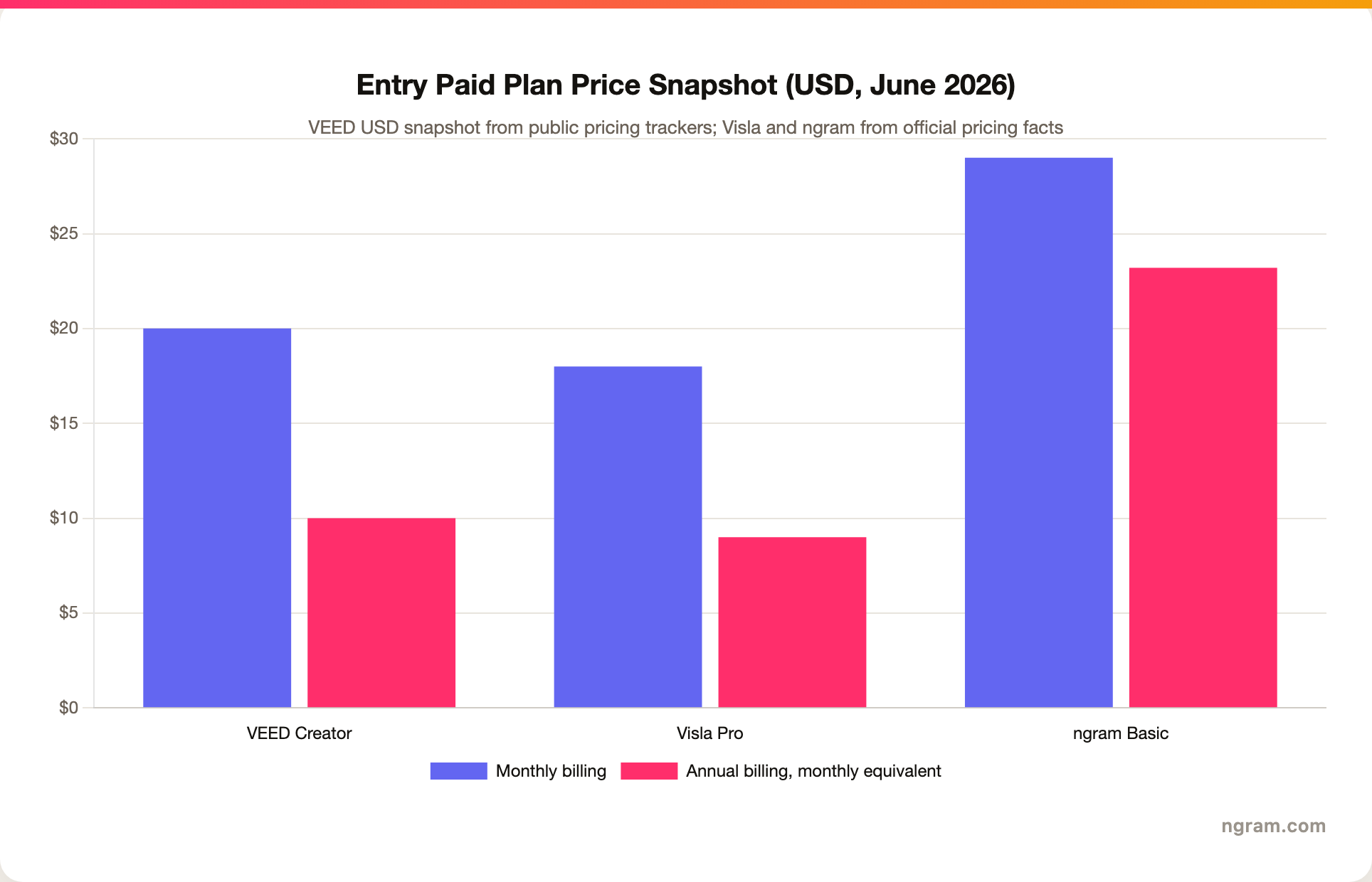
Winner: Visla for the lowest named business-video entry price, VEED for inexpensive creator-oriented entry when the USD snapshot applies, ngram for teams paying for the plan-first source-to-video workflow rather than a utility editor.
Avatars, AI models, and generation credits
VEED has the stronger model playground story. Its help center lists text-to-video and image-to-video access to models such as Google Veo 2, Google Veo 3, Veo 3 Fast, Seedance, Minimax, Pixverse, Kling, Luma, Lightricks, and Wan. The tool also distinguishes AI Playground from Gen-AI Studio: Playground generates new video from prompts or references, while Gen-AI Studio assembles stock, avatars, and script-based videos.
Visla has the stronger business-video avatar context. Its own VEED comparison says VEED leans toward solo creators and social video, while Visla focuses on business teams, training, marketing enablement, sales libraries, and enterprise scale. Visla also states that users can add avatars to scenes, create custom avatars from prompts or images, pair avatars with custom AI voices, and use avatars inside longer business workflows rather than as isolated clips.
ngram supports a basic avatar library, custom faces, custom voices, talking-head lip sync, multilingual voiceover, and regenerated avatar or talking-head lip movement for translated videos. The important limit: ngram does not publish a fixed language-count matrix today, so this page does not claim a specific number of supported languages for ngram. It is safer to treat ngram's localization coverage as broad and confirm any procurement-specific language list before buying.
Collaboration, brand control, and security
Visla has the clearest public enterprise posture between VEED and Visla. The site names Workspaces and Teamspaces, comments, roles, SOC 2 Type II compliance, SSO, dashboard and usage analysis, private stock, team editing, and enterprise controls. If procurement wants a video workspace with team controls and a stated compliance badge, Visla deserves a serious look.
VEED is more creator-marketer friendly in the public material. It has workspaces, brand kit language, a big customer-logo surface, and many AI utilities. But its public posture is still closer to a fast editor and AI creation suite than to a governed video operations hub.
ngram has team workspaces, team invites, shared brand kits, asset libraries, brand guardrails, hosted video pages, embed codes, . It does not have public security certifications filled in the GTM facts file yet, and it does not offer scene-level watch-time or drop-off analytics today. That makes ngram a strong fit for brand-aware production, but not the answer for buyers whose first requirement is a published SOC 2 badge or detailed video analytics.
Who should pick VEED
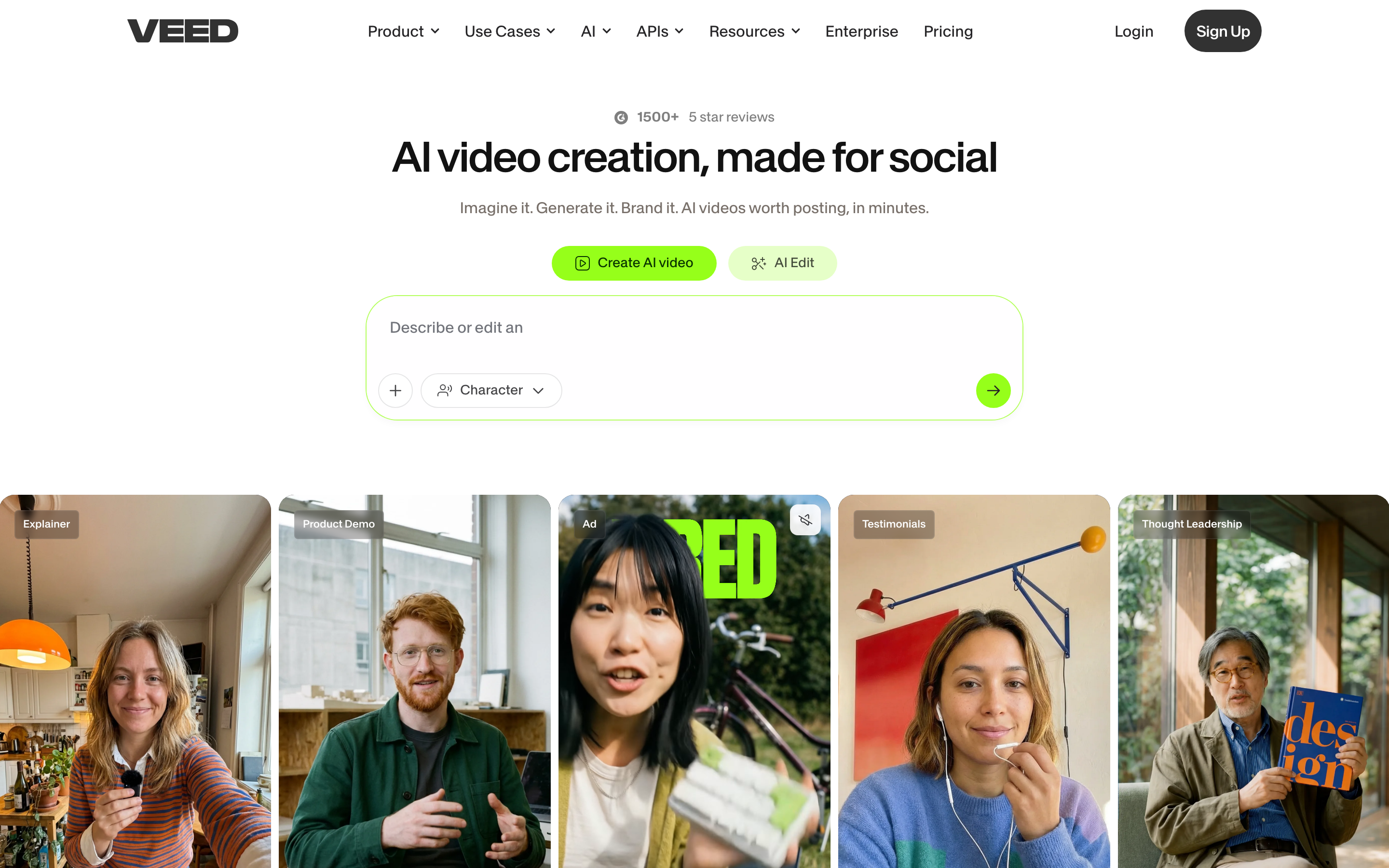
Pick VEED if your team needs a quick browser editor with many social-video tools in one place. It is the stronger choice for subtitle-heavy workflows, model experiments, quick avatar clips, creator ads, short product promos, vertical cuts, and marketing videos where speed matters more than a structured review process.
The caution is ownership. VEED gives you many AI tools, but you still need to decide the message, structure, visual sequence, edits, and credit plan. If a video starts as a messy release note, a long screen recording, or a sales enablement doc, VEED can be useful after the structure exists. It is less strong as the system that invents the structure for you.
Who should pick Visla
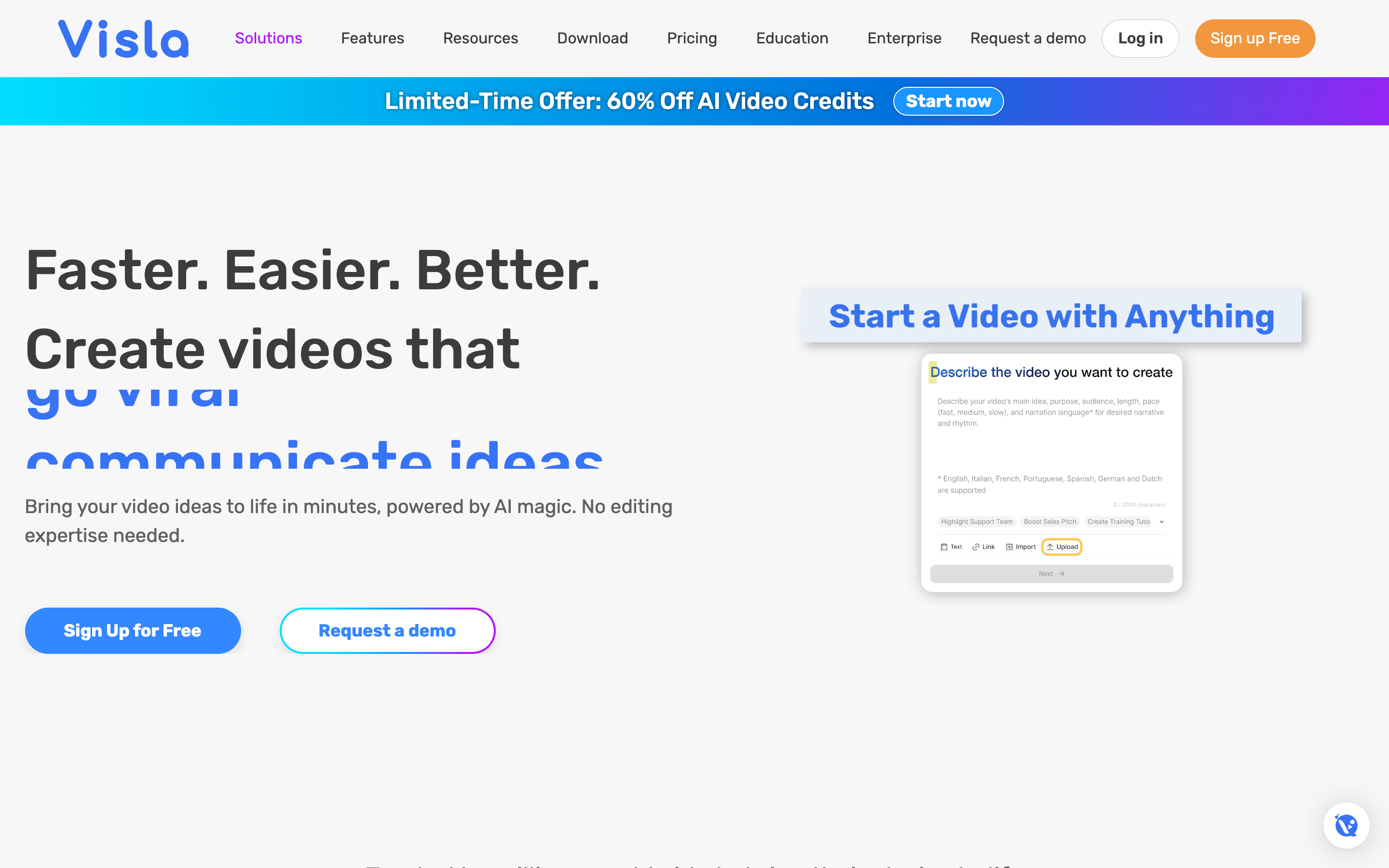
Pick Visla if your videos are business assets with a team behind them. Training videos, sales explainers, product education, support tutorials, executive updates, and internal communication all benefit from Visla's recording, AI agent, scene editor, collaboration, and workspace controls. Visla is also the better pick if you want to combine screen recording, stock footage, avatars, comments, and sharing in a single product.
The caution is fit. Visla can publish social clips, but if your work is mainly daily creator output, VEED will feel faster and lighter. Visla's value shows up when video is part of a repeatable business process.
1. ngram, the better third option for source-to-finished video
Watch how ngram turns an idea into a finished video:
ngram is not trying to be a generic video utility drawer. It is built around an agentic chat interface that turns existing material into planned, branded business videos. You can start from a prompt, PDF, URL, screenshot, screen recording, raw footage, deck, or Shopify product URL. ngram extracts the story, drafts the script, builds the storyboard, decides what each scene shows, adds captions, voiceover, motion graphics, callouts, music, transitions, branded intros and outros, and lets you edit through chat, script, scene, canvas, or timeline controls.
That makes ngram the best fit for the slice where VEED and Visla overlap most with real business demand: teams turning existing source material into a finished video that should look intentional and stay on brand. For a pure browser editing workflow, pick VEED. For an all-in-one recording and collaboration studio, pick Visla. For turning business material into an approved first cut with brand rules already applied, start with ngram vs VEED, ngram vs Visla, or the ngram Brand Kit.
ngram's limits matter too. It provides hosted video pages and embeds but has no generally available owner analytics surface or scene-level watch-time or drop-off analytics. Public API v1 access uses self-service bearer API keys. Zapier and n8n are available, while Make.com is Coming Soon from the current product state. Those details do not weaken ngram's video production fit, but they should shape buying decisions.
Methodology and source notes
This comparison was checked on June 19, 2026. VEED feature claims came from its AI Video Generator page, AI Playground help article, and public pricing page. Visla claims came from its homepage, text-to-video page, AI screen recording page, and pricing help article. We also reviewed the ranking VEED vs Visla pages from SourceForge, Slashdot, and Visla's own avatar comparison to identify gaps.
We did not use numerical review ratings in this post. Public review pages are useful for sentiment and category context, but ratings age quickly and flatten different buyer needs into a single number.
Final verdict
Choose VEED if you want a fast browser editor for social video, subtitles, dubbing, AI model experiments, and creator-style production. Choose Visla if you want a business video workspace for recording, AI generation, scene editing, collaboration, and governance. Choose ngram if the work starts with existing business material and the goal is a polished, on-brand video that already has a script, storyboard, captions, voiceover, callouts, and export-ready formats.








