

Pictory vs VEED is not just a feature checklist. The better choice depends on what you start with and how much control you need before the final export.
Pictory is built around turning existing source material into a video. Its official product areas include idea to video, URL to video, script to video, PPT to video, audio to video, highlights, captions, translations, brand kits, team collaboration, and API options. That makes it useful when a marketer has a blog post, script, webinar, deck, or long recording and wants a usable video draft quickly.
VEED is broader. Its AI video page says users can generate videos from text, scripts, or images with visuals, AI voiceovers, avatars, and subtitles, then keep editing inside VEED's browser editor. It is closer to a full social video workspace, with subtitles, model-driven clip generation, recording, branding, and manual editing controls.
ngram belongs in this comparison because many teams comparing Pictory and VEED are trying to answer a bigger question: how do we turn source material into a finished business video without handing every scene to a manual editor? For direct context, see ngram vs Pictory and ngram vs VEED.
Pictory vs VEED at a glance
Use this table as the short version. Pictory is more focused on source-to-video repurposing, VEED is a broader browser editor, and ngram is the stronger option when the source material needs planning, brand control, and review before export.
| Tool | Best fit | Primary inputs | Editing style | Pricing snapshot as of 2026-06-19 |
|---|---|---|---|---|
| Pictory | Repurposing written or recorded content into stock-backed videos. | Ideas, URLs, scripts, audio, PPTs, long videos, and uploaded media. | Template and scene workflow with stock media, subtitles, voices, highlights, and brand kits. | Starter listed at $29 monthly or $25 per month on annual billing. |
| VEED | Creator and marketing videos that need subtitles, AI clips, recording, and browser editing. | Text, scripts, images, uploaded video, recordings, and generated clips. | Timeline-style browser editor with subtitles, AI models, avatars, branding, and export controls. | Public pricing references list Lite from $19/user/month on annual billing; verify checkout because VEED renders parts of pricing dynamically. |
| ngram | Business videos made from existing material, with plan-first generation and branded export. | Prompts, PDFs, URLs, screenshots, screen recordings, raw video, decks, and Shopify product URLs. | Agentic workflow with script, storyboard, visual direction, voiceover, captions, scene edits, brand kits, and exports. | Basic is $29 monthly or $23.20 per month on annual billing, with higher tiers for more credits and resolution. |
The core difference: repurposing engine vs browser editor
Pictory feels most natural when the project already has a source. A blog post, script, URL, webinar, podcast audio, or presentation can become a structured video draft with captions, stock media, voices, and brand assets. The appeal is speed and repeatability, especially for content teams that publish written assets first.
VEED feels more open-ended. It can start from a prompt or source file, but the product center is the editor. You can generate clips, add subtitles, record, translate, brand, clean up media, and keep editing in the same browser workspace. That is useful for creators and marketing teams that want to assemble many short-form variants from a mix of generated and recorded material.
Quick rule: pick Pictory for structured repurposing, pick VEED for a flexible browser editor, and pick ngram when the output needs to feel planned before it feels edited.
AI video quality and output control
Pictory's strength is coherence from a document or recording. It can break source material into scenes, pair sections with stock media, add captions, and keep the video moving. That is practical for explainers, list-style social videos, thought leadership clips, and recap videos where stock footage is acceptable.
VEED's strength is the number of creative paths available after the first draft. Its AI video page highlights text, scripts, images, visuals, AI voiceovers, avatars, and subtitles. VEED also surfaces a large set of generative video model options in its AI tools area, so it is the stronger choice if a creator wants to test generated clips, overlay captions, and make manual social edits in one place.
ngram is more opinionated. It starts by planning the script, storyboard, visual direction, channel fit, and calls to action, then generates and edits the video around that plan. That matters for product demos, launch assets, training videos, sales explainers, and customer education videos where a generic clip sequence is not enough.
Inputs: what each tool can turn into a video
Pictory lists a wide set of conversion workflows, including idea to video, URL to video, script to video, audio to video, PPT to video, screen or camera recording, subtitles, translations, highlights, clips, brand kits, and team collaboration. In practice, that makes Pictory a good fit for teams that already have a content library and want to republish it as video.
VEED lists text, scripts, images, and existing video as starting points for AI video generation. It is especially relevant when the input is only one part of the job, because the user still wants to cut, caption, record, translate, and export inside a browser editor.
ngram accepts prompts, PDFs, URLs, screenshots, screen recordings, raw video, PPTX or PDF decks, and Shopify product URLs. If your source is a blog post or a web page, start with blog to video or URL to video instead of rebuilding the story by hand.
Editing, brand, and collaboration
Pictory gives teams enough controls to adapt a generated draft: scene editing, subtitles, voice options, stock media, brand kits, team workspaces, and plan-specific storage and minutes. It is not trying to replace every manual video editor. It is trying to make repeat video creation faster from source material.
VEED gives teams more hands-on editing space. Subtitles, recording, AI tools, brand controls, and export options are part of a broader browser editor. If your team wants to keep touching captions, cuts, overlays, and generated clips until the final version feels right, VEED has the more editor-like center of gravity.
ngram sits between automated generation and controlled editing. The system can draft the plan, create scenes, generate voiceover and captions, apply brand kits, localize, polish screen recordings, and let the user revise through chat, visual controls, script edits, scene regeneration, and timeline editing. That is more useful when non-video teams need production help without giving up review control.
Pricing comparison
Pricing changes often, so treat this as a dated snapshot from 2026-06-19 and confirm checkout before buying. Pictory lists Starter at $29 monthly or $25 per month with annual billing. VEED's public pricing references list Lite from $19/user/month on annual billing, while the official pricing table renders parts of the numbers dynamically. ngram Basic is $29 monthly or $23.20 per month on annual billing.
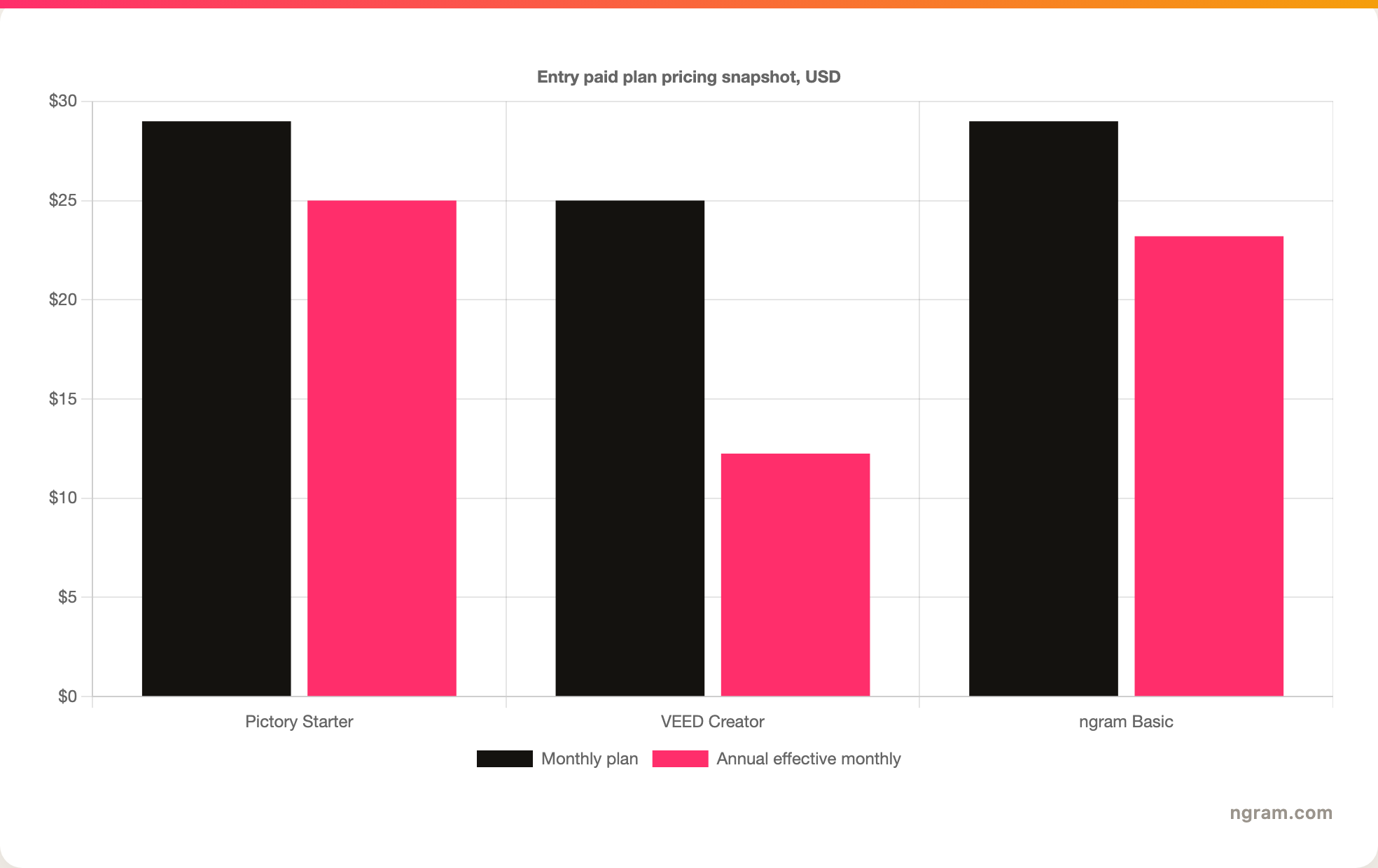
The cheapest plan is not always the best value. Pictory's Starter plan includes one user, 200 video minutes, 5 GB storage, one brand kit, no watermark, stock media access, and annual AI credits. VEED's paid plans remove the watermark and add plan-dependent AI credits, subtitle capacity, export quality, brand controls, and collaboration features. ngram plans are credit-based, with higher tiers adding more monthly credits and higher export resolution.
Best fit by use case
- Choose Pictory for blog repurposing, script-to-video production, webinar highlights, social snippets from long recordings, and recurring content marketing videos that can use stock footage.
- Choose VEED for creator workflows, caption-first social videos, generated clips, subtitle translation, browser-based recording, and manual editing after the AI draft.
- Choose ngram for product explainers, sales videos, training videos, launch assets, and customer education assets where source files need to become a planned brand video, not just a clip sequence.
1. Pictory
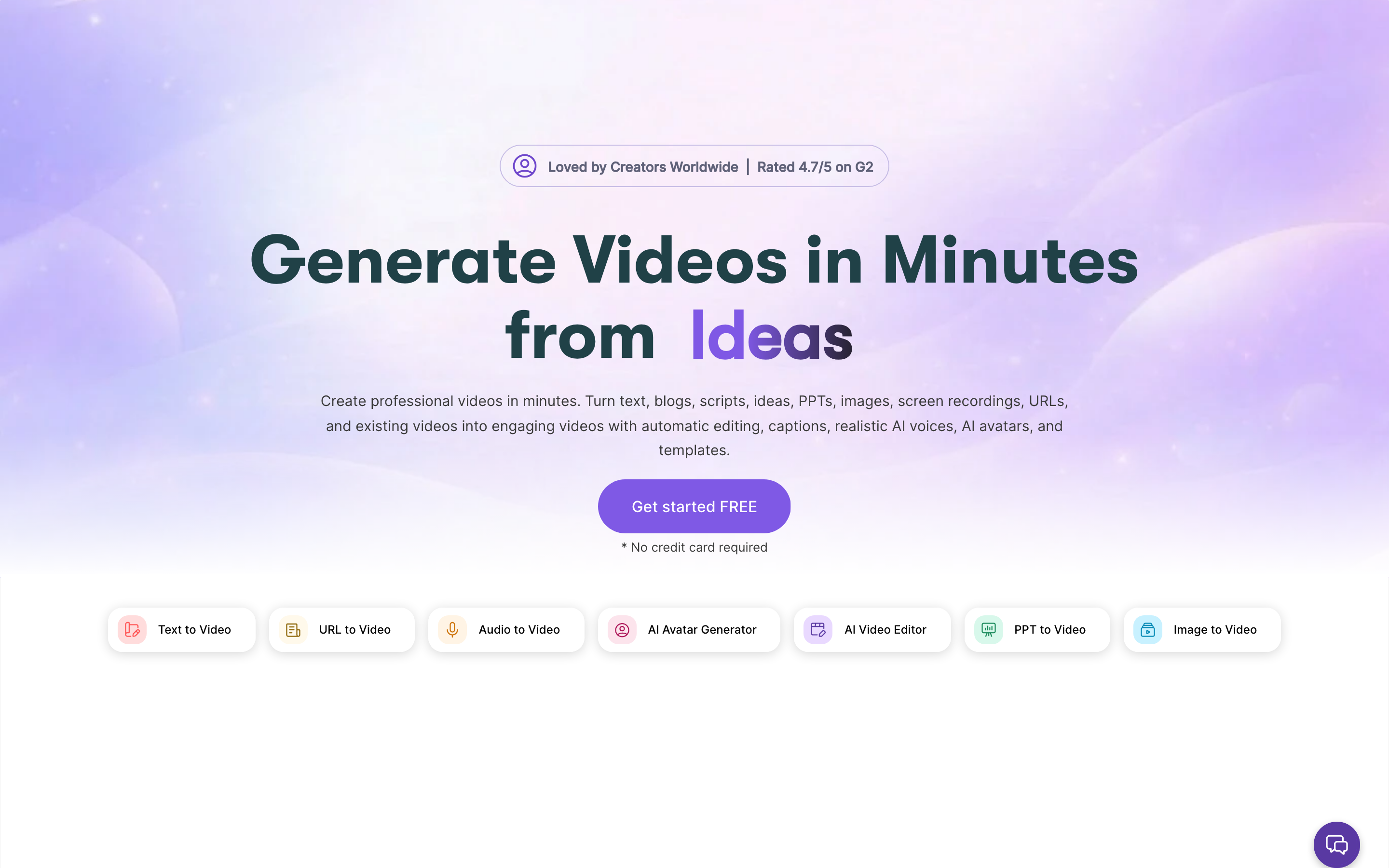
Pictory is the more direct fit if you know the source material. Its product surface is organized around conversion flows: idea to video, URL to video, script to video, audio to video, PPT to video, highlights, captions, translations, styles, brand kits, and team collaboration. That structure is useful when the marketing team already has written or recorded material and needs video versions without starting from a blank timeline.
The practical tradeoff is that Pictory can feel constrained if the project needs heavy manual compositing, custom generative clips, or a creator-style editing workflow. It is strongest when the source is clear and the desired output is a polished, stock-backed video draft that a team can review, edit, and publish.
Pictory pros
- Clear source-to-video workflows for URLs, scripts, audio, presentations, and long videos.
- Plan pages publish concrete minutes, storage, users, brand kits, voices, stock media access, and AI credits.
- Good fit for content teams that want repeatable repurposing, not a blank editing canvas.
Pictory tradeoffs
- Less attractive if the team wants a broad browser editor as the main workspace.
- Stock-backed outputs can look generic if the story, brand, and scene choices are not reviewed carefully.
- The best plan depends on minutes, storage, AI credits, and team seats, so small price differences can be misleading.
2. VEED
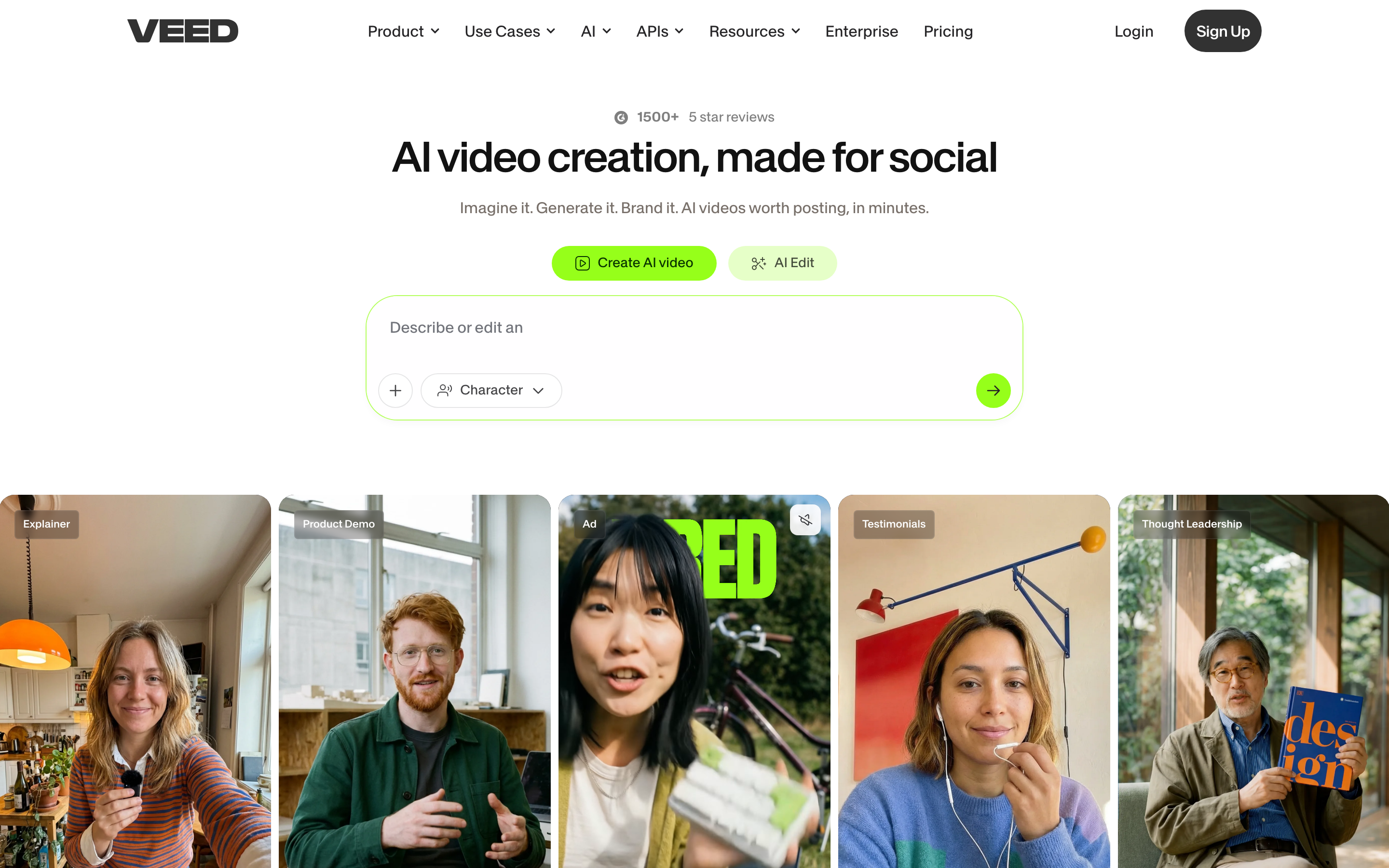
VEED is better for teams that want AI generation inside a larger editing environment. Its AI video page positions the tool around text, scripts, images, visuals, AI voiceovers, avatars, and subtitles. The workflow can continue into editor tasks such as captions, recording, overlays, branding, and social exports.
That breadth is the appeal. It is also the source of complexity. A creator can do more inside VEED, but a business team may still need to decide the message, outline, scene order, brand treatment, voice, and edit notes before the video feels ready.
VEED pros
- Strong browser editor for subtitles, recording, overlays, generated clips, and manual social video work.
- Public AI video page clearly supports text, scripts, images, AI voiceovers, avatars, and subtitles.
- Good fit for creators and marketing teams that need to edit after the first AI draft.
VEED tradeoffs
- Pricing can vary by market, bundle, billing period, seat count, and AI credit limits.
- A broad editor can leave more planning work to the user when the source material is a complex business asset.
- Teams that only need repeat source-to-video repurposing may find Pictory simpler.
3. ngram
ngram is not a generic editor with AI sprinkled on top. It is built for teams that already have source material and need a finished video with structure. The workflow can start from prompts, PDFs, URLs, screenshots, screen recordings, raw video, decks, and Shopify product URLs. It can then plan the script, storyboard, visual direction, audience fit, and calls to action before generating the video.
That planning layer is why ngram is relevant to a Pictory vs VEED buyer. If the question is just whether a blog post can become a quick video, Pictory may be enough. If the question is whether a browser editor can cut, caption, and brand a social post, VEED may be enough. If the question is how a product page, sales deck, customer story, or training document becomes a polished business video with reviewable scenes, ngram is the better fit.
Start with ngram when the brief, brand, and source material matter as much as the export.
Methodology and sources
This comparison was refreshed on 2026-06-19. Pictory facts came from Pictory's public product and pricing pages, including Starter, Professional, Team, and Enterprise plan details. VEED facts came from VEED's public pricing page, public AI video page, and current US pricing bundle data exposed by VEED's site. ngram facts came from the current product state and pricing documentation in this repository.
- Pictory pricing: pictory.ai/pricing
- VEED pricing: veed.io/pricing
- VEED AI video: veed.io/tools/ai-video
FAQ
Is Pictory better than VEED?
Pictory is better when the project starts from an article, script, URL, deck, audio file, or long recording and the team wants a structured video draft quickly. VEED is better when the project needs a broader editor for subtitles, AI clips, recording, overlays, and manual social video production.
Is VEED cheaper than Pictory?
On 2026-06-19, VEED's public pricing references listed Lite from $19/user/month on annual billing, below Pictory Starter's $25 per month annual price. The cheaper plan may not be the better plan if you need more video minutes, storage, AI credits, stock media, export quality, or team seats.
Which tool is better for blog-to-video?
Pictory is a strong pick for blog-to-video repurposing because URL and script conversion are core workflows. ngram is stronger when the blog is only one source among several and the team needs a planned business video with script, storyboard, brand, voiceover, and review controls.
Which tool is better for subtitles and social editing?
VEED is the better fit for subtitle-heavy social editing because subtitles, editing, recording, branding, and exports live inside a broader browser editor. Pictory can handle captions, but its main strength is repurposing source content into video drafts.
Where does ngram fit against Pictory and VEED?
ngram fits teams that need more than a quick repurpose or a blank editor. It turns business source material into a planned video, then lets the user revise script, scenes, visuals, captions, voiceover, and brand before export.
Verdict
Pictory is the cleaner choice for predictable content repurposing. VEED is the stronger choice for a broad browser editor with AI generation, subtitles, and social editing. ngram is the better fit when business source material needs to become a planned, branded video with enough review control to ship confidently.








