

Pictory vs Visla is a real choice because both products promise an AI video generator for teams that do not want a full traditional editing stack. They overlap on text-to-video, script-to-video, and business video creation, but they are built around different workflows.
Pictory is the more focused repurposing tool. It is strongest when you already have a script, blog URL, long video, slides, or other source material and want a short narrated video assembled quickly with scenes, captions, voiceover, and stock visuals.
Visla is the broader business video workbench. It combines AI generation with recording, transcript-style editing, collaboration, stock media, sharing, and a credit system that scales by task type. That makes it more flexible for teams that want one place to generate, record, edit, and manage video.
The third option is ngram. Use ngram when the hard part is not picking stock clips, but turning a prompt, PDF, URL, deck, screenshot, screen recording, raw video, or Shopify page into a planned, branded, export-ready business video with a script and storyboard you can review before production.
Pictory vs Visla at a glance
| Tool | Best for | Starting price checked June 19, 2026 | Main distinction |
|---|---|---|---|
| ngram | Teams creating finished business videos from prompts, docs, URLs, decks, recordings, and product sources | Free, paid from $29/mo or $23.20/mo annual | Agentic planning, script and storyboard review, brand kits, chat editing, MP4 export |
| Pictory | Creators and marketers turning scripts, URLs, slides, recordings, and long videos into short narrated videos | 14-day free trial, Starter at $29/mo monthly or $25/mo annual | Fast source-to-video repurposing with export-minute allowances |
| Visla | Business teams that want AI generation plus recording, editing, collaboration, sharing, and stock media | Free plan, Pro from $22/mo monthly or $15/mo annual for 10,000 credits | Broader video workspace with a credit model and team workflow features |
Core verdict: Pictory is narrower, Visla is broader
Choose Pictory if your main workflow is taking written or recorded material and turning it into polished short videos quickly. Pictory's product menu centers on idea-to-video, URL-to-video, image-to-video, script-to-video, audio-to-video, PPT-to-video, screen or camera recording, captions, highlights, brand kits, layouts, integrations, and team collaboration. That is a clear fit for content marketers, social media teams, course creators, and YouTube creators who want a first cut without building every scene by hand.
Choose Visla if you want a broader business video system. Visla is not just a script-to-video tool. Its pricing and product pages include AI video generation, screen recording, teleprompter-style recording, transcript editing, collaboration, stock media, content management, translation, and API access on paid plans. It is closer to a team workspace for creating, recording, editing, and distributing business video.
Choose ngram when the video has to start from messy business inputs. ngram can ingest prompts, PDFs, URLs, screenshots, screen recordings, raw video, decks, and Shopify URLs, then plan a script, storyboard, scenes, captions, AI voiceover, brand treatment, and exports. That is the gap in many Pictory vs Visla comparisons: the winner depends on whether you need fast repurposing, a broad video workspace, or a source-to-finished-video agent.
Inputs and workflow
Pictory is most useful when the source is already organized. A clean blog post, a script, a URL, a long webinar, a slide deck, or a recorded walkthrough gives Pictory enough structure to build a short video with stock footage, captions, and voiceover. This is why Pictory often feels faster for content repurposing: the tool expects a source, then builds a video around that source.
Visla accepts a wider spread of business workflows. The public pricing FAQ lists text-based projects such as idea-to-video, webpage-to-video, PDF-to-video, text-to-video, and script-to-video, plus step-recorder and presentation video projects. Visla also covers recording and editing tasks, so it can live earlier and later in the workflow than Pictory.
ngram goes deeper on source ingestion and planning. The product can start from a prompt, PDF, URL, screenshot, screen recording, raw video, deck, or Shopify page. Instead of immediately forcing the user into a timeline, ngram can plan the script and storyboard first, then generate scenes and allow chat-based revision. For teams turning product docs, internal notes, launch briefs, or support recordings into videos, that review step matters.
Editing, branding, and collaboration
Pictory's editing model is built for a fast automated first cut. It gives teams practical controls for captions, voiceover, stock selection, scene adjustment, brand kits, and resizing. That is enough for many social, training, and marketing clips, especially when the source content is already approved.
Visla is stronger when the workflow needs recording, transcript editing, co-editing, and workspace management. Its public billing data lists workspace and collaboration, AI video creation and editing, co-editing with unlimited editors on Pro, stock media, video and screen recording, translation, video content management, and API access. Business adds a full brand kit, larger stock access, 4K export, dashboard usage analysis, voice clones, and custom avatars.
ngram sits between automation and production control. It supports chat editing, visual chat, script editing, scene regeneration, timeline editing, brand kits, custom faces and voices, captions, AI voiceover, multilingual voiceover, lip sync, product callouts, smart zooms, and MP4 export. It is not a live recording studio like Visla, and it is not priced around export minutes like Pictory. It is built for teams that want the video planned and generated from business context, then edited in natural language or in the editor.
Pricing and credit math
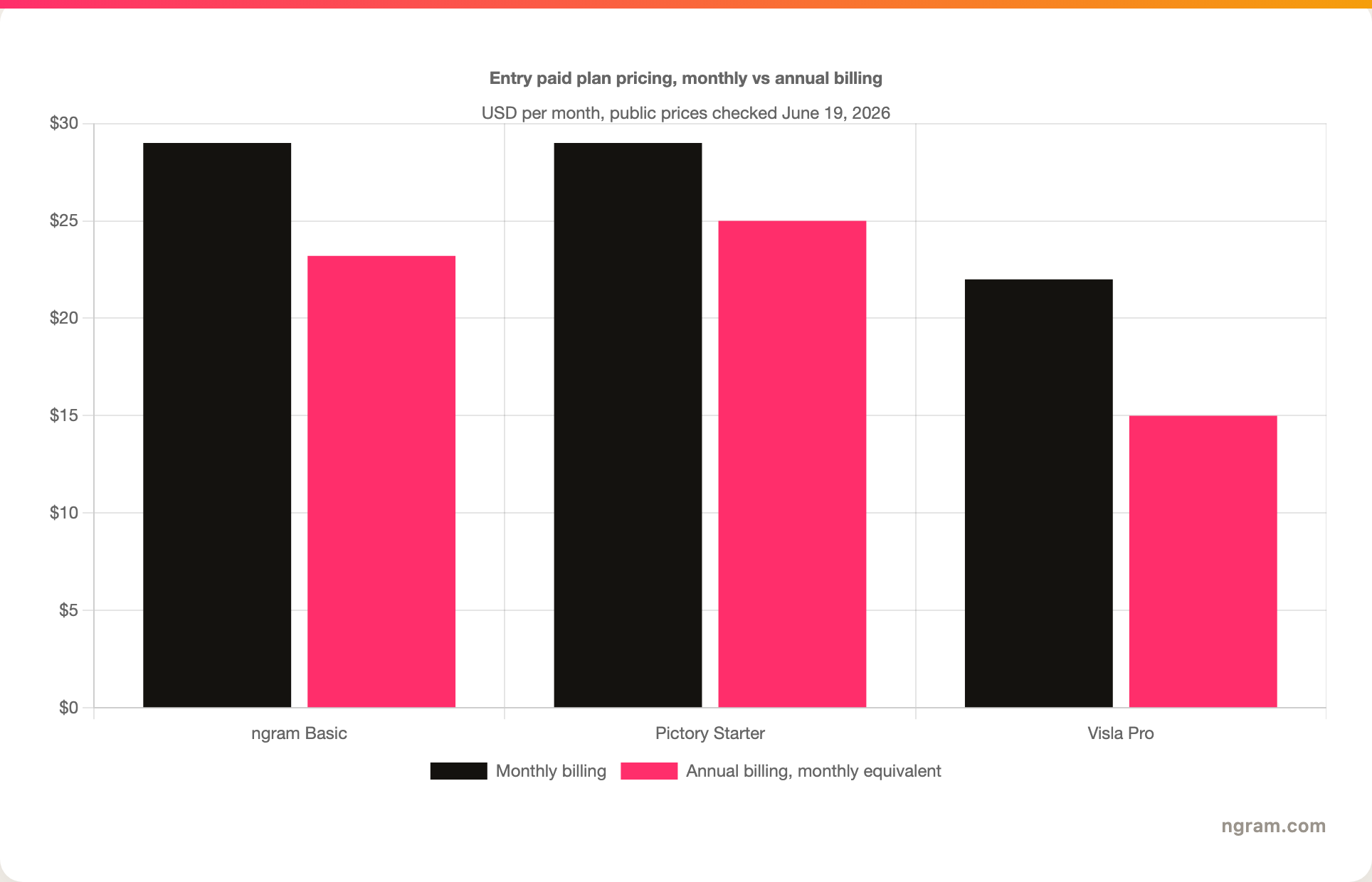
Pictory's public pricing is the cleaner of the two to understand if your team thinks in export minutes. On June 19, 2026, the pricing page listed Starter at $29 per month on monthly billing or $25 per month billed annually. Starter includes 200 video minutes, 5 GB storage, one brand kit, 60 minutes of ElevenLabs AI voices in 29 languages, 5 million Getty Images and Storyblocks assets, no watermark, and basic AI tools. Professional was listed at $59 monthly or $35 annual, while Team was listed at $199 monthly or $119 annual.
Visla's pricing needs more care because the plan price and credits both matter. Its pricing page and public billing data listed a Free plan, Pro, Business, and Enterprise. Pro starts at $22 per month on monthly billing or $15 per month on annual billing for 10,000 credits. Business starts at $59 per month on monthly billing or $39 per month on annual billing for 20,000 credits. Visla's FAQ then maps tasks to credit usage, such as roughly 200 credits per minute for text-based video, 220 credits per minute for voice-based video, 400 credits per minute for visual-based video, 300 credits per minute for smart screen recording, and 2,100 credits per minute for AI generative work.
ngram uses another model again. Free includes 600 one-time credits. Basic is $29 per month or $23.20 per month on annual billing with 3,000 credits per month. Premium is $59 per month or $47.20 annual with 10,000 credits per month. Ultimate is $299 per month or $239.20 annual with 50,000 credits per month. Generation is roughly 10 credits per second of output, editing is roughly 1 credit per second of input, and exports are unlimited and do not consume credits on any plan.
The chart compares entry paid plan prices only. It does not imply equal usage because Pictory prices around video minutes, Visla around credits by task, and ngram around generation, editing, and export credits.
Where ngram fits as the third option
If you are comparing Pictory and Visla because you need a simple text to video system, start with the exact job. Pictory is better when the source is clean and the output is a repurposed short video. Visla is better when the team also needs recording, transcript editing, collaboration, stock media, and video management.
ngram is the better fit when the source material is scattered and the team wants the tool to plan the video before rendering. For example, a product marketer can drop in a launch brief, a help-center URL, a screen recording, and a screenshot, then use ngram to generate a script, storyboard, captions, voiceover, product callouts, smart zooms, and a polished export. A founder can start from a pitch deck. A support lead can start from a recorded workflow. A retail team can start from a Shopify URL.
For deeper product-specific comparisons, see ngram vs Pictory, ngram vs Visla, and the text to video AI tool.
Where ngram is honest about its limits
Pictory can be the better choice if the team mainly wants high-volume script, blog, slide, or long-video repurposing with a familiar export-minute allowance. That model is easy for content teams that know how many finished minutes they need each month.
Visla can be the better choice if the team wants a wider video workspace with recording, teleprompter-style workflows, transcript editing, stock media, collaboration, usage tracking, SCORM package download on Enterprise, and a credit system that covers many creation and editing tasks. ngram does not replace Visla's live recording and workspace-management emphasis.
ngram is strongest when the missing piece is planning and production from business context. It is not the right answer if your only job is trimming a webinar into clips, recording a quick webcam update, or buying a strict pool of export minutes.
Pictory: best for script and URL repurposing
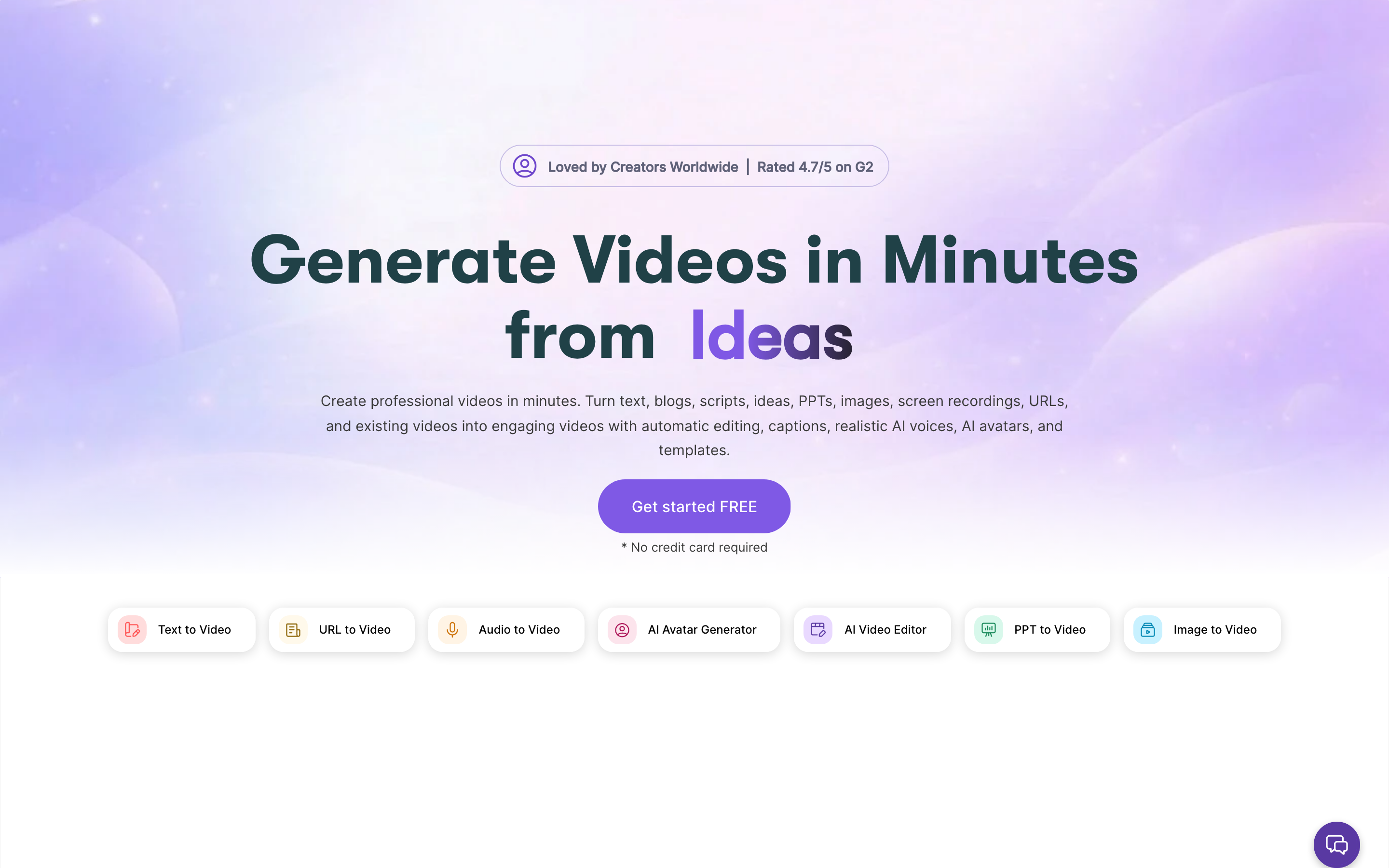
Pictory is the better fit for teams that already have approved source material and want a fast automated assembly workflow. Its strengths are script-to-video, URL-to-video, blog-to-video, long-video summarization, captions, AI voiceover, stock media, brand kits, and republishing into social formats.
Pictory is also easier to budget if your team thinks in finished video minutes. Starter includes 200 video minutes and 5 GB storage, Professional includes 600 video minutes and more stock access, and Team moves to 1,800 video minutes with team workspace features. If those allowances map neatly to your content calendar, Pictory is straightforward.
Where Pictory falls short
Pictory is narrower than Visla as a general business video workspace. It can record, edit, caption, and repurpose, but it is not built around the same broad recording, co-editing, credit-accounting, and workspace-management model that Visla publishes. It is also less suited to messy source-to-video planning than ngram, where the tool needs to digest mixed inputs and propose a script and storyboard before production.
Visla: best for the broader business video workbench
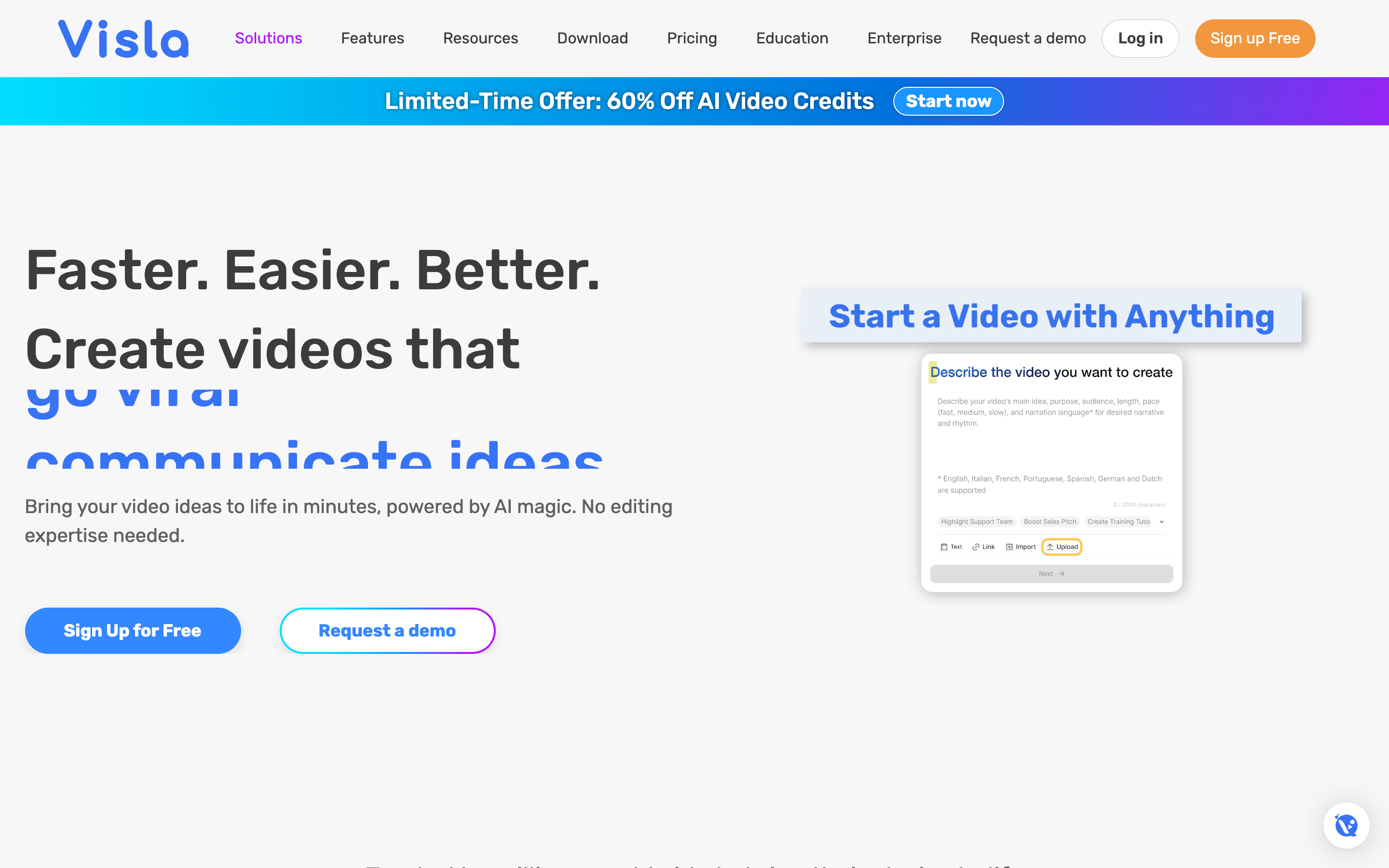
Visla is the better fit for business teams that want AI video generation, recording, editing, collaboration, stock media, and sharing in one workspace. The official pricing FAQ also makes the credit model transparent enough to estimate usage by project type. Text-based video is cheaper than visual-based or fully generative work, and teams can buy more flexible credits on paid plans when they need more capacity.
Visla's Business and Enterprise tiers add features that matter to larger teams: full brand kit, 4K export, usage analysis, larger stock access, custom avatars and voice clones, custom limits, SSO, dedicated account management, onboarding, training, and SCORM package download on Enterprise.
Where Visla falls short
Visla's breadth can make planning harder if the team only wants a simple script-to-video workflow. The credit model is also more complex than Pictory's export-minute allowance. A buyer has to estimate not just minutes, but project type, storage, regeneration, ASR, avatar usage, AI generative work, and whether base credits or flexible credits apply.
Visla is also not the same as ngram's agentic source-to-finished-video workflow. It can create from several source types and manage business video projects, but ngram's positioning is more specific: turn business inputs into a planned script, storyboard, scenes, brand treatment, captions, voiceover, and final exports with chat-based revision.
Source notes and methodology
This comparison was checked on June 19, 2026 against official and current sources. Pictory facts come from the Pictory pricing page and its public product navigation on the same page. Visla facts come from the Visla pricing page, the public billing data loaded by that page, and the public credit-cost data used by its pricing experience. ngram facts come from the current product-state and GTM fact files in this repository.
The verdict weights inputs and workflow at 30%, editing, branding, and collaboration at 25%, pricing and usage model at 25%, and honest best-fit limits at 20%. We do not use star ratings because they hide the practical question: what source material do you have, what output do you need, and how much control does your team need before export?
FAQ
Is Pictory better than Visla?
Pictory is better if you mainly want to turn scripts, blog posts, URLs, slide decks, recordings, or long videos into short narrated videos. Visla is better if you also need recording, transcript editing, collaboration, stock media, video management, translation, and a credit-based workspace for business video.
Is Visla cheaper than Pictory?
At entry paid pricing, Visla Pro starts lower: $22 per month on monthly billing or $15 per month on annual billing for 10,000 credits. Pictory Starter is $29 per month monthly or $25 per month annual. The cheaper tool still depends on usage because Pictory uses video-minute allowances while Visla consumes credits based on task type.
What is the best Pictory and Visla alternative?
ngram is the best alternative when you want to create a finished business video from messy source material, not just repurpose clean text or manage a broad recording workspace. It can ingest prompts, PDFs, URLs, screenshots, recordings, raw video, decks, and Shopify URLs, then plan the script and storyboard before production.
Which tool is better for business teams?
Visla is the safer pick for teams that want one business video workspace with recording, collaboration, stock media, sharing, usage analysis, and Enterprise controls. Pictory is the safer pick for content teams that primarily need fast repurposing. ngram is the safer pick for teams that need agentic planning, brand-aware production, and reviewable scripts and storyboards.
Final recommendation
For Pictory vs Visla, the short answer is simple: Pictory wins for focused repurposing, Visla wins for a broader business video workspace, and ngram wins when the input is messy business context that needs to become a planned, branded, finished video. If your team already has clean scripts and URLs, start with Pictory. If you need recording, editing, and collaboration in one workspace, start with Visla. If you need the tool to help decide what the video should say and show, start with ngram.








