
Visla vs Wave.video in 2026 is a useful comparison because the two products sit close enough to confuse buyers, but they are built around different jobs. Visla is closer to an AI video workflow platform for business teams that want to start from an idea, script, existing footage, audio, images, PPT, or PDF and let an AI Video Agent assemble a polished video. Source: Visla homepage.
Wave.video is closer to an all-in-one video marketing workspace. It combines an online editor, live streaming studio, recording, hosting, thumbnails, stock assets, templates, and social publishing. Source: Wave.video homepage.
That split makes the choice pretty clear. Pick Visla when the hard part is turning source material into a finished business video. Pick Wave.video when the hard part is creating, streaming, hosting, and distributing video in the same place. Use ngram when you want a third option that plans the script and storyboard first, then builds a branded business video from prompts, PDFs, URLs, decks, screenshots, screen recordings, raw video, or existing assets.
Visla vs Wave.video at a glance
This table is the shortest routing guide. Prices are public list prices checked on June 19, 2026, and annual prices are called out where the vendor page presented annual billing.
| Tool | Best for | Public entry paid price | Main workflow | Choose it when |
|---|---|---|---|---|
| ngram | Finished branded business videos from source material | Basic from $29/mo monthly or $23.20/mo annually | Prompt, source, script, storyboard, render, edit in chat | The source is a doc, URL, deck, recording, screenshot, or raw idea |
| Visla | AI-assisted business video generation and editing | Pro listed at $18/mo monthly, with annual Pro Tier 1 at $15/mo in Visla's April 2026 pricing update | Idea or source file to AI-built video, then scene and transcript editing | You want AI to assemble the video and you need deeper AI editing controls |
| Wave.video | Social video creation, livestreaming, recording, hosting, and thumbnails | Annual public pricing shows Streamer at $16/mo, Creator at $24/mo, Business at $48/mo | Create or upload video, edit, stream or host, then publish | You want one browser platform for marketing video distribution and livestreams |
Where ngram fits as the third option
Watch how ngram turns an idea into a finished video:
ngram belongs in this comparison because many people searching for Visla vs Wave.video do not only need an editor. They need a finished business video from messy material: a release note, a support doc, a deck, a product recording, a screenshot set, a URL, or a rough prompt.
That is ngram's live overlap with this category. The product accepts text prompts, PDFs, URLs, screenshots, screen recordings, raw video, decks, and Shopify product URLs. It generates the script, storyboard, scene plan, captions, AI voiceover, product callouts, motion graphics, brand styling, and MP4 exports. It also supports chat edits, visual chat, a script editor, scene regeneration, timeline editing, brand kits, hosted video pages and embeds.
The important boundary is live streaming and hosting depth. ngram can host and embed rendered videos, but it is not Wave.video's live streaming studio or a broad video CMS. ngram has a self-service Public API v1 with bearer API keys and webhook subscriptions for `video.completed` and `video.failed`, plus Zapier and n8n; Make.com is Coming Soon. If those two needs drive the purchase, keep them in the comparison.
For most business teams, ngram is the stronger third option when the goal is a launch video, explainer, customer tutorial, internal update, sales enablement clip, training video, or polished product demo made from existing company material. The first output is a planned video, not a blank editor.
For deeper product-specific context, read ngram vs Visla and ngram vs Wave.video. If your team is choosing primarily around source-to-video work, the text-to-video page explains the ngram path.
Visla: best when AI production and editing are the center
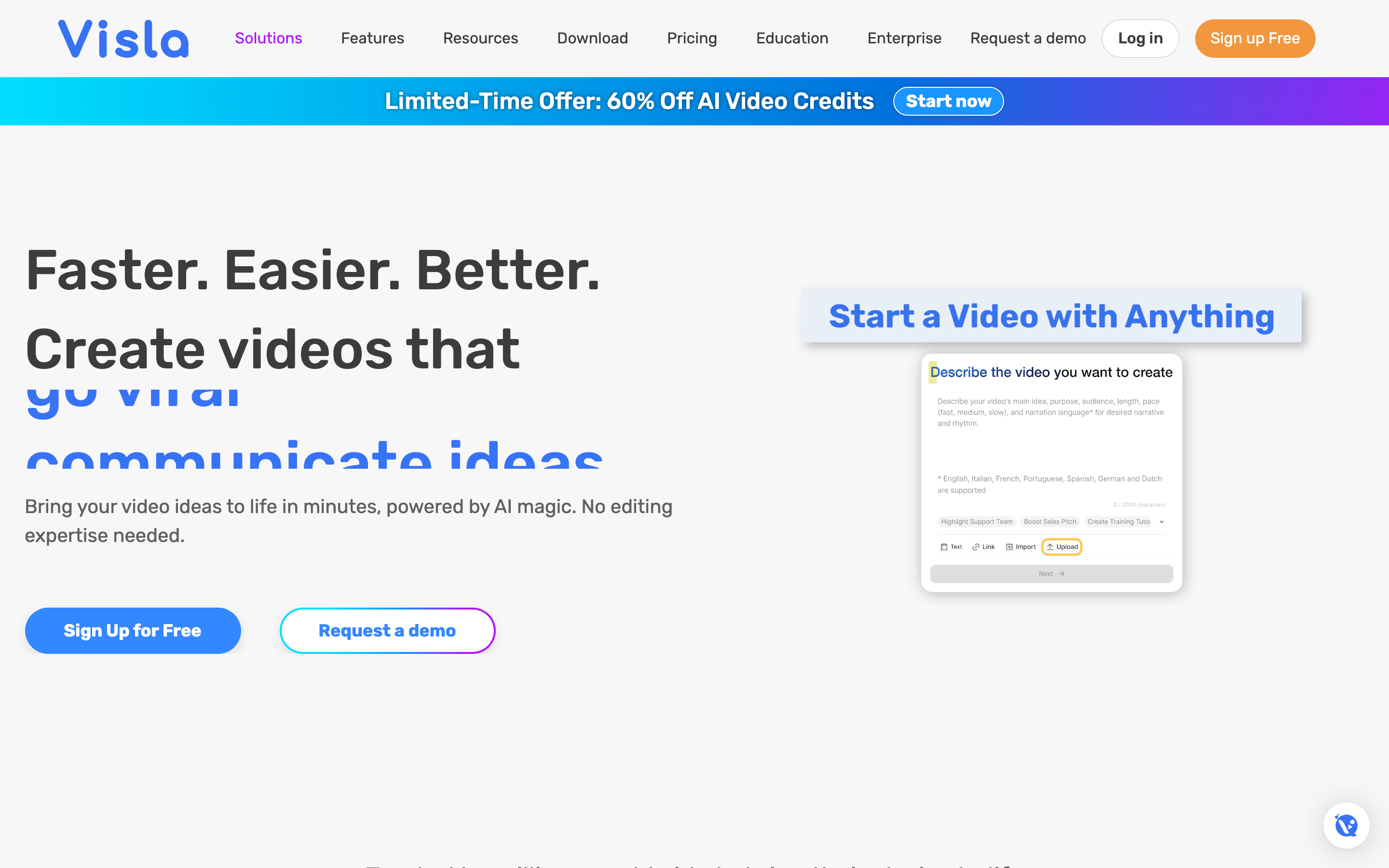
Visla's strongest case is source-to-video production. Its homepage says the AI Video Agent can start from an idea, text or script, existing footage, audio, images, PPT, or PDF, then assemble a polished video while leaving creative control with the user. Source: Visla homepage.
The pricing page backs that up with a broad feature set: video creation from idea, script, text content, webpages, audio, speech-centric videos, PDF, PPT, montages, and narrated visual stories. It also lists synthetic voiceover, multilingual video creation, AI video translation, public avatars, premium and private stock libraries, scene-based editing, transcript-based editing, filler-word autocut, silence autocut, background music controls, subtitles, and 1080p or 4K export depending on plan. Source: Visla pricing page.
Visla also has a notable API advantage. Its API page says Premium users on Pro, Business, or Enterprise can generate an API key from Workspace Settings, and that paid users get API access at no extra API fee beyond the same credits used in the platform. Source: Visla API page.
The tradeoff is pricing complexity. Visla's support page lists Free, Pro, Business, and Enterprise plans, with Pro at $18 per month on monthly billing and Business at $59 per month. Its April 2026 plan update says annual Pro Tier 1 starts at 10,000 credits per month for $15 per month, annual Pro Tier 2 at 15,000 credits for $24 per month, annual Business Tier 1 at 20,000 credits for $39 per month, and annual Business Tier 2 at 40,000 credits for $79 per month. Source: Visla paid plans. Source: Visla April 2026 pricing update.
Visla wins when your video workflow starts with source material and the main need is AI assembly, AI editing, transcript-style cleanup, voiceover, avatars, translation, stock selection, and API-backed generation.
Wave.video: best when creation, livestreaming, and hosting sit together
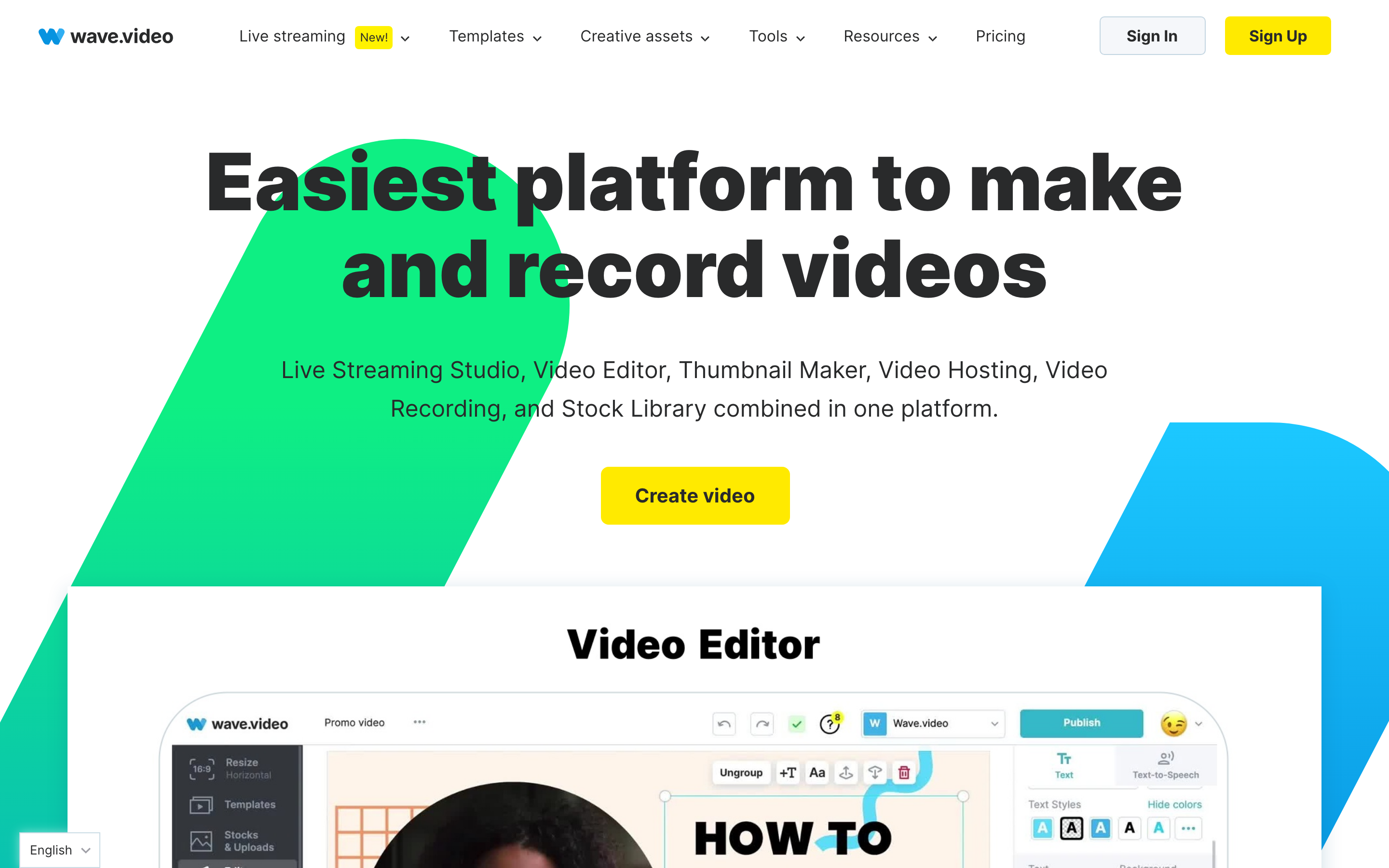
Wave.video's strongest case is breadth around video marketing. Its homepage calls the product a combined live streaming studio, video editor, thumbnail maker, video hosting, video recording, and stock library platform. It also points users into blank video, blank image, recording, upload, AI text-to-video, templates, blog-post video, stock assets, YouTube import, Instagram import, video player, and thumbnail workflows. Source: Wave.video homepage.
That broader bundle matters if distribution is part of the job. Wave.video's homepage describes a multistreaming studio for customized live streams, branded broadcasts, guest invites, and pre-recorded streams. The same page describes secure hosting with video landing pages, personalized players, embeds, and video analytics. It also includes a browser recorder and stock library. Source: Wave.video homepage.
The online video maker page makes the small-business and marketing angle explicit. Wave.video says users can host, embed videos in blog posts or email campaigns, share to social media, and create video landing pages. It also lists connections with Facebook, YouTube, Twitter, Google Drive, Dropbox, Vimeo, HubSpot, and Wistia. Source: Wave.video online video maker.
Pricing is simpler to read than Visla's credit model, though hosting and bandwidth still have limits. Wave.video's public pricing page shows Free, Streamer, Creator, and Business with annual pricing at $0, $16, $24, and $48 per month. It says any plan can create unlimited videos, paid plans can download MP4 files, and editing limits differ by plan: Free is limited, Creator supports videos up to 30 minutes, and Business supports up to 2 hours and 60fps. It also lists included hosting bandwidth and storage by plan. Source: Wave.video pricing page.
Wave.video wins when your team wants a marketing video workbench more than an AI production agent: templates, stock, a browser editor, recordings, livestreams, thumbnail creation, hosted video pages, embeds, and direct publishing.
Workflow: AI agent or marketing workbench
Visla starts closer to the brief. You bring an idea, script, web page, PDF, deck, or footage, and Visla's AI assembles a video structure. The work after that is refinement: choosing footage, fixing scenes, editing transcripts, adding voiceover, translating, and exporting.
Wave.video starts closer to the channel. You can start from a template, stock asset, blank canvas, uploaded file, recording, text prompt, or blog post, then move into editing, livestreaming, hosting, or publishing. That is why Wave.video often feels more useful for social teams and creators who are juggling formats, thumbnails, embedded pages, and live shows.
ngram sits between those needs but pushes earlier into planning. It turns source material into a script and storyboard before rendering, so a product marketer or CS lead can catch the angle before spending credits on the final video. After the draft exists, ngram keeps the project editable through agentic chat, visual chat, script edits, scene regeneration, timeline controls, and brand kit settings.
Workflow verdict: choose Visla for AI-first production, Wave.video for marketing-video operations, and ngram when the message needs to be planned from real business material before it becomes video.
Editing depth and output quality
Visla has the stronger AI editing story between the two. Its pricing page lists scene-based editing, transcript-based editing, filler-word autocut, repetitive phrase autocut, pause and silence autocut, AI footage recommendations, subtitles, background music controls, animation and transition effects, and text overlay styles. Source: Visla pricing page.
Wave.video has the stronger general-purpose browser editor and video marketing layer. The homepage says users can resize and trim videos, combine clips, change layouts, add text animations, stickers, transitions, editable auto-generated captions, and custom subtitles. Source: Wave.video homepage.
The practical difference is control type. Visla is better if you want the AI to organize and clean up the production. Wave.video is better if you want a familiar editor plus channel tools. ngram is better if you need script, storyboard, visuals, captions, voiceover, callouts, brand treatment, and format variants built as one business-video workflow.
Pricing and usage limits
The pricing comparison is not one-dimensional because all three tools meter different things.
Visla uses credits. Its April 2026 plan update says the new annual Pro tiers start at 10,000 and 15,000 credits per month, while Business tiers cover 20,000 and 40,000 credits per month. The same update says AI Director Mode was roughly 150 credits per second, which is a reminder to map expected video length and feature use before choosing a tier. Source: Visla April 2026 pricing update.
Wave.video uses plan limits around editor length, hosting, storage, embedded videos, and bandwidth. The pricing FAQ says the Creator plan includes 150 GB of monthly bandwidth, Business includes 500 GB, and Business customers pay overage fees after included hosted-video and bandwidth allowances. Source: Wave.video pricing page.
ngram is also credit-based, but the credit model is tied to finished video generation, AI editing, exports, and top-ups. The claimable GTM facts list Basic at $29 per month or $23.20 annually, Premium at $59 per month or $47.20 annually, and Ultimate at $299 per month or $239.20 annually. Free includes 600 starter credits, Basic includes 3,000 monthly credits, Premium includes 10,000 monthly credits, and Ultimate includes 50,000 monthly credits.
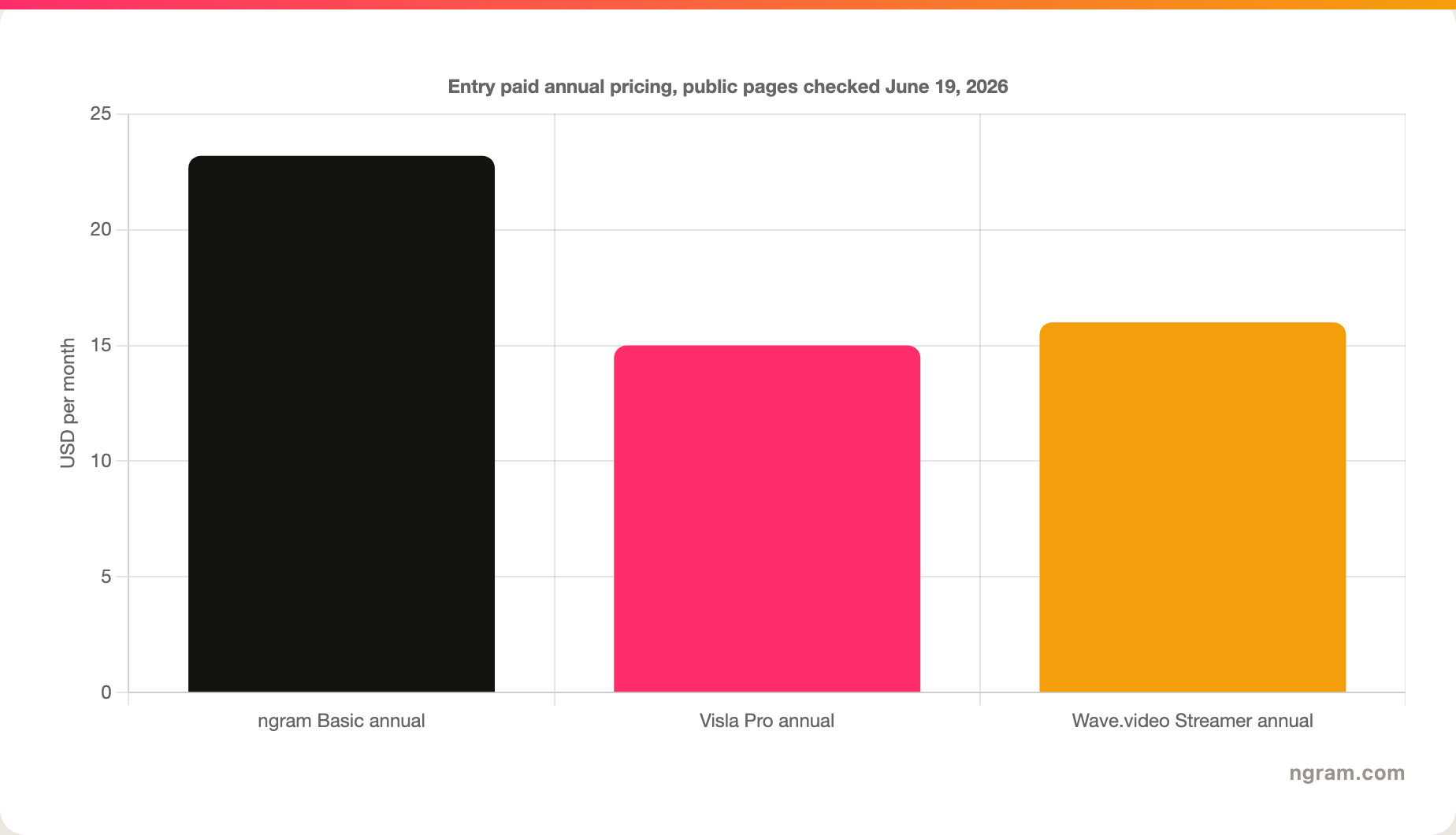
Pricing verdict: Wave.video is easier to budget for simple marketing use. Visla is strong when the credit pool maps to repeat AI production. ngram is priced for teams that want the AI to plan and create business videos from source material, not only edit a clip.
Integrations, API, hosting, and publishing
Visla is the best fit if API access is a buying requirement. Its API page says paid users on Pro, Business, and Enterprise can generate a Workspace API key, and API-created videos use the same credits as in-product videos. Source: Visla API page.
Wave.video is the best fit if publishing and hosting are a buying requirement. Its homepage and pricing page describe hosting, landing pages, embeds, player personalization, analytics, bandwidth allowances, and social publishing. Source: Wave.video homepage. Source: Wave.video pricing page.
ngram has hosted video pages, embeds, share links, hosted pages and embeds, Zapier, n8n, MCP, and a self-service Public API v1 with bearer API keys and webhook subscriptions for `video.completed` and `video.failed`. That is enough for business teams that need to create, publish, and automate finished videos. It is not a replacement for Wave.video's live studio or advanced analytics.
Final verdict: Visla vs Wave.video
Pick Visla if your team wants an AI video production workflow. Visla is stronger for idea-to-video, script-to-video, document-to-video, webpage-to-video, AI cleanup, voiceover, translation, avatars, stock recommendations, and paid API access.
Pick Wave.video if your team wants a video marketing hub. Wave.video is stronger for online editing, templates, stock assets, browser recording, live streaming, thumbnails, hosting, embedded players, video landing pages, social publishing, and simple annual plan pricing.
Use ngram if the real job is finished business video from source material. ngram is the better third option for product launches, explainers, training videos, support tutorials, customer education, sales enablement, product demos, and internal updates where the script and storyboard need to be right before rendering.
Methodology
We checked official Visla, Wave.video, and ngram product and pricing sources on June 19, 2026. For Visla and Wave.video, we used the live homepage, pricing pages, support pages, and API or online-video-maker documentation. For ngram, we used the repo's current product-state and GTM facts files, which are the claim ceiling for live capabilities and pricing.
We did not use numerical G2 or Capterra ratings in the verdict. Review aggregators were useful for category context, but the buying recommendation here comes from official feature, pricing, workflow, API, hosting, and publishing documentation. The goal is practical routing, not a universal winner.








