

Search for "Loom vs Screen Studio" and you are usually comparing speed against polish. Loom is built for async screen-and-camera messages that teammates can record, share, watch, and comment on quickly. Screen Studio is built for Mac users who want a product walkthrough or tutorial to look edited before they spend real time in an editor.
Both tools start with a screen recording, but the buying decision is different. Loom wins when the video is mostly a message: a status update, bug explanation, sales follow-up, or quick walkthrough. Screen Studio wins when the recording itself is the deliverable: a product demo, course clip, launch video, or customer-facing tutorial. ngram belongs in the same conversation when the recording is only one source asset and the team needs a planned, branded video from prompts, docs, URLs, screenshots, decks, or recordings.
Loom vs Screen Studio at a glance
The table below compares the practical buying decision. ngram is included because many teams evaluating screen recording tools discover they need more than capture: script planning, storyboard control, voiceover, brand styling, captions, localization, and MP4 export.
| Tool | Best for | Starting price | Main distinction |
|---|---|---|---|
| ngram | Teams turning prompts, docs, URLs, decks, screenshots, recordings, and raw video into finished branded business videos | $0 Free, paid from $29/mo | Plans the script and storyboard before rendering the video |
| Loom | Async video messages for distributed teams, sales, support, engineering, and product workflows | Starter at $0, Business from $18/user/mo, Business + AI from $24/user/mo | Fast record-and-share workflow with transcripts, comments, and Atlassian/Jira depth |
| Screen Studio | Mac creators, educators, founders, and product teams making polished screen recordings | $20/mo monthly, or $9/mo when billed yearly | Native macOS recorder with automatic zooms, cursor smoothing, backgrounds, and 4K export |
Core workflow and output
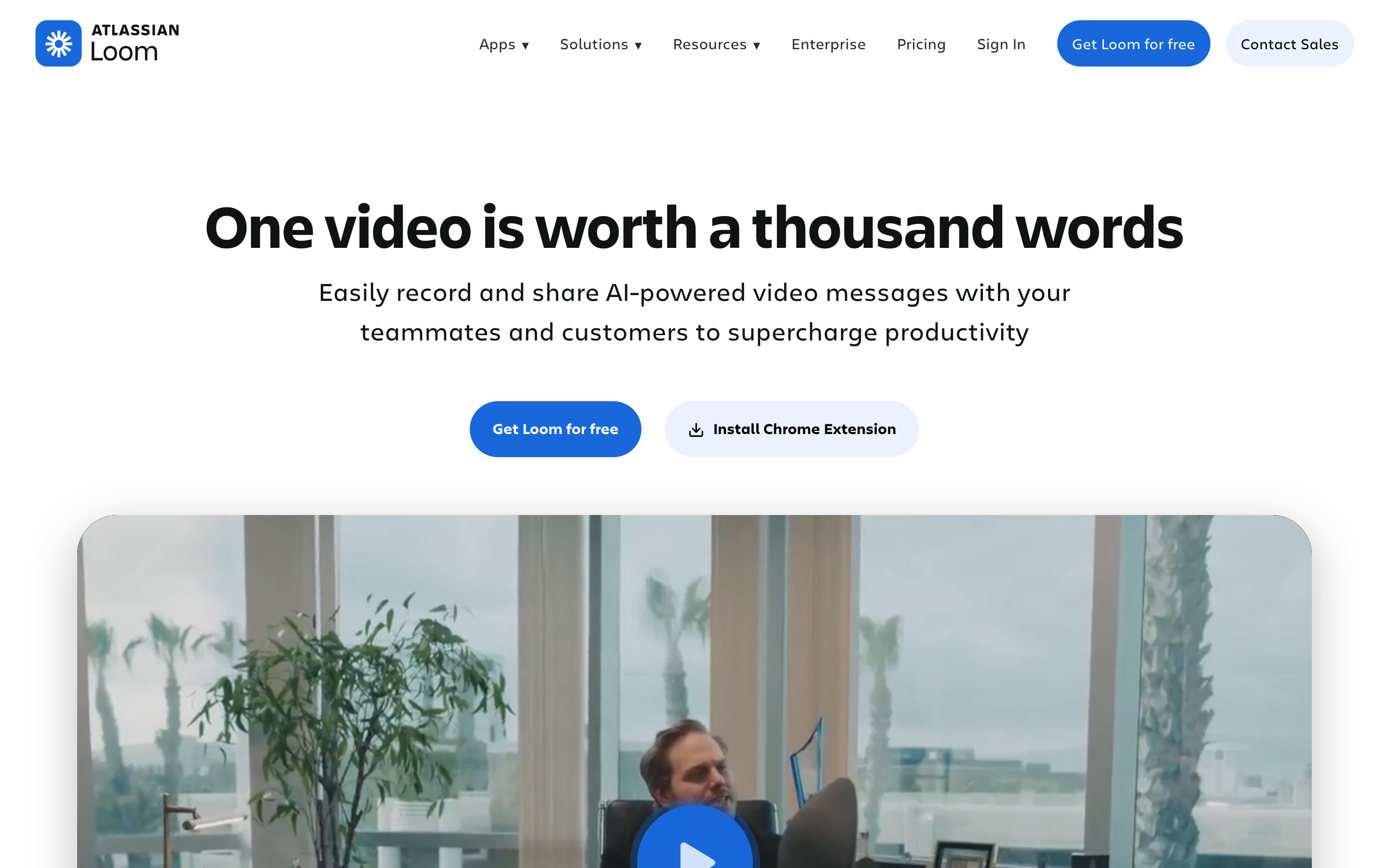
Loom is a communication tool first. Its official pricing and product pages frame the output as an AI-powered video message with sharing, transcript, comments, privacy controls, viewer insights, and workspace administration. The Atlassian ownership matters because Loom now leans into Jira and work-management workflows. Loom's AI features include generated titles, summaries, chapters, text documents from recordings, and a Jira issue flow that can turn a recording into a populated ticket.
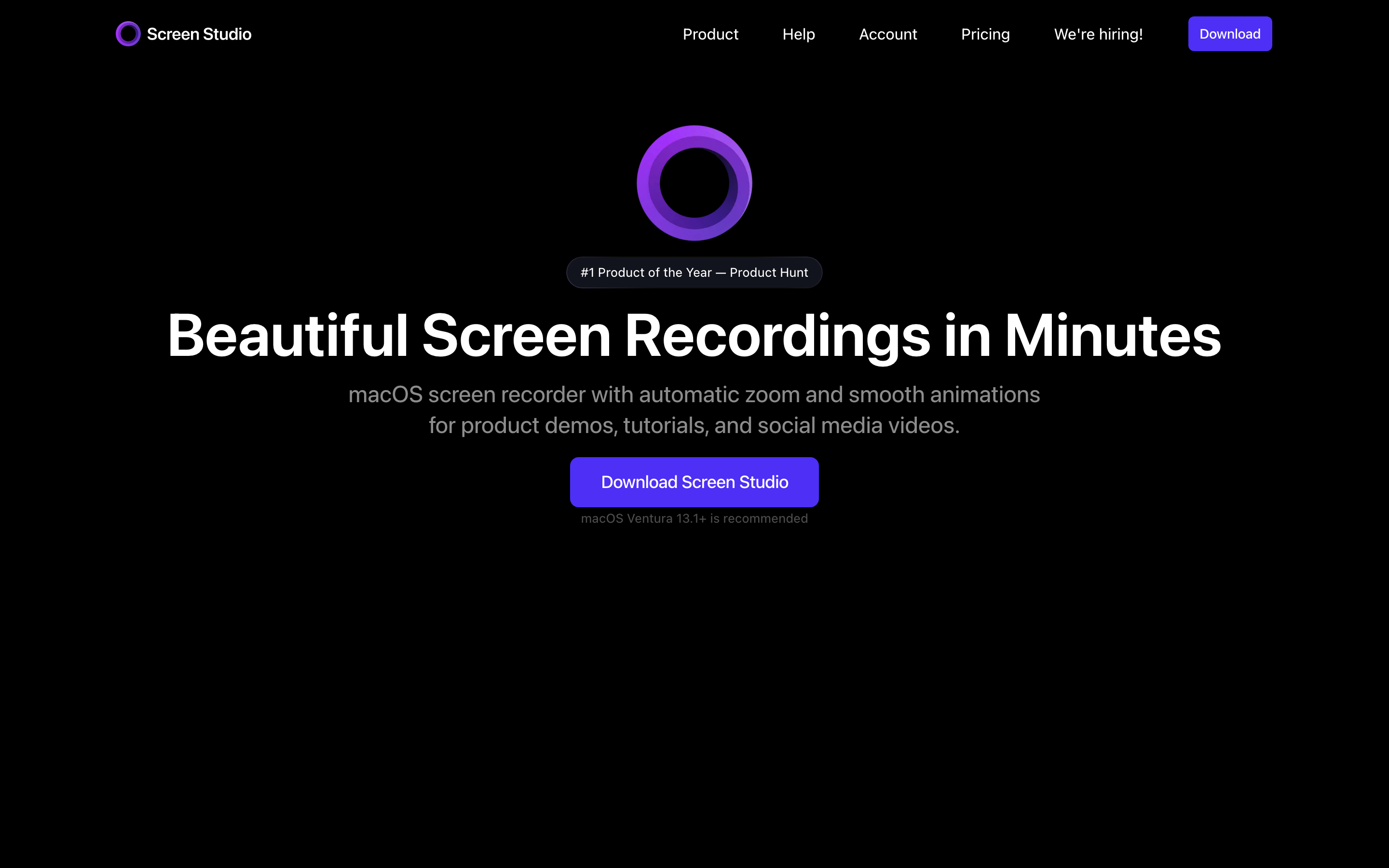
Screen Studio is a production tool first. You record on macOS, then Screen Studio applies the style layer that would otherwise take manual editing: smooth zooms, cursor smoothing, background styling, speed changes, audio cleanup, transcript generation, and exports up to 4K 60fps or GIF. Screen Studio can also record webcam, microphone, system audio, and iPhone or iPad screens connected to the Mac.
Winner: Loom for quick internal or customer communication. Screen Studio for a polished recording that needs to stand alone as a professional video.
ngram fits a different but adjacent job. If your raw recording needs a script, storyboard, voiceover, captions, callouts, brand kit, intro, outro, and channel-specific cuts prepared separately, ngram starts earlier in the production chain. It turns the recording into source material for a finished video rather than treating the recording as the final asset.
Editing depth and polish
Loom keeps editing intentionally light. You can trim, stitch clips, add calls to action on eligible plans, manage transcripts, and share the link with comments and reactions. That is enough for a teammate who needs context now. It is not meant to replace a visual editor for public product content.
Screen Studio has a deeper visual editing layer for screen captures. Its automatic zooms follow action, cursor effects make interaction easier to follow, and the timeline gives creators control over cuts, speed, background, layout, shadows, and export format. The product is opinionated in a useful way: most users pick it because the first draft already looks designed.
Winner: Screen Studio for visual quality. Loom for speed and collaboration around the recording.
ngram sits above both when the goal is a finished business video. The live product supports screen recording ingest, transcription, smart zooms, click emphasis, dead-air trimming, step labels, product callouts, captions, AI voiceover, branded intros and outros, brand kits, script editing, visual chat, scene regeneration, and timeline editing. That means a product marketer can turn a raw walkthrough into a launch video, while a support team can turn the same source into a customer education clip.
Pricing and value
Loom's current public pricing lists Starter at $0, Business at $18 per user per month, and Business + AI at $24 per user per month. Atlassian also lists annual billing savings, with Business commonly shown at $15 per user per month and Business + AI at $20 per user per month when paid yearly. The pricing model scales by seats, which fits a company-wide async communication tool.
Screen Studio's current public pricing is a single-plan model: $20 per month on monthly billing or $9 per month when billed yearly. That makes Screen Studio much cheaper for one Mac creator who needs polished output, but it is not priced or packaged like a team communication workspace.
ngram is credit-based. The self-serve paid tiers start at $29 per month, with annual pricing from $23 per month. Credits cover usage-heavy actions like AI video generation, AI editing, and exports. For screen recording buyers, the value question is straightforward: use Loom when the main cost is team communication volume, use Screen Studio when one creator needs polished capture, and use ngram when the asset needs full video production from mixed sources.
Here is how entry paid plans compare on monthly and annual billing:
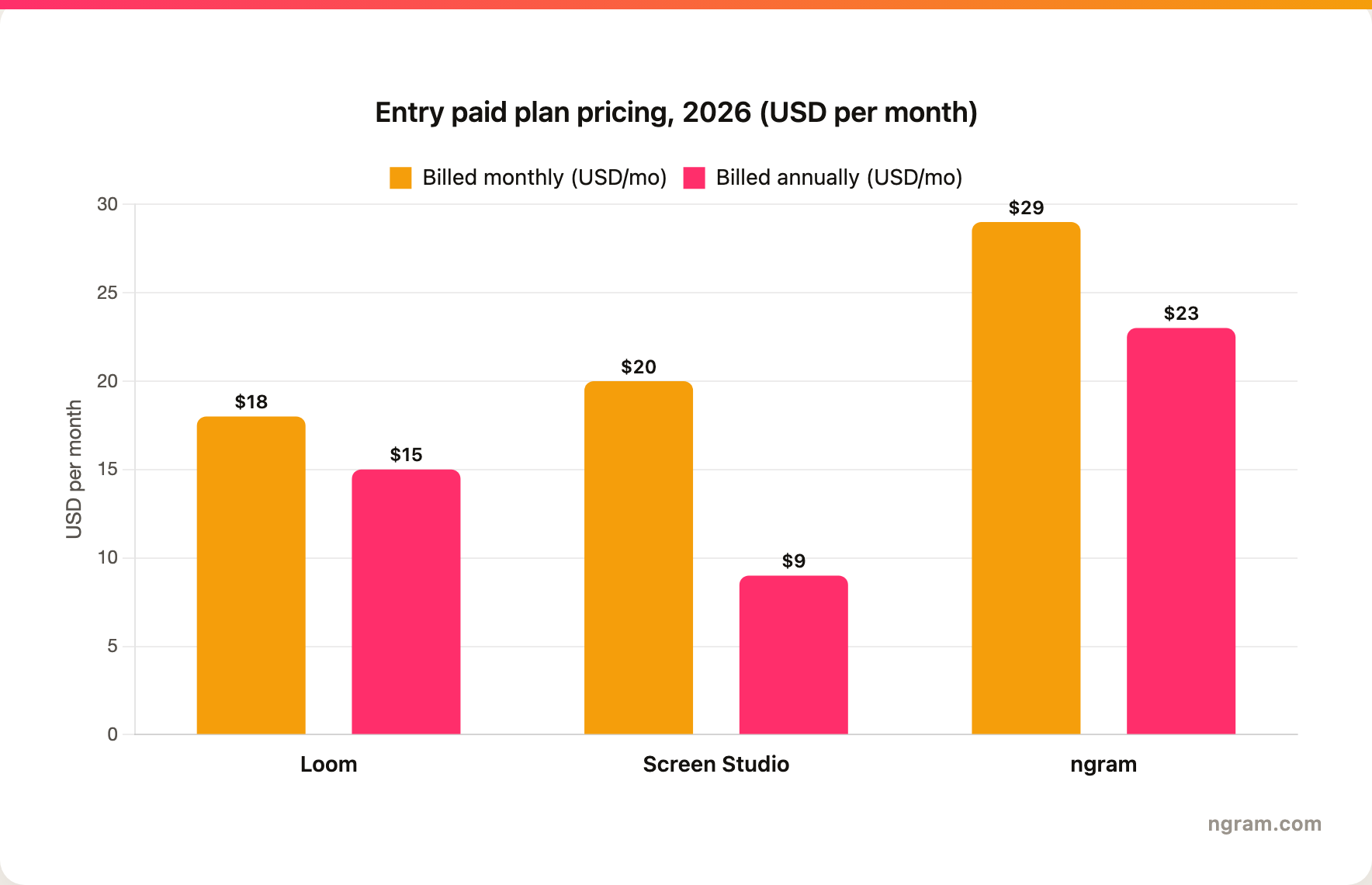
Winner: Screen Studio is the cheapest entry point for a single Mac creator at $9 per month billed yearly, while Loom delivers more pricing value once you need seats, transcripts, and Jira-connected sharing across a team, and ngram fits when you want a free start with paid production from $29 per month to turn those recordings into finished branded videos.
Collaboration, sharing, and distribution
Loom is stronger when collaboration happens on the video link. Viewers can watch in-browser, comment, react, and use transcripts. Workspace controls, privacy, viewer insights, SSO and Salesforce integration on Loom's Enterprise tier, and Jira depth make it a practical async communication layer for teams that already live in Atlassian tools.
Screen Studio is stronger when collaboration happens before or after the recording, not inside the tool. A creator records and edits locally, then exports an MP4 or GIF or shares through Screen Studio's hosted link flow. That is perfect for a founder making a product demo or a course creator publishing tutorials. It is weaker if your company wants everyone recording, sharing, commenting, and managing videos in one workspace.
Winner: Loom for team sharing and async feedback. Screen Studio for creator-led exports.
ngram's collaboration angle is different: teams work around the generated video project. Team workspaces, shared brand kits, asset libraries, script editing, visual chat, scene regeneration, and MP4 export support the review cycle around a finished video. It is not a Loom replacement for quick status updates, but it is stronger when the video has to become a customer-facing asset.
Platform fit and learning curve
Loom is cross-platform and browser-friendly. That matters for organizations with mixed devices, non-technical users, and frequent ad hoc recording. The learning curve is low because the core action is record, share, and discuss.
Screen Studio is macOS-native. That is a constraint, but it is also why the app feels fast and polished for its target buyer. If your creators are already on Mac and care about visual quality, Screen Studio's platform limit may not matter. If your company needs Windows, browser-first workflows, or many casual recorders, Loom is the safer fit.
Winner: Loom for broad team adoption. Screen Studio for Mac-native polish.
ngram works when the platform question is less about the recorder and more about the production workflow. The current product accepts text prompts, PDFs, URLs, screenshots, screen recordings, raw video, decks, and Shopify product URLs. That range matters when a product video starts with a launch doc, a recording, three screenshots, and a brand kit rather than one clean screen capture.
Where ngram fits if you are comparing Loom and Screen Studio
Watch how ngram turns an idea into a finished video:
Use ngram when your real deliverable is a finished video, not a recording link. The product can ingest a screen recording, transcribe it, identify key moments, add cursor smoothing, click emphasis, step labels, callouts, captions, AI voiceover, music, branded backgrounds, intros, outros, and export variants. You can also start with a prompt, PDF, URL, deck, screenshot, or raw video when the recording is only part of the source material.
That makes ngram a strong third option for product marketing, sales enablement, support, customer education, and training teams. If you need to record a fast explanation for a teammate, use Loom. If you need a beautiful Mac capture, use Screen Studio. If you need a product story with structure, brand, voiceover, captions, and distribution formats, use ngram.
Helpful internal reads:
- Compare ngram against Loom directly on the ngram vs Loom page.
- Compare ngram against Screen Studio directly on the ngram vs Screen Studio page.
- See the AI screen recorder and screencast understanding and editing pages for the product workflow behind screen-recording videos.
Methodology
We compared Loom and Screen Studio across five buying dimensions: core output, editing depth, pricing, collaboration, and platform fit. Competitor claims came from the official Loom, Atlassian, and Screen Studio public pages available on June 18, 2026. ngram claims reflect the live product and current public pricing.
Official sources checked: Loom pricing, Loom AI, Loom AI features, Screen Studio product and pricing.
We did not use numerical review ratings. Star scores hide the workflow question that matters here: whether you need async communication, polished screen capture, or a complete video production workflow.
FAQ
Is Loom better than Screen Studio?
Loom is better than Screen Studio for async team communication, fast recording, link sharing, transcripts, comments, workspace controls, and Jira-connected workflows. Screen Studio is better when one Mac creator needs a polished recording with automatic zooms, cursor effects, audio cleanup, and high-quality export.
Is Screen Studio cheaper than Loom?
Screen Studio is cheaper for one creator on annual billing because its public plan is $9 per month when billed yearly. Loom Business starts at $18 per user per month on monthly billing, or about $15 per user per month annually. Loom can be more expensive as seats increase, but Loom also includes team communication features Screen Studio does not try to replace.
Can ngram replace Loom?
ngram can replace Loom for teams that use recordings as source material for polished explainers, product demos, training videos, and customer education clips. ngram should not be described as a drop-in replacement for quick record-and-send async messaging, because Loom's defining workflow is still faster for that job.
Can ngram replace Screen Studio?
ngram is a stronger Screen Studio alternative when the finished video needs script planning, storyboard control, AI voiceover, captions, brand kit styling, localization, callouts, and multiple export formats. Screen Studio remains a better pick for Mac users who want a native recorder and fast visual polish without a broader production workflow.
Which tool should product marketing teams pick?
Product marketing teams should pick Loom for internal updates and lightweight customer follow-ups, Screen Studio for polished Mac-recorded demos, and ngram for launch videos, product stories, sales enablement clips, and customer-facing explainers built from mixed source material.
Which one should you pick?
The Loom vs Screen Studio decision is not close if you know the job. Pick Loom when the video is a message that needs to move through a team. Pick Screen Studio when the video is a polished screen recording that a Mac creator will publish. Use ngram when the recording is only one source in a larger business video workflow, especially if the final asset needs story, brand, voiceover, captions, callouts, localization, and an MP4 export.
Try ngram for your next product video. Bring a prompt, doc, URL, deck, screenshot, or recording, then turn it into a polished business video with script, storyboard, brand, voiceover, captions, and export formats. Start with ngram








