
Search "Loom vs Tella" and the comparison looks simple at first: both record your screen, camera, microphone, and system audio, then give you a shareable video. The buying decision is not simple. Loom is built around speed, cloud links, comments, transcripts, Atlassian work context, and async messaging. Tella is built around creator control, cleaner layouts, transcript editing, zooms, branding, and polished sharing.
That difference matters. A product manager sending a two-minute Jira walkthrough has a different job than a founder recording a product demo for a sales page. Loom is usually the better internal communication tool. Tella is usually the better screen recording studio. ngram enters when the recording is only one input for a finished business video, because ngram can plan the script and storyboard, polish the recording, add callouts, captions, voiceover, brand treatment, and export formats.
Loom vs Tella at a glance
| Tool | Best for | Starting price | Main distinction |
|---|---|---|---|
| ngram | Teams turning screen recordings, docs, URLs, decks, screenshots, prompts, and raw video into finished branded videos | Free, paid from $29/mo Basic | Plans the script and storyboard, then adds recording polish, captions, voiceover, callouts, brand treatment, and MP4 export |
| Loom | Distributed teams replacing meetings and long text updates with fast async video messages | Free Starter, Business from $18/user/mo, Business + AI from $24/user/mo | Fast cloud recording, share links, transcripts, comments, reactions, Loom AI, and Atlassian-oriented workflows |
| Tella | Founders, creators, sales teams, and product teams recording polished screen or webcam videos themselves | Free, paid from $13/mo Pro ($6.50/mo billed annually), Premium $19/mo ($9.50/mo billed annually) | Browser and desktop recorder with layouts, transcript editing, auto zooms, branding, embeds, and viewer analytics |
Core output: quick message or polished recording
Loom's screen recorder is built around video messages. You record, stop, share the link, and let teammates watch with transcript, comments, and reactions. Loom AI workflows add generated text documents, work items, messages, and Jira or Linear handoff from a recording. That is a strong fit for standups, design feedback, engineering context, support handoffs, and sales follow-ups where the value is speed.
Tella's core output is a cleaner recorded video. Tella records screen, webcam, microphone, and system audio, then gives the creator layouts, text editing, audio enhancement, filler-word removal, automatic zooms, subtitles, and blur. Tella also supports branded players, custom domains on higher plans, embeds, downloads, and analytics. Tella is better when the recording is meant to look prepared, not improvised.
Winner: Loom for quick async messages. Tella for polished screen and camera recordings. ngram fits when the output should become a planned product demo, training video, feature announcement, or customer-facing explainer instead of a cleaned-up recording.
Loom: best when speed and team context matter
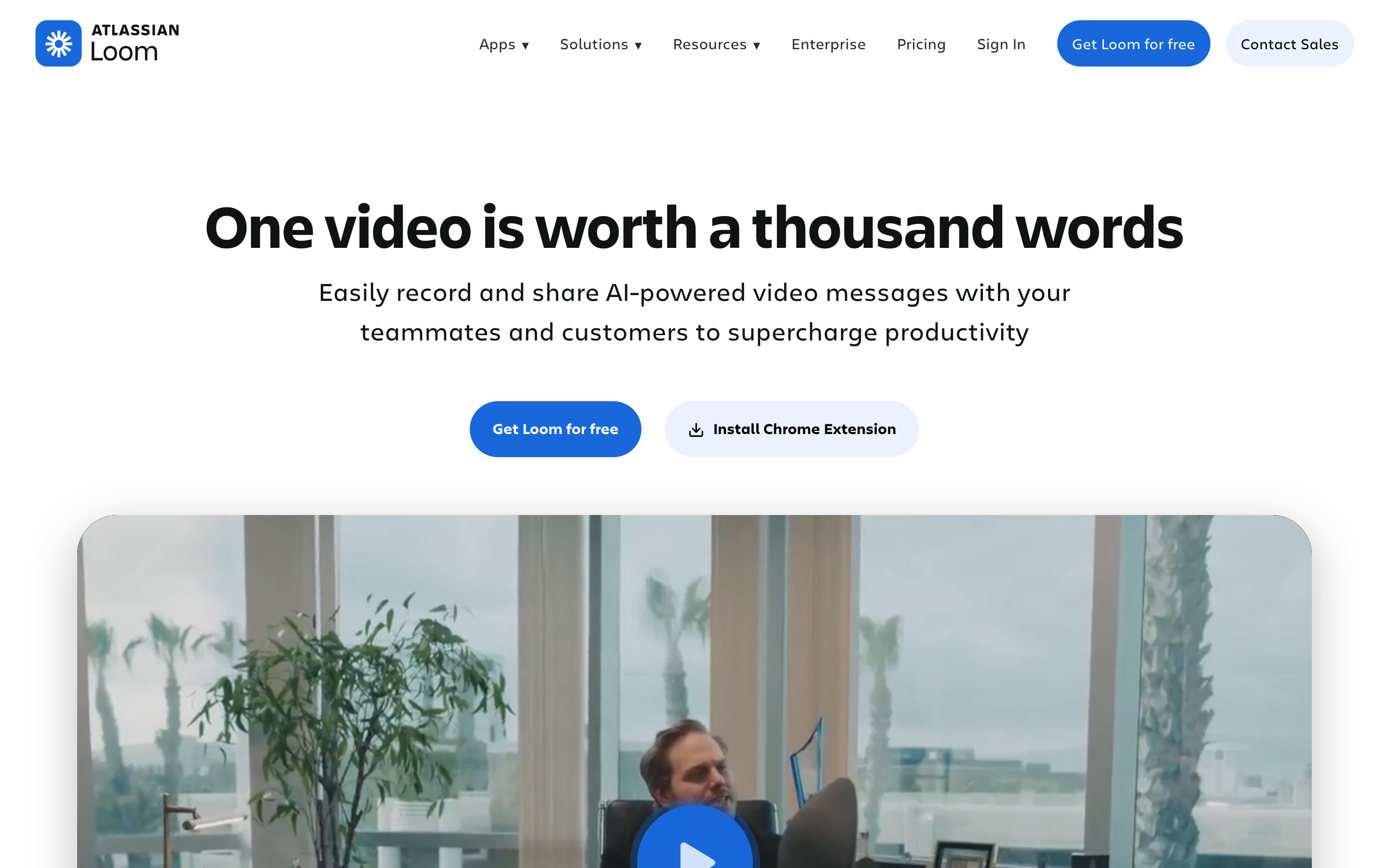
Loom's biggest advantage is how little setup the sender needs. The recorder is familiar, the share link is instant, and the playback experience is built for workplace discussion. A Loom video can carry a transcript, comments, emoji reactions, and AI-generated summaries, so the viewer can skim before committing to the full clip. For internal teams, that can beat another meeting or another wall of Slack text.
The Atlassian connection is also real buyer context. Loom now sits closer to Jira and Atlassian teamwork, especially for engineering and product teams that record bug reports, explain tickets, or document a workflow before handing it off. If your team's async communication already runs through Jira and Atlassian products, Loom has a natural ecosystem advantage over Tella.
The trade-off is production depth. Loom can trim, clean up, summarize, and organize video messages, but it is still optimized for speed. When the audience is a prospect, customer, learner, or public visitor, many teams want stronger story structure, branded motion, callouts, captions, voiceover, export variants, and more deliberate editing than a quick message tool usually provides.
Tella: best when the recording is the deliverable
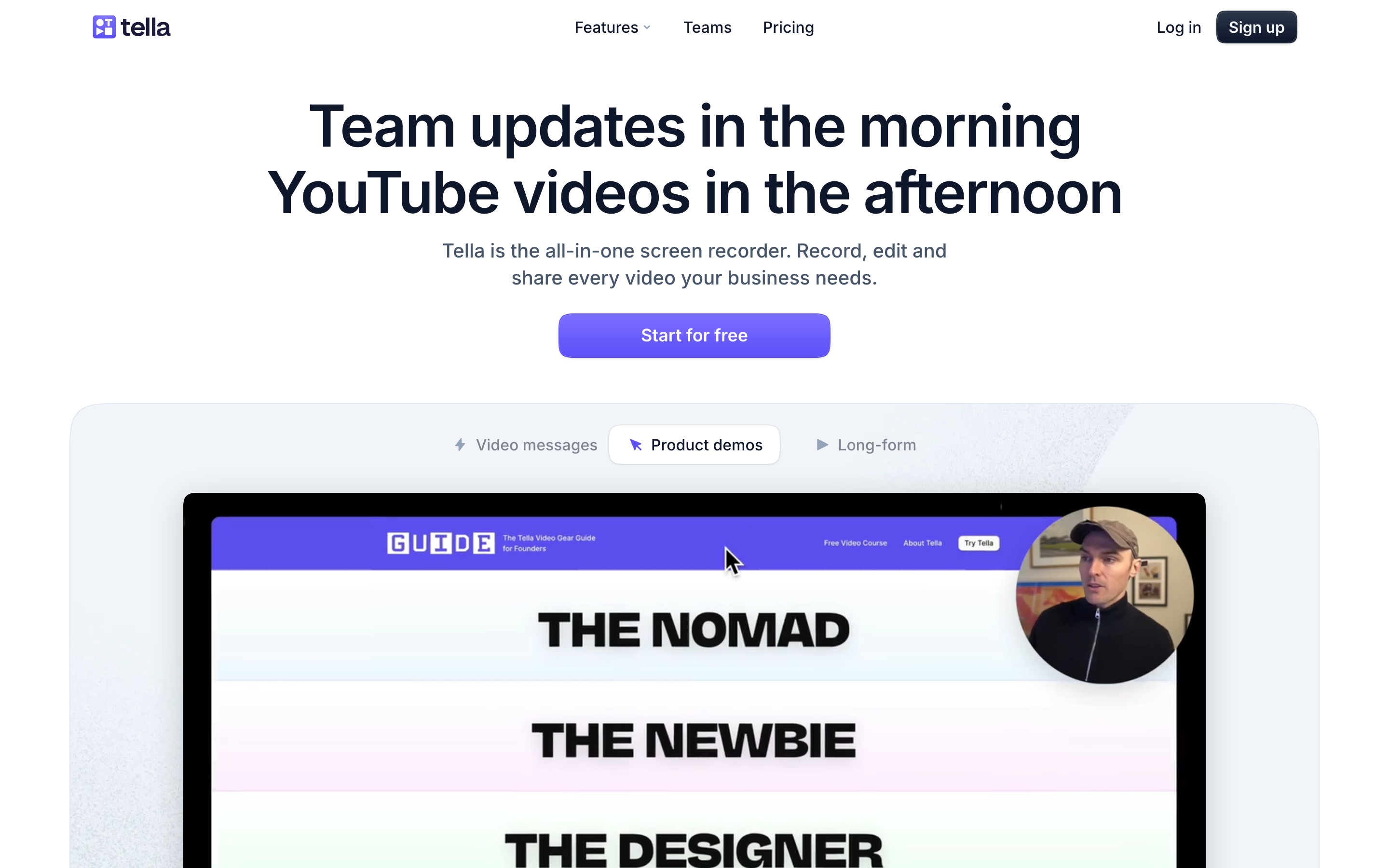
Tella is the stronger pick when the creator wants to shape the recording before anyone watches it. The product supports browser and desktop recording, clip-based capture, text editing, audio enhancement, filler-word removal, layouts, subtitles, zoom effects, blur, links, embeds, and downloads. That makes Tella feel less like a meeting replacement and more like a lightweight recording studio for business videos.
Tella's positioning around product demos, tutorials, sales videos, training, and YouTube-style recordings is credible because the workflow gives the presenter more control. A founder can record a camera intro, switch into a screen walkthrough, clean the transcript, add zooms, change layout, and publish a branded link without learning a full timeline editor.
The trade-off is team communication depth. Tella can share videos and show engagement analytics, but Loom has the stronger async messaging muscle: workplace comments, reactions, transcripts, AI summaries, Atlassian ties, and a cultural footprint as the "send a Loom" option. If the video is mostly a message to coworkers, Tella can feel like more editor than you need.
Where ngram fits between Loom and Tella
ngram should not be framed as a drop-in replacement for every Loom job. If a teammate needs a quick private walkthrough link with comments, reactions, and Atlassian context, Loom is still the cleaner choice. ngram is stronger when the recording needs to become a finished business video that someone outside the team will judge on clarity, pacing, brand, and polish.
ngram can start from a screen recording, but it can also start from a prompt, PDF, URL, deck, screenshot, Shopify product page, or raw video upload. The agent writes the script, builds the storyboard, plans scenes, adds captions, generates voiceover, applies brand kits, adds product callouts, smooths cursor movement, detects clicks, trims dead air, adds section labels, and exports an MP4 export. That is a different workflow from both Loom and Tella: source-to-video production instead of capture-first communication.
A practical split: use Loom when speed and async team discussion are the job, use Tella when a creator wants to record and polish the video manually, and use ngram's screen recording to video workflow when the raw recording needs a script, storyboard, callouts, voiceover, brand system, and finished-video exports.
Pricing and value
Loom's public pricing lists a free Starter plan, Business at $18 per user per month ($15 per user per month billed annually), and Business + AI at $24 per user per month ($20 per user per month billed annually). That makes Loom affordable for small teams sending async updates, but the per-seat model can climb quickly when the company wants many casual viewers and recorders across departments.
Tella's team pricing notes list Pro at $13 per user per month, dropping to $6.50 per user per month when billed annually, and Premium at $19 per user per month, dropping to $9.50 per user per month annually, with free viewer seats and Enterprise pricing for larger teams. Pro is a lower-cost individual entry than Loom Business, while Premium is the more relevant tier for public sharing, branding, custom domains, and audience-facing controls.
ngram uses a credit model rather than seat-based recorder pricing. The current ngram pricing model has a Free plan with 600 one-time credits, Basic at $29 per month with 3,000 monthly credits, Premium at $59 per month with 10,000 monthly credits, and Ultimate at $299 per month with 50,000 monthly credits and team access. Credits cover usage-heavy actions such as AI video generation and AI editing, while exports are unlimited and do not use credits.
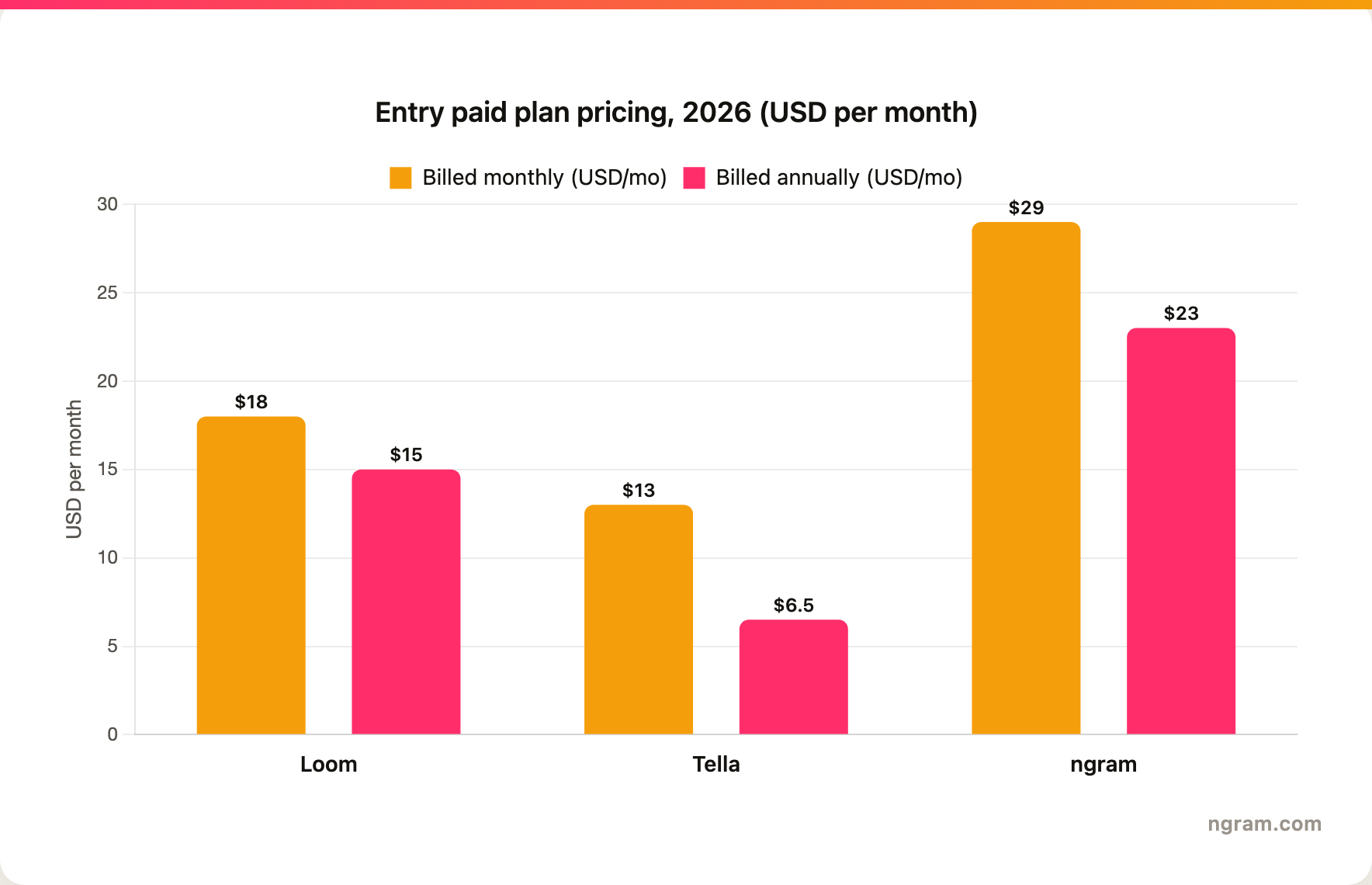
Winner: Tella for the lowest individual paid entry, Loom for seat-based team messaging, and ngram when the value is finished video production rather than recorder access.
Editing, branding, and viewer experience
Loom's editing is enough for most internal updates. Trim the rough parts, let AI summarize, add chapters, and share the link. The viewer experience favors conversation: transcript, comments, reactions, and a watch page that feels natural inside work communication. That is the right product shape when the video is a message.
Tella wins when the video itself needs a more polished visual shape. Layout control, webcam composition, automatic zooms, transcript cleanup, audio cleanup, branding, custom domains on higher plans, embeds, and downloads all matter when the recording becomes a sales asset, public demo, tutorial, or social post. Tella gives non-editors enough control to avoid the raw screen-recording look.
ngram goes further when the team wants production logic, not only editing controls. The agent can turn source material into a script and storyboard before render, then apply brand kits, motion graphics, product callouts, captions, voiceover, background music, branded intros and outros, and MP4 export. That is useful for product demo videos, training videos, customer education, and launch content where the recording needs structure around it.
Winner: Loom owns the conversational viewer experience, Tella owns the polished visual finish with branding, custom domains, and engagement analytics, and ngram fits when the recording needs full production structure rather than recorder controls. ngram's viewer side is lighter: it delivers branded hosted watch pages, with a generally available owner analytics surface is not live.
Which tool should you pick?
- Pick Loom if your main job is fast async communication: status updates, design feedback, bug context, quick support handoffs, or meeting replacements with comments and transcripts.
- Pick Tella if your main job is recording a cleaner video yourself: product demos, tutorials, sales clips, founder walkthroughs, YouTube-style screen videos, or branded share links.
- Use ngram if your main job is finished business video: turn a screen recording, document, deck, URL, screenshot, or raw video into a planned, branded explainer with callouts, captions, voiceover, and export variants.
The cleanest test is audience. If the audience is internal and the message is disposable, Loom is hard to beat. If the audience is external and the creator wants control, Tella is the better recorder. If the audience will judge the video as marketing, training, support, or enablement content, ngram is the better production workflow.
Methodology
We compared Loom, Tella, and ngram using Loom's official screen recorder page, Loom's pricing page, Atlassian's Loom AI workflow docs, Tella's official product page, Tella's team pricing FAQ, and the current ngram product state and GTM facts files. We weighted the decision around output type, recording workflow, editing depth, sharing, pricing, AI features, branding, and the buyer's likely audience. We avoided numerical review ratings and treated pricing as a point-in-time claim for June 18, 2026.
Pairing gate: Loom and Tella are both live screen-recording-video tools in the competitor matrix. Loom is T2, so ngram is scoped to the polished-demo, explainer, and training-video slice. Tella is T1, so ngram is treated as a direct finished-video alternative when the buyer wants source-to-video production rather than manual recording polish.
FAQ
Is Loom better than Tella?
Loom is better than Tella for async workplace messages, especially when comments, reactions, captions, instant links, and feedback matter. Tella is better when the same recording needs a cleaner visual finish, more presenter control, branding, embeds, downloads, or public sharing.
Is Tella cheaper than Loom?
Tella has the lower listed individual paid entry in 2026, with Pro at $13 per user per month, falling to $6.50 per user per month when billed annually. Loom lists Business at $18 per user per month ($15 billed annually) and Business + AI at $24 per user per month ($20 billed annually). Team cost depends on seat count, AI needs, and whether public branding controls matter.
Can ngram replace Loom or Tella?
ngram can replace Loom or Tella when the goal is a finished business video from a screen recording or other source material. ngram should not be treated as a full replacement for Loom's quick async messaging workflow or Tella's hands-on creator recording workflow.








