

Search "Jumpshare vs Zight" and the choice looks simple at first: both record your screen, capture screenshots and GIFs, upload to the cloud, and share the result with a link. The real difference appears after the capture. Jumpshare is the faster visual file-sharing workspace, with stronger upload, preview, branded player, and review habits around the recorded asset. Zight, formerly CloudApp, has moved harder into AI documentation, request-video workflows, support evidence, and team compliance.
That makes the buying decision less about which recorder can capture a tab and more about what you need the recording to become. A designer sending annotated proofs has a different job than a support lead turning a customer recording into a bug report. A PM recording a rough release walkthrough may need neither tool as the final production surface, because the real deliverable is a polished product demo or customer education video. That is where ngram fits as the third option: not as a replacement for every capture-and-share job, but as the stronger path when a rough recording needs script, storyboard, captions, callouts, voiceover, brand treatment, and MP4 export.
Zight rebrand note: Zight is the current product name for CloudApp. Zight's own rebrand announcement says CloudApp became Zight in 2023 to reflect the product's move beyond basic cloud file sharing into visual communication.
Jumpshare vs Zight at a glance
| Tool | Best for | Entry paid plan checked June 2026 | Main distinction |
|---|---|---|---|
| Jumpshare | Teams that capture, upload, preview, review, and share many visual files | Plus listed from $12/user/month | Native Mac and Windows recorder, 4K paid recording, 200+ file previews, branded player, analytics, timed comments, and AI titles, transcripts, summaries, chapters, docs, emails, and tasks |
| Zight | Support, product, QA, and operations teams turning captures into shareable evidence and documentation | Create is listed at $12.95/month or $9.95/month billed annually | Screen, webcam, screenshot, GIF, instant links, Request Video, technical logs, Smart Actions for guides, SOPs, FAQs, bug reports, captions, summaries, chapters, and full-text search |
| ngram | Teams turning recordings, docs, URLs, decks, screenshots, and raw video into finished branded business videos | Basic from $29/month or $23.20/month annually | Plans the script and storyboard, polishes rough recordings, adds voiceover, captions, callouts, brand kits, and exports finished MP4 videos; prepare channel-specific cuts separately when needed |
Core output: visual file hub or AI documentation layer
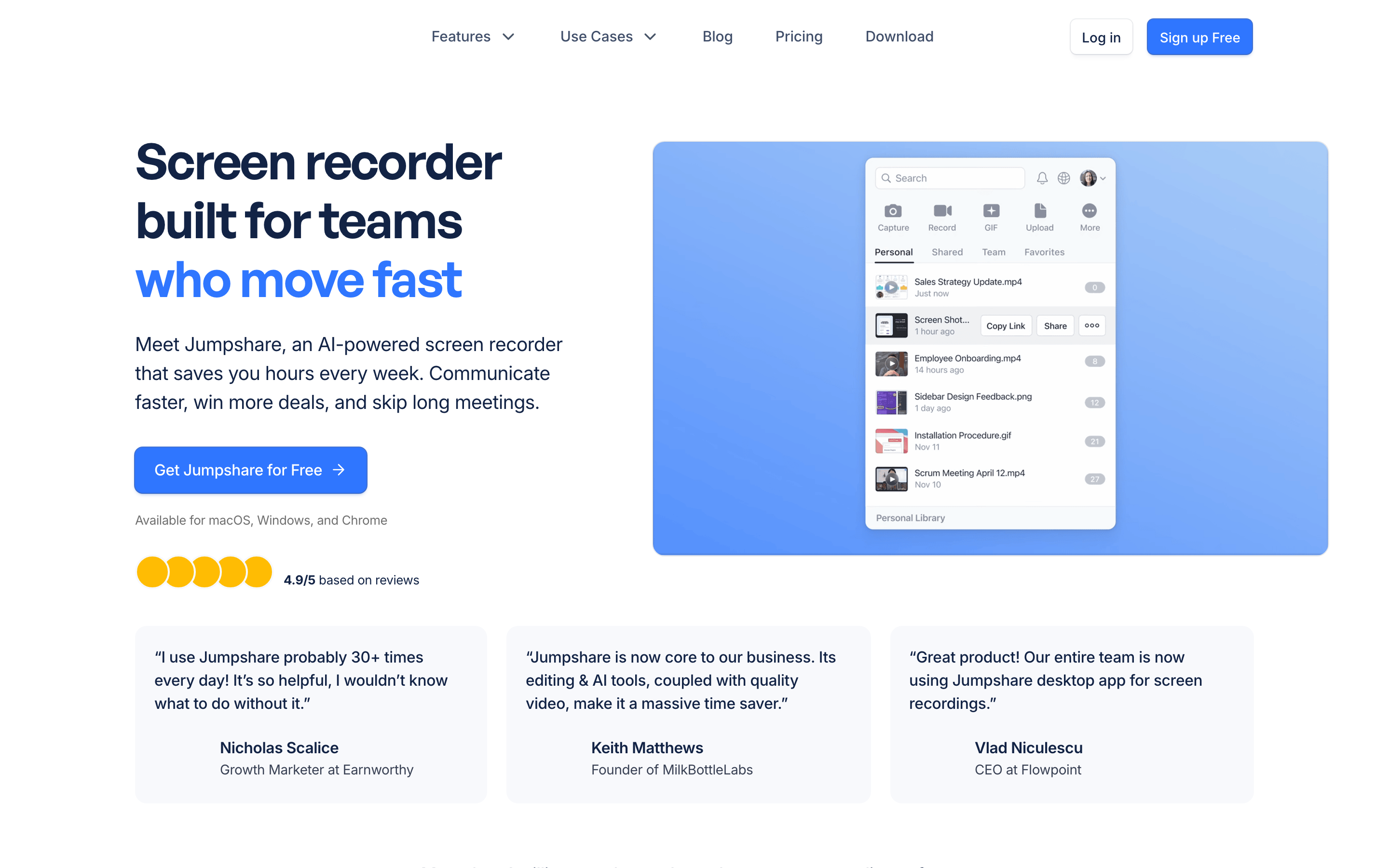
Jumpshare's homepage calls it an AI-powered screen recorder for macOS, Windows, and Chrome. The workflow is broad: record full screen, area, or window; add webcam, audio, live drawings, teleprompter, blur, and confetti; share the recording with a link or embed; then track views, clicks, and engagement. Jumpshare also markets a branded video player, lead forms, CTAs, file previews, folders, password protection, link expiry, version history, timed comments, and review workflows.
Jumpshare AI sits on top of that capture-and-share base. Jumpshare says it automatically names videos, generates transcripts, writes summaries, creates chapters, and turns recordings into docs, emails, and tasks. Its online recorder adds another useful angle: Jumpshare's browser recorder is free without sign-up, records screen, camera, or both in 720p or 1080p, and supports one-hour sessions before you need the broader account workflow.
Winner for core output: Jumpshare if your asset library matters as much as the recording. It is stronger when you share many files, need previews across formats, collect feedback in comments, and want a polished link experience around videos and other creative assets.
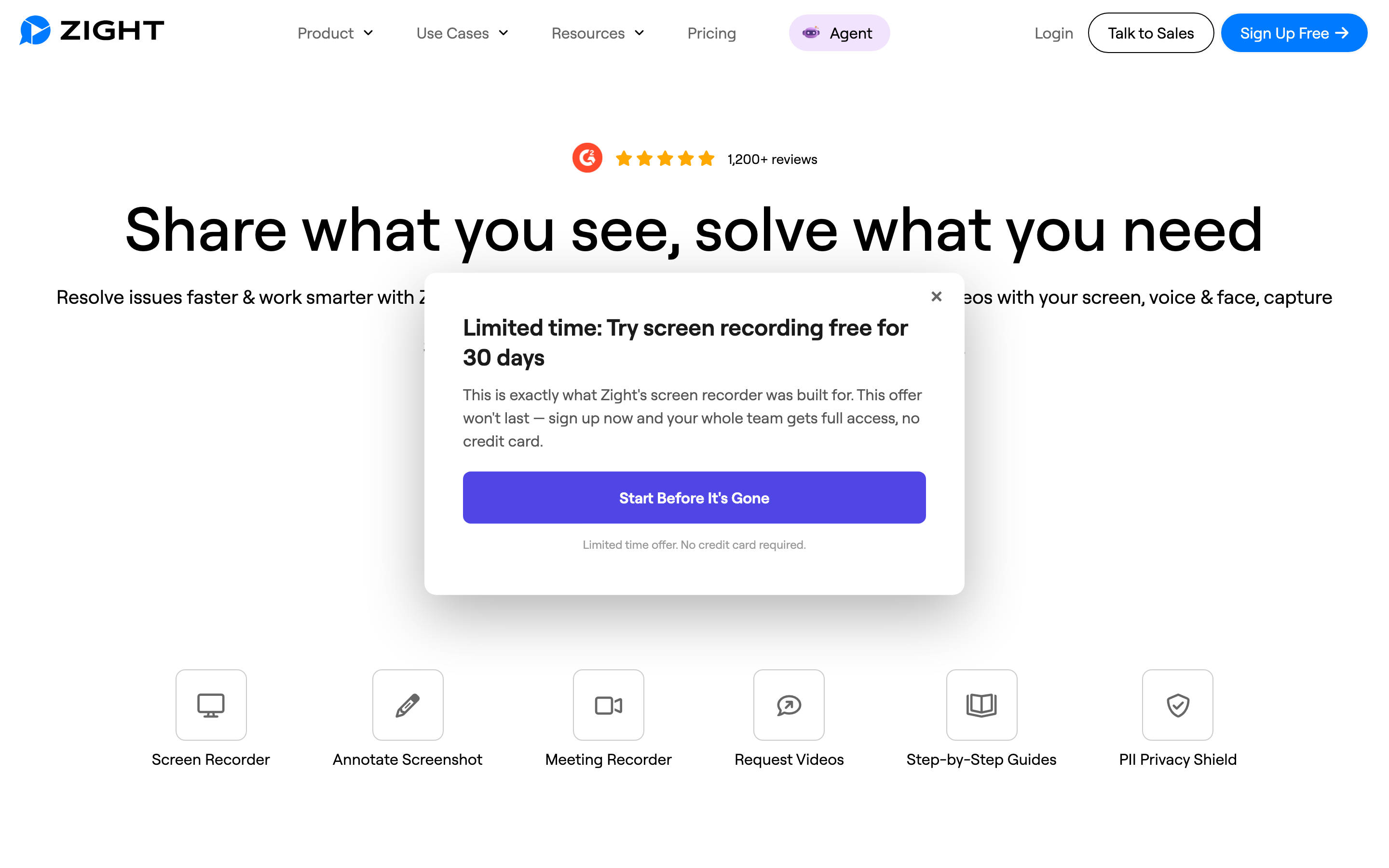
Zight is more capture-to-workflow oriented. The official Chrome Web Store listing from Zight, Inc. describes screen, webcam, microphone, screenshots, GIFs, annotation, shortlink sharing, Slack, Gmail, Jira, Asana, Notion, public, private, and password-protected links, and embeds for docs and knowledge bases. That same official listing highlights Request Video, where someone else records a video for you, and Request Logs mode, which captures browser console logs, network requests, and device info for support, QA, and product feedback.
Zight's AI layer is the main 2026 difference. Zight's Smart Actions page positions Smart Actions as a way to turn recordings into step-by-step guides, meeting notes, and bug reports. Zight-owned snippets for Smart Actions also describe SOPs and FAQs, and the Chrome listing adds smart titles, smart summaries, captions, full-text search, 50-plus language transcription, and chapters. In practice, Zight is the better choice when the recording is evidence for a ticket, a customer support reply, an SOP, or a guide.
Winner for core output: Zight when capture feeds documentation, support, QA, or process work. Jumpshare is more generous around visual files and review. Zight is more explicit about turning recordings into work artifacts.
Recording, editing, and polish
Jumpshare gives recorders more presentation polish before the upload. Its official pages name 4K recording on paid plans, webcam shapes and backgrounds, teleprompter, blur, live drawings, custom thumbnails, CTA links, branded players, and video analytics. The editing layer covers trimming and joining recordings, which is enough for cleanup, but Jumpshare is still a capture-first tool. The recorded take remains the main asset.
Zight is also capture-first, but Zight puts more of the post-recording value in AI interpretation and team context. The Chrome listing mentions trimming and editing recordings, screenshot annotation, blur, emojis, shapes, text, request links, technical logs, captions, summaries, chapters, and Smart Actions. That is strong for internal and support workflows. It is less like a video editor and more like a capture utility that writes down what happened.
ngram belongs in this section only when the output should look like a finished business video. ngram's shipped product state confirms screen-recording upload and in-browser recording, transcription, key-moment detection, cursor smoothing, click detection, click emphasis, dead-air trimming, step labels, section transitions, smart zooms, product callouts, captions, AI voiceover, branded intros and outros, brand kits, timeline editing, and MP4 export. For a quick internal note, Jumpshare or Zight is faster. For a product launch walkthrough, customer onboarding clip, support tutorial, or sales follow-up, ngram is the better finishing surface.
Winner for recording polish: Jumpshare for presenter-friendly recording controls and branded sharing. Zight for turning the capture into structured work. ngram for turning a rough capture into a narrated, branded video that can leave the team.
Pricing and plan shape
Jumpshare's current pricing page lists a free Basic plan with 25 uploads and a 5-minute recording limit. Paid Plus is listed at $12/user/month with unlimited uploads, unlimited recording time, captions and transcriptions, video and audio editing, advanced sharing and search, password protection, analytics, engagement tracking, custom domain, and branding. Business is listed at $16/user/month and adds Jumpshare AI, automatic titles, summaries, chapters, docs, emails, tasks, lead generation, custom-branded emails, privacy controls, embedding controls, Inbox, version history, and Zapier integration.
Zight's pricing is now easier to anchor because its official support pricing article lists Create at $12.95/month or $9.95/month billed annually, with unlimited items and included AI basics. Zight also published a 2026 pricing update for Share, Create, Collaborate, and Scale packaging, effective June 25, 2026. Because plan packaging is changing, teams should still verify AI action limits, retention, security controls, and team features on Zight's live pricing page before signing.
ngram's pricing is a different model. The product is credit-based: Free includes 600 one-time credits and 720p watermarked export, Basic is $29/month with 3,000 credits, Premium is $59/month with 10,000 credits, and Ultimate is $299/month with 50,000 credits. Annual billing is 20 percent off. That price does not make ngram the cheapest recorder. It makes ngram the better value when the cost center is production, because ngram covers script, storyboard, voiceover, captions, recording polish, brand, and export in one workflow.
Here is the entry paid pricing snapshot used for this comparison. Treat it as a planning baseline, not a procurement quote, because Zight's 2026 packaging is in transition.
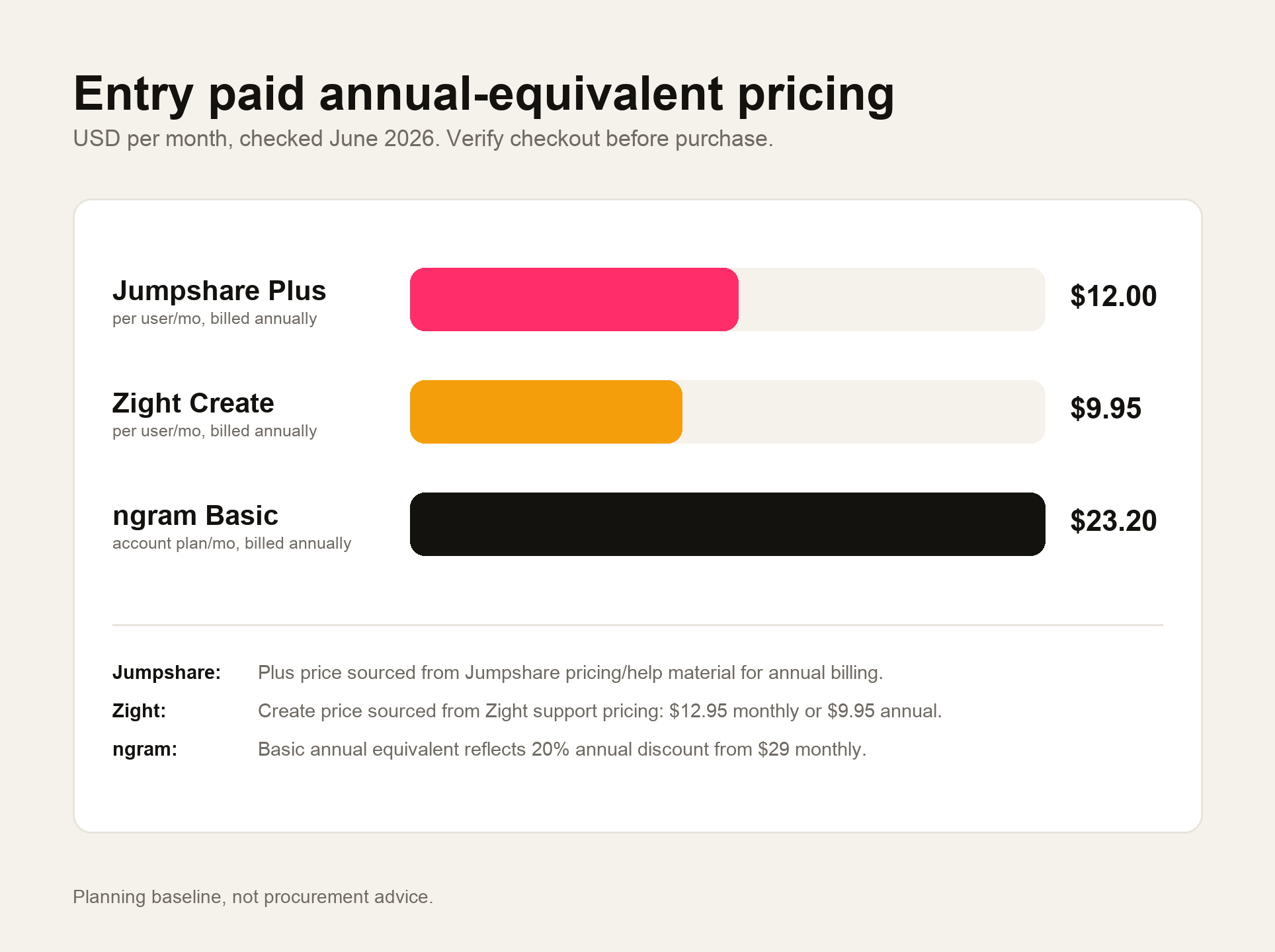
Winner for pricing: Zight has the lower published Create entry if checkout still matches $12.95/month or $9.95/month annually. Jumpshare is close for visual file-sharing teams on annual billing. ngram is not the cheapest recorder, but wins when the budget is replacing production work, not just buying capture software.
Sharing, analytics, security, and integrations
Jumpshare wins if your workspace revolves around visual files. Jumpshare's file-sharing page says it previews 200-plus file formats, tracks every view with built-in analytics, supports folders, comments, timed comments on videos, video markups, tags, notifications, version history, scheduled sharing, link expiry, custom branding, password protection, and uploads by drag-and-drop. Jumpshare's pricing page also lists Zapier integration on Business.
Zight wins if the capture is part of a support or operational workflow. The Chrome listing names Slack, Gmail, Jira, Asana, and Notion sharing, embeds in docs and help centers, password-protected settings, custom domains, Request Video, and Request Logs with console logs, network requests, and device info. Zight markets enterprise security and compliance controls for regulated teams; confirm SOC 2, HIPAA/BAA, retention, and domain-control terms with Zight sales before purchase.
ngram should not be sold as a deeper analytics suite than either tool. The current ngram state supports hosted video pages, embeds, share links, and basic hosted-video view counts, but no generally available owner analytics surface. Detailed watch time, completion rate, scene-level drop-off, and variant analytics are not live today. That matters for this category: if you need advanced viewer analytics inside a capture platform, evaluate Jumpshare and Zight on that feature directly. If you need the video to be made, localized, branded, and exported, ngram is the stronger fit.
Where ngram fits between Jumpshare and Zight
Watch how ngram turns an idea into a finished video:
Use ngram when the recording is source material, not the final asset. A Jumpshare or Zight link is perfect for an internal async note, a bug reproduction, a design comment, or a quick customer reply. A customer-facing launch video, product demo, sales enablement clip, onboarding video, or training module needs more than a share link. It needs a script, a sequence, caption styling, callouts, voiceover, and brand consistency.
That is the named T2 overlap from the eligibility gate. ngram is a strong alternative for the slice of Jumpshare and Zight users who need the recording turned into a finished, branded video. It is not the right replacement if your core job is file-preview sharing, screenshot annotation, request-video collection, browser logs, or capture-first team messaging. For those jobs, stay with Jumpshare or Zight.
If you are already comparing ngram against each tool separately, the deeper pages are live: ngram vs Jumpshare, ngram vs Zight, and the workflow page for screen recording to video. Those are the better next reads when your decision has shifted from capture software to finished video production.
Methodology and sources
We treated this as a screen-capture-share buying decision, then added ngram only where the recording-to-video overlap is real. The eligibility gate used the repo's competitor CSV: both Jumpshare and Zight are live screen-capture-share tools, both are T2, and Zight carries the required CloudApp rebrand note. That means ngram should be woven in as a strong option for the finished-video slice, not as a blanket replacement for capture utilities.
Sources checked for this page include Jumpshare's homepage, pricing, AI, online screen recorder, video collaboration, and file-sharing pages; Zight's plans and support pricing pages; Zight's Smart Actions and 2026 pricing-update URLs; Zight's official Chrome Web Store publisher listing; Zight rebrand material; G2 and Capterra summaries for qualitative user sentiment; and the local ngram product-state and GTM-facts files. We avoided numerical review scores and did not claim ngram features that are only in the product spec.
Final verdict: which one should you choose?
Choose Jumpshare if you need a fast visual file-sharing workspace around recordings, screenshots, GIFs, creative files, comments, previews, branded players, and broad upload workflows. Jumpshare feels strongest when the shared asset library is part of the job, not just the recorder.
Choose Zight if your captures become support evidence, bug reports, SOPs, step-by-step guides, customer requests, or team documentation. Zight's Request Video and Smart Actions make more sense for support, QA, product, and operations teams that need captures to become structured work.
Use ngram if the output needs to be a finished business video. For product demos, customer onboarding, launch clips, sales follow-ups, and training videos, ngram is the better third path because it starts with the message and turns the recording into a planned, narrated, branded video instead of another capture link.








