

Most BombBomb vs Covideo searches start with a simple question: which video email tool will sales teams actually use after the first week? Both products let a rep record a personal video, send it through email, text, or a CRM, and watch for engagement signals. The difference is where each product has put its weight.
BombBomb is the better fit for relationship sellers who live in Gmail, Outlook, and broad sales workflows. Covideo is the better fit for dealerships and adjacent dealer groups that need vehicle walkarounds, lead response, CRM handoff, and automotive-specific AI. ngram belongs in the comparison as the third path: when a recorded message, demo recap, doc, deck, URL, or screen recording needs to become a polished sales video, not another one-to-one tracked email.
BombBomb vs Covideo at a glance
Here is the scanner version. The deeper sections below explain the tradeoffs and source the claims.
| Decision point | BombBomb | Covideo | Best fit |
|---|---|---|---|
| Primary job | Personal video messages for sales, marketing, support, recruiting, and relationship-led teams | Personalized video messaging built especially for auto, marine, RV, and powersports dealers | BombBomb for broad relationship selling, Covideo for dealership operations |
| AI layer | Copilot adds speaker notes, summaries, titles, audio cleanup, smart assignments, fallback video logic, and team analytics | Covideo AI adds Quick Video, Script Assist, Smart Suggestions, AI Video Agent, and VIN Reels | Covideo if vehicle-specific AI matters, BombBomb if team video adoption matters |
| Pricing signal | Core lists at $42/user/month, or $36/user/month billed annually. Core + Copilot lists at $70/user/month, or $56/user/month billed annually. | Covideo sends buyers through a quote flow and does not publish a self-serve list price on its quote page. | BombBomb for price clarity, Covideo for quoted dealer-group buying |
| Analytics | Tracks plays, average watch percentage, CTA clicks, likes, comments, and heatmap-style engagement details. | Tracks views, watch activity, alerts, HotSpot details, CTA activity, and team reports. | Tie for sales follow-up signals, demo both with your real send path |
| Where ngram fits | BombBomb does not replace ngram's source-to-video production workflow. | Covideo does not replace ngram's source-to-video production workflow. | ngram when the deliverable is a polished sales video, demo recap, product walkthrough, or reusable customer-facing asset |
Core workflow: relationship video email or dealership process
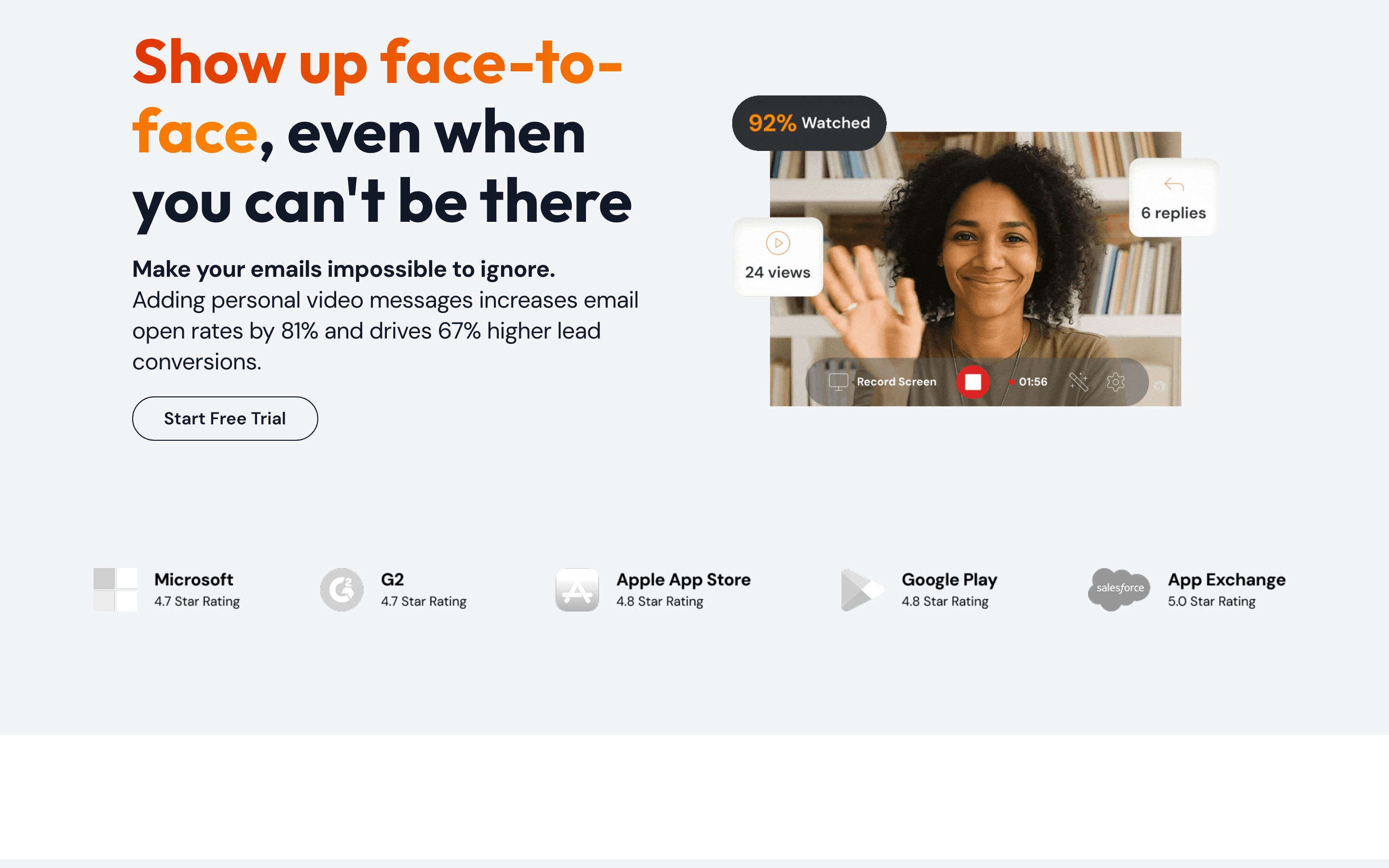
BombBomb is built around fast personal outreach. Its pricing page lists unlimited video messages, mobile apps, video privacy controls, Chrome and Edge extensions, Gmail and Outlook integrations, quick editing, custom branding, secure video hosting, and viewer engagement analytics in Core. Its integrations directory names HubSpot, Follow Up Boss, Chrome, iOS, Outlook, Outreach, Zendesk, and several real estate and mortgage tools. That mix makes BombBomb feel strongest when reps already know their inbox workflow and want video to sit inside it.
Covideo starts from the same video-message job, then narrows hard into dealership operations. Its sales page describes sending videos by email, text, or CRM integration, then using instant view alerts and CTAs to move leads forward. Its Elead and DealerSocket posts describe recording, sending, tracking, and logging video from inside dealership CRM workflows. If your sales process is built around a BDC, vehicle interest, service updates, and manager visibility, Covideo speaks that language more directly.
Winner: BombBomb for broad relationship video email. Covideo for dealership and dealer-group workflows.
AI tools and output polish

BombBomb's AI story is Copilot. BombBomb's plan documentation lists AI speaker notes, AI video titles, AI summaries, audio enhancements, automated campaigns, CRM integrations, smart team assignments, fallback video logic, and suggested scripts on Core + Copilot and Enterprise. That is useful when the sales leader is trying to get a whole team to record and send more personal videos without relying on each rep to invent the process.
Covideo's AI story is more specific to auto sales. Its AI Create page says VIN Reels turn inventory photos and specs into VIN-specific videos with narration, music, and vehicle details. The same page describes an AI Video Agent for lead-tailored video responses. Its AI Accelerate page adds Quick Video, Script Assist, and Smart Suggestions for choosing relevant video responses and writing outreach text.
Neither product is trying to be a full video production system. BombBomb and Covideo help a rep record and send. ngram starts earlier and finishes later: it can take a prompt, PDF, URL, screenshots, screen recording, raw video, or deck, then generate a script, storyboard, voiceover, captions, motion graphics, product callouts, brand treatment, and MP4 exports.
Winner: Covideo for dealership-specific AI. BombBomb for sales-team adoption controls. ngram for finished video production from source material.
Pricing and buying path
BombBomb is easier to budget because the public numbers are clear. Core lists at $42 per user per month, or $36 per user per month billed annually. Core + Copilot lists at $70 per user per month, or $56 per user per month billed annually. Enterprise is custom. BombBomb also advertises a 14-day trial for Core and Core + Copilot.
Covideo is harder to budget from public pages. Its quote page asks buyers to submit contact details for straight-forward, no-hidden-fees pricing. That can be fine for a dealer group that expects onboarding and CRM fit checks. It is frustrating for a small team comparing tools in one afternoon.
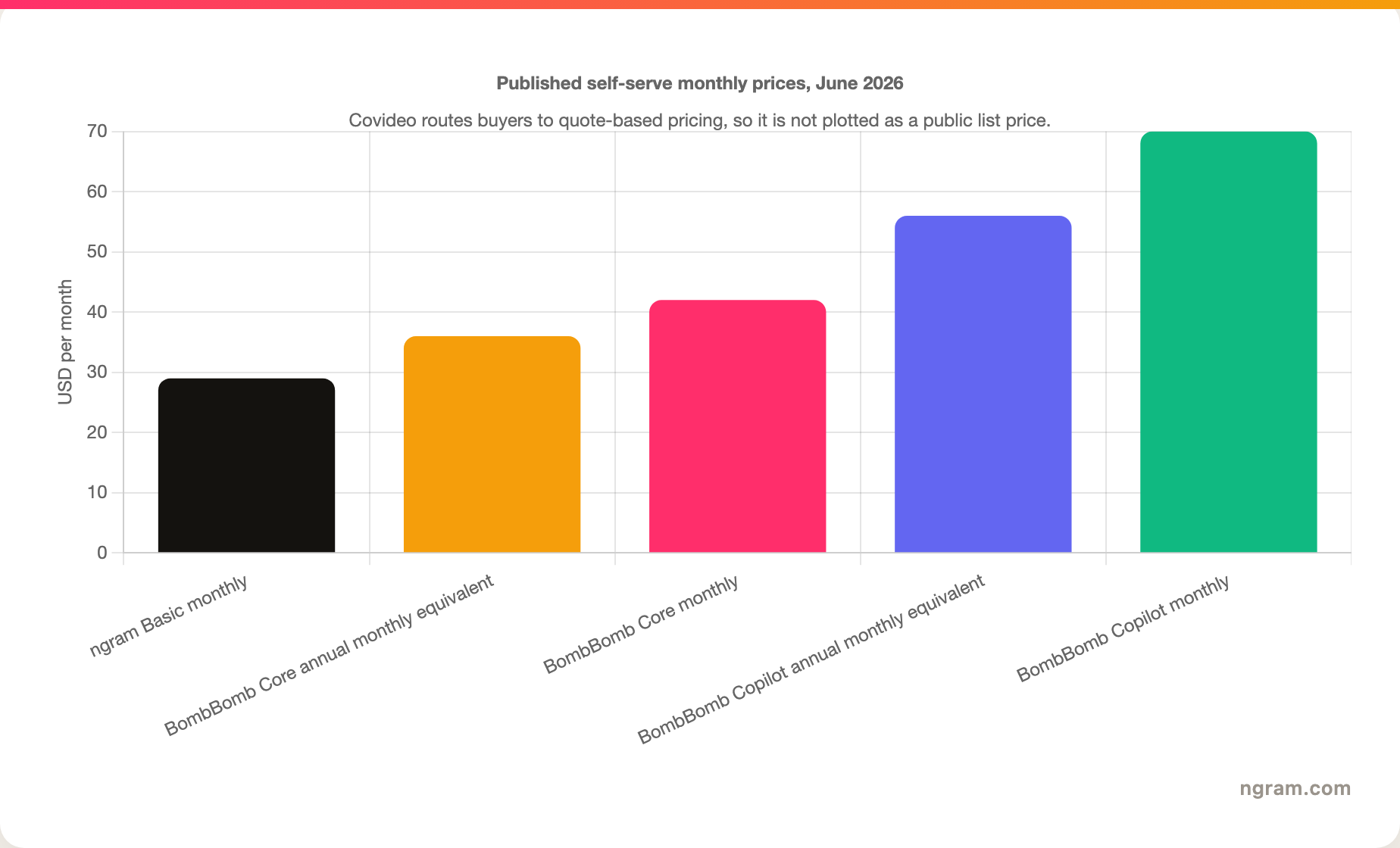
ngram's Basic plan starts at $29 per month, with a 600-credit one-time starter allocation and paid tiers that scale by credits. That price is not a replacement for BombBomb or Covideo's tracked video-email workflow. It matters when your comparison has shifted from one-to-one messaging to producing reusable sales videos, demo followups, training clips, or product walkthroughs.
Winner: BombBomb for transparent video-email pricing. Covideo for sales-led dealer deployments. ngram when the budget is for polished video creation rather than per-recipient video email.
Integrations and CRM fit
BombBomb's integration story is broader and easier to inspect before a demo. The public directory names inbox, browser, CRM, helpdesk, and industry-specific tools, including Gmail, Outlook, Chrome, Edge, HubSpot, Outreach, Zendesk, Follow Up Boss, Homebot, Total Expert, Usherpa, and Microsoft Dynamics Customer Insights. BombBomb Enterprise also adds API access and SSO according to its pricing and plan pages.
Covideo's integration story is narrower but deeper for dealers. Covideo's Elead post describes recording, inserting, trimming, adding landing pages and CTAs, and tracking video activity inside Elead. Covideo's DealerSocket announcement describes recording, sharing, inserting, tracking, and saving customer interactions from inside DealerSocket. That matters more than a long logo wall if your CRM is the daily selling surface.
Winner: BombBomb for broad visible integration coverage. Covideo for auto CRM depth. Ask both vendors to label each required integration as native, partner-built, or connector-based before signing.
Analytics and follow-up signals
BombBomb's tracking documentation says the product tracks plays, watch percentage, CTA clicks, likes, comments, expanded activity history, and a heatmap. The plan page adds team analytics on Core + Copilot. For a sales manager, that is enough to know who is sending video, who is getting watched, and which messages deserve follow-up.
Covideo's video-message docs describe real-time notifications, detailed reporting, admin reports, and HotSpot details that show what parts of a message viewers watched or replayed. Its sales page emphasizes instant video view alerts and CTA-driven next steps. That is the right shape for dealership follow-up, where the next call often depends on knowing which buyer rewatched a vehicle walkaround or service explanation.
ngram should not be treated as a substitute for this layer. ngram hosted video pages provide sharing and embeds, and videos can be embedded or shared, but ngram does not currently offer per-recipient email opens, CRM-tied play alerts, or scene-level analytics. If that is the buying requirement, stay with a sales-video messaging tool.
Winner: BombBomb and Covideo both beat ngram for video-email follow-up analytics. Pick based on where your sends originate and how your CRM records activity.
Where ngram fits if you should skip both
Watch how ngram turns an idea into a finished video:
Use the ngram vs BombBomb page if your shortlist includes BombBomb and your real question is whether a sales video message should become a finished business video. Use the ngram vs Covideo page if the same question starts from Covideo. The honest line is simple: ngram is not a video email platform, and it is not a dealership CRM add-on.
ngram is the better path when the source is a demo recording, PDF, deck, product page, screenshot set, raw clip, or prompt, and the output needs a script, storyboard, voiceover, captions, motion graphics, product callouts, brand kit, and exports for website, social, training, or sales enablement. For example, a raw recording can become a polished video through the screen recording to video workflow instead of another rough webcam send.
Winner: ngram when the deliverable needs production polish and reuse. BombBomb or Covideo when the deliverable is a tracked one-to-one video message.
Verdict by use case
- Choose BombBomb if your team sells through personal relationships, Gmail or Outlook is the daily surface, and you want published pricing before a call.
- Choose Covideo if your team is a dealership, dealer group, marine seller, RV seller, or powersports seller that needs video inside auto CRM routines.
- Choose ngram if the video needs to outlive the email thread as a polished demo recap, customer-facing explainer, product walkthrough, training clip, or social-ready sales asset.
- Do not choose ngram if your must-have requirement is per-recipient open, play, click, and CRM activity tracking for individual video emails.
Methodology
We checked the live BombBomb pricing page, BombBomb support docs, BombBomb integrations directory, Covideo product pages, Covideo AI pages, Covideo quote page, and Covideo CRM integration posts on June 19, 2026. We also checked current SERP pages for BombBomb vs Covideo to see what buyers already find: comparison tables, price callouts, CRM notes, review-platform snippets, and a lot of thin aggregator content. We did not use review-score snippets in the verdict because scores hide workflow fit.
For ngram, we used the internal product-state and GTM facts files as the ceiling for live claims. That is why ngram is framed as a finished-video alternative for a real slice of the work, not as a clone of BombBomb or Covideo.
FAQ
Which is better, BombBomb or Covideo?
BombBomb is better for relationship-led sales teams that want broad inbox, browser, CRM, and support integrations. Covideo is better for dealerships and dealer groups that need vehicle walkarounds, CRM-logged video activity, VIN Reels, and automotive lead-response workflows.
Is BombBomb cheaper than Covideo?
BombBomb is easier to price from public pages. BombBomb lists Core at $42/user/month, or $36/user/month billed annually, and Core + Copilot at $70/user/month, or $56/user/month billed annually. Covideo routes buyers through a quote request, so a buyer needs a sales conversation to verify current cost.
Can ngram replace BombBomb or Covideo?
ngram can replace the production work that happens after a team realizes a webcam message is not polished enough. ngram does not replace native video email sending, dealership CRM messaging, per-recipient open tracking, or instant play alerts. Use ngram for finished business videos from real source material.
Which tool is stronger for automotive dealerships?
Covideo is the stronger dealership pick. Covideo's public pages focus on auto, marine, RV, and powersports workflows, plus VIN Reels, AI Video Agent, Smart Suggestions, and dealer CRM integrations. BombBomb can work for relationship sellers in auto, but Covideo is built around the dealer workflow.








