

Search Riverside vs Zencastr and the surface-level answer looks easy: both record remote conversations, both support local tracks, both add AI editing, and both now pitch themselves as more than a recorder. The real choice is narrower. Riverside is closer to a production studio for video-first shows, livestreams, webinars, and high-control recording. Zencastr is closer to an all-in-one podcast operating system with recording, hosting, monetization, analytics, and AI post-production in one account.
Domain note: Riverside now uses Riverside.com for the product site. Older Riverside.fm links redirect to the current domain.
That split matters because most teams do not buy remote recording software for a feature checklist. They buy it for the thing that breaks their workflow. A YouTube podcast needs 4K source video, separate tracks, guest controls, and maybe livestreaming. An audio-first interview show needs reliable WAV files, hosting, distribution, and a fast way to publish the episode. A marketing or enablement team may not need either recorder as the final destination. It may need the recorded interview turned into polished social clips, product explainers, sales recaps, or training videos. That last job is where ngram belongs in the comparison.
Both Riverside and Zencastr are legitimate picks. The honest verdict is not "which tool is better." It is "which job are you actually hiring the tool to do?"
Riverside vs Zencastr at a glance
| Dimension | Riverside | Zencastr | Where ngram fits |
|---|---|---|---|
| Core job | Video-first remote recording, editing, live production, and repurposing | Podcast recording, AI editing, hosting, monetization, and creator growth | Finished business videos from recordings, docs, URLs, decks, and prompts |
| Recording quality | Local recording with up to 4K video and 48kHz audio on paid plans | Local recording with up to 4K video and 16-bit 48kHz WAV on paid plans | Not a recording room. Use after the session is captured |
| Best workflow | You record a produced show, then cut, stream, or publish from one studio | You record a podcast, then host, analyze, monetize, and clip it | You upload the recording or transcript, then generate branded videos and variants |
| Standout strengths | 4K video, separate tracks, livestreaming, webinars, producer controls | Podcast hosting, analytics, dynamic insertion, monetization, simple guest flow | Script, storyboard, captions, voiceover, brand kit, MP4 export |
| Main tradeoff | More production features to configure, and useful video tiers cost more | Less live production depth, and video-first teams may outgrow it | No remote guest capture, no podcast RSS hosting |
| Best pick | Video podcasts, webinars, creator shows, produced interviews | Audio-first podcasts, creator networks, hosted show operations | Repurposing interviews into launch, demo, training, and social video |
Quick verdict
Pick Riverside if your show is video-first. Riverside's official site frames the product as a way to record, edit, repurpose, and distribute studio-quality content, and its recording page highlights local 4K video plus separate uncompressed tracks. That makes Riverside the stronger default when the recording itself needs to look production-ready.
Pick Zencastr if your podcast workflow starts and ends with the show. Zencastr's homepage puts recording, AI editing, hosting, clipping, monetization, analytics, and mobile recording under the same roof. If you care more about getting an episode recorded, hosted, and distributed than running a polished video studio, Zencastr is the cleaner fit.
Use ngram if the recording is raw material, not the deliverable. ngram is not a live remote recorder and it does not host a podcast feed. It takes a finished recording, transcript, doc, URL, screen recording, or deck and turns it into a planned, narrated, branded video that can be exported as a finished MP4; prepare a square cut separately when supported.
Riverside snapshot
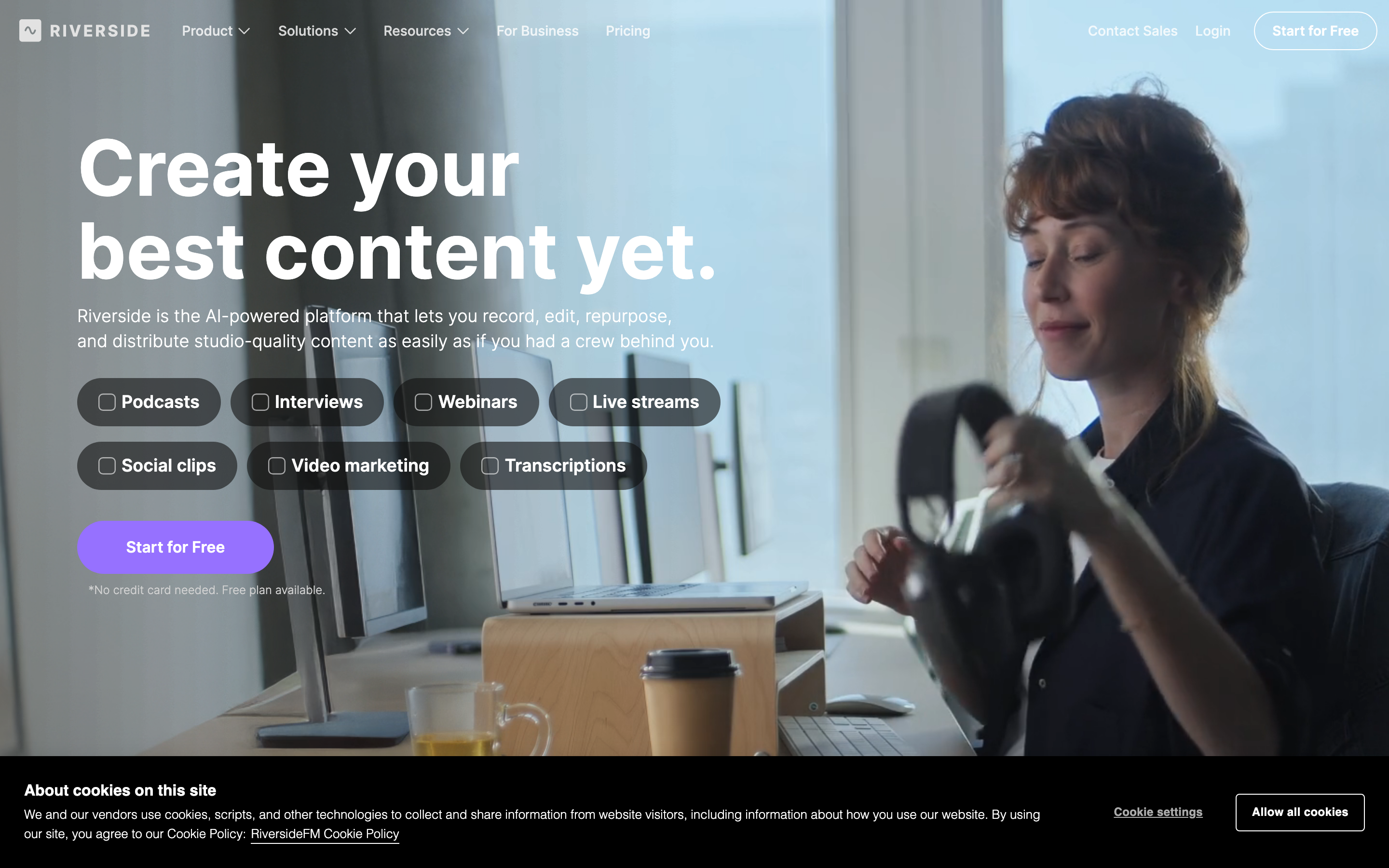
Riverside's current homepage says the platform lets users record, edit, repurpose, and distribute studio-quality content. That positioning is accurate. Riverside is not just a call recorder. It has a recording studio, text-based editing, Magic Clips, captions, Magic Audio, AI show notes, translation, livestreaming, webinars, podcast hosting, and publishing.
The strongest reason to choose Riverside is the video pipeline. Riverside says it captures up to 4K video and uncompressed audio in separate tracks, unaffected by internet connection. Its pricing page puts 4K video, 48kHz audio, multitrack recording allowances, unlimited text-based editing, AI tools, Magic Clips, podcast analytics, and YouTube plus podcast-directory publishing into the paid recording workflow. Riverside public pricing copy can differ between plan cards and comparison tables, so buyers should verify exact monthly hour allowances before procurement. The same page lists livestreaming and webinar tiers above Pro for teams that produce shows with an audience.
That is a lot of product. For a creator who publishes full video episodes to YouTube, cuts shorts, and occasionally goes live, Riverside feels like the safer bet. For an audio-only show, some of that product can become overhead.
Zencastr snapshot
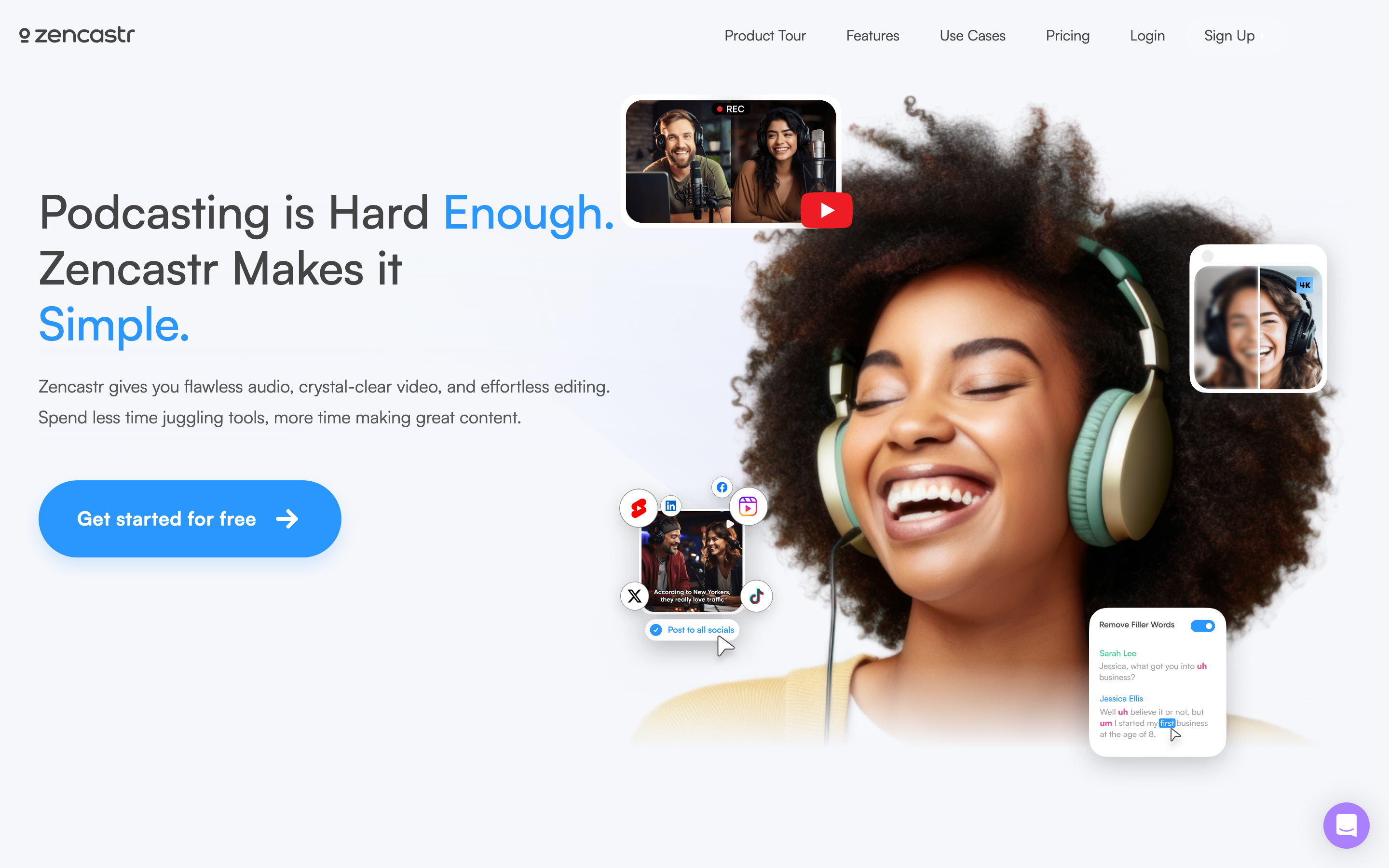
Zencastr's current homepage leads with podcasting, recording quality, AI tools, hosting, analytics, clipping, and monetization. Its remote recording page says paid plans step up to 16-bit 48kHz WAV, record video up to 4K, provide separate audio and video tracks, and let guests join from a browser or iOS app.
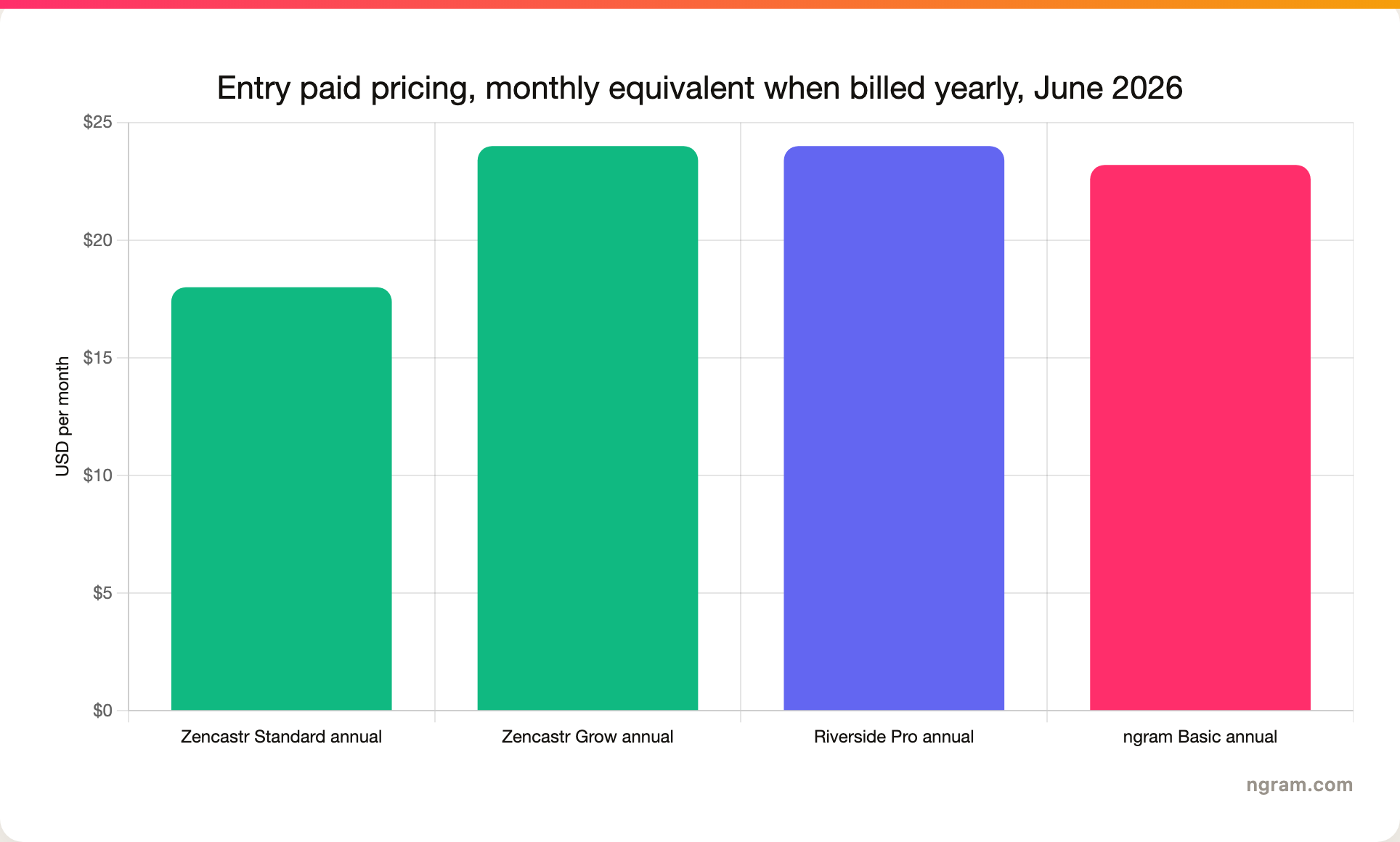
The differentiator is that Zencastr is built around a show after the recording ends. Hosting, an embeddable player, video RSS, dynamic content insertion, cloud storage, analytics, monetization, transcription, and social clipping sit close to the recording workflow. Its pricing data shows a Standard tier at $20 monthly or $18 monthly when billed yearly, a Grow tier at $30 monthly or $24 monthly when billed yearly, then Scale and Business tiers for more shows, seats, credits, and advanced growth features.
That makes Zencastr the better fit when you want one place to record, clean, publish, and manage the podcast. It is less compelling if your priority is a heavily produced video studio with livestreaming, webinar workflows, and deeper guest production controls.
Recording quality and guest workflow
Riverside and Zencastr both solve the main remote-recording problem: browser calls are unstable, so the platform records each participant locally and uploads clean tracks after or during the session. Reddit threads around this category keep returning to the same buying questions: local audio, video quality, backup behavior, guest setup, and whether the session survives shaky WiFi.
Riverside wins when the video file is central. It advertises up to 4K video, separate high-quality tracks, 48kHz audio on paid plans, and studio controls for producers. Riverside also has desktop and mobile apps, plus livestreaming and webinar layers. If the session is a show, not just a conversation, those controls matter.
Zencastr wins when the recording room should stay simple. It supports local recording, separate tracks, WAV on paid plans, and guest access through a link. Zencastr also lists up to 11 guests in its recording feature copy, which makes it viable for panels and roundtables. The interface is more podcast-native than production-studio-native.
Where ngram fits: ngram starts after the recording exists. Upload the raw video, screen recording, or transcript, and ngram can transcribe, plan a script, storyboard scenes, add captions, generate voiceover, add callouts, and export channel-specific versions. Do not use ngram as the primary recorder for a remote interview.
Editing, clips, and repurposing
Riverside has become much more than capture. It offers text-based editing, Magic Clips, Magic Audio, silence and filler-word cleanup, captions, show notes, eye contact, translation, and an AI editing and repurposing agent on paid tiers. That is a strong package for creators who want the recording, rough cut, clips, and publishing assets to stay in one Riverside project.
Zencastr's editing story is more podcast-centered. Its homepage calls out ZenAI editing, social clipping, hosting, analytics, and monetization. Pricing data on the current page shows recurring post-production credits by tier, with Grow carrying more credits than Standard and Scale/Business adding seats, shows, and advanced posting features. If your episode workflow is record, clean, post, and measure, Zencastr is focused on that loop.
The repurposing gap is different for business teams. Riverside and Zencastr can clip a show. ngram can turn the recording into a different kind of video altogether. A customer interview can become a 60-second proof clip. A founder podcast can become a launch video. A recorded product discussion can become a training explainer. That requires script and storyboard work, not only transcript trimming.
Hosting, distribution, and analytics
Zencastr has the clearer podcast stack. The navigation and homepage name audio and video hosting, analytics, an embeddable player, dynamic insertion, Video RSS, ZenCloud, monetization, and podcast distribution. If you want the recording tool to manage the published show, Zencastr deserves the edge.
Riverside also includes podcast hosting, publishing, and analytics, and its pricing page lists YouTube and podcast-directory publishing on Pro. Riverside's bigger advantage is that hosting sits beside live production, webinar hosting, social sharing, and higher-control recording. That makes Riverside more useful when the podcast is one part of a broader video show operation.
ngram's publishing model is different. ngram gives rendered videos hosted watch pages, embeds, share links, and basic hosted-video view counts, but no generally available owner analytics surface. It does not replace podcast hosting, RSS feeds, dynamic ad insertion, or a show analytics stack. Use ngram when the output is a business video asset, not a podcast episode record.
Pricing and plan limits
Pricing changes often, so treat these as June 2026 public-page checks, not permanent buying advice. Riverside's pricing page lists a $0 plan with 2 hours of multitrack recording, 720p exports, watermarking, and Magic Clips. The Pro plan is listed at $29 monthly or $24 monthly when billed yearly, with 4K video, 48kHz audio, AI tools, Magic Clips, show notes, publishing, and plan-specific multitrack recording allowances. Riverside public pricing copy can differ between plan cards and comparison tables, so buyers should verify exact monthly hour allowances before procurement. Live, Webinar, and Business sit above Pro for streaming, webinars, larger rooms, and enterprise controls.
Zencastr's pricing page requires JavaScript, but its embedded plan data shows Standard at $20 monthly or $18 monthly when billed yearly, Grow at $30 monthly or $24 monthly when billed yearly, Scale at $50 monthly or $40 monthly when billed yearly, and Business at $100 monthly or $80 monthly when billed yearly. The practical distinction is that Standard is the lower-cost paid entry, while Grow is where more creator-growth and AI-posting features appear.
ngram's pricing should not be compared as a recorder. ngram is credit-based video creation software: Basic is $29 monthly or $23.20 monthly when billed yearly, Premium is $59 monthly or $47.20 annually, and Ultimate is $299 monthly or $239.20 annually. Credits cover usage-heavy actions like AI generation and editing, while exports are unlimited. Compare ngram against the cost of turning a recording into finished business videos, not against the cost of hosting a podcast.
Where ngram fits after the recording
Watch how ngram turns an idea into a finished video:
ngram should not be framed as a Riverside or Zencastr replacement for remote capture. It does not record guests in a live studio, host a podcast feed, or manage dynamic ad insertion. The honest use case is downstream: the recording is done, and the team needs the content to become something more structured than a clip.
That workflow is where ngram is strong. Upload a raw recording or screen capture, paste a URL, provide a deck, or start from a prompt. ngram writes the script, builds the storyboard, creates captions and voiceover, applies a brand kit, adds motion graphics and product callouts, then exports a finished MP4. For screen recordings, ngram can smooth cursors, trim dead air, emphasize clicks, add step labels, and turn a rough walkthrough into a product demo.
If your show team already records in Riverside or Zencastr, ngram can be the second system: make the customer clip, the internal recap, the training version, or the product-marketing cut. For deeper single-tool context, see the published ngram vs Riverside and ngram vs Zencastr comparisons. If your source is a long episode and you need platform-specific shorts, the creator social clips workflow is the closest internal fit.
Best fit by use case
Choose Riverside for a video podcast that needs a polished source file. Riverside has the better fit when your raw footage must carry the show on YouTube, your guest tracks need to stay separate, your host wants producer controls, or the team also runs live sessions and webinars.
Choose Zencastr for an audio-first show that needs the whole podcast stack. Zencastr is better when hosting, analytics, monetization, social clipping, mobile recording, and an easy browser guest flow matter more than live production controls.
Choose neither as the final creative system if the business output is not the episode. For a product marketer, sales enablement lead, customer education team, or founder, the recording is often source material. ngram is better for turning that source into a scripted explainer, branded proof clip, launch asset, training video, or social cut.
How we compared
This comparison uses current public pages from Riverside and Zencastr, pricing page data available on June 19, 2026, existing ngram product-state and GTM files, and live SERP checks for the Riverside vs Zencastr query. We treated official product and pricing pages as higher-confidence than third-party comparison posts. Reddit threads were used only for qualitative buyer language around local recording, guest reliability, pricing, and support concerns.
We did not use numerical review scores. Review scores move, collection methods vary by site, and this page is about fit rather than popularity. We also did not claim ngram replaces remote recording, podcast RSS hosting, dynamic ad insertion, or per-episode podcast analytics because those jobs are not in ngram's current product state.
FAQ
Is Riverside better than Zencastr?
Riverside is better than Zencastr for video-first shows, produced interviews, livestreaming, webinars, and teams that want 4K local video plus separate production controls. Zencastr is better for audio-first podcast teams that want recording, hosting, analytics, monetization, and AI podcast operations in one place.
Is Zencastr cheaper than Riverside?
Zencastr has the lower listed entry paid tier in June 2026: Standard is $20 monthly or $18 monthly when billed yearly. Riverside Pro is listed at $29 monthly or $24 monthly when billed yearly. The fair comparison depends on which tier has the features you need, especially 4K video, post-production credits, hosting, and live production.
Can I use ngram with Riverside or Zencastr recordings?
Yes. Export the finished recording or transcript from Riverside or Zencastr, then use ngram to create branded clips, explainers, social cuts, training videos, or launch assets. ngram is the post-recording video creation layer, not the remote studio.
Which tool is best for video podcasts?
Riverside is the safer pick for video podcasts because it focuses on local 4K video recording, separate tracks, producer controls, livestreaming, webinars, and social repurposing. Zencastr can record video, but its broader product center is podcast creation, hosting, analytics, and monetization.
Which tool is best for audio-only podcasts?
Zencastr is the cleaner pick for many audio-only podcasts because it bundles recording, WAV on paid plans, hosting, analytics, monetization, and distribution-oriented tools. Riverside can still work for audio-only podcasts, but teams that do not need video production may pay for features they rarely use.








