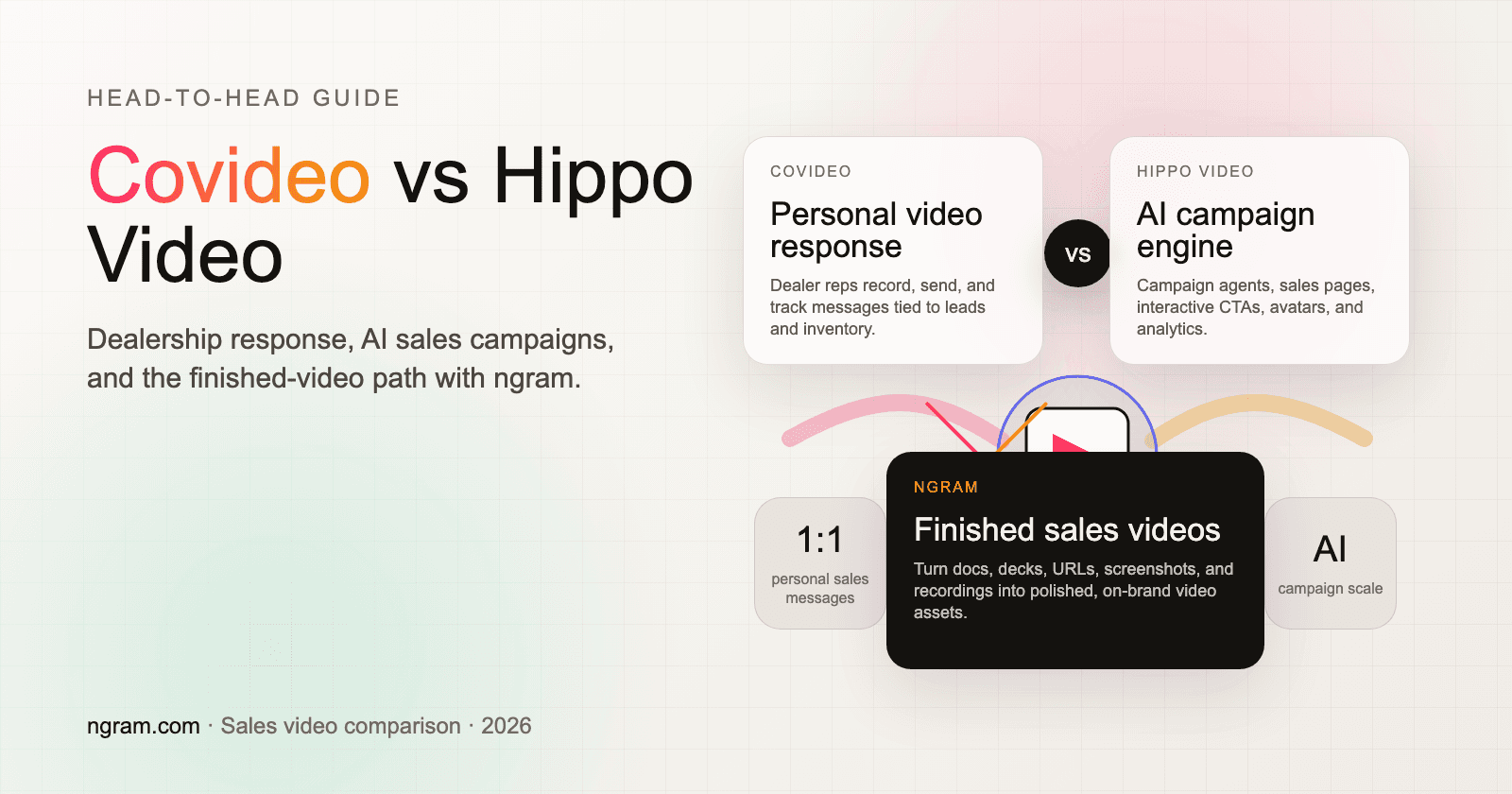


Covideo vs Hippo Video is a real sales-video choice in 2026, but the two tools are no longer chasing the exact same buyer. Covideo has moved deeper into automotive video response: dealership walkarounds, lead follow-up, service updates, VIN-specific AI videos, and mobile-first personal messages. Hippo Video has moved broader: agentic AI creation, sales video campaigns, interactive CTAs, digital twins, hosting, and performance insights for sales, marketing, customer success, support, and L&D.
That split matters because the better pick depends on the job. If your team sells vehicles and needs personal video messages from reps, Covideo fits the daily motion. If your team needs video campaigns, sales pages, interactive player actions, and AI-generated outreach across a broader GTM org, Hippo Video covers more ground.
There is also a third path. If you are comparing Covideo and Hippo Video because neither one feels like the right place to create polished customer-facing videos from docs, decks, URLs, screenshots, or screen recordings, use ngram. ngram is not another one-to-one messaging inbox. It is the source-to-video workflow for finished sales explainers, product demos, customer updates, and follow-up assets.
Covideo vs Hippo Video at a glance
| Dimension | Covideo | Hippo Video | Where ngram fits |
|---|---|---|---|
| Core job | Personalized video messaging for dealerships and customer-facing teams | AI sales video creation, campaigns, hosting, interactivity, and engagement workflows | Finished business videos from prompts, docs, URLs, decks, screenshots, recordings, and raw footage |
| Best buyer | Auto, RV, marine, powersports, service, and relationship sellers who send personal videos all day | Sales, marketing, CS, support, L&D, and hospitality teams scaling video across campaigns | PMM, sales enablement, CS, support, founders, and marketers who need reusable videos, not single-recipient messages |
| AI focus | Dealer-specific AI such as VIN Reels and AI Video Agent for response coverage | Creation Agent, Campaign Agent, Video Co-Pilot, AI avatars, video chatbot, and 30+ language voiceovers | Script, storyboard, scene plan, voiceover, captions, avatars, callouts, brand kit, and screen-recording polish |
| Distribution | Email, text, social, CRM, mobile, and dealership workflows | Email, links, embeds, sales pages, campaigns, integrations, and analytics | Hosted watch pages, embeds, exports, and MP4 videos after creation |
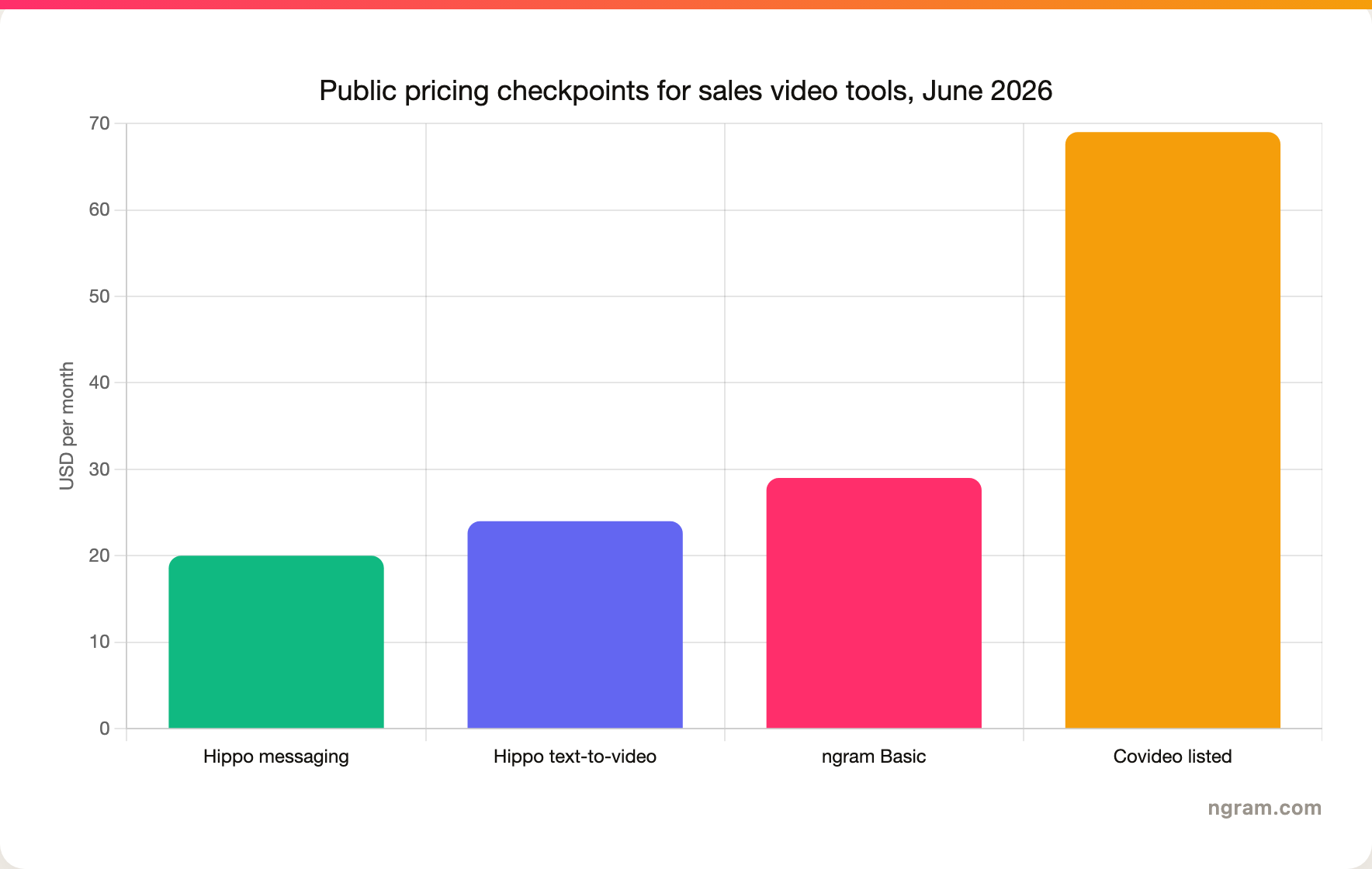
| Pricing signal | Official site routes teams to a quote. Software Advice lists Covideo at $69 per month | Official pricing lists Video Messaging Pro at $20 per month annual and Text-to-Video Starter at $24 per user per month annual | ngram Basic is $29 per month, with credit-based usage and higher tiers for volume |
| Best pick if | You need fast personal video response in a dealership workflow | You need AI sales video campaigns and interactive video infrastructure | You need a polished, on-brand sales video or explainer from source material |
The short verdict
Pick Covideo if the video is a personal message from a salesperson to a specific buyer. Covideo's own sales page centers on record, send, track, and close: reps record from desktop or mobile, send by email or text, and use view alerts to time follow-up. Its newer AI suite stays close to that dealership job, with VIN Reels and AI Video Agent built around inventory data, lead response, and virtual sales assistants.
Pick Hippo Video if the video program is bigger than one rep recording one message. Hippo Video's current homepage frames the product around Agentic AI: a Creation Agent for ideas and documents, a Campaign Agent for personalized campaigns, and a Video Co-Pilot or digital twin for demos and support. Hippo also advertises interactive videos with polls, quizzes, CTAs, and forms plus custom sales pages.
Use ngram if the deliverable needs to look like a finished business video. A sales follow-up from a rough demo recording, a product demo from a deck, a customer update from release notes, or a prospecting clip from a landing page belongs in a generator that plans the script and storyboard before rendering. For the dedicated ngram comparisons, read ngram vs Covideo and ngram vs Hippo Video.
Where ngram fits before you choose either tool
Watch how ngram turns an idea into a finished video:
Covideo and Hippo Video both sit in sales-video workflows, but neither one should be your default if the hard part is creating a polished reusable video. ngram starts from the source material: prompt, PDF, URL, screenshot, screen recording, raw video, deck, or Shopify product URL. Then it writes the script, builds the storyboard, plans scenes, generates voiceover and captions, adds motion graphics and product callouts, applies a brand kit, and lets you revise with chat or direct editor controls.
The boundary is important. ngram does not replace Covideo's dealership texting workflow or Hippo Video's campaign and engagement stack. ngram wins when the video itself is the asset: a prospecting explainer, product demo, sales enablement clip, support walkthrough, onboarding tutorial, or customer update. If that is the job, start with ngram's AI video generator or the sales prospecting video use case before you buy another recorder.
Workflow: personal response vs campaign system

Covideo is clearest when you look at the actual workday. A dealership gets an internet lead. A salesperson records a quick walkaround, sends the video by email or text, sees the view alert, and follows up while the buyer is engaged. Covideo's sales page names that loop directly: record videos, send to leads, track engagement, and close the deal.
That focus is a strength. Covideo is not trying to be a broad video CMS, a marketing suite, or a training platform. Its public pages emphasize dealerships, with automotive, RV, marine, and powersports pages in the main navigation. Its homepage also says more than 5,000 dealerships use Covideo and calls out results such as greater lead response, more cars sold, and higher appointment set rates. Treat those as vendor-reported outcomes, not universal guarantees.
Hippo Video is the broader system. It still records and shares videos, but the product now centers on AI creation and distribution at scale. The homepage describes a Creation Agent, Campaign Agent, Video Co-Pilot, sales pages, interactive videos, custom sales pages, digital twins, and a video chatbot. The buyer is not only a salesperson. It is a GTM or customer team deciding how video fits inside campaigns, onboarding, support, training, and hospitality workflows.
Winner for workflow: Covideo for personal dealership response. Hippo Video for broader campaign and engagement workflows. ngram for source-to-finished-video creation when the asset needs to work beyond one message thread.
AI creation and personalization
Covideo's AI is specialized. The Covideo AI page says the company is adding AI to more than 20 years of automotive video experience, and its Create page describes VIN Reels, AI Video Agent, and Flex Videos. VIN Reels turn inventory photos and specs into VIN-specific video showcases. AI Video Agent uses a virtual sales assistant for lead-tailored messages. Flex Videos use AI agents as on-screen talent for deals and marketing campaigns.
The tradeoff is scope. Covideo's own copy says videos recorded by people remain the gold standard, with AI used when a team needs to accelerate responses. That is a good fit for dealerships that want AI coverage without losing the personal connection. It is less compelling for a SaaS team that wants a narrated product demo from a help doc, a PDF, a deck, and a rough recording.
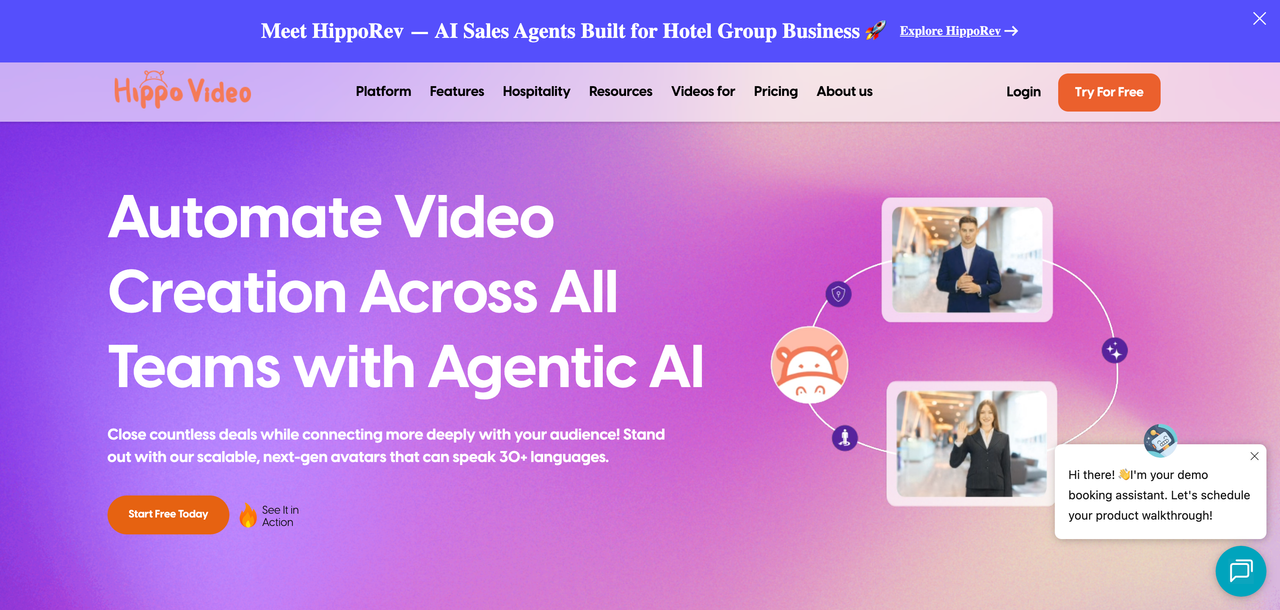
Hippo Video pushes AI harder across the whole workflow. Its homepage says users can type an idea or upload a document, then turn that into a script with avatars and interactive elements. It also promotes automated video campaigns, dynamic background videos, AI video digital twins, a video chatbot, and multilingual voiceovers in 30+ languages. That makes Hippo more capable for a team that wants AI-generated outreach at scale rather than hand-recorded response clips.
ngram fits the gap between those two. ngram is broader than Covideo's dealership AI and more creation-first than Hippo's engagement stack. The user can bring a PDF, URL, deck, screenshot set, raw recording, or prompt and review a script and storyboard before rendering. That matters when a seller needs a polished account follow-up, a PMM needs a launch asset, or CS needs a tutorial that does not look like a quick webcam note.
Hosting, interactivity, and analytics
Hippo Video wins the infrastructure round. Its public pages talk about sharing by email, website embeds, social posting, collaboration, performance insights, custom sales pages, forms, polls, quizzes, and CTAs. G2's comparison page also places Hippo Video in additional categories such as AI Video Generators, Sales Engagement, and Video CMS, while Covideo stays closer to the shared video hosting, video email, and video communications buckets.
Covideo still covers the core tracking loop well. The product pages emphasize instant video view alerts, engagement metrics, custom landing pages, CTAs, and CRM-aware activity. G2's comparison page says reviewers found Covideo easier to use, set up, and do business with overall, and GetApp describes Covideo as a tool for recording, sending, tracking, and delivering personalized video messages through email, SMS, social, or CRM.
The practical split is this: Covideo tells a rep who watched and when to follow up. Hippo Video gives a team more campaign and player mechanics around the video. ngram sits before both when the team needs the video made, not only hosted or tracked. ngram can host rendered videos on shareable pages and provide sharing and embeds, but detailed campaign analytics are not the reason to choose ngram today.
Pricing and value
Covideo pricing is the less transparent of the two. Covideo's own Get a Quote page asks buyers to submit details for tailored pricing, while G2's comparison says no entry-level pricing is available there. Software Advice and other third-party listings show Covideo at $69 per month, so use that as a public benchmark and confirm the actual dealership quote before buying.
Hippo Video publishes more detail. Its pricing page splits Video Messaging and Text-to-Video. The detailed comparison lists Video Messaging Pro at $20 per month on annual billing, Teams at $60 per month, and Enterprise at $80 per month. The Text-to-Video tab lists Starter at $24 per user per month annual and Creator at $69 per user per month annual, plus custom avatar and theme add-ons at $1,000 one-time fees.
ngram pricing is simpler to compare at the entry point: $0 starter access, Basic at $29 per month, Premium at $59 per month, and Ultimate at $299 per month, with credits shared across video generation and editing, and unlimited exports. If your team sends hundreds of one-to-one messages, compare seat and send limits closely. If your team creates fewer but more polished videos, compare the cost per finished asset instead.
Integrations and daily adoption
Covideo is strongest when video needs to live inside dealership systems. Its site says Covideo works with CRM and inventory management systems, and a 2024 Solera announcement says Covideo and DealerSocket let customers record, share, insert videos into messages, and track activity from inside the CRM. For auto groups, that matters more than having the longest generic integrations list.
Hippo Video is more horizontal. Its homepage lists integration categories for CRM, sales, L&D, hospitality, and marketing, and the pricing page names browser extension, desktop sync, mobile apps, email sharing, short URLs, embeds, video campaigns, video flows, AI editor volume, automated personalized videos, website background personalization, LinkedIn background personalization, teleprompter, and chapters. The product expects a wider organization to use video in many contexts.
ngram connects differently. The live product has share links, hosted video pages, embeddable players, MP4 export, Zapier, MCP, and self-service bearer API keys with `video.completed` and `video.failed` webhook events. That is enough for a team creating finished videos and distributing them through existing channels. It is not the same as a CRM-native dealership response tool or a sales-engagement video campaign suite.
Which tool should you pick?
Pick Covideo if your success metric is response speed from real salespeople. Vehicle walkarounds, post-appointment follow-ups, service approvals, appointment reminders, trade-in updates, and lead response are Covideo's native habitat. The tool is also the safer pick if your dealership already depends on Covideo's CRM and inventory workflows.
Pick Hippo Video if your success metric is scaled video engagement across teams. Hippo fits teams that want AI avatars, sales pages, interactive CTAs, forms, campaign automation, background personalization, and broader use across sales, marketing, customer success, support, and L&D. The learning curve is more reasonable when several teams use the platform, not one rep sending occasional clips.
Use ngram if your success metric is finished video quality. ngram is best when a sales or marketing team says, "We have the source material, but we need the video." That source material can be a PDF, URL, deck, screenshot, screen recording, raw video, or prompt. ngram plans the story, generates the cut, applies brand, and gives the team enough editing control to ship a polished business video.
Methodology and sources
This comparison used the current public websites and pricing pages for both products, plus review-platform comparison pages for buyer language. Primary sources included Covideo's homepage, Covideo AI, Covideo AI Create, Covideo sales, Covideo quote, Hippo Video's homepage, and Hippo Video pricing. Review-platform context came from G2's Covideo vs Hippo Video comparison, GetApp's comparison, and Software Advice's Hippo Video alternatives page.
We did not use numerical ratings to crown a winner. Review sites use different samples, categories, and collection methods, so the useful signal is qualitative: which workflows reviewers praise, which gaps appear repeatedly, and which buyer segment each tool serves. ngram claims are limited to the current product state and GTM facts in this repository.
FAQ
Is Covideo better than Hippo Video?
Covideo is better for dealership video messaging and personal lead response. Hippo Video is better for broader AI sales video campaigns, interactive videos, sales pages, and cross-team engagement workflows. The better product depends on whether your team needs personal one-to-one response or scalable video infrastructure.
Is Hippo Video better than Covideo?
Hippo Video is better if your team wants AI avatars, document-to-video creation, campaigns, CTAs, forms, quizzes, and multiple GTM teams in the same platform. Covideo is better if the daily workflow is a salesperson sending a personal video by email, text, or CRM after a dealership lead comes in.
What is the main pricing difference between Covideo and Hippo Video?
Hippo Video publishes more self-serve pricing detail. Hippo Video lists Video Messaging Pro at $20 per month on annual billing and Text-to-Video Starter at $24 per user per month annual. Covideo routes buyers to a quote form, while Software Advice lists Covideo at $69 per month.
When should I use ngram instead of either tool?
Use ngram when the output needs to be a polished, reusable business video rather than a personal video message or campaign container. ngram fits sales explainers, product demos, launch videos, customer updates, training clips, and support walkthroughs created from source material such as docs, URLs, decks, screenshots, and recordings.








