

Animoto and Pictory both promise video without an editor, but they start from opposite ends of the workflow. Animoto hands you a template and a media library, then expects you to bring the photos, clips, and message. Pictory takes a script, a blog URL, or a long recording and assembles the scenes, stock footage, captions, and voiceover for you. So the real 2026 question is not which is better overall, it is whether you already have polished assets and just want them dressed up (Animoto), or whether you have raw source material and want the tool to turn it into a finished short video (Pictory).
The gap between them is how much of the thinking the tool does before you start editing. Animoto leaves the storyboard to you and is fast once you know exactly what you want to show. Pictory does a first pass at structure but works best on text-heavy or long-form source. ngram is the third option here because it goes further than both on planning: it reads your prompt, doc, URL, deck, or recording, then plans the script and storyboard with you before it spends a credit on rendering. If your job is turning real source material into a finished, branded business video, that planning step is the difference.
Animoto vs Pictory at a glance
| Tool | Best for | Starting price | Main distinction |
|---|---|---|---|
| ngram | Teams turning prompts, PDFs, URLs, screenshots, recordings, decks, and product URLs into finished branded videos | Free, paid from $29/mo | Agentic planning, storyboard review, captions, voiceover, brand kits, localization, and timeline editing |
| Animoto | small businesses and marketers assembling social, promo, and training videos from existing photos, clips, screen recordings, templates, music, and simple AI helpers | $15/mo billed annually, $30/mo monthly for Basic (free plan available) | template-first video assembly with licensed music, stock media, and a low learning curve |
| Pictory | creators, marketers, educators, and L&D teams turning scripts, URLs, long videos, PPTs, and recordings into short narrated videos | $25/mo billed annually, $29/mo monthly for Starter | automated source-to-video assembly with scenes, visuals, captions, and AI voiceovers |
Core output and video quality
Animoto produces template-based marketing and social videos made from your media. That makes it a good fit for small teams that already have photos, clips, a script, or a promotion in mind and want a polished video quickly. Its strength is approachability: pick a template, add assets, tune text and music, then export a video that looks more finished than a slide deck.
Pictory produces ready-to-publish short videos assembled from scripts, URLs, long video, and other source material. It is better when the source material needs more interpretation, when the buyer wants more automation, or when the video workflow extends beyond a one-off template. The output feels less like a simple slideshow and more like a production workflow for repeatable business content.
Winner: Pictory. Pictory has the stronger fit when the buyer expects the software to shape the story, not just decorate existing assets. Animoto still wins for fast template assembly with a lower learning curve.
ngram is strongest for the finished business-video slice: turning source assets into a planned, branded video. It is not trying to replace every Animoto template workflow or every Pictory specialist feature, but it is the better fit when the buyer has outgrown simple assembly and wants an agentic source-to-video workflow.
Inputs and workflow
The practical question is what you start with. Animoto works best when the source is already visual: photos, short clips, product shots, a webcam or screen recording, and a simple message. The workflow keeps the user close to the template, which is useful for speed but less useful when a team needs the tool to reason through a longer source.
Pictory is broader on the input side. Script, idea, blog URL, PPT, image, screen recording, and long-video inputs. That matters for teams that do not begin with a finished storyboard. They may have a blog post, rough idea, recording, document, or internal update and need the tool to convert that into a structured video.
Winner: Pictory. Pictory handles more source-to-video situations and gives teams a stronger path from rough input to publishable output.
ngram goes further on source ingestion than both for business-video work. It can start from text prompts, PDFs, URLs, screenshots, screen recordings, raw video, PPTX or PDF decks, and Shopify product URLs. The agentic chat plans the script, storyboard, scenes, captions, and CTA before render, so teams can review the structure before spending credits on the final output.
Editing depth, brand control, and collaboration
Animoto is deliberately simple. The upside is that a marketer or founder can make something without training. The downside is that deeper edits can feel constrained by the chosen format. You can change visuals, text, music, and styling, but the workflow is still built around fast assembly.
Pictory gives teams more room to build a repeatable workflow. It creates scenes automatically with stock visuals, captions, and AI voiceover, and it can summarize a long video and repurpose it into social or training clips. Brand controls keep colors, logos, and templates consistent across videos. That makes it easier to standardize campaigns, repurpose longer material, or bring more teammates into the process.
Winner: Pictory. Pictory is the better choice for teams that need a system, while Animoto is better for solo or lightweight template work.
ngram's advantage is editability after the first draft. You can use agentic chat edits, visual chat, a script editor, scene regeneration, and a full timeline editor. Brand kits cover logo, colors, fonts, approved phrases, blocked phrases, tone controls, and style generation, which helps the output feel like a company asset rather than a generic template.
Pricing and value
Animoto's value is strongest when the team wants quick template output and does not need heavy source interpretation. Its paid Basic plan runs $30/mo billed monthly or $15/mo billed annually, with a free plan to start. The budget risk is not only the sticker price. It is whether the team spends time forcing a simple editor to do work that the tool should have planned for them.
Pictory's value depends on how often the team will use the deeper workflow. Its Starter plan is $25/mo billed annually, or $29/mo billed monthly. The slightly higher annual rate than Animoto can still make sense if it replaces manual storyboarding, clip selection, captioning, voiceover, and repurposing work across many videos.
Here are the entry paid plans side by side, billed monthly and billed annually, so you can see where each tool lands before procurement.
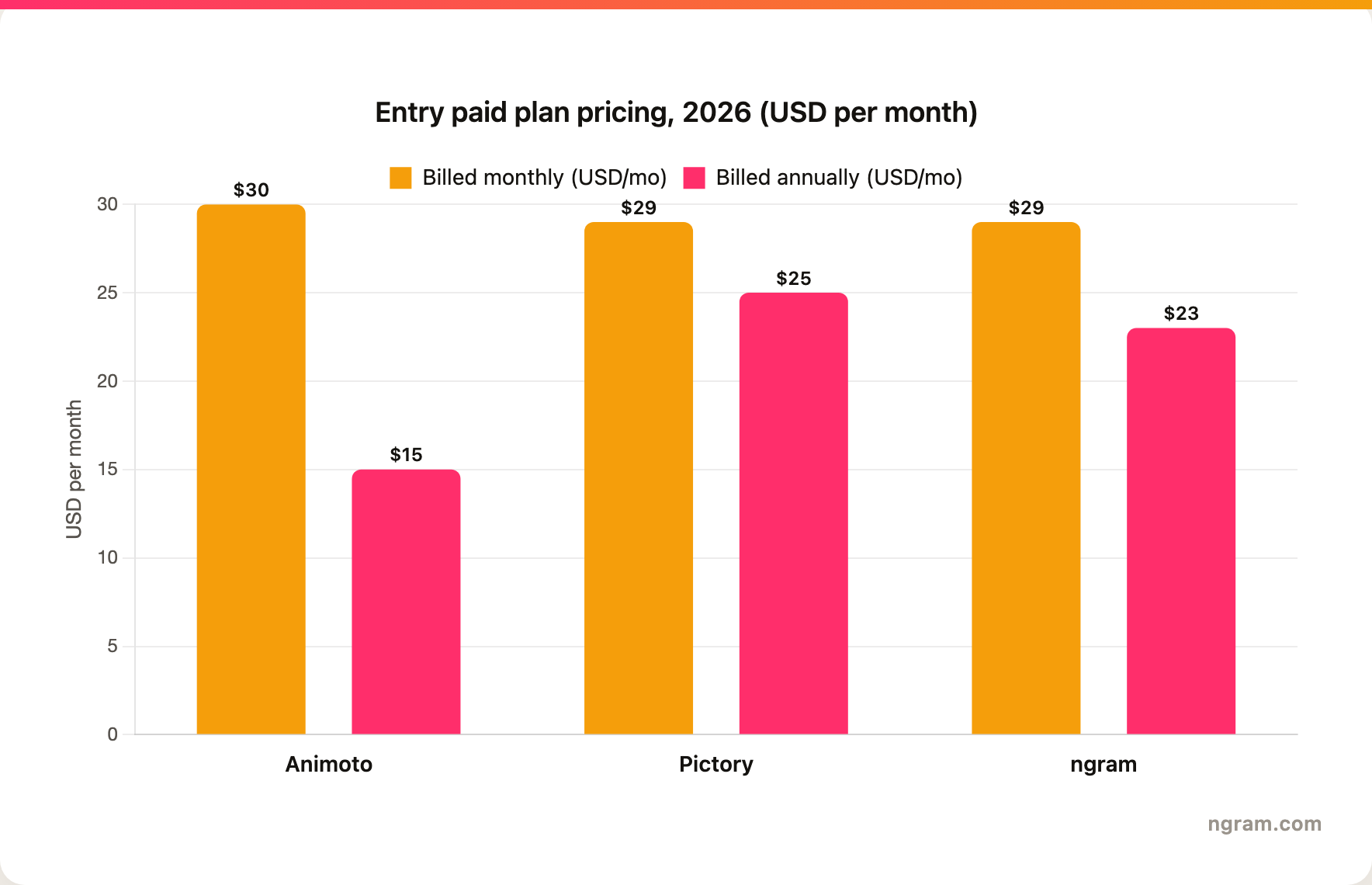
Winner: Animoto. On annual billing Animoto Basic is the cheapest entry plan at $15/mo, undercutting ngram Basic at $23/mo and Pictory Starter at $25/mo, and Animoto also has a free plan. ngram costs more than Animoto's entry point, but its free plan and $29/mo Basic plan ($23/mo annual) buy a broader source-to-finished-video workflow when that is the actual job, not just template assembly.
ngram uses credits. Free includes 600 one-time credits with 720p export and a watermark. Basic is $29/mo, or about $23/mo billed annually, with 3,000 credits per month and 720p export. Premium is $59/mo and unlocks all advanced models plus 1080p export, Ultimate is $299/mo and adds 4K export, and Enterprise is custom. Basic credits refresh monthly and do not roll over, while Premium and Ultimate credits roll over for one billing cycle, so heavy regeneration should still be budgeted intentionally.
Best fit by team and use case
Pick Animoto if your team mostly needs quick template-led videos from existing assets. It is a better fit for lightweight campaigns, event promos, social posts, and simple internal videos where speed matters more than a deeply planned narrative.
Pick Pictory if you need to turn scripts, blog URLs, PPTs, long videos, and recordings into short narrated videos. It is built for creators, marketers, educators, and L&D teams, and it gives you a stronger path when the source material is less polished or the video workflow needs more structure.
Winner: split decision. Animoto wins for simple template assembly. Pictory wins for the broader or more automated video workflow.
Use ngram if the real job is turning messy source material into a finished branded business video. That includes product explainers, sales videos, training clips, launch videos, screen-recording polish, multilingual versions, and social variants that need captions, voiceover, callouts, motion graphics, and brand rules.
1. ngram
Watch how ngram turns an idea into a finished video:
Where Animoto asks you to bring the storyboard and Pictory works best off a clean script or transcript, ngram is built for the messier middle: you start with a prompt, PDF, URL, screenshot, recording, raw video, deck, or product URL, and the agent plans the script, storyboard, scenes, captions, and CTA with you before rendering. You review the structure before any credits are spent, which is the step neither Animoto's template flow nor Pictory's auto-assembly gives you.
It also covers the production layer that many single-purpose tools leave to the user: auto captions, AI voiceover, multilingual voiceover, screen-recording polish, product callouts, motion graphics, branded intros and outros, background music, scene transitions, AI image generation, and short AI video b-roll.
What makes ngram different
- Agentic planning before rendering, so the storyboard is reviewed before credits are spent.
- Source-aware inputs across prompts, documents, URLs, screenshots, recordings, raw video, decks, and product URLs.
- Brand kits for logos, colors, fonts, approved and blocked phrases, tone, and visual style.
- Editing through chat, visual chat, script editor, scene regeneration, and a full timeline.
- Exports to Finished videos export as MP4; separate media tools can derive GIF, WebM, PNG, or JPG from supplied media.
Where ngram is honest about its limits
- ngram provides hosted video pages and embeds; a generally available owner analytics surface is not live, and the hosted page does not expose an owner analytics surface.
- Public security certifications are not published, so do not treat it as SOC 2 or ISO certified.
- Public API v1 uses self-service bearer API keys.
- Zapier and n8n are available; Make.com is Coming Soon.
Who ngram is best for
ngram is best for marketing, sales, training, product, and founder-led teams that need finished business video from real source material. If you mainly need Animoto's template editor or Pictory's specialist edge, keep that tool. If you need an agent to plan, produce, revise, localize, and brand the video, ngram is the stronger path.
Try ngram free, your first video in under 5 minutes. Turn a prompt, doc, URL, deck, or screen recording into a polished, on-brand video without rebuilding it from a blank template. Start free
For a direct ngram comparison, see ngram vs Animoto and ngram vs Pictory.
2. Animoto
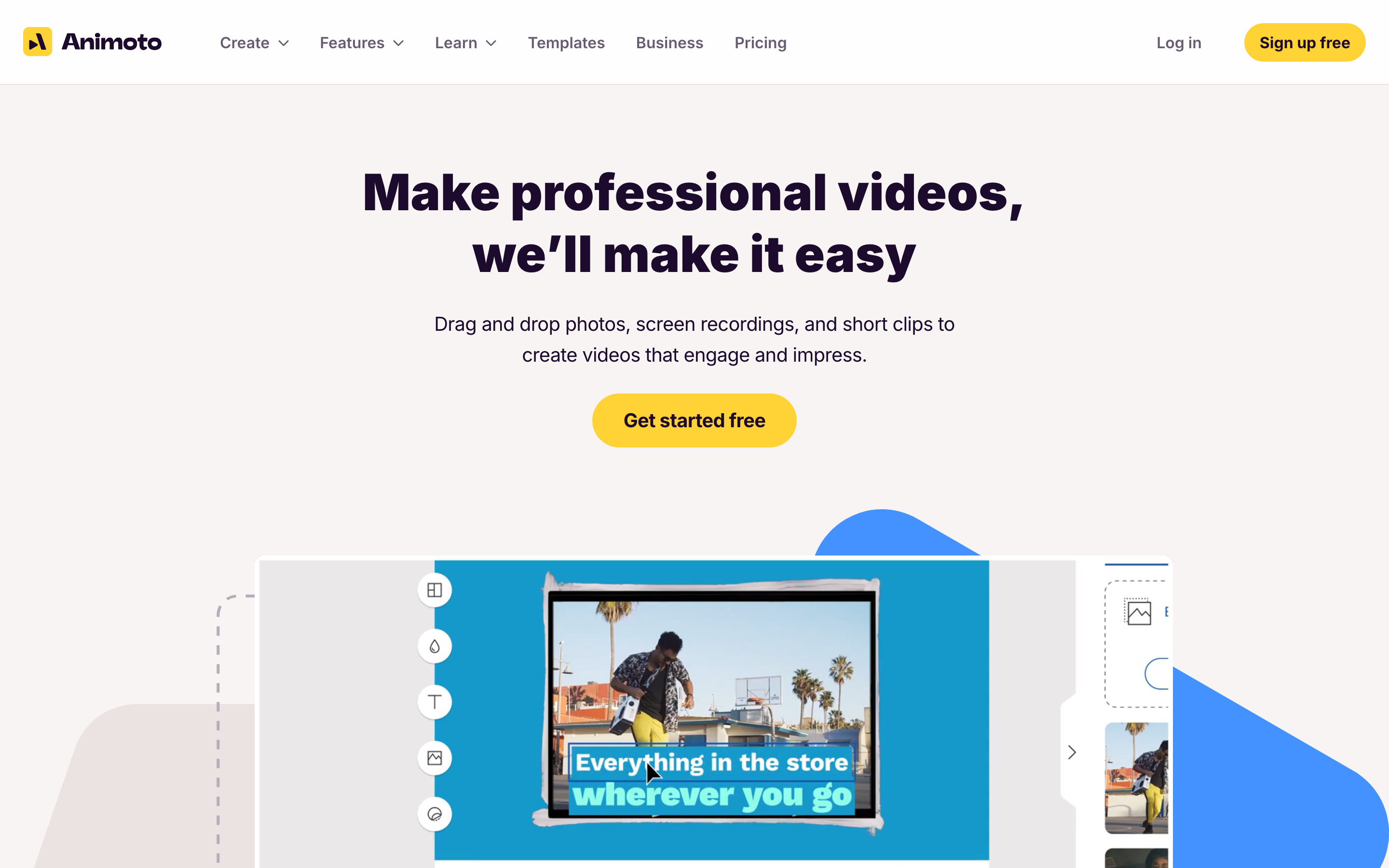
Animoto is the simpler side of this comparison. It is for teams that want a finished-looking video quickly, without learning a professional editor.
Key features
- Drag-and-drop templates for promos, ads, tutorials, and internal videos
- Getty Images stock media, licensed music, text, graphics, and simple animation controls
- Screen and webcam recording inputs for quick explainers or demos
- AI script and video helpers layered onto a template-first editor
- Team plans for brand control, collaboration, and reusable styles
What users say
Users tend to like Animoto because it is approachable. The common praise is speed: non-editors can assemble a decent social or business video without learning a timeline. The tradeoff is ceiling. Once a team wants deeper source interpretation, storyboard control, or brand-aware regeneration, the template workflow starts to feel narrow.
Best for
Animoto is best for teams that already know the message and have visual material ready. It is less ideal when the job starts with a long document, a messy recording, or a need for the tool to plan the full video.
3. Pictory
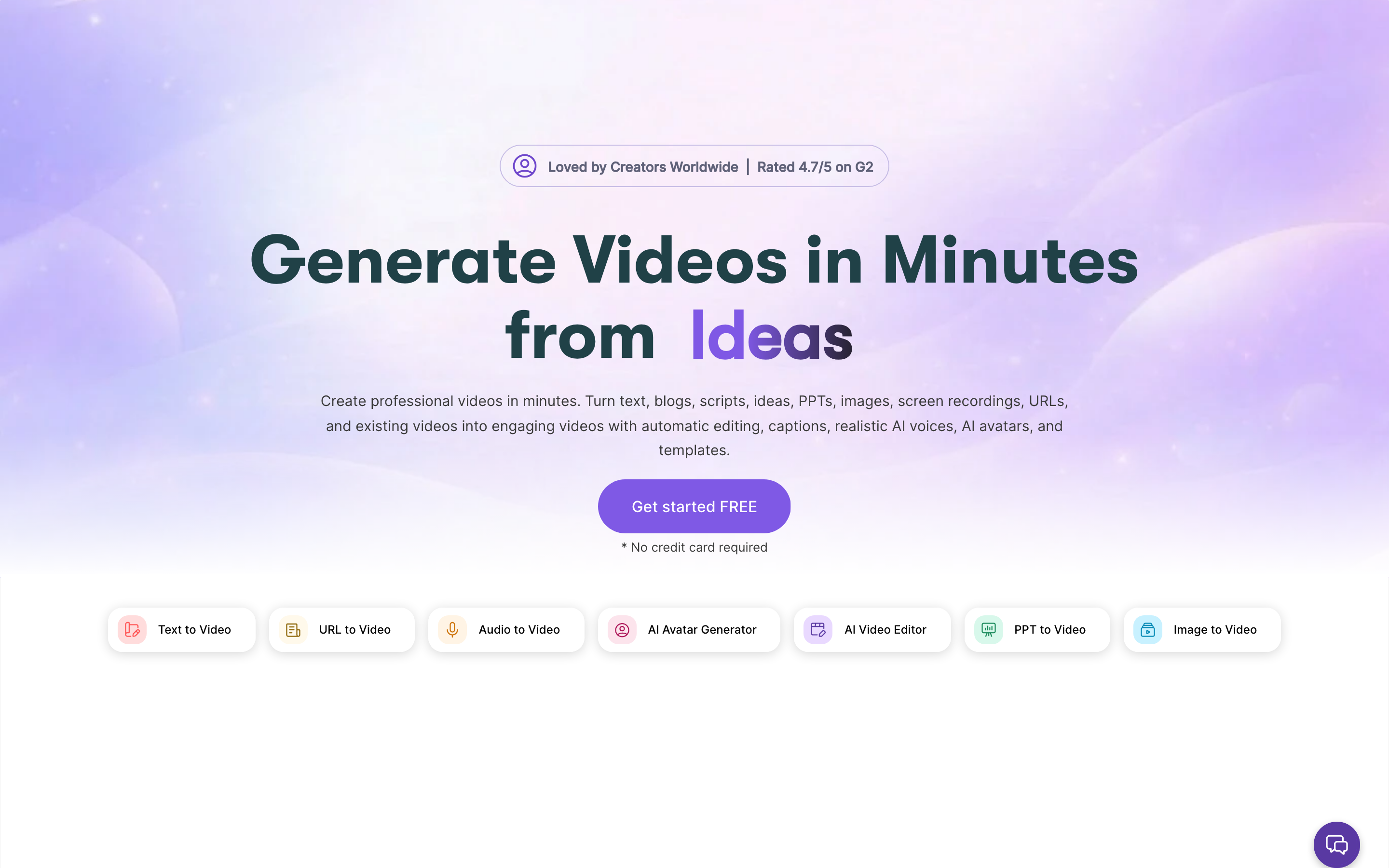
Pictory is the deeper or more specialized option in this comparison. It fits teams that need more than a quick template and want the tool to support repeatable video production.
Key features
- Script, idea, blog URL, PPT, image, screen recording, and long-video inputs
- Automatic scene creation with stock visuals, captions, and AI voiceover
- Long-video summarization and repurposing for social or training clips
- Brand controls for repeatable colors, logos, and templates
- Workflow built for creators and teams that want automation before manual editing
What users say
Users tend to praise Pictory for speed and automation, especially when repurposing a script or long recording into shorter videos. The buyer who likes Pictory wants the software to make a first cut. The buyer who struggles with it usually wants more creative control or more nuanced planning before the first render.
Best for
Pictory is best for teams whose video process includes planning, repurposing, collaboration, or specialist capabilities beyond simple template assembly. It is less ideal when the fastest possible template video is enough.
How we compared these tools
| Criteria | Weight | What we looked at |
|---|---|---|
| AI capabilities | 30 | Source inputs, automatic planning, voiceover, captions, generation, and regeneration |
| Features | 30 | Editing depth, templates, brand controls, collaboration, localization, and export paths |
| Ease of use | 20 | How quickly a non-video user can make a useful first video |
| Value | 15 | Entry price, plan limits, credit or usage constraints, and time saved |
| Support | 5 | Team readiness, enterprise fit, and purchase clarity |
We weighted this as a source-to-video and business-video comparison, not a pure editing benchmark, because that is where Animoto and Pictory actually diverge. Animoto earns its score on accessibility and template speed. Pictory earns its score on turning scripts, URLs, and long recordings into structured scenes. ngram is included where the buyer's real need is a finished branded video planned from source material rather than assembled from a template or a transcript.
Common questions
Is Animoto better than Pictory?
Animoto is better if you want a fast template-led video from assets you already have. Pictory is better if you need a stronger workflow for ready-to-publish short videos assembled from scripts, URLs, long video, and other source material. For most teams, the right answer depends on how much planning and automation the tool needs to handle.
Is Pictory cheaper than Animoto?
On annual billing, Animoto is cheaper: its Basic plan is $15/mo versus Pictory Starter at $25/mo. Billed monthly the two are close, with Animoto Basic at $30/mo and Pictory Starter at $29/mo. Animoto also offers a free plan. The better value still depends on whether you need Animoto's template assembly or Pictory's source-to-video automation, so match the plan to the work, not just the sticker price.
What is the best Animoto and Pictory alternative?
ngram is the best alternative when your job is source-to-finished business video. It can start from prompts, URLs, documents, decks, screenshots, and recordings, then plan the storyboard and produce a branded video with captions, voiceover, motion graphics, and editable scenes.
Which tool is best for marketing videos in 2026?
For quick social promos and ads built from photos and clips you already own, Animoto is the easiest pick and the cheapest annual plan. For repurposing scripts, blog posts, or long recordings into narrated marketing shorts, Pictory is stronger. For branded marketing videos planned from real source material, with storyboard review and editable scenes, ngram is the better third option.
Which one should you pick?
The Animoto vs Pictory decision comes down to workflow fit. Pick Animoto if you want quick template assembly from assets you already have, and the cheapest annual entry price. Pick Pictory if you need to turn scripts, blog URLs, PPTs, long videos, and recordings into short narrated videos with the scenes built for you. Use ngram if your real job is turning prompts, docs, URLs, decks, screenshots, recordings, and product pages into finished, branded videos with storyboard review and editable scenes. In 2026, the best tool is the one that matches your starting material, not the one with the longest feature list.
---
Try ngram free, your first video in under 5 minutes. Turn a prompt, doc, URL, deck, or screen recording into a polished, on-brand video without rebuilding it from a blank template. Start free








