Product Update: App Library Expansion, Auto Top-Up, and Reference Video — June 20, 2026
The App Library has over a dozen new standalone tools: media conversion, background removal, noise removal, voice dubbing, transcription, translation, and YouTube content generation. Opt-in auto top-up credits keeps generations from stopping mid-run. Hybrid projects gain a Reference Video animation path. Plus style template category filters and three bug fixes.
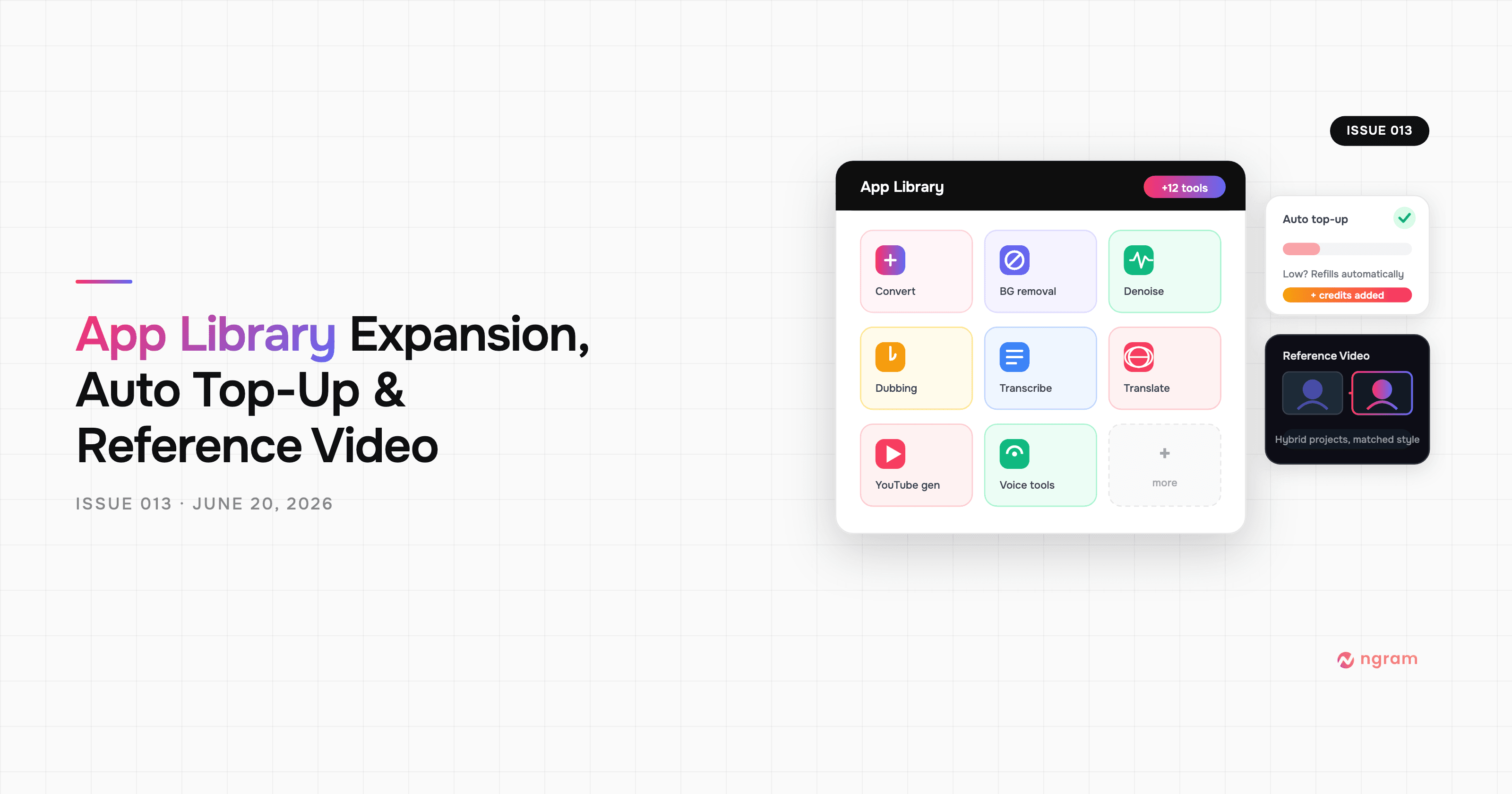


Since issue 012, the App Library has gained over a dozen new standalone tools — the most added in a single issue. Each runs without a video project: upload a file, pick a tool, get the output. There's also opt-in auto top-up for credits, a new Reference Video path for hybrid animation projects, category filters for style templates, and fixes for motion graphics preview jitter and the "No content to preview" editor deadlock.
What's New
App Library: Over a Dozen New Standalone Tools
Go to the App Library (/app/tools) and you'll find three new groups of tools. None require a video project — just upload a file and run the tool.
Media and conversion: Video to GIF, format convert (MP4, WebM, MKV, and more), compress (reduce file size), extract audio from video, remove background from images, remove background from video clips, voice dubber (replace the speaker's voice via AI speech-to-speech), and noise removal for both audio files and video.
Transcription and translation: Audio-to-text, video-to-text (with SRT, VTT, or plain text export), subtitles, captions, and a translator tool.
Content generation: YouTube title generator and YouTube description generator — paste in your video context and get an optimized title or a full description with timestamps, ready to copy.
The App Library page also has a new search bar so you can filter tools by name. Text-output results — titles, descriptions, transcripts — now save as projects in your feed, so you can come back to them later.
Reference Video (Hybrid Projects)
In hybrid animation projects, scenes now default to a Reference Video path. The agent selects relevant reference images from your uploads, face library, mascot, recurring subjects, and brand assets, then generates a video clip with those images as visual anchors. The output matches your existing assets more closely than a pure text-to-video generation. Scenes that need motion graphics, or that have no suitable reference images, continue on their existing paths.
Auto Top-Up Credits
Paid subscribers can now enable auto top-up in Settings → Billing or Settings → Preferences. When your credit balance drops below the threshold, ngram charges the card on file for one credit pack off-session — so a long agentic generation doesn't stop mid-run because credits ran out. A circuit breaker pauses top-ups if a charge fails; once you update your card, automatic recharging resumes.
Improvements
Style Template Category Filters
The style template browser now has category filters above the grid. Click a category to narrow the list to templates that match your content type.
Bug Fixes
- Motion graphics preview jitter — the Remotion player was re-rendering on every frame during preview, causing visible jitter. Playback is now smooth.
- "No content to preview" after long turns — after a long agentic turn that outlasted the server connection window, the editor could get stuck on this message with no way out. Reloading the page now correctly detects turn completion and shows the result.
- "Your Brand" video style rejected — sessions with "Your Brand" saved as their video style were getting "Unsupported visual style" errors. That label is now accepted as an alias for the auto-style option.
Past issues
Product Update: Hyperframes Motion Graphics, Zapier, and Annual Credits Upfront - June 13, 2026
Product Update: MCP Fixes, Sequential Voiceover, and Smarter Scene Editing - June 7, 2026
Product Update: Eye Contact AI, App Library, and a Faster Video Flow - June 4, 2026

Product Update: Image Lab, Avatar Videos, and Automation APIs - May 5, 2026
Product Update: Video Commenting, Earn Credits, and Team Enhancements - April 13, 2026
Product Update: Slides Animation, Scene Transitions, and Team Billing - April 6, 2026
Product Update: Teams, Video References, and Smarter Editing - March 30, 2026
Product Update: Slides Mode, Talking Heads, and a Redesigned Template Catalog - March 23, 2026