Product Update: MCP Fixes, Sequential Voiceover, and Smarter Scene Editing - June 7, 2026
MCP video generation is fixed and three new public API endpoints are live. The script modal now plays voiceover end-to-end across all scenes, the storyboard sits above the video, duration from your prompt overrides the picker, and targeted scene delete/move/insert is now available.
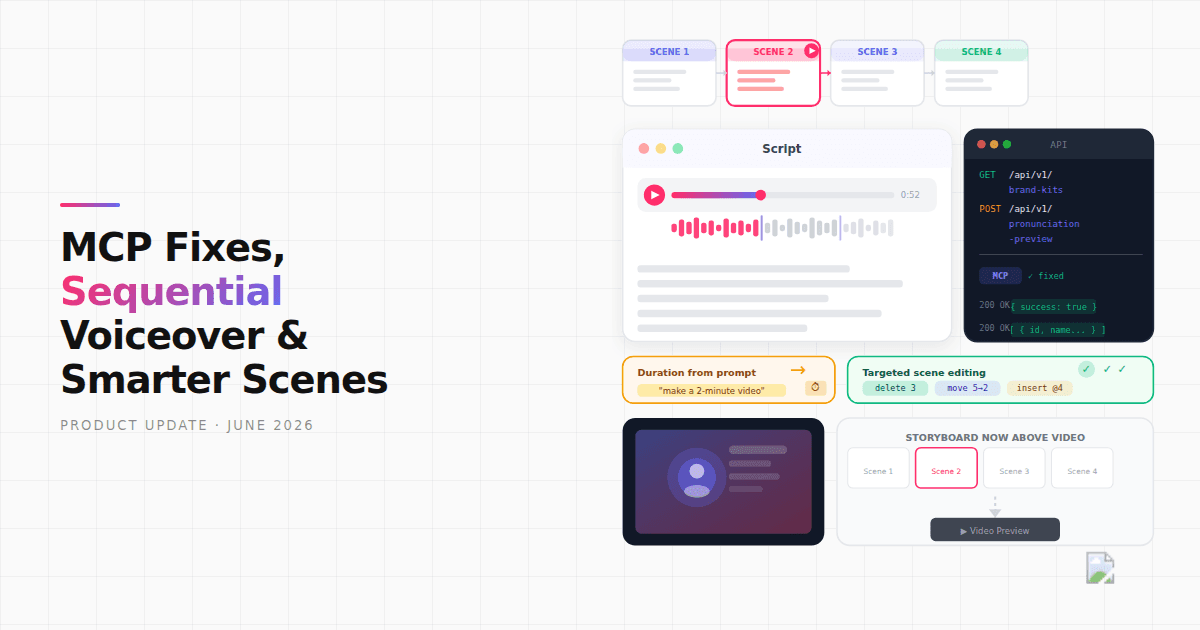


Since the last update we've fixed MCP video generation (it was broken), added three new public API endpoints, moved the storyboard above the video panel, and made the script modal voiceover play your scenes end-to-end in sequence. There's also a new option to feed a protagonist reference image URL, better handling of duration requests in prompts, targeted scene delete/move/insert, and a couple of bug fixes.
What's New
MCP Video Generation Fixed, with New API Endpoints
MCP video generation was broken and is now working. The public API also gained three additions: a new GET /api/v1/brand-kits endpoint that lists your brand kits, a new POST /api/v1/pronunciation-preview endpoint for testing pronunciation rules before running a full video, and confirm-before-generate settings are now configurable through the API. If you're building on top of ngram via MCP or the REST API, all three are available now.
Protagonist Reference Images via URL
When generating a video with a protagonist or presenter, you can now give the agent a URL pointing to any image and ngram uses it as the character reference instead of generating one from scratch. Include the URL in your chat message alongside your instructions — the protagonist tool fetches it, validates it, and seeds the character generation from that image, so the presenter's look stays closer to what you had in mind.
Improvements
Script Modal Voiceover Plays End-to-End
Hitting play in the Script modal now runs through all your scene voiceover clips in sequence without stopping. Previously the player required a pre-merged audio file that didn't always exist. The new player stitches scene clips together on the fly, so you can hear the full narration the moment voiceover generation finishes — no extra step.
Storyboard Now Sits Above the Video
The storyboard scene cards moved above the video output in the panel and are now a scrollable row you can scan at a glance. The video frame resizes dynamically to fit the available space below. For free users, the upgrade nudge also moved — it now sits above the chat input instead of breaking up the content area.
Duration from Your Prompt Now Wins
Writing '2-minute video' or 'keep this under 90 seconds' in your prompt now correctly overrides the duration picker on the start screen. A resolver runs in parallel with research before the script writer starts, extracts the duration from your words, and locks it in before the script is written. If the finished script still runs notably shorter or longer than what you asked for, a note in the script review step tells you so you can adjust before generating visuals.
Delete, Move, and Insert Scenes by Number
The agent can now delete a scene, swap two scenes, or insert a new one at a specific position — by scene number. 'Delete scene 3' or 'move scene 5 before scene 2' applies the change without regenerating the rest of the storyboard. Targeted voiceover and talking-head generation also now accept a list of specific scene numbers, so re-generating one scene's audio doesn't touch the others.
Bug Fixes
- Editor save dialog — opening the editor or navigating to an existing project no longer triggers a 'save changes?' prompt when you haven't made any edits.
- False insufficient-credits warnings — jobs interrupted by a server crash were leaving credit reservations open indefinitely, making the credits panel show less available balance than you actually had. A cleanup job now runs every 15 minutes to release stale reservations.
Past issues
Product Update: Eye Contact AI, App Library, and a Faster Video Flow - June 4, 2026

Product Update: Image Lab, Avatar Videos, and Automation APIs - May 5, 2026
Product Update: Video Commenting, Earn Credits, and Team Enhancements - April 13, 2026
Product Update: Slides Animation, Scene Transitions, and Team Billing - April 6, 2026
Product Update: Teams, Video References, and Smarter Editing - March 30, 2026

Product Update: Slides Mode, Talking Heads, and a Redesigned Template Catalog - March 23, 2026

Remotion Without Code: Try It Directly in ngram.com

Product Update: Quick Voiceover Fixes, Lower Costs, and a Mobile Redesign - March 16, 2026