
A product teaser video has one job: make the right buyer curious enough to remember the product and its next milestone. It should reveal one useful promise, support it with real proof, and stop before it turns into a full walkthrough.
Claude video generation becomes practical when Claude handles the brief and an MCP-connected video tool handles the render. With ngram connected, you can plan a 20 to 30 second teaser in the same conversation where you already refined positioning, launch timing, and approved claims.
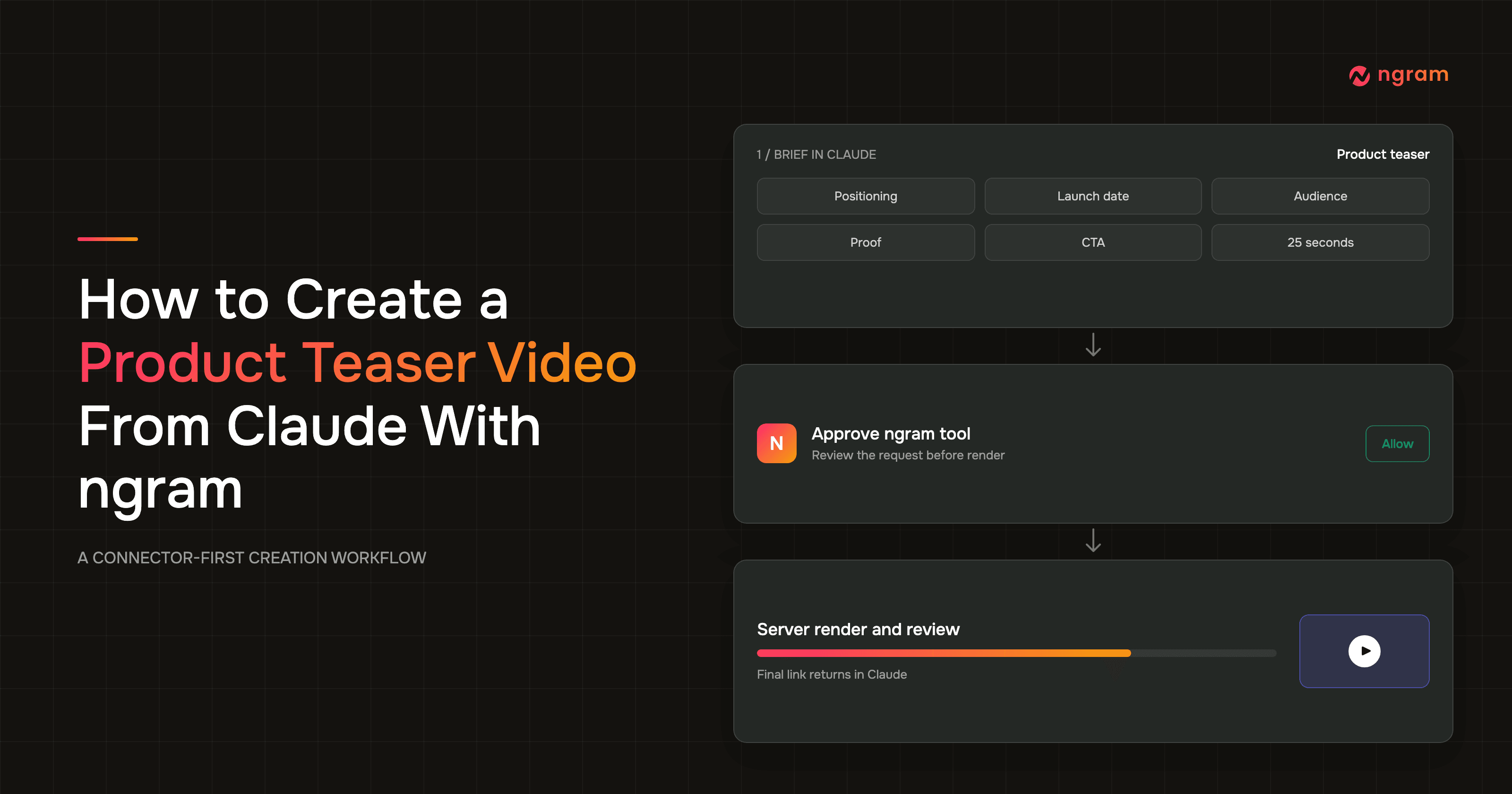
The workflow is direct: connect ngram in Claude, authenticate inside the connector UI, submit a seven-field teaser brief, inspect the proposed hook and timing, approve the tool call, then review the rendered video. ngram renders server-side and returns the final link in Claude, so you can monitor the job in the ngram app instead of keeping the chat open.
This guide is for a founder or launch marketer who needs a focused teaser. It covers the brief, the connector permission step, the render handoff, and the final timing and CTA review.
Why a product teaser video needs a tighter brief
A product teaser video is a short preview that creates curiosity around one product promise. It names the audience's problem, reveals enough of the solution to feel credible, gives one piece of approved proof, and closes on a date or CTA. It does not need to explain the whole product.
The format matters because attention is scarce and quality affects trust. Nielsen Norman Group's page-attention research found that people often leave web pages within 10 to 20 seconds, based on 205,873 pages and more than 2 billion dwell-time records. The study is older, so it is best treated as a durable attention benchmark rather than a current video-platform metric.
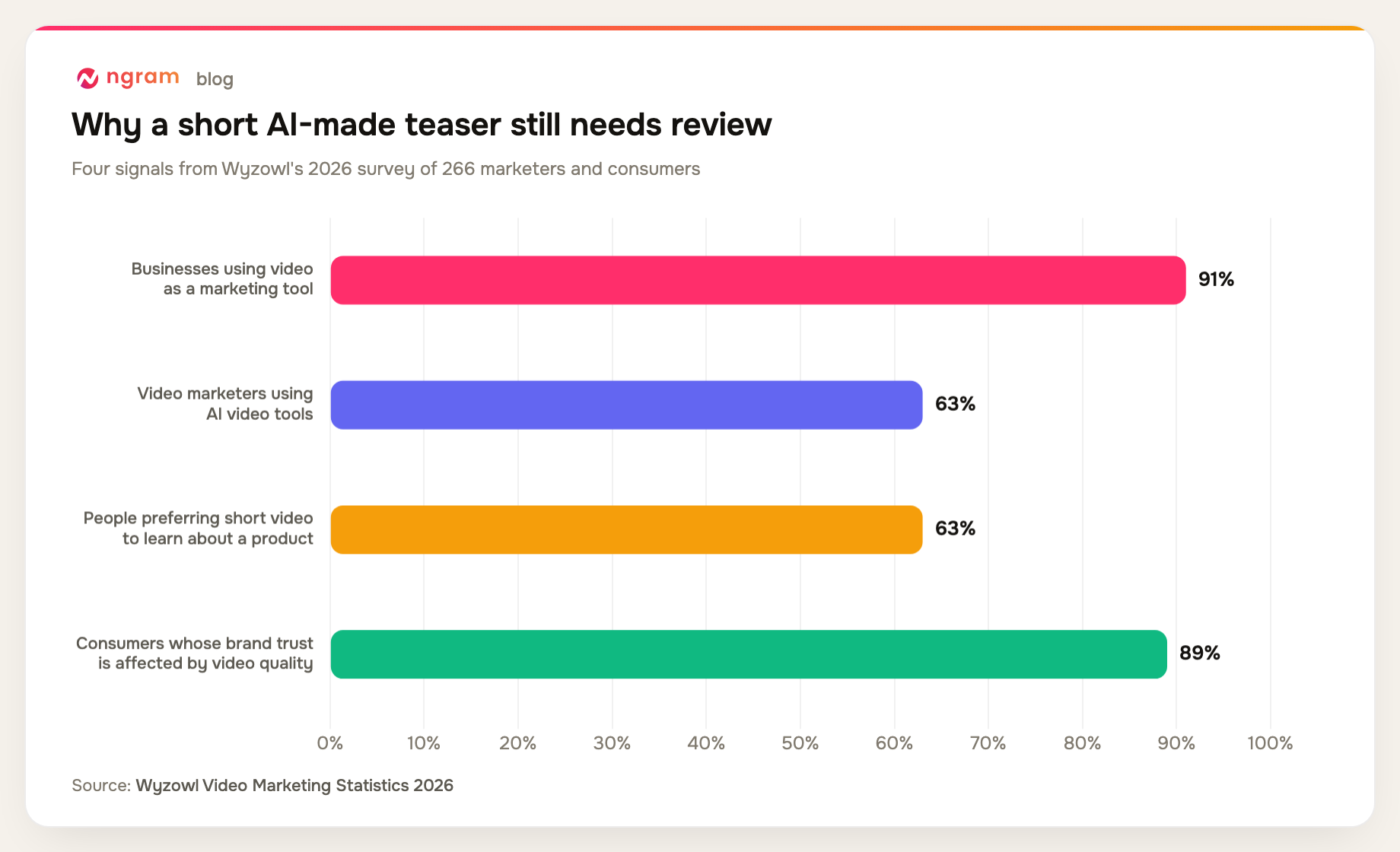
The Wyzowl 2026 State of Video Marketing survey of 266 respondents gives the current context: 91% of businesses use video, 93% of video marketers consider it important, and 63% used AI video tools, up from 51% the year before. It also found that 89% of consumers say video quality affects trust in a brand and 63% prefer a short video when learning about a product or service.
The same survey reports that 92% of video marketers expect to spend the same or more on video, 82% report good ROI, and 71% consider videos between 30 seconds and two minutes effective. It also records 93% reporting better product understanding, 96% of people having watched an explainer, 85% saying a video convinced them to buy, 80% saying an app demo led them to buy or download, and 84% wanting more brand video. Those figures support video demand, but the trust result is the reason to keep human review in the loop.
B2B teams also feel the production constraint. Content Marketing Institute's 2025 B2B research surveyed 980 marketers: 76% used video, 58% rated it the most effective content type, and 61% planned to increase video investment. Yet 54% cited limited resources and 33% cited workflow or approval problems. A compact brief addresses the approval problem before rendering starts.
That is also the recurring complaint in founder communities. In a May 2026 r/SaaS discussion about product launch videos, founders described editing as exhausting and repeatedly returned to the same fix: lock the script and story before production. One useful point from the thread was that a launch video should resist explaining everything.
Prerequisites before you create the teaser in Claude
Claude needs access to ngram before it can request a video. Anthropic's official remote connector instructions place custom connectors under Customize, then Connectors, and put authentication inside that connector flow. Anthropic also tells users to review permissions carefully and control which tools are enabled for each conversation.
For the product-specific setup and compatibility details, use ngram's MCP integration guide. The Claude connector authenticates in the connector UI, so you do not paste an external ngram API key into the conversation. Header-capable custom MCP clients need bearer credentials; self-service API keys are available.
Have these inputs ready before you start:
- A Claude account with the ngram connector added, authenticated, and enabled for the current conversation.
- A product name plus a source URL, concise product notes, or approved assets that Claude can use as context.
- One positioning sentence, the launch date, the intended audience, one proof point, and one CTA.
- A target duration and aspect ratio, plus any required pronunciation, brand, caption, or claim constraints.
- A named reviewer who can confirm the product claim, date, proof asset, timing, and final CTA.
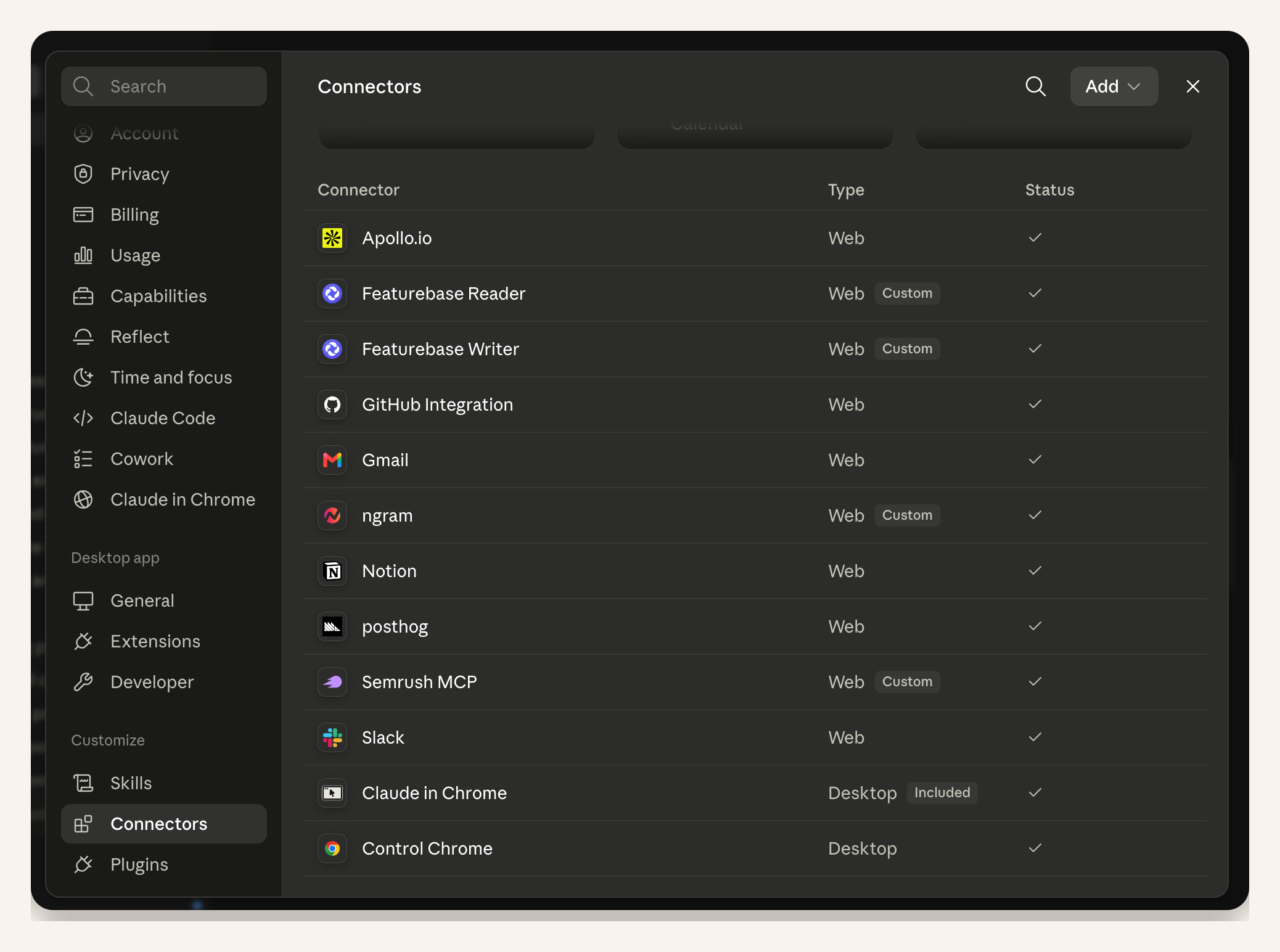
Proof note: This screenshot comes from a real product-launch run. It proves that ngram can be enabled in Claude's connector settings; it is not a teaser result.
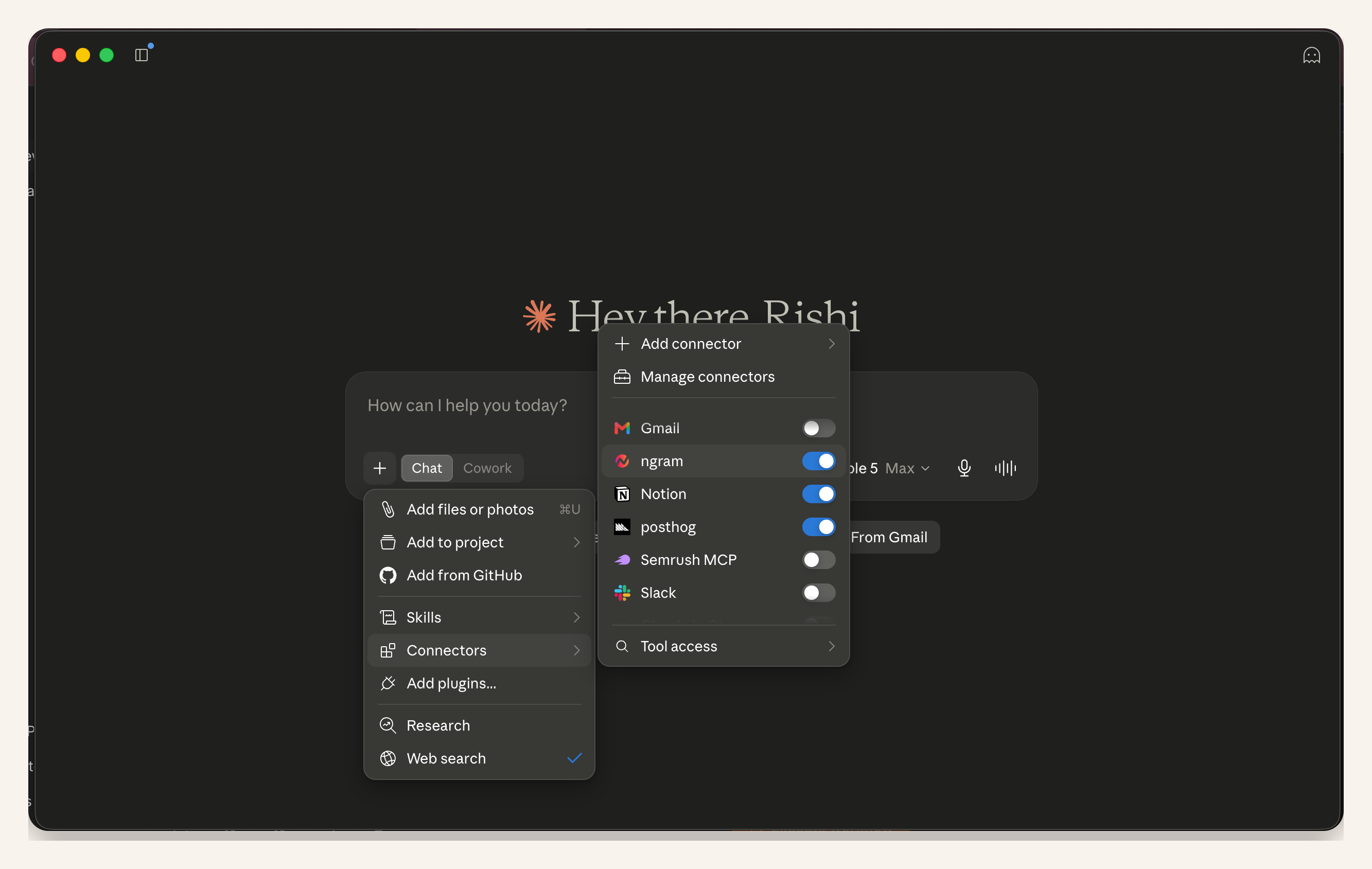
Proof note: This second launch-run screenshot confirms that the ngram tool is available in the active conversation. The product settings visible here belong to that launch run, not this teaser brief.
A seven-field prompt test: why vague teaser requests fail
To test how much useful direction different prompt shapes carry, we ran a small editorial audit on July 17, 2026. We scored three hypothetical SaaS teaser requests for the presence of seven fields: product, positioning, launch date, audience, proof, CTA, and target length. Each present field earned one point.
The one-line request included only the product, for 1 out of 7. A feature dump included the product and loose positioning, for 2 out of 7. A reviewed brief included all seven fields.
This binary completeness check does not measure render quality, creative quality, or audience response. It only tests whether the request gives Claude the information needed to propose a reviewable plan.
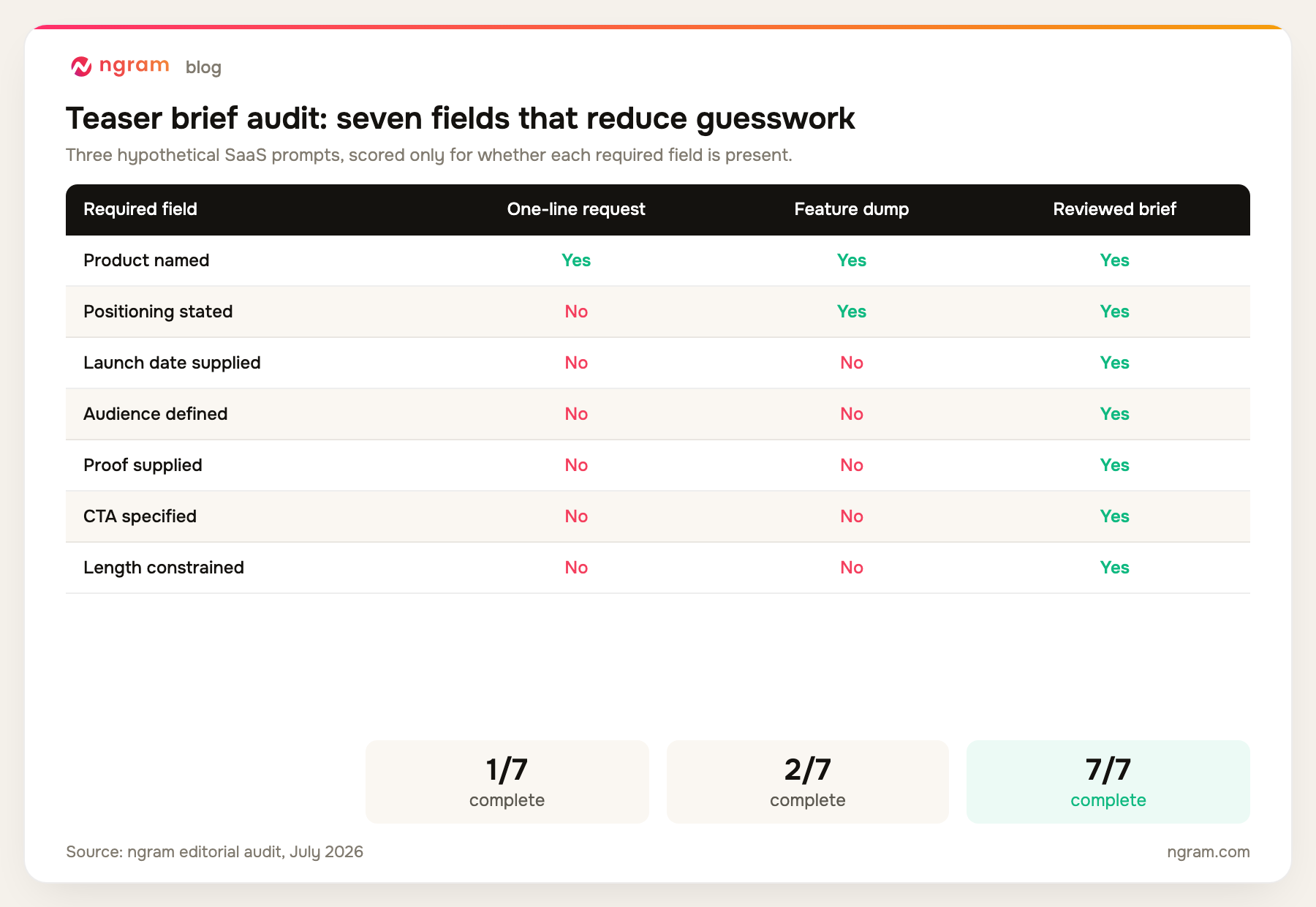
Prompt length was incidental. The reviewed brief scored better because every field resolves a real production decision. Positioning sets the hook, proof limits what the video can claim, target length controls pacing, and the CTA gives the final scene a job.
How to create a product teaser video from Claude in six steps
The six-step path keeps planning separate from rendering: connect, authenticate, write the brief, approve the ngram call, receive the final link, and review the cut. That separation matters when you are creating AI videos with real product claims.
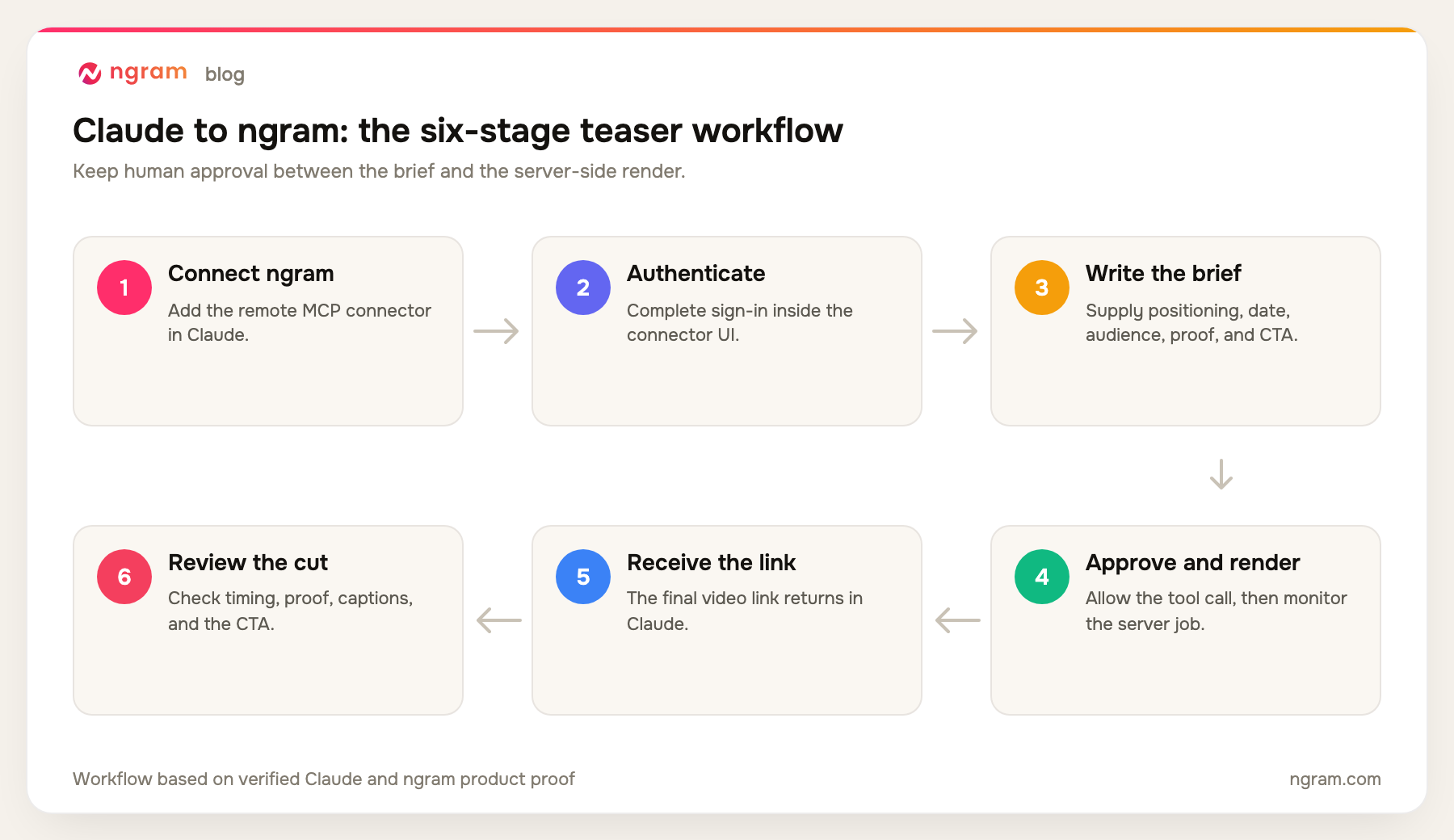
Step 1: Connect and authenticate ngram in Claude
Open Claude's connector settings, add ngram, complete authentication in the connector UI, and enable it for the current conversation. Do not place credentials in your prompt. When the connector appears in the conversation tool menu, ask Claude to confirm that ngram is available before you share the creative brief.
This workflow applies to Claude and other agents that support connectors, remote MCP, or compatible custom MCP connections. It does not apply to every AI assistant. If a custom client needs authentication headers, create a self-service bearer key in Account & Settings → API Keys.
Step 2: Build and review the short teaser brief
Ask Claude to plan before it calls the video tool. ngram's video script generator workflow is useful here because a script and timing map expose weak claims before rendering. The five-beat map also works as a compact marketing video storyboard template because it ties every scene to a duration and approved source.
Use this prompt as a starting point for a 25-second product teaser video:
Use ngram to create a 25-second product teaser video.

Product: [name and source URL]
Positioning: [one-sentence promise]
Launch date: [date]
Audience: [specific buyer or user]
Problem to surface: [one problem]
Reveal to tease: [one product moment]
Approved proof: [screenshot, workflow, metric, or quote]
Source material: [approved URLs and files]
CTA: [one action]
Aspect ratio: [for example, 16:9]
Tone: [plain description]

Constraints:
- Keep one message throughout the video.
- Use only the supplied proof.
- Do not invent metrics, testimonials, customer names, logos, dates, or product behavior.
- Hold back the full walkthrough.
- Keep on-screen copy concise and include captions.

Before calling ngram, return:
1. One-sentence hook
2. Five-beat timing map
3. Proposed on-screen copy
4. Proof used in each beat
5. Final CTA

Ask me to approve or revise the plan. After approval, call the ngram video tool.
Review the plan line by line. A useful timing map might reserve 0 to 3 seconds for the problem, 3 to 8 for the promise, 8 to 17 for the reveal and proof, 17 to 22 for the launch date, and 22 to 25 for the CTA. Those timings are a starting point, not a rule.
Check the proof column before anything else. A product screenshot can support a visible interface claim. A measured metric can support a performance statement if you supply the source and scope. A positioning sentence alone cannot support a numerical result.
Step 3: Approve the ngram tool call
After you approve the brief, Claude asks for permission to call ngram. Read the tool name and arguments. Confirm that the product source, timing, proof, CTA, aspect ratio, and constraints match the plan you reviewed. Then approve the request.
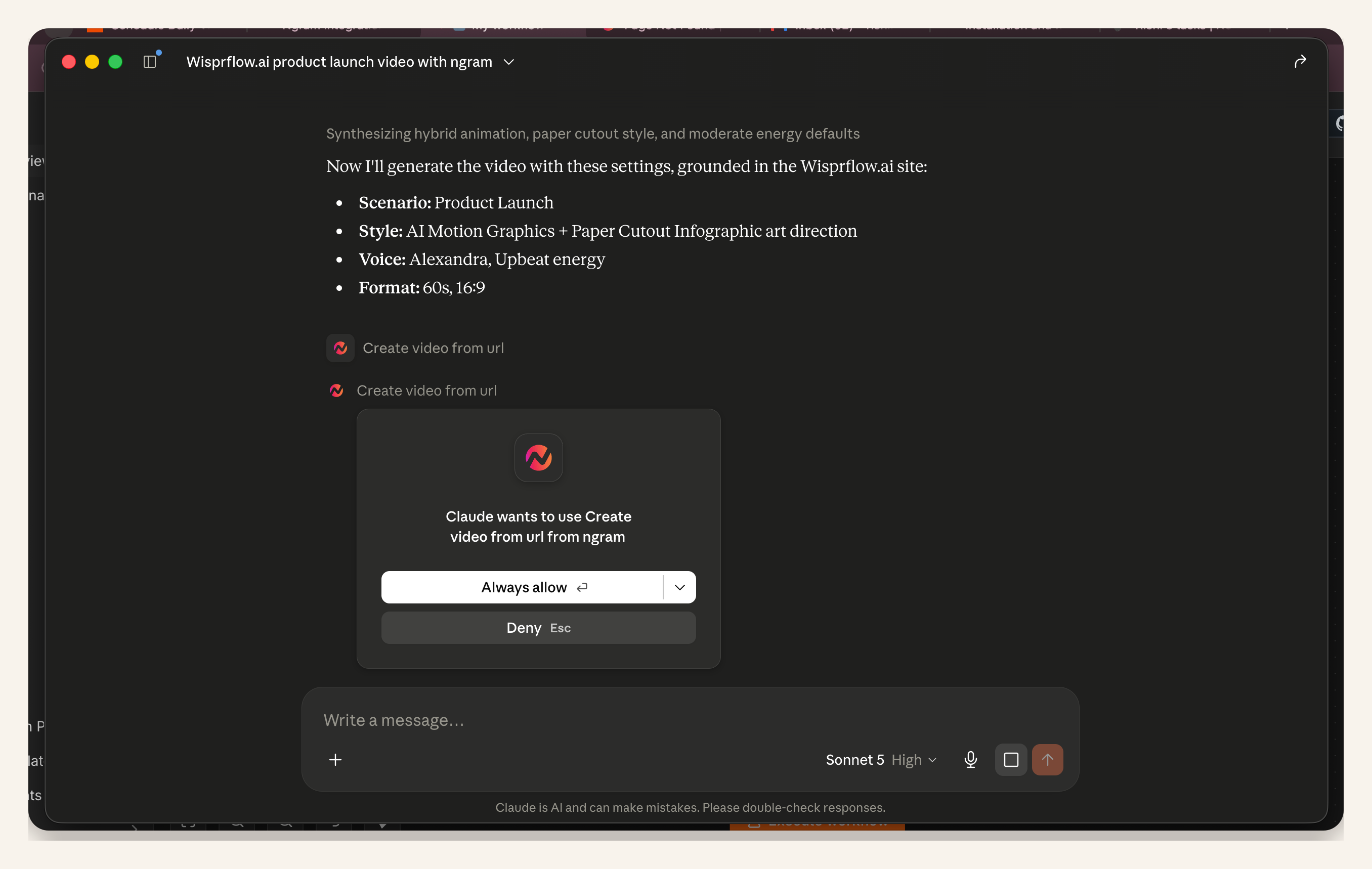
Proof note: The screenshot is from a real launch-video run for Wispr Flow. It demonstrates Claude's ngram permission surface. The settings and product shown belong to that run; they are not teaser output from this article.
Step 4: Monitor the server-side render
ngram renders the approved video server-side. A typical render takes around 15 to 20 minutes, depending on scene complexity, source processing, voice, and generation choices. Claude can report that the job started and return a job reference, but you do not need to wait in the conversation.
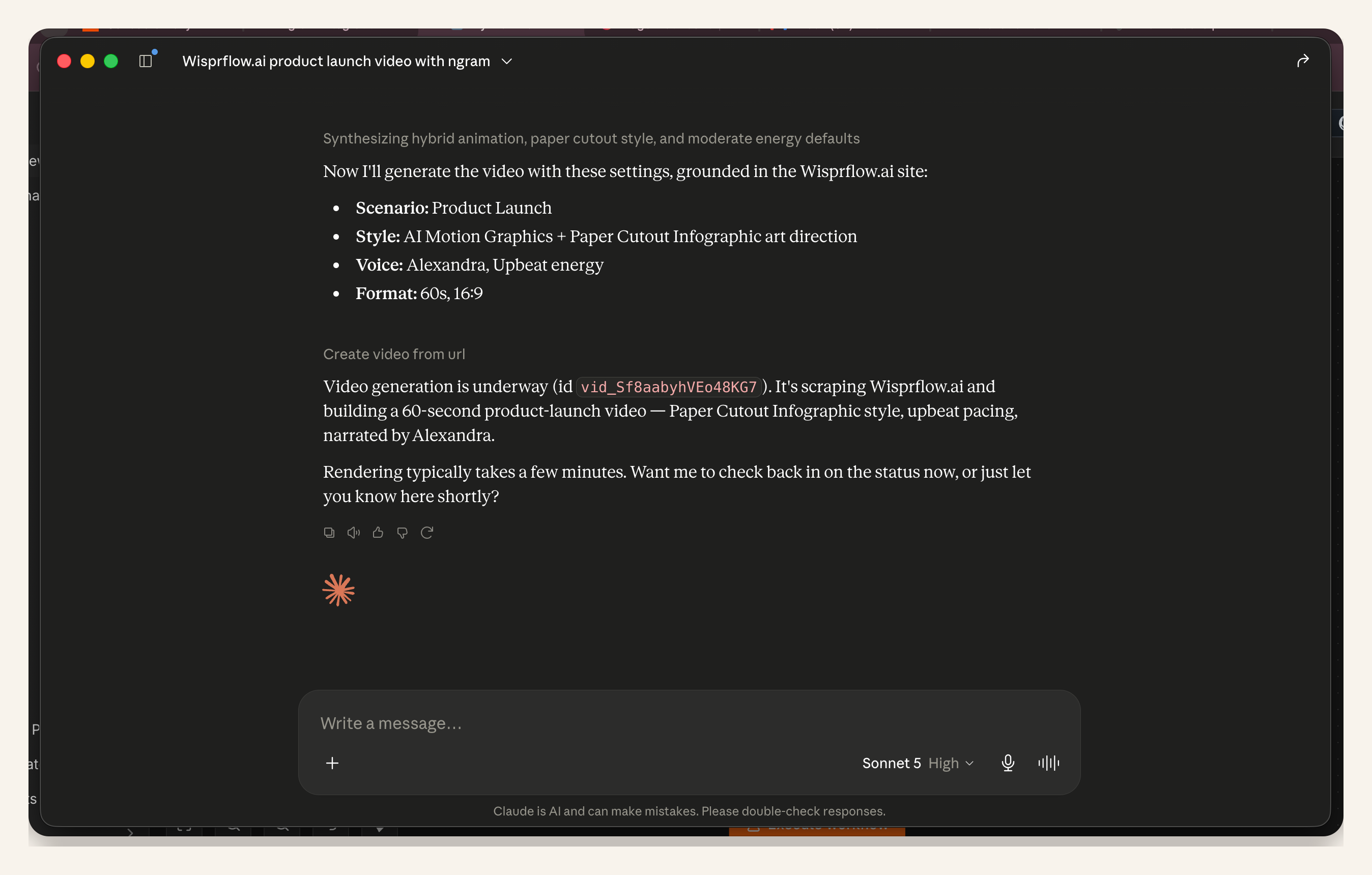
Proof note: This is the same real launch run after tool approval. It proves that Claude can report an active ngram job in chat. The job shown is not the product teaser video described here.
Open the ngram app when you want more detail. The progress view can show scene generation while the server continues working. This is useful when you need to leave Claude and return for the final link later.
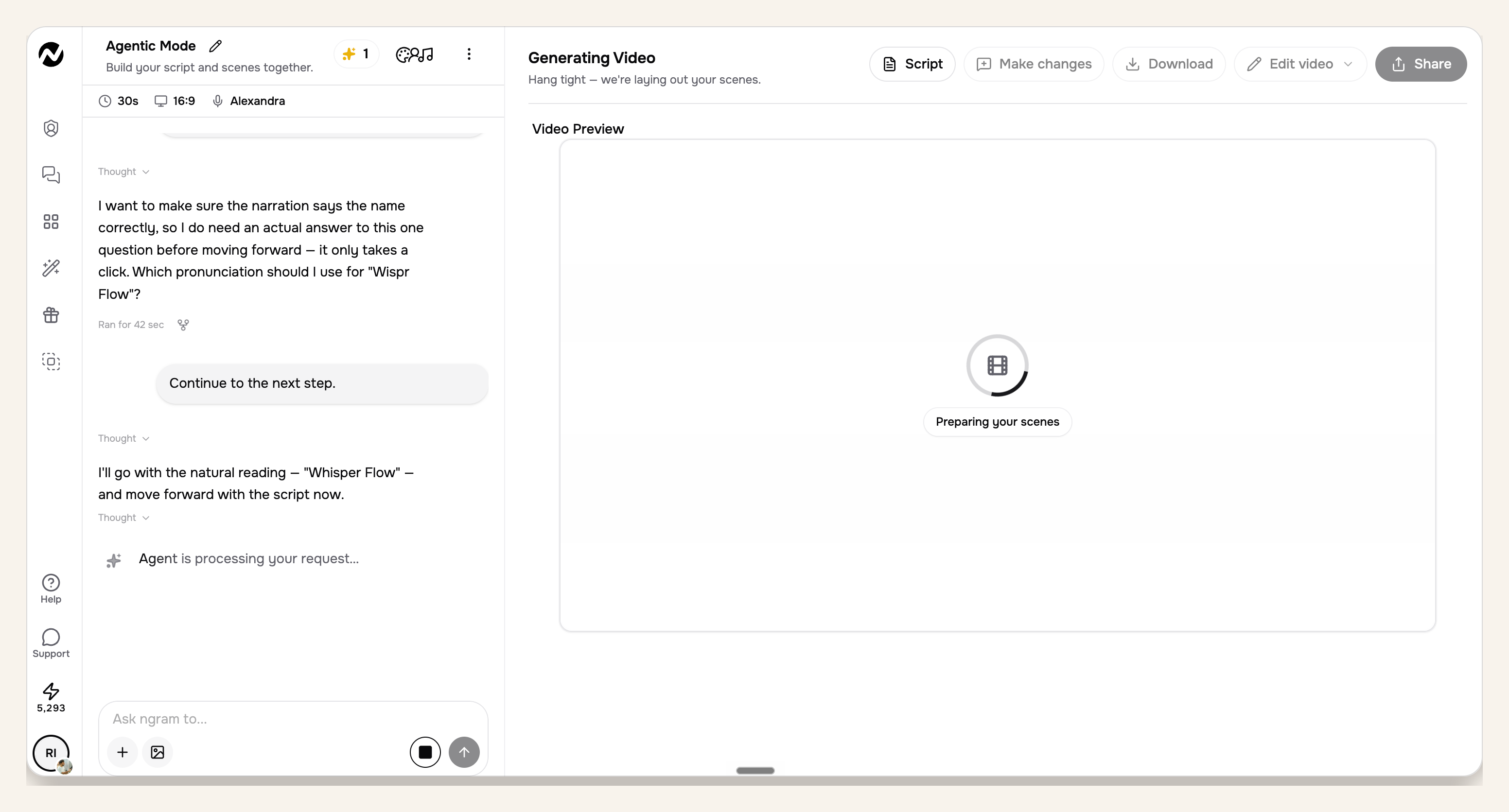
Proof note: The app view belongs to the approved launch run and shows server-side scene progress. It verifies monitoring behavior only; it does not present a teaser result.
Step 5: Receive the final video link in Claude
When rendering finishes, the final video link returns in Claude. Treat that link as the start of review, not an automatic approval. Open the result, watch it once without pausing, then watch again while checking the brief against each scene.
If the cut misses the brief, describe the smallest specific correction. Name the scene, the timing problem, the unsupported phrase, or the CTA mismatch. A precise revision request gives the AI video creation tool a concrete target and protects parts of the cut that already work.
Step 6: Review timing and CTA in ngram
Use the ngram app for the detailed pass. Confirm that the opening problem is readable before the reveal, the proof stays visible long enough to inspect, the launch date is accurate, and the CTA closes the story without introducing a second objective.
Then check captions, voice pronunciation, music level, brand treatment, and scene transitions. Watch once with sound off because the on-screen copy should still carry the main idea. Finally, compare every product statement with the source material you supplied.
Product teaser video QA checklist
A dedicated product launch video maker can speed up the first cut. ngram's AI product video maker for teasers keeps that workflow focused on a teaser, but the review standard stays the same. Use this checklist before calling the teaser complete:
- The first three seconds state or show one audience problem.
- The product promise fits in one sentence and stays consistent through the cut.
- Every claim maps to an approved screenshot, workflow, metric, or quote.
- The teaser reveals a useful product moment without explaining the whole workflow.
- The launch date and CTA are accurate, readable, and held on screen long enough to act on.
- Captions preserve the main idea when sound is off.
- Voice pronunciation, music level, logo use, colors, and product UI match the approved sources.
- The final runtime earns every second and contains no repeated scene or filler line.
Two outside benchmarks help frame that pass. Wyzowl found that 71% of video marketers see 30 seconds to two minutes as effective, while its trust result puts quality under direct scrutiny. Demand Gen Report's 2024 content-preferences study found that 72% of buyers shared content with team members, while 51% said content was too generic or irrelevant. A teaser should be specific enough that a colleague can understand why it matters after one watch.
Common product teaser video failure modes
The prompt says only to make it exciting
Excitement is not a production instruction. Add the seven required fields, then ask Claude for a timed plan before the tool call. Replace adjectives with a product fact, an approved proof asset, or a specific audience problem.
The brief contains every feature
A feature dump gives the teaser no hierarchy. Choose one promise and one product moment that supports it. Keep secondary features in the source material only if they help Claude understand context, and tell Claude not to place them in the script.
The proof cannot support the claim
Remove any unsupported metric or customer statement before rendering. A product interface can prove that a feature exists, but it cannot prove speed, ROI, or adoption without measured evidence. Put the source beside every numerical claim in the brief.
The tool request gets approved without review
The permission dialog is a useful control point. Compare the request with the approved plan and reject it if an argument changed. This check is especially important when the conversation contains older drafts or conflicting source notes.
The team waits in Claude for the whole render
Rendering happens server-side and usually takes around 15 to 20 minutes. Use the ngram app to monitor scene progress, then return to the conversation when the final link is ready. The job does not depend on keeping the chat in view.
The workflow is assumed to work in every assistant
The connection requires an agent with connectors, remote MCP support, or a compatible custom MCP client. Confirm the client's tool and authentication support before planning the run. Claude's connector UI is the verified path used here.
Frequently asked questions
What should a product teaser video include?
Include one audience problem, one product promise, one approved proof point, the launch date, and one CTA. Add the product name and target length to the brief. Leave the full workflow explanation for a demo.
How long should a product teaser video be?
A practical starting range is 20 to 30 seconds when the goal is one promise and one CTA. Wyzowl's broader 2026 survey found 71% of video marketers consider 30 seconds to two minutes effective, but your product teaser video should last only as long as its single reveal needs.
Can Claude create the video by itself?
Claude plans the teaser and requests the tool call. In this setup, ngram is the AI video generation platform that renders the video and returns the final link. This division lets you review the creative plan before server-side rendering begins.
Do I need an ngram API key for Claude?
No external API key is required for the Claude connector. Complete authentication in Claude's connector UI. Header-capable custom MCP clients can use a self-service bearer key created in Account & Settings → API Keys.
How long does ngram take to render from Claude?
A render typically takes around 15 to 20 minutes, depending on complexity. Source processing, scene generation, voice choices, and revisions can change the total time. ngram renders server-side, so you can monitor the job in the app without waiting in Claude.
Can I monitor the render in ngram?
Yes. The ngram app can show the active job and scene progress while rendering continues. The final link also returns in Claude when the job finishes.
What is the difference between a teaser and a demo?
A teaser creates curiosity around one promise and withholds most of the workflow. A demo teaches the viewer how the product solves a job, usually with more interface detail and explanatory structure. Choose one before writing the brief because the pacing and proof burden differ.
Create the teaser from a reviewed brief
The shortest route to a credible product teaser video is a complete brief and a deliberate approval step. Give Claude the seven production fields, require a timing and proof map, then let ngram render only after the plan matches the source material.
When this becomes recurring launch work, use the same source discipline for a growth campaign video workflow. Keep one owner for claims and proof, preserve the reviewed brief, and use the final QA checklist every time the product message changes.