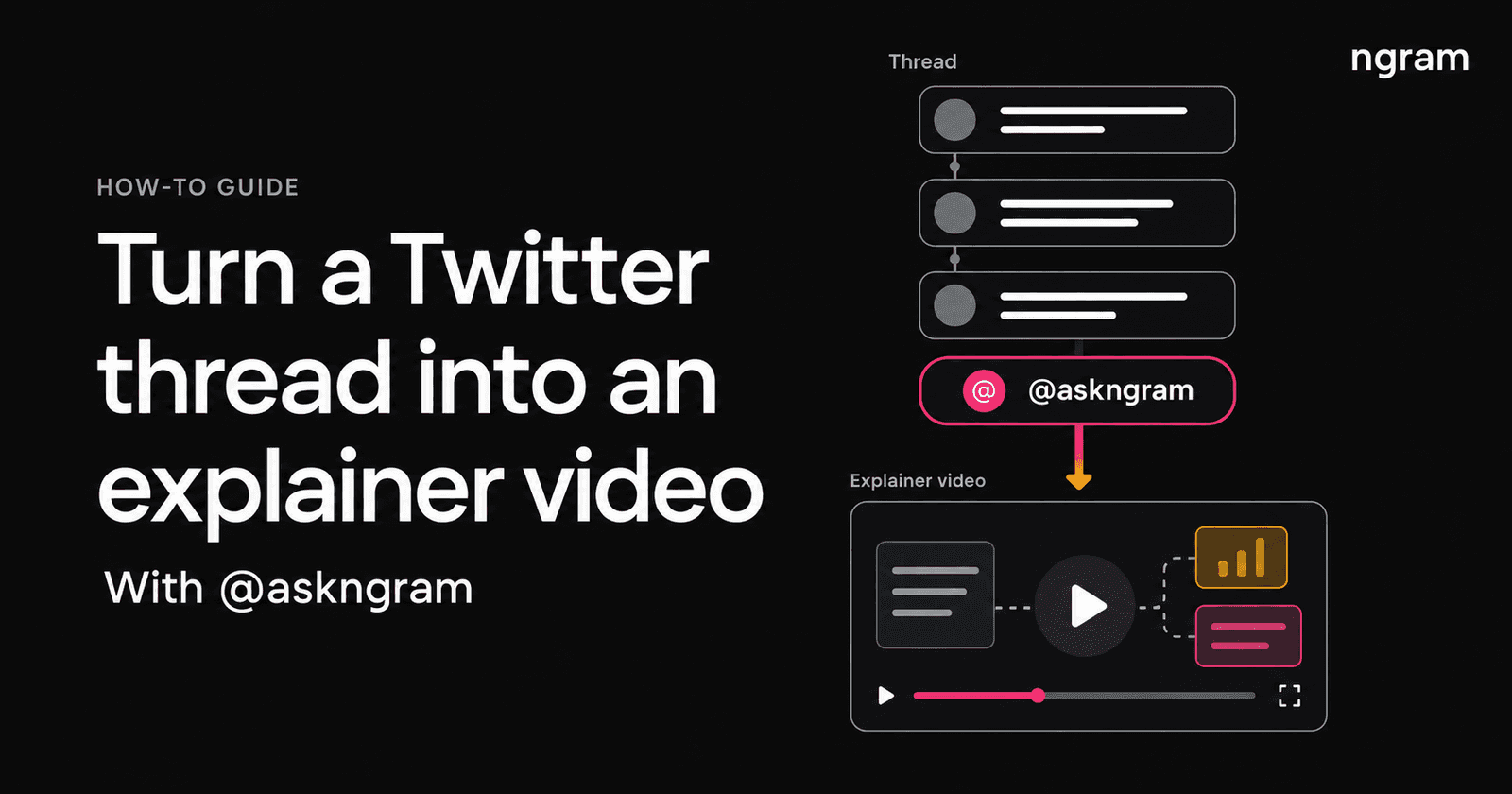

To convert a Twitter thread into an explainer video, reply in the conversation with @askngram and say what you want explained. The bot creates the video and replies in the same thread on X, formerly Twitter. Start with this request:
@askngram create a short explainer of the main idea in this thread.
A good thread can still be hard to follow if you are new to the subject. Perhaps the author assumes you know the terminology, or the answer is spread across several replies. An explainer gives readers another way to understand the idea while keeping the discussion close at hand.
This guide covers the askngram X/Twitter bot: where to mention it, what to write, and how to find the video it posts back.
Watch the @askngram workflow
The walkthrough below shows a request for a short comparison explainer and the bot's video reply. Notice how the request names the comparison it wants covered. You can use the same approach for a question in your own thread.
You can also open the example reply on X to see the video in its original conversation. The walkthrough is silent; the steps below explain the actions.
How to convert a Twitter thread into an explainer video
1. Open the thread you want explained
Start with a public conversation that has a clear subject. A technical explanation, a product announcement, or a discussion comparing two approaches gives the bot something concrete to explain.
Read the thread before you make the request. Decide what you want a viewer to understand at the end. For a long discussion, choose the question that matters most rather than asking for every reply to receive equal attention.
For example, a launch thread might discuss a new feature, its implementation, and several future plans. If your audience is customers, the useful question is likely: what changed, and what can I do with it?
2. Reply with @askngram and your request
Open the reply box in that conversation. Include the exact handle @askngram and ask for an explainer video. Post the reply under the discussion you want explained so the request stays with its source.
@askngram make a short explainer video about what changed in this launch and why it matters to customers.
The mention starts the request. The rest of the sentence tells the bot what the explanation should focus on. Give it a question it can answer, such as how a process works or what separates the two approaches being discussed.
3. Name the audience or angle when it matters
If the thread assumes knowledge your viewers do not have, say who the explanation is for. A developer and a first-time user may need different introductions to the same subject.
@askngram explain the main idea in this thread for someone new to the topic. Define the key terms before explaining how it works.
You can also ask for a short explainer or suggest a target length. Keep the scope small enough to explain clearly: one question is a better starting point than a whole discussion with several competing ideas.
4. Watch the video reply in the thread
ngram creates the explainer and posts it as a reply in the same X conversation. Return to the thread and look for the response from @askngram. Open the video there, alongside the original discussion.
Watch it with your original question in mind. Does the explanation capture the main point? If the thread compares alternatives, does the video preserve the tradeoff? Check names and any numbers against the original posts before sharing the explanation further.
Copy-ready prompts for the askngram Twitter bot
Use these as starting points. Replace the topic or audience with the one you have in mind. Write your request in ordinary language, with the question you want answered.
Explain a dense technical thread
@askngram create a short explainer video of the concept in this thread for a beginner. Start with the problem it solves and use a simple example.
Use this when readers need background before the rest of the conversation makes sense. Naming the audience gives the request a clearer scope than asking the bot to explain everything.
Compare the two approaches being discussed
@askngram create an explainer comparing the two approaches in this thread. Focus on the main difference and when each would be useful.
This is useful when the discussion has become a list of advantages and objections. Ask for the distinction a viewer needs to understand before choosing an approach.
Explain a product announcement
@askngram turn this announcement thread into a short explainer for existing users. Explain what changed and why it matters to them.
Keep the audience specific. Existing users may need the change explained; someone seeing the product for the first time may need the problem explained first.
Answer one question from a long conversation
@askngram make an explainer video answering this question from the thread: [your question]. Focus on that part of the discussion.
Replace the bracketed text before posting. This works as a prompt pattern when the replies have branched into several subjects and you want to bring attention back to one idea.
Make your thread-to-video request easier to follow
The most useful detail in your request is often the question, not the video length. “Explain this” leaves the focus open. “Explain why this change matters to existing users” tells the bot what the viewer needs from the video.
Suppose a thread describes an onboarding redesign. The author discusses the old setup process, the new flow, and the reason behind the change. A focused request would be:
@askngram explain how the onboarding change in this thread affects a new user. Focus on the old friction and what the new flow changes.
For your own thread, replace the onboarding change with the subject you want explained. You can give the bot a clear direction in a sentence without writing a full video script.
- Name the question or comparison you want covered.
- Specify the audience when the thread assumes prior knowledge.
- Keep important qualifications in the request if they are central to the explanation.
- Watch the result before using it to explain the topic to someone else.
If you cannot find the video reply
Check that your posted reply includes @askngram with the correct spelling and an explicit request for an explainer. Confirm that you posted it in the intended conversation, then look there for the bot's response.
Give the bot time to respond and check the conversation again. Avoid posting the same request repeatedly while you wait.
If you need to direct a separate video project, the X thread to video workflow lets you start from pasted thread text in ngram. Add the audience and the explanation you want to create.
Frequently asked questions
What is the Ask ngram Twitter bot?
The bot is @askngram on X. Mention it in a conversation with an explainer request, and it creates a video and replies in that thread. Use the exact handle even if you refer to it as “Ask ngram” in conversation.
Do I paste a Twitter link into ngram to use the bot?
The bot workflow starts with a reply on X: mention @askngram under the conversation and describe the explainer you want. For a separate project inside ngram, paste the thread text into the thread-to-video workflow.
Where will the finished explainer video appear?
The bot posts the video as a reply in the same X conversation. Look for a response from @askngram in the thread where you made the request.
Can I choose what the video explains?
Yes. Include the angle in your mention, such as the main idea, a beginner explanation, or a comparison discussed in the thread. Be explicit about the question you want answered.
Can I edit the video or turn it into a larger project?
For a project you want to direct and revise, start a separate video in ngram with the source text and your brief. Its video editing tools let you revise a generated video through chat or work in an independent editor copy. The bot workflow described here ends with its video reply on X.
Try it on a thread you want explained
Find a conversation with one idea you would like to see explained. Reply with @askngram, name that idea, and ask for a short explainer video. You can open @askngram on X to find the bot.