Macro close-up Video Style
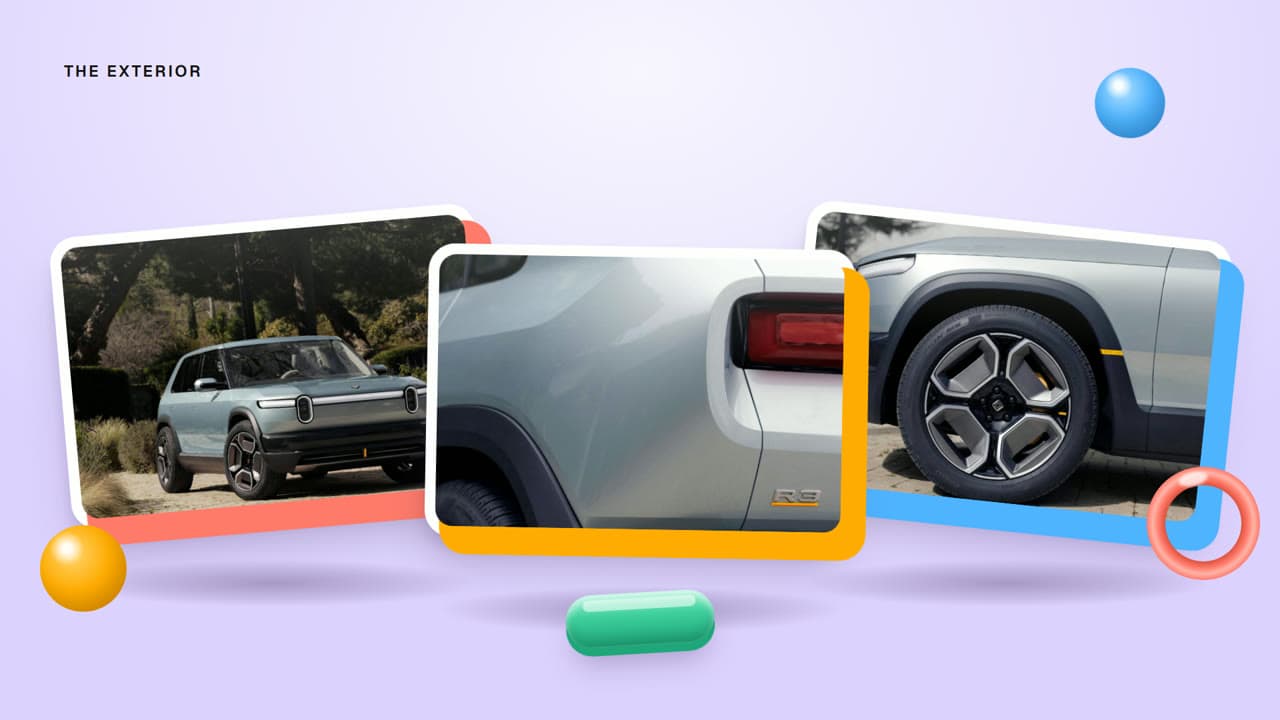
Extreme close-ups of ceramic, glass and metal with shallow focus.
See it in action with Rivian R2 everyday space.
From this input to this video
An automotive ad using Rivian’s official vehicle footage and photography to show cabin space and storage.
Create a 30-second ad video for Rivian, an automotive electric-vehicle manufacturer for drivers balancing daily errands with weekend trips. Open on the problem: The week needs a practical car. The weekend needs room for more.. Show the Rivian R2 electric SUV solving it with its roomy cabin, hidden storage and folding rear seat shown in Rivian’s official imagery — use real visuals from https://rivian.com/r2, do not invent footage. Tone: grounded, inviting and adventurous. Close with the line Explore Rivian R2. Voiceover language: English; if no voiceover, use on-screen captions and light music.
Read the exact input
Prompt
Create a 30-second ad video for Rivian, an automotive electric-vehicle manufacturer for drivers balancing daily errands with weekend trips. Open on the problem: The week needs a practical car. The weekend needs room for more.. Show the Rivian R2 electric SUV solving it with its roomy cabin, hidden storage and folding rear seat shown in Rivian’s official imagery — use real visuals from https://rivian.com/r2, do not invent footage. Tone: grounded, inviting and adventurous. Close with the line Explore Rivian R2. Voiceover language: English; if no voiceover, use on-screen captions and light music.
Selected style
Macro close-up
Source material
Read the video transcript
The week needs a practical car. The weekend needs room for more. Rivian R2 hides space where you'd least expect it, like a front trunk and an extra glovebox. Fold the rear seats flat, and the back opens up for the whole trip. Front row or back, the cabin feels open under a panoramic glass roof. One SUV for the errands and the escape. Explore Rivian R2.
Make it yours
Fill in your details here, or continue and finish your brief in ngram.
Trusted by teams at


When to use Macro close-up
Focus on the small detail
Close views can reveal texture, construction or a distinctive feature. Choose the detail that supports the product message.
Alternate detail and context
A wider view helps the audience understand what they are looking at. Use the brief to connect a close-up to its practical benefit.
Use accurate product imagery
Provide high-quality product photos or footage and verified material information. Name details that must remain true to the actual item.
What to bring
Provide high-quality product photos or footage and verified material information. Name details that must remain true to the actual item.
Related video styles
Compare a few directions before you start your draft.


Connect your video workflow
whenThe finished automotive ad is ready for a channel upload
thenPrepare the YouTube post for the automotive ad, then publish it.
whenThe finished automotive ad is ready for a company post
thenShare the automotive ad on LinkedIn once the post is composed.
whena seasonal promo is due
thentrigger an ad render automatically
Style template questions
Will my selected style survive sign-in?
Continue with your brief and chosen style in ngram. You can fill in the remaining details or change your selections before creating the video.
Can I change the style in Studio?
Yes. The selected style is a starting point. You can choose another active style or adjust the video before generation.
Does the template copy the preview video?
Your brief starts a new video using the chosen visual direction. Add your own source material and adjust the settings to make it yours.
What source material should I bring?
Use your own product links, screenshots, recordings or documents. The example’s exact input shows how source material and a filled-in brief work together. Add your own material in ngram before creating the video.
Can I use my brand with this style?
Yes. Set up your Brand Kit first, then select it while creating your video. You can also turn on captions and adjust your video in ngram.