

The honest BombBomb vs Sendspark choice starts with a small workflow question: are reps recording personal videos one by one, or is one recording supposed to turn into hundreds of personalized sales touches? BombBomb and Sendspark both live in video email, but they do not solve the same version of that job.
BombBomb is the older, relationship-video platform. It is comfortable inside Gmail, Outlook, Chrome, Edge, mobile, and relationship-heavy industries where a rep or agent wants to record a short clip, send it, and follow up when someone watches. Sendspark is the newer AI-personalization platform. It asks you to record once, then uses dynamic backgrounds, voice cloning, personalized thumbnails, and sales-stack integrations to make the video feel tailored to each prospect.
There is a third path, too. If your team is comparing these tools because you need better videos for sales, demos, enablement, customer updates, or product explainers, ngram may be the cleaner answer. ngram does not replace BombBomb's tracked email-send workflow or Sendspark's AI-personalized outbound engine. It wins when the source material needs to become a finished, on-brand video before anyone sends it.
BombBomb vs Sendspark at a glance
Use this table for the quick decision, then read the deeper sections if pricing, analytics, or CRM fit will decide the purchase.
| Tool | Best for | Starting price checked June 2026 | Watch-out |
|---|---|---|---|
| ngram | Finished business videos from docs, URLs, decks, prompts, screenshots, screen recordings, and raw video | $0 starter tier, Basic from $29/mo | Not a video email sequencer or per-recipient sales analytics platform |
| BombBomb | One-to-one video email for relationship-driven sales, real estate, mortgage, recruiting, and customer communication | Core $42/user/mo monthly, $36/user/mo annually | No AI personalization at Sendspark's scale, and team cost rises per seat |
| Sendspark | B2B outbound teams that want one recording personalized into many recipient-specific videos | Solo $49/mo, Growth $99/mo, Team $299/mo | Value depends on dynamic video minutes, workflow tasks, and a clean sales stack |
Short verdict
- Pick BombBomb if your best sales motion is high-trust, one-to-one video from Gmail, Outlook, mobile, Chrome, Edge, or vertical CRM workflows.
- Pick Sendspark if your team sends enough outbound that one recording per prospect is the bottleneck. Sendspark's AI voice cloning and dynamic backgrounds are built for that scale problem.
- Use ngram if the hard part is creating the video itself: a sales demo, product explainer, launch clip, onboarding video, or enablement asset from source material you already have.
Core workflow: relationship video vs scaled personalization
BombBomb is strongest when the video is the message. A real estate agent, mortgage advisor, customer success manager, recruiter, or account manager records a personal update and sends it where the relationship already lives. BombBomb's public pricing page lists browser extensions, Gmail and Outlook integrations, mobile apps, custom branding, secure hosting, quick editing, and viewer engagement analytics in Core. Core + Copilot adds suggested scripts, speaker notes, summaries, titles, noise reduction, automated workflows, and team analytics.
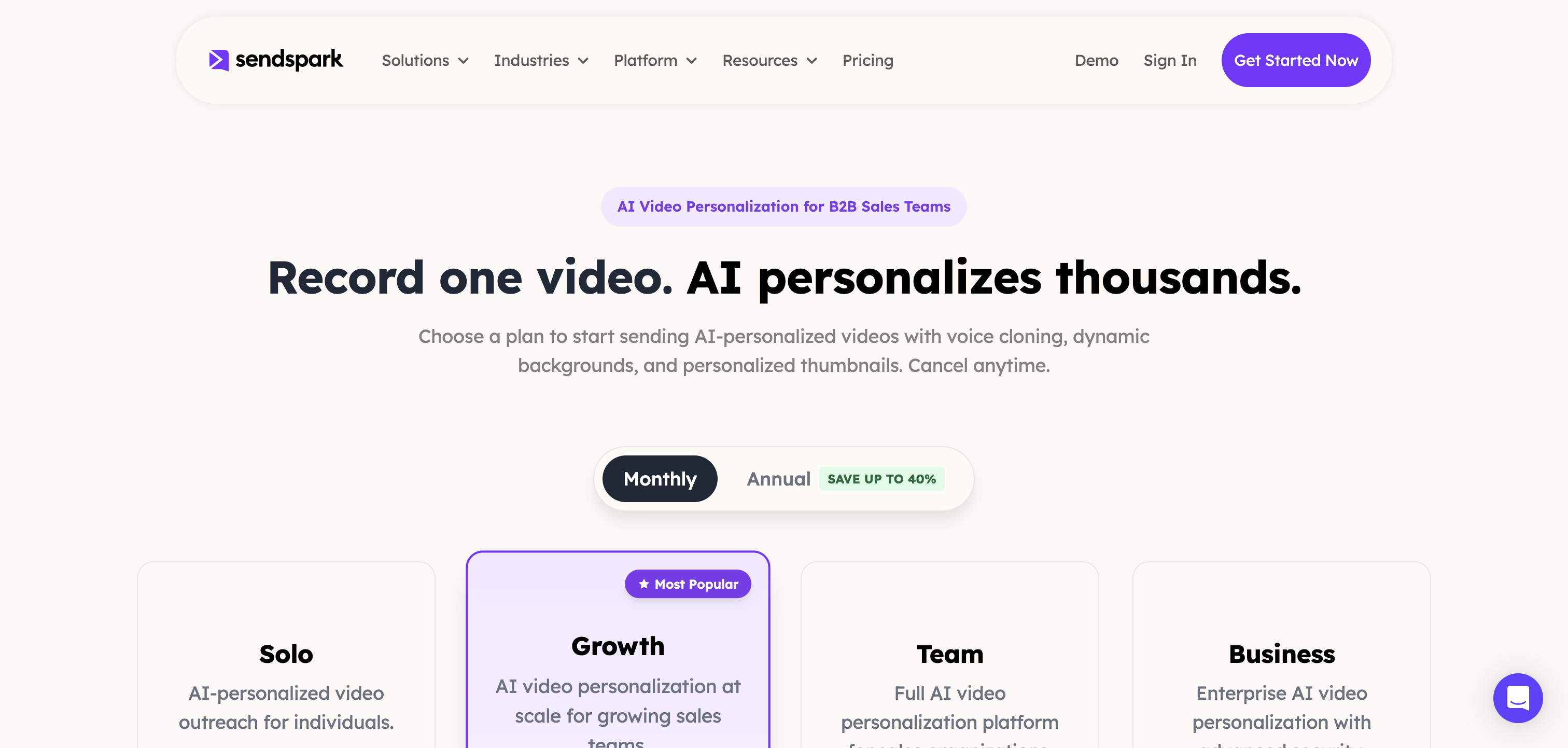
Sendspark is strongest when the base video is only the starting asset. Its pricing page says the Solo plan includes 100 Dynamic Video Minutes, AI voice cloning, dynamic backgrounds, personalized thumbnails, and basic integrations. Growth adds multiple AI variables, agentic workflows, advanced integrations, API and webhook access, and custom domain branding. In practice, Sendspark is trying to remove the repeat-recording step from B2B outbound.
That split matters. A BombBomb buyer is often asking, "Can my team send more personal video without leaving email?" A Sendspark buyer is asking, "Can our reps send personalized video at sequence volume without recording every take?" An ngram buyer is asking, "Can we turn this product context, doc, deck, or rough screen recording into a polished video that is worth sending?"
Personalization and AI
Sendspark wins the AI personalization dimension. Its own pricing and sales-prospecting pages describe a workflow where one video becomes many personalized versions with the prospect's name spoken in the sender's cloned voice, the prospect's website as a dynamic background, and a personalized thumbnail. Its FAQ also explains that a one-minute AI-personalized video consumes one Dynamic Video Minute.
BombBomb's AI layer is different. Copilot is about adoption and workflow support: AI speaker notes, summaries, titles, audio enhancements, suggested scripts, fallback video logic, automated workflows, and team analytics. That is useful for getting a team to send videos consistently, but it is not the same as Sendspark's prospect-by-prospect generated personalization.
ngram fits before either send motion. ngram can write the script, build the storyboard, add voiceover, captions, brand styling, product callouts, smart zooms, intros, outros, and MP4 exports from a prompt, PDF, URL, deck, screenshot, screen recording, or raw footage. If the sales video needs to look like a real product demo instead of a webcam note, ngram is the production layer.
Winner: Sendspark for AI-personalized outbound. BombBomb for simple human video messages. ngram for the source-to-finished-video step.
Email, CRM, and sequence fit
BombBomb's advantage is daily email convenience. Its product pages and comparison table point to Gmail, Outlook, Chrome, Edge, iOS, Android, custom video pages, CTAs, transcripts, comments, and engagement tracking. BombBomb support docs list automated workflow connectors for HubSpot, Microsoft Dynamics Customer Insights, Outreach, and Total Expert, with tracking data passed back into the CRM when that connector is available.
Sendspark's advantage is the outbound stack. Its sales-prospecting page says videos can be embedded into Outreach, SalesLoft, Apollo, Smartlead, Instantly, and 50+ other email platforms. Its pricing FAQ says basic integrations include HubSpot, Gmail, Outlook, and LinkedIn, while Growth and above add Salesforce, Outreach, SalesLoft, Apollo, Smartlead, API access, and webhook access.
That creates a clear rule. If reps live inside Gmail or Outlook and send high-touch videos by hand, BombBomb feels natural. If SDRs live inside sequencers and need video to behave like a scalable campaign asset, Sendspark is the stronger fit. If the team needs a polished demo or explainer to attach inside either workflow, create it in ngram first and then send it through the sales stack you already use.
Analytics and follow-up
BombBomb has a long-running analytics story for relationship video. Its comparison table lists viewer engagement analytics, video watch time and click data, team performance dashboards, enterprise analytics, and exports. Public TrustRadius reviews repeatedly praise the ease of sending video and the usefulness of opens, clicks, watch behavior, and quick follow-up signals, while also noting CRM sync friction in some setups.
Sendspark is more recipient-specific by design. The value is not only seeing whether a video was watched, but making the video different for each recipient and then pushing engagement data back into a CRM or sequencer. That is a better match for outbound teams that prioritize accounts based on engagement and run follow-ups across a pipeline rather than one inbox.
ngram's analytics limit is important. ngram provides hosted video pages and embeds, but detailed watch time, scene-level drop-off, completion rate, and variant performance are not claimable as live today. If analytics is the buying reason, BombBomb or Sendspark should stay on the shortlist. If the buying reason is the quality and speed of video creation, ngram belongs in front of the send tool.
Pricing and value
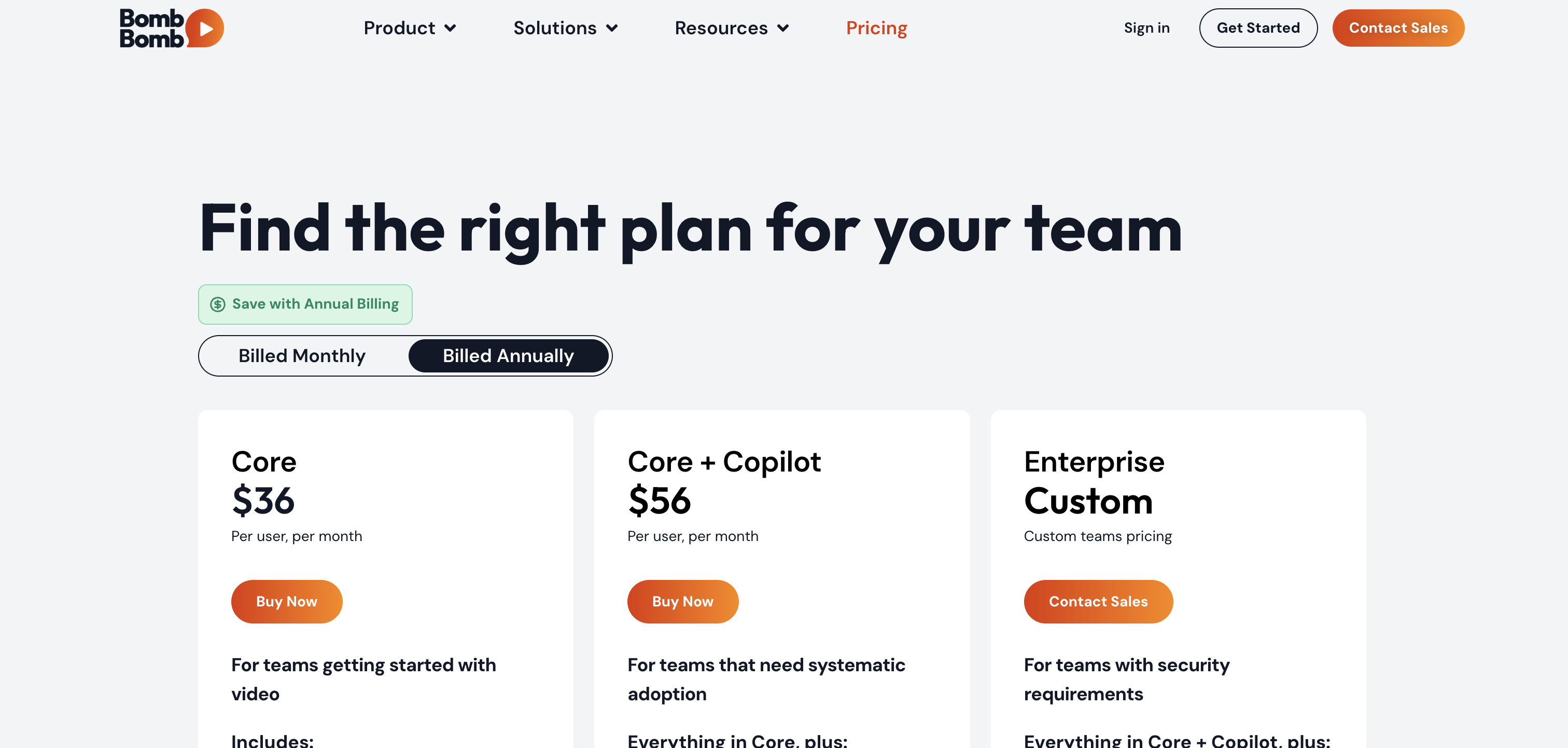
BombBomb is cheaper for a single annual seat at the entry plan. Its pricing page lists Core at $42 per user monthly or $36 per user monthly when billed annually. Core + Copilot is $70 per user monthly or $56 per user monthly annually. Enterprise is custom.
Sendspark starts higher on the headline monthly price but packages team capacity differently. Solo is $49 monthly for one seat with 100 Dynamic Video Minutes. Growth is $99 monthly for 3 seats and 250 Dynamic Video Minutes. Team is $299 monthly for 10 seats and 1,000 Dynamic Video Minutes. Business is $699 monthly for 25 seats and 3,000 Dynamic Video Minutes. Extra Dynamic Video Minutes have a per-minute rate by plan.
ngram's Basic plan is $29 monthly with 3,000 credits per month, Premium is $59 monthly with 10,000 credits per month, and Ultimate is $299 monthly with 50,000 credits per month. That is a different value model because credits cover video generation, AI editing, and exports rather than video email sends or dynamic personalization minutes.
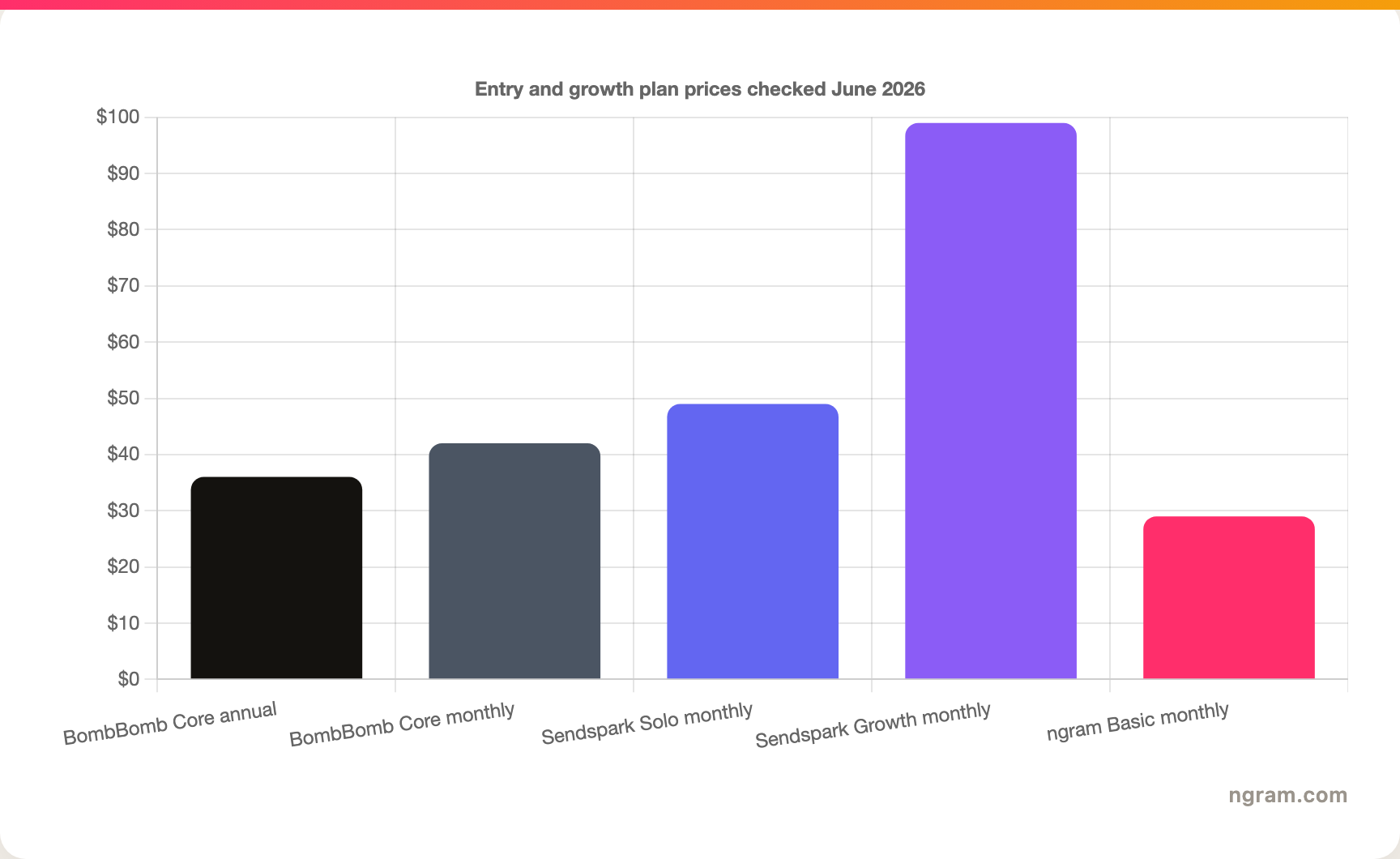
Price alone can mislead here. BombBomb is the lower-cost solo relationship-video tool. Sendspark can be more efficient when a team would otherwise record dozens of individualized videos manually. ngram is lower at entry and broader in production, but it does not include Sendspark-style dynamic minutes or BombBomb-style video email tracking.
1. ngram, the better third option for finished video
Watch how ngram turns an idea into a finished video:
ngram is not a drop-in replacement for BombBomb or Sendspark when the job is video email delivery, engagement alerts, CRM-sequence automation, or per-recipient AI personalization. That honesty matters. These tools are sales-message delivery systems. ngram is a video creation system.
The overlap is the finished-video slice. Sales, product marketing, customer success, and enablement teams often need a better video before sending anything: a product demo, feature update, proposal walkthrough, onboarding tutorial, customer education clip, or sales enablement asset. ngram starts from prompts, PDFs, URLs, screenshots, screen recordings, raw video, and decks, then plans the script, storyboard, scenes, voiceover, captions, CTA, visual direction, and export formats.
That makes ngram useful around both tools. A BombBomb team can use ngram to turn a rough product capture into a polished customer update before sending it as a relationship video. A Sendspark team can use ngram to create the reusable demo body or explainer that a personalized Sendspark intro points to. In both cases, ngram handles the production quality that a pure send tool does not own.
For direct context, read the ngram vs BombBomb comparison, the ngram vs Sendspark comparison, and the sales product demo workflow.
Use ngram when the asset needs to be produced, not merely sent. Start from a doc, URL, deck, screen recording, or rough footage and generate a polished video your sales tool can distribute.
2. BombBomb
BombBomb is best for teams that believe the sender's face and voice are the point. The platform records, stores, brands, sends, and tracks video messages, with native-feeling paths through Gmail, Outlook, browser extensions, mobile apps, and selected CRM workflows. BombBomb's public plan table also shows transcripts, closed captions, playback speed, CTA buttons, viewer comments, likes, replies, watch time, click data, and team dashboards across plan tiers.
Where BombBomb wins
- One-to-one video email from Gmail, Outlook, Chrome, Edge, iOS, and Android.
- Relationship-heavy categories like real estate, mortgage, automotive, recruiting, customer success, and account management.
- Unlimited video messages on Core, plus privacy controls, custom branding, secure hosting, and viewer engagement analytics.
- Copilot workflows for teams that need scripts, assignments, fallback logic, CRM send paths, and team adoption reporting.
Where BombBomb loses
BombBomb does not match Sendspark's record-once, personalize-many workflow. If every prospect needs their name spoken, their website shown, their thumbnail personalized, and their outreach synced through a sequencer, BombBomb becomes manual faster. BombBomb also prices per user, so team expansion makes the cost scale linearly unless the workflow value is clear.
Public review pages give BombBomb credit for ease of use, fast setup, video email standout value, and engagement alerts. The recurring caution is workflow fit: some users want deeper CRM portability or a more scalable personalization layer than one-to-one recording can provide.
3. Sendspark
Sendspark is best for sales teams that already have lists, sequences, enrichment, and enough prospect volume to make repeat recording painful. Its product story is direct: record one video, then AI personalizes versions with voice cloning, dynamic backgrounds, and personalized thumbnails. Growth and higher plans add workflow automation, advanced integrations, and API or webhook access for custom sales motions.
Where Sendspark wins
- AI voice cloning and name personalization for outbound teams that cannot record a unique take for every recipient.
- Dynamic prospect website backgrounds and personalized thumbnails that make a campaign asset feel closer to a custom message.
- Outbound distribution across HubSpot, Salesforce, Outreach, SalesLoft, Apollo, Smartlead, LinkedIn, Gmail, Outlook, and more.
- Dynamic Video Minutes and workflow tasks that make volume planning more explicit than a simple unlimited-recorder model.
Where Sendspark loses
Sendspark's power depends on the rest of the outbound system. If the CRM fields are messy, email deliverability is weak, or the team sends only a few relationship videos per week, its AI personalization model can be more platform than you need. The Solo plan's 100 Dynamic Video Minutes also creates a different usage question than BombBomb's unlimited video messages.
Public review pages and comparison posts give Sendspark credit for fast setup, responsive support, useful customer video requests, and innovation around personalized video. The caution is fit: teams buying Sendspark for basic recording may be paying for AI personalization they do not use.
How we compared BombBomb and Sendspark
We compared the two tools across the dimensions buyers actually weigh: core output, recording workflow, AI personalization, email and CRM fit, analytics, pricing, best-fit teams, and limits. Official vendor pages were the source of truth for pricing and feature claims. Third-party review and comparison pages were used only for qualitative sentiment, not numerical ratings.
ngram claims in this page come from the current product-state and GTM facts files in this repo. The live scope includes source-led script and storyboard generation, screen-recording polish, AI voiceover, avatars, brand kits, hosted video pages, MP4 export, Zapier, n8n, and self-service bearer API keys for Public API v1. It does not include a generally available owner analytics surface or advanced video performance metrics. Make.com is Coming Soon.
Sources and caveats
Pricing and packaging were checked against BombBomb pricing, the BombBomb plan comparison, Sendspark pricing, the Sendspark sales prospecting page, BombBomb support docs for CRM connectors, TrustRadius review excerpts, and the current live SERP for BombBomb vs Sendspark. Public pricing changes often, so confirm the vendor pages before buying.
FAQ
Is BombBomb better than Sendspark?
BombBomb is better when one-to-one video communication is the job. It is the better fit for relationship sales, account management, real estate, mortgage, recruiting, and customer updates sent through Gmail, Outlook, browser extensions, mobile apps, or selected CRM workflows.
Is Sendspark better than BombBomb?
Sendspark is better when personalization must scale. It is the stronger fit for B2B sales teams that want one recording to become many AI-personalized videos with dynamic backgrounds, AI voice cloning, personalized thumbnails, CRM sync, and sequencer distribution.
Which is cheaper, BombBomb or Sendspark?
BombBomb is cheaper for a single annual entry seat at $36 per user per month. Sendspark starts at $49 per month for Solo, but Growth includes 3 seats and 250 Dynamic Video Minutes for $99 per month. Cost depends on seat count, personalization volume, and whether your team uses Sendspark's AI layer.
Does ngram replace BombBomb or Sendspark?
ngram replaces neither tool for pure video email delivery. ngram is the better choice when the team needs to create the video: a polished product demo, sales enablement clip, feature update, onboarding tutorial, or explainer from docs, decks, URLs, screen recordings, screenshots, prompts, or raw footage.
Which tool should a sales team choose?
Choose BombBomb for relationship video, Sendspark for outbound personalization at scale, and ngram for creating the demo or explainer those tools distribute. Many teams can combine them: create a polished reusable asset in ngram, then send or personalize it through the sales video platform that fits the motion.
Final recommendation
BombBomb and Sendspark are both good tools when matched to the right sales motion. BombBomb is the safer pick for authentic one-to-one relationship video. Sendspark is the better pick for AI-personalized outbound at campaign scale. ngram is the one to choose when your team needs a finished, branded business video before the send step begins.








