
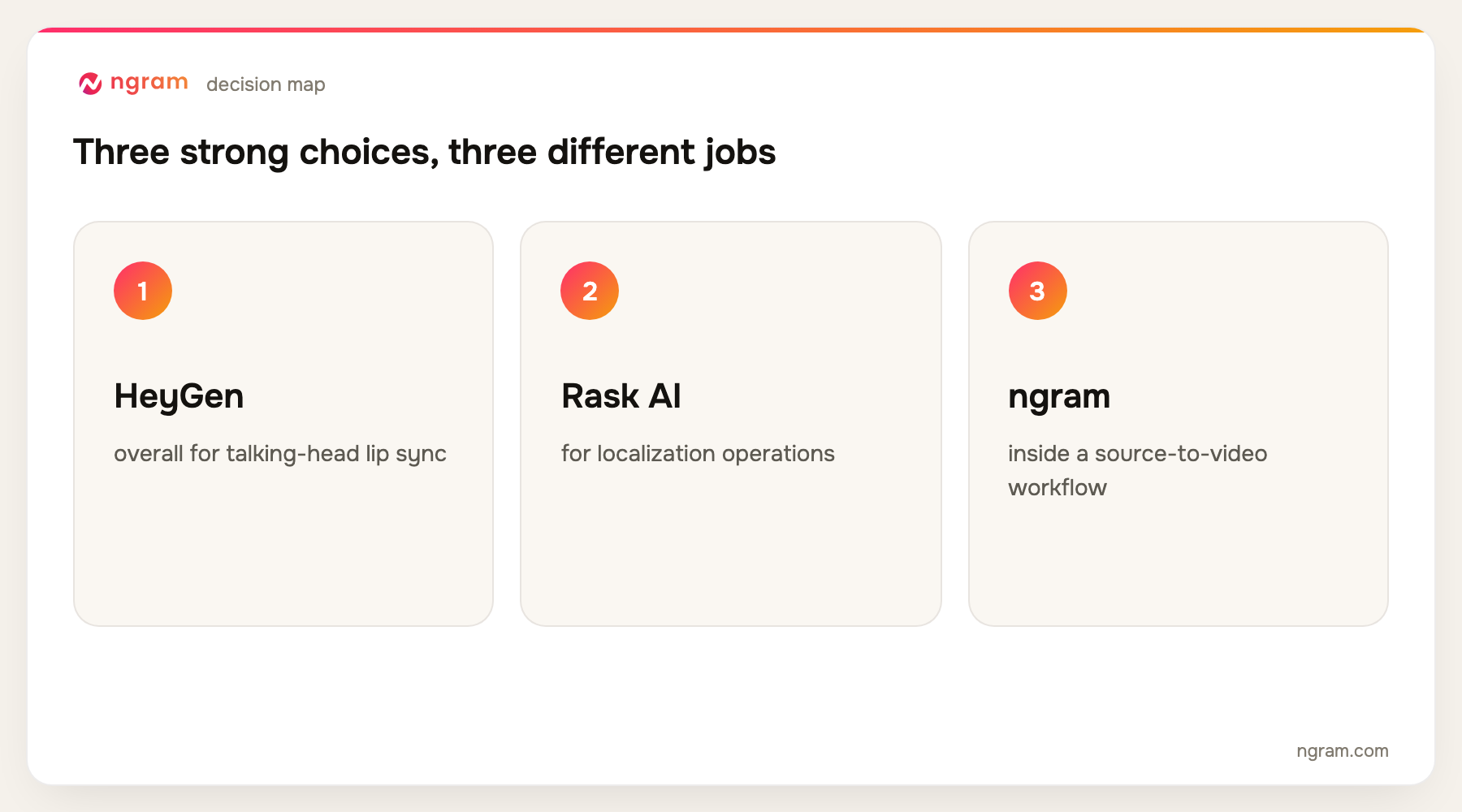
HeyGen is the best video translator for presenter-led business video when lifelike lip sync is the priority. Rask AI is stronger for dedicated localization operations, while ngram is the best fit when translation is one step inside a broader source-to-video workflow. ngram's standalone translator is limited to one minute per run.
ngram publishes this guide and is one of the products evaluated. We did not create a uniform test project in every tool. The ranking is based on current official product, help, licensing, and pricing pages, recurring product frequency across the top five Google results, and workflow fit for translating and dubbing business video with reviewable language, voice, and lip-sync controls.
For a quick business workflow, open ngram's AI video translator. The standalone path accepts MP4, MOV, and WebM files up to 500 MB and one minute per run.
A video translator can produce subtitles, a new voice track, or a lip-synced version that looks as if the speaker delivered the target language. Those are different jobs. Business teams also need terminology control, reviewer access, speaker separation, export formats, and a practical way to correct a name or product phrase.
This comparison therefore gives more weight to reviewability than to a long language count. A mistranslated legal phrase in 140 languages is still a bad result. The winning product depends on whether the source is a talking head, a training library, a campaign, or one part of a new video project.
10 best video translator tools at a glance
| Rank | Tool | Best for | Price reference | Main trade-off |
|---|---|---|---|---|
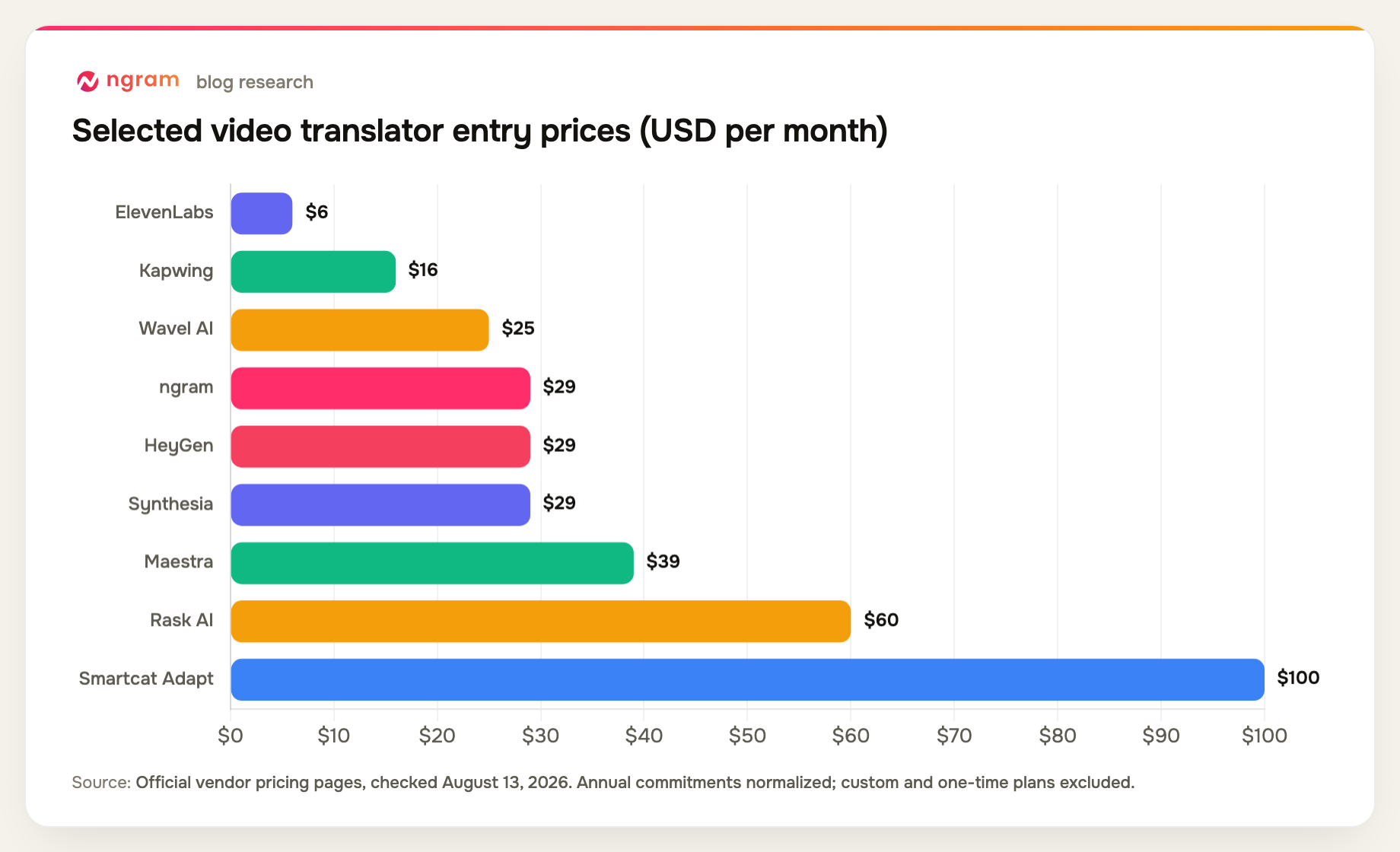
| 1 | HeyGen | Best overall for talking-head lip sync | Free; Creator $29/mo | Credits govern scale |
| 2 | Rask AI | Best for localization operations | Creator $60/mo | Minute limits scale quickly |
| 3 | ngram | Best inside a source-to-video workflow | Free; paid from $29/mo | Standalone runs stop at one minute |
| 4 | ElevenLabs | Best for expressive dubbed audio | Free; Starter $6/mo | No native dubbing lip sync |
| 5 | Synthesia | Best for multilingual avatar training | Free; Starter $29/mo | Avatar-led format |
| 6 | Maestra | Best for transcript and subtitle control | Pay as you go from $12 | Lip sync is a paid add-on |
| 7 | Kapwing | Best for collaborative social localization | Free; Pro $16/member/mo annual | Lip sync requires Business |
| 8 | VEED | Best for simple browser dubbing | Free; paid plans vary | Plan allowances need checking |
| 9 | Smartcat | Best for enterprise language operations | Core free; Adapt $1,200/year | Video is part of a larger TMS |
| 10 | Wavel AI | Best for voice and subtitle breadth | Free; Basic $25/mo | Lip sync is an add-on |
Prices and plan details were checked August 13, 2026. Vendors change packaging frequently, so confirm the checkout page before buying.
How we chose and ranked the tools
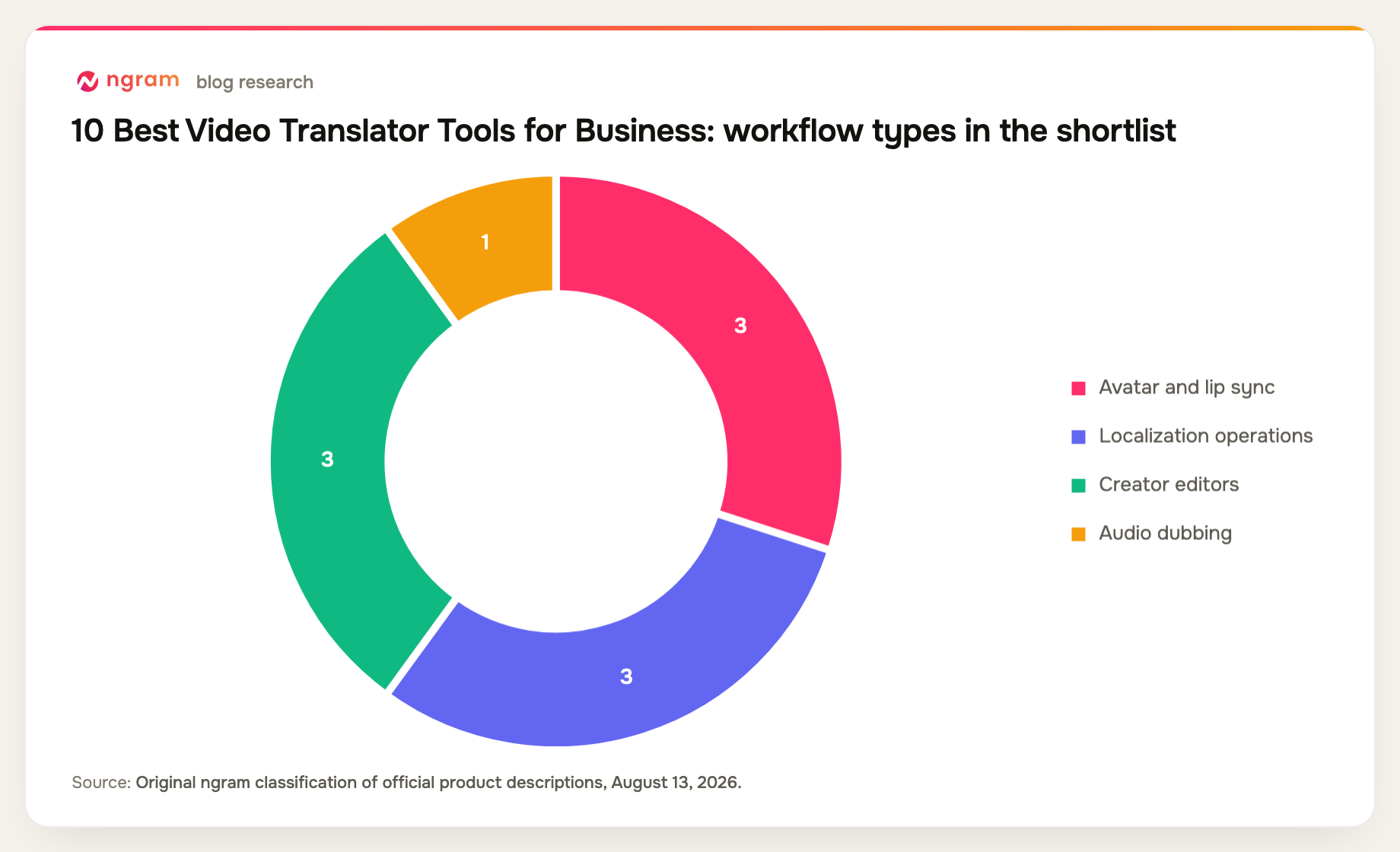
We compared speech translation, subtitle handling, speaker and emotion preservation, voice cloning, lip sync, terminology controls, reviewer workflows, language coverage, limits, and the plan required for business use.
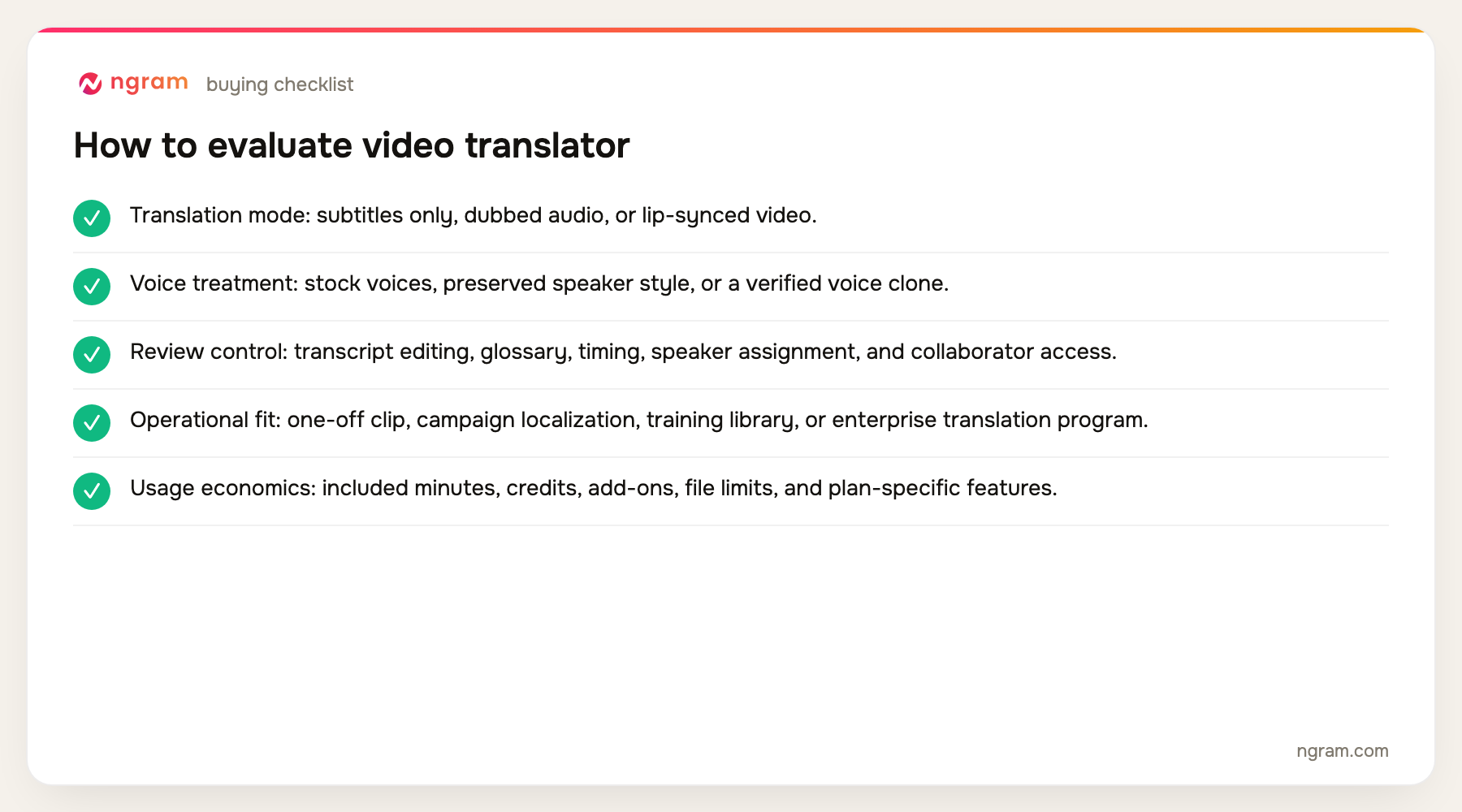
- Translation mode: subtitles only, dubbed audio, or lip-synced video.
- Voice treatment: stock voices, preserved speaker style, or a verified voice clone.
- Review control: transcript editing, glossary, timing, speaker assignment, and collaborator access.
- Operational fit: one-off clip, campaign localization, training library, or enterprise translation program.
- Usage economics: included minutes, credits, add-ons, file limits, and plan-specific features.
The product set was not chosen from memory. We counted products appearing across the current top five organic results, kept products with repeat coverage first, and filled remaining slots from top-ten entity frequency and direct relevance. Products removed by the approved evidence-tier rules were not reconsidered.
For translation inside a larger video project, review ngram's video translation feature rather than judging the one-minute standalone utility alone.
The 10 best video translator tools
1. HeyGen: Best overall for talking-head lip sync
HeyGen translates presenter video with multilingual voices, voice cloning, and lip sync. Its avatar and document-import tools also make it possible to create and localize presenter-led videos in the same platform.
Limitation: Translation volume consumes credits, and the avatar-centered workflow is less useful when a team needs a full terminology and external-linguist operation.
Pricing: Free is available; Creator is $29 per month, Pro starts at $49, and Business starts at $149 plus $20 per additional seat. Pricing checked August 13, 2026.
Verdict: Choose HeyGen when the source is a visible speaker and convincing mouth movement matters most.
Evidence: HeyGen's official June and July 2026 pricing and translation documentation.
User signal: Users commonly praise natural-looking avatars and translation output; credit accounting and cost across many languages are recurring concerns.
2. Rask AI: Best for localization operations
Rask AI is a dedicated localization environment with dubbing, subtitles, voice cloning, 135-plus languages, lip sync, a glossary, transcript and voice controls, batch work, and team review features.
Limitation: The monthly minute model becomes important for long libraries, and the product is focused on localization rather than broader video creation.
Pricing: Creator is $60 per month, Creator Pro is $150, and Business is $750; annual promotional rates can be lower. Pricing checked August 13, 2026.
Verdict: Pick Rask AI when multiple videos and reviewers need a repeatable dubbing workflow with terminology control.
Evidence: Rask AI's official pricing and product pages.
User signal: Review discussions value broad language support and a dedicated workflow; minute usage, rendering time, and correction effort appear in critical feedback.
3. ngram: Best inside a source-to-video workflow
ngram supports translation inside an editable business-video project, alongside scripts, scenes, captions, voiceovers, avatars, and visual revision. Its standalone translator handles short MP4, MOV, and WebM uploads and can apply lip sync to talking-head clips.
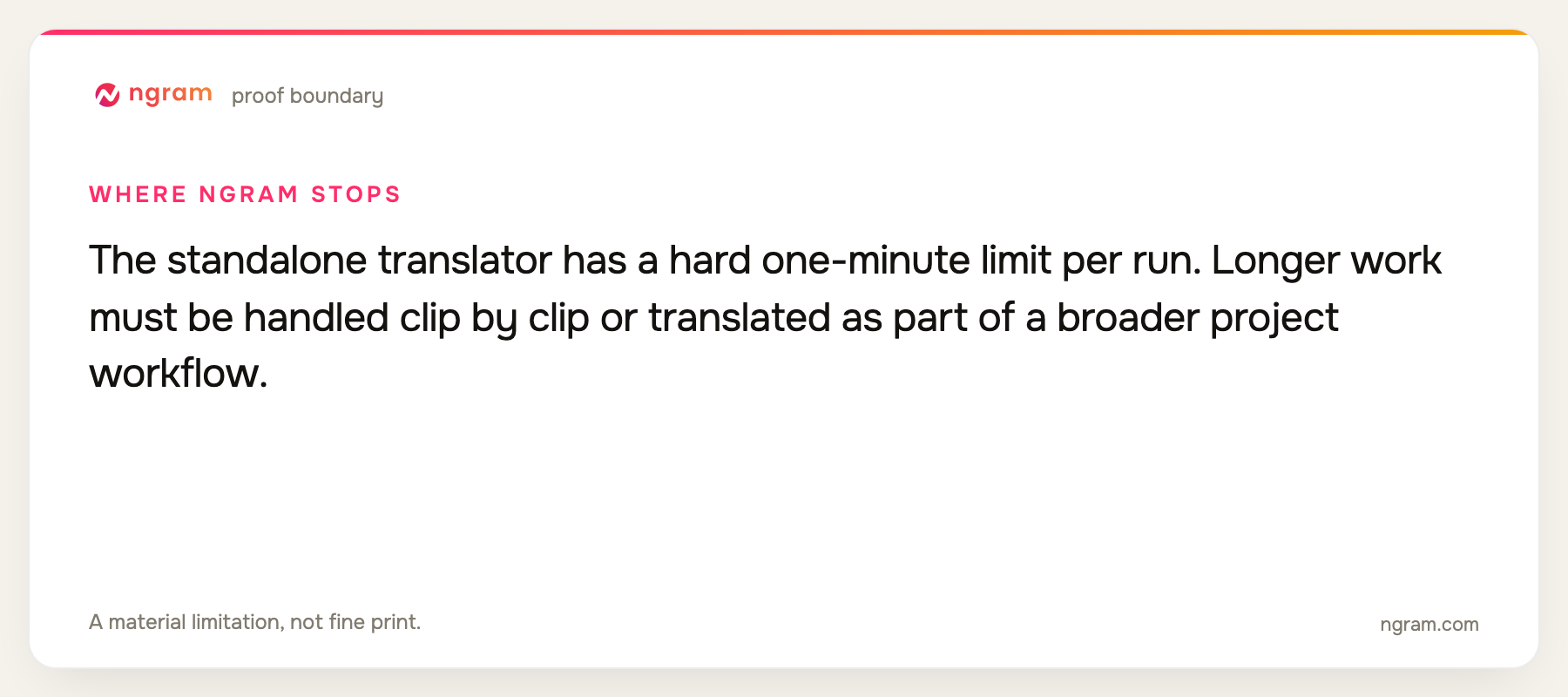
Limitation: The standalone translator has a hard one-minute limit per run. Longer work must be handled clip by clip or translated as part of a broader project workflow.
Pricing: Free includes 60 seconds at 720p with a watermark. Basic is $29 per month, Premium is $59, and Ultimate is $299; annual billing is 20% lower. Pricing checked August 13, 2026.
Verdict: Use ngram when translation is part of creating or revising a complete business video, not when you need a high-volume standalone localization queue.
Evidence: ngram public product state, translator handoff rules, and the repository's live pricing source.
4. ElevenLabs: Best for expressive dubbed audio
ElevenLabs Dubbing Studio focuses on preserving speakers, emotion, timing, and audio quality across more than 90 languages. Editors can inspect transcript and translation segments and adjust generated speech.
Limitation: The current dubbing workflow does not provide native lip sync, so teams needing mouth movement must add another visual tool.
Pricing: Free is available; Starter is $6 per month, Creator is $22, Pro is $99, Scale is $299, and Business is $990. Pricing checked August 13, 2026.
Verdict: Choose ElevenLabs when the dubbed voice is the main quality bar and visual lip sync is optional or handled elsewhere.
Evidence: ElevenLabs' official pricing, dubbing, and language documentation.
User signal: Voice quality is the repeated positive signal; credit usage and the lack of native dubbing lip sync are practical constraints.
5. Synthesia: Best for multilingual avatar training
Synthesia combines stock and custom avatars, translation and dubbing, brand kits, PowerPoint import, and a catalog of more than 160 languages and voices. It works well for repeatable training and enablement formats.
Limitation: The translation is most compelling inside Synthesia's presenter-led format. It is less flexible for footage-heavy localization or external linguist workflows.
Pricing: Free is available; Starter is $29 per month and Creator is $89, with Enterprise priced by quote. Pricing checked August 13, 2026.
Verdict: Pick Synthesia when the localized output should remain a standardized avatar-led course or business message.
Evidence: Synthesia's official product, language, and pricing pages.
6. Maestra: Best for transcript and subtitle control
Maestra combines transcription, subtitles, voiceover, voice cloning, 125-plus languages, glossary support, and team features. Its editor gives teams a practical surface for correcting words and timing.
Limitation: Lip sync is a separate Business add-on, and plan pricing depends on credits and the specific output mode.
Pricing: Pay as you go starts at $12 for 60 credits; voiceover plans are $39 for Basic, $79 for Premium, and $159 for Business. Pricing checked August 13, 2026.
Verdict: Use Maestra when transcript correction, subtitles, and voiceover all need to sit in one reviewable workspace.
Evidence: Maestra's official pricing and feature pages.
7. Kapwing: Best for collaborative social localization
Kapwing places subtitles, dubbing, editing, templates, brand assets, and collaboration in a browser workspace. It suits teams localizing short marketing and social content together.
Limitation: Lip sync is tied to the Business tier, and credit allocations constrain heavier localization work.
Pricing: Free is available; Pro is $16 per member per month on annual billing, Business is $50, and Enterprise is custom. Pricing checked August 13, 2026.
Verdict: Choose Kapwing when localization must remain inside a shared browser editor with reusable brand templates.
Evidence: Kapwing's official pricing and dubbing pages.
8. VEED: Best for simple browser dubbing
VEED combines subtitles, dubbing, browser editing, recording, templates, and team workflows. It is convenient for teams that need to translate and then make ordinary visual edits without moving files.
Limitation: Language, voice, and AI allowances vary across the current plan structure, so the live billing flow needs careful review.
Pricing: A Free plan is available; current paid tiers are Creator, Pro, Studio, and Enterprise, with rates displayed in the billing flow. Pricing checked August 13, 2026.
Verdict: Pick VEED for accessible browser localization when deep terminology operations are not required.
Evidence: VEED's official translation, dubbing, and pricing pages.
9. Smartcat: Best for enterprise language operations
Smartcat is a translation-management platform with translation memory, glossary controls, reviewer workflows, a linguist marketplace, and support for media localization across 280-plus languages.
Limitation: It is a broad enterprise language system rather than a simple creator-facing video tool, and video localization requires a paid plan.
Pricing: Core is free; Adapt is $1,200 per year, Accelerate is $24,000, Anticipate is $60,000, and Autonomous is custom. Pricing checked August 13, 2026.
Verdict: Choose Smartcat when video belongs to a larger governed translation program with terminology, reviewers, and many content types.
Evidence: Smartcat's official plan and product pages.
10. Wavel AI: Best for voice and subtitle breadth
Wavel AI combines dubbing, subtitles, voice cloning, AI presenters, and more than 100 languages in a creator-focused workspace.
Limitation: Lip sync is priced as an add-on, and teams should model credits and language volume before adopting it for a large library.
Pricing: Free is available; Basic is $25 per month, Pro is $40, and Scale is $100, with lower annual promotional rates. Pricing checked August 13, 2026.
Verdict: Use Wavel when the job spans dubbing, subtitles, and voice generation and a lightweight creator workflow is sufficient.
Evidence: Wavel AI's official pricing and product pages.
Official-source video translation feature matrix
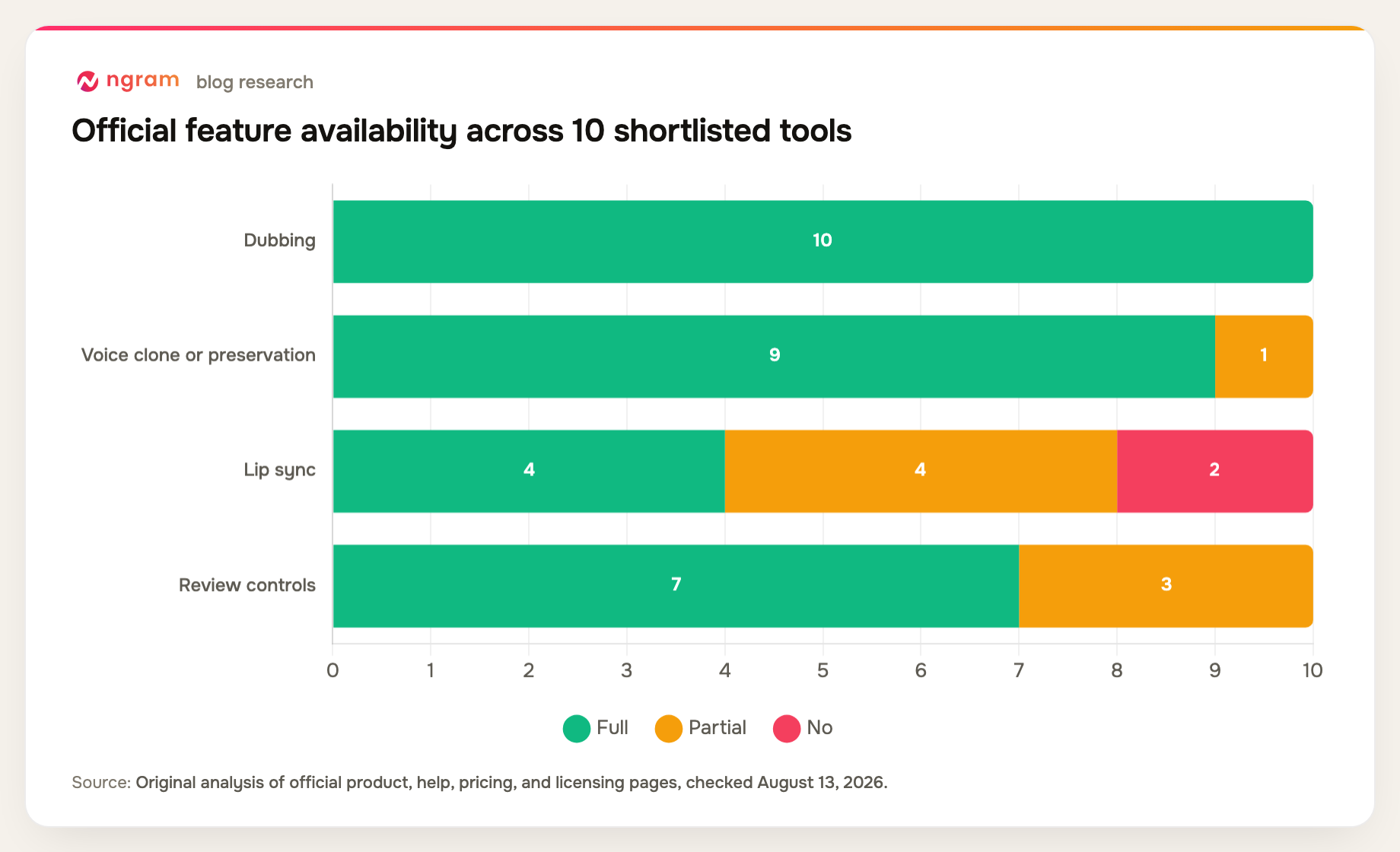
Language counts alone hide the important differences. This matrix shows whether each product also handles voice, mouth movement, and correction.
| Tool | Dubbing | Voice clone or preservation | Lip sync | Review controls | Primary fit |
|---|---|---|---|---|---|
| HeyGen | Yes | Yes | Yes | Partial | Talking heads |
| Rask AI | Yes | Yes | Yes | Yes | Localization program |
| ngram | Yes | Yes | Yes | Partial | Business projects |
| ElevenLabs | Yes | Yes | No | Yes | Dubbed audio |
| Synthesia | Yes | Yes | Yes | Yes | Avatar training |
| Maestra | Yes | Yes | Partial | Yes | Transcript workflow |
| Kapwing | Yes | Yes | Partial | Yes | Social video |
| VEED | Yes | Yes | Partial | Yes | Browser video |
| Smartcat | Yes | Partial | No | Yes | Enterprise TMS |
| Wavel AI | Yes | Yes | Partial | Partial | Creator localization |
Method note: this is an original feature-parity matrix compiled from the official product, help, pricing, and licensing sources named in each review above, all checked August 13, 2026. A "Partial" means the capability exists with a plan, format, workflow, or depth constraint. It is not a hands-on performance benchmark.
How to choose a video translator
Start with the source video. A visible presenter makes lip sync much more important. A narrated screencast may only need a strong dubbed track and corrected subtitles. A large training library needs batch operations, glossary controls, and reviewer roles.
Test the words that are hardest for your business: company names, product names, regulated phrases, acronyms, and numbers. A platform that supports 100 languages but cannot preserve your terminology will create more review work than it saves.
Model the full cost per finished language. Include transcription, translation, dubbing, lip sync, corrections, extra seats, and unused-minute rules. The lowest entry plan is rarely the whole localization budget.
If your need is captions without a dubbed voice, the narrower subtitle tool may be the simpler handoff.
FAQ about video translator tools
What is the best video translator for business?
HeyGen is the strongest general choice in this list for talking-head lip sync. Rask AI is better for a dedicated localization operation, ElevenLabs for expressive dubbed audio, and Smartcat for enterprise translation governance.
Can AI translate a video and match the speaker's lips?
Yes. HeyGen, Rask AI, ngram, Synthesia, and some higher-tier workflows from other tools can generate lip-synced output. Quality varies with the speaker angle, occlusion, pacing, source audio, and target language.
Does ElevenLabs dubbing include lip sync?
No. As of August 13, 2026, ElevenLabs Dubbing focuses on translated audio, speaker preservation, timing, and an editable dubbing workflow. Native lip sync is not part of that dubbing product.
How long a video can ngram translate?
ngram's standalone translator is limited to one minute per run and accepts files up to 500 MB. Longer work can be handled clip by clip or translated inside a broader ngram video project.
Should a human review AI video translation?
Yes. Human review is especially important for names, numbers, claims, legal language, cultural meaning, pronunciation, timing, speaker assignment, and on-screen text. AI output should be treated as a draft until those checks are complete.
Final verdict
HeyGen is the best fit for presenter footage that needs convincing lip sync. Rask AI is the more complete dedicated localization operation. ngram earns a prominent place when translation sits inside a larger source-to-video project, but its one-minute standalone limit makes it the wrong choice for an unattended long-form queue.
Check current ngram generation allowances and export quality on the pricing page.