
The best product walkthrough video maker is not the tool with the longest feature list. It is the one that turns a real product workflow into something a specific viewer can follow without a meeting. That might mean an edited screen recording for a help center, a narrated walkthrough for a new customer, or a short clip a rep can send after a call.
First, clear up a category mistake that makes this search confusing: a product walkthrough video is not interactive product-tour software. A video shows one path. An interactive tour lets a viewer click a simulated product. Both can be useful, but they solve different jobs. This list covers tools that make the video asset.
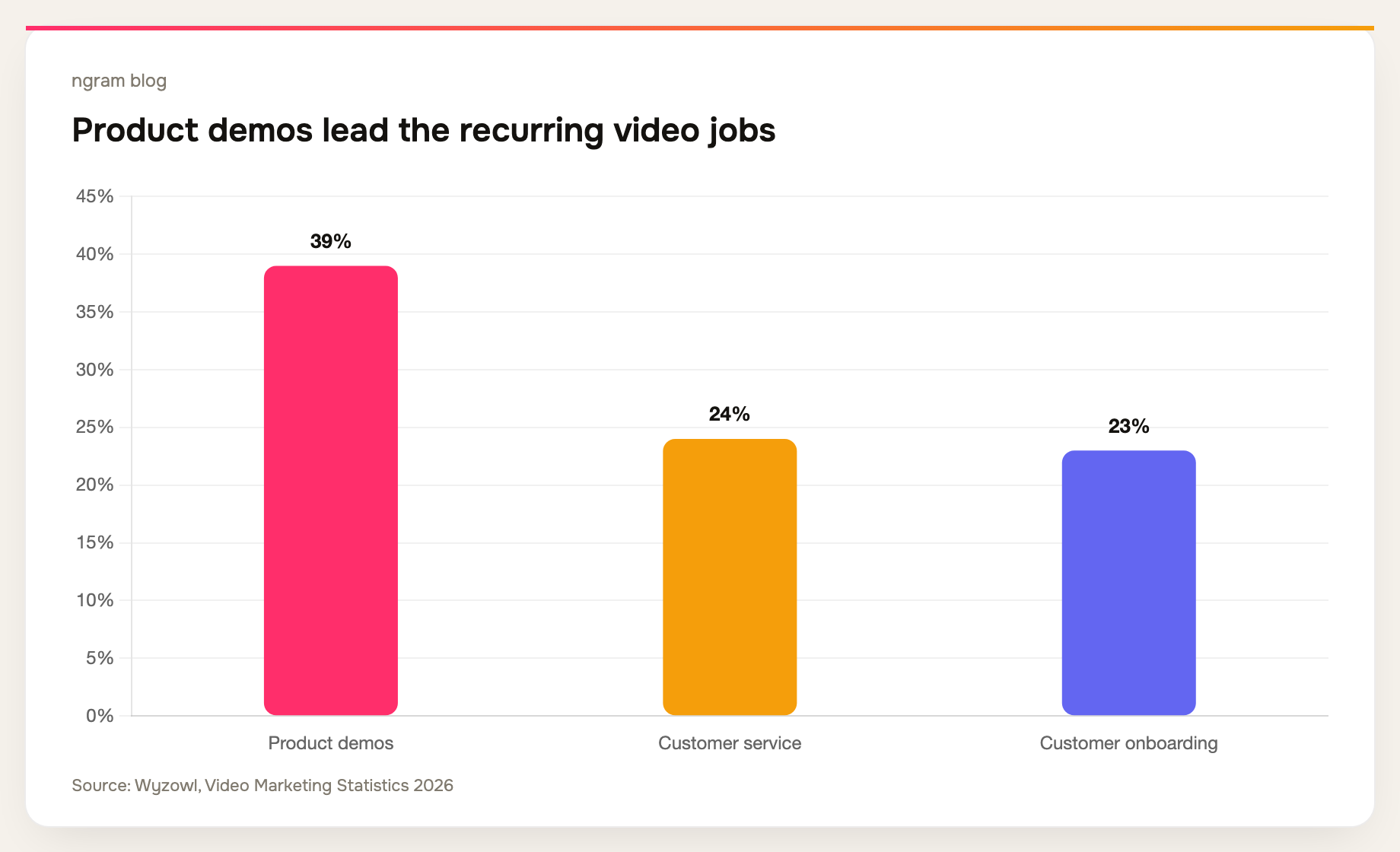
That distinction matters because video is already a normal part of how teams explain products. Wyzowl's 2026 survey of 266 respondents found that 39% of video marketers create product demos, 24% create customer-service videos, and 23% create customer-onboarding videos. Read the full survey.
What counts as a product walkthrough video maker?
A product walkthrough video maker should let you capture or bring in a product flow, remove the parts that make a raw recording hard to follow, and publish a version that suits one audience. Look for sensible editing, captions, clear visual emphasis, and an update path when the UI changes. A long recording with a share link is sometimes enough, but it is not always a walkthrough people will finish.
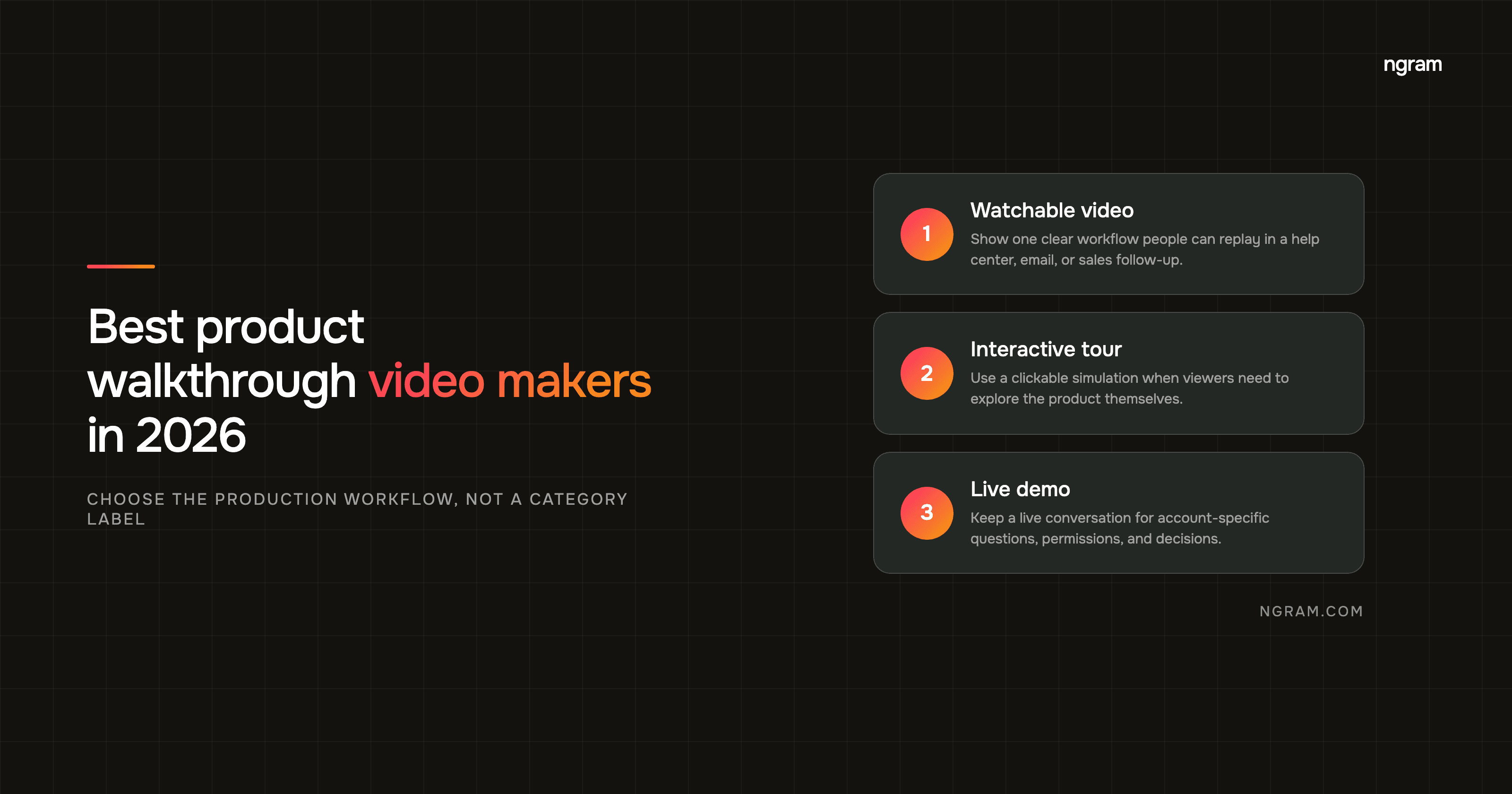
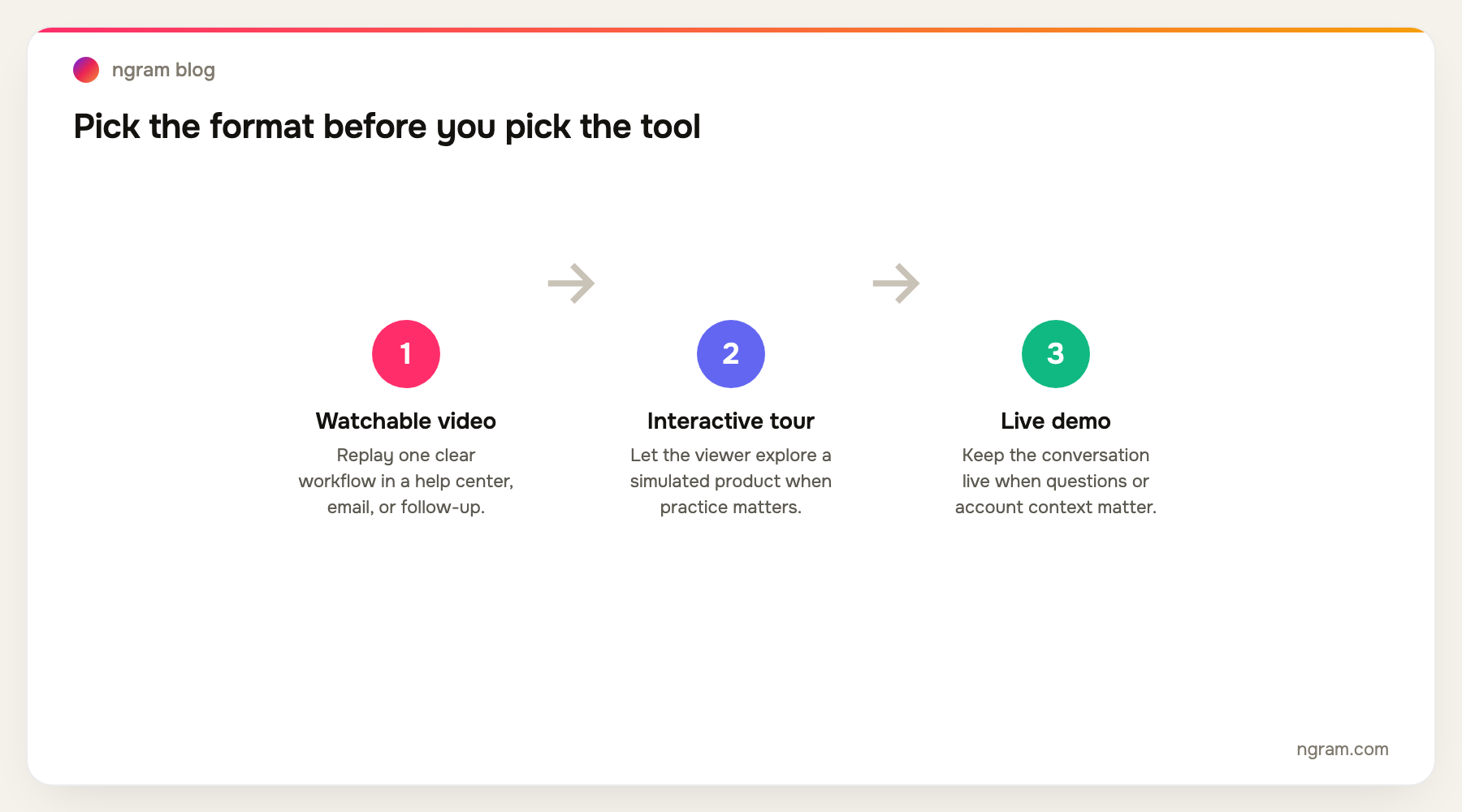
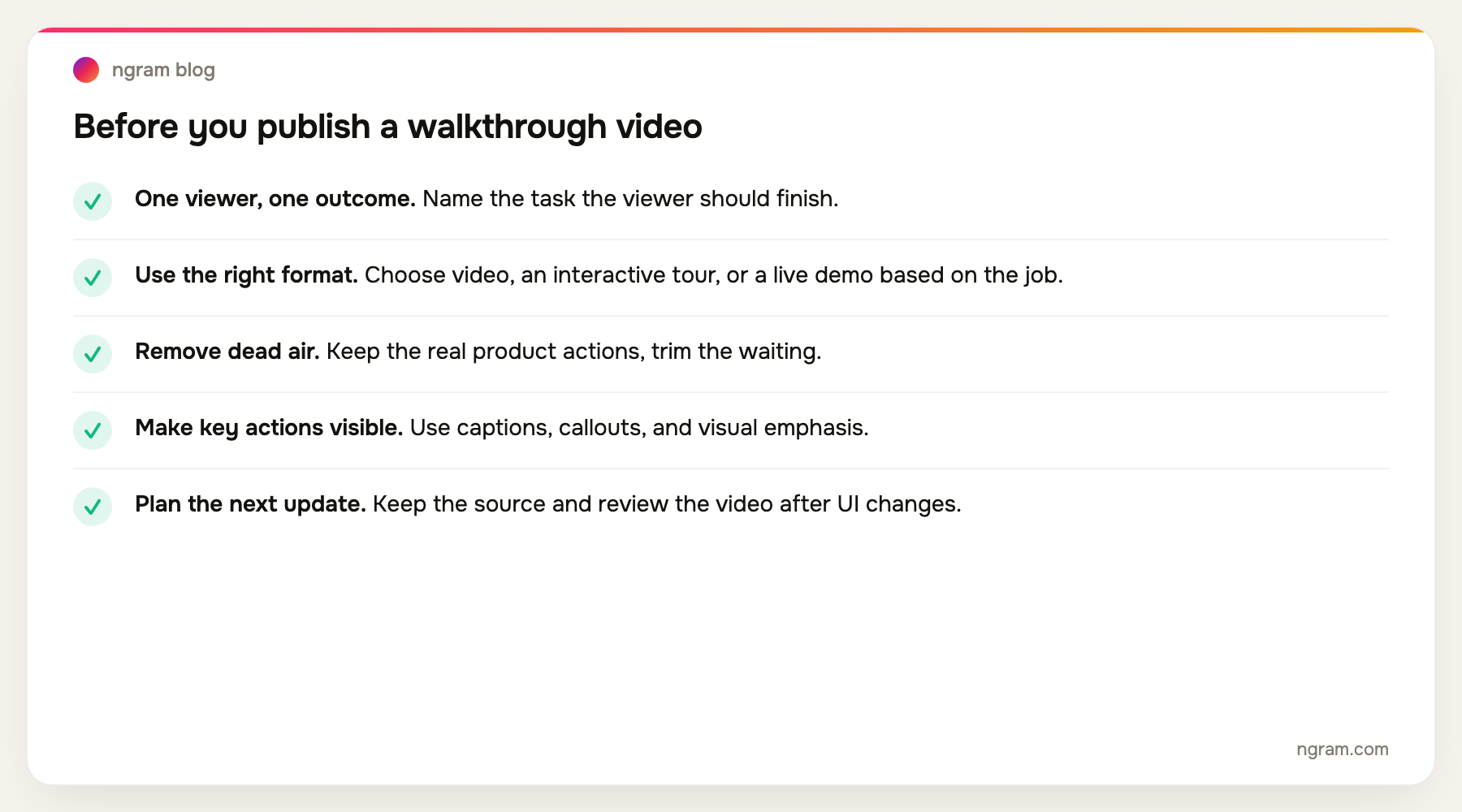
Use a video when the viewer needs to see the sequence once and replay it later. Use an interactive tour when the viewer needs to explore choices in a safe simulation. Use a live demo when the next step depends on the viewer's account, permissions, or questions. The format should follow the job, not the vendor category.
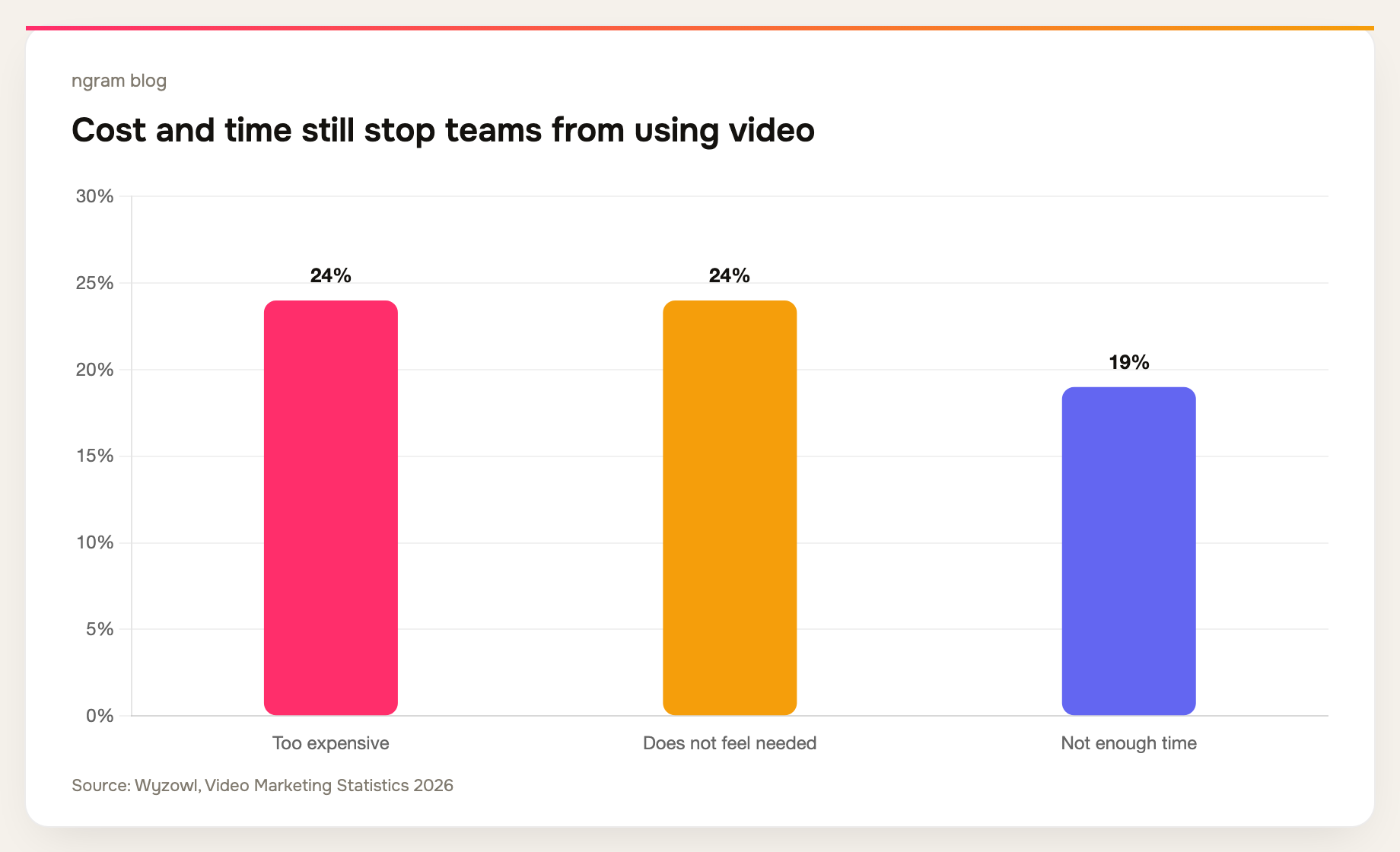
Production friction is real, too. In the same Wyzowl survey, 24% of respondents who do not use video cited cost, another 24% said it did not feel necessary, and 19% cited lack of time. A focused source-to-video workflow is useful only when it meaningfully reduces one of those hurdles.
The six best product walkthrough video makers
We reviewed the current public product pages and documentation on September 16, 2026. This is a workflow-fit comparison, not a lab benchmark with identical exports. The short version is below, followed by the practical tradeoffs.
| Tool | Best fit | Why it belongs here |
|---|---|---|
| ngram | Planned, branded walkthrough videos | Starts from a recording, URL, document, screenshot, deck, or prompt, then creates a script and storyboard before the edit. |
| Trupeer | Video plus documentation | One capture can become a polished video, guide, translation, and knowledge-base content. |
| Clueso | Customer education libraries | A screen capture can become a tutorial video and written how-to content. |
| Screen Studio | Polished Mac recordings | Hands-on screen-recording polish with a strong visual result. |
| Loom | Fast async walkthroughs | Record, share, comment, and embed quickly when the recording itself is the message. |
| Descript | Transcript-led editing | Useful when the team wants direct control over the spoken track and cut. |
1. ngram: best for a planned, branded walkthrough from existing material
ngram fits when a rough screen recording is only the start. You can also begin with a help article, product URL, PDF, screenshots, deck, or prompt. The workflow creates a script and storyboard, then lets the team review the intended message before it renders. For a recording, ngram can identify key moments and add cursor smoothing, click emphasis, smart zooms, dead-air trimming, captions, step labels, and callouts. It is a screen recording to polished video workflow, rather than an interactive product tour.
It is the stronger choice when the finished video has to look intentional across customer education, product marketing, or sales follow-up. See the product walkthrough video workflow for the exact starting points and output flow.
2. Trupeer: best when the same capture must become a video and a guide
Trupeer positions its product around converting raw screen capture into polished videos, documentation, translations, and an AI-searchable knowledge base. Its current product page shows smart zooms, voiceover, scripts, chapters, annotations, and brand controls. Choose it when the video must sit inside a broader documentation system and the written guide carries equal weight.
3. Clueso: best for customer-education teams building a library
Clueso belongs in the same video-plus-documentation group. It is a sensible fit for a customer-success or support team that needs recurring tutorials, voiceover, captions, visual emphasis, and companion how-to material from one capture. It can suit a customer success video maker workflow where the written how-to matters as much as the video. Evaluate the publishing and knowledge-base workflow carefully if a single video is all you need.
4. Screen Studio: best for hands-on Mac screen-recording polish
Screen Studio is for teams that want to control the recording and polish the result themselves. It is a good option for a product marketer or founder on a Mac who values an attractive screen capture and does not need a source-to-video planning workflow. The tradeoff is that the person making the video still owns the structure, retakes, and final edit.
5. Loom: best for the quick async walkthrough
Loom's current homepage leads with recording and sharing AI-powered video messages. It supports screen and camera recording, sharing and embedding, trim and stitch edits, transcripts, captions, privacy controls, and viewer insights. Choose it when speed matters more than production polish: a bug report, a teammate update, a one-off answer, or a quick sales follow-up.
6. Descript: best for teams that want the transcript to drive the cut
Descript is a strong editing choice when the voice track is the source of truth. It suits a team that has already recorded the walkthrough and wants to tighten narration, remove unwanted words, restructure the clip, and add visual polish in an editor. It is less of a dedicated product-walkthrough workflow than the tools above, which can be a strength if broad editing control is the real need.
Our research: what upgraded readers did after landing on a blog
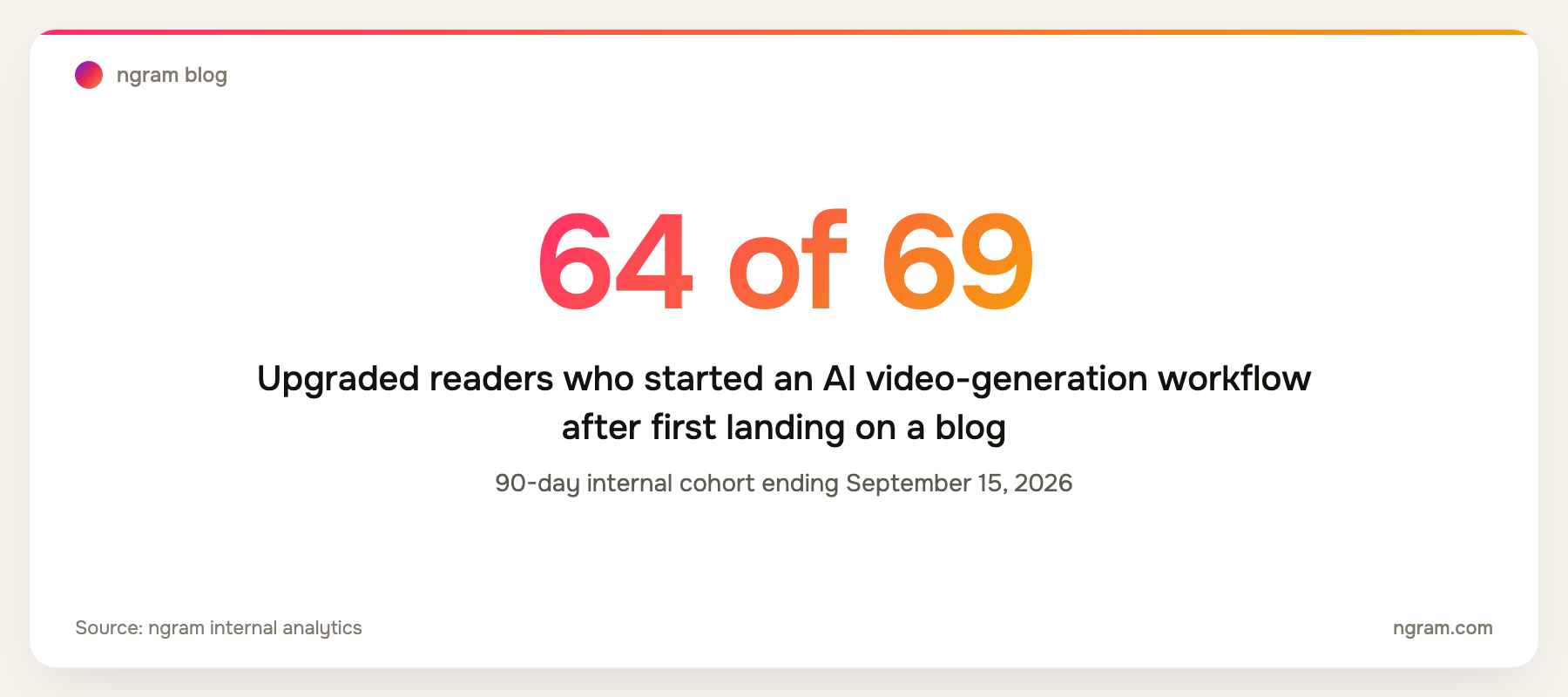
We checked a 90-day ngram cohort ending September 15, 2026: 69 people who later upgraded had first landed on a blog post. Sixty-four of those people started an AI video-generation workflow, and 62 completed onboarding. This does not prove that a specific video format caused an upgrade. It does show that readers who arrive with a concrete production question often move quickly from research into creation.
Methodology: we grouped upgraded people by their first landing page in the 90-day period, then reviewed the next distinct product events in PostHog. The cohort is internal, aggregate, and directional. It is not a controlled conversion study.
How to choose a product walkthrough video maker
Start with the source material. If you already have a rough capture and need a customer-ready edit, use an AI walkthrough workflow. If you only need to show a colleague what happened, a screen recorder may be enough. If you have the script, screenshots, help-center article, or launch page but no clean recording, choose a tool that can plan from those sources. That is the core job of a product walkthrough video maker.
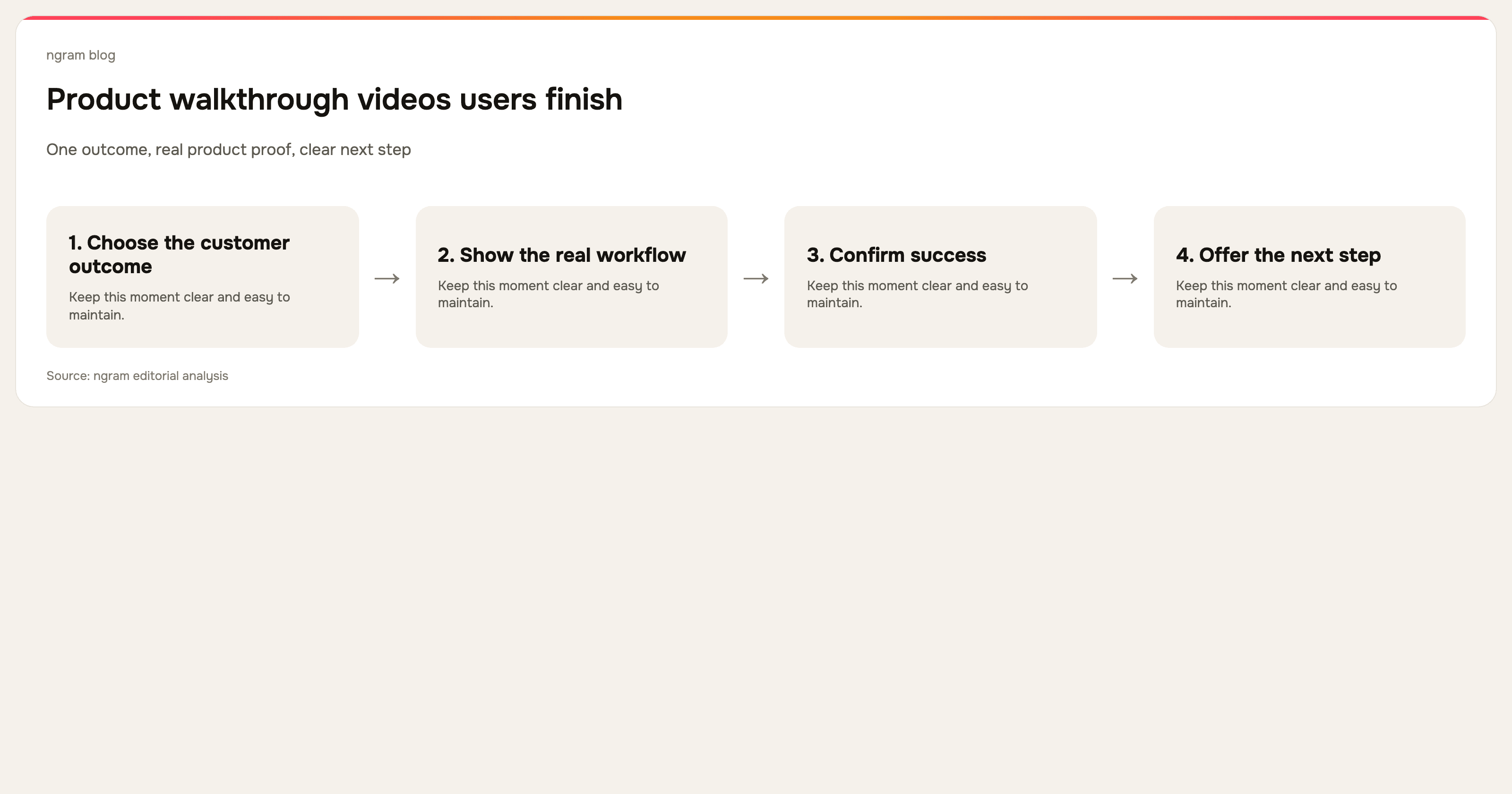
Then choose one outcome per video. Wyzowl reports that 71% of video marketers consider 30 seconds to two minutes most effective. A focused walkthrough such as “create your first report” will usually do more work than a 15-minute product tour that attempts to explain every tab. Convert a screen recording into a video when you have the raw material but not the time to manually rebuild it.
Finally, plan for maintenance. The moment the UI changes, a walkthrough can become misleading. Keep the recording scoped to one outcome, retain the source and script, and schedule a review after releases. For a more complete recording and editing process, read our software tutorial video guide. It is useful context when comparing broader tutorial video software, too.
Frequently asked questions
What is a product walkthrough video?
It is a video that shows a viewer how to complete a specific product task. It normally combines the real interface with narration, captions, step labels, or callouts so the viewer can follow and replay the process.
What is the difference between a product walkthrough video and an interactive demo?
A walkthrough video is a linear explanation that viewers watch. An interactive demo is a clickable simulation. Pick video for help centers, onboarding emails, social clips, and follow-ups. Pick an interactive demo when product exploration itself is the point.
How long should a product walkthrough video be?
Aim for the shortest length that gets one viewer to one useful outcome. Wyzowl's 2026 survey found that 71% of marketers consider 30 seconds to two minutes effective, but a complex customer setup can need more. Split a large workflow into smaller videos instead of making one exhaustive tour.
Can I make a product walkthrough from a screen recording?
Yes. A screen recording captures the product state and the sequence of actions. The production work is then removing mistakes and dead air, making key actions visible, correcting the narration, adding captions, and checking that every step still matches the product.
Do I need an interactive-tour tool for onboarding?
Only if the new user needs to practice a flow inside a simulated or live product. A clear walkthrough video can be the lower-effort, easier-to-share choice for setup steps, release education, and common help-center questions.
The bottom line
Do not choose product walkthrough software by assuming every walkthrough needs to be interactive. Choose the format first. Then choose the tool that makes the production work proportionate to the job. A product demo video maker is best when you need a buyer-facing sales asset, while a product walkthrough video maker should help a user complete one clear task. For polished, editable walkthrough videos built from the material your team already has, ngram is the best fit. For a fast one-off recording, Loom is hard to beat. For a video-and-documentation library, look at Trupeer or Clueso.
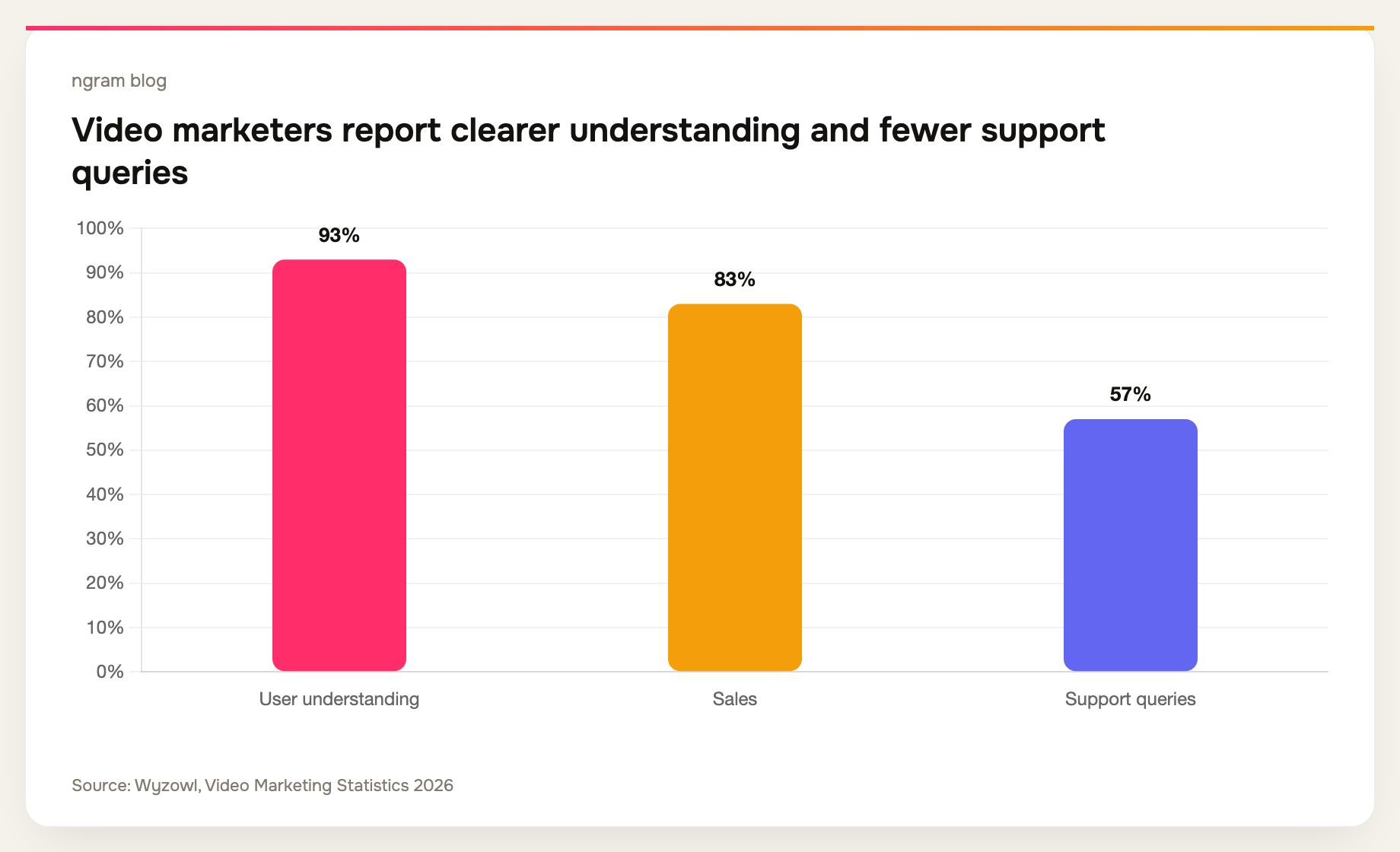
Wyzowl's survey also found that 93% of marketers say video has improved user understanding and 57% say it has reduced support queries. Those are broad survey results, not a promise for any one walkthrough. The practical takeaway is simpler: make one clear video for one important customer task, then keep it current.