

Your product demo video is often the first real impression a buyer gets of your software. And the data backs this up: 85% of buyers say a demo video persuades them to purchase, while websites featuring product demos see up to 86% higher conversion rates than those without.
But here's the problem most teams face: creating a polished product demo video traditionally requires a video editor, a scriptwriter, and hours of production time. That's changing fast. AI-powered demo video makers now let you go from a screen recording or a product URL to a finished, on-brand video in minutes. If you're looking for a tool that handles the entire process, we've tested the top options in this guide.
We tested and compared the best product demo video makers on the market to help you pick the right one for your team, budget, and workflow.
Why Product Demo Videos Matter More Than Ever
Product demo videos aren't just nice-to-have anymore. They're one of the highest-converting content types in B2B and SaaS marketing.
Consider the numbers: 69% of shoppers say a product demonstration video is the most helpful content type when making buying decisions. And shoppers who watch a demo video are 1.81x more likely to purchase than those who skip it.
The chart below shows just how much demo videos move the needle on key business metrics.
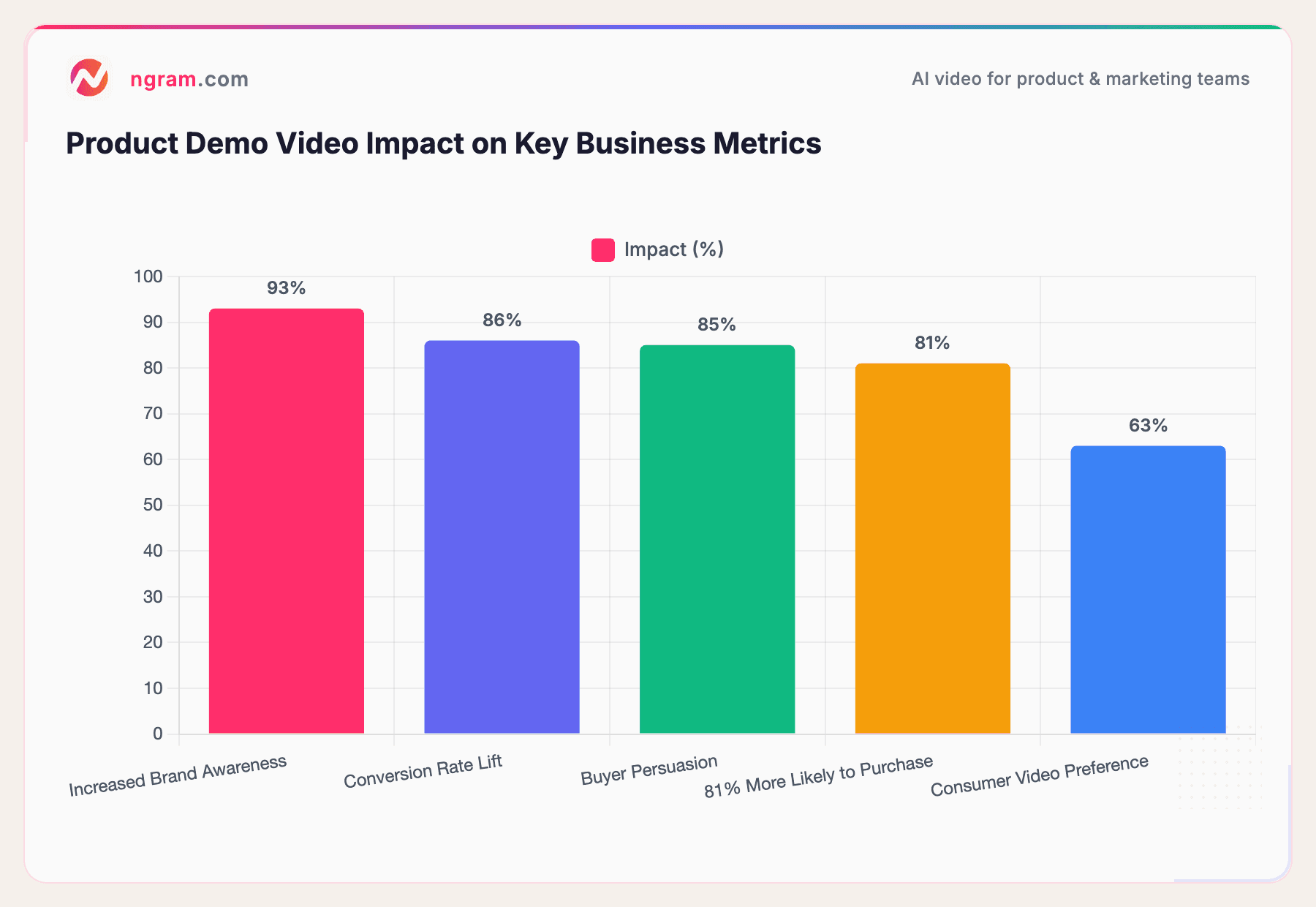
Sources: Wyzowl Video Marketing Report 2026, DemandSage, ContentBeta
The numbers tell a clear story. When buyers see your product in action, trust goes up and friction goes down.
Meanwhile, the tools powering these videos are growing fast. The AI video generator market hit $788.5 million in 2025 and is projected to reach $946.4 million in 2026, growing at a 20.3% CAGR through 2033. That growth reflects a real shift: teams are moving away from manual video production and toward AI-powered workflows that get demos out the door faster.
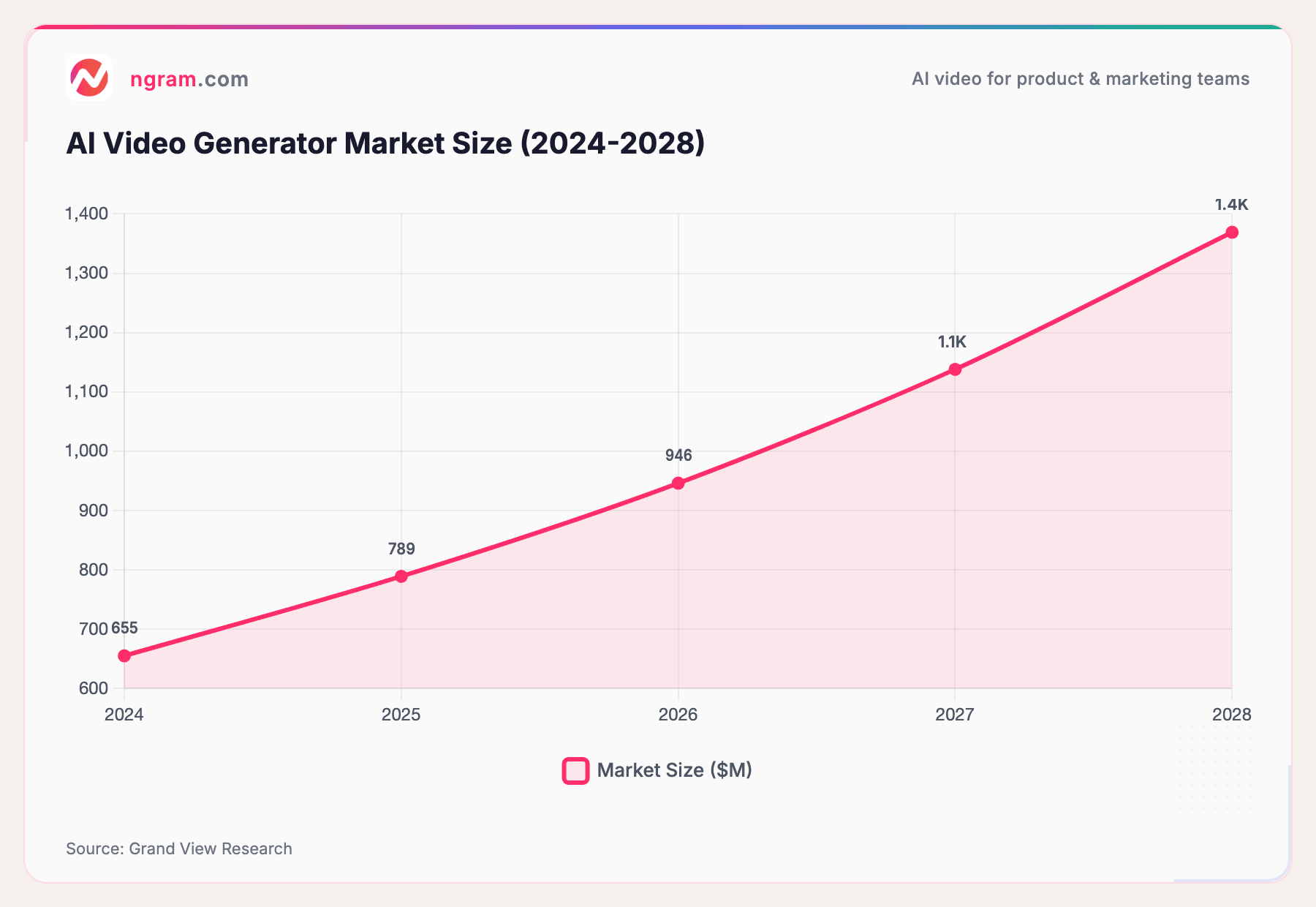
Source: Grand View Research
With the market context out of the way, let's look at what actually matters when choosing a product demo video maker.
What to Look for in a Product Demo Video Maker
Not every video tool is built for product demos. Before jumping into the list, here are the criteria we used to evaluate each tool:
- AI-powered editing - Can it auto-cut dead air, clean up mistakes, and generate polished output from raw recordings?
- Screen recording quality - Does it capture smooth, high-resolution product walkthroughs?
- Voiceover and narration - Can it generate or enhance voiceovers without external tools?
- Branding controls - Can you apply your logo, colors, and fonts consistently?
- Export flexibility - Does it support multiple formats and aspect ratios for different channels?
- Speed to publish - How fast can you go from raw content to a finished demo?
- Pricing - Is it accessible for startups and small teams, not just enterprise budgets?
With those criteria in mind, here are the 14 best product demo video makers we found.
| Criterion | Why It Matters | What Good Looks Like |
|---|---|---|
| AI-Powered Editing | Cuts production time from days to minutes | Auto-cuts, smart zoom, filler removal |
| Screen Recording Quality | Viewers need to see your UI clearly | HD capture, device framing, cursor emphasis |
| Voiceover & Narration | Silent demos lose viewers fast | AI voiceover, multi-language, natural tone |
| Branding Controls | Every demo represents your brand | Brand kit, custom colors/fonts, intro/outro |
| Export Flexibility | Demos go to many channels | 16:9, 9:16, 1:1 + baked-in captions |
| Speed | Sales cycles move fast | Minutes to first draft, not hours |
| Pricing | Budget must match team size | Free tier available, transparent per-user pricing |
The 14 Best Product Demo Video Makers in 2026
1. ngram - Best Overall for AI-Powered Product Demo Videos
ngram is built specifically for teams that need to create professional product demo videos without a dedicated video production team. You bring your raw materials - screen recordings, screenshots, docs, or even just a product URL - and ngram turns them into polished, on-brand videos.
What sets ngram apart from general-purpose video editors is its context-aware generation. You tell it who the video is for, what it should achieve, and where it's going (LinkedIn, your website, a sales email). ngram then writes the script, plans the storyboard, and generates the full video with motion graphics, captions, and transitions.
For product demos specifically, ngram shines at editing screen recordings with smart zoom, auto-cut, cursor emphasis, callouts, and step labels. It turns raw captures into professional walkthroughs without manual frame-by-frame editing.
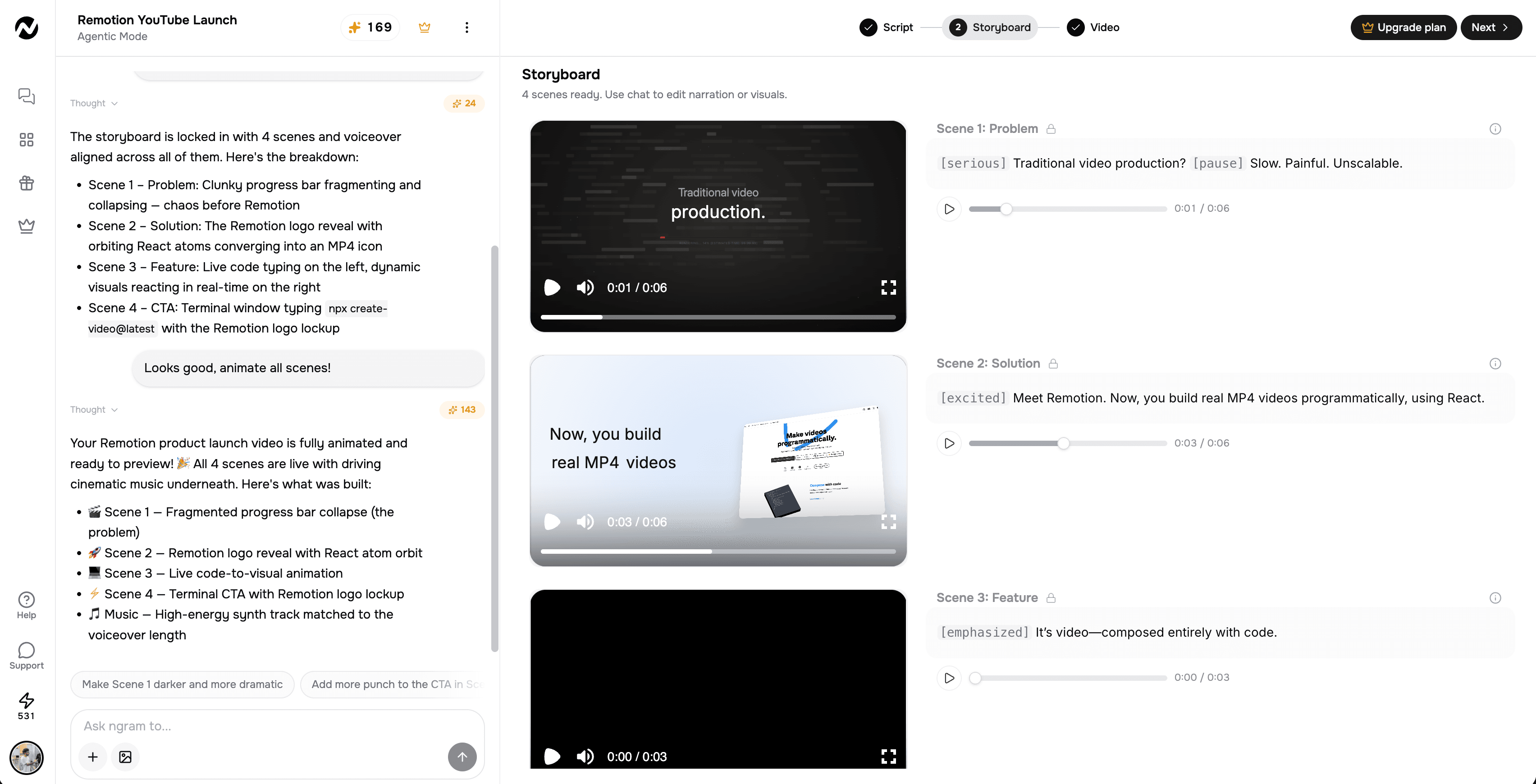
With ngram, you can create a product demo video from a raw screen recording in just a few minutes.
Best for: Product marketing teams, product managers, and SaaS companies that need to ship demo videos regularly without a production bottleneck.
Key features:
- AI script and storyboard generation from your raw content
- Screen recording editing with smart zoom and cursor emphasis
- Brand kit support (logo, colors, fonts applied automatically)
- AI voiceover generation, including multilingual support and translated captions
- Motion graphics and visual support
- Multi-format export (16:9, 9:16, 1:1)
- Plain-language editing - describe changes, and ngram makes them
- Hosted, shareable video pages plus an embed code to drop the demo on your site or into a sales email
Pricing: Free plan available. Paid plans from $29/month.
Want to see ngram in action? Create your first product demo video in under 5 minutes. Try ngram free
2. Synthesia - Best for AI Avatar-Led Product Demos
Synthesia takes a different approach to product demos: instead of screen recordings, you create videos with AI avatars that present your product. Choose from 240+ diverse avatars, type your script, and Synthesia generates a professional-looking presenter video.
This works especially well for product overviews and feature explainers where you want a human face walking viewers through the value proposition. The platform also supports 130+ languages with lip-sync translation, making it a strong choice for global teams.
Synthesia recently added an AI Screen Recorder browser extension, letting you record your product and turn it into a ready-to-edit demo. Their Express-2 avatars now gesture like professional speakers, adding natural body language to presentations.
Best for: Teams creating product overview videos, training content, and multilingual demos at scale.
Key features:
- 240+ AI avatars with natural gestures (Express-2 model)
- AI screen recorder browser extension
- 130+ language translation with lip-sync
- 60+ product demo video templates
- Brand kit customization
- Text-to-video workflow
Pricing: Free trial available. Starter plan at $18/month, Creator at $64/month.
3. Loom - Best for Quick, Authentic Screen Recording Demos
Loom is the go-to tool for fast, personal product demos. Hit record, walk through your product, and share a link in seconds.
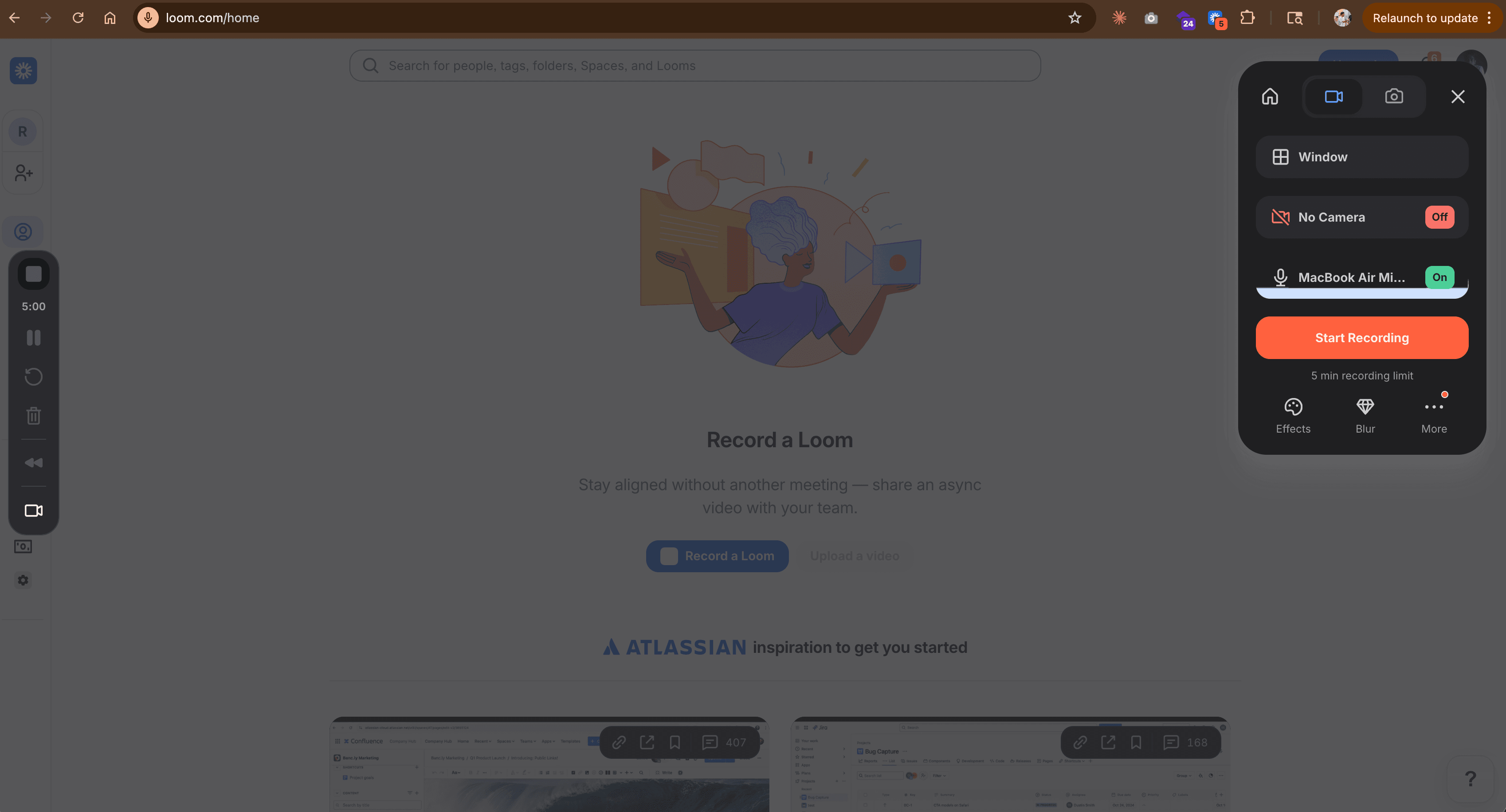
There's no rendering, no uploading, and no waiting. Recipients watch on their own time.
Since Atlassian's acquisition, Loom has added AI features that clean up recordings automatically: filler word removal, silence trimming, and auto-generated summaries with chapters. The "live rewind" feature lets you fix mistakes mid-recording without starting over.
Loom's strength is speed and authenticity. If your product demos need to feel personal rather than produced, Loom delivers. But if you need polished, multi-scene videos with motion graphics and branding, you'll outgrow it quickly.
Best for: Sales teams, customer success reps, and founders who need quick, shareable product walkthroughs.
Key features:
- One-click screen + webcam recording
- AI filler word and silence removal
- Auto-generated summaries and chapters
- Viewer analytics (who watched, for how long)
- Transcriptions in 50+ languages
- Video comments and emoji reactions
Pricing: Free plan (25 videos, 5 min max). Business + AI plan at $20/user/month.
4. Descript - Best for Text-Based Video Editing
Descript pioneered text-based video editing, and it's a strong choice for product demos that need careful scripting and narration. Record your screen, and Descript transcribes everything. Then edit the video by editing the text - delete a sentence from the transcript, and the corresponding video clip disappears.
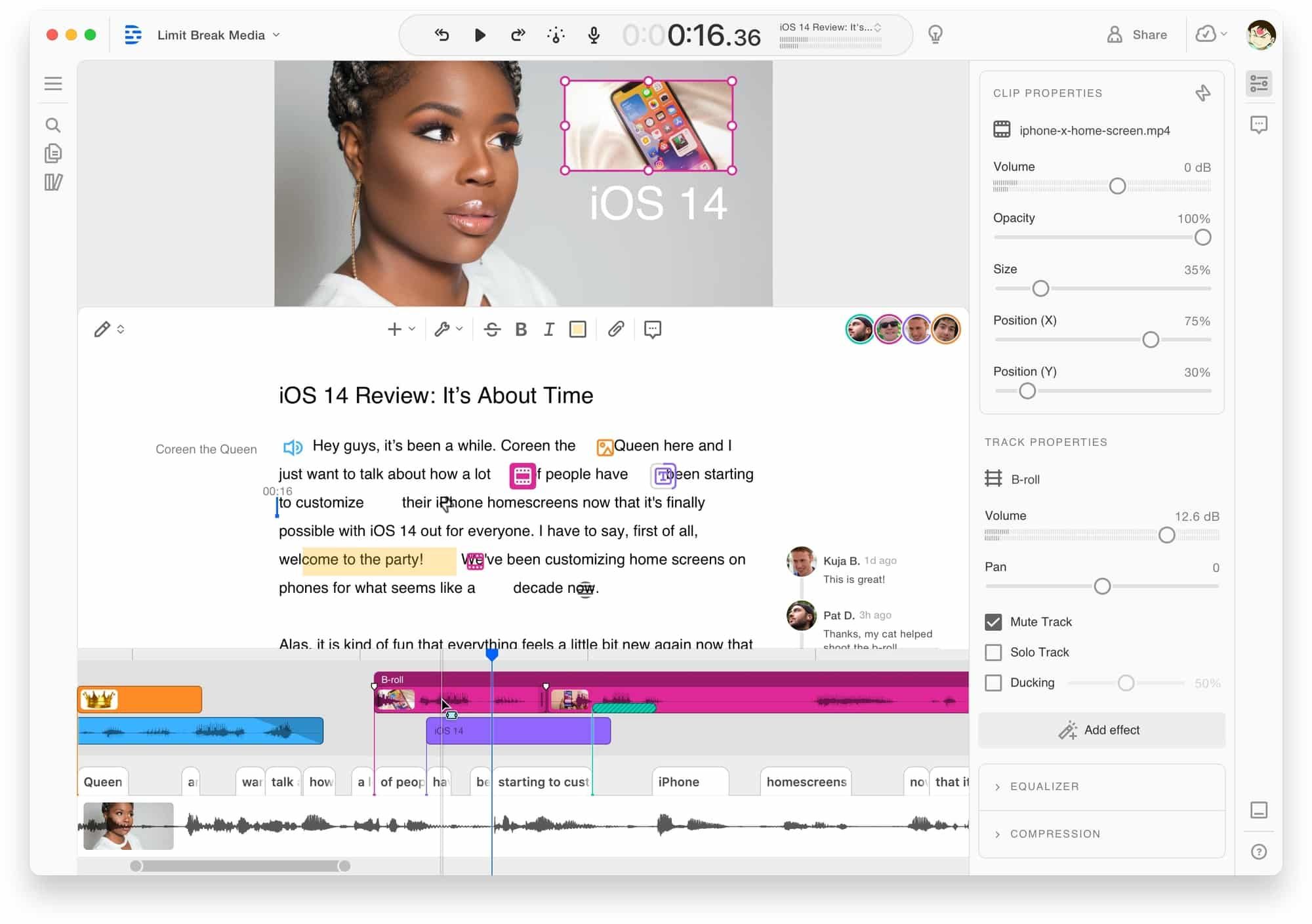
This approach is incredibly efficient for demo videos where you need to cut mistakes, rearrange steps, or tighten pacing. Descript also removes filler words automatically and can enhance audio quality with one click.
The AI co-editor feature can generate polished edits from a prompt, and the text-to-speech engine handles voiceover if you'd rather not record your own voice.
Best for: Content creators, product marketers, and anyone who prefers editing video through text rather than a traditional timeline.
Key features:
- Text-based video editing (edit transcript, video follows)
- AI filler word removal
- One-click audio enhancement
- Screen recording with webcam
- AI text-to-speech voiceover
- Separate track recording (screen, webcam, audio)
Pricing: Free plan (1 hour transcription). Hobbyist at $16/month, Creator and Business tiers available.
5. Screen Studio - Best for Mac Users Who Want Polished Recordings
Screen Studio is a Mac-only screen recording tool trusted by thousands of professionals for creating polished product demos. What makes it stand out is the automatic post-processing: smooth cursor movement, automatic zoom on interactions, device framing, and background customization.
You record once, and Screen Studio handles the polish. It detects your device model, replaces cursors with high-resolution versions, normalizes voice volume, removes background noise, and can generate subtitles from a transcript.
The trade-off is clear: Screen Studio only runs on macOS, and it's a recording/polish tool, not a full video editor. If you need multi-scene editing, motion graphics, or AI-generated content, you'll need to pair it with another tool.
Best for: Developers, indie makers, and Mac-based teams creating product walkthroughs and tutorials.
Key features:
- Automatic zoom and cursor smoothing
- Device framing (detects Mac model and color)
- Background noise removal and volume normalization
- Subtitle generation from transcript
- Webcam overlay
- iOS device recording for mobile demos
Pricing: $29/month or $108/year (annual plan). Student/educator discounts available.
6. VEED - Best for Browser-Based Editing
VEED is a browser-based video editor that works well for product demos when you need quick editing without installing software. Upload your screen recording, trim it, add subtitles, overlay text, and export - all from your browser.
VEED's auto-subtitle generation is particularly strong, supporting 50+ languages on the Pro plan. The tool also includes AI avatars (up to 4 hours/year on Pro), brand kit support, and auto-resize for different social platforms.
For product demos, VEED handles the basics well - trimming, captioning, branding - but doesn't offer the AI-powered storyboarding or context-aware generation you'd get from purpose-built tools.
Best for: Marketing teams that need a quick, no-install editor for cleaning up and captioning product recordings.
Key features:
- Browser-based (no download required)
- Auto-subtitle generation in 50+ languages
- Brand kit with fonts and colors
- Auto-resize for social platforms
- AI avatars (Pro plan)
- 50,000+ royalty-free assets
Pricing: Free plan (watermarked, 720p). Lite at $12/month, Pro at $29/month.
7. Canva - Best for Design-First Teams
Canva is primarily a design tool, but its video editor has grown into a capable option for simple product demos.
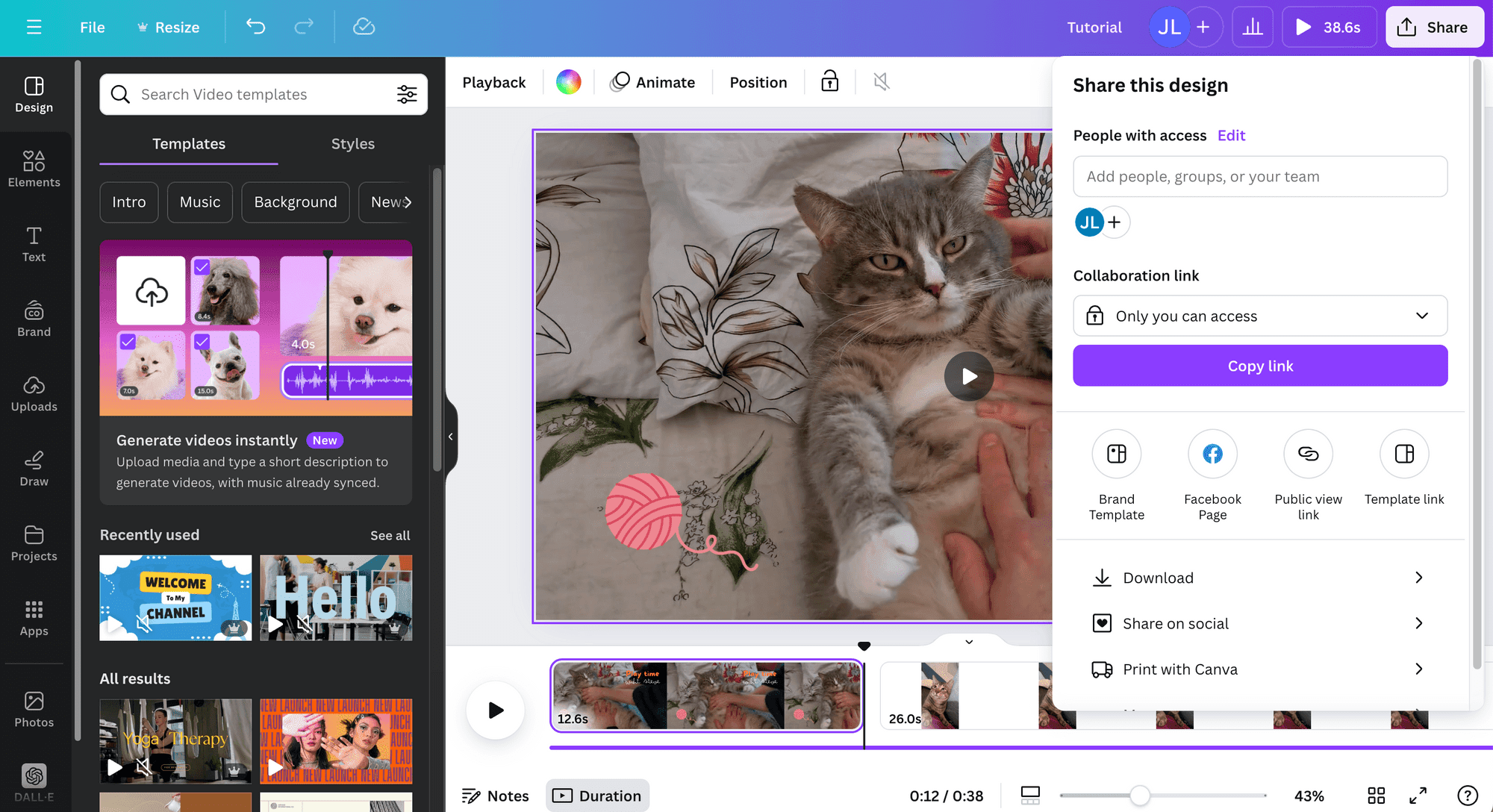
You can upload screen recordings, arrange clips on a timeline, add branded text overlays, and export in multiple formats.
Canva's strength is its massive template library and design ecosystem. If your team already uses Canva for social graphics and presentations, adding product demo videos to the same workflow is seamless. The brand kit ensures everything stays consistent.
The limitation: Canva's video editor is straightforward but lacks advanced features like smart zoom, cursor emphasis, AI script generation, or text-based editing. It's best for assembling clips with branded overlays, not for heavy post-production.
Best for: Small teams and solopreneurs who already live in Canva and need basic video editing alongside their design workflow.
Key features:
- Drag-and-drop video timeline
- Thousands of video templates
- Brand kit integration
- Stock video and music library
- Multi-format export
- Real-time collaboration
Pricing: Free plan available. Canva Pro at $15/month (or $10/month annual).
8. Clipchamp - Best Free Option for Windows Users
Clipchamp is Microsoft's free video editor, built into Windows 11 and available as a web app.
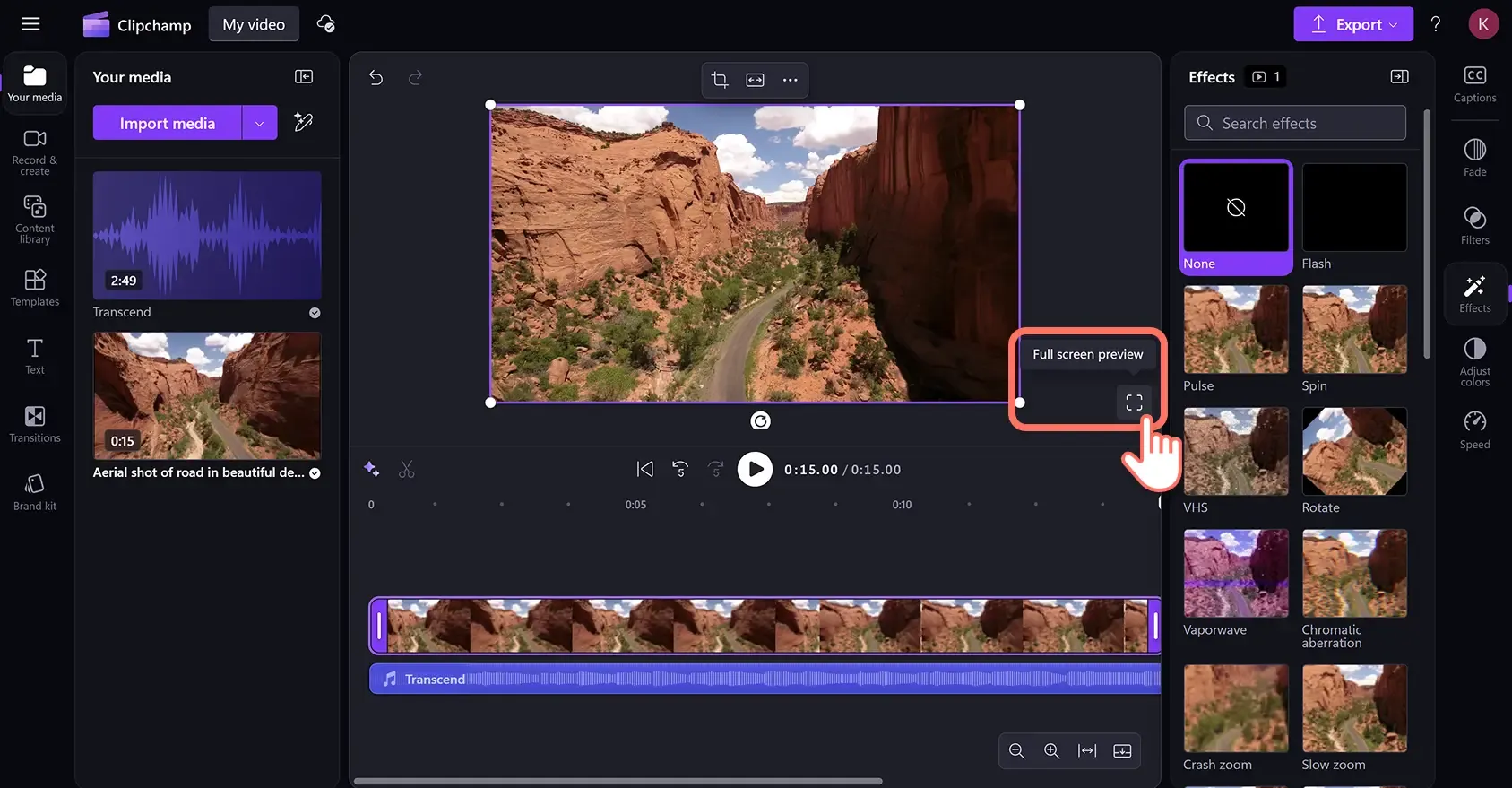
For product demos, it offers solid screen recording and a clean editing interface with text overlays, transitions, and stock content.
The biggest draw is the price: Clipchamp's core editor is completely free with 1080p exports. No watermarks on the free plan, and the editing tools are surprisingly capable for basic product walkthroughs.
The downside: Clipchamp lacks AI-powered features like auto-zoom, smart cuts, or AI voiceover generation. You'll do most of the editing manually, which works fine for simple demos but becomes time-consuming for polished, multi-step walkthroughs.
Best for: Windows users and budget-conscious teams that need a capable free editor for straightforward product demos.
Key features:
- Free with 1080p export (no watermark)
- Built-in screen recorder
- Text-to-speech voiceover
- Stock video, image, and music library
- Green screen support
- Integration with Microsoft 365
Pricing: Free (core features with 1080p). Essentials plan available for Microsoft 365 subscribers.
9. Pictory - Best for Turning Text Into Demo Videos
Pictory specializes in converting text content - blog posts, scripts, articles - into video. For product demos, this means you can write a demo script and Pictory will match it with relevant stock footage, add captions, and generate a complete video.
This works well when you need a product overview video quickly and don't have screen recordings ready. Pictory's AI selects relevant visuals based on your text, and you can swap clips, adjust pacing, and add your branding.
The limitation: Pictory is best for text-driven overview videos, not screen recording-based demos. If your demo needs to show the actual product UI with cursor movements and click-throughs, you'll need a different tool.
Best for: Content marketers turning product copy, blog posts, or feature descriptions into video format.
Key features:
- Script-to-video generation
- Blog post-to-video conversion
- AI-powered scene matching
- Auto-captioning
- Brand customization
- Stock media library
Pricing: Starts at $25/month. Higher tiers at $49-$119/month for more video minutes.
10. Wondershare DemoCreator - Best Budget Desktop Option
Wondershare DemoCreator is a dedicated screen recording and editing tool designed specifically for demos and tutorials. It records your screen, webcam, microphone, and system audio on separate tracks, making post-production much easier.
DemoCreator includes 30 AI avatars, drawing tools for annotations during recording, and a library of templates, animations, and transitions. The multi-track approach is genuinely useful: you can adjust your webcam footage independently from the screen recording.
At roughly $10/month (quarterly billing), it's one of the most affordable options with dedicated demo-creation features. The trade-off is a more traditional desktop-app experience without the AI-powered automation of newer tools.
Best for: Educators, support teams, and budget-conscious creators who want a dedicated desktop tool for recording and editing demos.
Key features:
- Six recording modes (screen, webcam, game, etc.)
- Multi-track recording (screen, cam, audio on separate tracks)
- 30 AI avatars
- Drawing and annotation tools
- Templates, animations, and transitions
- 4K/8K recording support
Pricing: ~$10/month (quarterly at $29.99/3 months). Free trial available (watermarked exports).
11. HeyGen - Best for Personalized Video Outreach at Scale
HeyGen combines avatar-based video with the strongest multilingual support we've tested. Record one script. Generate videos in 175+ languages and dialects, all with perfect lip-sync and authentic emotional delivery. For product demos, HeyGen's real strength is batch personalization - generate hundreds of slightly-different demo videos, each addressing a specific prospect by name and company.
HeyGen's dynamic text replacement means you can create one master demo and swap in custom details (company name, use case, pain point) for each recipient. This makes it a favorite for outbound sales teams running personalized demo campaigns.
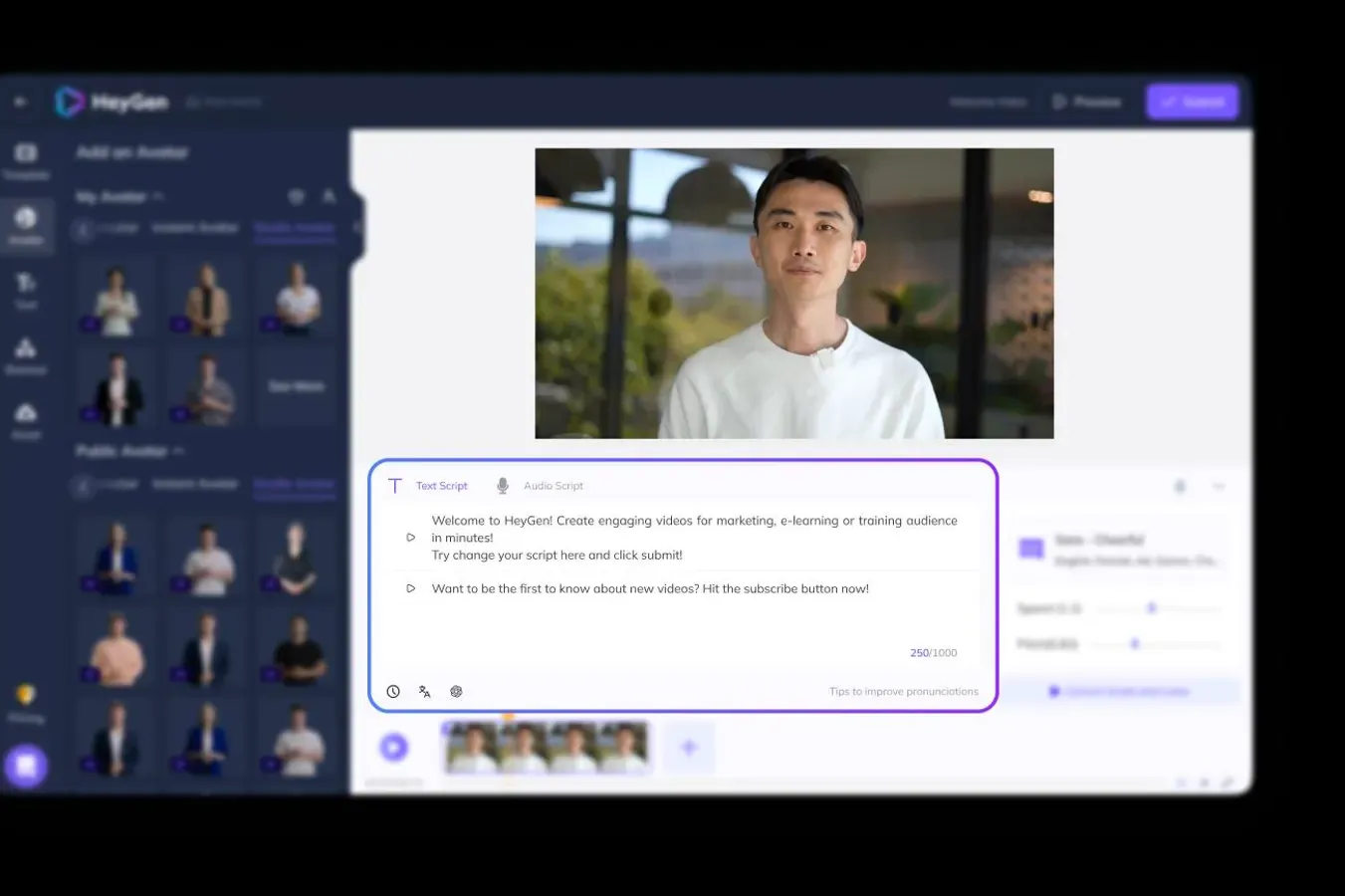
Best for: Global sales teams and support organizations creating personalized demo outreach at scale.
Key features:
- 100+ AI avatars with custom avatar creation
- Automatic localization across 175+ languages
- Natural AI voiceovers with emotion control
- Dynamic text replacement for personalized outreach
- Batch processing for hundreds of personalized videos
- Brand kit customization
Pricing: Free plan (3 videos/month, watermarked, 720p). Creator at $29/month, Pro at $99/month, Business at $149/month (first seat, $20/additional seat). Enterprise pricing available.
12. InVideo - Best for Template-Driven Demo Videos
InVideo combines AI generation with a massive template library, making it approachable for teams without video production experience.
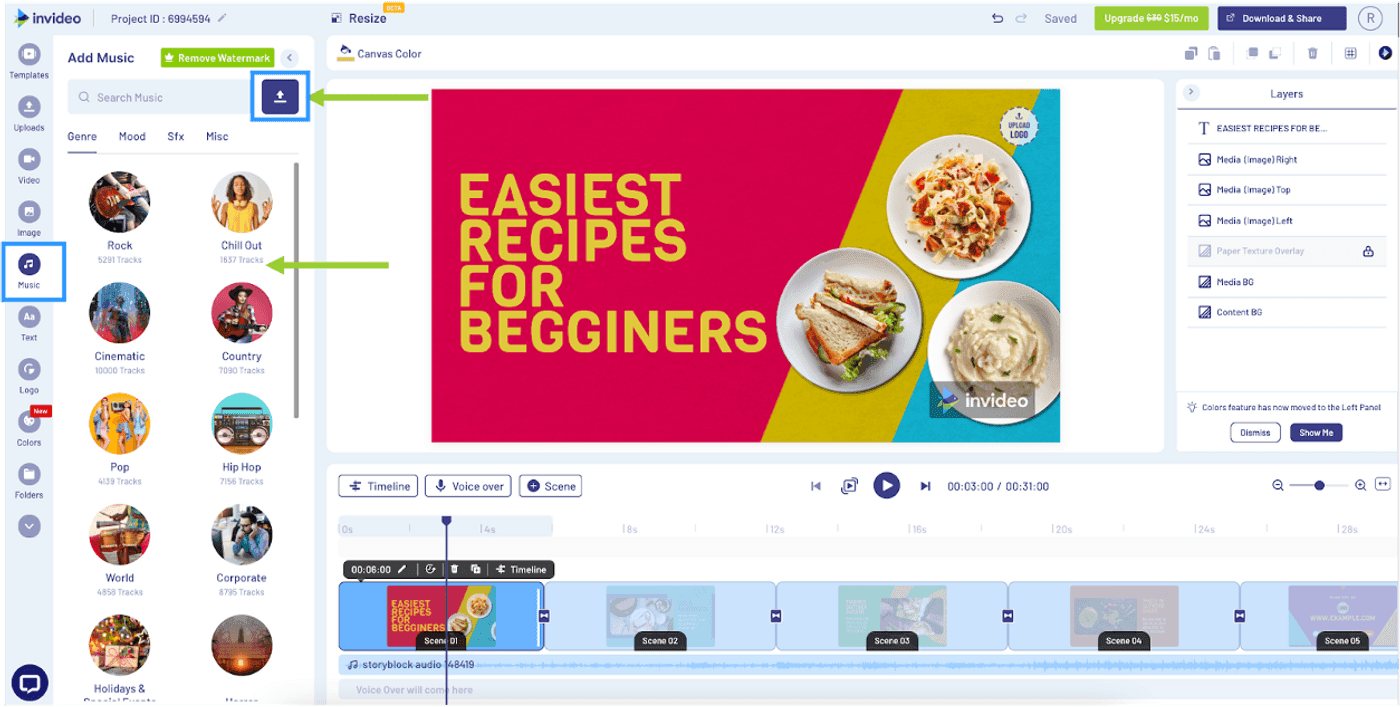
Design a product overview, feature walkthrough, or promo clip without touching a timeline. The AI script writer can generate a demo script from just a topic, and InVideo matches it with relevant stock footage and transitions.
For product demos, InVideo works best when you need polished overview videos quickly and don't have raw screen recordings. The 5,000+ template library covers nearly every use case, and the batch creation feature lets you generate multiple variations for A/B testing.
Best for: Small businesses, solopreneurs, and marketing teams with limited video experience who need template-guided demo creation.
Key features:
- Text-to-video generation with AI models
- 5,000+ templates for every use case
- AI script writing from a topic
- Automatic voiceover and music selection
- Batch video creation for bulk processing
- Multi-format export for social platforms
Pricing: Free plan (limited templates and exports). Plus at $25/month ($20/month annually). Max at $60/month ($48/month annually) with unlimited exports.
13. Runway - Best for Cinematic Product Videos
Runway brings cutting-edge AI video models to creators. Its Gen-4.5 model understands filmmaking concepts like camera choreography, timing, and scene composition, generating cinematic video from text or images. For product demos, Runway is the right choice when you need high-production-value brand videos or launch trailers rather than quick screen walkthroughs.
Runway excels at creating polished product announcement videos, hero videos for landing pages, and visual storytelling that goes beyond a standard demo. The multi-shot sequence feature lets you plan timed choreography across scenes.
Best for: Video professionals, creative agencies, and marketing teams creating cinematic product launch videos and brand content.
Key features:
- Gen-4.5 text-to-video model with camera control
- Image-to-video generation
- Multi-shot sequences with timed choreography
- Audio-to-video synchronization
- Professional color grading and compositing
- High-resolution output
Pricing: Free plan (limited generations). Standard at $12/month (625 credits/month). Pro at $28/month (2,250 credits/month). Unlimited tier available.
14. Fliki - Best for Turning Written Content Into Demo Videos
Fliki is the easiest entry point to AI video generation for product demos. Paste a blog post, feature description, or product page URL. Select an avatar and voice. Fliki generates a complete video in minutes. For teams that produce a lot of written product content and want to repurpose it as video, Fliki removes nearly all friction.
Fliki's simplicity is its biggest strength - and its limitation. You won't get the customization depth of Synthesia or HeyGen, but for straightforward demo overviews and feature explainers, Fliki gets the job done fast and affordably.
Best for: Content creators, product marketers, and course creators who want to repurpose written product content into video quickly.
Key features:
- Text-to-video generation from blog posts and URLs
- 100+ AI avatars and voiceovers in 75+ languages
- Automatic visuals matching your text
- Stock music and image integration
- One-click social media export
- Simple, beginner-friendly interface
Pricing: Free plan (5 minutes/month of audio and video). Standard at $28/month (180 minutes/month, 1080p). Premium at $88/month (600 minutes/month, priority rendering).
| Tool | Best For | AI Editing | Screen Rec | Voiceover | Brand Kit | Free Tier | Price From |
|---|---|---|---|---|---|---|---|
| ngram | AI-powered demos | Yes | Yes | AI | Yes | Yes | Free |
| Synthesia | AI avatar demos | Yes | No | AI Avatar | Yes | Yes | $29/mo |
| Loom | Quick async demos | Basic | Yes | Record | No | Yes | $15/mo |
| Descript | Text-based editing | Yes | Yes | AI Clone | Basic | Yes | $24/mo |
| Screen Studio | Mac polish | Auto | Yes | No | Basic | No | $89 once |
| VEED | Browser editing | Yes | Yes | AI | Yes | Yes | $18/mo |
| Canva | Design teams | Basic | Yes | AI | Yes | Yes | Free |
| Clipchamp | Free Windows | Basic | Yes | AI | Basic | Yes | Free |
| Pictory | Text to video | Yes | No | AI | Basic | Yes | $25/mo |
| DemoCreator | Budget desktop | Basic | Yes | AI | Basic | Yes | $10/mo |
| HeyGen | Personalized outreach | Yes | No | AI Avatar | Yes | Yes | $24/mo |
| InVideo | Template-driven | Yes | No | AI | Basic | Yes | $25/mo |
| Runway | Cinematic videos | Yes | No | No | No | Yes | $28/mo |
| Fliki | Written to video | Yes | No | AI | Basic | Yes | $28/mo |
Pricing at a Glance
Here's how these product demo video makers compare on starting paid price, so you can quickly find what fits your budget.
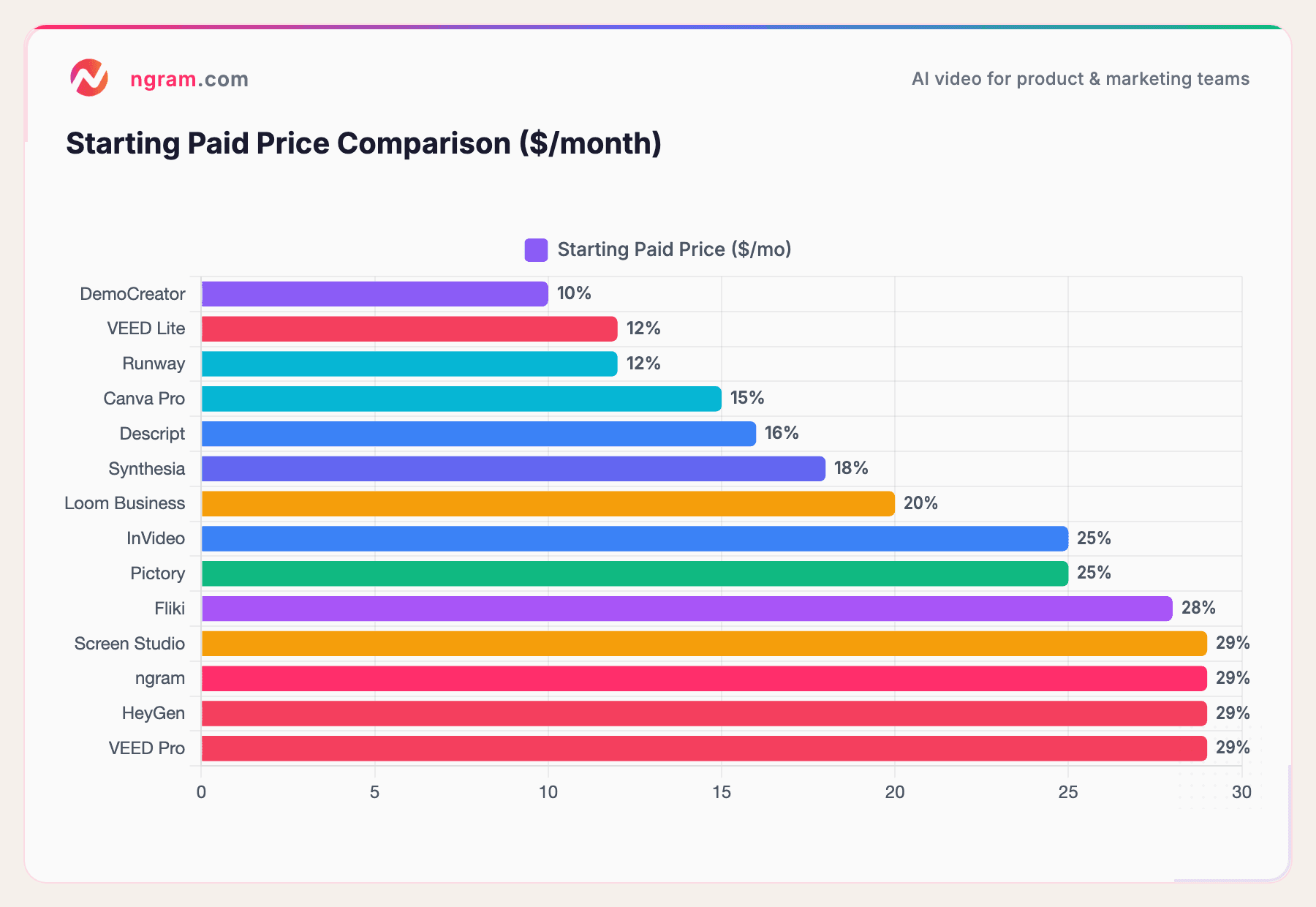
Note: Most tools also offer free plans with limited features. Prices reflect the lowest paid tier as of March 2026.
Keep in mind that the cheapest tool isn't always the best value. A $29/month tool that saves your team 10 hours a month on video production pays for itself many times over compared to a free tool that requires manual editing for every clip.
| Price Tier | Tools | Key Differentiator |
|---|---|---|
| Free | ngram, Loom, Canva, Clipchamp | Best for getting started; ngram free tier includes AI editing |
| $10-$25/mo | Loom, VEED, Descript, HeyGen, Pictory, InVideo | Full editing suites with AI features; best value range |
| $25-$50/mo | Synthesia, Runway, Fliki | AI avatars, cinematic generation, advanced features |
| One-Time Purchase | Screen Studio ($89) | No subscription; Mac-only, auto post-processing |
How to Choose the Right Tool for Your Team
With 14 solid options, the best pick depends on your specific situation:
If you need AI-powered, end-to-end demo creation: ngram handles everything from script to final export, and it's built specifically for product teams that ship demos regularly.
If you want AI avatars presenting your product: Synthesia is the clear choice, especially for multilingual teams.
If speed and simplicity matter most: Loom gets you a shareable demo in seconds. Perfect for async sales and support.
If you prefer editing through text: Descript's transcript-based editing is unmatched for careful scripting and narration.
If you're on a tight budget: Clipchamp (free, no watermark) or DemoCreator (~$10/month) offer solid fundamentals.
If you're already in Canva: Adding basic video editing to your existing Canva workflow is seamless.
If you need personalized outreach at scale: HeyGen's batch processing generates hundreds of slightly-different demo videos, each personalized to a prospect.
If you want templates to guide you: InVideo's 5,000+ template library makes it easy to ship a professional demo without video experience.
If you need cinematic product launch videos: Runway's Gen-4.5 model produces the most visually sophisticated output, ideal for brand videos and launch trailers.
If you want to repurpose written content into video fast: Fliki turns blog posts and product pages into demo videos in minutes with minimal effort.
How to Make a Great Product Demo Video
Regardless of which tool you choose, the best product demo videos share a few things in common:
Keep it short. The best SaaS demo videos run 2-4 minutes. Anything longer and you risk losing viewers before they see the value.
Start with the pain point, not the product. Lead with the problem your viewer faces, then show how your product solves it. "Tired of spending 3 hours editing every demo?" is more compelling than "Welcome to our demo."
Focus on one use case per video. Trying to showcase every feature in a single demo dilutes the message. Create separate demos for different personas or use cases.
Show the actual UI. Many companies still rely on generic stock footage or slides rather than showing their actual product UI in demo videos. That's a missed opportunity - buyers want to see the real product, not just slides.
Add captions. A significant portion of viewers watch video without sound, especially on mobile and social platforms. Every product demo video should have captions.
- Start with the pain, not the product<br/>
- Keep it under 5 minutes (2-3 min is ideal)<br/>
- One workflow per demo, not every feature<br/>
- Use smart zoom and callouts on key clicks<br/>
- End with one clear next step (not three)
</div> </div>
Frequently Asked Questions
What is a product demo video?
A product demo video is a short video that shows how a software product works. It walks viewers through key features, workflows, or use cases to help them understand the product's value before signing up or purchasing. Demo videos can range from quick screen recordings to polished, narrated walkthroughs with motion graphics.
How long should a product demo video be?
The ideal length is 2-4 minutes for most SaaS product demos. This gives you enough time to set up the problem, show the solution, and include a call to action without losing viewer attention. For specific feature demos, even 60-90 seconds can be effective.
How do I create a product demo video without a video team?
AI-powered tools like ngram let you create polished product demo videos without any video editing experience. You provide your raw content (screen recordings, screenshots, product URLs) and the tool generates a script, storyboard, and finished video. You review and refine using plain-language instructions. For detailed guidance, check out our walkthrough on how to create product demo videos.
What's the difference between an interactive demo and a product demo video?
An interactive demo lets viewers click through a simulated version of your product at their own pace. A product demo video is a pre-recorded video that walks viewers through the product with narration, annotations, and edited footage. Both serve different purposes - interactive demos work well for self-serve website visitors, while video demos are better for sales outreach, landing pages, and social media.
Do product demo videos actually increase conversions?
Yes. According to Wyzowl, 85% of buyers say demo videos persuade them to purchase. Websites with product demo videos see up to 86% higher conversion rates, and the average conversion rate for pages with video is 4.8% compared to 2.9% without.
What's the best free product demo video maker?
Clipchamp (from Microsoft) is currently the best free option - it offers 1080p exports with no watermark, built-in screen recording, and text-to-speech voiceover. Loom's free plan is also solid for quick recordings, though it limits you to 25 videos at 5 minutes each.
Wrapping Up
The right product demo video maker can turn a bottleneck into a competitive advantage. Instead of waiting days for a freelancer or struggling with complex editing software, you can ship polished demos the same day you record them.
For teams that need end-to-end AI-powered demo creation with branding, voiceover, and smart editing built in, ngram is the tool we'd recommend starting with. Your first video is free, and it takes under 5 minutes to see what it can do.
Related articles
AI Explainer Video Maker: Create Videos That Convert
Learn how to use an AI explainer video maker to create professional, on-brand explainer videos in minutes. Covers tools, costs, step-by-step process, and real data.

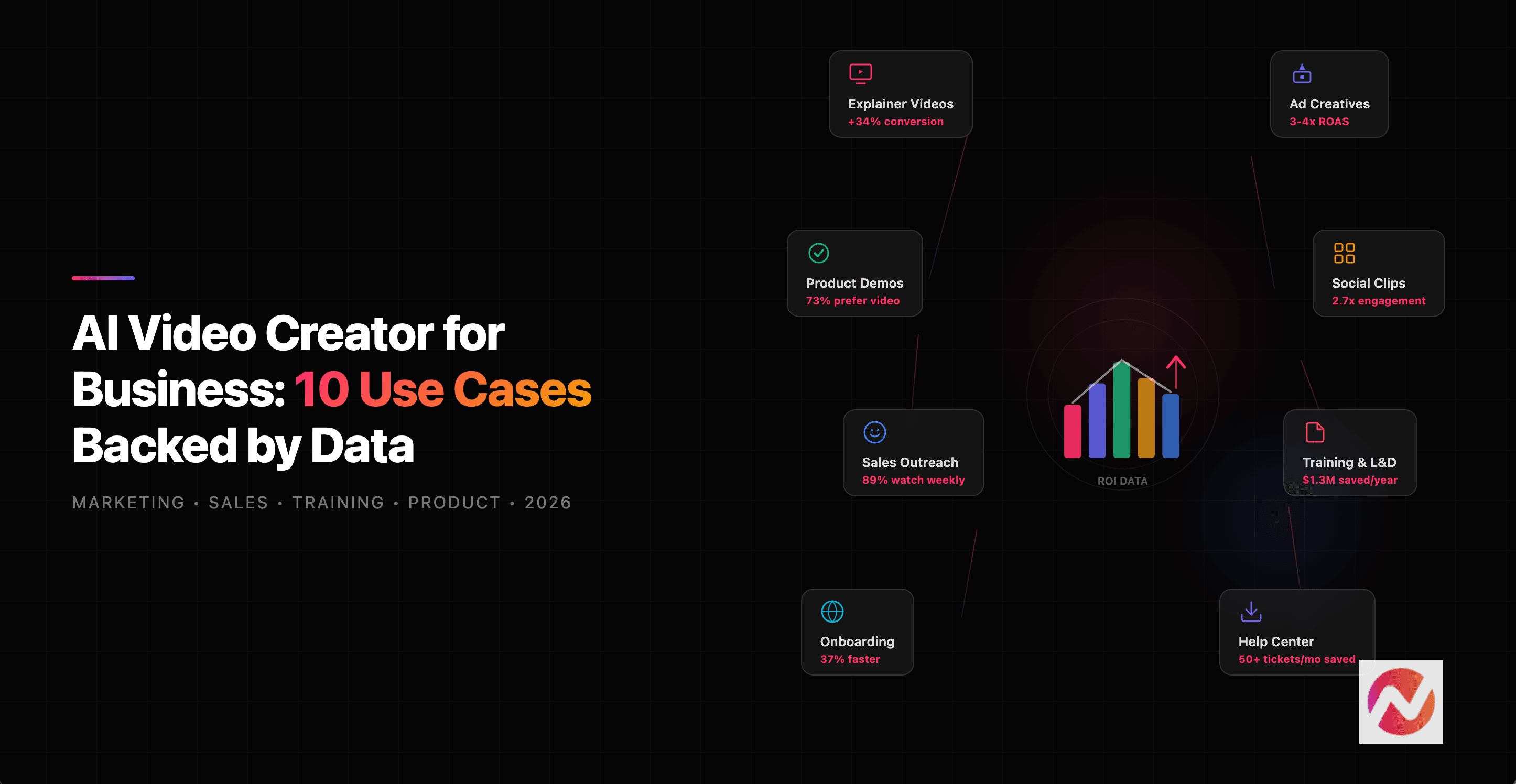
AI Video Creator for Business: 10 Use Cases Backed by Data (2026)
Discover 10 proven business use cases for AI video creators in 2026, from marketing explainers to sales demos and employee training, backed by real data and ROI statistics.

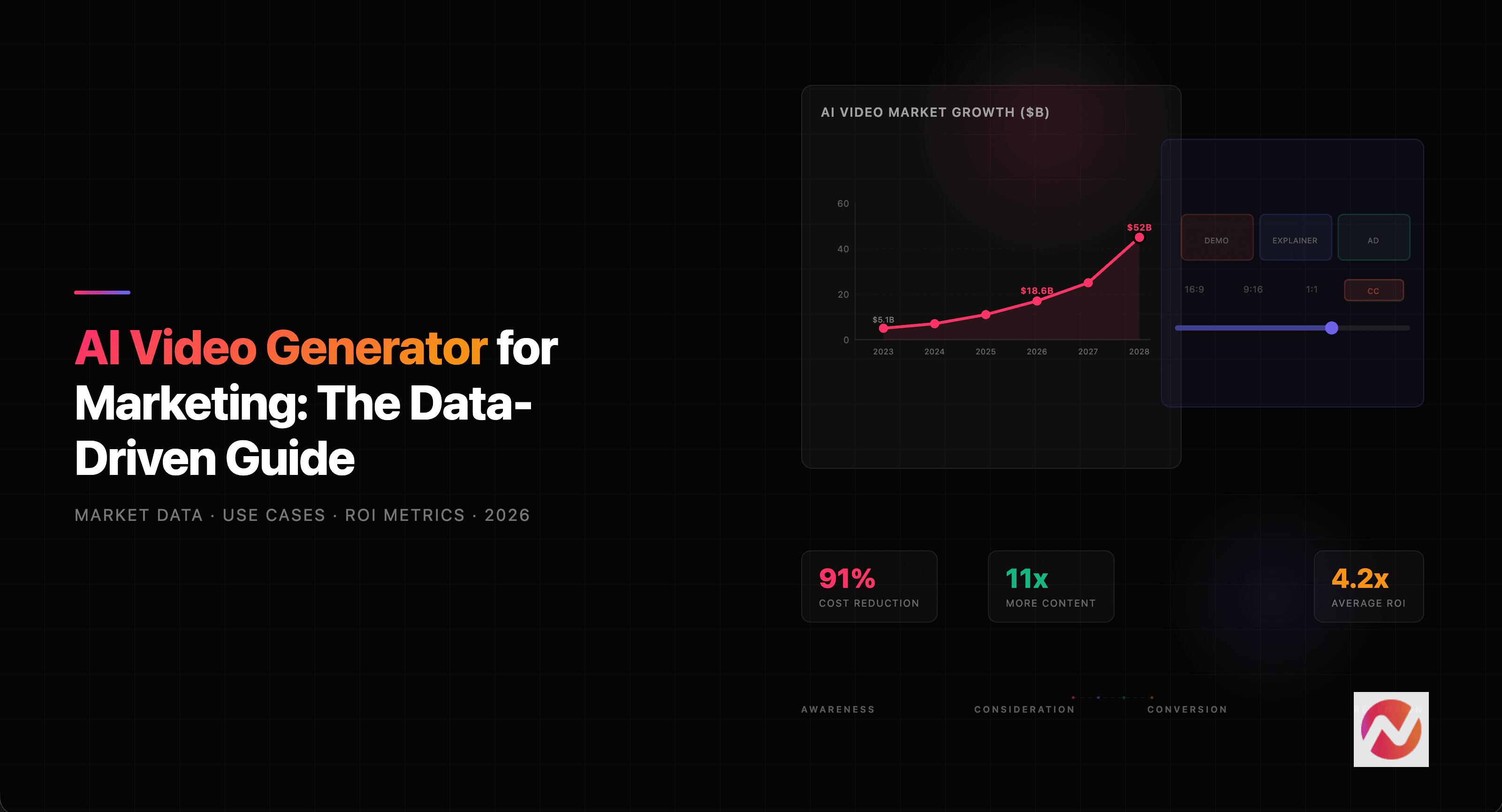
AI Video Generator for Marketing: The Data-Driven Guide (2026)
How marketing teams use AI video generators to cut production costs by 91% and create 11x more content. Data-backed guide with market trends, use cases, and ROI metrics.
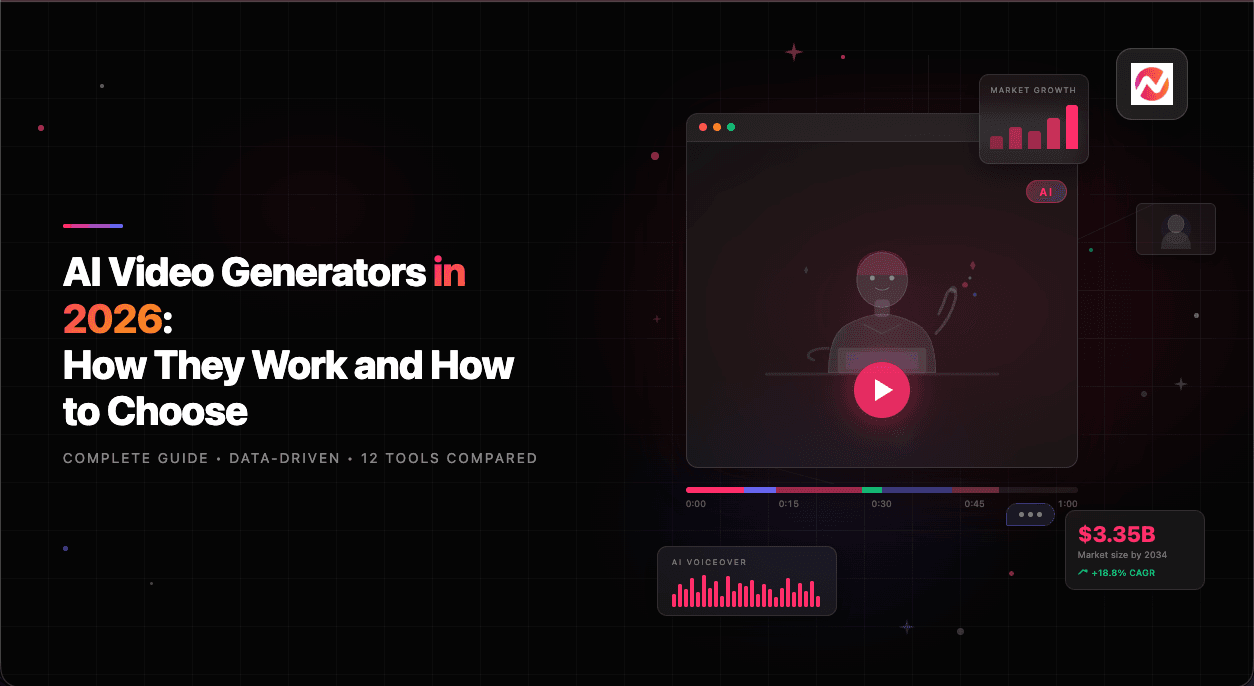
AI Video Generators in 2026: How They Work and How to Choose
A comprehensive guide to AI video generators in 2026 covering the technology behind them, pricing comparisons, business use cases, and how to pick the right tool for your team.

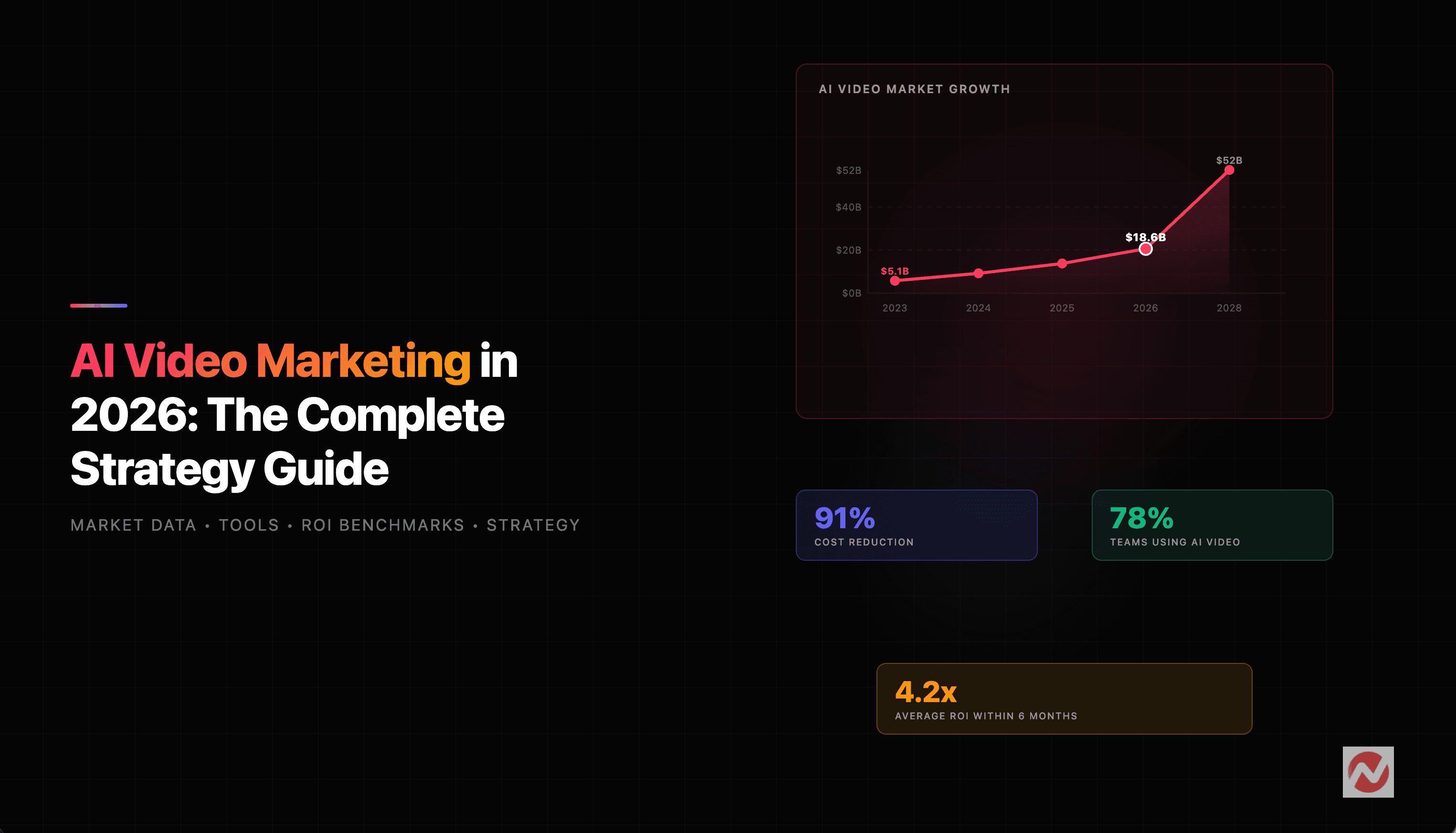
AI Video Marketing in 2026: The Complete Strategy Guide for Business Teams
Learn how companies are using AI video for marketing in 2026 - from tools and strategies to real ROI data and case studies. Includes market data, tool comparisons, and actionable frameworks.
Best AI Explainer Video Makers in 2026
We tested 8 AI explainer video makers and compared them on features, pricing, and output quality. See which tools actually deliver in 2026.
Ready to create your first video?
Join thousands of product teams using AI to create professional videos in minutes.