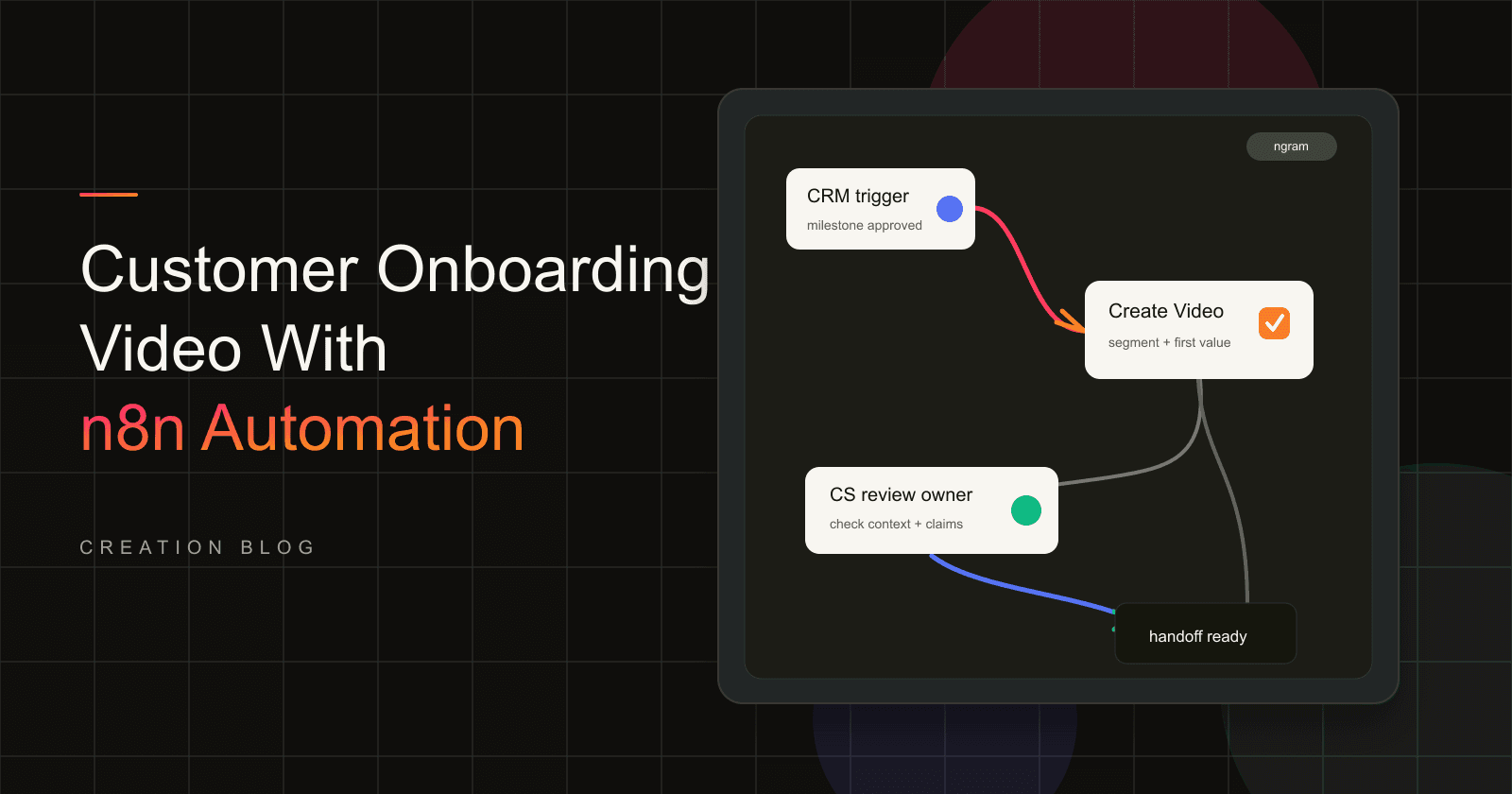

An onboarding video should give a new customer one clear first path. The problem is that CS teams often explain the same setup steps in calls, emails, kickoff notes, and task comments, while every account arrives with slightly different context.
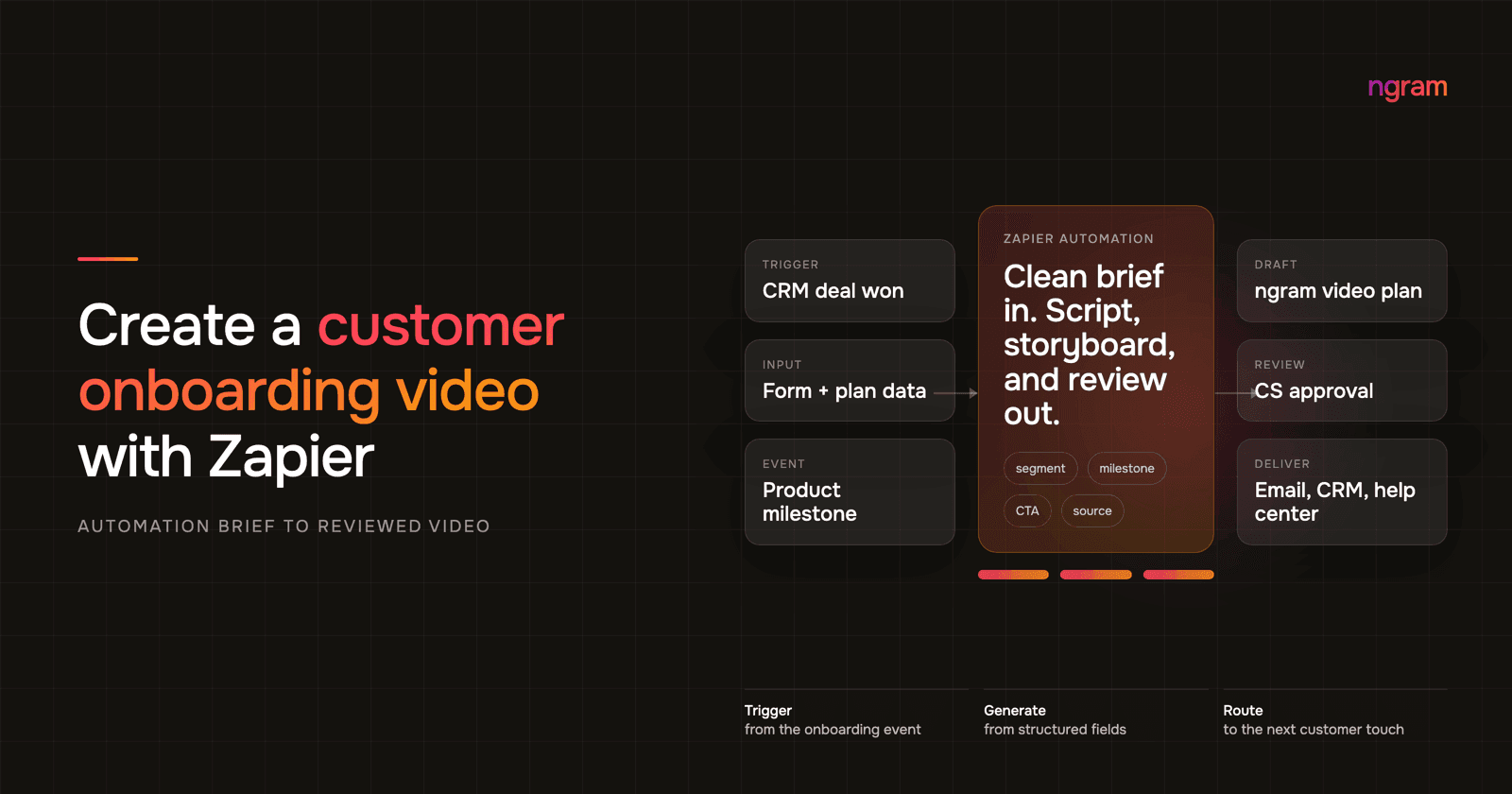
Zapier video generation works well for this because onboarding events already create structured data. A new customer form, plan change, implementation milestone, or CRM status update can start the workflow. Zapier moves the fields. ngram turns the brief into a customer onboarding video draft that your team can review.
The goal is not to remove CS judgment. The goal is to stop rewriting the same explanation and make handoffs consistent across segments, plans, and implementation paths.
Why onboarding video matters now
Video is no longer a nice-to-have format for customer education. Wyzowl's 2026 Video Marketing Statistics surveyed 266 respondents and found that 91% of businesses use video as a marketing tool, 93% of video marketers say video has improved user understanding, 57% say video has reduced support queries, and 63% of consumers prefer a short video when learning about a product or service.
The onboarding side has its own pressure. Amplitude's Product Benchmark Report found that for half of products, more than 98% of new users are not active two weeks after their first action. Amplitude also reports that 69% of products with strong seven-day activation were also strong three-month retention performers in its time-to-value analysis. That is why the first-value milestone belongs inside the video brief.
Other benchmarks point to the same operating problem. Userpilot's activation benchmark measured an average activation rate of 37.5% and a median activation rate of 37% across 62 B2B companies. OnRamp's 2025 onboarding report surveyed 161 customer success and onboarding leaders and found that 48% of customers abandon onboarding if they do not see value quickly, while 65% of companies using digital onboarding reduced time to value by at least 25%.
For CS and implementation teams, the takeaway is practical: use video to make the first path visible, then use Zapier to create the draft at the right moment.
| Data point | What it means for onboarding video | Source |
|---|---|---|
| 63% of consumers prefer short video to learn about a product or service. | A first-path explanation should be watchable, not buried in a long setup email. | Wyzowl 2026 |
| 57% of video marketers say video reduced support queries. | Repeat CS explanations are a good automation target when the answer is stable. | Wyzowl 2026 |
| More than 98% of users are inactive after two weeks for half of products. | The video should drive one early value action, not a broad product tour. | Amplitude Product Benchmark Report |
| Average B2B activation is 37.5% across the Userpilot sample. | Segment-specific onboarding matters because most users do not reach activation. | Userpilot 2024 |
| 48% of customers abandon onboarding if they do not see value quickly. | The brief needs a first-value milestone instead of a welcome message. | OnRamp 2025 |
| Software keeps 39% of users after month one and about 30% after month three on average. | Onboarding content should keep guiding users after signup, not only during kickoff. | Pendo 2025 |
For retention context, Pendo's 2025 retention benchmarks report that the top 10% of software products retain 1.7x as many users in month one, 1.8x in month two, and 1.9x in month three compared with average products. The gap is a reminder to keep onboarding assets tied to activation, usage, and follow-up.
Prerequisites for Zapier video generation
Before you build the Zap, define the customer moment and the fields that ngram should receive. Zapier says it offers 9,000+ apps, so the hard part is usually not finding a trigger. The hard part is keeping the payload small enough to become a clean video brief.
Have these pieces ready:
- A trigger source: onboarding form, CRM status, plan change, implementation milestone, product milestone, or CS task.
- A segment model: plan, role, company size, use case, maturity, or setup path.
- A first-value milestone: the action the customer needs to complete after watching.
- Approved source material: help doc, product URL, PDF, setup notes, screenshots, screen recording, or kickoff summary.
- A review owner: CSM, implementation lead, support lead, RevOps owner, or founder.
- A handoff destination: CS review queue, CRM note, customer email, help-center draft, or kickoff task.
Step 1: choose the onboarding trigger
Zapier defines a Zap as a trigger followed by one or more actions in its Zap concept guide. For onboarding video, choose a trigger that means the customer has entered a new stage. Do not trigger on every login, every field update, or every small product event.
Good triggers include:
- A new customer form submission after signup or purchase.
- A CRM status moving to closed won, onboarding, implementation, or ready for kickoff.
- A plan change that shifts the customer's setup path.
- An implementation milestone such as kickoff complete, data imported, integration connected, or admin invited.
- A CS task that marks the account ready for a segment-specific guide.
Step 2: normalize the customer fields
The trigger rarely has every field the video needs. Add a lookup or formatting step before ngram so the workflow passes clean inputs instead of messy internal notes.
If you collect inputs directly, Zapier Forms can collect information and trigger workflows, according to Zapier's Forms documentation. Zapier Tables can store and act on workflow data, according to the Tables quick start guide. Either pattern can keep requests consistent when the CRM record is incomplete.
Normalize these fields before video creation:
- Customer segment: new admin, end user, technical champion, agency client, enterprise stakeholder, or trial account.
- Use case: the job the customer bought the product to complete.
- Goal: the first result the customer should reach after the video.
- CTA: connect an integration, invite a teammate, upload a file, finish setup, reply to the CSM, or book kickoff.
- Claims to avoid: plan features, roadmap items, private notes, or customer-specific promises that have not been approved.
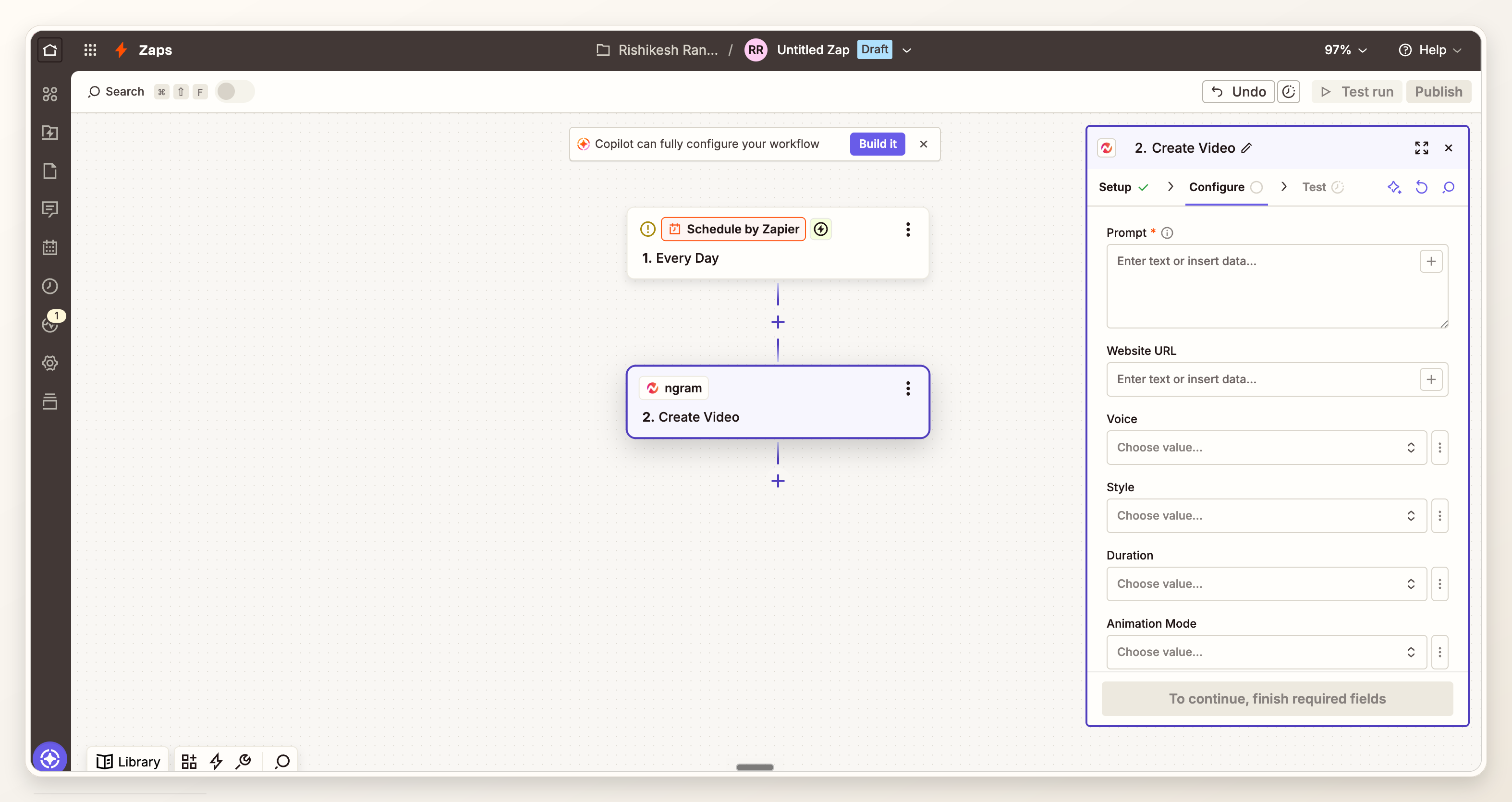
Step 3: connect ngram in Zapier
ngram is live as a public Zapier app, so you can add it to the Zapier workflow and connect the ngram account your team uses for customer education videos. Start from the ngram Zapier integration if you want the integration overview before building the Zap.
Use a clear connection name. For example, a CS production connection and a test connection are easier to audit than a personal label attached to one teammate.
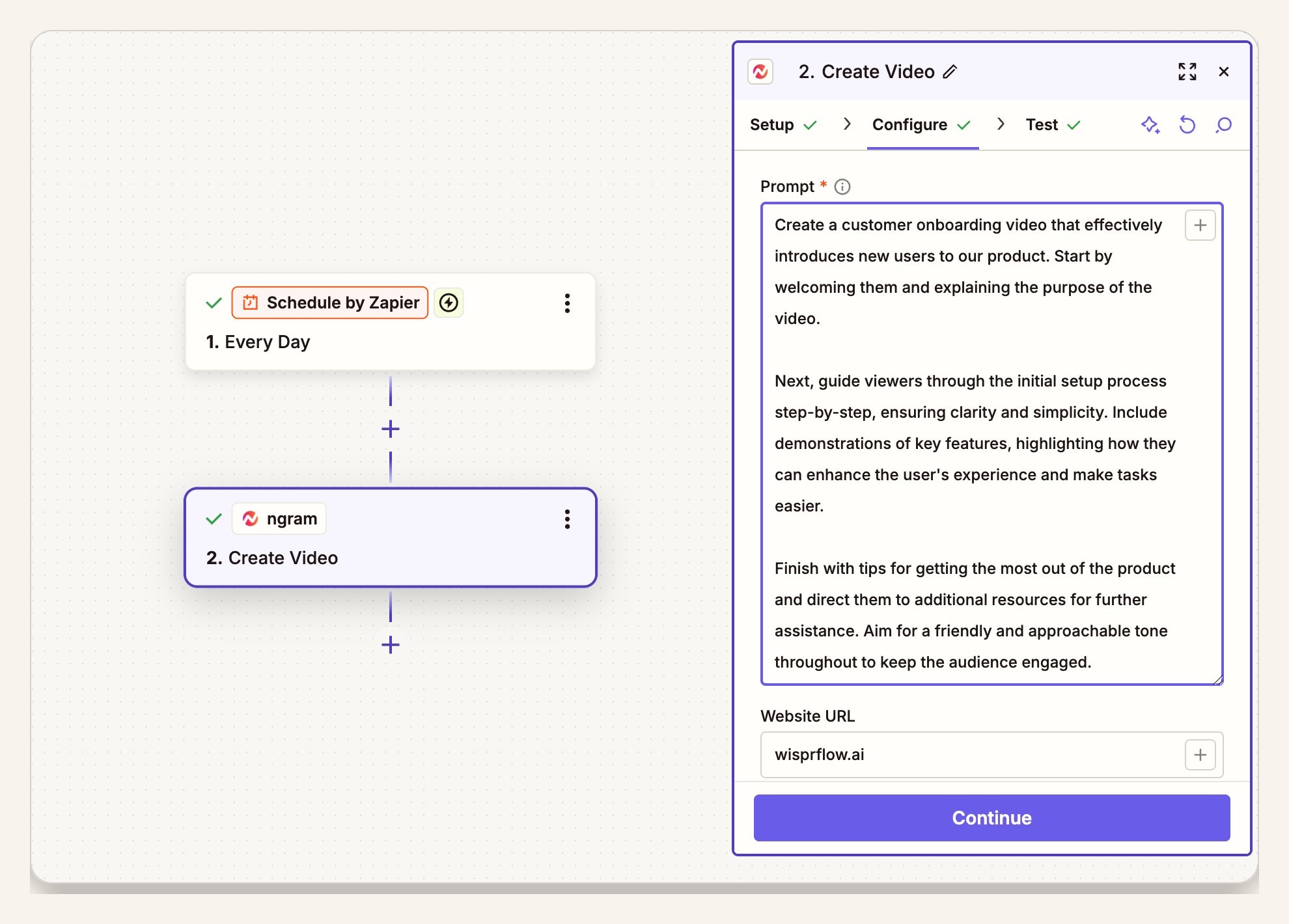
Step 4: map fields into Create Video
Send ngram a brief that reads like a customer-facing assignment. Do not dump the whole CRM record into the video request. ngram can create videos from prompts and structured inputs, including docs, URLs, screenshots, recordings, and setup notes, so the Zap should point to the useful source material and state the audience clearly.
A practical prompt format:
Create a customer onboarding video for [customer segment] using [source material]. The viewer's goal is [first-value milestone]. Focus on [use case]. End with [CTA]. Keep the tone [tone]. Avoid [blocked claim or private detail]. Send the draft to [review owner] before customer handoff.
For teams that want the page-level playbook, the customer onboarding video use case explains how ngram turns docs, recordings, and setup context into customer education content.
Step 5: include the review owner and first-value milestone
The review owner and first-value milestone are not admin details. They decide whether the draft becomes useful or just another asset in a folder.
Use this field map when you build the Zap:
| Zap field | Example value | Why it matters |
|---|---|---|
| Segment | New admin on Pro plan | Sets vocabulary, depth, and setup path. |
| Use case | Import team data before kickoff | Keeps the script tied to the customer's job. |
| First-value milestone | Connect the first workspace integration | Turns the video into an activation asset. |
| CTA | Reply to the CSM when the integration is connected | Defines the next handoff. |
| Review owner | Implementation lead | Prevents customer-facing delivery before approval. |
Step 6: test the Zap with real but safe data
Run the Zap with a test customer record that looks like a real account but does not expose private customer notes. Check the trigger, normalized fields, ngram brief, review route, and final handoff destination.
During the test, look for field drift. Plan names, onboarding stages, and CRM statuses change over time. If the Zap uses old labels, the video can teach the wrong setup path even when the automation technically succeeds.
Step 7: review the output and route the handoff
Review the draft before the customer sees it. ngram can draft the script, storyboard, visuals, narration, and CTA, but customer onboarding content still needs a product-truth check. The script generation workflow is useful here because the team can review the story before the video is locked.
If the video needs narration, AI voiceover keeps narration tied to the active script. Plan differently framed email, help-center, and mobile versions as separate edits. If a destination requires another file container after MP4 export, the video converter can convert the finished file to MOV, WebM, or MKV without changing its framing.
After approval, route the finished link or export to the system that owns the next customer action: CS review queue, kickoff task, CRM timeline, welcome email, help-center draft, or customer-ready handoff.
QA checklist for customer onboarding video workflows
Use this checklist before you let the workflow run for real customers:
- Trigger: fires only on a meaningful onboarding moment.
- Segment: maps to the right role, plan, use case, and setup path.
- Source material: uses approved docs, URLs, recordings, screenshots, or setup notes.
- First-value milestone: appears in the brief and the script.
- CTA: asks for one next action.
- Review owner: receives the draft before any customer handoff.
- Privacy: removes internal notes, private customer details, and fields the customer should not see.
- Accuracy: checks UI labels, plan names, setup steps, and product availability.
- Fallback: sends failures or incomplete requests to a human queue instead of dropping them silently.
Frequently asked questions
What should trigger a customer onboarding video in Zapier?
Use a trigger that marks a real onboarding stage: new customer form submitted, CRM status changed, plan changed, implementation milestone reached, or kickoff task created. Avoid triggers that fire too often because they create noisy drafts and make review harder.
Can Zapier create the whole onboarding video automatically?
Zapier can move the trigger data, normalized fields, and draft request through the workflow. ngram creates the video draft from the brief and source material. For customer-facing onboarding, keep a review step before delivery.
What fields should I include in the video brief?
Include customer segment, use case, first-value milestone, approved source material, tone, CTA, claims to avoid, and review owner. Add plan or permission details when those details change what the customer should see.
Should every new customer get a personalized onboarding video?
Start with segment-specific videos before one-to-one videos. Wyzowl's 2026 report found that 23% of video marketers have created customer onboarding videos, which means the format is established but still less common than explainer videos at 68% or product demos at 39%. Segment-specific workflows give you repeatability before deeper personalization.
Where should the finished onboarding video go?
Send it to the place that owns the next customer action: CS review queue, welcome email, CRM record, kickoff task, help-center article, or in-app checklist. Do not leave the approved video in a generic asset folder and expect the customer to find it.
How do I know whether the onboarding video is working?
Track whether customers complete the first-value milestone after the video handoff. Also track CS review time, repeated support questions, activation rate, and whether the video is used in the account record. The data section above gives a benchmark reason to care: Wyzowl reports 57% of video marketers reduced support queries with video, and OnRamp reports 65% of companies using digital onboarding reduced time to value by at least 25%.