From Program Setup to Participant Planning | made with ngram

About the video
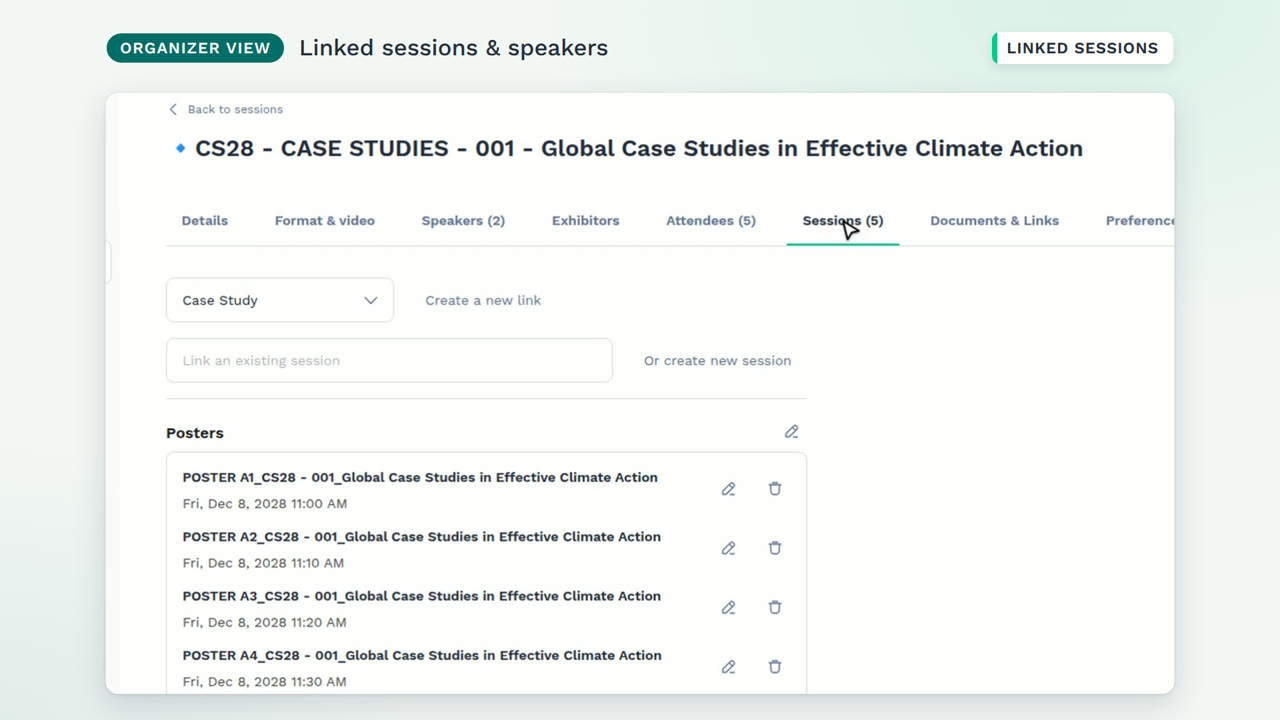
This video was created by ngram to walk through how organizers build a multi-track event program in Studio and how that program appears to participants in the event app. Using HTML/CSS motion graphics in a 16:9 format, the video opens by framing the challenge of structuring complex programs for organizers while keeping them clear for attendees. It then shows the organizer workflow: creating a session with a title, date, time and location, configuring each agenda page's group visibility, conditions, layout and filters, and linking related sessions such as a case study with its posters and speakers. The video then shifts to the participant view, showing the new session live in the app, demonstrating how filters built from the program's own fields let attendees combine track, format, mode and location to narrow the agenda, and highlighting the Posters page's abstract view linking each poster to its details and parent case study. It closes by showing participants adding a session to their personal schedule, viewable as a list or calendar, and summarizes how the platform connects program management with participant planning from setup to engagement.
- #event management
- #program scheduling
- #session planning
- #participant experience
- #agenda filters
- #organizer tools