Remove duplicate names in Excel | made with ngram

About the video
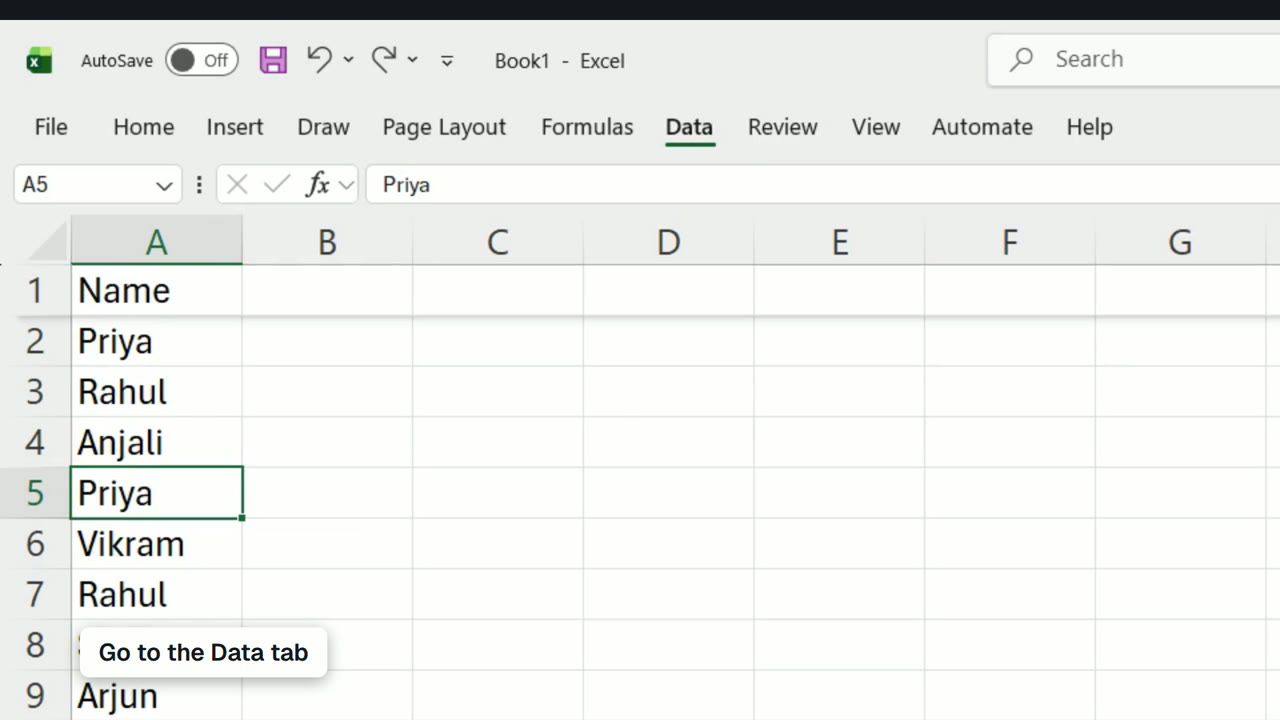
This video was created by ngram to show how to remove duplicate names from a column in Excel using the built-in Remove Duplicates tool. The walkthrough demonstrates selecting a name within the data column, navigating to the Data tab, and locating the Remove Duplicates icon. It then shows ticking the option indicating the data has a header row before confirming with OK. The video illustrates a before-and-after comparison, starting with ten names in the list, removing three duplicate values, and ending with seven unique names remaining in the final list. The takeaway is a clear, step-by-step method for cleaning up a spreadsheet column so only unique entries remain, useful for anyone managing lists or datasets in Excel. ngram created this video using HTML/CSS motion graphics in a 16:9 aspect ratio, structured into sequential scenes that mirror the script: an opening title, selecting a name, opening the Data tab, applying Remove Duplicates, ticking the header option, viewing the original ten names, seeing the three duplicates removed, confirming seven unique values remain, and displaying the final cleaned list. The narration guides viewers through each click and menu selection in real time, making the tutorial easy to follow for someone performing the same task in their own spreadsheet.
- excel
- remove duplicates
- data cleaning
- spreadsheet tutorial
- data tab
- excel tips