How to Apply for Leave | made with ngram

About the video
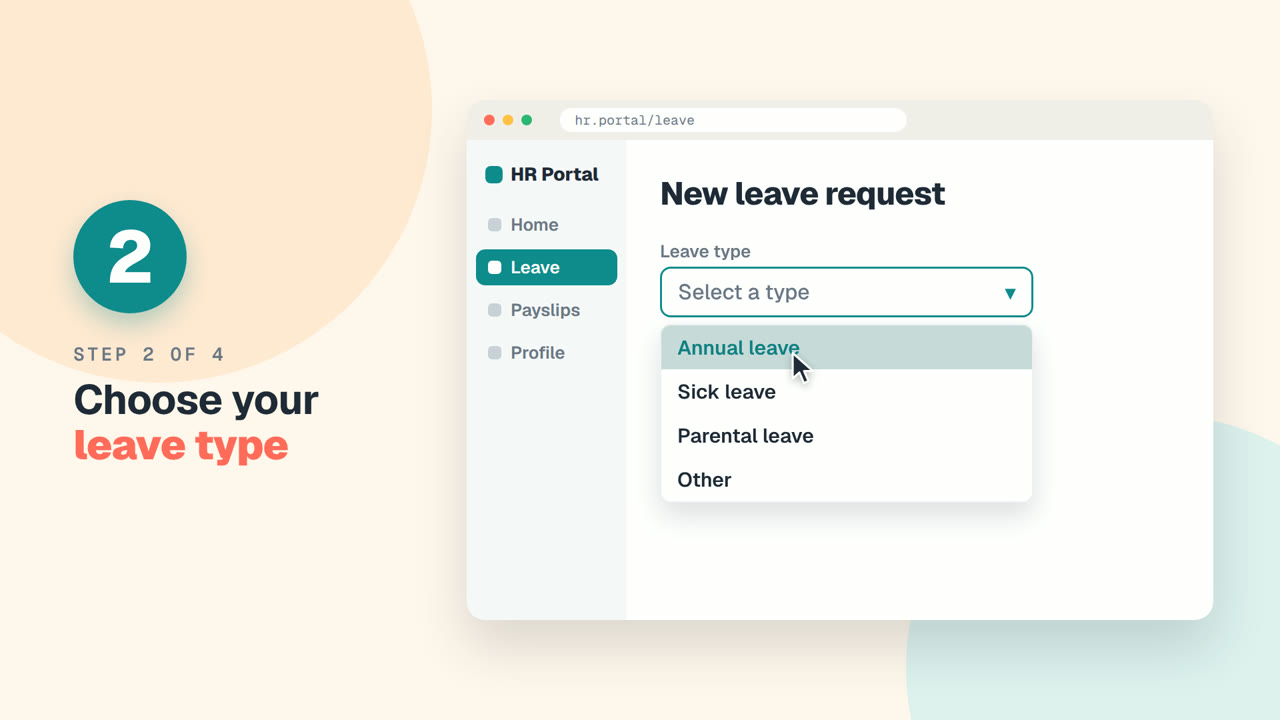
This video was created by ngram to show new employees how to submit a leave request through the company's HR portal. Using HTML/CSS motion graphics, the video walks viewers through a welcome message and then a clear sequence of steps: logging into the portal and clicking the Leave section, selecting a leave type such as annual or sick leave, choosing start and end dates and adding an optional note, and finally clicking Submit. The video then explains what happens next, noting that a manager will review the request and the employee will receive an email once it's approved, before closing with a friendly wrap-up wishing the viewer a good time off. The structure moves scene by scene from welcome to each numbered step to approval and wrap-up, mirroring the exact flow described in the script so new hires can follow along in order. The takeaway for viewers is a simple, repeatable process for requesting time off without needing to ask HR directly. ngram created this video by turning the step-by-step script into paced scenes with on-screen motion graphics that visually reinforce each stage of the leave request process, making the HR portal workflow easy to understand at a glance.
- #HR portal
- #employee onboarding
- #leave request
- #motion graphics
- #step-by-step guide