Khan Academy — Find it all on your Learner Home | made with ngram

About the video
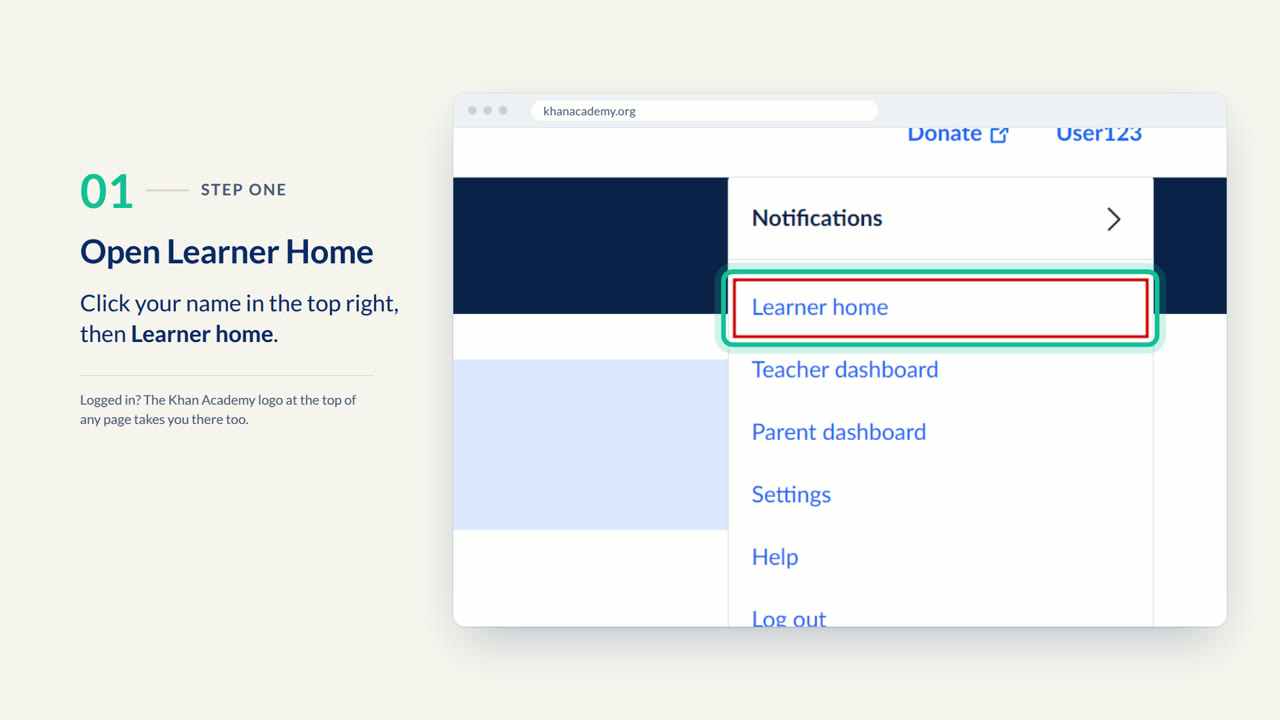
This video was created by ngram to show students how to navigate their Learner Home on Khan Academy. It opens by posing the problem many learners face: not knowing where to find assignments and self-paced courses, then shows that everything lives in one place, the Learner Home, accessed by clicking your name in the top right corner and selecting Learner Home. The video walks through choosing a class under My Classes, where current and upcoming assignments appear under the Active tab, and then shows where independently taken courses can be found under My Stuff, in the Courses section. An end card invites viewers to explore their own Learner Home on Khan Academy. The video is built in an HTML/CSS motion graphics style, using clean on-screen text and interface callouts across five scenes: the problem, opening Learner Home, choosing a class, My Stuff, and the end card. ngram produced this walkthrough from a scripted narration to clearly explain the navigation steps in a short, focused format suited for students who need a quick orientation to the platform's layout.
- #Khan Academy
- #Learner Home
- #student dashboard
- #assignments
- #online courses
- #navigation walkthrough
- #motion graphics