

Search "Screen Studio vs ScreenPal" and the two tools look like they do the same thing: record your screen, end up with a video. They start in very different places. Screen Studio is a macOS-only app that takes one raw capture and auto-polishes it into something that looks editorial, smooth cursor, zoom on clicks, motion blur, no editing skill required. ScreenPal (formerly Screencast-O-Matic, rebranded) is an all-in-one recorder, editor, and host that runs on Windows, Mac, iOS, and Android, leans toward educators and trainers, and bolts AI on top at its higher tiers.
That difference decides the purchase. A designer on a Mac making a product demo for a landing page wants Screen Studio's automatic finish. A teacher recording a graded lesson on a school laptop, then adding a quiz, wants ScreenPal. Below we compare both across the dimensions that actually matter, and we are honest about where a third option, ngram, beats either one.
Screen Studio vs ScreenPal at a glance
| Tool | Best for | Starting price | Platforms | Main distinction |
|---|---|---|---|---|
| Screen Studio | Auto-polished Mac demos | $9/mo (billed annually, $108/yr) | macOS only (Ventura 13.1+) | Cinematic auto-zoom, cursor smoothing, motion blur with zero editing |
| ScreenPal | Cross-platform lessons and training | $4/mo Solo Deluxe (billed annually) | Windows, Mac, iOS, Android | Record anywhere, host, quizzes and polls, AI on top tiers |
| ngram | Turning a recording into a finished video | Free, then $29/mo | Mac, Windows, browser (no native app) | Auto-edits and scripts a narrated, on-brand video from a recording, doc, URL, or deck |
Short version: Screen Studio wins on out-of-the-box visual finish if you are on a Mac. ScreenPal wins on reach, price, and classroom features. Both still hand you a recording you then have to think about. If the job is to turn that recording into a branded demo, explainer, or training video, that is where ngram fits, and we will get to it.
Core output and quality
This is where the two split hardest.
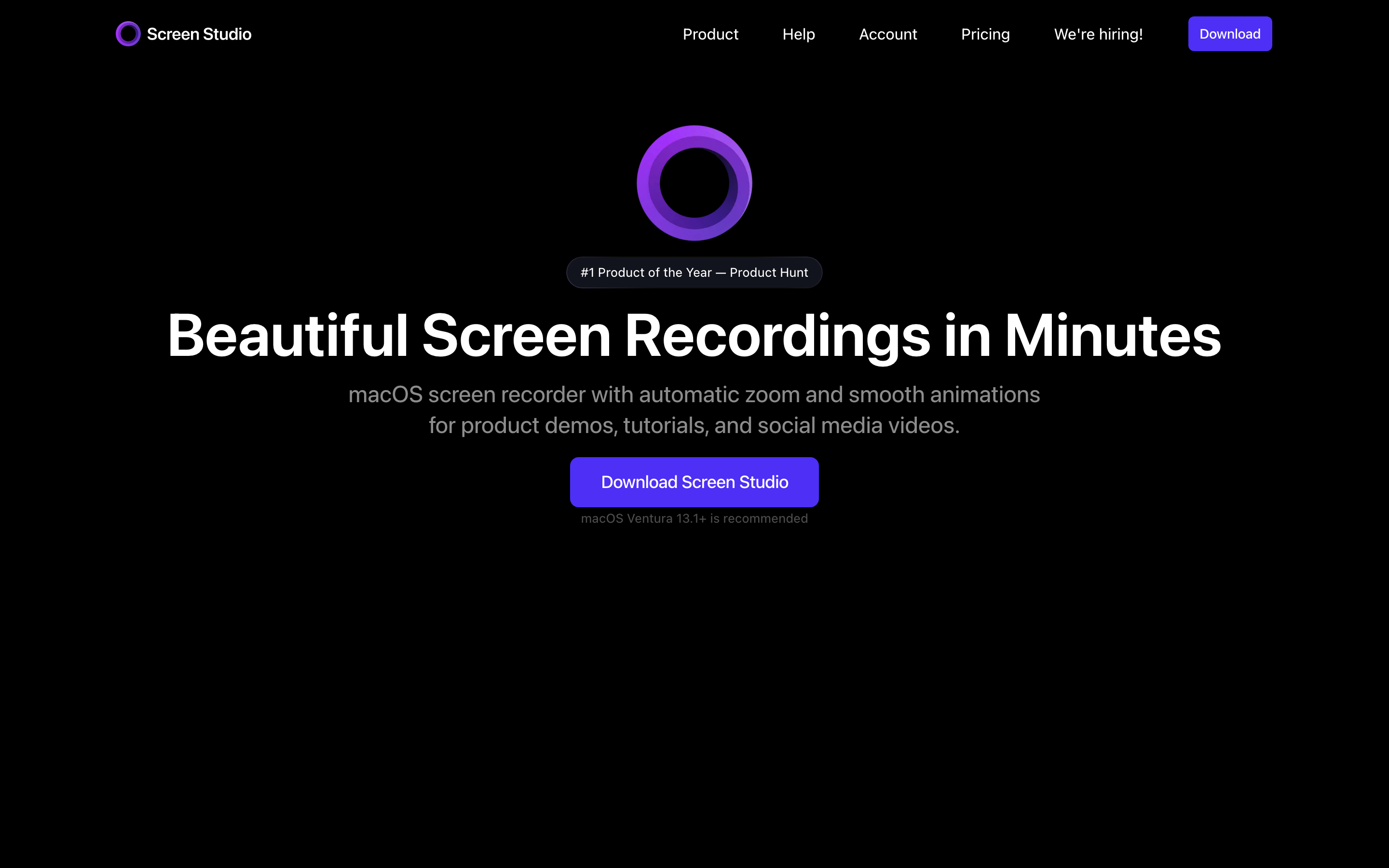
Screen Studio's whole reason to exist is the finish. You hit record, capture your screen on a Mac, and the moment you stop, Screen Studio smooths the cursor path, zooms in automatically on clicks, and adds motion blur so camera moves feel filmic. Export up to 4K 60fps. For a single polished walkthrough with no editing time, it produces the cleanest result of the two by a wide margin. Its motion-blur control in particular gives cursor moves a feel that screen-recording purists notice.
ScreenPal's output is a more straightforward recorded video: screen plus webcam, captured from a desktop or mobile app, then trimmed and annotated in a light editor. It is clean and perfectly usable, but it does not auto-polish the way Screen Studio does. You place text, shapes, and overlays by hand. Where ScreenPal pulls ahead on output is the layer around the video: hosted channels, interactive quizzes and polls in the player, and call-to-action buttons, none of which Screen Studio offers.

Neither tool plans the video for you. They both assume you already know what to record and how to structure it. That assumption is the gap a generation tool fills.
Inputs and workflow
Both tools start the same way: you record first, then improve what you recorded.
With Screen Studio you capture on your Mac, including iPhone and iPad demos over USB or wireless, where it detects the device model and frames it automatically. That device-mirroring is genuinely good for app demos. After capture, the auto-edits apply and you tweak from there.
ScreenPal scripts a take with a built-in teleprompter, then you record, then you trim and annotate. It also offers a script builder so you can plan your narration before filming. The flow is record-centric: nothing happens until you have shot the take.
This is exactly where ngram inverts the order. You do not have to start by recording. Hand ngram a screen recording, a PDF, a product URL, or a deck, and the agent writes the script, plans the storyboard, and returns a narrated cut, and it shows you the script and storyboard up front so you fix the direction in plain language before anything renders. If you do start with a raw recording, ngram auto-trims dead air, smooths the cursor, detects clicks, adds smart zooms, callouts, and step labels, then burns in captions. Screen Studio polishes the visuals of a take you made; ngram can build the take itself.
Platforms and access
This one is simple and it eliminates one tool for a lot of buyers.
Screen Studio is macOS only and requires Ventura 13.1 or later. There is no Windows build and the team has not committed to one. If a single Windows teammate, a contractor, or a reviewer needs to create or edit the same video, Screen Studio is out.
ScreenPal ships native apps for Windows, Mac, iOS, and Android, plus drawing tools while you record. For offline capture or recording on whatever device is in front of you, ScreenPal clearly wins. If your team is mixed-OS, this alone can decide it.
ngram sits in the middle: it runs in the browser and works on Mac, Windows, or any device with a modern browser, but it has no native desktop or mobile app today. So for pure on-device or offline capture, ScreenPal still wins; for cross-platform creation and editing without installing anything, ngram covers the Windows gap Screen Studio leaves open.
Feature depth: AI, editing, and branding
Both tools have added AI, and both keep most of it behind their pricier tiers.
Screen Studio is deliberately focused. It does one thing, polish a Mac recording, extremely well, and resists feature sprawl. It has on-device transcript generation, background noise removal, and voice normalization, but it is not trying to be an AI video generator. There is no script writing, no avatars, no logo or brand-tone controls beyond shared presets.
ScreenPal has a broader AI menu, but read the tier carefully. Auto-captions and transcripts, AI text-to-speech narration, caption and voiceover translation across 140 plus languages, and a prompt-based video generator all live on its Solo Max tier, around $10 per month. The Solo Deluxe plan at $4 per month billed annually ($9.99 month to month) unlocks the full manual editor and unlimited recording, but the AI assists are not in it. Branding on ScreenPal means adding a logo and overlays you apply manually each time.
ngram's editing is AI-first rather than manual. Upload or record a clip and it automatically trims, smooths, zooms, adds callouts and captions, then exports for the channel you name. Set a brand kit once with logo, colors, and fonts, and every video stays on-brand without you reapplying anything. ngram also generates motion graphics, lower-thirds, transitions, branded intros and outros, and MP4 export with separate channel-cut preparation, and it translates the script, captions, on-screen text, and voiceover together for localized variants. Where ScreenPal gates translation and narration to its $10 tier and asks you to drive the editor, ngram does the editing for you and treats brand and localization as defaults.
Watch how ngram turns an idea into a finished video:
Ready to try ngram? Bring a screen recording, a doc, or a URL and get a scripted, narrated, on-brand video back. Start with ngram.
One honest boundary: ScreenPal's quizzes, polls, and CTA buttons in the player are real classroom features ngram does not match, and ScreenPal has native apps ngram lacks. We are not pretending those away.
Pricing and value
Here is the real money picture, with current public numbers.
Screen Studio dropped its one-time license for new customers in October 2025 and is subscription only now: $108 a year billed annually, advertised as $9 a month, or a higher month-to-month rate, macOS only, with export gated behind a paid plan. For one Mac user who only needs to record and polish, that annual rate is less than ngram's monthly plan, and that is a fair reason to pick it.
ScreenPal is the budget winner at the entry tier. Its pricing runs a free plan (with a 15-minute cap, a watermark, 720p, and no system audio), Solo Deluxe at $4 per month billed annually ($9.99 month to month), Solo Premier at $6, and Solo Max at $10, all per seat. Solo Deluxe at $4 is hard to beat for simple capture and trimming. Just remember the AI features you might be shopping for sit on the $10 Max tier, not the $4 one.
ngram uses a credit model rather than seat-based recorder pricing. The current ngram pricing has a Free plan with 600 one-time credits (720p exports, watermarked), Basic at $29 per month (or $23 per month billed annually) with 3,000 monthly credits, Premium at $59 with 10,000, and Ultimate at $299 with 50,000, with 720p on Free and Basic, 1080p on Premium, and 4K on Ultimate. ngram costs more than a pure recorder because it is doing more than recording: scripting, editing, branding, voiceover, and MP4 export in one pass. If all you need is to capture and trim, ScreenPal is cheaper; if you need a finished, on-brand video, ngram's price buys the production work you would otherwise do by hand.
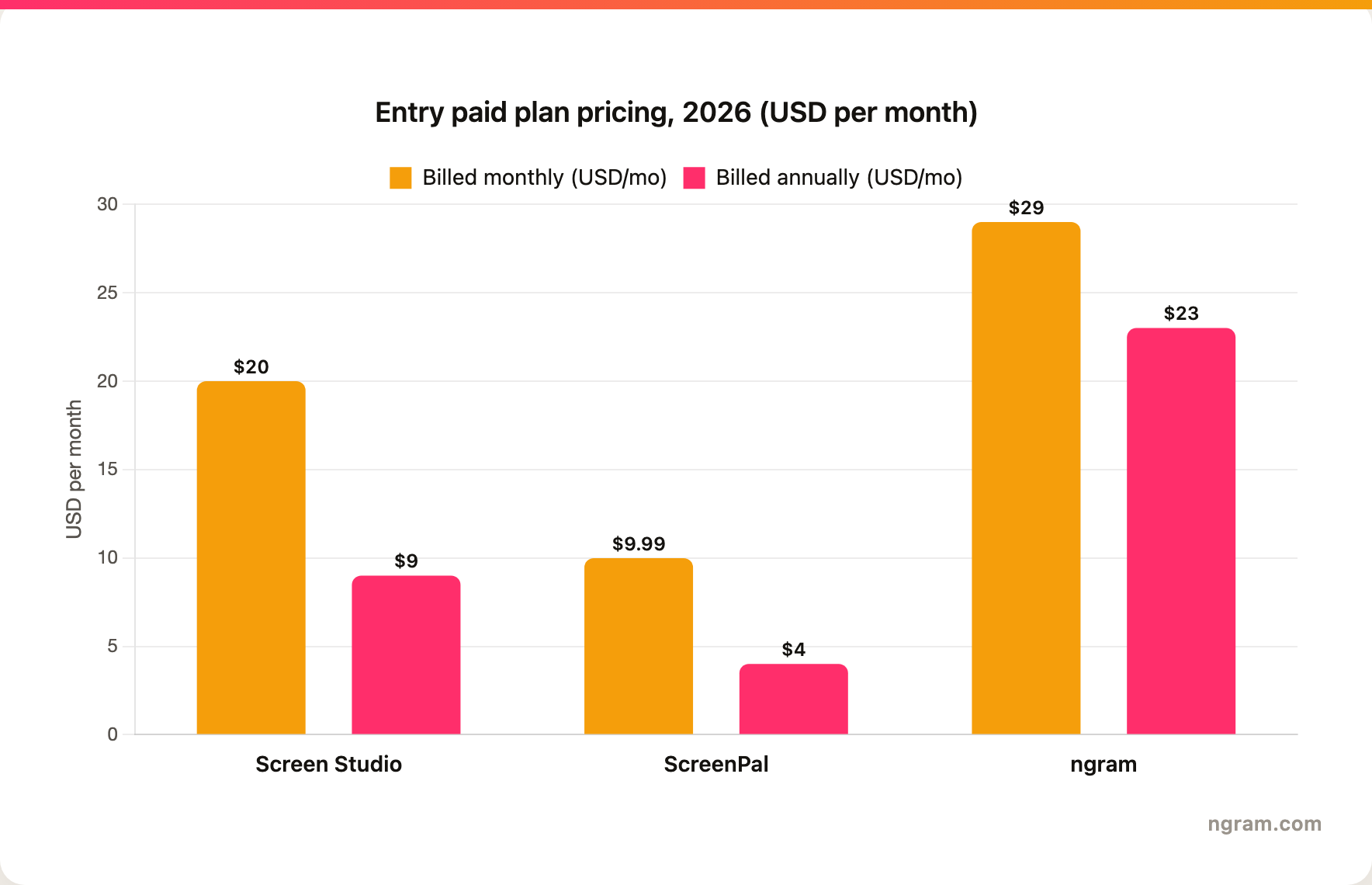
The chart makes the trade visible: ScreenPal Solo Deluxe ($4 a month annually) and Screen Studio ($9 a month annually) anchor the low end for recording and polish, while ngram Basic ($23 a month annually, $29 month to month) costs more because it does production work, scripting, editing, branding, and voiceover, not just capture.
Who each one wins
Screen Studio wins when you are on a Mac, you make the recording yourself, and you want it to look polished with zero editing. Product demos for a landing page, app walkthroughs that include an iPhone screen, social clips that need that cinematic motion feel. It is the fastest route to a clean, good-looking Mac capture, full stop.
ScreenPal wins when you record across different devices or operating systems, when budget is tight, or when you need to host lessons and add graded quizzes. Educators, trainers, and students are its sweet spot, and the interactive player is genuinely ahead of both ngram and Screen Studio for learning.
ngram wins when the recording is not the deliverable, the finished video is. When a raw capture needs to become a branded demo, a customer-facing explainer, a training module, or a launch asset in several formats and languages, ngram does the scripting, editing, branding, and reformatting that both recorders leave to you. You can even keep your current tool: export a ScreenPal MP4 or a Screen Studio clip, upload it to ngram, and add AI editing, brand kits, and MP4 export on top.
Methodology
We compared Screen Studio and ScreenPal using each tool's official pages: Screen Studio's site and pricing and ScreenPal's recorder and pricing pages, cross-checked against current public plan details and platform requirements as of 2026. ngram capability and pricing claims are drawn from ngram's live product state and public pricing. We used no numerical review scores; sentiment about each tool is synthesized qualitatively from how each vendor positions itself and the documented feature set. The prices and plan tiers in this comparison are the current public rates as of 2026.








