
A product launch video usually breaks before anyone opens a video editor. The launch page is approved, the product proof is scattered across screenshots and docs, the first frame is still undecided, and the person who owns distribution is waiting on a draft that has not been briefed yet.
That is exactly where n8n belongs. If your launch inputs already move through a self-hosted n8n workflow, you can turn the approved source into a repeatable n8n video workflow instead of rebuilding the same brief by hand every time.
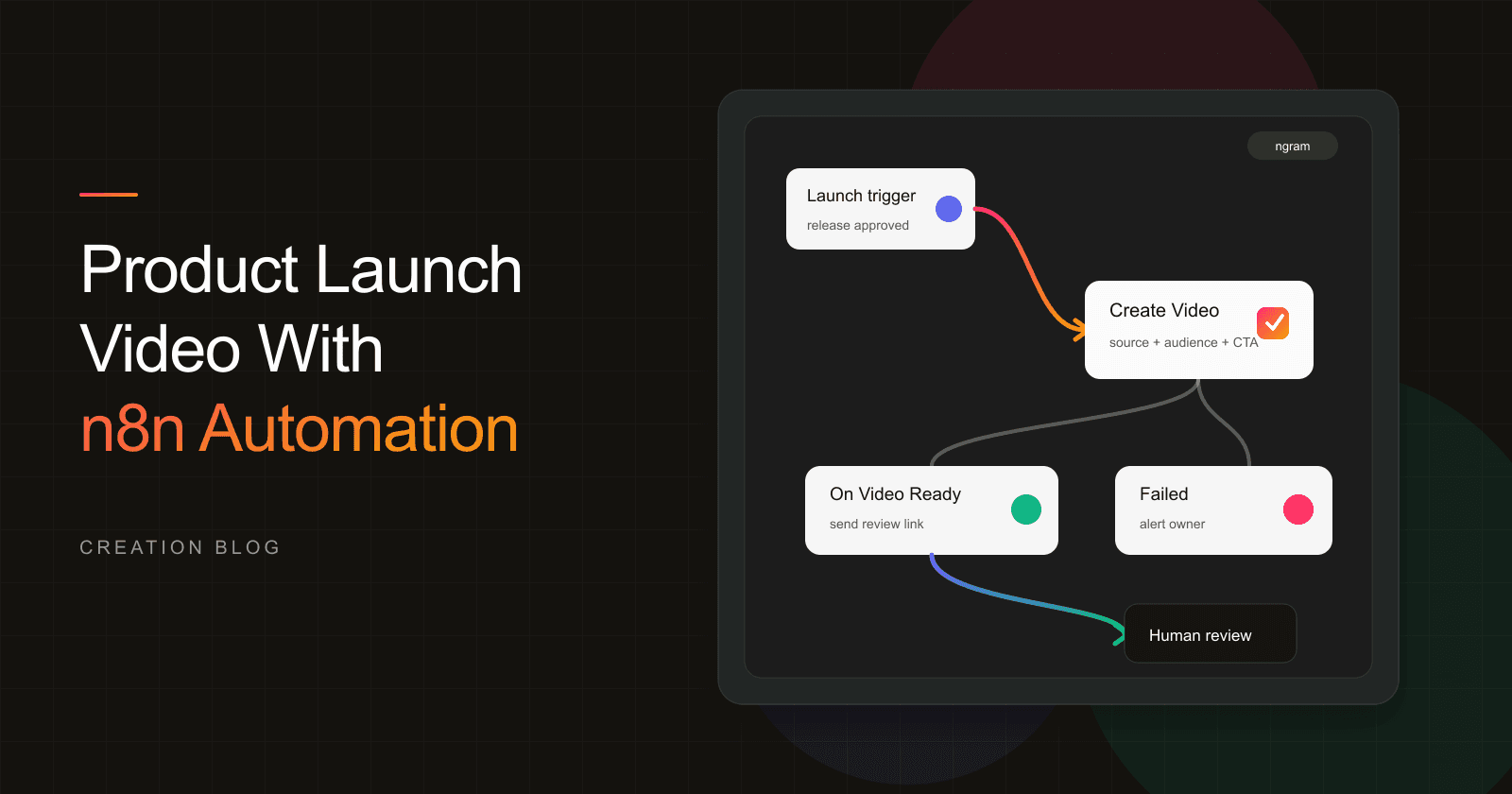
This guide shows a practical n8n video generation pattern with ngram: start from an approved launch brief, product page, or release record, configure Create Video, map the required launch fields, test execution, review the draft in ngram, and hand the final link to the launch owner or CMS task.
Why a product launch video is worth automating
Video is no longer an optional launch garnish. Wyzowl's 2026 video marketing report says 91% of businesses use video as a marketing tool, 93% of video marketers see video as an important part of strategy, and 63% of video marketers have used AI video tools to create or edit marketing videos.
The launch-specific point is even sharper. The same Wyzowl report says marketers created social media videos most often at 69%, followed by explainer videos at 68%, teaser videos at 45%, and product demos at 39%. A launch team usually needs several of those formats from the same approved message, not a single one-off export.
B2B teams feel the same pressure. Content Marketing Institute's 2025 B2B benchmark report found that 76% of B2B marketers used videos in the previous 12 months, 58% rated video as the content type that produced the best results, 45% lacked a scalable content creation model, and 61% expected to increase investment in video in 2025.
For a technical founder, RevOps builder, growth engineer, or PMM ops owner, the lesson is practical: a launch video needs product proof, a clear first frame, a consistent story, and a repeatable path from approved input to reviewed draft. Without that path, every launch becomes a new coordination problem.
What this n8n video workflow creates
The workflow creates a review-ready product launch video draft from launch inputs your team has already approved. Publishing stays behind review, and product claims stay tied to the approved source. The workflow turns a launch source into a first cut, then routes the result to the human who owns the launch.
Use the ngram n8n integration when n8n is already the control plane for launch operations. A release-approved event, CMS row, product page URL, changelog record, Linear issue, GitHub release, Typeform intake, or Airtable row can all become the starting point.
If the source is a product page, pair this workflow with a page-to-video input pattern like product page to video. If the launch needs a repeatable PMM format, use the same mapped fields that power PMM product launch work.
What we verified in the n8n setup
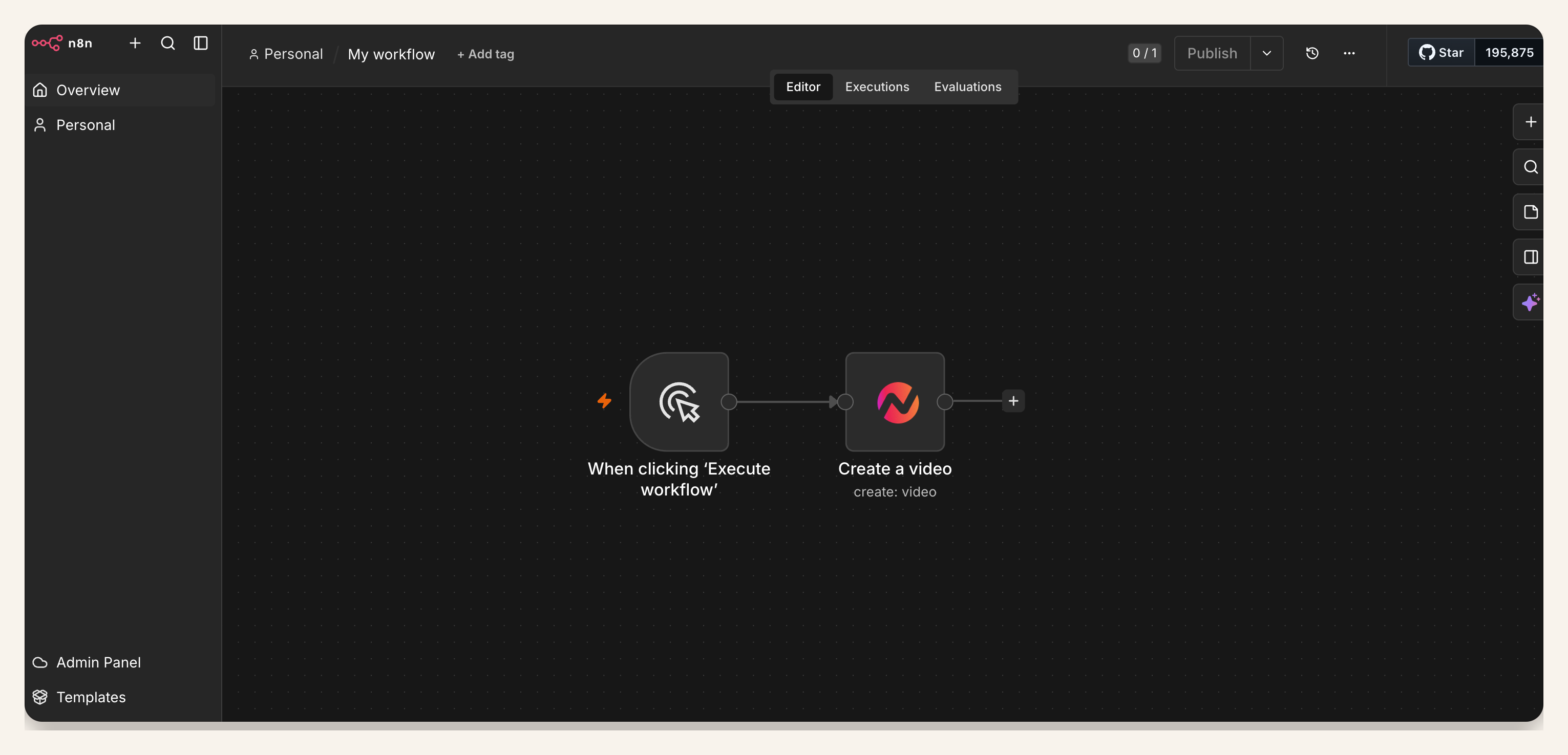
We reviewed the three proof screenshots attached to this post before rewriting the workflow. They verify setup coverage, not a finished execution result.
| Proof item | What is visible | Why it matters |
|---|---|---|
| Workflow canvas | 1 trigger node connected to 1 ngram Create Video node | The launch event can create a video draft from a workflow step |
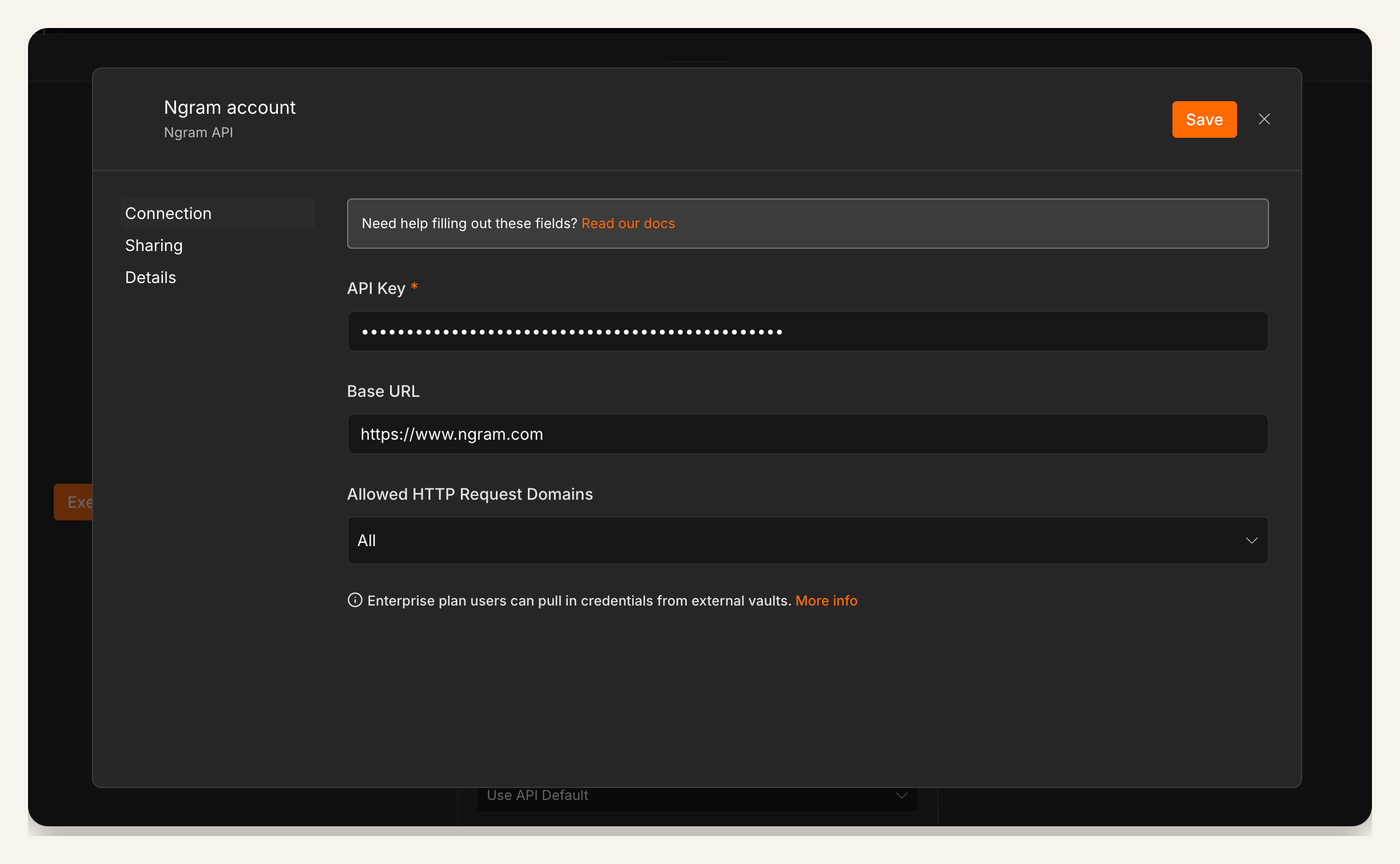
| Credential setup | 1 ngram credential dialog with a masked credential field and base URL | The workflow uses a bearer API key created in Account & Settings → API Keys and stored in n8n Credentials |
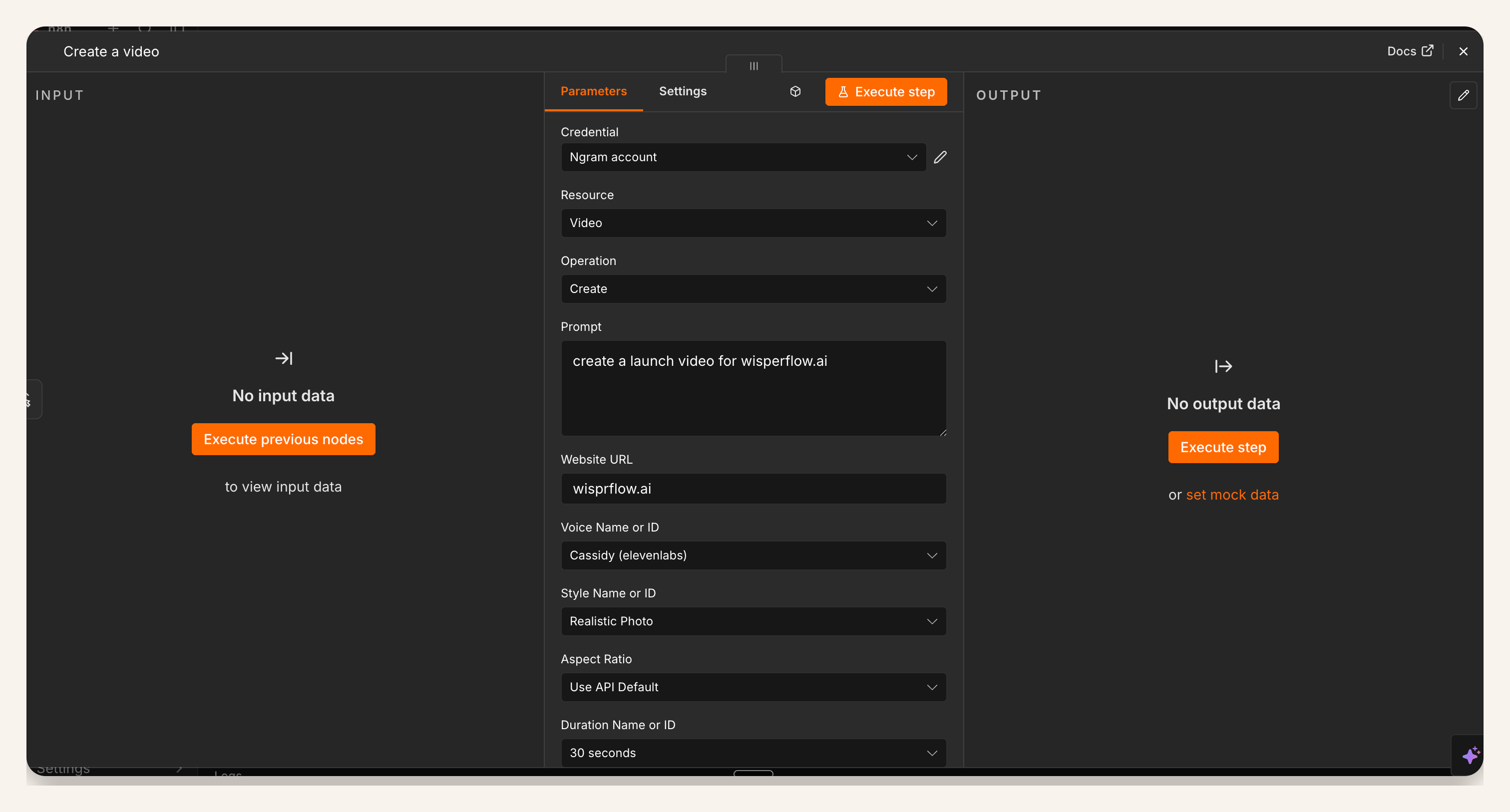
| Create Video configuration | At least 9 visible configuration fields, including credential, prompt, website URL, voice, style, aspect ratio, and duration | The draft can be controlled through mapped launch inputs instead of a loose prompt |
Methodology: we audited the three existing proof screenshots for this post on July 10, 2026. Counts are visible UI fields in those screenshots, not ngram product telemetry. The screenshots do not include a completed n8n output view, so this guide routes review to ngram instead of showing one.
Prerequisites for the workflow
This guide assumes a self-hosted n8n instance. n8n's community-node documentation lists install paths for community nodes. The verified ngram community node supports self-hosted n8n and n8n Cloud; for Cloud, confirm it appears and is enabled in the Nodes panel before you plan a launch dependency around it.
- Self-hosted n8n with permission to install the ngram community node.
- A bearer ngram API key created in Account & Settings → API Keys and stored in n8n Credentials for the workflow owner.
- An approved source of truth: product page, launch brief, release record, changelog entry, CMS task, or structured form response.
- A named reviewer for product accuracy, brand, captions, first frame, CTA, and channel fit.
- A handoff destination, such as a Slack message, Linear task, CMS field, Notion page, Airtable row, or launch checklist.
How to create a product launch video with n8n
1. Start from an approved launch input
Do not start the workflow from a blank prompt. Start from the artifact that already passed review: a product page URL, release note, launch brief, changelog row, demo script, product marketing doc, or product ops record.
The trigger can be manual for the first version. Once the mapping is stable, move the trigger to the place where launch approval already happens, such as status changed to Ready for launch or CMS entry changed to Approved.
2. Install the ngram community node in self-hosted n8n
Install the ngram community node in your self-hosted n8n instance. n8n's verified community-node install docs say instance owners and admins can install and manage verified community nodes, while all members can use already installed nodes in workflows.
For n8n Cloud, confirm that the verified ngram node appears and is enabled for your instance before relying on it in the launch workflow.
3. Add the ngram API key
Create a bearer API key in Account & Settings → API Keys, then store it in n8n Credentials. Keep it owned by a service account or clear workflow owner, not a random personal account, so launch automation does not break when a teammate changes roles.
If your organization stores secrets in an external vault, follow your normal credential-management policy. The workflow should reference the credential, not paste sensitive values into prompt fields or task notes.
4. Configure the Create Video node
Add Create Video after the launch trigger. Choose the ngram credential, set Resource to Video, set Operation to Create, then decide which fields should be fixed defaults and which should be mapped from the launch record.
Keep the prompt brief and structured. The launch source should carry the facts. The prompt should tell ngram what kind of video to make, who it is for, what promise to lead with, and which proof points must appear.
5. Map the launch fields
The mapping matters more than the trigger. A good product launch video needs enough structure to produce the same story every time, while still letting each launch keep its own proof and audience.
| Field | Example mapping | Review owner checks |
|---|---|---|
| Source URL | Product page, changelog, release note, or launch doc URL | Does the source contain approved claims and current screenshots? |
| Launch name | Release title or campaign name | Is the name public-facing and spelled correctly? |
| Audience | Founder, admin, buyer, developer, PMM, customer, or partner segment | Does the story speak to one viewer instead of everyone? |
| Promise | The main outcome the feature delivers | Is the first frame anchored on a concrete benefit? |
| Proof | Screenshot, metric, workflow, customer quote, or before-and-after | Can the viewer see evidence instead of only hearing a claim? |
| CTA | Start trial, join waitlist, read docs, book demo, or watch walkthrough | Does the action match the channel and launch stage? |
| Channel | Launch page, LinkedIn, email, Product Hunt, sales enablement, or customer update | Does the duration, crop, and pacing fit the destination? |
| Reviewer | Launch owner, PMM, founder, PM, or support lead | Who can approve product accuracy and publish readiness? |
If you need a faster starting point for the video brief, use a structured product launch format like the product launch video template or the AI product launch video maker as the editorial model, then keep n8n responsible for routing approved inputs into that model.
6. Test execution with one known launch
Run the workflow manually against a launch that already has a known-good brief. Use the run to verify that your mapped fields create a useful video plan. Button-click success is too shallow for a launch dependency.
Check the draft for four launch-specific details: the first frame states the promise, the product proof appears early, the story matches the approved source, and the CTA fits the selected channel.
7. Review the video in ngram
Open the draft in ngram before anything goes public. Review the script, storyboard, visuals, captions, duration, voice, product claims, and CTA. This step is where the launch owner turns an automated first cut into an approved launch asset.
This is also where the workflow earns trust. CMI's 2026 B2B content and marketing trends research found that 53% of B2B marketers using or implementing AI use creative asset tools for images, videos, and visual materials, while 87% of marketers using AI for content creation report productivity gains and 80% report better operational efficiency. The risk is not speed. The risk is skipping judgment.
8. Hand off the final link
After review, send the final link where launch work already happens. For a launch page, that might be a CMS field. For PMM, it might be a Linear task or launch checklist. For growth, it might be a Slack message with channel, copy, and reviewer notes.
The handoff should include the video link, source URL, launch name, reviewer, channel, approved CTA, and any remaining edits. That gives the launch owner enough context to publish without reopening the workflow.
QA checklist for a product launch video
Use this checklist before you activate the workflow for repeat launches.
- Source URL opens for the workflow owner and contains approved launch copy.
- Launch name, audience, promise, proof, CTA, channel, and reviewer are present before Create Video runs.
- First frame can stand alone in a social feed or launch page embed.
- Product proof appears before the viewer has to trust a claim.
- Claims match the approved source and do not add unreleased capability promises.
- Captions, crop, duration, and CTA match the destination channel.
- Failure path alerts the workflow owner with the launch record and enough context to rerun.
- Final link is posted back to the launch owner or CMS task after human review.
Common workflow mistakes
- Starting too early creates review risk. Do not create a launch video from a draft spec unless the video is clearly marked internal.
- Mapping only a prompt leaves too much unstated. A product launch video needs source URL, audience, proof, CTA, channel, and reviewer fields.
- Treating Cloud support as automatic can break a launch plan. Confirm the verified ngram community node appears and is enabled for your n8n Cloud instance before promising a Cloud workflow.
- Skipping review moves product risk downstream. Automation can build a first cut, but product accuracy and launch judgment still need an owner.
FAQ
Can n8n create a product launch video automatically?
Yes, if the workflow starts from approved launch inputs and uses the ngram Create Video node to generate a draft. Keep review in the loop so product claims, proof, first frame, and CTA are checked before publishing.
Does this n8n video generation workflow work on n8n Cloud?
Yes. The verified ngram community node supports self-hosted n8n and n8n Cloud. Confirm it appears and is enabled in your Cloud instance before you depend on it for a launch workflow.
What should I map into the Create Video node?
Map the source URL, launch name, audience, promise, proof, CTA, channel, and reviewer. Those fields give the video enough context to tell a consistent story and give the reviewer enough context to approve or revise the draft.
What source should trigger the workflow?
Use the system where launch approval already happens. Common choices include a launch brief marked approved, a product page URL, a release record, a changelog entry, a CMS task, or a structured intake form.
Do I need a separate product launch video for every channel?
You need at least channel-aware versions. A launch page video, LinkedIn teaser, customer email clip, and sales enablement cut often share the same proof but need different pacing, crop, CTA, and first frame.
How do I keep the workflow from inventing launch claims?
Constrain the workflow to approved sources and require the reviewer to check product accuracy before handoff. The prompt should summarize the job, while the source URL and proof fields carry the factual launch material.
What is the best first version of this n8n video workflow?
Start with a manual trigger, one known-good launch source, Create Video, and a handoff message to the reviewer. Once that produces a reliable first cut, add the approval trigger, error alert, CMS update, and channel-specific variants.