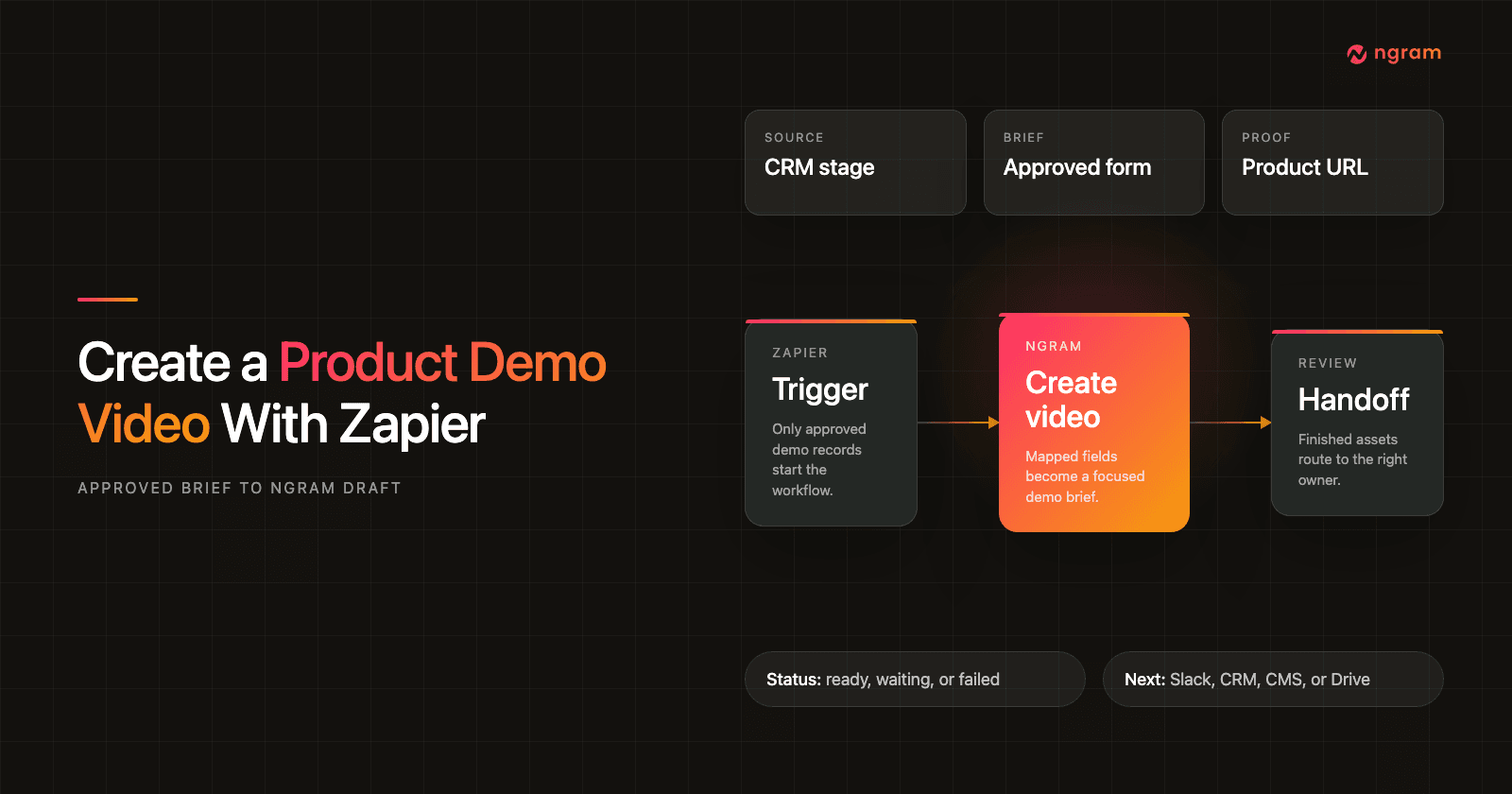

A product demo video sounds like a simple asset until the same request appears in five places. A PMM wants a short website demo. Sales wants the same proof for one segment. Onboarding wants a version that explains the workflow without another live walkthrough.
That is where Zapier is useful. If the approved demo source already lives in a CRM, form, CMS, Airtable view, launch tracker, or product page, Zapier can pass the right fields into ngram and start a repeatable product demo video draft.
The goal is not to remove judgment from the demo. The goal is to remove copy-paste, keep the story consistent, and give the reviewer a strong first cut made from source data the team already trusts.
Why product demo videos matter before automation
Video is already part of the baseline GTM toolkit. Wyzowl's 2026 video marketing report says 91% of businesses use video as a marketing tool, 93% of video marketers consider it an important part of their strategy, and 39% have created product demos. Source: Wyzowl Video Marketing Statistics 2026.
The same report ties video directly to proof. Wyzowl found that 93% of video marketers say video increased user understanding of their product or service, 85% say it helped generate leads, 83% say it directly increased sales, and 57% say it reduced support queries. Source: Wyzowl Video Marketing Statistics 2026.
That matters for sales teams because buyers keep asking for more context before they commit. Salesforce's 2026 State of Sales report says sales reps spend more than half of their time on nonselling work, while 69% of sales professionals say measurable ROI is more important to customers than it was last year, 67% say personalization is more important, 67% say customers require extensive education, and 57% say customers take longer to decide. Source: Salesforce State of Sales, 7th Edition.
A reusable demo video workflow helps with all three jobs: show product proof, reduce repeated manual walkthrough work, and give sales, marketing, and onboarding a consistent story they can reuse.
Prerequisites for the Zap
Do this setup before you open the Zap editor. It keeps the automation narrow enough to test and easy enough for another GTM operator to own later.
- An approved source record: a CRM opportunity, form submission, CMS item, tracker row, or product page that means the demo brief is ready.
- A short demo brief: product name, audience, pain point, proof source, demo promise, target length, tone, and CTA.
- A destination plan: the place where the finished link should go, such as a review message, CRM field, Drive folder, project tracker, or CMS draft.
- A reviewer: one accountable person who checks the script, product proof, CTA, and destination before the asset is used.
- An ngram account connection in Zapier that your team is allowed to use for demo drafts.
If you are still deciding what the demo should say, plan that first. The product demo video use case page is a better planning reference when the message, audience, or proof source is not approved yet.
Step 1: choose the approval trigger
Zapier describes a trigger as the event that starts a Zap. For a product demo video, the trigger should mean "this demo brief is approved," not "someone edited a field." Source: Zapier's trigger setup guide.
Good trigger examples include a CRM stage change, a request form that only approved briefs can submit, a tracker row entering an Approved view, or a CMS item marked Ready for demo video. Avoid broad "new or updated record" events unless a filter checks that the approval field is complete.
- Required source fields: product, audience, source URL or asset, demo goal, CTA, destination, and reviewer.
- Fields to block: empty CTA, unresolved positioning, internal-only notes, private customer context, or missing reviewer.
- Failure path: send the record back to the source owner instead of letting weak drafts enter review.
Step 2: normalize mapped fields
Zapier field mapping takes data from one step and enters it into a later step. That makes field names and formats matter. Source: Zapier's field mapping guide.
Before the ngram action, clean the fields into names a reviewer can understand. For example, turn a long CRM account note into a short "audience" field, a product URL into "source_context_url," and a freeform request into "demo_promise."
- Use static values for stable controls, such as target format, default tone, and review channel.
- Use mapped values for record-specific inputs, such as source URL, audience, pain point, feature, CTA, destination, and reviewer.
- Keep routing fields out of the video brief unless the viewer needs to hear them.
Step 3: connect ngram in Zapier
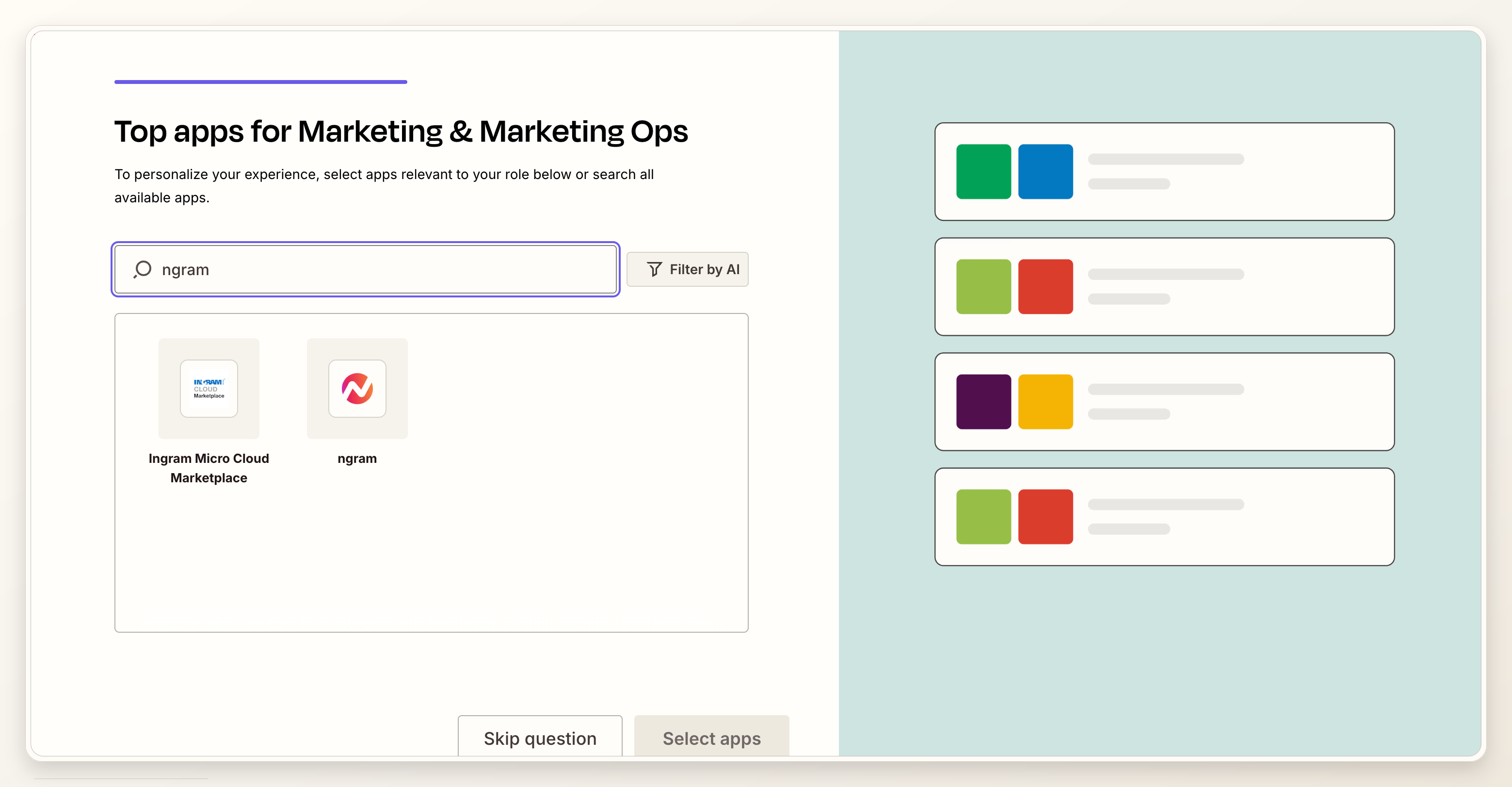
Zapier lists ngram in its app directory, so you can add ngram as the video action and authorize the ngram account connection your workspace uses. Source: Zapier's ngram app listing.
Name the connection plainly, such as "ngram demo test" or "ngram demo production." Use the test connection while you tune prompts and routing. Move to the production connection only after the Zap creates the expected draft and writes useful status back to the source record.
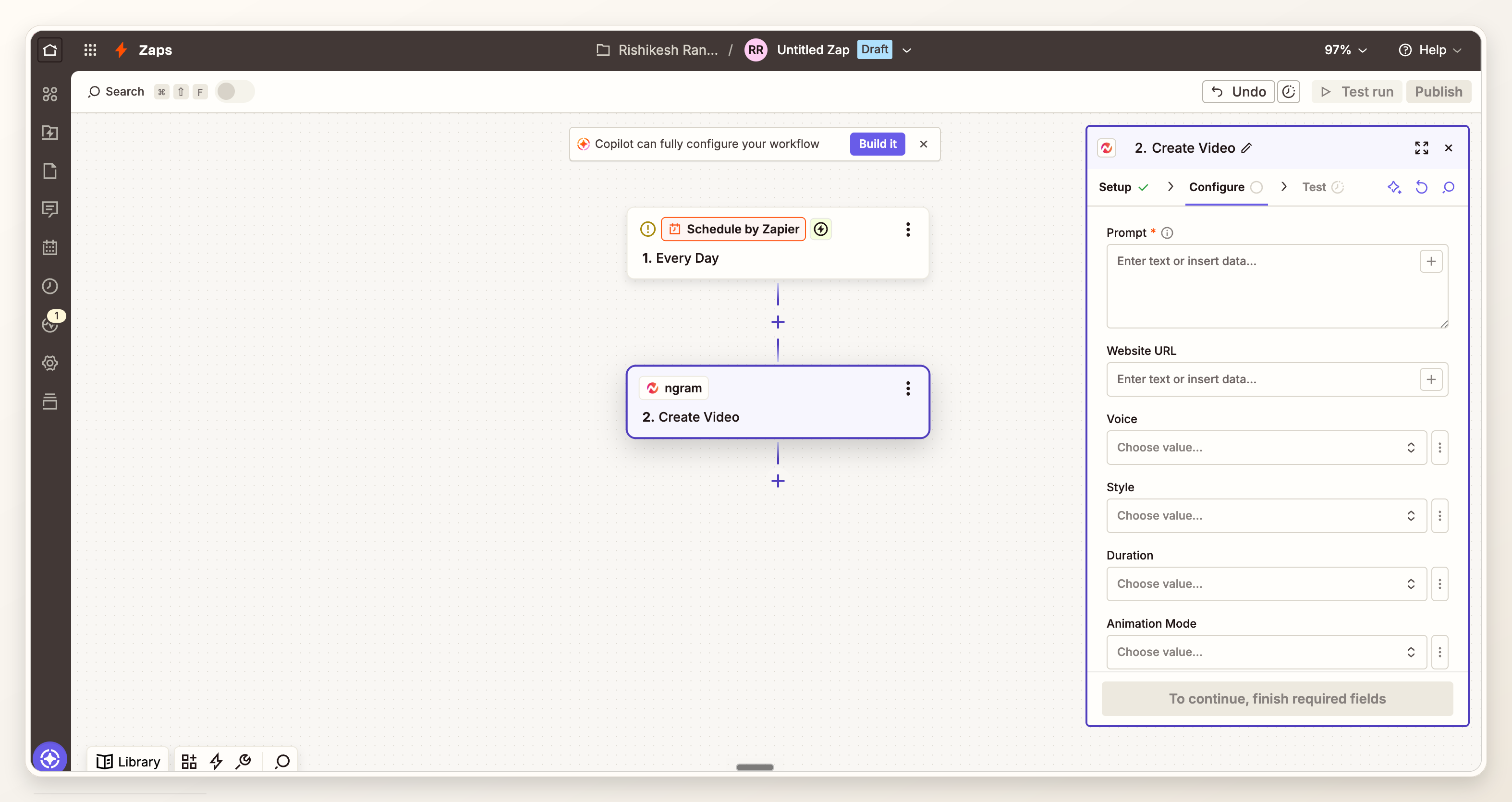
Step 4: add the ngram Create Video action
Zapier defines an action as the event the Zap performs after the trigger runs. In this workflow, the action is ngram Create Video. Source: Zapier's action setup guide.
The ngram Zapier integration is the product path for turning a CRM event, form submission, or source record into an ngram video draft. Keep this action focused on draft creation. Downstream steps should handle review, storage, and record updates.
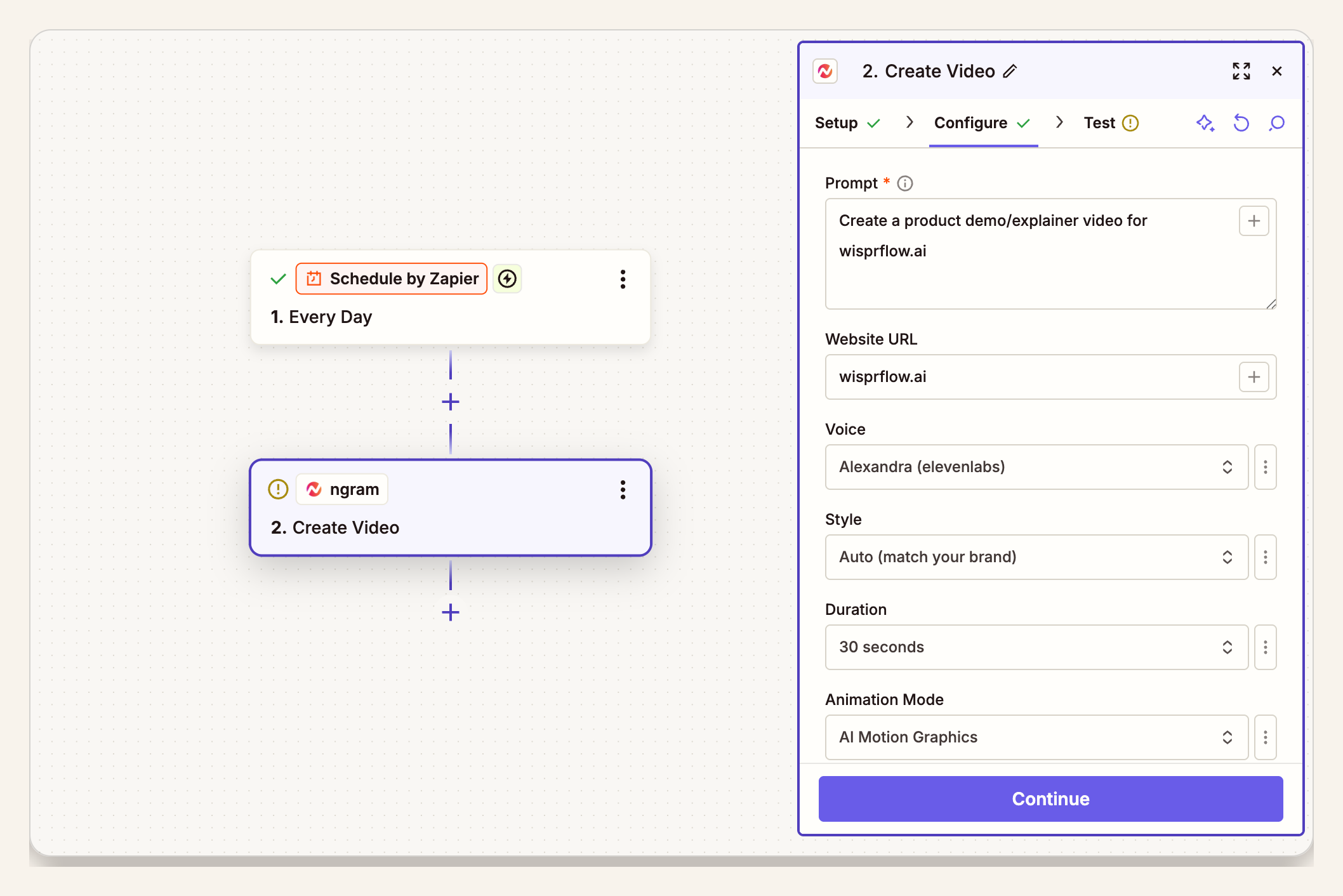
Step 5: map the product demo video brief
Map a concise brief into ngram. ngram can create videos from prompts, URLs, screenshots, screen recordings, docs, decks, and other source material, so the source field should point to the strongest proof you have, not the longest note in the system.
For a direct product entry point outside Zapier, the AI product demo video maker shows the same core discipline: start from a prompt, file, or URL context, then generate a script, storyboard, voiceover, captions, product callouts, and export-ready draft.
Create a product demo video for [product_name].
Audience: [audience].
Problem to open with: [pain_point].
Show this feature or workflow: [feature_or_workflow].
Use this source context: [source_url_or_asset].
Proof to include: [proof_note].
Destination: [destination].
Reviewer: [reviewer_name_or_team].
Target length: [target_length].
Tone: [tone].
CTA: [cta].
Keep destination and reviewer in the mapped payload even if they are not part of the spoken script. The next Zapier step needs them to route the final link to the right place.
Step 6: test the run with real demo data
Zapier recommends testing action steps to verify the right data is sent and to inspect the values returned by the app. Do that with a real approved demo record, not a fake row with placeholder text. Source: Zapier's action setup guide.
- Run one approved CRM record or form submission.
- Check the data sent into ngram: source URL, brief, audience, CTA, destination, and reviewer.
- Confirm the returned video status, link, or identifier is available to later Zapier steps.
- Update the source record with a test status so the team can see what happened.
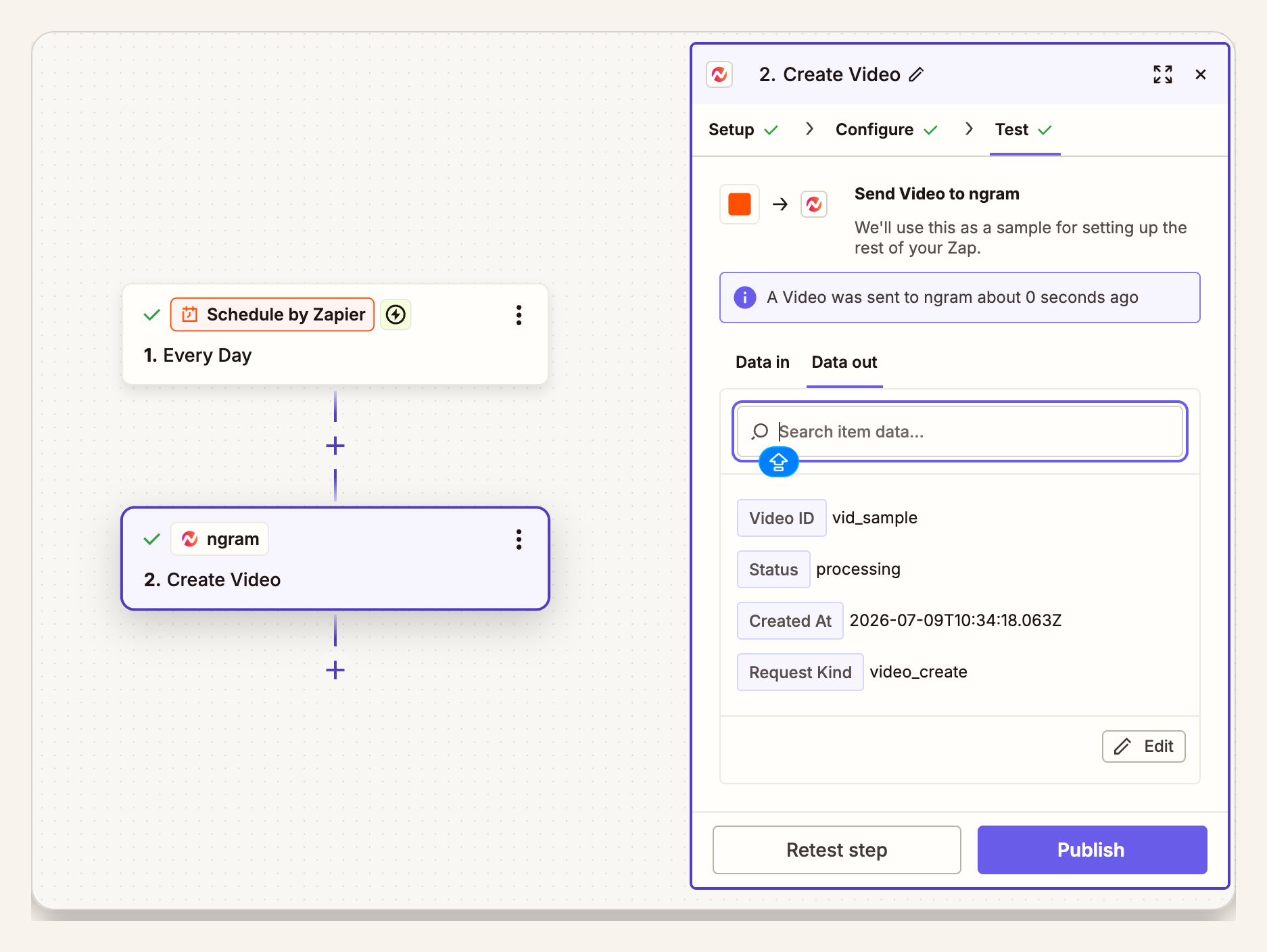
Step 7: review the ngram output
Open the ngram draft before the Zap sends the final link broadly. Check the script, product claim, visual proof, captions, CTA, and whether the video fits the audience field that triggered the run.
A good automated video generation workflow still has a human checkpoint. The review step is where the PMM, founder, RevOps owner, or sales lead decides whether the demo is ready, needs edits, or should be returned to the source owner.
Step 8: route the final link
After review, route the video link to the place that matches the job. A sales demo can update the CRM and create a task for the account owner. A product-marketing demo can send a review message and update the campaign tracker. A website demo can create a CMS draft for the web owner.
If the team needs a reusable source pattern before automating, the SaaS product demo video template is a practical reference. It keeps the story narrow enough for a short demo, which is the same discipline a Zapier workflow needs.
- Ready: update the source record, notify the reviewer, and attach or link the approved video.
- Needs edits: send the reviewer notes back to the ngram owner and keep the source record in review.
- Failed: notify the owner with the source record, Zap run, and error details Zapier exposes.
Where fields belong in a demo Zap
For this update, we checked the same product demo video brief against five common source records: a CRM opportunity, an Airtable row, a marketing request form, a product page URL, and a support-ticket summary. The useful pattern was consistent: source apps hold a lot of context, but ngram needs the viewer-facing story.
- Map into the ngram brief: audience, pain point, feature or workflow, source URL or asset, proof note, target length, tone, and CTA.
- Map into Zapier routing: reviewer, destination, due date, source record URL, run status, and failure owner.
- Leave in the source system: private customer details, implementation notes, unresolved messaging, internal debate, and unrelated CRM metadata.
Methodology: this was a workflow-design pass, not product analytics. We compared five representative source-record shapes and grouped each field by where it belongs in a demo automation: ngram brief, Zapier routing, or source-system-only context.
QA checklist before turning the Zap on
A product demo video Zap should be tested like a content workflow and a technical workflow. One successful run is not enough. Test with the source apps your team plans to use.
- Run one approved CRM record, one approved product-marketing brief, and one source URL if those are in scope.
- Confirm the mapped prompt names the audience, feature, proof source, channel, CTA, destination, and reviewer.
- Confirm waiting, ready, needs-edit, and failed states write useful information back to the source record.
- Keep destination steps private until reviewers approve the first few generated drafts.
- Write down who owns prompt updates when the product UI, pricing, positioning, or CTA changes.
- Turn the Zap on only after the source owner, reviewer, and destination owner agree on the pass-fail rules.
Common mistakes
The first mistake is triggering too early. A Zap that fires on every updated row will create noise and train the team to distrust the automation. Gate on approval.
The second mistake is mapping too much. Long internal notes often include unresolved claims, private customer context, and implementation details. The viewer does not need that. ngram needs the story that should appear in the video.
The third mistake is skipping review. Automation can start the draft and move the result. It should not remove judgment from customer-facing demo videos unless the team has already approved the exact pattern and accepts the risk.
FAQ
Can Zapier create a product demo video automatically?
Zapier can start the workflow and pass approved product data into ngram. ngram creates the video draft from that context. Keep the final link behind review until the trigger, mapped brief, and destination behavior have been tested with real source records.
What should trigger a product demo video Zap?
Use an event that clearly means the demo request is approved. Good examples include a CRM stage change, an Approved tracker view, a reviewed form submission, or a CMS item marked ready for demo video.
What fields should I send to ngram?
Send the fields that shape the viewer-facing story: product name, audience, pain point, feature, source URL or asset, proof note, target length, tone, and CTA. Keep reviewer, due date, destination, source record URL, and failure owner in Zapier routing.
What source material can ngram use for a demo?
ngram can create videos from prompts, URLs, screenshots, screen recordings, docs, decks, and other source material. For a Zapier workflow, pick the strongest proof source and map it clearly instead of sending a full internal record.
Should Zapier publish the demo video?
Usually, no. Let Zapier route the finished asset to a reviewer, update the source record, or create a publishing task. Direct publishing only makes sense after the input source, prompt, reviewer policy, and destination account are locked.
How is automated video generation different from making one demo manually?
A manual demo is best when the message is still being shaped. Automated video generation is best when the brief pattern is repeatable: the source system already stores the right fields, the review owner is known, and the destination step is predictable.