Vestwell Contribution Video Demo | customer onboarding video made with ngram

About the video
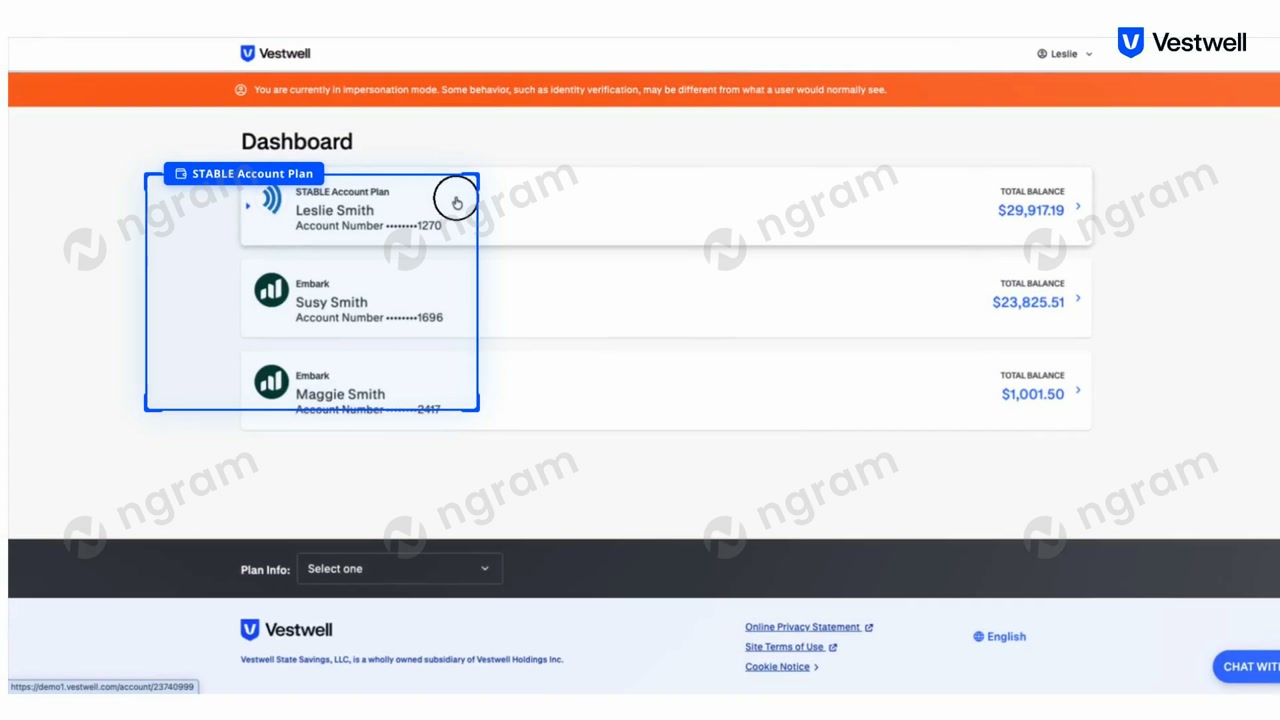
This customer onboarding video was made with ngram to walk through the contribution process on the Vestwell platform for a STABLE (ABLE) savings account. The screens show a three-step flow: selecting a funding source such as a linked Plaid checking account, viewing an account dashboard that lists STABLE Account Plan and Embark account balances for different account holders, and finally allocating a contribution amount across investment options like the STABLE Savings Option and Moderate Growth Option. The last step also includes a certification checkbox confirming the contribution stays within annual ABLE to Work limits before the user can review and submit. The recording is shown both within the live Vestwell web app, marked with an impersonation-mode banner, and in a browser window displaying the app.vestwell.com contribution URL. Together the frames document the end-to-end steps a user follows to move money into a STABLE account, including choosing a bank source, confirming balances, and splitting funds between investment options. This kind of walkthrough is useful for showing new or existing account holders exactly what each step of the contribution flow looks like, clarifying field requirements, balance displays, and the certification language they must acknowledge before completing a contribution.
- Vestwell
- Stable Account
- Contribution Flow
- Dashboard
- Investment Options
- Able Account
- Screen Walkthrough