

Search for "Screen Studio vs Trupeer" and you are weighing two different ideas about what a screen recorder should do. Screen Studio is a native macOS app that makes one recording look hand-crafted: you record, it adds smooth zooms, cursor smoothing, and motion-style polish, and you export a clean MP4 or GIF. Trupeer is an AI engine that takes one raw capture and spins out a studio-quality video with AI voiceover plus a step-by-step doc, then translates both into 65+ languages. Same starting point, a screen recording. Very different deliverable.
Both tools are genuinely good at their job, so the honest answer to "which is better" is "for which job." Screen Studio wins when a Mac creator wants the recording itself to look designed. Trupeer wins when an enterprise team needs one capture to become a polished video and written documentation at scale. We pick a winner per dimension instead of crowning one overall. ngram belongs in the same conversation as the third option, because for many teams comparing these two the real deliverable is a finished, on-brand video built from messy source material, not just an edited capture.
Screen Studio vs Trupeer at a glance
Here is the short version before the deep dive. ngram sits in the table because the better question for most buyers is whether you want to polish a recording, auto-generate a video plus docs, or hand off the whole video from mixed source material.
| Tool | Best for | Starting price | Main distinction |
|---|---|---|---|
| ngram | Teams turning prompts, docs, URLs, decks, screenshots, and recordings into finished branded videos | Free, paid from $29/mo | Plans the script and storyboard, then builds the whole video |
| Screen Studio | Mac creators, founders, and educators making polished screen recordings | $20/mo monthly, or $9/mo billed yearly | Native macOS recorder with automatic zooms, cursor smoothing, and 4K export |
| Trupeer | Enterprise and B2B teams producing product and training content at scale | Free, Pro from $49/mo monthly ($40/mo billed yearly) | One capture becomes a polished video plus a step-by-step doc, in 65+ languages |
Recording and editing model
This is the first real fork, and it is the clearest split between the two.
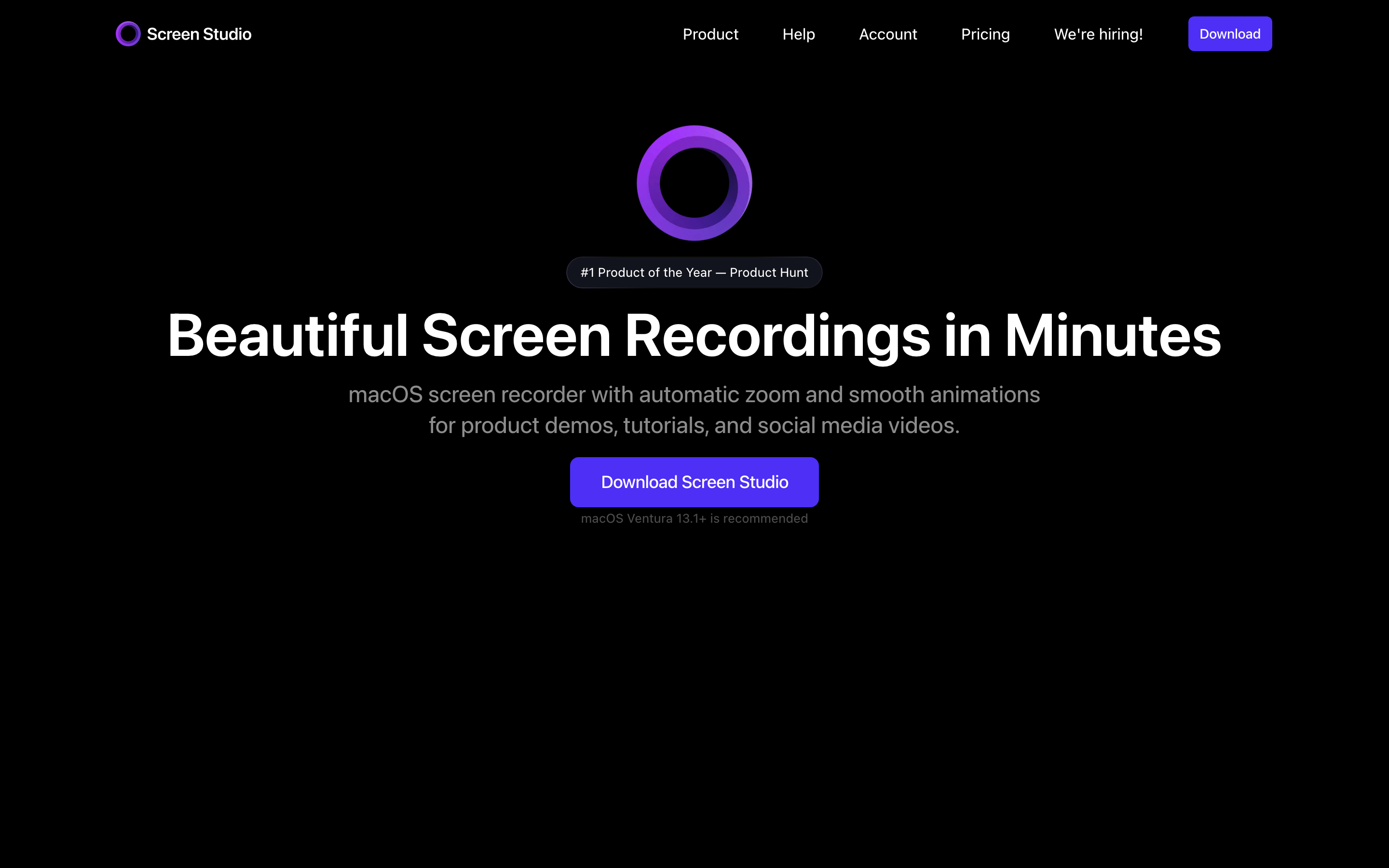
Screen Studio is a hands-on production tool. You record on macOS, capturing screen, webcam, microphone, system audio, or a connected iPhone or iPad, then Screen Studio applies the style layer that would otherwise take manual editing: smooth automatic zooms that follow your cursor, cursor smoothing and resizing, motion blur, custom backgrounds, speed changes, and audio cleanup. The first draft already looks designed, but you stay in control of cuts, layout, and timing on the editor. If you want to shape a polished recording yourself, Screen Studio is the friendlier, more visual surface.
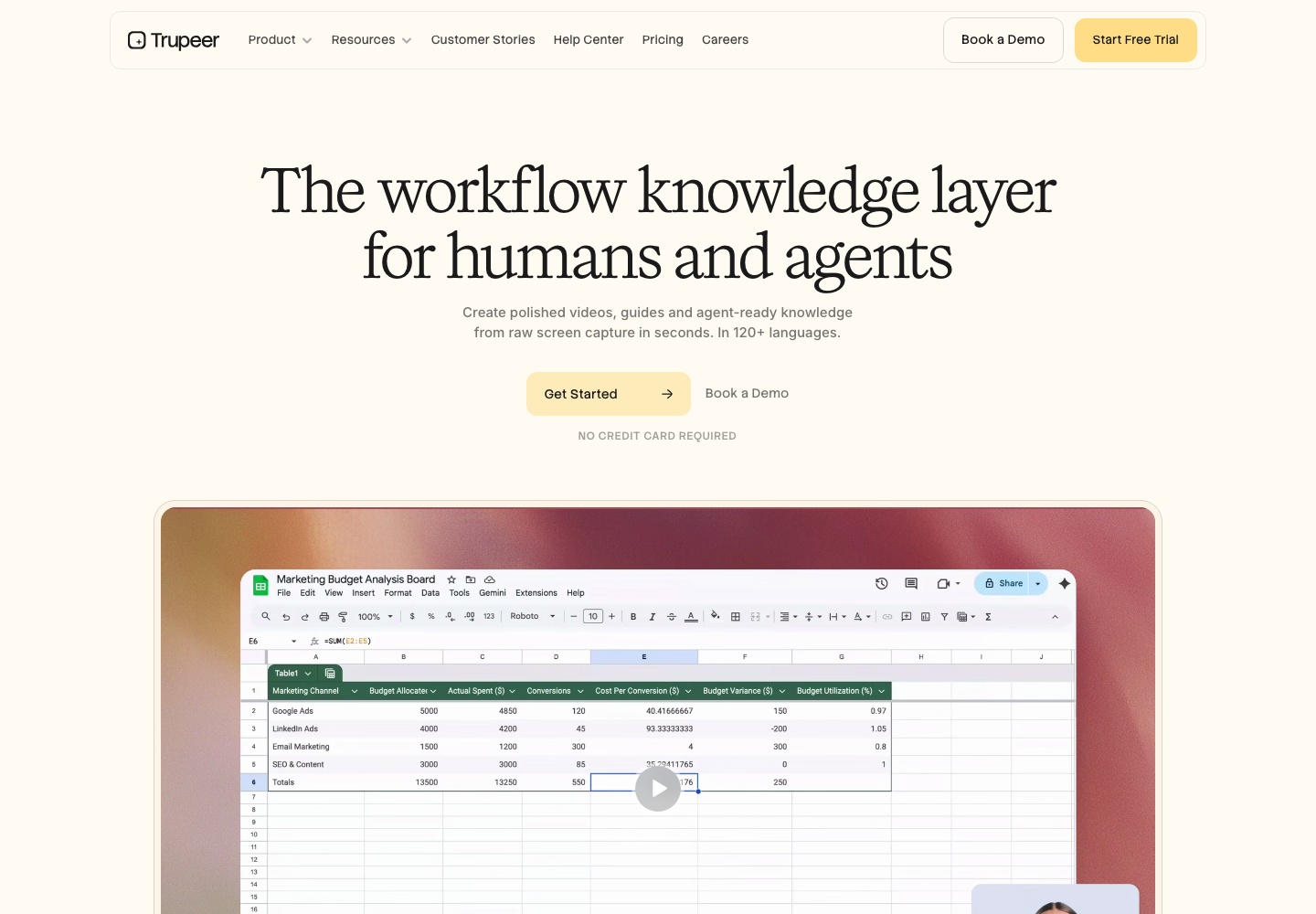
Trupeer flips the model. You record once, often through its Chrome extension, and its AI makes the editing decisions for you: it detects the key actions, applies smart zooms and animations, and generates an AI voiceover so the result looks scripted even if your raw take was rough. There is far less manual cutting because the tool is making the polish calls. That is faster for volume, but it means less frame-level control when the auto-edit gets a moment wrong.
Winner: Screen Studio for hands-on visual control, Trupeer for hands-off automation. Pick based on whether you want to edit a beautiful recording yourself or have the AI produce it for you.
Worth noting for both: each starts from a recording you already shaped in your head. If your source is a product release doc, a deck, a live URL, or just an idea, neither tool plans the video for you. That gap is where ngram comes in, and we cover it below.
AI polish and voiceover
Both tools lean on automation to make a raw capture look professional, but they aim it differently.
Screen Studio keeps the human in the loop. Its automation is mostly visual: zooms that track the action, cursor effects, motion blur, and audio enhancement with background noise removal. It also generates a transcript you can turn into subtitles. The narration, though, is your own voice from the recording. Screen Studio polishes how the recording looks and sounds without replacing your delivery.
Trupeer applies AI as production. It generates a studio-quality AI voiceover over the capture, adds animations and lifelike avatars (the avatars are powered by a HeyGen integration rather than Trupeer's own engine) so you can present without a camera, breaks long content into chapters automatically, and rebuilds a rough take into something that looks narrated and edited. For a team that wants a consistent, narrator-style product video without re-recording, that automatic voiceover and avatar layer is the stronger draw.
Winner: Trupeer for automatic, narrator-style production polish, Screen Studio for enhancing your own on-camera, on-mic recording.
ngram does both kinds of polish and adds the parts neither focuses on. The live product applies screen-recording polish (cursor smoothing, click emphasis, dead-air trimming, step labels, and smart zooms), generates AI voiceover with a voice picker, and then layers in product callouts, motion graphics, branded intros and outros, background music, and B-roll, all driven by your brand kit. It can also use the avatar library, a custom face, or a generated on-brand presenter when a recording needs a narrator or a face.
Documentation and repurposing
This is Trupeer's signature move, and it is where the two tools stop overlapping.
Trupeer turns one screen capture into multiple outputs at once: a polished how-to video and an auto-generated, fully formatted step-by-step guide with annotated screenshots, then can translate both into 65+ languages. As of 2026 it positions itself as a workflow knowledge layer, packaging captured how-to content into a searchable, AI-queryable knowledge base for humans and agents. If your team needs the video and the written doc from the same recording, Trupeer is purpose-built for that.
Screen Studio is a video tool, full stop. It exports a polished MP4, a GIF, or a vertical social cut, generates a transcript, and shares through a hosted link. But it does not spin a recording into written step-by-step documentation, so a docs-plus-video workflow is outside its lane.
Winner: Trupeer, clearly, for turning recordings into docs, translations, and a knowledge base; Screen Studio for a polished standalone video, not documentation.
ngram is not a step-by-step documentation generator either, so if annotated written guides are the core deliverable, Trupeer stays ahead. ngram's repurposing strength is video: it turns source material into a finished video, translates the script, captions, on-screen text, and voiceover into many languages, and prepares channel-specific cuts separately when needed.
Pricing and value
Pricing is where the gap is widest, because these tools target different budgets.
Screen Studio is the affordable, individual-friendly pick. It is a single-plan model: $20 per month on monthly billing, or $9 per month when billed yearly ($108 a year), with a one-time license also offered. That makes Screen Studio very cheap for one Mac creator who wants polished output, though it is not priced or packaged like a team content platform.
Trupeer is priced for teams and the broader output. It has a free tier with limited AI video minutes, guides, and exports, then Pro is $49 per month on monthly billing ($40 per month when billed yearly), with a Scale plan ($249 monthly, $199 annual) and custom Enterprise pricing above it. That reflects the heavier AI production plus the documentation and translation engine. For an enterprise content team, it is reasonable for what it produces; for a single person who just wants a clean recording, it is a bigger commitment.
Here is how the entry-level paid plans compare on monthly and annual billing:
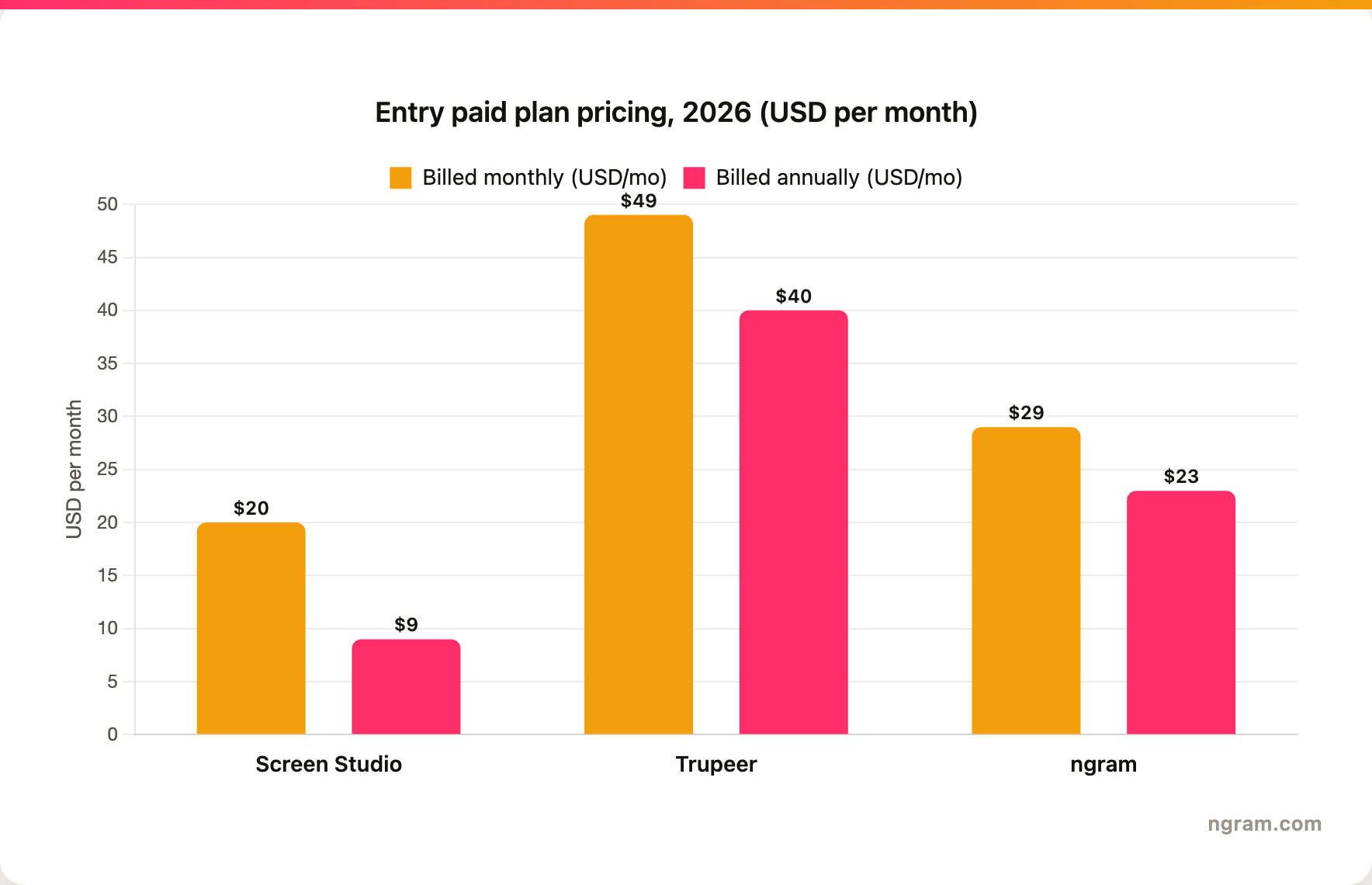
The headline is clear: Screen Studio is the cheapest entry at $20 a month monthly ($9 a month billed yearly), Trupeer Pro costs the most at $49 a month monthly ($40 a month billed yearly), and ngram's Basic plan sits in between at $29 a month ($23 a month billed yearly) but includes 3,000 credits a month spread across video generation and AI editing rather than a single recorder seat, with unlimited exports. Match the model to your actual volume before you decide.
Winner: Screen Studio for the lowest entry price, Trupeer for the most output per dollar at the team level, ngram for the broadest production on an entry plan.
Platform fit and ease of use
Both tools are deliberately easy to start, but they constrain you differently.
Screen Studio is macOS-native. That is a real limit if your team is on Windows or needs browser-first recording, but it is also why the app feels fast and polished for its target buyer. The learning curve is low because the first draft is already styled, and a Mac creator who cares about visual quality will be productive quickly. If your company runs mixed devices or many casual recorders, the platform constraint matters.
Trupeer optimizes for output volume across platforms. Record once, often via the Chrome extension, let the AI produce the video and the doc, translate as needed, and push the result into a knowledge base. The trade-off is less manual control over any single video, which matters more the more bespoke a piece needs to be. It is built for product marketing, pre-sales, enablement, learning and development, customer success, and change management, so it assumes a team workflow rather than a solo creator.
The shared limitation is the starting point. Both expect you to arrive with a recording and a clear idea of what to capture. Teams whose source material is a 40-minute meeting recording, a product doc, a deck, or a live URL still have to figure out the structure themselves before either tool helps.
Winner: Screen Studio for Mac-native polish and a low learning curve, Trupeer for cross-platform, team-scale output.
This is the clearest reason buyers comparing Screen Studio vs Trupeer end up looking at a third option.
Where ngram fits if you are comparing Screen Studio and Trupeer
Watch how ngram turns an idea into a finished video:
ngram does the same core job as Screen Studio and Trupeer, turning a screen recording into a polished, share-ready video, and then keeps going where they stop. Instead of starting from a recording you already shaped in your head, you give ngram a prompt, a PDF, a URL, a deck, screenshots, a screen recording, or raw footage, and its agentic chat plans the script, storyboard, scenes, captions, and call to action for you to review before anything renders.
That plan-first workflow is the difference. For the product marketing, sales, customer success, and training teams who make up most "Screen Studio vs Trupeer" searches, the real job is rarely "a clean recording." It is a product demo, an onboarding walkthrough, a feature launch, or a localized training clip that needs screen-recording polish, callouts, B-roll, branded intros, voiceover, and MP4 export with separate channel-cut preparation, all on brand.
Use ngram when your real deliverable is a finished business video, not a recording link or a documentation set. The live product can ingest a screen recording, transcribe it, identify key moments, add cursor smoothing, click emphasis, dead-air trimming, smart zooms, step labels, callouts, captions, AI voiceover, music, branded backgrounds, intros, and outros, then export the result in channel-specific cuts prepared separately. You can also start from a prompt, PDF, URL, deck, screenshot, or raw video when the recording is only part of the source material.
Where ngram is honest about its limits: it tracks a generally available owner analytics surface in the workspace but does not yet offer scene-level watch-time or drop-off analytics, it does not generate step-by-step written documentation from a recording the way Trupeer does, and its public security certifications are not published yet, so a compliance-bound enterprise should confirm requirements first. If your single deliverable is a beautiful Mac capture, use Screen Studio. If it is a video plus a written doc across languages, use Trupeer. If it is a product story with structure, brand, voiceover, callouts, and distribution formats, use ngram.
Helpful internal reads:
- Compare ngram against Screen Studio directly on the ngram vs Screen Studio page.
- Compare ngram against Trupeer directly on the ngram vs Trupeer page.
- See the AI screen recorder and screencast understanding and editing pages for the product workflow behind screen-recording videos.
How we compared these tools
This is not a star rating. It is a decision-weighting model for buyers choosing between two screen-recording tools, with ngram included as the third option many of them actually need.
| Criteria | Weight | What we looked at |
|---|---|---|
| AI capabilities | 30% | Auto polish, voiceover, zooms, avatars, and how much editing the tool does for you |
| Features | 30% | Recording, editing model, documentation, source support, and export options |
| Ease of use | 20% | Time to a first finished video and the learning curve |
| Value | 15% | Public pricing, what each plan includes, and fit to volume |
| Platform and sharing | 5% | Platform support, sharing, and translation reach |
Competitor claims came from the official Screen Studio and Trupeer public product and pricing pages available on June 18, 2026. ngram claims came only from ngram's product-state and GTM-facts files. We did not use numerical review ratings, because star scores flatten the real decision: whether you want hands-on Mac polish, automatic video-plus-docs production, or a full source-to-video workflow.
FAQ
Is Screen Studio better than Trupeer?
Neither is better outright. Screen Studio is better for a Mac creator who wants to hand-craft a polished recording with automatic zooms, cursor effects, and 4K export. Trupeer is better for an enterprise team that needs automatic AI polish, AI voiceover, and a step-by-step doc from one capture, across 65+ languages. Match the tool to the job, and consider ngram if your real need is a finished, branded video built from source material rather than only an edited capture.
Is Screen Studio cheaper than Trupeer?
Yes. Screen Studio is a single plan at $20 a month, or $9 a month billed yearly, with a one-time license also offered. Trupeer's paid plans start at $49 a month for Pro ($40 a month billed yearly) and scale up from there. Screen Studio is the clear budget pick for one Mac creator, but Trupeer's higher price reflects its automatic production, documentation generation, and 65+ language translation, so compare on output, not just the headline number.
Can ngram replace Screen Studio?
ngram is a stronger Screen Studio alternative when the finished video needs script planning, storyboard control, AI voiceover, captions, brand kit styling, callouts, localization, and multiple export formats. Screen Studio remains a better pick for Mac users who want a fast, native recorder and visual polish without a broader production workflow, especially at its low price.
Can ngram replace Trupeer?
ngram can replace Trupeer for teams whose deliverable is a polished video built from recordings, docs, URLs, decks, and screenshots. It should not be described as a drop-in replacement for Trupeer's capture-to-documentation workflow, because ngram does not auto-generate step-by-step written guides with annotated screenshots, and that is Trupeer's defining job.
Which tool should product marketing teams pick?
Product marketing teams should pick Screen Studio for quick polished Mac demos, Trupeer for video-plus-docs content at scale across languages, and ngram for launch videos, product stories, sales enablement clips, and customer-facing explainers built from mixed source material.
Which one should you pick?
The Screen Studio vs Trupeer decision is really a question about your job, not the recorder. If you are a Mac creator or founder who wants to hand-craft a polished recording at the lowest price, pick Screen Studio. If you run an enterprise product or training program that needs automatic video polish plus step-by-step docs from one capture, across languages, pick Trupeer. If your actual job is turning real business material into finished, branded videos, where a screen recording is one scene among callouts, B-roll, voiceover, and motion graphics, ngram beats both. The mistake is treating every screen recorder as interchangeable. In 2026, workflow fit matters more than the category label.
Try ngram for your next product video. Bring a prompt, doc, URL, deck, screenshot, or recording, then turn it into a polished business video with script, storyboard, brand, voiceover, captions, and export formats. Start with ngram








