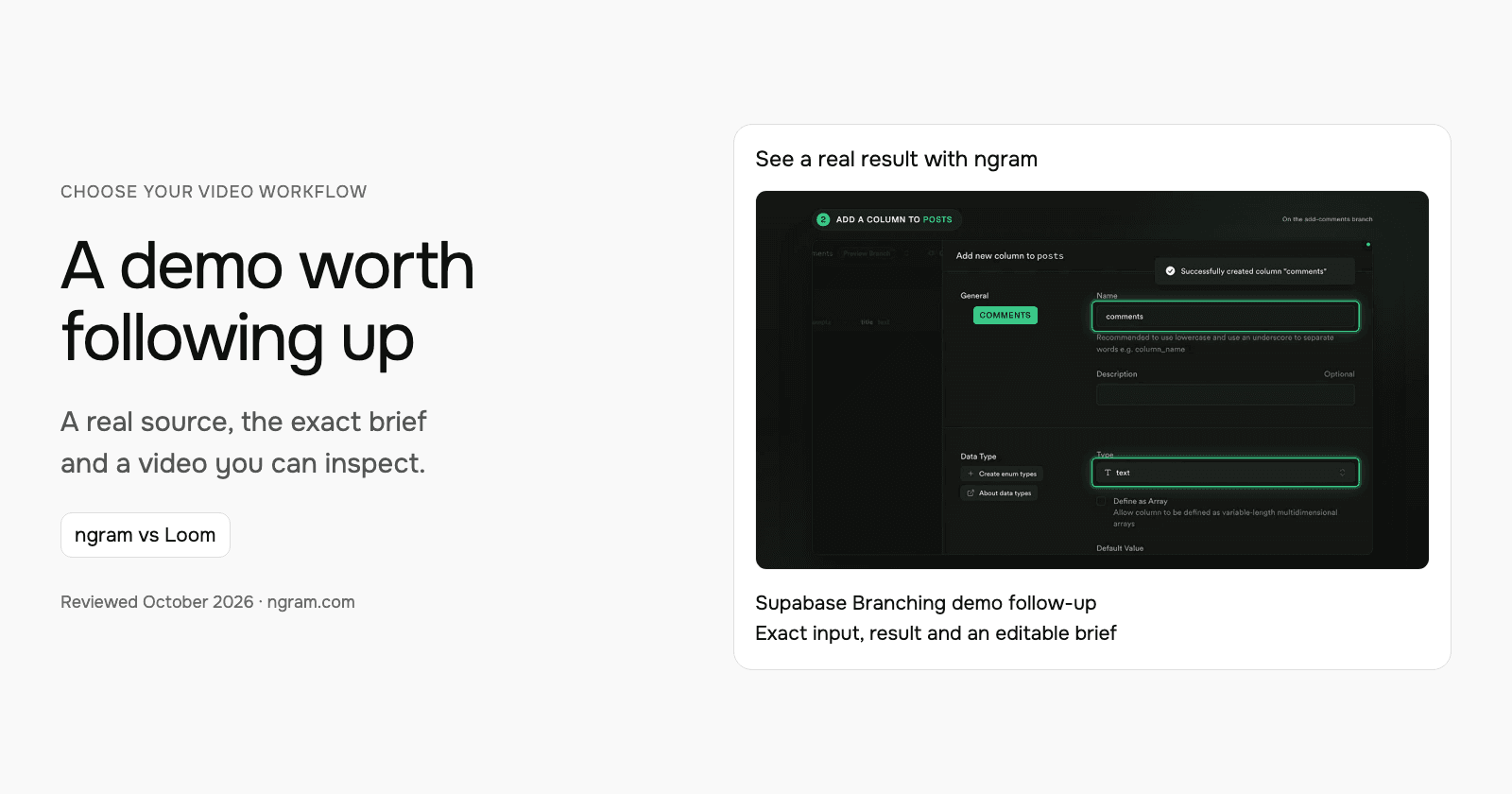

Use Loom when the follow-up should be your own recorded explanation. Use ngram when the source demo needs a new, focused recap with a clear next action. This walkthrough uses Supabase’s public Branching demo to show how to build that recap without inventing a customer conversation.
What should survive a long demo?
The Supabase example has one job: help developers understand how to test schema changes before merging them. The source shows Jon Meyers creating an add-comments branch, adding a text column to posts, reviewing the difference and merging. A useful follow-up carries that sequence and answers the question about production data. It does not need to repeat every moment of the recording.
| Decision | In this example |
|---|---|
| Audience goal | Test a schema change separately from production. |
| Demonstrated sequence | Create branch → add column → review diff → merge. |
| Supporting detail | The new column appears in main after the merge. |
| Open question | A branch has the schema without production data. |
| Next action | Read the guide and try the workflow in a test project. |
Watch the actual input become a video
The 45-second result opens with the goal, follows the demonstrated steps and answers the production-data question before its suggested next action. Compare that sequence with the transcript and original sources below. The public example establishes no buyer agreement, budget or promised outcome.
From this input to this video
A recap of Supabase’s public demo: create a branch, change the schema, review and merge. The closing action is a suggested next step.
Create a 45-second follow-up video after a demo of Supabase Branching for developers who watched Supabase’s public branching demo. Use these approved demo materials, meeting notes or public product sources: the official demo https://www.youtube.com/watch?v=AMQqhHxz5UI and current documentation https://supabase.com/docs/guides/deployment/branching. Recap the audience goal: test database schema changes separately before merging them into production. Show the workflow discussed: in Jon Meyers’s demo, create an add-comments branch, add a comments column to the posts table, review the changes and merge the branch; recap the real demonstrated workflow rather than implying a private customer meeting. Use this verified supporting detail: the demo shows the comments column in the main branch only after the merge completes. Address this open question using only the supplied answer: Does a branch copy production data? No: the demo and documentation describe an isolated branch with the schema but without production data. Keep commercial terms exactly as stated in the source. End with this next step: as a suggested next step, read the current branching guide and evaluate the workflow in a test project; no buyer commitment is recorded. Describe it as agreed only when the source records that agreement; otherwise present it as a suggestion. Use actual product screenshots or recordings from the supplied sources for UI demonstrations. Tone: helpful and practical. Voiceover language: English.
Read the exact input
Prompt
Create a 45-second follow-up video after a demo of Supabase Branching for developers who watched Supabase’s public branching demo. Use these approved demo materials, meeting notes or public product sources: the official demo https://www.youtube.com/watch?v=AMQqhHxz5UI and current documentation https://supabase.com/docs/guides/deployment/branching. Recap the audience goal: test database schema changes separately before merging them into production. Show the workflow discussed: in Jon Meyers’s demo, create an add-comments branch, add a comments column to the posts table, review the changes and merge the branch; recap the real demonstrated workflow rather than implying a private customer meeting. Use this verified supporting detail: the demo shows the comments column in the main branch only after the merge completes. Address this open question using only the supplied answer: Does a branch copy production data? No: the demo and documentation describe an isolated branch with the schema but without production data. Keep commercial terms exactly as stated in the source. End with this next step: as a suggested next step, read the current branching guide and evaluate the workflow in a test project; no buyer commitment is recorded. Describe it as agreed only when the source records that agreement; otherwise present it as a suggestion. Use actual product screenshots or recordings from the supplied sources for UI demonstrations. Tone: helpful and practical. Voiceover language: English.
Selected style
Product spotlight
Read the video transcript
Here's a quick recap of Jon Meyers's Supabase Branching demo. The goal: test database schema changes separately, before they touch production. First, he created a branch called add-comments. On that branch, he added a comments column, type text, to the posts table. Then he reviewed the changes: a diff showing exactly what would run against main. And he merged the branch. The comments column appeared in main only after the merge completed. One open question: does a branch copy production data? No. The demo and the docs describe an isolated branch with the schema, but without production data. A suggested next step: read the current branching guide, and evaluate the workflow in a test project.
Turn a demo into a useful follow-up
The example uses Supabase’s public recording and docs. For your own demo, bring an exported video file or suitable public source and explain what the viewer needs next.
Bring the source
Download an authorized recording from its original tool, then upload that file in ngram. You can also supply a public demo source and supporting documents.
Adapt the brief
Fill in your product, audience, verified details and next step below. In ngram, attach your files and select the Brand Kit you want to use.
Approve and create
Review the proposed plan containing the script. Approve it to generate the video, then request any revisions before sharing or downloading.
Make it yours
Fill in your details here, or continue and finish your brief in ngram.
Where each workflow fits
Loom combines screen/camera recording with AI assistance and editing. It is a useful choice when your voice, cursor and personal explanation are the follow-up. Record a short response to the buyer’s question and use Loom’s hosted discussion where it fits the relationship. Check the selected plan for AI features and recording controls.
Choose ngram when you want to shape a new explanation from the demo and supporting material. The same brief can serve the next meeting after you replace its goal, workflow and next step. Keep Loom as the source recorder if that works for your team; an authorized exported MP4 can become input for the new video.
Prepare your own version
For a private demo, export footage you are authorized to reuse and upload it in ngram. Bring approved notes for the actual audience goal, unanswered question and next step. A protected recording link may be useful to the team, while an uploaded file provides the agent with the material for this workflow. Keep the original project and discussion in the recording tool.
Use the editable brief above to fill in your own source and details. Choose the style, length and aspect ratio. In ngram, attach your files, select your configured Brand Kit and enable captions when wanted. Approve the plan containing the script, then inspect the video and request revisions through chat or the timeline.
Make the next update useful
When the buyer asks a new question, provide the verified answer and ask ngram to replace that part of the recap. If the next step changes from evaluation to a technical review, update the closing instruction too. Review those two changes together so the summary and request remain consistent.
Budget and delivery
ngram Free includes 1,000 credits/month and supports public sharing and embeds. Premium AI video generation uses 10 credits per second; a cheaper model uses 3 credits per second. At the premium rate, a 30-second generation uses 300 credits. Check the chosen model and available credits before creating your version.
Use a paid plan to download an MP4. Unlisted video links start with Basic. Compare the other product’s current billing term, seats and usage unit against your complete job, including the revisions and publishing method you need. See ngram pricing and the full comparison for the broader buying decision.
Frequently asked questions
Can I call the closing action an agreed next step?
Use “agreed” when the source records that agreement. This public Supabase example makes a suggestion because it contains no customer commitment.
Does this import Loom comments and editable projects?
Export the recording as source footage for the new video. Keep the original editable project and comments in Loom.
Continue with your own material
Start with the editable template, explore source-to-video workflows, or talk to sales about a team workflow.
Sources and scope
Product information reviewed October 18, 2026. The embedded result was created with ngram from the exact input shown. Competitor descriptions use official sources; this article does not claim a timed or scored test of competing outputs.
Loom pricing and feature availability