

The useful way to compare Loom vs Trupeer is not to ask which one records a screen. Both can start with a screen recording. The better question is what the recording should become after capture.
Loom is built for fast async video messages: record a screen, camera, or both, then share a link with a transcript, comments, reactions, and AI summaries. Trupeer is built for a more produced outcome: one screen recording becomes a polished product video, a step-by-step guide, and localized versions for support, training, sales, or product education.
That split matters for ngram too. ngram is not the right replacement for Loom when the job is a quick team update. ngram is relevant when the job is a finished business video from rough material: screen recordings, raw video, docs, PDFs, URLs, decks, screenshots, or prompts. For that slice, the comparison should include ngram alongside Loom and Trupeer.
Loom vs Trupeer at a glance
Use this table as the quick routing guide. Loom wins when the recording itself is the message. Trupeer wins when the recording needs to turn into a tutorial package. ngram fits when the recording is only one input in a broader finished-video workflow.
| Tool | Best for | Public entry pricing | Main distinction |
|---|---|---|---|
| Loom | Fast async screen and camera messages for distributed teams | Starter at $0, Business at $18/user/mo monthly or $15/user/mo annually, Business + AI at $24/user/mo monthly or $20/user/mo annually | Instant cloud recording, transcript, comments, AI summaries, AI workflows, and Atlassian/Jira fit |
| Trupeer | Product, support, training, and enablement teams turning captures into tutorials | Trial at $0 for 10 days, Pro at $40/mo annually or $49/mo monthly | One capture becomes a polished video, AI guide, voiceover, share page, and translations |
| ngram | Teams creating finished business videos from recordings and other source material | Free at $0, Basic from $23/mo annually or $29/mo monthly | Plans the script and storyboard, then creates an on-brand video from prompts, PDFs, URLs, decks, screenshots, recordings, and raw video |
Core output: quick video message or reusable tutorial asset
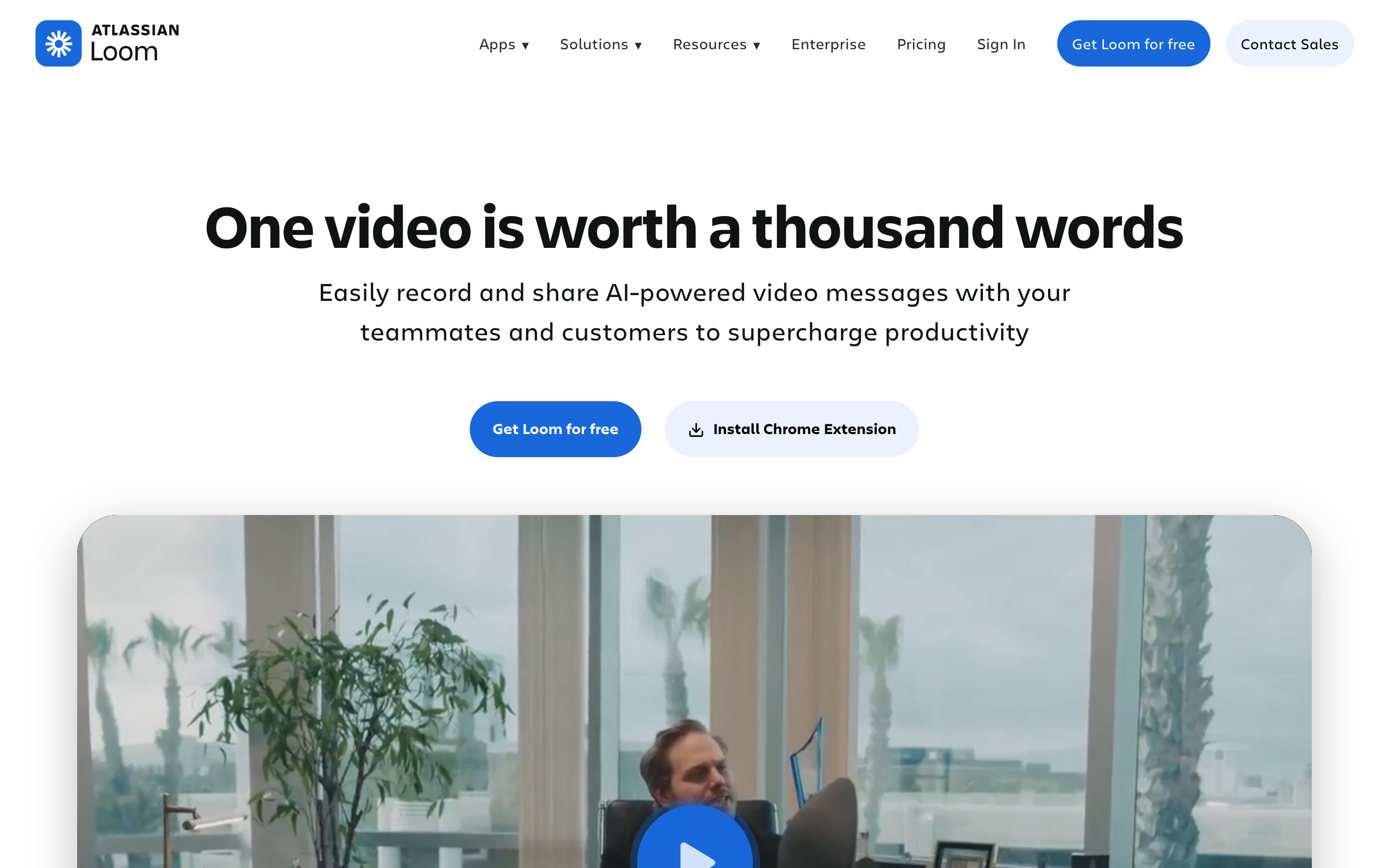
Loom's core output is a shareable video message. Its plan documentation describes Starter, Business, Business + AI, and Enterprise plans, with the Starter plan capped at 5-minute recordings and 25 stored videos. Loom's Business plan removes the recording time and storage limits, which is why Loom remains the obvious pick for standup updates, bug context, design feedback, sales follow-ups, and quick internal walkthroughs. Source: Loom plan documentation.
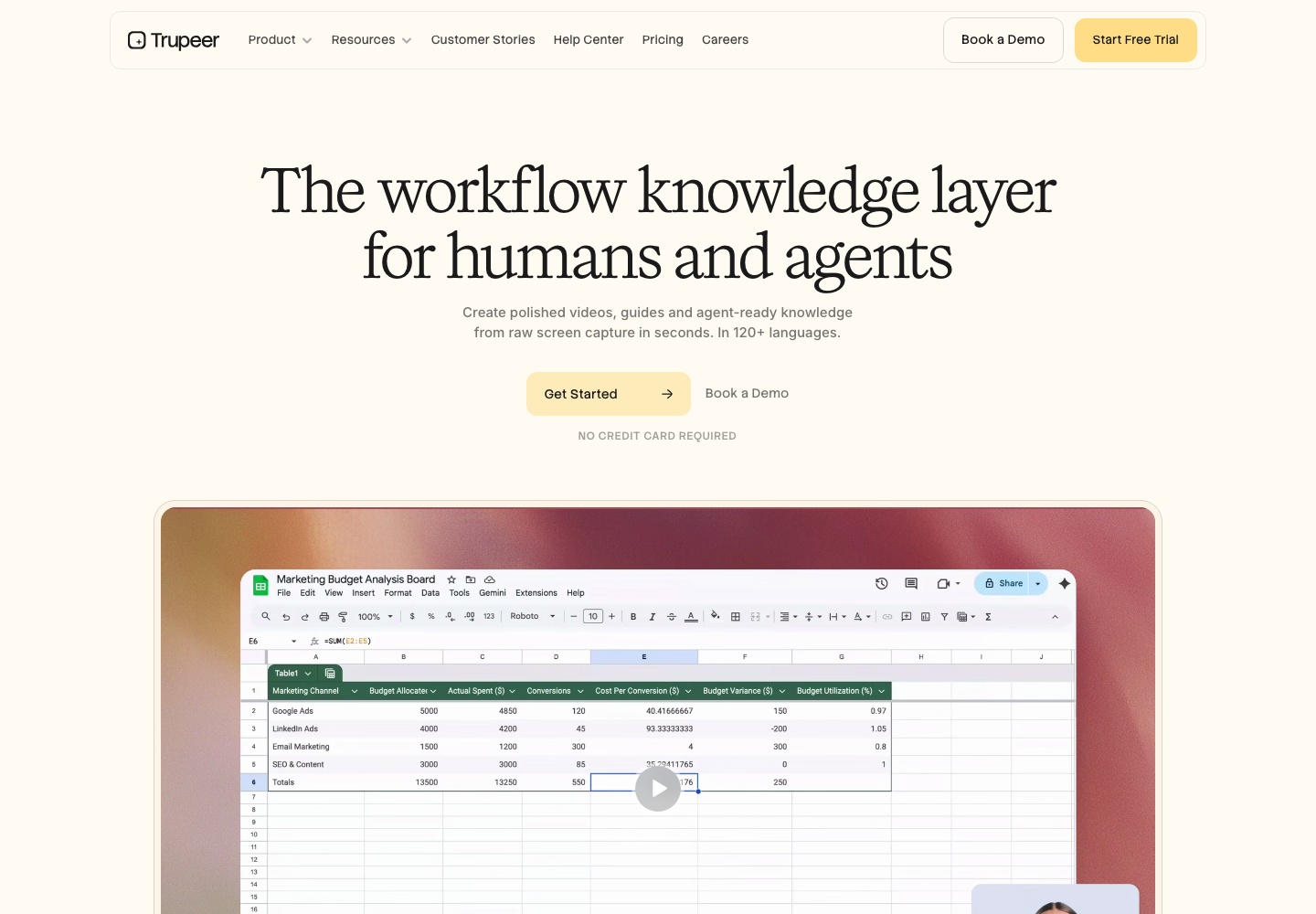
Trupeer's core output is closer to a finished tutorial kit. Trupeer's homepage frames the product as "one screen recording, multiple outputs," including studio-quality videos, documentation, translation, and a knowledge base with AI search. Its documentation page says a recording can become a formatted step-by-step document with screenshots and structured sections. Source: Trupeer homepage. Documentation source.
ngram belongs in this conversation only for the polished-video slice. The current ngram product supports screen recording upload and in-browser capture, transcription, smart zooms, cursor smoothing, click emphasis, dead-air trimming, step labels, product callouts, captions, voiceover, brand kits, and MP4 export. It also accepts sources that Loom and Trupeer do not center, including PDFs, URLs, screenshots, decks, raw video, Shopify product pages, and natural-language prompts. See ngram's screen recorder workflow.
Winner: It is a split by intent, with Loom owning the quick shareable message and Trupeer owning the reusable tutorial kit, and ngram only relevant when the recording is one input toward a finished branded video.
Workflow: Loom is record, share, discuss. Trupeer is record, produce, document.
Loom optimizes for speed. A teammate records the screen, stops, and sends a link. Viewers can watch, scan the transcript, react, comment, or skip to chapters. Loom AI adds auto titles, summaries, chapters, call-to-action buttons, and AI workflows that turn the transcript into a document, message, or Jira bug report. Source: Loom AI features. AI workflow source.
Trupeer adds more production between capture and output. The public product pages describe AI video generation, guide generation, AI translation, AI avatars, share pages, exportable guides, screenshot editing, intros, outros, captions, and branded share pages by tier. That makes Trupeer heavier than Loom, but better suited to customer education, support, L&D, IT rollout guides, and sales leave-behinds. Source: Trupeer pricing.
ngram's workflow starts even earlier than both when the team does not have a clean capture yet. The user can give ngram a release note, prompt, product URL, PDF, deck, screenshots, or rough recording. ngram writes the script, builds the storyboard, plans scenes, applies the brand kit, adds captions, voiceover, motion graphics, product callouts, music, and exports the finished video. That is useful for a product launch video or training video, but too heavy for a two-minute async note. Read the ngram vs Loom comparison. Read the ngram vs Trupeer comparison.
Winner: Loom wins for the fastest record-share-discuss loop, Trupeer wins when capture needs to become a produced output, and ngram fits the rarer case where the team starts without a clean recording and wants the script and storyboard built for them.
Documentation and knowledge capture
Trupeer has the stronger documentation story. Its documentation page says Trupeer detects actions, writes steps, includes screenshots, mirrors a preferred document format, and exports or embeds guides into tools such as Zendesk, Notion, and Intercom. Trupeer also sells separate Knowledge Base and Knowledge Base with AI Search plans for teams that want hosted articles, custom branding, custom domains, and video timestamp search. Source: Trupeer documentation. Pricing source.
Loom is useful for written follow-up, but it is not primarily a documentation system. Loom AI workflows can generate text documents such as SOPs, step-by-step guides, PR descriptions, QA steps, and code docs from a transcript. The difference is that Loom still starts from the video message and adds written output around it, while Trupeer is built around video plus documentation as the product package. Source: Loom AI workflows.
ngram should not be framed as a Trupeer knowledge-base replacement. ngram can create training videos, demos, walkthroughs, launch videos, translated variants, hosted video pages, embeds, and separately prepared channel cuts. ngram does not offer a guide-first knowledge base with AI search. If written SOPs and searchable process documentation are the buyer's first requirement, Trupeer has the clearer fit.
Winner: Trupeer wins this dimension on the strength of its guide generation and knowledge-base plans, Loom is a useful but video-first runner-up, and ngram should not be positioned as a searchable documentation system here.
Editing, polish, and brand control
Loom's editing is intentionally lightweight. The point is that a teammate can record something useful without learning a production tool. Business + AI adds auto-video enhancement, advanced editing, video-to-text automation, meeting recap emails, meeting notes, and admin insights according to Loom's pricing page. Those features make Loom messages cleaner, but they do not turn Loom into a full product-video system. Source: Loom pricing.
Trupeer puts more of the polish into automation. Pro includes watermark removal, video intros and outros, captions, screenshot editing, screenshot picking, and guide exports. Scale adds a team workspace, custom voices, custom backgrounds, branded share pages, CTA links, and logos. If the source is a clean product walkthrough and the output should be a polished tutorial plus a guide, Trupeer is closer to the target. Source: Trupeer pricing.
ngram is stronger when the edit needs story, not only cleanup. Product marketing might bring release notes, screenshots, a rough recording, and a product page. Customer success might bring a help article, a support recording, and brand rules. ngram can turn those inputs into a storyboarded video with voiceover, captions, product callouts, smart zooms, brand styling, translations, and channel-specific cuts prepared separately. That is a production workflow, not a quick-capture workflow.
Winner: Loom wins if you want messages clean without learning a tool, Trupeer wins for automated tutorial polish and branded share pages, and ngram wins only when the output needs storyboarded story and full brand-kit styling rather than cleanup.
Pricing and value
Loom lists Business at $18 per user per month billed monthly, or $15 per user per month on annual billing, and Business + AI at $24 per user per month monthly, or $20 per user per month annually. Loom's support docs also describe Starter as a $0 plan with a 5-minute recording limit and 25-video storage limit. Source: Loom pricing.
Trupeer lists a 10-day $0 trial, Pro at $40 per month on yearly billing or $49 monthly, Scale at $199 per month yearly or $249 monthly, and Knowledge Base add-ons from $120 or $180 per month on yearly billing. The Pro plan includes 20 AI video minutes, unlimited AI guides, unlimited video exports, and recordings up to 12 minutes. Source: Trupeer pricing.
ngram's self-serve paid plans start at $29 per month for Basic billed monthly, or $23 per month on annual billing, which includes 3,000 credits per month, with Premium at $59 and Ultimate at $299. ngram is credit-based, so the value question is different: you pay for AI video generation, AI editing, and higher-volume production capacity rather than a seat-based async recorder or a capture-to-guide quota, and exports are unlimited.
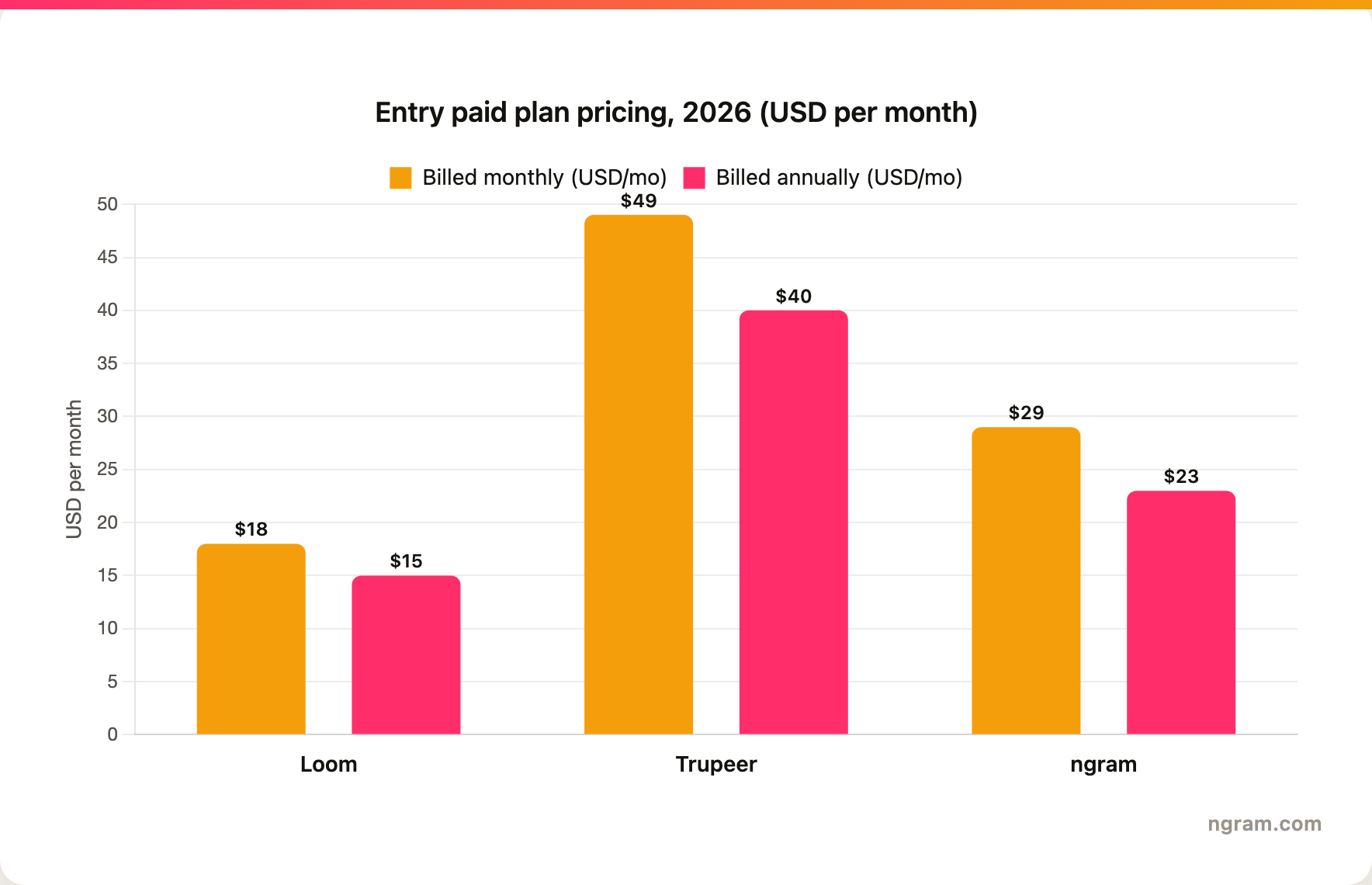
Winner: Loom is the cheapest entry at $15 to $18 per user per month for seat-based async recording, Trupeer carries a higher capture-to-guide price at $40 to $49 per month, ngram's Basic sits in between at $23 to $29 per month, and ngram's credit-based plans are a different value model that only pays off when finished video production is the actual job.
Collaboration, sharing, and viewer workflow
Loom has the advantage for async collaboration. The product is designed around sending a link and letting viewers respond in context. Its Atlassian ownership also matters for teams already working in Jira and other Atlassian workflows. Loom AI's bug-report workflow can turn a video into a Jira-ready report, which is a real advantage for engineering and QA communication.
Trupeer's sharing is more asset-oriented. The output is meant to be published, embedded, exported, or stored as a knowledge artifact. That is stronger for customer education libraries and enablement hubs, but less natural for quick back-and-forth feedback on a one-off issue.
ngram sits closer to the published-asset side. It supports hosted video pages, embeds, share links, and hosted pages and embeds. It does not currently claim Loom-style reactions and async thread behavior, and no generally available owner analytics surface is live. Use ngram when the viewer should watch a polished video, not when teammates need a rapid comment thread around a raw capture.
Winner: Loom wins for async back-and-forth collaboration and its Jira-ready workflows, Trupeer wins for published knowledge artifacts, and ngram sits on the published-asset side with hosted pages and embeds but no generally available owner analytics surface or async comment threads yet.
Localization
Trupeer advertises translation for video, voiceover, and guides. Its translation page says videos and docs can be translated into 65+ languages automatically, which makes Trupeer a strong fit for teams that need both video and guide outputs localized out of the box. Homepage source. Translation source.
Loom has stronger messaging around async work than localization. It can create transcripts, summaries, chapters, documents, and bug reports, but its official pages reviewed for this post do not position Loom as a full video localization system in the same way Trupeer does.
ngram supports translation of scripts, captions, and on-screen text, multilingual voiceover, and avatar or talking-head lip sync for localized videos. Its language coverage is broad rather than a fixed published count, which makes ngram a good fit for localized training or product videos when the source is broader than a single recording.
Winner: Trupeer wins this dimension because it localizes both video and guides out of the box, Loom is not positioned as a localization system, and ngram is a credible fit for localized videos though it does not publish a fixed language count.
Decision guide: pick Loom, pick Trupeer, or use ngram
- Pick Loom if the recording is the final message. Loom is best for async team updates, feedback, bug context, sales follow-ups, and meeting replacement clips where speed matters more than production polish.
- Pick Trupeer if the recording should become a product tutorial and written guide. Trupeer is stronger for customer education, support docs, SOPs, L&D content, and knowledge-base workflows built from one capture.
- Use ngram if the goal is a finished branded business video. ngram fits product launches, demo videos, training videos, sales enablement, help-center walkthroughs, and localized variants built from recordings plus docs, URLs, screenshots, decks, or prompts.
Methodology
This comparison was written on June 18, 2026. I checked Loom's official pricing, plan, AI feature, and AI workflow documentation; Trupeer's official homepage, pricing, documentation, and translation pages; and ngram's current product capabilities and plans. I also checked live search results for "Loom vs Trupeer" and found a thin SERP made up of Reddit discussion, Trupeer-owned alternatives content, aggregators, and tutorial-tool alternatives pages. The post avoids numerical review ratings and uses official sources where possible.
Final verdict
Loom and Trupeer are both screen-recording products, but they are not interchangeable. Loom is the faster communication layer. Trupeer is the stronger capture-to-tutorial system. ngram is the third path when a team wants the result to feel like a planned business video rather than a recorded message or a documentation bundle.
The simplest rule: use Loom when the audience is a teammate, Trupeer when the audience needs to learn a repeatable workflow, and ngram when the audience should see a polished demo, launch video, training clip, or customer-facing explainer.








