

Search "Kapwing vs VEED" and you land on two browser-based AI video makers that promise the same outcome: drop in clips or a prompt, let AI help, and walk away with a social-ready video. Both run entirely in a browser, both lead with prompt-to-video AI now, and both pile on the same utility tools you reach for every day: auto-subtitles, text-to-speech, dubbing, noise removal, and quick trims.
Look closer and they pull from slightly different corners of the same category. Kapwing leans into an AI-first generator that builds a multimedia video (voiceover, visuals, subtitles, music, and consistent AI characters) from one prompt, wrapped in a collaborative online editor with a deep bench of AI tools.
VEED leans into a focused, video-native studio built around captions, dubbing, eye-contact correction, and generative AI using its own Fabric model plus third-party models like Sora and Veo. This guide compares Kapwing vs VEED across the things that actually decide the purchase: AI depth, editing model, captions and utility tools, pricing, and ease of use.
It also shows where a third option, ngram, beats both when your real job is a finished, planned business video built from a doc, URL, deck, or recording.
Both tools are genuinely good, and they overlap more than most comparisons admit. The honest answer to "which is better" is "for which job," so we pick a winner per dimension instead of crowning one overall. Kapwing rewards range and collaboration for teams that want one prompt to produce a fully built video they can then refine together. VEED rewards speed and polish for people whose daily job is captioning, translating, and cleaning up footage in a lean studio.
Kapwing vs VEED at a glance
Here is the short version before the deep dive. ngram sits in the table because for many teams comparing these two, the better question is whether you need a clip editor at all or a system that plans and builds the whole video from your source.
| Tool | Best for | Starting price | Main distinction |
|---|---|---|---|
| ngram | Teams turning a doc, URL, deck, or recording into a finished, on-brand business video | Free, paid from $29/mo | Plans the whole video from your source, not just assembles clips |
| Kapwing | Marketing, education, and content teams who want prompt-to-video plus a collaborative editor | Free, Pro about $16/mo billed annually ($192/yr), $24/mo monthly | AI builds a full multimedia video from one prompt, with deep AI tools and collaboration |
| VEED | Creators and marketers who want fast captions, dubbing, and AI edits in one studio | Free, Lite (its entry paid tier) about $19/user per month billed annually; confirm current tiers on veed.io/pricing | Utility studio plus generative AI with standout auto-subtitles, dubbing, and eye-contact fix |
AI features and generation
This is the first real split, and it shapes how you start a project in each tool.
Kapwing's homepage now leads with prompt-to-video AI. You type what you want, and it generates a multimedia-rich video complete with voiceover, visuals, subtitles, music, and consistent AI characters, then drops the result into the editor for refinement.
Around that generator sits a broad AI toolbox: a script generator, text-to-speech and dubbing across 40-plus languages, auto-subtitles, Clean Audio noise removal, Smart Cut silence removal, a B-Roll Generator, a Clip Maker, and a Repurpose Studio for turning long video into short clips. If your starting point is an idea rather than footage, Kapwing's generator does more of the first draft for you.
VEED's AI is broad and video-native, with a slightly different center of gravity. It does text-to-video and image-to-video using its own Fabric model alongside third-party models such as Sora and Veo, plus AI avatars, voice dubbing into many languages, an AI voice generator, background removal, and eye-contact correction that nudges a presenter's gaze back to the lens.
The generative and avatar tools sit right next to the everyday editor, so you can generate a clip and immediately subtitle, trim, or dub it. VEED's strength is less about building a whole video from a single prompt and more about a deep, reliable set of AI editing actions you apply to real footage.
Winner: Kapwing for one-prompt video generation and a wider AI toolbox, VEED for video-native generation plus standout dubbing and eye-contact correction. Both meter heavier AI through credits and gate the best models to paid tiers, so check the allowance against your real volume.
A caveat for both: their AI accelerates the pieces, but you still drive the structure and stitch the result together. ngram inverts that. Its agentic chat plans the script, storyboard, scenes, captions, and call to action from your source first, then you review the plan before anything renders.
Editing model and collaboration
Once AI has produced a draft, you live in the editor, and the two feel different there.
Kapwing's editor is built for collaborative teams. It runs a multi-track timeline in the browser with real-time collaboration, comments, shared workspaces, and brand assets, so a marketing team, a class, or an internal-comms group can work on the same project together. The editor is roomy and capable, which is part of why educators and larger teams favor it, though the breadth means a little more to learn than a single-purpose tool.
VEED's editor is a focused, browser-based studio rather than a collaboration hub. The timeline is simpler and quicker to learn, and the product is organized around get-it-done tasks: trim, subtitle, translate, clean up audio, swap a background, then export. You give up some of Kapwing's collaboration depth, but you gain a tool that is squarely about producing and cleaning up video, with less to wade through.
Winner: Kapwing for collaborative, multi-contributor editing, VEED for a faster, more focused single-editor flow. Pick based on whether several people touch each video or one person ships it fast.
Worth noting for both: you still arrive with the raw material and refine it scene by scene. Neither tool reads a product doc, a landing page, or a screen recording and proposes the whole structured video for you to approve. That gap is where ngram fits, and we cover it below.
Captions, subtitles, and utility tools
For a lot of buyers, the daily job is captions and quick clean-up, not generation, so this dimension carries real weight. It is also the closest race between these two.
VEED built its reputation here. Auto-subtitles are fast and accurate, the subtitle editor is mature, translation and dubbing cover many languages, and utility tools like noise removal, background removal, trimming, and a clean export flow make it a dependable workhorse for turning raw footage into captioned, social-ready clips. For teams whose core need is captioned video at volume, this is VEED's strongest argument.
Kapwing is no slouch here either. It offers auto-subtitles, text-to-speech and dubbing in 40-plus languages, Clean Audio noise removal, and Smart Cut silence removal, all inside the same editor where you build and collaborate. The difference is positioning: Kapwing bundles these utilities into a broad AI creation suite, while VEED tends to feel a touch more purpose-built and polished for subtitle-heavy and translation-heavy work day in and day out.
Winner: VEED by a narrow margin for caption and dubbing polish, Kapwing when you want those utilities to live in the same collaborative suite as generation and editing. Both are strong, so weigh whether captions are the whole job or one step in a larger workflow.
Note on both: ngram also auto-generates captions on every video and can translate captions, on-screen text, and voiceover for localized variants. The difference is that ngram captions a video it planned and built from your source, rather than one you assembled by hand first.
Pricing and value
Pricing is where the two feel most different, because they package value in different ways. Kapwing sells broad creation tiers built around credits, export minutes, and resolution. VEED sells focused video tiers around export quality, video length, subtitle minutes, and AI access.
Both have a free plan, and both free plans are tight. Kapwing's free tier exports up to 1 minute at 720p with a watermark and includes a small monthly credit allowance plus limited auto-subtitle and text-to-speech minutes. VEED's free tier exports at 720p with a VEED watermark and caps video length and auto-subtitle minutes. In both cases, any public or client work pushes you onto a paid plan quickly.
Here is how the entry paid plans compare in US dollars per month on annual billing:
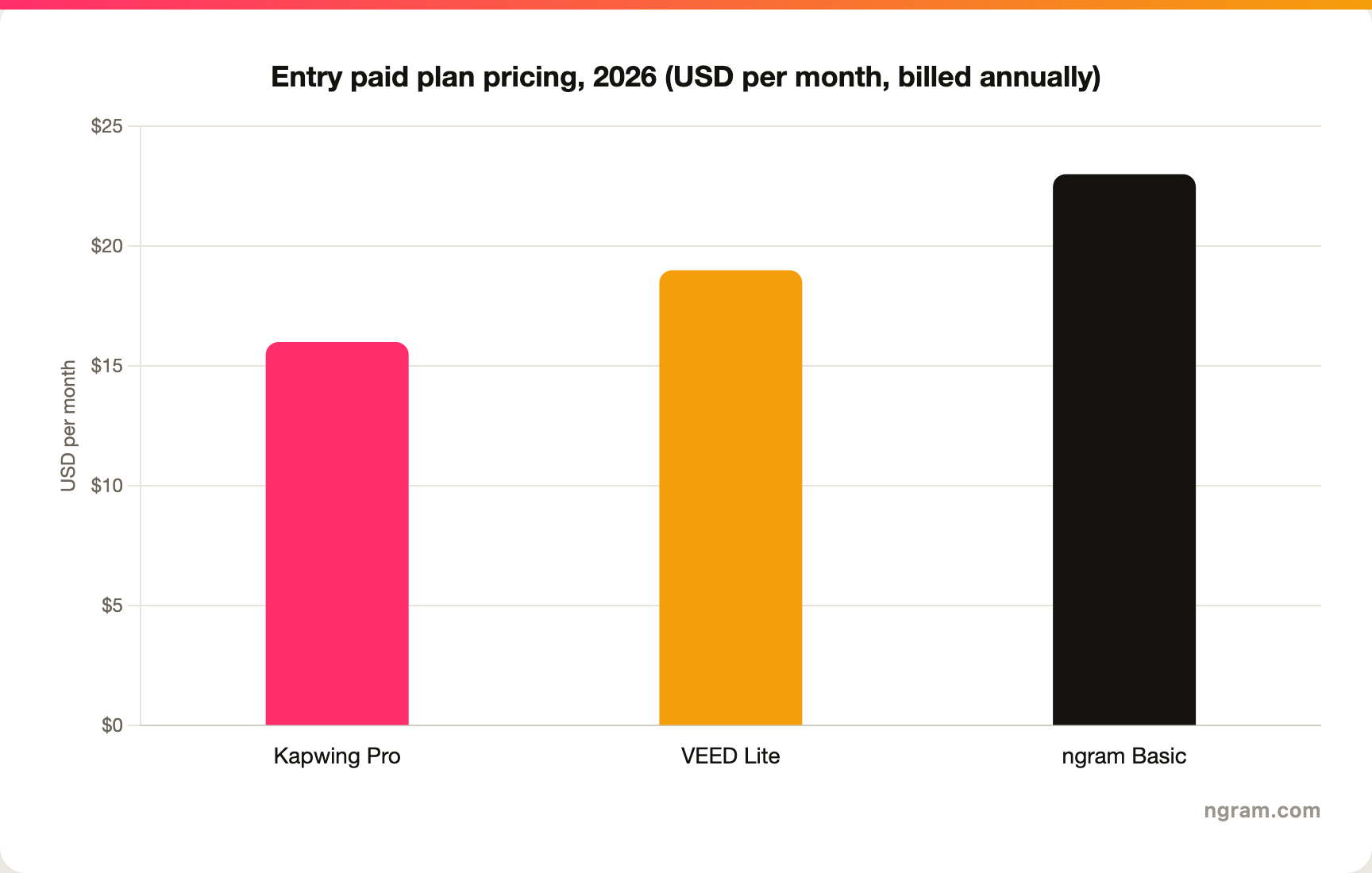
Read the fine print, because the headline numbers hide the real cost. Kapwing Pro is $24 per month billed monthly, or about $16 per month billed annually (around $192 per year), and it removes the watermark, unlocks 4K and longer exports, adds a Brand Kit and real-time collaboration, and includes a monthly credit allowance for AI tools.
Heavier teams move up to Kapwing's Business tier (about $50 per month annually) for more credits, voice clones, and add-on credit purchases. VEED's Lite plan, its entry paid tier, is about $19 per user per month billed annually and removes the watermark, unlocks 1080p, and lifts length limits, but the full AI toolset and 4K export sit on its higher Pro, Business, and Enterprise tiers, so confirm current tiers on veed.io/pricing.
ngram's Basic plan is $29 per month billed monthly, or about $23 per month billed annually, and includes 3,000 credits a month on a credit model shared across video generation, editing, and exports. Match the unit to your actual volume before you decide, because a low sticker price plus a credit add-on can cost more than a higher all-in plan.
Winner: Kapwing for the cheapest watermark-free entry on annual billing, VEED for a lean per-user studio when captions and dubbing are the whole job, ngram for running the entire source-to-finished workflow from one shared credit pool with no per-feature metering.
Ease of use and time to first video
Both tools are beginner-friendly, but they ask different things of you.
VEED is the faster path for a single focused task. If the job is caption this clip, dub it, and export, you can do it in minutes with very little to learn, which is why creators and social teams reach for it. The lean studio means fewer menus between you and a finished clip.
Kapwing is fast to a first draft when you start from its prompt-to-video generator, since the AI produces a full multimedia cut you then tidy up. The trade-off is a roomier editor with more tools and collaboration features to learn, so getting a polished, on-brand result can take a few more steps than VEED's single-task flow. For teams that value collaboration and range, that breadth is the point rather than a cost.
Winner: VEED for the fastest single-task turnaround, Kapwing for the fastest first draft from a single prompt when you do not mind a deeper editor.
The shared limitation is the same for both: you decide what the video should say and how it should flow, then you build it. Teams whose source is a release doc, a landing page, a slide deck, or a screen recording still have to turn that into a structured video by hand before either tool helps. That is the clearest reason buyers comparing Kapwing vs VEED end up looking at a third option.
1. ngram, the better third option for its slice
Watch how ngram turns an idea into a finished video:
ngram does the same end job as Kapwing and VEED, producing a polished social or marketing video, and then changes how you get there. Instead of running a prompt through a generator and refining the result, or editing footage clip by clip, you give ngram a prompt, a PDF, a URL, a deck, a screenshot, a screen recording, or raw footage, and its agentic chat plans the script, storyboard, scenes, captions, and call to action for you to review before anything renders.
That plan-first workflow is the difference. For the marketing, sales, product, and support teams who make up a large share of "Kapwing vs VEED" searches, the real job is rarely "edit these clips." It is a launch video, a product demo, an onboarding walkthrough, or a social cut built from material you already have, with screen-recording polish, callouts, captions, and branding handled for you.
What makes ngram different
- Source-aware inputs - Start from a prompt, PDF, URL, screenshot, screen recording, raw video, deck, or Shopify product, not a blank timeline or a single text box.
- Plan before render - Review the script and storyboard in chat, fix direction early, then generate, instead of re-cutting a timeline after the fact.
- Beyond clip assembly - Add screen-recording polish with smart zooms, click emphasis, dead-air trim, product callouts, motion graphics, and AI b-roll in the same video.
- Brand kits - Logos, colors, fonts, and approved or blocked phrases applied automatically to every video.
- Voice and localization - AI voiceover, translated script, captions, and on-screen text, plus multilingual voiceover and re-lip-sync for talking heads.
- MP4 export - Finished videos export as MP4; separate media tools can derive GIF, WebM, PNG, or JPG from supplied media.
Where ngram is honest about its limits
ngram provides hosted video pages and embeds but has no generally available owner analytics surface, so analytics-heavy buyers should confirm needs first. Its public security certifications are not published yet, so a compliance-bound program with a strict SOC 2 or ISO requirement should verify current posture.
Among automation platforms, Zapier and n8n are available; Make.com is Coming Soon. Public API v1 uses self-service bearer API keys. And if your job really is collaborative clip editing or fast caption-and-dub utility work, Kapwing and VEED respectively remain the better fit.
Who ngram is best for
ngram fits product marketing, growth, sales, customer success, support, and training teams that turn business material into polished video repeatedly. For current plans and credits, check ngram pricing rather than stale screenshots, and for the direct head-to-heads see the ngram vs Kapwing comparison and the ngram vs VEED comparison.
Ready to try ngram? Create your first video from a prompt, doc, URL, deck, screenshot, or recording. Start free
2. Kapwing
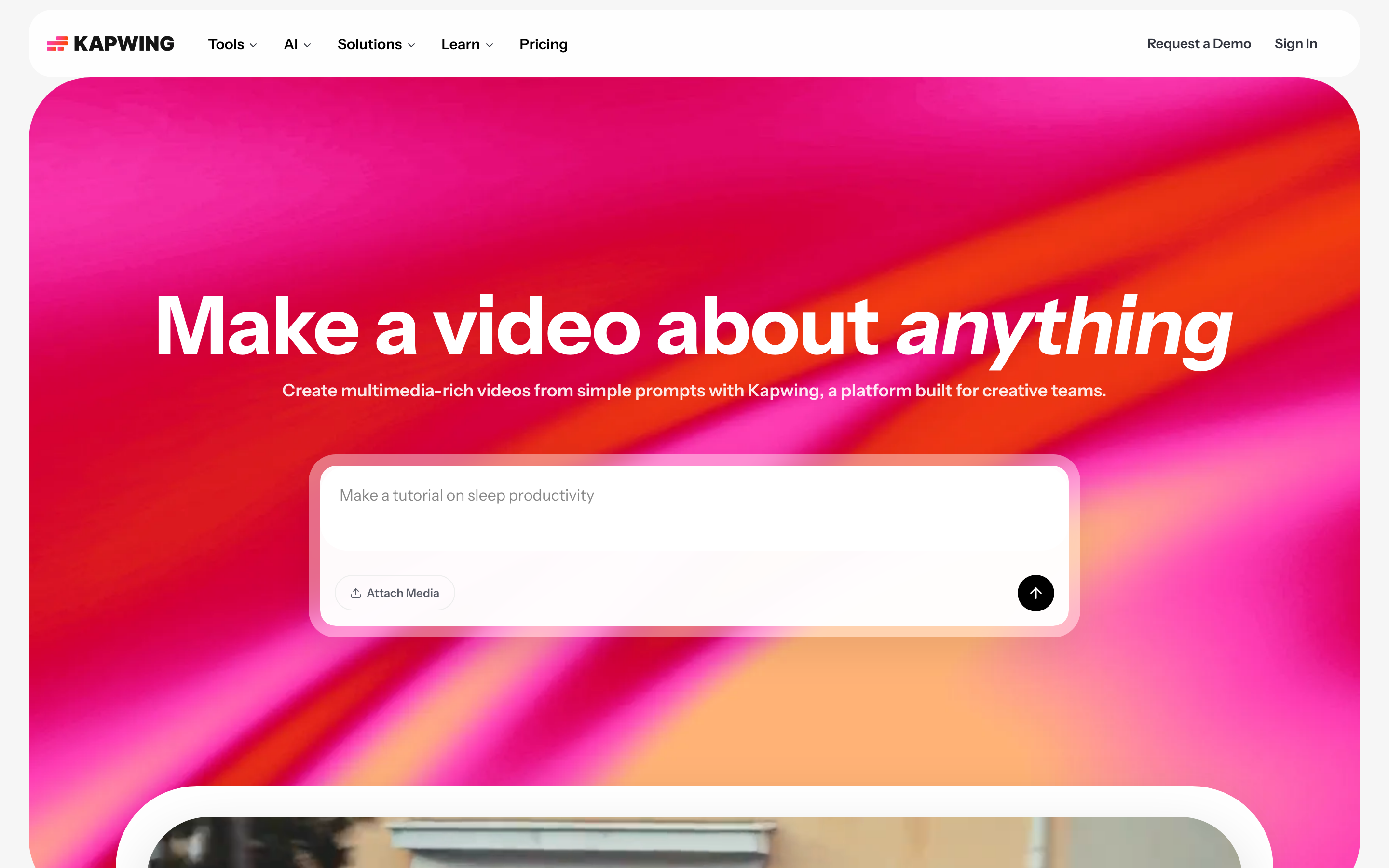
Kapwing is best for marketing, education, and content teams who want prompt-to-video generation plus a collaborative online editor in one place. Public details were checked against Kapwing's product and pricing pages for this 2026 comparison.
Key features
- Prompt-to-video AI - Generates a full multimedia video with voiceover, visuals, subtitles, music, and consistent AI characters from one prompt.
- Collaborative online editor - A browser timeline with real-time collaboration, comments, and shared workspaces for teams and classrooms.
- Deep AI toolbox - Script generator, text-to-speech and dubbing in 40-plus languages, auto-subtitles, Clean Audio, and Smart Cut.
- Repurpose and clip tools - B-Roll Generator, Clip Maker, and Repurpose Studio for turning long video into short, social-ready cuts.
- Credit-metered AI - Monthly credit allowance for AI tools, with more credits and voice clones on higher tiers.
What users say
Buyers shortlist Kapwing for the range of AI tools and the smooth collaboration, and teams and educators like that the generator and the editor live in one browser tab. The common trade-off they mention is that the credit allowance can run dry on heavy AI months, and that the breadth of tools can feel like more to learn than a single-task editor when all you want is a quick captioned clip.
Best for
Choose Kapwing when you want one prompt to produce a full multimedia video, a deep AI toolbox, and real-time collaboration inside a single online editor.
3. VEED
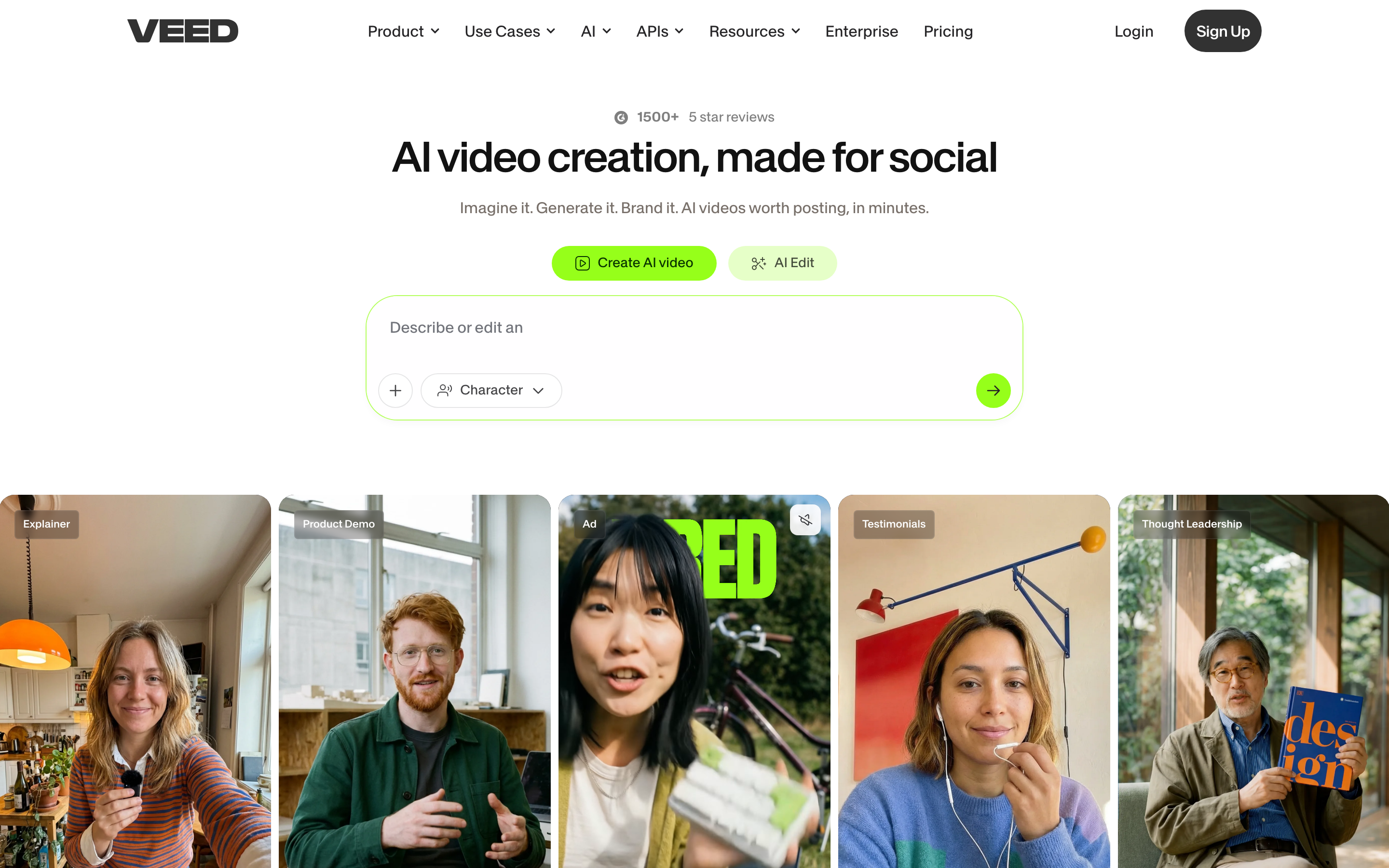
VEED is best for creators and marketers who want fast captions, dubbing, and AI edits in one focused browser studio. Public details were checked against VEED's product and pricing pages and 2026 review-site references for this comparison.
Key features
- Auto-subtitles and translation - Fast, accurate captions plus subtitle translation and dubbing across many languages.
- Generative AI video - Text-to-video and image-to-video using its own Fabric model alongside third-party models like Sora and Veo.
- AI avatars and voice - Presenter avatars, an AI voice generator, and voice dubbing for localized variants.
- Eye-contact correction - Redirects a presenter's gaze back to the lens when they read off-script.
- Utility clean-up tools - Background removal, noise removal, trimming, and a clean export flow in one place.
What users say
Users praise VEED for how quickly it captions, translates, and cleans up raw footage, and for keeping the interface focused rather than overwhelming. The common caution is that the free plan's watermark and length limits push you to upgrade quickly, and that the most powerful AI tools and 4K export sit behind the higher Pro tier.
Best for
Choose VEED when captions, dubbing, and quick AI edits are the core job and you want a lean studio rather than a broad creation suite.
How we compared these tools
This is not a star rating. It is a decision-weighting model for buyers choosing between two browser-based AI video makers, with ngram included as the third option many of them actually need.
| Criteria | Weight | What we looked at |
|---|---|---|
| AI capabilities | 30% | Prompt-to-video, generative models, avatars, dubbing, captions, and planning depth |
| Features | 30% | Editing control, collaboration, captions and utility tools, and export options |
| Ease of use | 20% | Time to a first finished video and learning curve |
| Value | 15% | Public pricing, credit allowances, watermarks, and what each tier unlocks |
| Support and community | 5% | Collaboration, sharing, and team controls |
We reviewed official vendor pricing and product pages, current SERP patterns, and 2026 review-site and Reddit sentiment, and we did not use numerical star ratings because they flatten the real decision: the best tool depends on whether you want one-prompt generation with collaboration, fast captions and dubbing, or a full source-to-video workflow.
Common questions
Is Kapwing better than VEED?
Neither is better outright. Kapwing wins for one-prompt video generation, a deep AI toolbox, and real-time collaboration, while VEED wins for fast auto-subtitles, dubbing, and quick AI edits in a focused studio. Match the tool to the job, and consider ngram if your real need is a finished video planned from a doc, URL, deck, or recording rather than clips you build yourself.
Is VEED cheaper than Kapwing?
At the entry tier, Kapwing usually edges it. VEED's Lite plan, its entry paid tier, is about $19 per user per month billed annually, which removes the watermark and unlocks 1080p, while Kapwing Pro is about $16 per month billed annually (around $192 per year) and unlocks 4K, longer exports, a Brand Kit, and collaboration.
Confirm current tiers on veed.io/pricing, and remember the cheaper choice depends on whether you need Kapwing's collaboration and generation breadth or just VEED's watermark-free captions and edits, and on how much AI you run against each plan's credit allowance.
What is the best Kapwing and VEED alternative?
For teams that have outgrown clip editing, ngram is the strongest alternative because it plans and builds full videos from prompts, docs, URLs, decks, screenshots, and recordings, then adds screen-recording polish, captions, and branding. Kapwing and VEED remain the better picks for collaborative creation and caption-heavy utility work respectively.
Which is easier for captions and subtitles, Kapwing or VEED?
Both do auto-subtitles and translation well, and the gap is narrow. VEED is a touch more purpose-built for captions and subtitles, with a mature subtitle editor and strong dubbing across many languages. Kapwing matches the core feature set with auto-subtitles and dubbing in 40-plus languages, with the advantage that those utilities sit inside the same collaborative suite as generation and editing.
Which one should you pick?
The Kapwing vs VEED decision is really about your workflow, not the brand. If you want one prompt to produce a full multimedia video, a deep AI toolbox, and real-time collaboration in one online editor, pick Kapwing. If you want fast captions, dubbing, and quick AI edits in a lean, focused studio, pick VEED.
If your actual job is turning a doc, URL, deck, or screen recording into a finished, on-brand video, where the structure should be planned for you instead of assembled by hand, ngram beats both for that slice. The mistake is treating every video maker as interchangeable. In 2026, workflow fit matters more than the category label.
Try ngram free, your first video in under 5 minutes. Turn a prompt, doc, URL, deck, or screen recording into a polished, on-brand video without assembling it clip by clip. Start free








