

Search for "Kapwing vs Pictory" and you find two popular ways to make a video without a traditional editor, aimed at slightly different people. Kapwing is a browser-based, AI-first video platform: it generates a video from a text prompt, complete with voiceover, visuals, subtitles, music, and consistent AI characters, and then drops that draft into a full collaborative online editor packed with AI tools.
Pictory is an AI video generator built to turn existing content, a blog post, a script, a URL, a PowerPoint, or a long recording, into a short, polished video automatically, with auto-built scenes, stock visuals, captions, and AI voiceover. This guide compares Kapwing vs Pictory across the things that actually decide the purchase: how each one makes a video, AI depth, stock and voice, pricing with real dollar figures, and ease of use.
It also shows where a third option, ngram, beats both when your real job is a finished, planned business video built from a doc, URL, deck, or recording.
Both tools are genuinely good at what they do, and they pull in different directions. Kapwing rewards people who want AI to draft a first cut and then keep editing it by hand inside one tab. Pictory rewards people who would rather paste a source and let the tool assemble the whole narrated video. The honest answer to "which is better" is "for which job," so we pick a winner per dimension instead of crowning one overall.
Kapwing vs Pictory at a glance
Here is the short version before the deep dive. ngram sits in the table because for many teams comparing these two, the better question is whether you want to draft then edit by hand, hand the whole thing to an auto-assembler, or have the video planned from your source and then keep control.
| Tool | Best for | Starting price | Main distinction |
|---|---|---|---|
| ngram | Teams turning a doc, URL, deck, or recording into a finished, on-brand business video | Free, paid from $29/mo | Plans the whole video from your source, then keeps you in control |
| Kapwing | Marketing, education, and content teams that want AI generation plus a full online editor | Free plan, Pro from $16/mo billed annually ($24 monthly) | AI video generator inside a complete browser timeline editor |
| Pictory | Marketers and L&D teams turning written content into narrated videos at scale | 14-day free trial, Starter from $25/mo billed annually ($29 monthly) | Auto-assembles scenes from a script, blog, URL, or long video |
How each one makes a video
This is the first real split between the two, and it shapes everything downstream.
Kapwing starts with a prompt but lands you in an editor. Its prompt-to-video AI generates a first draft with voiceover, visuals, subtitles, music, and consistent AI characters, then drops that draft onto a full collaborative timeline where you trim, layer, caption, and rearrange by hand.
The same workspace holds a script generator, text-to-speech and dubbing in 40+ languages, auto-subtitles, Clean Audio noise removal, Smart Cut silence removal, a B-Roll Generator, a Clip Maker, and a Repurpose Studio. You can lean on AI for the first pass and then take manual control of every frame.
Pictory runs the more hands-off way. You give it a script, a blog post, a URL, a PowerPoint, or a long recording, and it auto-builds the scenes for you: it splits the text into beats, matches each one to stock footage, adds captions, and lays an AI voiceover over the top. You then refine the draft scene by scene rather than building from an empty timeline. For someone who starts from written content and wants a watchable video fast, that head start is the whole point.
Winner: Kapwing for AI plus a real editor, Pictory for hands-off source-to-draft automation. Pick based on whether you want to keep editing the draft yourself or start from a video the tool assembles end to end.
Worth noting for both: you still steer the result. Kapwing needs you to edit the draft, and Pictory needs you to feed it clean source text and then fix the scene matches it guesses. Neither one plans the video, the script structure, the storyboard, the pacing, around what you are actually trying to say before it builds. That gap is where ngram fits, and we cover it below.
AI depth and where it shows up
Both tools have leaned hard into AI, but at different points in the workflow.
Kapwing spreads AI across a full editor. Its prompt-to-video generator drafts the whole clip, a script generator writes the words, text-to-speech and dubbing cover 40+ languages, auto-subtitles caption everything, Clean Audio removes noise, Smart Cut strips silence, and the B-Roll Generator, Clip Maker, and Repurpose Studio chop long content into short cuts. AI usage is metered through a monthly credit allowance, so heavy AI months draw down faster on lower tiers.
Pictory puts AI at the front of the workflow. Its whole pitch is that the AI reads your source, writes or trims the script, picks scenes, matches stock, and narrates, so the draft exists before you touch anything. AI voiceover runs through standard voices plus ElevenLabs minutes for more natural narration, and higher tiers add custom AI avatars and voice cloning. Usage is governed by an annual AI-credit allowance rather than a monthly meter.
Winner: Kapwing for the broader AI toolkit inside an editor, Pictory for AI that drafts the whole video up front. They are strong at different ends, one gives you more AI tools to reach for, the other does more of the assembly for you.
A caveat for both: their AI speeds up tasks you already understand, but you still own the structure. Kapwing assumes you will shape the edit, and Pictory assumes your source is already shaped like a video. ngram inverts that. Its agentic chat plans the script, storyboard, scenes, captions, and call to action from your source first, then you review the plan before anything renders.
Stock, voice, and assets
Finished videos live or die on the assets around your footage, and both tools invest here.
Kapwing pairs a stock library and uploads with a deep audio and voice stack: text-to-speech voices, dubbing across 40+ languages, and, on higher tiers, voice clones and lip sync. Because everything sits inside one editor, you can drop a stock clip, generate B-roll, add captions, and balance audio without leaving the tab. For teams that want AI assets and manual control in the same place, that breadth is the draw.
Pictory leans on a very large stock library, millions of clips and images, tuned for auto-matching to your script, plus brand kits and a deeper narration stack. AI voiceover spans a large library of standard voices across multiple languages plus a monthly allotment of ElevenLabs minutes, with voice cloning and custom avatars on the Professional tier and up. For turning written content into a narrated video, that voice-and-stock pairing is a real strength.
Winner: Kapwing for AI assets inside a flexible editor, Pictory for script-matched stock and narration depth. More tools are not always better if you just want a narrated video to assemble itself.
Pricing and value
Pricing is where the two feel most different, because they package value in different ways. Kapwing sells credit-based tiers with a free plan to start. Pictory sells video-minute tiers with an annual AI-credit allowance and a free trial rather than a free plan.
Kapwing has a genuine free plan: 10 credits a month, watermarked exports, a 1-minute cap, and 720p. Its entry paid tier, Pro, is $16 per month billed annually, or $24 per month billed monthly, and removes the watermark, raises export to 4K, lifts the length cap, and grants 1,000 credits a month. The Business tier at $50 per month billed annually ($64 monthly) adds voice clones, lip sync, and 4,000 credits a month. The value question is whether your monthly credit draw fits your tier.
Pictory's entry Starter plan is $25 per month billed annually, or $29 per month billed monthly, with no watermark, 200 video minutes per month, 60 minutes of ElevenLabs voiceover, 1 brand kit, and an annual AI-credit budget. Professional moves to $35 per month billed annually ($59 monthly) and unlocks 600 video minutes, custom avatars, and voice cloning. Pictory leads with a 14-day free trial rather than a permanent free plan. The value question is whether your volume fits inside the monthly video-minute cap.
Here is how the entry paid plans compare in US dollars, on both monthly and annual billing:
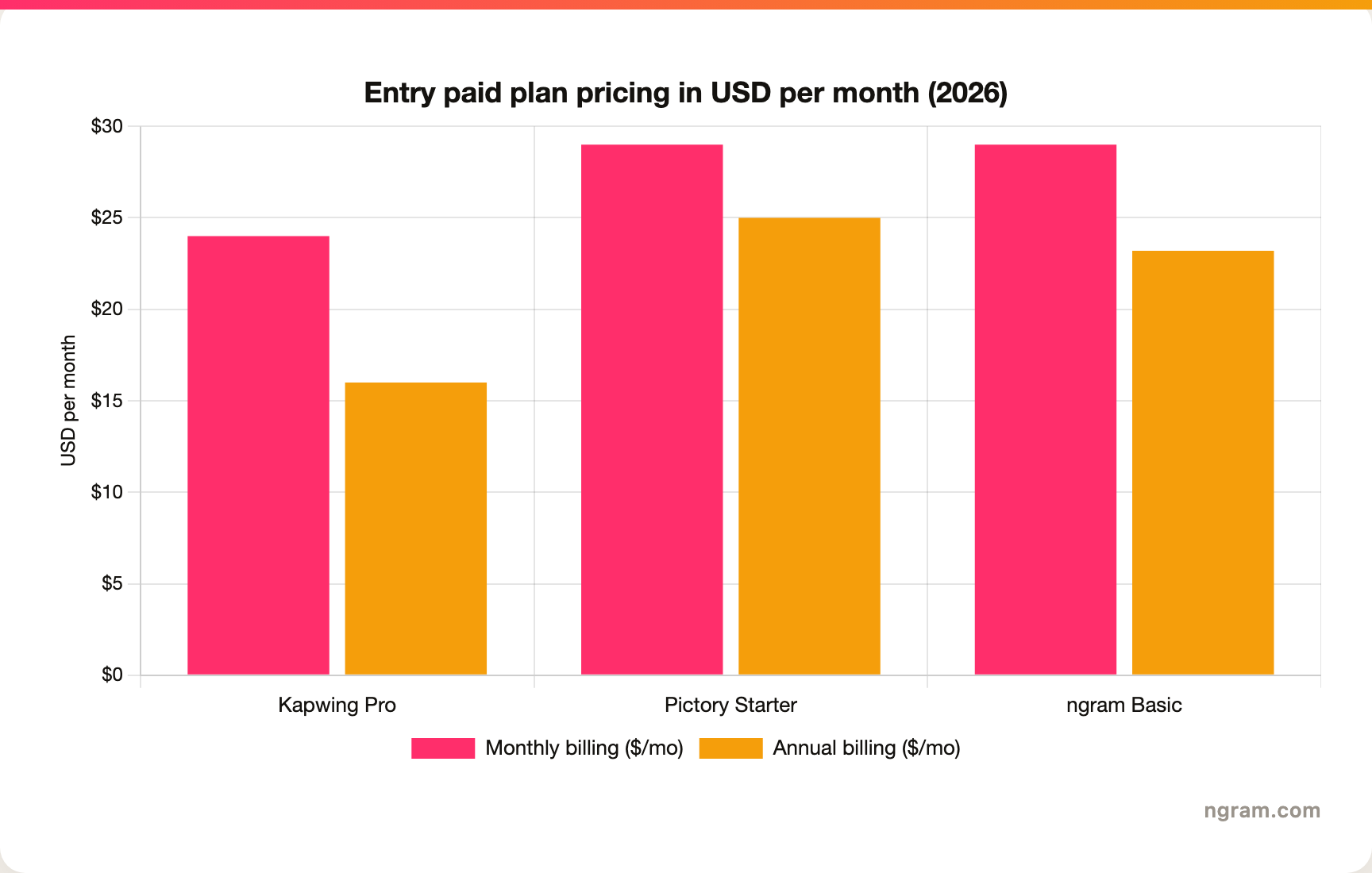
The headline numbers look close, but read the fine print. Kapwing Pro is the cheapest entry at about $24 per month monthly, or $16 per month annually, with a free plan beneath it, but credits meter your AI use. Pictory Starter is $29 per month monthly, or $25 per month annually, with no watermark but a monthly video-minute cap and an annual AI-credit budget.
ngram's Basic plan is $29 per month billed monthly, or $23.20 per month billed annually, and includes 3,000 credits a month on a credit model shared across video generation, editing, and exports. Match the unit, credits, video minutes, or shared credits, to your actual volume before you decide.
Winner: Kapwing for the lowest sticker entry plus a real free plan, Pictory for automated source-to-video at one fixed paid tier with no watermarked free plan, ngram for one shared credit pool spanning generation, editing, and exports with no per-feature metering (3,000 credits a month on Basic at $29).
Ease of use and time to first video
Both tools are approachable, but they ask different things of you.
Kapwing is easy to start, since the prompt-to-video draft and the editor live in the same browser tab, but the timeline and layers ask a little more upfront than a one-click tool. The payoff is a higher ceiling: once you are comfortable, you can push a video much further than an auto-assembler allows, and the AI tools are right there when you need them. The trade-off is that a polished result still takes hands-on editing time.
Pictory is the faster path to a first watchable draft, because the AI assembles scenes from your source while you wait. The trade-off is cleanup: the auto-matched stock and scene breaks often need correcting, and the result can feel templated until you rework it. For written-content-to-video, though, it gets you to a draft in minutes.
Winner: Pictory for the fastest first draft, Kapwing for a higher ceiling once you invest the time. One gets you started, the other lets you finish stronger.
The shared limitation is the same for both: you are the one deciding what the video should say and how it should flow. Kapwing needs you to edit it, and Pictory needs your source to already read like a video.
Teams whose source is a release doc, a landing page, a slide deck, or a screen recording still have to turn that into a structured video, by hand in Kapwing or by hoping Pictory guesses the structure. That is the clearest reason buyers comparing Kapwing vs Pictory end up looking at a third option.
1. ngram, the better third option
Watch how ngram turns an idea into a finished video:
ngram does the same end job as Kapwing and Pictory, producing a polished social or marketing video, and then changes how you get there. Instead of editing an AI draft on a timeline or feeding a source into an auto-assembler and fixing its guesses, you give ngram a prompt, a PDF, a URL, a deck, a screenshot, a screen recording, or raw footage, and its agentic chat plans the script, storyboard, scenes, captions, and call to action for you to review before anything renders.
That plan-first workflow is the difference. For the marketing, sales, product, and support teams who make up a large share of "Kapwing vs Pictory" searches, the real job is rarely "edit this AI draft" or "auto-cut this blog." It is a launch video, a product demo, an onboarding walkthrough, or a social cut built from material you already have, with screen-recording polish, callouts, captions, and branding handled for you. ngram is built to generate the full script from your source before a single scene is rendered.
What makes ngram different
- Source-aware inputs: Start from a prompt, PDF, URL, screenshot, screen recording, raw video, deck, or Shopify product, not a single pasted blog or an empty timeline.
- Plan before render: Review the script and storyboard in chat, fix direction early, then generate, instead of re-editing a timeline or correcting auto-matched stock.
- Beyond clip assembly: Add screen-recording polish, smart zooms, click emphasis, dead-air trim, product callouts, motion graphics, and AI b-roll in the same video.
- Brand kits: Logos, colors, fonts, and approved or blocked phrases applied automatically to every video.
- Voice and localization: AI voiceover, translated script, captions, and on-screen text, plus multilingual voiceover and re-lip-sync for talking heads.
- MP4 export: Finished videos export as MP4; separate media tools can derive GIF, WebM, PNG, or JPG from supplied media.
Where ngram is honest about its limits
ngram provides hosted video pages and embeds but has no generally available owner analytics surface, so analytics-heavy buyers should confirm needs first. Among automation integrations, Zapier and n8n are available, while Make.com is Coming Soon, so check that your stack is covered.
And if your job really is hands-on editing inside one browser tab with a deep AI toolkit, Kapwing keeps everything in one place, while if you just want to paste a blog and get a fast narrated draft, Pictory is purpose-built for that.
Who ngram is best for
ngram fits product marketing, growth, sales, customer success, support, and training teams that turn business material into polished video repeatedly. For current plans and credits, check ngram pricing rather than stale screenshots, and for the direct head-to-heads see the ngram vs Kapwing comparison and the ngram vs Pictory comparison.
Ready to try ngram? Create your first video from a prompt, doc, URL, deck, screenshot, or recording. Start free
2. Kapwing
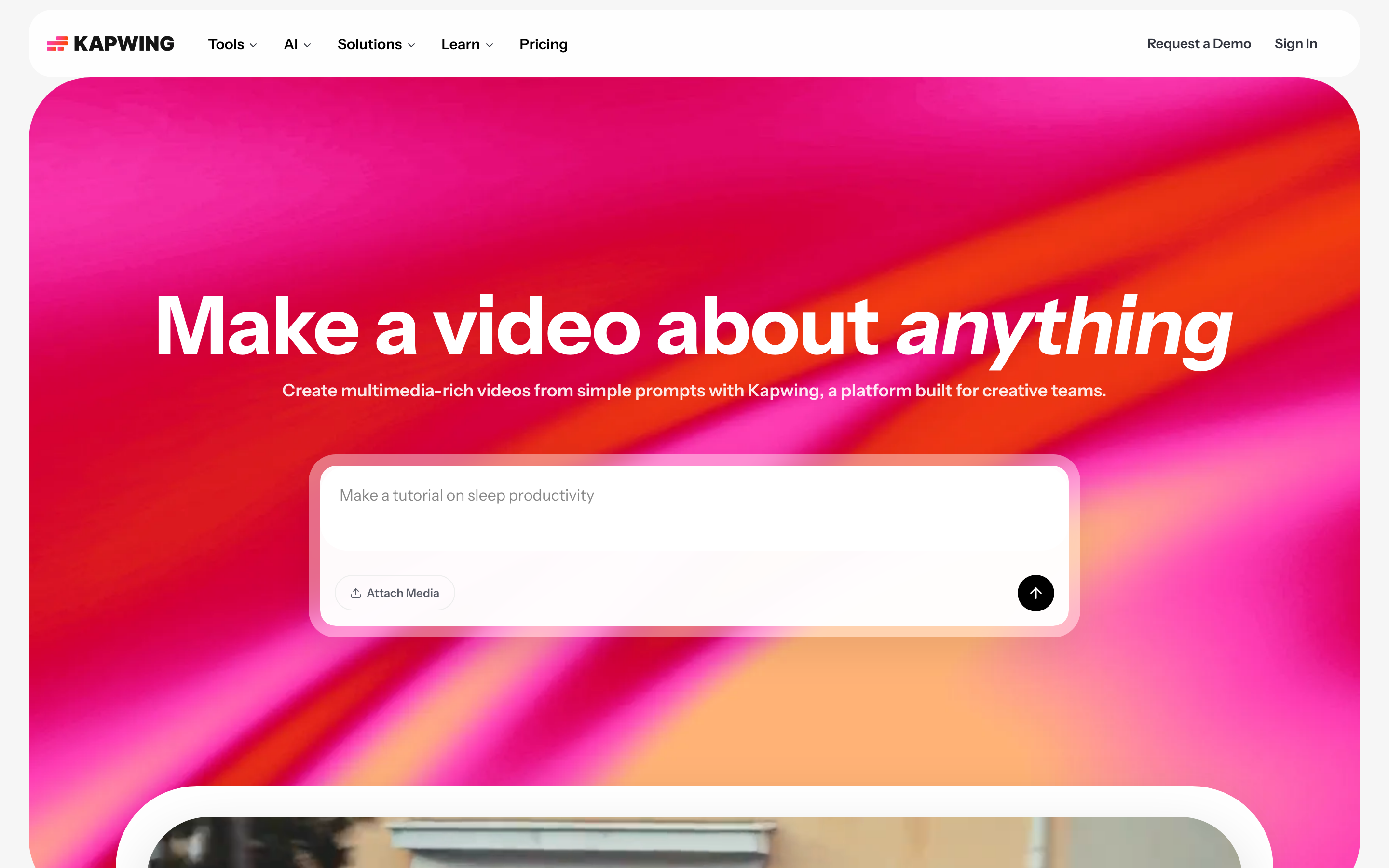
Kapwing is best for marketing, education, and content teams that want AI generation alongside a complete browser editor. Public details were checked against Kapwing's product and pricing pages for this 2026 comparison.
Key features
- Prompt-to-video plus full editor: Generates a draft with voiceover, visuals, subtitles, and characters, then opens it on a collaborative timeline.
- Deep AI toolkit: Script generator, text-to-speech and dubbing in 40+ languages, auto-subtitles, Clean Audio, and Smart Cut silence removal.
- Repurposing tools: B-Roll Generator, Clip Maker, and Repurpose Studio for turning long content into short cuts.
- Voice clones and lip sync: Available on the Business tier and up, alongside 4,000 monthly credits.
- Free plan to start: 10 credits a month, watermarked exports, a 1-minute cap, and 720p before you upgrade.
What users say
Buyers shortlist Kapwing when they want AI generation and manual editing in the same browser tab, and they like the breadth of AI tools and the collaborative editor. The common cautions are that the monthly credit allowance can run down during AI-heavy work, and that a truly polished video still takes real hands-on editing time.
Best for
Choose Kapwing when you want an AI-first online editor with deep editing control, a free plan to start, and a wide AI toolkit in one place.
3. Pictory
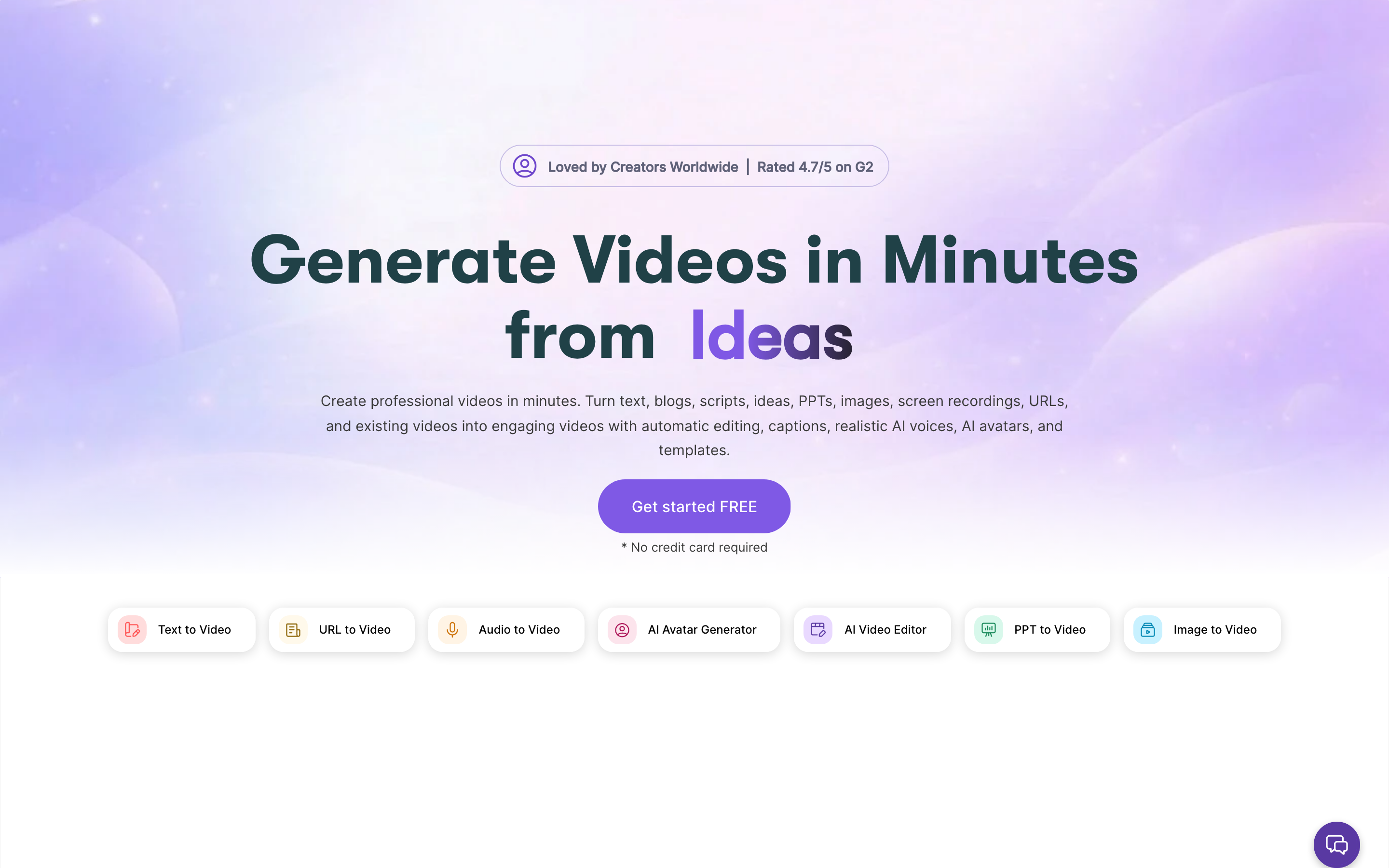
Pictory is best for marketers, creators, and L&D teams turning written content into short narrated videos at scale without editing skills. Public details were checked against Pictory's product and pricing pages for this 2026 comparison.
Key features
- Source-to-video auto-assembly: Turns a script, blog post, URL, PowerPoint, or long video into auto-built scenes with matched stock.
- AI voiceover with ElevenLabs: A large library of standard voices across multiple languages plus a monthly allotment of ElevenLabs minutes, with voice cloning on higher tiers.
- Auto captions and subtitle tools: One-click captions and subtitle tools for repurposing and localization.
- Large stock library and brand kits: Millions of stock clips and images, plus brand kits for consistency across videos.
- Custom AI avatars: Presenter-style AI avatars available on the Professional tier and up.
What users say
Users like how quickly Pictory turns a blog post or script into a watchable draft with voiceover and captions, especially for repurposing long content into short clips. The common caution is cleanup: the auto-matched stock and scene breaks often need correcting, and the result can feel generic until reworked, while the monthly video-minute cap matters for high-volume teams.
Best for
Choose Pictory when your source is written content and you want an automated narrated video with the least hands-on assembly.
How we compared these tools
This is not a star rating. It is a decision-weighting model for buyers choosing between an AI-first online editor and a source-to-video auto-assembler, with ngram included as the third option many of them actually need.
| Criteria | Weight | What we looked at |
|---|---|---|
| Workflow and inputs | 30% | How you get from a source to a finished video: AI-draft-then-edit, auto-assembly, or planned |
| AI capabilities | 25% | AI editing, generation, captions, voiceover, and planning depth |
| Stock and voice | 20% | Stock library breadth, voiceover options, and language coverage |
| Value | 15% | Public pricing, credit and AI allowances, watermarks, and minute caps per tier |
| Ease of use | 10% | Time to a first finished video and learning curve |
We reviewed official vendor pricing and product pages, current SERP patterns, and 2026 review-site and Reddit sentiment, and we did not use numerical star ratings because they flatten the real decision: the best tool depends on whether you want an AI-first online editor, automated source-to-video, or a full source-to-video workflow planned for you.
Common questions
Is Kapwing better than Pictory?
Neither is better outright. Kapwing wins for AI generation paired with a full browser editor and a wide AI toolkit, while Pictory wins for turning written content into a narrated video automatically with the least manual assembly. Match the tool to the job, and consider ngram if your real need is a finished video planned from a doc, URL, deck, or recording rather than an AI draft you edit or a source you hope auto-assembles cleanly.
Is Kapwing cheaper than Pictory?
At the entry tier, yes. Kapwing Pro is $16 per month billed annually, or $24 monthly, and there is a free plan beneath it with watermarked, 1-minute, 720p exports. Pictory Starter is $25 per month billed annually, or $29 monthly, with no watermark but a 200-minute monthly video cap and a 14-day trial rather than a permanent free plan. The real cost depends on volume: Kapwing meters AI credits, and Pictory caps video minutes, so the cheaper option is whichever limit you are less likely to hit.
What is the best Kapwing and Pictory alternative?
For teams that need more than manual editing or blind auto-assembly, ngram is the strongest alternative because it plans and builds full videos from prompts, docs, URLs, decks, screenshots, and recordings, then adds screen-recording polish, captions, and branding. Kapwing and Pictory remain the better picks for AI-first browser editing and fast written-content-to-video respectively.
Which is easier for a complete beginner, Kapwing or Pictory?
Pictory gets a beginner to a first watchable draft faster, because the AI assembles scenes from a pasted source while you wait. Kapwing is still approachable, and its prompt-to-video draft helps, but its layers and timeline ask a little more upfront in exchange for more control later. The catch with Pictory is that the auto-generated draft usually needs cleanup before it looks finished.
Which one should you pick?
The Kapwing vs Pictory decision is really about your workflow, not the price. If you want an AI-first online editor with deep control, a wide AI toolkit, and a free plan to start, pick Kapwing. If your source is written content and you want an automated narrated video with the least hands-on assembly, pick Pictory.
If your actual job is turning a doc, URL, deck, or screen recording into a finished, on-brand video, where the structure should be planned for you instead of edited by hand or guessed by an auto-cutter, ngram beats both for that job. The mistake is treating every video maker as interchangeable. In 2026, workflow fit matters more than the category label.
Try ngram free, your first video in under 5 minutes. Turn a prompt, doc, URL, deck, or screen recording into a polished, on-brand video without editing it clip by clip. Start free








