

Search "InVideo vs Wave.video" and you get two tools filed under the same text-to-video label that are actually solving different problems. InVideo has pivoted hard into an AI agent: its Agent One release (invideo v4) writes a script, picks footage, generates scenes, and assembles up to roughly 30 minutes of video from a single prompt, routing the work through 200-plus models like Sora 2, Veo 3.1, and Kling. Wave.video is an all-in-one video suite: a browser editor, a live-streaming studio, a recorder, a thumbnail maker, and ad-free hosting, all under one subscription, leaning on a 200 million asset stock library and auto-captions.
This guide compares InVideo vs Wave.video on the things that actually decide the purchase: what each one produces, the AI generation workflow, editing and live-streaming depth, hosting and distribution, pricing, and who each tool is built for. It also shows where a third option, ngram, beats both when your real job is a finished, on-brand business video built from a doc, URL, deck, or recording, not a one-prompt generation or a hand-assembled marketing edit.
Both tools are good at what they do. InVideo wins on hands-off, long-form, prompt-to-video generation. Wave.video wins on live streaming, hosting, and an all-in-one marketing suite. The honest answer to "which is better" is "for which job," so we pick a winner per dimension instead of crowning one overall.
InVideo vs Wave.video at a glance
Here is the short version before the deep dive. ngram sits in the table because for many teams comparing these two, the better question is whether you want a one-prompt generation, an all-in-one streaming and editing suite, or a planned video built from your real material.
| Tool | Best for | Starting price | Main distinction |
|---|---|---|---|
| ngram | Teams turning prompts, docs, URLs, decks, and recordings into finished branded videos | Free, paid from $29/mo | Plans the whole video with you before it renders |
| InVideo | Creators and teams generating long-form video from a single prompt | Free, paid from about $25/mo (about $20/mo annual) | Agent One generates up to 30 minutes from one prompt |
| Wave.video | Marketers editing, live streaming, and hosting video in one suite | Free, paid from $16/mo (Streamer) | Editor plus live streaming, recording, and hosting in one |
What each tool produces
This is the first thing buyers test, and it is where InVideo and Wave.video split most clearly.
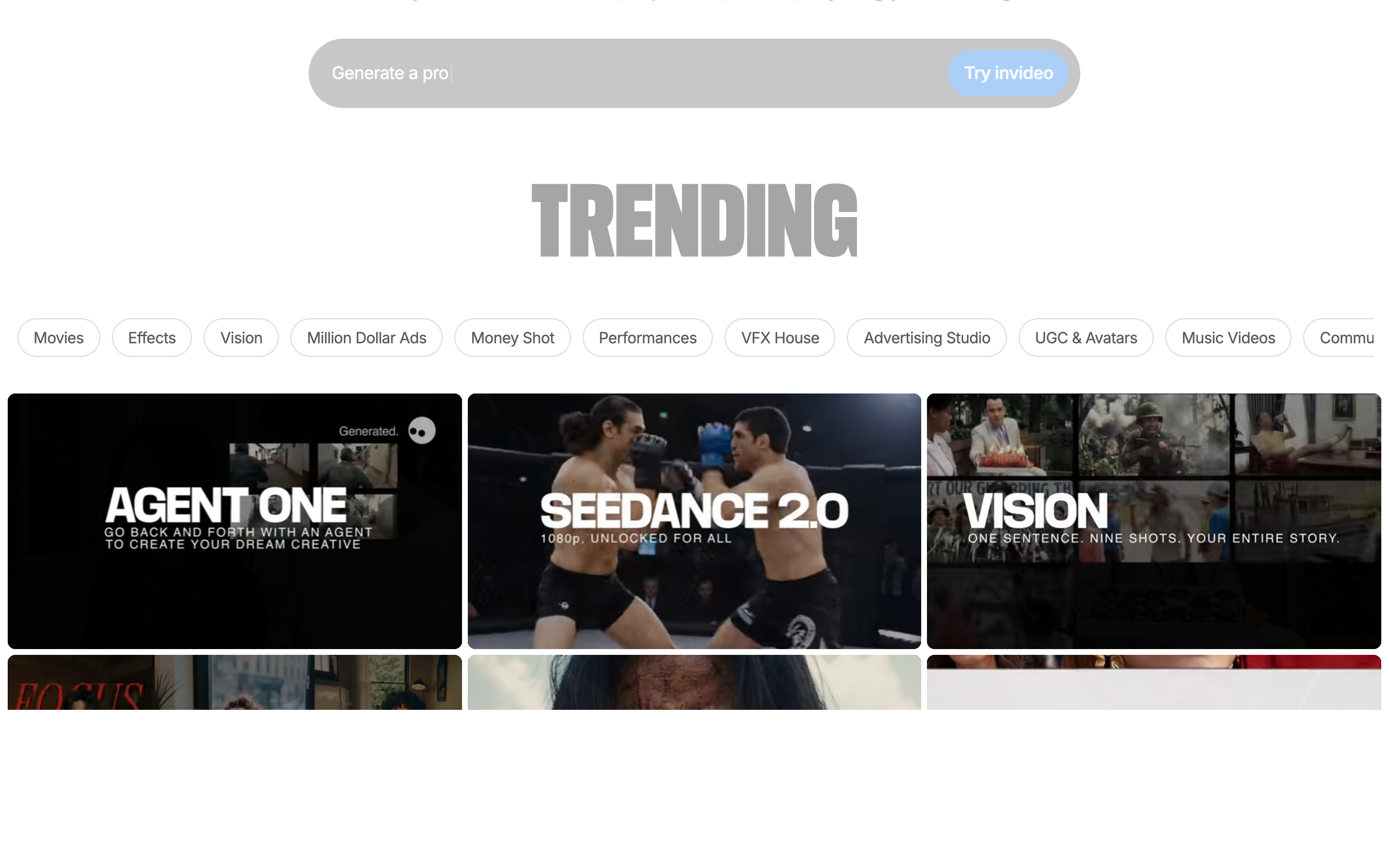
InVideo is built to generate a whole video from almost nothing. You give Agent One a prompt or an idea, and it writes the script, picks footage, generates scenes, adds voiceover, and assembles a draft, all the way up to roughly 30 minutes of runtime in a single pass. Because it orchestrates 200-plus models including Sora 2, Veo 3.1, Kling, Seedance, and ElevenLabs, the raw generated footage can look genuinely cinematic when the models cooperate. The catch, echoed across 2026 reviews, is consistency: visuals can drift from the script, and a generation that misses still spends credits.
Wave.video starts from the opposite end. Its core is a browser editor where you assemble a video on a timeline from a 200 million asset stock library, your own footage, and templates, then add auto-captions and brand styling. But the output is not just one edited file: Wave.video also produces live broadcasts (multistreamed to several channels), recorded sessions with guests, thumbnails, and hosted, ad-free video pages you can embed. The output leans toward distributed marketing video across channels rather than a single AI-generated cut.
Winner: InVideo for hands-off, AI-generated long-form video, Wave.video for produced and distributed marketing video across editing, streaming, and hosting. Pick based on whether you want the tool to build a long video for you or to give you an editing, broadcasting, and hosting suite you drive.
Worth noting for both: a one-prompt generation or a stock-assembled marketing clip is not the same as a planned, on-brand business video built from your real source material. If your finished video needs your product screens, a screen recording with callouts, your brand kit, and a reviewable storyboard, neither tool is built around that. That gap is where ngram comes in, and we cover it below.
AI workflow: from idea to draft
Both tools have an AI layer now, but they sit at very different depths.
InVideo's Agent One is the most automated of the two. You describe the video, optionally point it at a topic or source, and it orchestrates the whole pipeline: script, model selection, scene generation, voiceover, and edits. It adds project memory, multiplayer collaboration, batch editing, and custom agent creation, so power users can build repeatable workflows. The trade-off is control. When the agent picks a model or a shot you dislike, you are often re-prompting and re-spending credits rather than nudging one element.
Wave.video's AI is lighter and more utility-focused. It offers text-to-video and AI script and idea generation, plus AI captions, a teleprompter, and recording aids, but the center of gravity is the manual editor and the streaming studio rather than a single agent that generates the whole video. If you want AI as a helper inside an editing and broadcasting workflow, Wave.video fits; if you want "type one sentence, get a finished long video," InVideo's agent is far more direct.
Winner: InVideo for a fully automated agent draft, Wave.video for AI as a helper inside an editing and streaming suite. Neither one plans the full video with you and lets you fix the script and storyboard before it renders, which is the difference we explain in the ngram section.
Editing, live streaming, and hosting
This dimension is Wave.video's home field, and it is where the two tools are least alike.
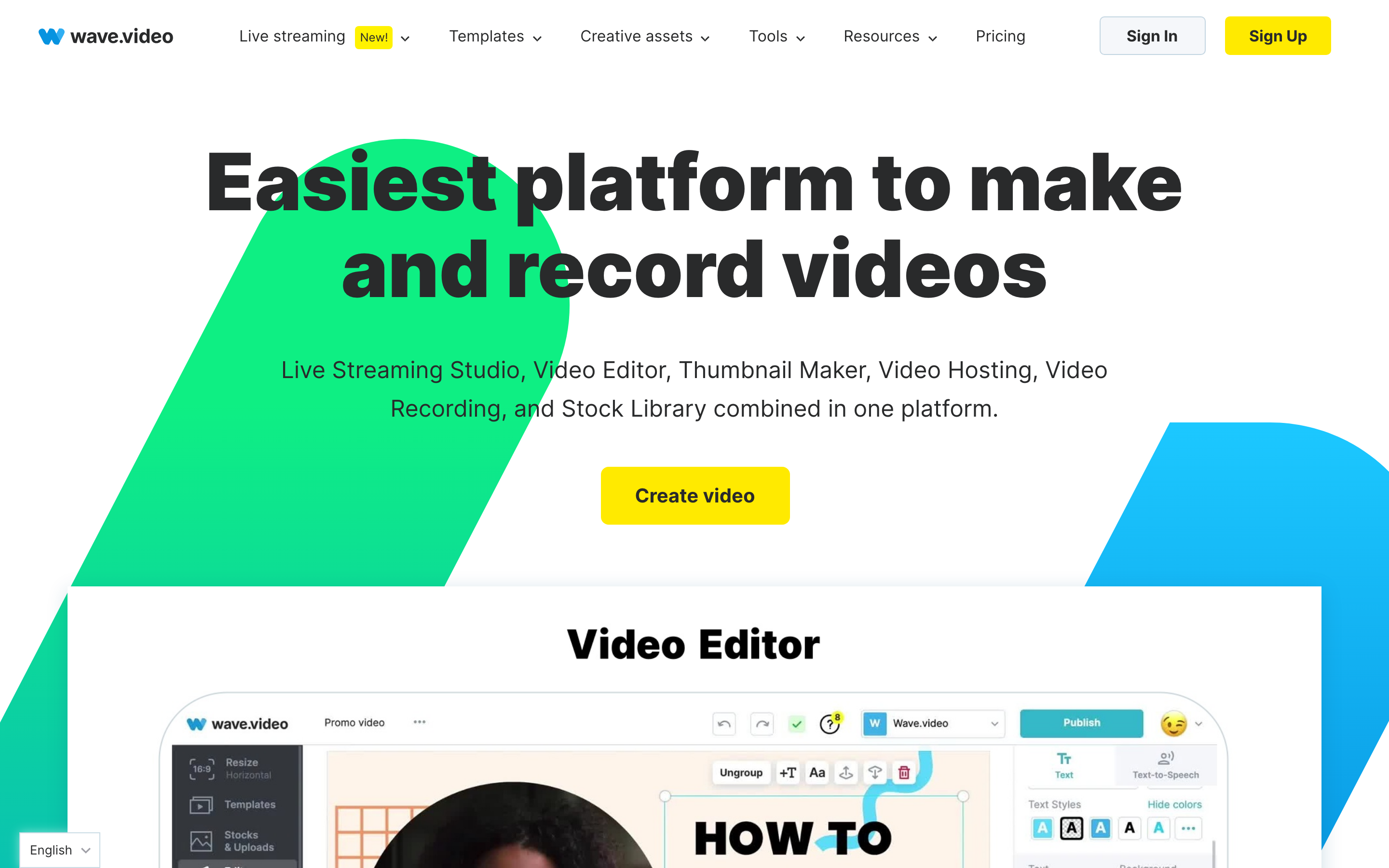
Wave.video bundles five products into one subscription: a browser video editor with a timeline and a 200 million asset stock library, a live-streaming studio that can multistream to several channels with guests, a recorder, a thumbnail maker, and ad-free video hosting with embeddable players and traffic and storage allowances. For a marketer who broadcasts, edits, and hosts in roughly equal measure, having all five in one place is genuinely convenient, and the editor's auto-captions and brand controls handle the everyday social work.
InVideo has an editor and the v4 agent adds batch editing and project memory, but it does not live stream, record guest sessions, or host video as a CMS. Its workflow is built around the agent generating a video rather than a multi-product suite for producing, broadcasting, and distributing. For pure prompt-to-output speed that focus is a strength; for an all-in-one marketing toolkit it is a clear gap.
Winner: Wave.video, comfortably, for live streaming, hosting, and an all-in-one editing suite.
Stock library, captions, and distribution
Once you have a draft, how do you fill it out and ship it?
Wave.video leans on scale. Its paid tiers unlock a 200 million asset stock library (the free and Streamer plans use a smaller 2 million asset pool), auto-captions with styling, and hosted, embeddable players that let you publish a video page and drop it on your site without ads. For teams whose job is to get marketing video onto many channels, Wave.video's distribution side is a real advantage.
InVideo provides stock media and generates voiceover (including via ElevenLabs), and it can output videos in multiple languages through its models, but its strength is generation, not a hosting-and-distribution layer. If captions, an enormous stock pool, and ad-free hosting are central to your job, Wave.video is the more purpose-built tool; if you want the model to manufacture the footage, InVideo is.
Winner: Wave.video for stock scale, captions, and hosted distribution, InVideo for AI-generated footage and multilingual generation.
Pricing and value
Pricing is where these two feel furthest apart, because they meter different things.
Wave.video is priced around its suite, not around AI minutes. As of 2026 the tiers are Free, Streamer, Creator, and Business. Free is watermarked and capped at 15-second edits with a 2 million asset library. Streamer runs $16 a month (about $12.80 a month on annual billing) and unlocks live streaming (2 channels, up to 1 hour per stream, 720p) plus video and GIF edits up to 5 minutes. Creator is $24 a month (about $19.20 a month on annual billing) and is the real workhorse: no watermark, edits up to 30 minutes, the full 200 million asset library, 1080p streaming to 5 channels, and more hosting. Business is $48 a month (about $38.40 annually) with longer edits, more channels, and larger hosting allowances. The value question is whether you use enough of the streaming and hosting side to justify paying for a suite.
InVideo is priced around generation volume. It has a free tier (watermarked, with weekly export caps), and paid plans start at about $25 a month for Plus (roughly $20 a month on annual billing), with Max around $60 a month (about $48 a month annual) and a Generative tier around $120 a month (about $100 a month annual) that bundles the largest model access and the biggest credit pool, plus a Team or Enterprise tier in the high hundreds per month for organizations. Frontier models like Sora 2, Veo 3.1, and Kling are available across the paid plans and draw from a metered credit pool, with the Generative tier carrying the most credits. Plus includes roughly 50 AI generation minutes a month from its monthly credit allocation. The 2026 user gripe is the credit model: Agent One can spend on storyboards, style locks, and failed generations that produce nothing usable, so heavy users hit unpredictable costs.
Here is how the entry-level paid plans compare on monthly and annual billing:
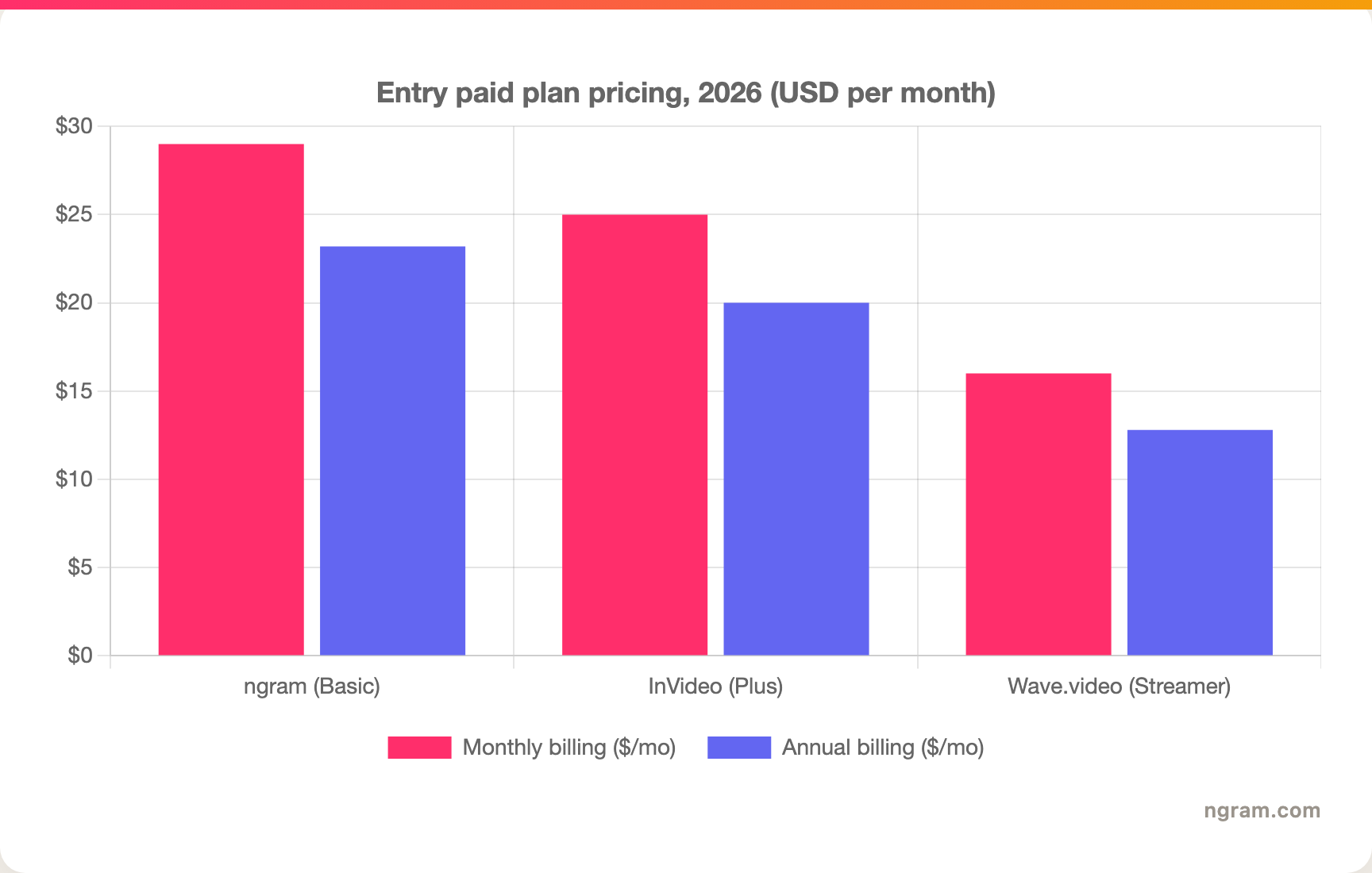
The headline numbers tell the story: Wave.video is the cheaper entry point if you want the streaming and hosting suite, InVideo costs more at the entry tier but bundles serious generation capacity, and ngram's Basic plan sits at $29 a month with 3,000 credits a month on a credit model shared across video generation, editing, and exports. Match the price to your real volume and the kind of output you need before you decide.
Winner: Wave.video for the cheapest entry into a full suite, InVideo for the most AI generation per dollar, ngram for a plan-first credit model when the deliverable is a finished business video.
Who each tool is built for
InVideo is built for creators and teams who want volume and speed from minimal input: a faceless YouTube channel, a marketer spinning up long explainers or ads, or anyone who would rather describe a video than build one. It rewards prompting over editing, and it shines when you want length without a production process.
Wave.video is built for marketers, creators, and small teams who edit, broadcast, and host video across channels: a webinar host who multistreams, a social team that records and repurposes, a small business that hosts ad-free video on its own pages. Its all-in-one suite fits a team that wants editing, live streaming, recording, and hosting under one login rather than stitching together separate tools.
Winner: depends entirely on your output. Long-form, hands-off generation goes to InVideo; live streaming, editing, and hosting in one suite goes to Wave.video.
The one segment both tools struggle with is the team whose real deliverable is a polished product, launch, onboarding, or training video built from existing business material, where the video has to follow a clear narrative and stay on brand. That is exactly ngram's lane.
1. ngram, the better third option for most teams
Watch how ngram turns an idea into a finished video:
ngram overlaps with the core job many people are really doing when they search "InVideo vs Wave.video": turning text and source material into a narrated business video. But instead of one-prompt generation or a manual suite edit, you give ngram a prompt, a PDF, a URL, a deck, screenshots, a screen recording, or raw footage, and its agentic chat plans the script, storyboard, scenes, captions, and call to action for you to review before anything renders.
That plan-first workflow is the difference. A lot of "text to video" searches are really product demos, onboarding walkthroughs, launch videos, or training clips where the content is real screens and real material, not stock B-roll or a broadcast. If your video needs screen recordings, smart zooms, product callouts, B-roll, and branded intros assembled around a clear story, ngram builds that, and it can add an AI avatar or talking-head presenter where it helps. If you specifically want a one-prompt generation that runs up to roughly 30 minutes, InVideo is the specialist, and if you need live streaming, recording, and ad-free hosting in one suite, Wave.video is the broader pick.
What makes ngram different
- Source-aware inputs - Start from a prompt, PDF, URL, screenshot, screen recording, raw video, deck, or Shopify product, not just a typed prompt.
- Plan before render - Review the script and storyboard in chat, fix direction early, then generate. No re-spending on a full generation to fix one scene.
- Real footage plus motion - Combine screen recordings, product callouts, smart zooms, B-roll, and motion graphics in one video, with an avatar or talking-head presenter when it fits.
- Brand kits - Logos, colors, fonts, and approved or blocked phrases applied automatically to every video.
- Localization built in - Translate script, captions, and on-screen text, generate multilingual voiceover, and re-lip-sync avatars per language.
- MP4 export - Finished videos export as MP4; separate media tools can derive GIF, WebM, PNG, or JPG from supplied media.
Where ngram is honest about its limits
ngram is not a one-prompt long-form generator the way InVideo's Agent One is, and it is not a live-streaming and hosting suite the way Wave.video is. If your single requirement is to type one sentence and get a video that runs up to roughly 30 minutes, InVideo does that more directly. If you need to multistream a webinar or host video as a CMS, Wave.video covers that and ngram does not. ngram provides hosted video pages and embeds but has no generally available owner analytics surface, so analytics-heavy buyers should confirm needs first, and its public security certifications are not published yet, so a compliance-bound enterprise program may still weigh that.
Who ngram is best for
ngram fits product marketing, growth, sales, customer success, support, and training teams that turn business material into polished video repeatedly. For current plans and credits, check ngram pricing rather than stale screenshots, and for the direct head-to-heads see the ngram vs InVideo comparison and the ngram vs Wave.video comparison.
Ready to try ngram? Create your first video from a prompt, doc, URL, deck, screenshot, or recording. Start free
2. InVideo
InVideo is best for creators and teams who want to generate long-form video from a single prompt with minimal hands-on editing. Public details were checked against InVideo's pricing, help center, and product pages for this 2026 comparison.
Key features
- Agent One (invideo v4) - Generate up to roughly 30 minutes of video from a single prompt, with script, footage, voiceover, and edits assembled automatically.
- 200-plus model orchestration - Routes generation through Sora 2, Veo 3.1, Kling, Seedance, Nano Banana, and ElevenLabs behind one agent.
- Project memory and collaboration - Long-term project memory, multiplayer real-time editing, batch editing, and custom agent creation.
- Multilingual voiceover - AI voices and voice cloning, with output in multiple languages.
- Credit-based model - Plans meter a monthly AI credit allocation, with on-demand top-ups.
What users say
Users like InVideo for how fast it turns an idea into a full video and for the breadth of models behind the agent, which helps creators launch channels and ship long content quickly. The common cautions in 2026 reviews are consistency and cost: generated visuals can drift from the script or look low quality, and the credit system spends on storyboards, style locks, and failed generations, so some users feel they are paying for attempts rather than guaranteed output. Deep manual editing control is the other gap reviewers note.
Pros
- ✅ Generates long-form video from a single prompt faster than almost any competitor.
- ✅ Access to 200-plus frontier models including Sora 2 and Veo 3.1 behind one agent.
- ✅ Project memory, collaboration, and batch editing for repeatable workflows.
Cons
- ❌ Output consistency varies and failed generations still spend credits.
- ❌ No live streaming, guest recording, or video hosting, and limited fine-grained manual editing.
Best for
Choose InVideo when speed and long-form, hands-off generation matter more than editing control or distribution, especially for faceless YouTube, long explainers, and prompt-driven content at volume.
3. Wave.video
Wave.video is best for marketers and small teams that edit, live stream, and host video across channels in one suite. Public details were checked against Wave.video's pricing and product pages for this 2026 comparison.
Key features
- Browser video editor - A timeline editor with templates, brand controls, and a stock library up to 200 million assets on paid tiers.
- Live-streaming studio - Multistream to several channels at once, bring on guests, and broadcast up to 1080p depending on plan.
- Recorder and thumbnail maker - Record sessions with guests and create thumbnails inside the same suite.
- Ad-free hosting - Host videos on embeddable, ad-free pages with traffic and storage allowances by plan.
- AI helpers - Text-to-video, AI script and idea generation, auto-captions, and a teleprompter assist the editing workflow.
What users say
Reviewers value Wave.video for packing editing, live streaming, recording, and hosting into one affordable subscription, and for the huge stock library and approachable editor. The trade-offs noted in 2026 reviews are that the AI generation features are lighter than dedicated AI-video tools, that the lower tiers gate the big stock library and 1080p streaming behind upgrades, and that depth in any single area (a pro editor, a dedicated streaming platform) can lag specialists. For a team that wants breadth over depth, that breadth is the appeal.
Pros
- ✅ Editing, live streaming, recording, and hosting in one affordable suite.
- ✅ Large stock library and approachable, browser-based editor.
Cons
- ❌ AI generation is lighter than dedicated AI-video tools like InVideo.
- ❌ The full stock library and 1080p streaming are gated to higher tiers.
Best for
Choose Wave.video when you want editing, live streaming, recording, and ad-free hosting in one place more than you want one-prompt long-form AI generation.
Looking for the fastest way to ship a finished business video? ngram turns your docs, URLs, decks, screenshots, and screen recordings into polished, on-brand videos in minutes. Try ngram free
How we compared these tools
This is not a star rating. It is a decision-weighting model for buyers choosing between two text-to-video tools, with ngram included as the third option many of them actually need.
| Criteria | Weight | What we looked at |
|---|---|---|
| AI capabilities | 30% | Prompt-to-video quality, model access, voiceover, and scene generation |
| Features | 30% | Editing, live streaming, hosting, source support, and export options |
| Ease of use | 20% | Time to a first finished video and learning curve |
| Value | 15% | Public pricing, credit and plan rules, and what each tier unlocks |
| Support and community | 5% | Collaboration, templates, and support responsiveness |
We reviewed official vendor pricing and product pages, current SERP patterns, and 2026 review-site and forum sentiment, and we did not use numerical star ratings because they flatten the real decision: the best tool depends on whether you need long-form prompt-to-video, an all-in-one editing and streaming suite, or a full source-to-video workflow.
Common questions
Is InVideo better than Wave.video?
Neither is better outright. InVideo wins for hands-off, long-form video generated from a single prompt, while Wave.video wins for an all-in-one editing, live-streaming, and hosting suite. Match the tool to the job, and consider ngram if your real need is a finished business video built from a doc, URL, deck, or recording rather than a one-prompt generation or a marketing-suite edit.
Is Wave.video cheaper than InVideo?
At the entry tier, yes. Wave.video's cheapest paid plan, Streamer, runs $16 a month (about $12.80 annually), and its no-watermark Creator plan is $24 a month (about $19.20 annually), while InVideo's Plus plan starts around $25 a month (about $20 a month annually). InVideo bundles more AI generation capacity for the higher price, so the right pick depends on whether you need generation volume or a streaming-and-hosting suite, not just the sticker price.
What is the best InVideo and Wave.video alternative?
For teams that need a finished, on-brand video built from real material, ngram is the strongest alternative because it plans and builds full videos from prompts, docs, URLs, decks, screenshots, and recordings, then adds screen-recording polish, callouts, captions, and branding. InVideo and Wave.video remain the specialist picks for long-form prompt generation and all-in-one editing, streaming, and hosting respectively.
Which is better for live streaming, InVideo or Wave.video?
Wave.video, clearly. Its live-streaming studio can multistream to several channels with guests up to 1080p, and InVideo does not live stream at all. If broadcasting and webinars are part of your job, Wave.video is the only one of the two built for it.
Which one should you pick?
The InVideo vs Wave.video decision is really about your output, not the text-to-video label. If you want to type a prompt and get a long video assembled for you, with frontier models behind the scenes, pick InVideo and budget for the credit model. If you want editing, live streaming, recording, and ad-free hosting under one login, pick Wave.video. If your actual job is turning real business material into finished, branded videos that follow a clear narrative, where you review a storyboard before anything renders, ngram beats both. The mistake is assuming you need a generic generator or a broad suite when what you need is a planned video. In 2026, workflow fit matters more than the category label.
Try ngram free, your first video in under 5 minutes. Turn a prompt, doc, URL, deck, or screen recording into a polished, on-brand video without re-prompting from scratch. Start free








