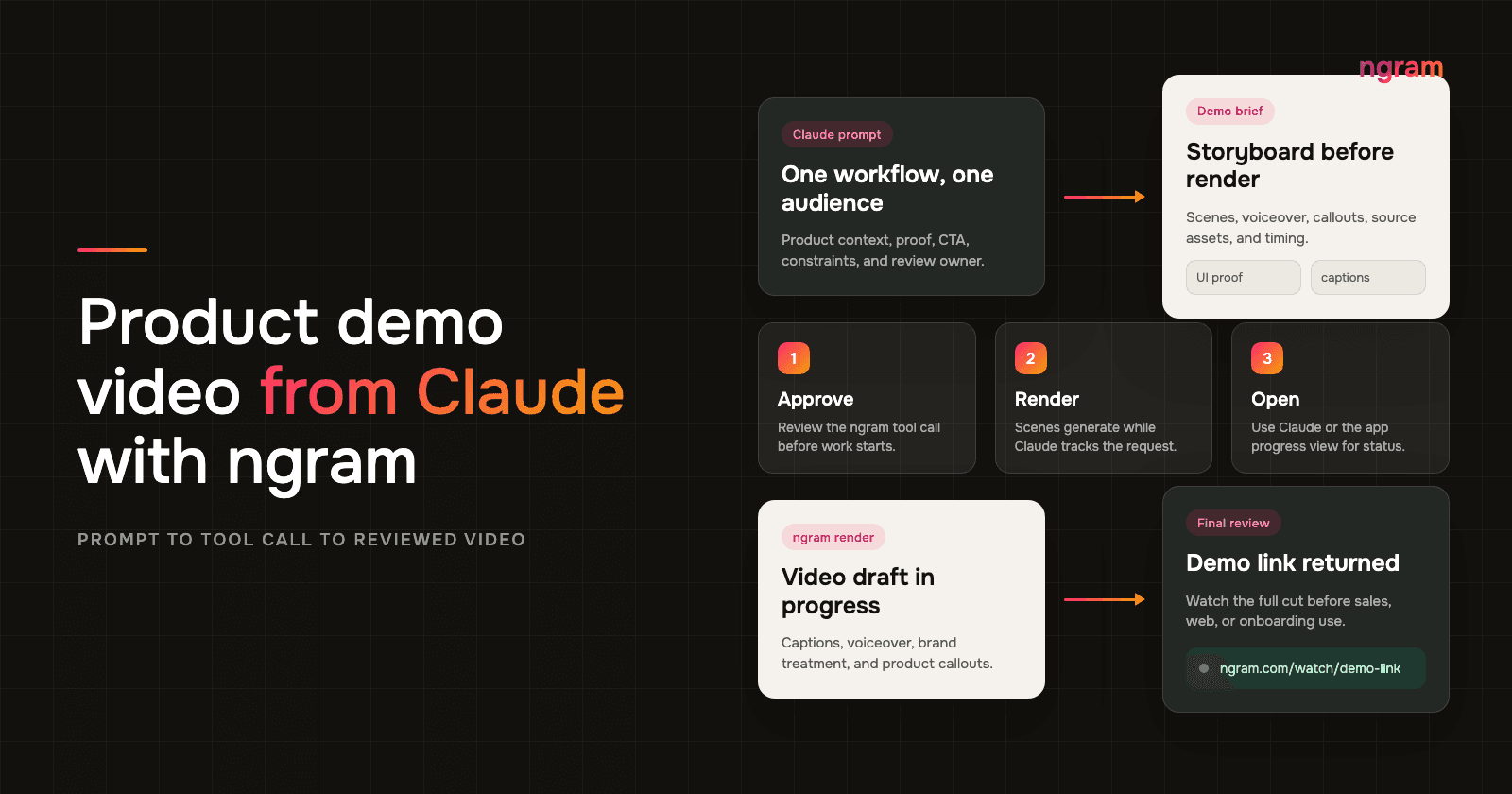

Claude video generation is useful when the product context is already in the conversation. A founder can paste a roadmap note, a PMM can paste positioning, a DevRel lead can add the developer workflow, and a product manager can add the caveats that must not be overstated.
The weak version is asking Claude for a general product tour. For product demos, Claude video generation should start with one product doing one job for one audience. It reduces ambiguity, shows the workflow instead of describing it, and keeps the viewer out of an all-feature tour that nobody finishes.
Why Claude video generation works for product demos
Product demos have a narrow job: make the product's value visible before the viewer loses patience. That is why the prompt needs workflow context, proof, and review rules instead of a feature list.
- Nielsen Norman Group found that users often leave pages in 10 to 20 seconds, and that a page needs to communicate its value proposition within about 10 seconds to earn more attention.
- Wyzowl's 2026 video marketing survey says 96% of people have watched an explainer video to learn about a product or service, 85% have been convinced to buy by watching video, and 80% have bought or downloaded an app after watching an app demo video.
- The same Wyzowl report says 91% of businesses use video as a marketing tool, and 63% of video marketers have used AI video tools to create or edit marketing videos.
- Demand Gen Report's 2024 Content Preferences Benchmark Survey found that 51% of B2B buyers said content was too generic or irrelevant, while 72% shared content with relevant team members.
The practical lesson is not "make a longer video." It is to make a narrower product demo video that shows the moment the viewer cares about. Claude can help choose that moment, and MCP-connected ngram tools can turn the approved plan into a video draft.
A quick prompt completeness test
For this article, I scored three product-demo prompt shapes against eight fields a reviewer needs before rendering: product, audience, workflow, source material, proof, channel, length, and review owner. A one-line prompt covered 2 of 8 fields. A feature-dump prompt covered 4 of 8. A reviewed demo brief covered all 8.
Methodology: ngram editorial audit, July 2026. The test used one hypothetical SaaS feature and checked prompt completeness only. It did not compare render quality or claim that every product needs the same structure.
Prerequisites before you ask Claude for a demo video
Before you ask Claude to call ngram, make the setup boring. That is the point. The better the inputs, the less the model has to guess about your product.
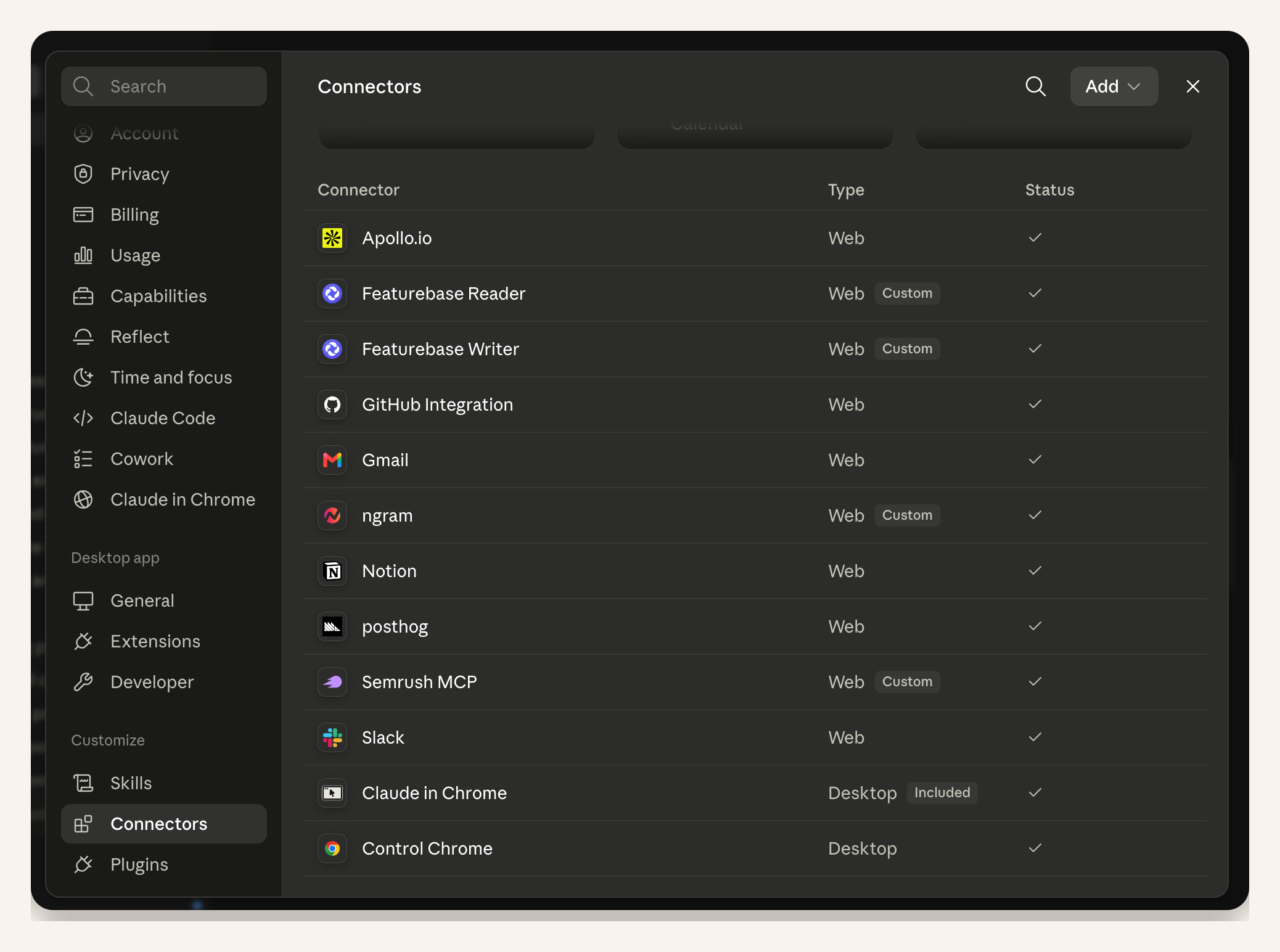
- Claude with the ngram remote MCP connector enabled. If you are setting up a custom connection, Claude's connector setup docs cover remote MCP approval settings and connector behavior.
- ngram available in Claude's MCP connector tool list. Use ngram's MCP connector setup page if you need the tool connection details.
- Product source material: a product URL, screenshots, screen recording, short workflow notes, approved claims, and one CTA.
- A review owner. Claude should ask for approval before calling ngram MCP tools, and the final video should still be reviewed before it goes anywhere public.
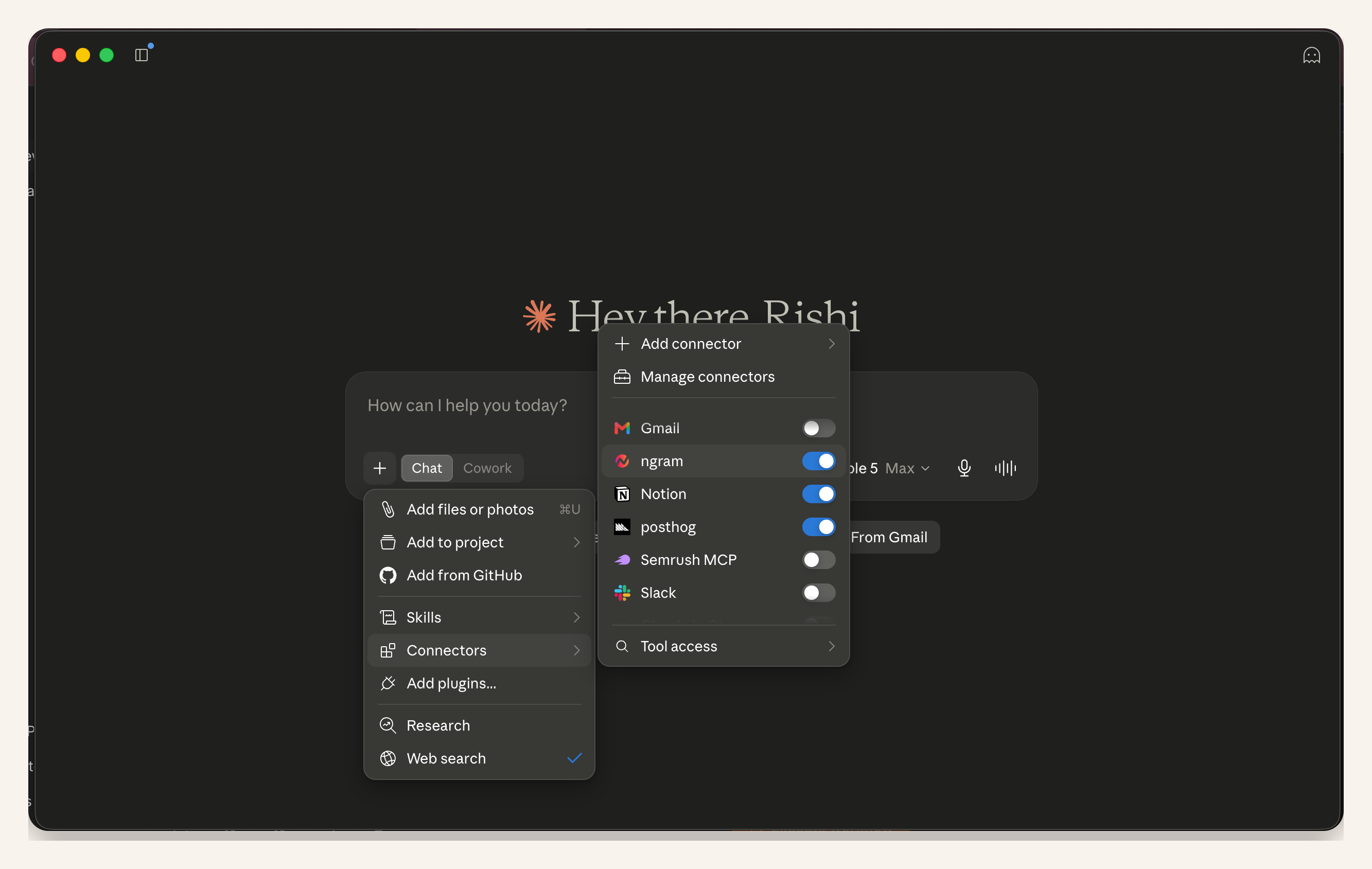
The screenshots below show the remote MCP connection state this workflow assumes: ngram is enabled in Claude's connector settings, then enabled in the current chat's tool menu.
Step 1: Give Claude one product job to show
Start with the workflow, not the feature inventory. A demo for a PMM evaluating your product should show the buyer problem, the UI flow that solves it, and the result. A demo for DevRel should show the technical path, the setup constraint, and the working output.
Ask Claude to turn the raw context into a short video brief first. That brief should include the audience, the job, the source material, the exact product screen or recording to use, and the claim guardrails. ngram's script generation workflow is strongest when the source material tells it what the demo is allowed to say.
Step 2: Ask for a storyboard before the tool call
Do not render first and review later. Ask Claude for a 5 to 7 scene storyboard with voiceover, on-screen text, product visual, callout, and timing for each scene. This is where Claude video generation earns its keep: the storyboard lets you catch vague language, unsupported claims, missing source assets, and feature-tour creep.
For a 45 to 60 second product demo, the useful structure is usually pain, context, workflow, result, proof, and CTA. If the product needs a longer educational walkthrough, split it into separate demo videos instead of stretching one clip.
Step 3: Package the ngram request inside Claude
Once the storyboard is approved, ask Claude to package the ngram request. The Claude video generation request should include the target format, voice direction, captions, source assets, aspect ratio, and review rules. If your team uses a brand kit, name the brand constraints in the request so the video keeps the right logo, colors, typography, tone, intro, and outro.
This is also where you tell Claude what not to do. For this workflow, that means no invented customer logos, no claims outside the supplied product material, and no automatic publishing.
Step 4: Approve the tool call and render
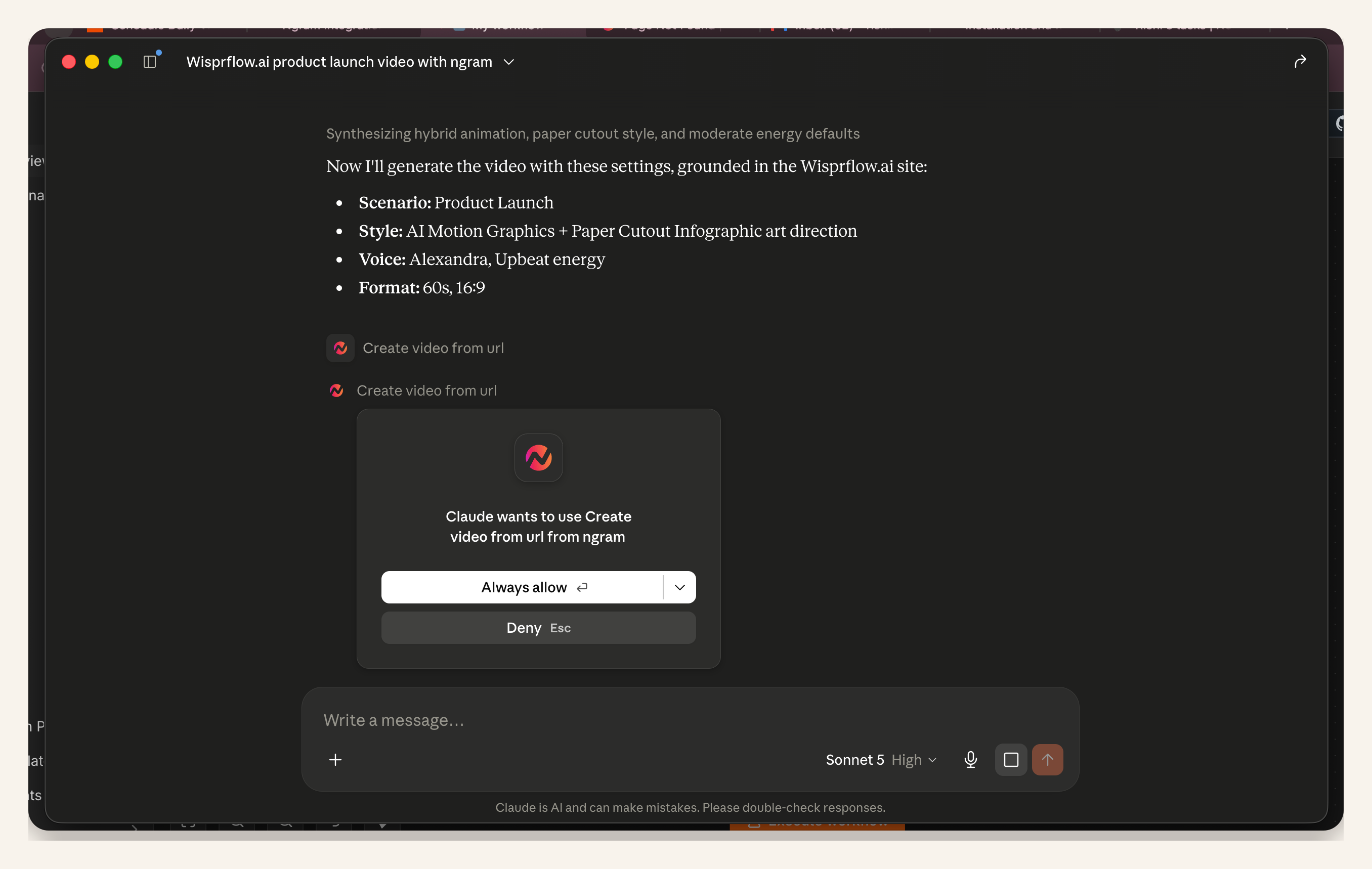
When Claude is ready to use ngram, you should see an MCP tool call or permission step. Review the request before approving it. In a Claude video generation workflow, this is the last cheap moment to catch the wrong audience, wrong product surface, or wrong CTA.
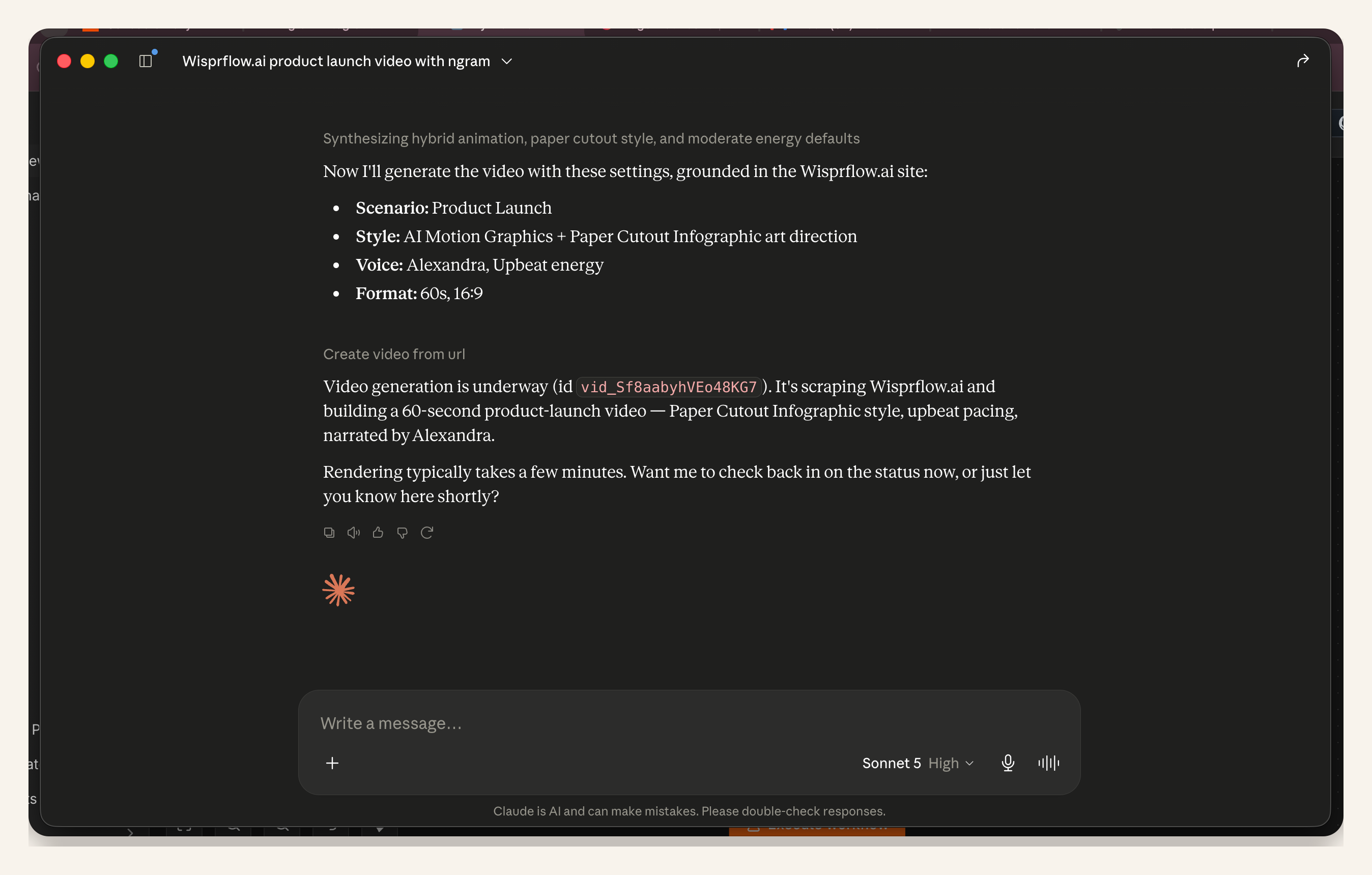
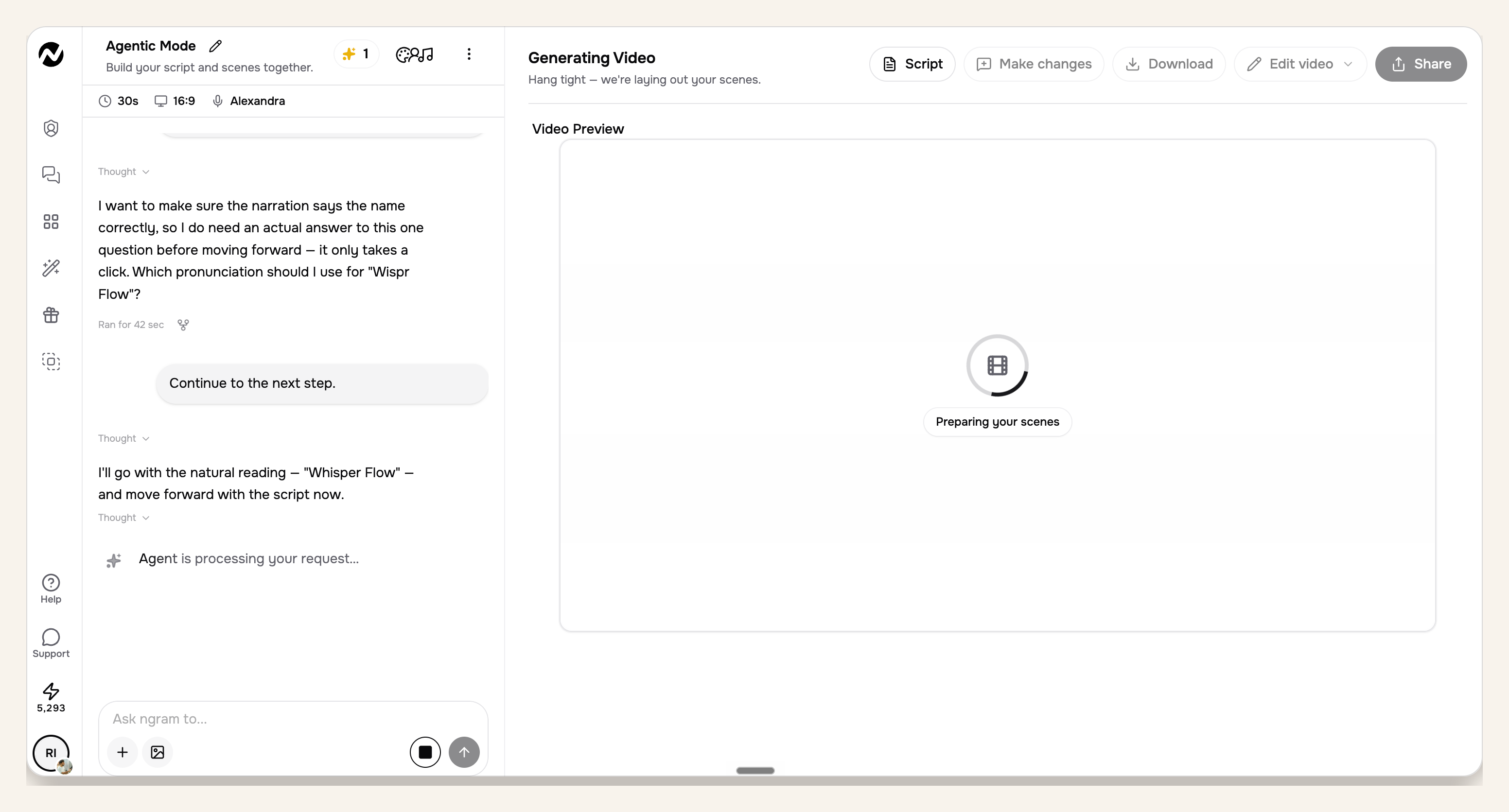
The next three screenshots reuse an approved product-launch run to show the shared Claude-to-ngram approval and rendering workflow. They prove the permission, status, and progress surfaces, not a demo-specific output.
After approval, ngram starts rendering. For scene-based videos, render time can be around 15 to 20 minutes. You can wait in Claude for the final link, or open the ngram app progress view and continue working while the job finishes.
Step 5: Review the final link before using the demo
The final video link can come back directly in Claude. Open it, watch the full cut, and compare it against the approved storyboard. If a scene is off, ask for a targeted revision instead of starting over.
For sales, website, and onboarding use, keep the first public use manual. The workflow gets you from product context to a reviewed demo draft, but it should not publish for you.
Claude video generation prompt example
Use this as the starting prompt. Replace the bracketed parts with your product, workflow, and proof.
You are helping me create a 45 to 60 second product demo video with ngram MCP tools.

Product: [product_name]
Audience: [founder, PMM, developer, buyer persona, or user segment]
Product job to show: [one workflow, not the whole product]
Source material: [product URL, screenshots, screen recording, deck, or notes]
Proof to include: [approved claim, UI state, customer-safe metric, or source asset]
Viewer problem: [what the audience is trying to do]
Desired result: [what the workflow proves]
Channel: [website, LinkedIn, sales follow-up, onboarding, help center, or internal review]
Target length: [45 seconds, 60 seconds, or another range]
Tone: [direct, technical, founder-led, polished, casual, etc.]
Brand rules: [logo, colors, caption style, terms to use or avoid]
CTA: [one next step]
Constraints: do not invent customer names, do not claim automatic publishing, do not include unsupported metrics, and keep captions readable on mobile.

First, turn this into a concise video brief. Then propose a scene-by-scene storyboard with voiceover, on-screen text, product visual, callout, and timing for each scene. Ask for my approval before calling ngram MCP tools.
QA checklist before you use the product demo video
- One workflow: the demo shows one product job, not a tour of every tab.
- Real source material: the UI, URL, screen recording, screenshot, or approved asset is visible where the claim needs proof.
- Claim control: every statement can be traced back to the material you gave Claude.
- Readable captions: mobile viewers can understand the demo without sound.
- Clear CTA: the final scene tells the viewer what to do next.
- Manual review: no public publishing happens until a human watches the finished video.
Frequently asked questions
Can Claude generate a product demo video by itself?
Claude video generation does not mean Claude renders the whole asset alone. Claude can plan the demo, write the brief, critique the storyboard, and package the tool request. The video render happens through MCP-connected ngram tools, which create the scenes, captions, voiceover, product callouts, and final link.
What should I include in a Claude product demo prompt?
Include the product name, audience, one workflow, source URL or recording, approved claims, proof assets, channel, target length, tone, CTA, and constraints. If the prompt does not name the workflow, Claude will tend to produce a generic product overview.
How long does ngram rendering take from Claude?
Scene-based video rendering can take around 15 to 20 minutes. You can wait for the final video link in Claude, or open the ngram app progress view and come back when the render is ready.
Should a product demo video cover every feature?
No. A good demo video covers the workflow that matters to the viewer. If you need to explain multiple personas, use multiple short demos instead of one overloaded tour.
Can the final video link return directly in Claude?
Yes. After the render finishes, the final link can be returned in Claude. You can also open the ngram app progress screen while the job is underway.
Do I need to understand the underlying connector protocol?
For most users, no. The workflow is: connect ngram through remote MCP, enable it in Claude, approve the ngram MCP tool call, and review the finished video. The protocol detail matters only when someone on your team is setting up or debugging the connection.
The practical takeaway
Claude is a strong place to shape the thinking before a product demo video exists. Put the product context, audience, workflow, proof, and review rules there. Then let ngram handle the video generation path and return a draft you can inspect before it reaches buyers, users, or teammates.