

Search "Fliki vs Visla" and you find two AI video tools that both promise a finished video from text, yet they solve the problem from different ends. Fliki is a text-to-video and text-to-speech engine: paste a script, an idea, a blog URL, or a deck, pick from a deep voice library, and it returns a narrated video matched with stock visuals, music, and subtitles. Visla is an AI video workflow platform for business teams: it records, generates, edits, repurposes, collaborates, and shares, with a scene-based editor and a built-in screen recorder around the AI draft. This guide compares Fliki vs Visla across the things that decide the purchase: core output, voices and avatars, editing control, inputs and workflow, pricing, and ease of use. It also shows where a third option, ngram, beats both when your real job is a planned, on-brand business video built from a doc, URL, deck, or recording.
Both tools are genuinely capable, and neither is a clean winner. Fliki rewards speed and reach when you have a script and no footage. Visla rewards teams that want to capture, generate, and edit in one place. The honest answer to "which is better" is "for which job," so we pick a winner per dimension instead of crowning one overall.
Fliki vs Visla at a glance
Here is the short version before the deep dive. ngram sits in the table because for many teams comparing these two, the better question is whether you want a text-to-stock engine, a record-and-edit studio, or a system that plans and builds the whole video from your source.
| Tool | Best for | Starting paid price | Main distinction |
|---|---|---|---|
| ngram | Teams turning a doc, URL, deck, or recording into a finished, on-brand business video | Free, paid from $29/mo ($23.20/mo billed annually) | Plans the whole video from your source, then renders after you approve |
| Fliki | Faceless social, narration, and script-to-video when you have no footage | Free, Standard around $28/mo on annual billing | Deep multilingual voice library plus text-to-video with stock visuals |
| Visla | Business teams that want to record, generate, and edit video in one workflow | Free, Pro from around $18/mo monthly | All-in-one record, AI-draft, edit, and collaborate studio for teams |
Core output and quality
This is the first real split between the two, and it shapes everything downstream.
Fliki produces a narrated video from text. You give it a script, an idea, a blog URL, or a deck, and it builds scenes by matching your lines to stock footage and images, lays a voiceover over the top, and adds subtitles and music. For faceless content like TikToks, Reels, and YouTube voiceovers, that pipeline is fast and effective. The recurring caution from 2026 reviews is the visual layer: because Fliki leans heavily on a stock library, abstract or product-specific lines often get matched to generic clips that feel disconnected, and reviewers have flagged occasional pseudo-text artifacts in AI-generated visuals. The voiceover is the star, not the imagery.
Visla produces a business video you assemble and refine. The AI drafts a first cut from your script, text, webpage, audio, PDF, or PowerPoint, then hands you a scene-based editor to swap shots, adjust pacing, add text and logos, and tidy the result. Because you can also record your own screen and webcam in the same tool, the footage can be your real product rather than stock. The trade-off reviewers note is polish: AI voices can sound robotic, templates and customization are thinner than some rivals, and subtitle styling is limited.
Winner: Fliki for fast narrated faceless video from a script, Visla for business video that shows your own footage. Pick based on whether your video is voice-led stock content or a recorded, editable business piece.
Worth noting for both: you still drive the structure. Fliki fills a template from your script, and Visla hands you a draft to build on. Neither reads a release doc, a landing page, or a screen recording and proposes the whole video for you to approve first. That gap is where ngram fits, and we cover it below.
Voices, avatars, and audio
Audio is where these two diverge most, and it is often the deciding factor.
Fliki's voice library is its headline strength. The site advertises a very large catalog of voices across more than 80 languages and many dialects, with ultra-realistic options on paid tiers, plus voice cloning and AI dubbing for translated versions. For multilingual narration and faceless content, that breadth is hard to beat at the price. Fliki also offers AI avatars, though 2026 user sentiment on them is mixed, with several reviewers describing the avatars as the weakest part of the product and choosing not to use them.
Visla includes AI voiceover and text-to-speech as part of its workflow, plus custom avatars on paid plans, but voice quality is a common complaint: reviewers describe the AI voices as robotic compared with the best dedicated TTS tools. Visla's strength is the surrounding workflow, recording and collaboration, rather than the raw voice catalog.
Winner: Fliki, clearly, for voice breadth and quality, with avatars a known weak spot. If natural multilingual narration is the priority, Fliki leads; Visla's audio is fine for internal business video but not its draw.
A caveat for both: their voice tools speed up the audio, but you still write and place every line. ngram generates voiceover with ElevenLabs and MiniMax from a script it plans for you, supports multilingual voiceover and translated captions, and lets you clone your own voice for branded narration, so the audio is part of a planned video rather than a separate step.
Editing control and workflow
Both tools let you edit, but they hand you very different controls.
Fliki's editor is lightweight and scene-based. You can swap a stock clip, retime a scene, fix a line, and regenerate voiceover, but it is built for quick adjustments to an AI draft, not deep manual control. Reviewers consistently call out limited editing control as the trade-off for speed: when you need precise timeline work, Fliki feels boxed in.
Visla gives you a fuller studio. Beyond the scene-based editor, it has a screen-and-webcam recorder, a Screen Step Recorder that turns on-screen actions into step-by-step guides, transcript-style editing, team collaboration, and SCORM export for LMS on higher tiers. For a team that wants to capture footage, draft with AI, then refine and share in one place, Visla's surface is wider than Fliki's.
Winner: Visla for breadth of editing, recording, and collaboration, Fliki for a faster lighter draft-and-go flow.
The shared limitation is the same: both ask you to decide the structure and assemble or refine the cut yourself. ngram inverts that. Its agentic chat plans the script, storyboard, scenes, captions, and call to action from your source, and you review that plan before anything renders, then edit in plain language or with a full timeline editor when you want frame-level control.
Inputs and source support
What you can feed each tool decides how much manual setup you avoid.
Fliki accepts a text prompt, a full script, an idea, a blog URL, and PowerPoint files, and turns any of them into a narrated video. That is a strong set for content repurposing, especially turning blog posts into faceless videos. What it does not do is build the video from your own recorded footage or a screen recording as the spine; the visuals come from its stock library.
Visla accepts scripts, plain text, webpages, audio, speech, PDFs, and PowerPoint files, and it adds the inputs Fliki lacks: live screen and webcam recording captured inside the tool. That makes Visla better when the source is something you record rather than something you paste.
Winner: Visla for the wider input set thanks to in-tool recording, Fliki for fast blog-and-script repurposing.
For reference, ngram ingests the widest set of the three: a prompt, PDF, URL, screenshot, screen recording, raw video, PPTX or PDF deck, and even a Shopify product, and it plans a structured video from whichever you bring.
Pricing and value
Pricing is where the two feel most different, because they meter value differently. Fliki sells tiers around minutes of output and voice quality. Visla uses a credit system where different tasks cost different amounts.
Fliki offers a free plan with a watermark and a few minutes of monthly output capped at short clips. Its Standard plan lands around $28 per month on annual billing, higher month to month, and unlocks watermark removal, ultra-realistic voices, and longer videos. Premium sits around $88 per month on annual billing, again higher month to month, with the longest video length, all avatars, and more voice clones. Read the current page before you buy, because the monthly and annual figures differ a lot and entry monthly pricing can be roughly double the annual rate.
Visla offers a free plan with monthly credits, 1080p export, and a watermark. Pro starts around $18 per month billed monthly, with cheaper annual tiers from about $15 per month, and removes the watermark while adding more credits and stock. Business starts around $59 per month billed monthly, with annual tiers from about $39 per month, and adds 4K export, full branding, a larger stock library, and SCORM export for LMS. The catch is the credit model: different tasks consume different amounts, so heavy generation months can run the balance down faster than the headline credit number suggests.
Here is how the entry paid plans compare in US dollars per month, on annual billing where each tool publishes it:
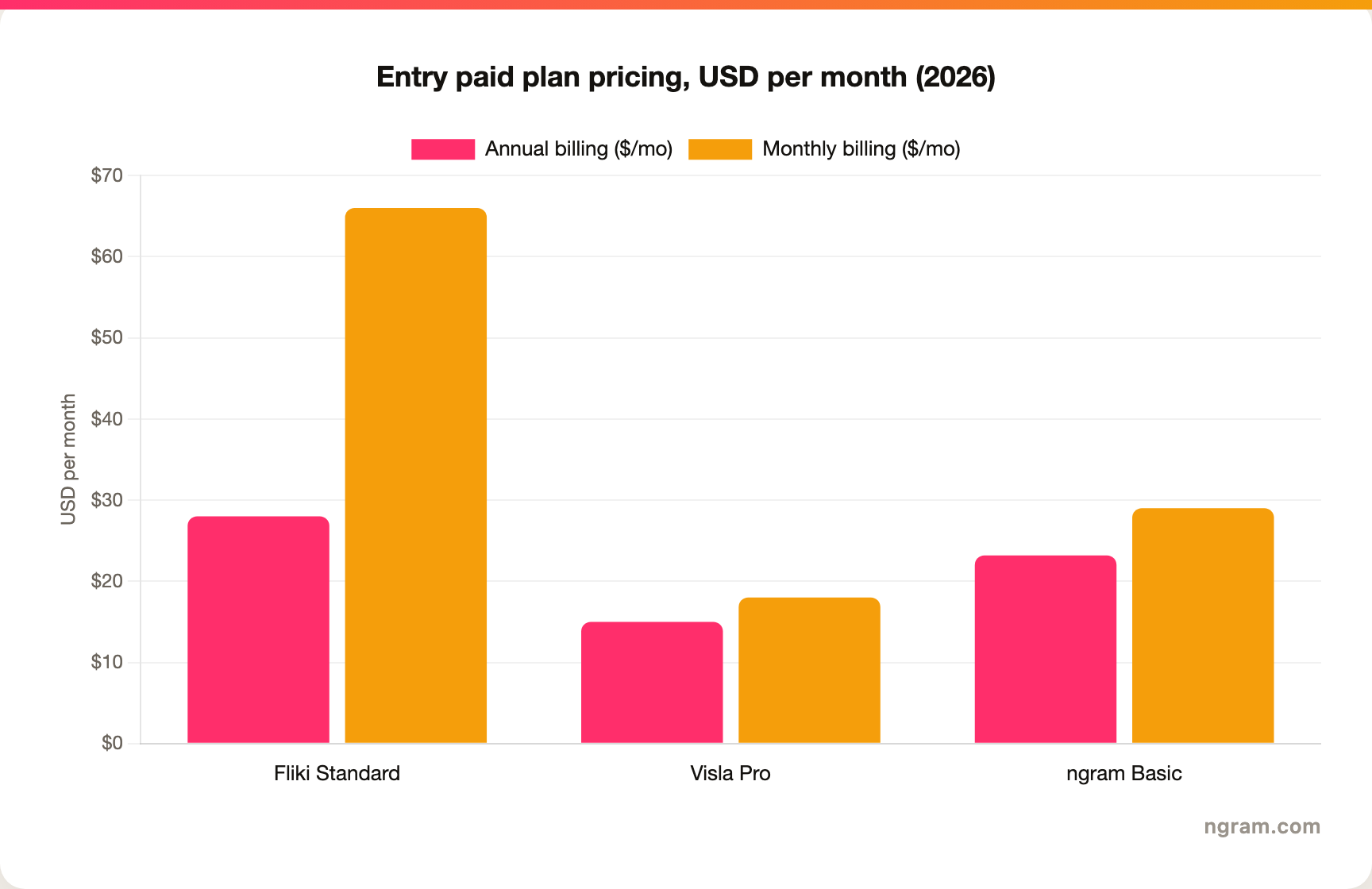
The headline numbers look close, but the units differ. Fliki meters minutes of output and voice quality, so a heavy-narration month can push you to Premium. Visla meters credits across tasks, so the real cost depends on how much you generate. ngram's Basic plan is $29 per month billed monthly, or $23.20 per month billed annually, and includes 3,000 credits a month on a credit model shared across video generation, editing, and exports, with a free tier of 600 one-time credits that exports at 720p with a watermark. Match the unit to your actual volume before you decide.
Winner: Visla for the lowest entry price and flexible team tiers, Fliki for value on voice-heavy narration, ngram for the most source-to-finished video per credit.
Ease of use and time to first video
Both tools are approachable, but they ask different things of you.
Fliki is the faster path to a first finished video. Paste a script or a blog URL, pick a voice, and you can have a narrated draft in minutes, which is why faceless creators and busy marketers reach for it. The ceiling is editing depth: once you outgrow stock-matched scenes, there is not much more room.
Visla takes a little longer to learn because it is a fuller workflow with recording, a scene editor, and a credit system that reviewers say can confuse newcomers at first. Once you are comfortable, you can push further than Fliki on editing and collaboration, but the first session asks more of you.
Winner: Fliki for the absolute fastest first video, Visla for a higher ceiling at a modest learning cost.
The shared limitation for both is the same one buyers keep hitting: you are the one deciding what the video should say and how it should flow. Teams whose source is a release doc, a landing page, a slide deck, or a screen recording still have to turn that into a structured video by hand before either tool helps. That is the clearest reason buyers comparing Fliki vs Visla end up looking at a third option.
1. ngram, the better third option for its slice
Watch how ngram turns an idea into a finished video:
ngram does the same end job as Fliki and Visla, producing a finished narrated video, and then changes how you get there. Instead of filling a stock template from a script or assembling a draft in a studio, you give ngram a prompt, a PDF, a URL, a deck, a screenshot, a screen recording, or raw footage, and its agentic chat plans the script, storyboard, scenes, captions, and call to action for you to review before anything renders.
That plan-first workflow is the difference. For the marketing, sales, product, and support teams who make up a large share of "Fliki vs Visla" searches, the real job is rarely "narrate this script" or "edit this draft." It is a launch video, a product demo, an onboarding walkthrough, or a social cut built from material you already have, with screen-recording polish, callouts, captions, and branding handled for you.
What makes ngram different
- Source-aware inputs - Start from a prompt, PDF, URL, screenshot, screen recording, raw video, deck, or Shopify product, not just a script or a blank studio.
- Plan before render - Review the script and storyboard in chat, fix direction early, then generate, instead of re-cutting a draft.
- Beyond stock matching - Add screen-recording polish, smart zooms, click emphasis, dead-air trim, product callouts, motion graphics, and AI b-roll in the same video.
- Brand kits - Logos, colors, fonts, and approved or blocked phrases applied automatically to every video.
- Voice and localization - AI voiceover, voice cloning, translated script, captions, and on-screen text, plus multilingual voiceover and re-lip-sync for talking heads.
- MP4 export - Finished videos export as MP4; separate media tools can derive GIF, WebM, PNG, or JPG from supplied media.
Where ngram is honest about its limits
ngram provides hosted video pages and embeds but has no generally available owner analytics surface, so analytics-heavy buyers should confirm needs first. Its public security certifications are not published yet, so a compliance-bound program with a strict SOC 2 or ISO requirement should verify current posture. And among workflow automation connectors, Zapier and n8n are available; Make.com is Coming Soon, while Make.com is Coming Soon. If your job really is just narrating a script over stock with the widest voice catalog, Fliki is lighter, and if you want to record and edit business video as a team in one studio, Visla keeps everything in one place.
Who ngram is best for
ngram fits product marketing, growth, sales, customer success, support, and training teams that turn business material into polished video repeatedly. For current plans and credits, check ngram pricing rather than stale screenshots, and for the direct head-to-heads see the ngram vs Fliki comparison and the ngram vs Visla comparison. You can also see how ngram handles AI voiceover across languages.
Ready to try ngram? Create your first video from a prompt, doc, URL, deck, screenshot, or recording. Start free
2. Fliki
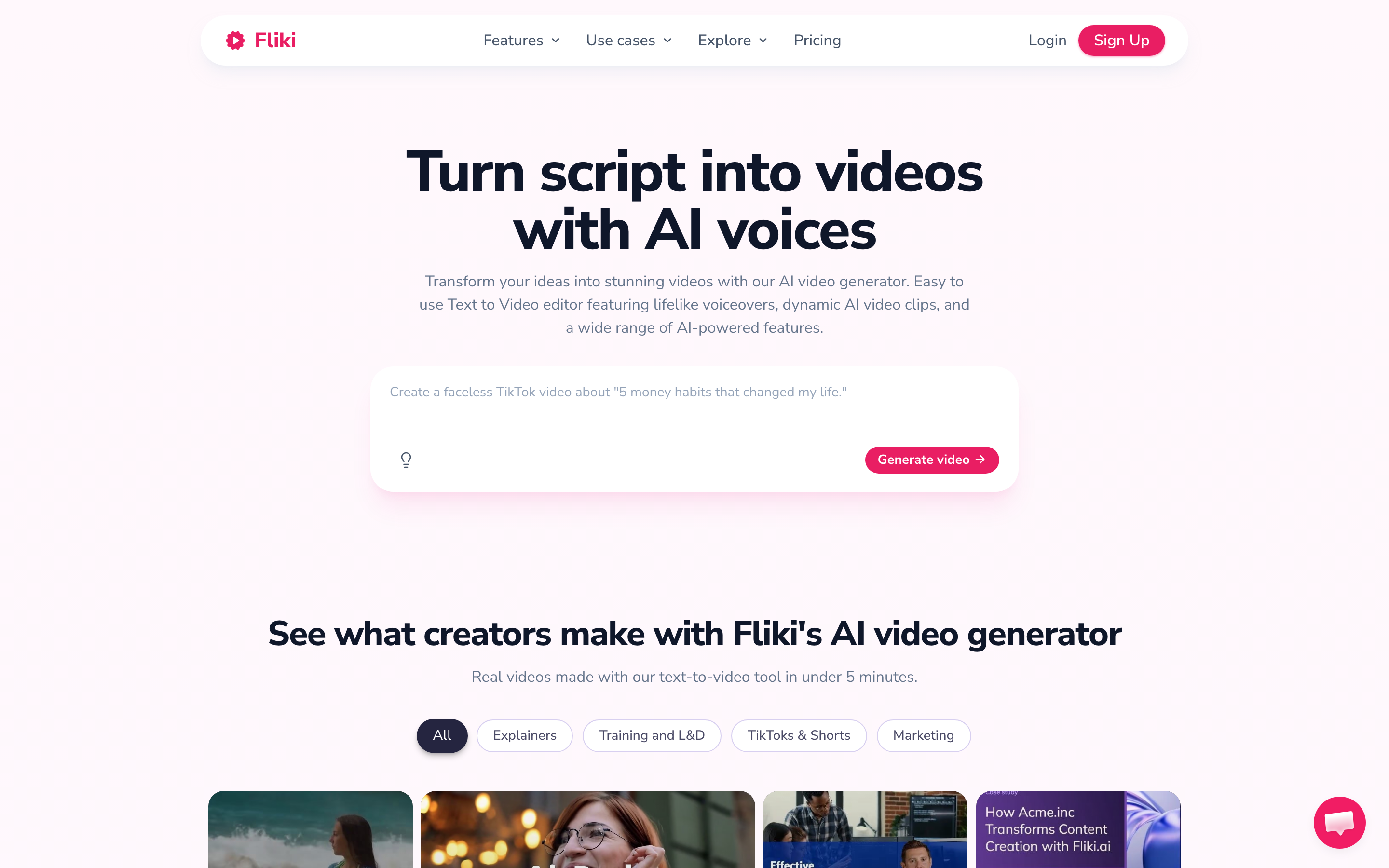
Fliki is best for fast, voice-led faceless video from a script, an idea, or a blog URL. Public details were checked against Fliki's pricing and product pages plus 2026 review sites for this comparison.
Key features
- Text-to-video engine - Turns a script, idea, blog URL, or PowerPoint into a narrated video matched with stock visuals, music, and subtitles.
- Deep voice library - A very large catalog of AI voices across more than 80 languages and many dialects, with ultra-realistic options on paid tiers.
- Voice cloning and AI dubbing - Clone a voice and dub or translate videos into other languages on paid plans.
- AI avatars - Presenter avatars on paid tiers, though 2026 reviews rate them as the weaker part of the product.
- Lightweight scene editor - Swap clips, retime scenes, and fix lines, built for quick edits rather than deep control.
What users say
Users praise Fliki for its voice quality and language reach, and for how quickly a non-editor can turn a script or blog post into a narrated video. The common cautions are the reliance on stock footage, which can feel generic for product-specific lines, limited editing control, and avatars that several reviewers describe as falling into the uncanny valley.
Best for
Choose Fliki when multilingual narration and fast faceless video matter most and stock visuals are good enough for your message.
3. Visla
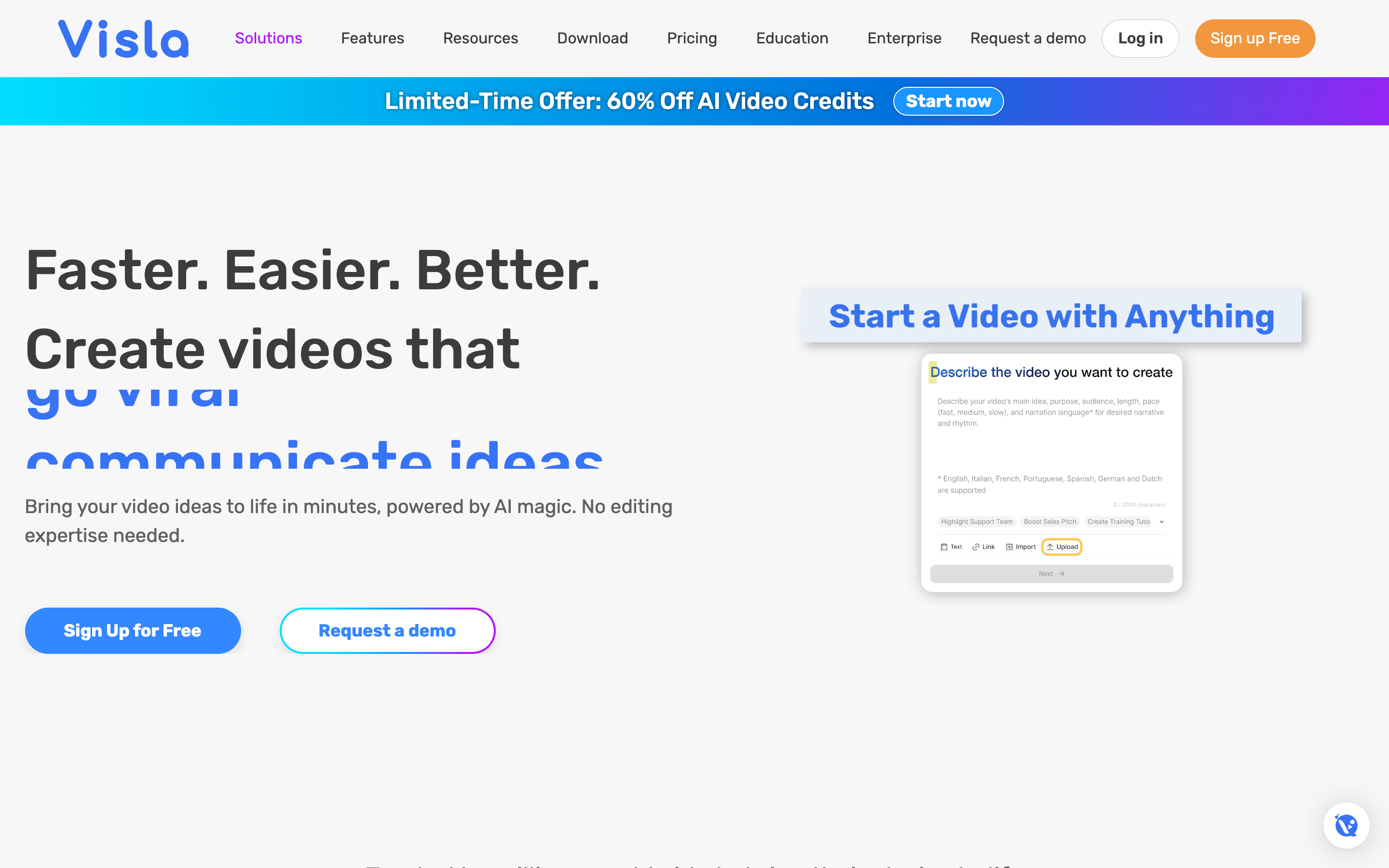
Visla is best for business teams that want to record, generate, edit, and collaborate on video in one workflow. Public details were checked against Visla's pricing and product pages plus 2026 review sites for this comparison.
Key features
- AI video from many sources - Drafts a video from scripts, text, webpages, audio, speech, PDFs, and PowerPoint files.
- Built-in recording - Screen and webcam capture plus a Screen Step Recorder that turns on-screen actions into step-by-step guides.
- Scene-based editor - Refine shots, adjust pacing, add text and logos, and edit via transcript without a heavy timeline.
- Team workflow - Collaboration, sharing, branding on higher tiers, and SCORM export for LMS on Business.
- Large stock library - Storyblocks footage with Getty Images available on higher plans.
What users say
Buyers shortlist Visla for its all-in-one workflow, fast drafting from many sources, and strong recording and collaboration tools. The trade-offs reviewers raise are robotic-sounding AI voices, sparse templates and limited customization, weak subtitle styling, and a credit system that can feel confusing or unpredictable until you learn how tasks consume credits.
Best for
Choose Visla when your team wants to capture, generate, edit, and share business video in one tool rather than juggle separate apps.
How we compared these tools
This is not a star rating. It is a decision-weighting model for buyers choosing between two AI video tools, with ngram included as the third option many of them actually need.
| Criteria | Weight | What we looked at |
|---|---|---|
| Output and voice quality | 30% | Video quality, voice naturalness, language reach, and avatar quality |
| Features | 30% | Editing control, recording, source support, stock, and export options |
| Ease of use | 20% | Time to a first finished video and learning curve |
| Value | 15% | Public pricing, credit and minute models, watermarks, and what each tier unlocks |
| Support and collaboration | 5% | Team features, sharing, and support reputation |
We reviewed official vendor pricing and product pages, current SERP patterns, and 2026 review-site sentiment, and we did not use numerical star ratings because they flatten the real decision: the best tool depends on whether you want voice-led faceless video, an all-in-one record-and-edit studio, or a full source-to-video workflow.
Common questions
Is Fliki better than Visla?
Neither is better outright. Fliki wins for fast, voice-led faceless video with the broadest multilingual voice library, while Visla wins for an all-in-one workflow that records, drafts, edits, and collaborates on business video in one place. Match the tool to the job, and consider ngram if your real need is a finished video planned from a doc, URL, deck, or recording rather than a script you narrate or a draft you assemble yourself.
Is Visla cheaper than Fliki?
Visla has a lower entry price, with a Pro tier from around $18 per month billed monthly and cheaper annual options, while Fliki's Standard plan lands around $28 per month on annual billing and higher month to month. But the models differ: Fliki meters minutes of output, and Visla meters credits across tasks, so the cheaper option depends on whether you generate a lot of narration or a lot of mixed editing work.
What is the best Fliki and Visla alternative?
For teams that have outgrown script-to-stock or draft-and-edit, ngram is the strongest alternative because it plans and builds full videos from prompts, docs, URLs, decks, screenshots, and recordings, then adds screen-recording polish, captions, and branding. Fliki and Visla remain the better picks for voice-led faceless video and all-in-one team recording respectively.
Which has better AI voices, Fliki or Visla?
Fliki has the stronger voices by a clear margin. Its very large multilingual voice library with ultra-realistic options is one of its main draws, while 2026 reviewers commonly describe Visla's AI voices as robotic. If natural narration across languages is the priority, Fliki leads on audio.
Which one should you pick?
The Fliki vs Visla decision is really about your workflow, not the category label. If you want the fastest path to voice-led faceless video from a script or blog post, with the broadest multilingual voice library, pick Fliki. If you want an all-in-one studio that records, drafts, edits, and collaborates on business video for a team, pick Visla. If your actual job is turning a doc, URL, deck, or screen recording into a finished, on-brand video, where the structure should be planned for you and approved before render, ngram beats both for that slice. The mistake is treating every AI video tool as interchangeable. In 2026, workflow fit matters more than the category name.
Try ngram free, your first video in under 5 minutes. Turn a prompt, doc, URL, deck, or screen recording into a polished, on-brand video without narrating a script or assembling a draft yourself. Start free








