

Search for "Dubverse vs Rask AI" and you will find two self-serve AI dubbing tools that creators and business teams actually compare side by side. Dubverse is the affordable, credit-based platform with deep South Asian language support. Rask AI is the wider-reach option with 130+ languages, voice cloning, lip-sync, and an API. This guide compares Dubverse vs Rask AI across the things that actually decide the purchase: dubbing quality, language coverage, pricing, and workflow. It also shows where a third option, ngram, fits when your real job is creating and localizing a finished business video, not just dubbing an existing file.
Both tools are good at what they target, and neither requires a sales call. Dubverse leans into low cost and regional voice quality. Rask AI leans into breadth, voice cloning, lip-sync, and automation. The honest answer to "which is better" is "for which job," so we pick a winner per dimension instead of crowning one overall.
Dubverse vs Rask AI at a glance
Here is the short version before the deep dive. ngram sits in the table because for many teams comparing these two, the better question is whether you need a pure dubbing tool or a system that both makes and localizes the video.
| Tool | Best for | Starting price | Main distinction |
|---|---|---|---|
| ngram | Teams creating and localizing finished business videos from prompts, docs, decks, and recordings | Free, paid from $29/mo | Builds the video, then translates it in the same workflow |
| Dubverse | Creators, educators, and marketers dubbing existing videos affordably | Free trial, paid from about $15/mo | Low-cost, credit-based dubbing with South Asian depth |
| Rask AI | Creators, L&D, and businesses localizing existing video libraries | Paid from about $60/mo | 130+ languages with voice cloning, lip-sync, and API |
Dubbing quality and voice realism
This is the first thing buyers test, and it is where Dubverse and Rask AI differ in emphasis rather than tier.
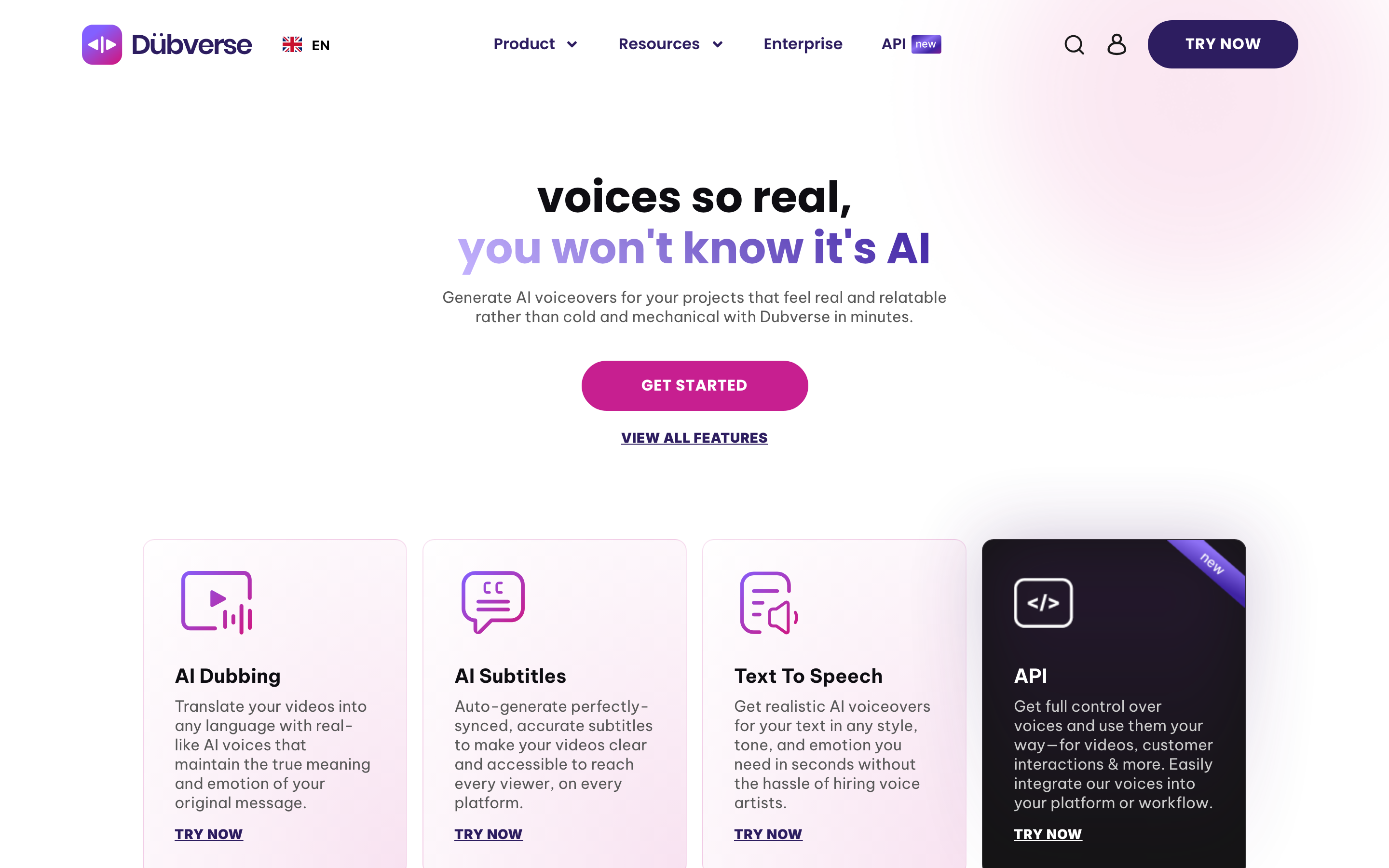
Dubverse produces clear, natural synthetic voices that work well for tutorials, courses, and marketing clips, and it syncs dubbed audio to on-screen speech. Its standout is regional quality: for Hindi, Tamil, Telugu, Bengali, and other South Asian languages, the voice output is hard to match at its price. If those are your target markets, Dubverse often sounds better than tools that treat them as afterthoughts.
Rask AI matches the clean, professional baseline and adds two things Dubverse charges less attention to: voice cloning that carries a speaker's voice across languages, and lip-sync that re-syncs mouth movement to the new language so the dub looks native rather than overdubbed. That lip-sync sits on a higher plan and consumes minutes faster, but for talking-head and presenter video it raises the finished quality noticeably. Across a very wide language set, Rask AI holds a consistent professional bar.
Winner: Dubverse for South Asian voice quality at a low price, Rask AI for lip-sync and voice cloning across many languages. Pick based on which markets you serve and whether lip-sync matters.
Worth noting for both: dubbing only changes the audio of a video that already exists. If the video itself still has to be built, with a script, scenes, captions, and branding, neither tool does that part. That gap is where ngram comes in, and we cover it below.
Languages and coverage
Localization reach is a core reason teams buy either tool, and the gap here is wide.
Dubverse covers roughly 30 languages, with particular depth in Indian and South Asian languages. For a creator or training team localizing into a focused list of markets, that is usually enough, and the regional quality is a genuine edge. But for a global rollout into dozens of less common languages, Dubverse runs out of options sooner.
Rask AI covers 130+ languages, the widest list in this comparison, including hard-to-find ones like Tagalog, Swahili, and Urdu. For a business localizing into an unusual or very long list of markets, Rask AI often has an option where Dubverse does not. The trade-off is price, which is meaningfully higher.
Winner: Rask AI for raw language breadth, Dubverse for South Asian language depth at a creator price.
ngram handles localization differently. It translates the script, captions, and on-screen text, generates multilingual voiceover, and re-lip-syncs avatars or talking heads to match the new language, all inside the same project where the video was made. The language list is broad rather than a fixed published number, so if you need a guaranteed count for a procurement checklist, confirm current coverage first.
Pricing and value
Pricing is the clearest split between these two, and both publish their tiers, so you can compare directly.
Dubverse offers a free trial and paid plans that start around $15 a month on a credit model: dubbing costs roughly 4 credits per minute and subtitles around 1 credit per minute, so spend is easy to forecast. Higher tiers unlock studio features and voice cloning, and billing is available in USD or INR. For creators and small teams, this is one of the most affordable serious options in the category.
Rask AI publishes its tiers too, but starts higher. The entry Creator plan is around $60 a month for a monthly pool of dubbing minutes; lip-sync is locked behind a higher Pro tier near $120 a month and consumes minutes roughly twice as fast; and Business runs into the hundreds per month with multiple custom voice clones and API access. You pay more, but you get wider languages, lip-sync, and automation.
Here is how the entry-level paid plans compare on monthly and annual billing:
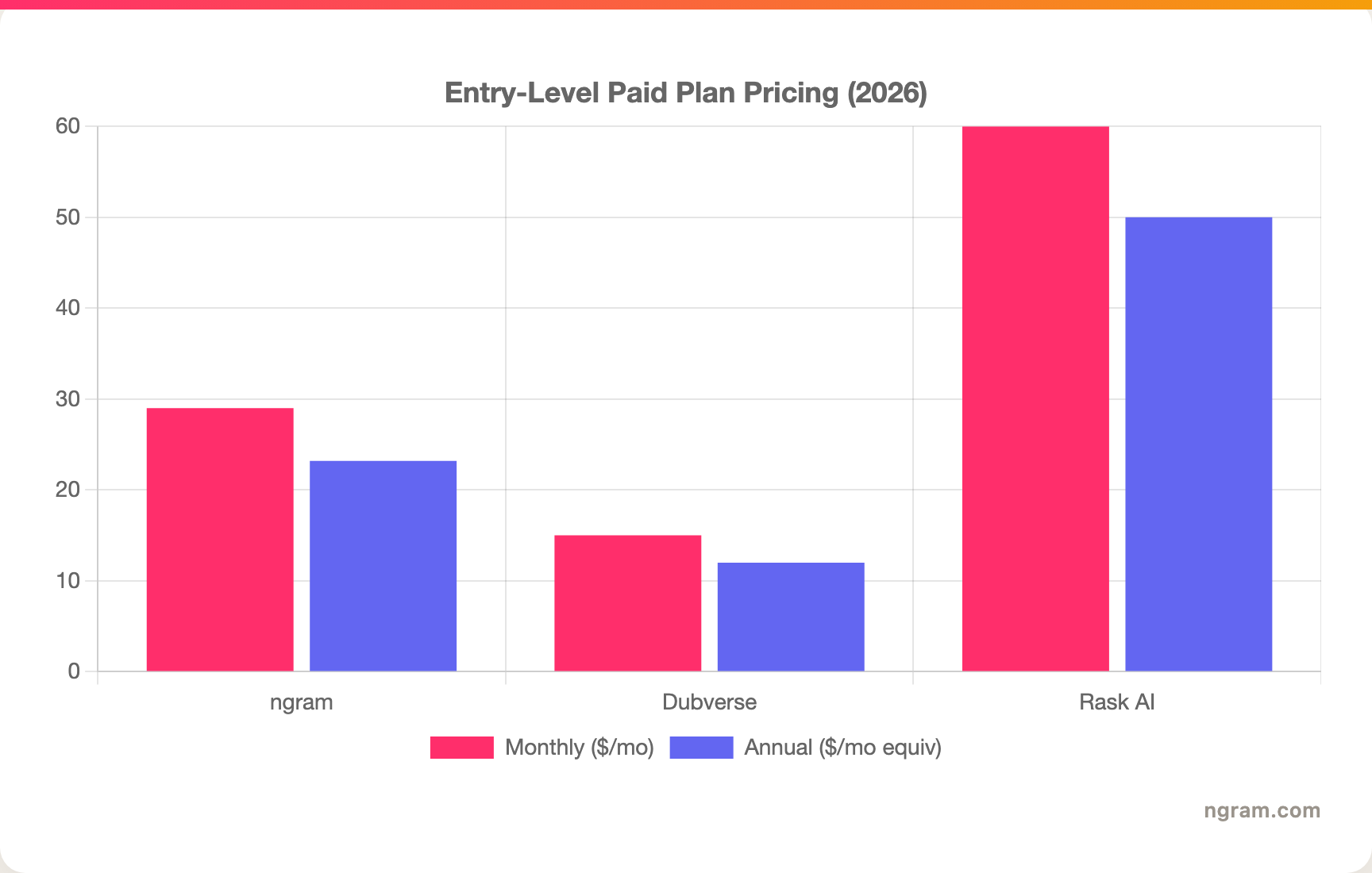
The headline numbers tell most of the story here: Dubverse is the cheapest entry, Rask AI costs more but buys reach and lip-sync, and ngram's Basic plan includes 3,000 credits per month on a credit model shared across video creation, editing, and exports. Match the unit, languages, and lip-sync need to your real volume before you decide.
Winner: Dubverse for the lowest entry price, Rask AI for paid features and reach, ngram for the most generous monthly volume on an entry plan that also creates the video.
Workflow and who it serves
Both tools are self-serve and follow the same loop: upload a finished video, pick languages, review, and export. The differences are in depth.
Dubverse keeps it simple and fast, which suits creators and educators who want a dubbed clip out the door without complexity. Rask AI adds lip-sync, voice cloning, and an API, so a team can wire bulk localization into a content pipeline, at the cost of a steeper plan and more settings to manage.
The shared limitation is the starting point. Both expect a completed video as the input. Teams whose source material is a product doc, a deck, a script idea, or a raw screen recording still have to produce the video somewhere else first, then bring it to Dubverse or Rask AI to translate. That is the clearest reason buyers comparing these two end up looking at a third option.
1. ngram, the better third option for end-to-end video teams
Watch how ngram turns an idea into a finished video:
ngram overlaps with Dubverse and Rask AI on the localization slice, then keeps going where they stop. Instead of starting from a finished video that needs dubbing, you give ngram a prompt, a PDF, a URL, a deck, screenshots, a screen recording, or raw footage, and its agentic chat plans the script, storyboard, scenes, captions, and call to action for you to review before anything renders. Then it translates that same video: script, captions, on-screen text, multilingual voiceover, and avatar or talking-head re-lip-sync per language.
That single-workflow difference matters most for business teams. For the marketing, product, sales, and training teams who make up a large share of "Dubverse vs Rask AI" searches, the real job is rarely "dub this finished file." It is a launch video, a product demo, an onboarding walkthrough, or a training clip that has to be built first and then shipped in several languages, all on brand.
What makes ngram different
- Source-aware inputs - Start from a prompt, PDF, URL, screenshot, screen recording, raw video, deck, or Shopify product, not just a finished video to dub.
- Plan before render - Review the script and storyboard in chat, fix direction early, then generate, so you are not re-recording a take.
- Create plus localize in one place - Build the video with avatars, voiceover, screen-recording polish, callouts, B-roll, and branding, then translate it without exporting to a separate dubbing tool.
- Localization built in - Translate script, captions, and on-screen text, generate multilingual voiceover, and re-lip-sync avatars for each language.
- Brand kits - Logos, colors, fonts, approved and blocked phrases applied automatically to every video and every localized version.
- MP4 export - Finished videos export as MP4; separate media tools can derive GIF, WebM, PNG, or JPG from supplied media.
Where ngram is honest about its limits
ngram is a create-and-localize platform, not a dedicated bulk dubbing tool. If your job is dubbing a large library of existing videos into a very wide set of languages, Rask AI's 130+ languages and API are purpose-built for that, and ngram's API access uses self-service bearer API keys. If you only need cheap regional dubbing of a clip you already have, especially in South Asian languages, Dubverse is lighter and less expensive. ngram provides hosted video pages and embeds but has no generally available owner analytics surface, and it does not publish security certifications today, so analytics-heavy or compliance-bound buyers should verify those needs separately.
Who ngram is best for
ngram fits product marketing, growth, sales, customer success, and training teams that create business videos and need them in several languages, all in one tool. For current plans and credits, check ngram pricing rather than stale screenshots, and for the direct head-to-heads see the ngram vs Dubverse comparison and the ngram vs Rask AI comparison.
Ready to try ngram? Create your first video from a prompt, doc, URL, deck, screenshot, or recording, then localize it in the same place. Start free
2. Dubverse
Dubverse is best for creators, educators, and marketers who want fast, affordable dubbing and subtitling of existing videos. Public details were checked against Dubverse's pricing and product pages for this comparison.
Key features
- Credit-based dubbing - Roughly 4 credits per minute to dub, about 1 credit per minute for subtitles, so spend is predictable.
- 30+ languages - Solid coverage with notable depth in Hindi, Tamil, Telugu, and other South Asian languages.
- Voice cloning - Higher tiers can replicate a creator's voice across languages.
- Subtitle and TTS tools - Dubbing, subtitling, and text-to-speech in one self-serve app.
- USD or INR billing - Monthly or yearly, accessible to creators and small teams.
What users say
Users like Dubverse for its low cost, simple workflow, and quick turnaround, and South Asian creators rate its regional voice quality highly. The trade-off is ceiling: language count and advanced features like lip-sync trail the wider tools, so projects that need broad reach or native-looking lip movement outgrow it.
Best for
Choose Dubverse for affordable, self-serve dubbing of tutorials, courses, and marketing videos, especially into South Asian languages.
3. Rask AI
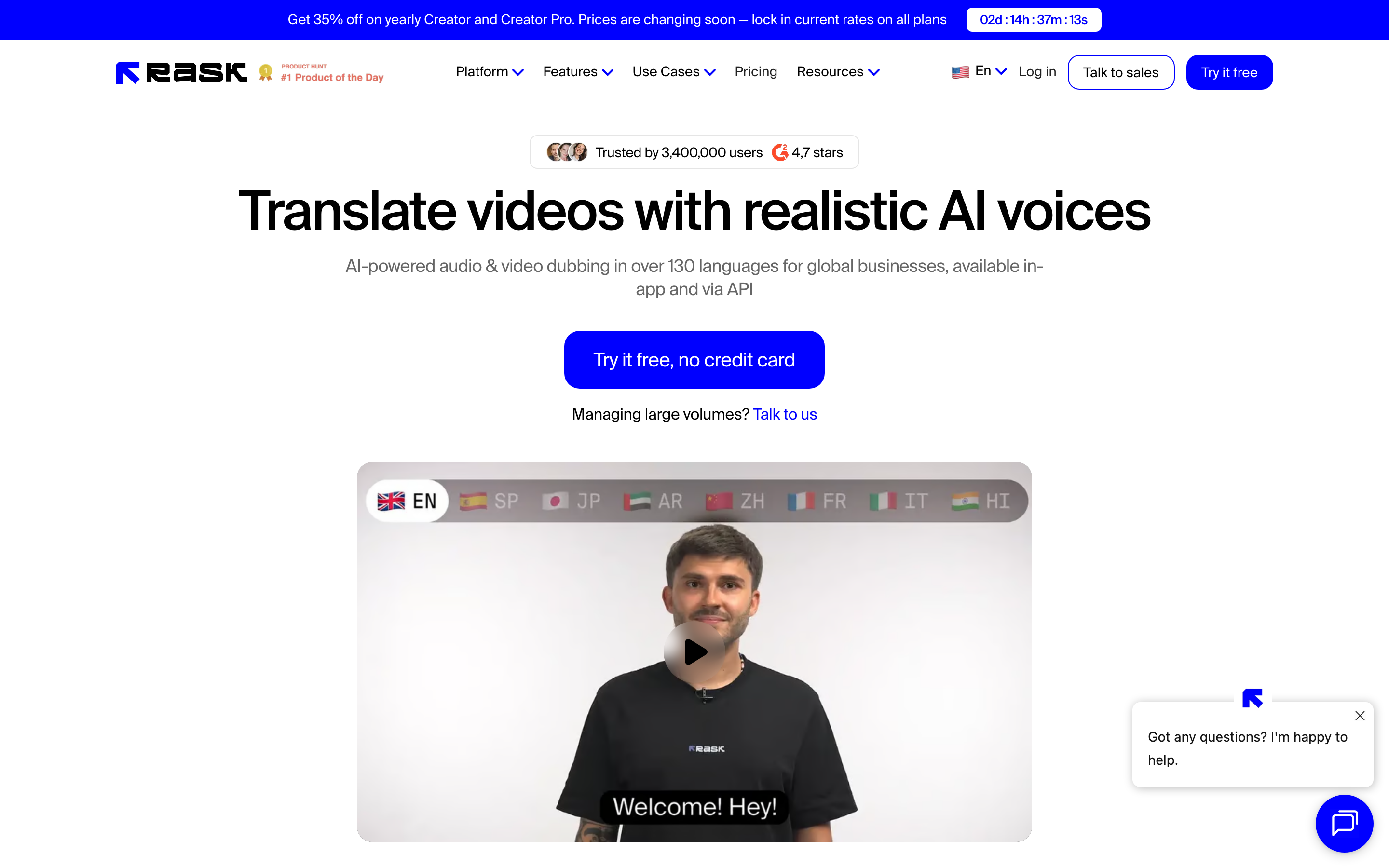
Rask AI is best for creators, L&D teams, and businesses localizing existing video libraries with wide reach. Public details were checked against Rask AI's pricing and product pages for this comparison.
Key features
- 130+ languages - The widest language list in this comparison, including uncommon ones.
- Voice cloning - Replicate a speaker's voice across languages; the top tier includes multiple custom clones.
- Lip-sync - Re-syncs mouth movement to the new language on higher plans, at roughly double the minute cost.
- API access - Wire localization into a content pipeline for bulk processing.
- Minute-based plans - Predictable per-minute pricing with enterprise compliance options.
What users say
Users like Rask AI for its language breadth, lip-sync, and the option to clone a voice without a studio. The common caution is cost and minute math: the entry price is higher than Dubverse, and lip-sync halves capacity, so heavy users can hit limits faster than the headline plan suggests.
Best for
Choose Rask AI for self-serve, API-driven localization of existing business and creator video into a very wide set of languages, with lip-sync.
How we compared these tools
This is not a star rating. It is a decision-weighting model for buyers choosing between two AI dubbing tools, with ngram included as the third option many of them actually need.
| Criteria | Weight | What we looked at |
|---|---|---|
| Dubbing quality | 30% | Voice realism, lip sync, regional quality, sync accuracy |
| Features | 30% | Language coverage, voice cloning, API, subtitle tools |
| Ease of use | 20% | Time to a first dubbed video and learning curve |
| Value | 15% | Public pricing, credit and minute rules, lip-sync cost |
| Support and scale | 5% | API throughput, enterprise options, support |
We reviewed official vendor pricing and product pages, current SERP patterns, and 2026 review-site and forum sentiment, and we did not use numerical star ratings because they flatten the real decision: the best tool depends on whether you need affordable regional dubbing, wide-language lip-sync localization, or a full create-and-localize workflow.
Common questions
Is Dubverse better than Rask AI?
Neither is better outright. Dubverse wins for affordable dubbing with strong South Asian voice quality, while Rask AI wins for 130+ language reach, voice cloning, lip-sync, and an API. Match the tool to the job, and consider ngram if your real need is creating the video and then localizing it in one workflow.
Is Dubverse cheaper than Rask AI?
Yes. Dubverse starts around $15 a month on a credit model, while Rask AI starts around $60 a month, with lip-sync on a higher tier near $120 a month. For an individual creator or small team focused on a handful of languages, Dubverse is far cheaper; for wide reach and lip-sync, Rask AI's higher price buys real capability.
What is the best Dubverse and Rask AI alternative?
For teams that need more than dubbing an existing file, ngram is the strongest alternative because it plans and builds full videos from prompts, docs, URLs, decks, and recordings, then translates the script, captions, and voiceover and re-lip-syncs avatars per language. Dubverse and Rask AI remain the specialist picks for affordable regional dubbing and wide-language self-serve localization.
Which tool covers the most languages?
Rask AI covers the most, at 130+ languages, including uncommon ones. Dubverse covers roughly 30, with notable depth in South Asian languages, so the choice comes down to whether you need wide global reach or strong regional quality at a lower price.
Which one should you pick?
The Dubverse vs Rask AI decision is really about reach, lip-sync, and budget, not the dubbing alone. If you want the cheapest self-serve dubbing and your markets skew South Asian, pick Dubverse. If you need 130+ languages, voice cloning, lip-sync, and an API, and can absorb the higher price, pick Rask AI. If your actual job is creating a business video and then shipping it in several languages, where dubbing is one step in a longer workflow, ngram does both in one place. The mistake is treating every localization tool as interchangeable. In 2026, workflow fit matters more than the category label.
---
Try ngram free, your first video in under 5 minutes. Turn a prompt, doc, URL, deck, or recording into a polished, on-brand video, then localize it without rebuilding it elsewhere. Start free








