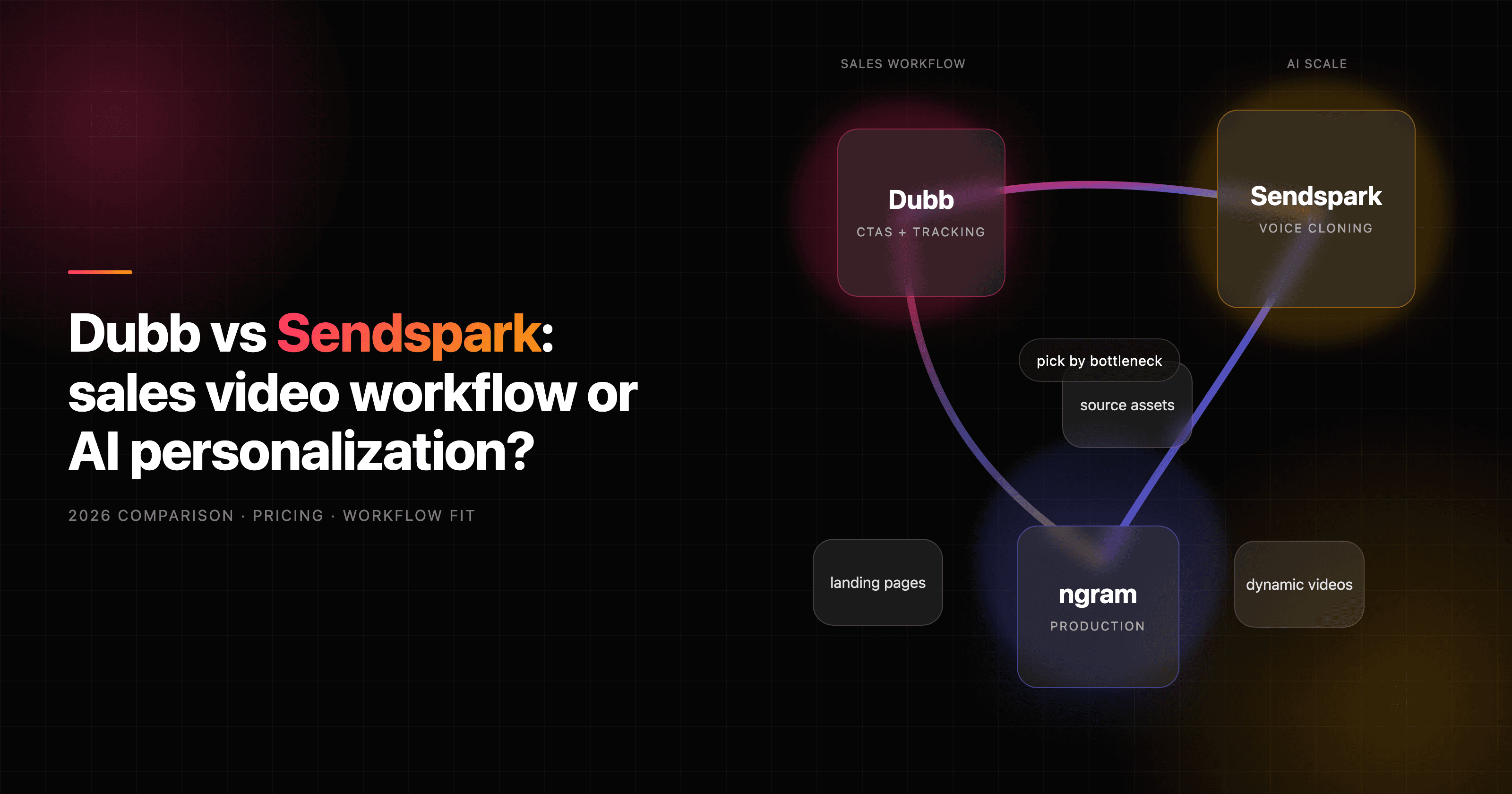


Dubb vs Sendspark is a close comparison because both tools sell the same promise: make sales video practical for busy reps. The difference is where each tool puts its weight. Dubb is closer to a video sales workspace with recording, CTAs, landing pages, CRM-style follow-up, and an AI sales-agent layer. Sendspark is sharper around AI personalization at scale: record one video, then generate prospect-specific versions with name personalization, voice cloning, dynamic backgrounds, and sales-stack integrations.
The useful answer is not "which product is better" in isolation. It is which bottleneck your team is trying to remove. If the bottleneck is sending, tracking, and following up on one-to-one sales videos, Dubb has the broader sales workflow. If the bottleneck is making one recorded message feel personal across hundreds or thousands of prospects, Sendspark has the cleaner scaled-personalization motion. If the bottleneck is producing the video itself from a doc, URL, deck, product recording, or rough idea, ngram is the third path to consider before buying either outreach tool.
Dubb vs Sendspark at a glance
| Dimension | Dubb | Sendspark | Where ngram fits |
|---|---|---|---|
| Core job | Record, send, host, and track personal sales videos with CTAs and follow-up workflows | Record once, then generate AI-personalized outreach videos at scale | Generate a finished branded video from source material before distribution |
| Best buyer | Sales teams that want a broader video sales workspace with landing pages, campaigns, and CRM context | B2B outbound teams that want AI name personalization, dynamic backgrounds, and sequence integrations | Teams that need polished demos, launches, training, explainers, and sales enablement clips |
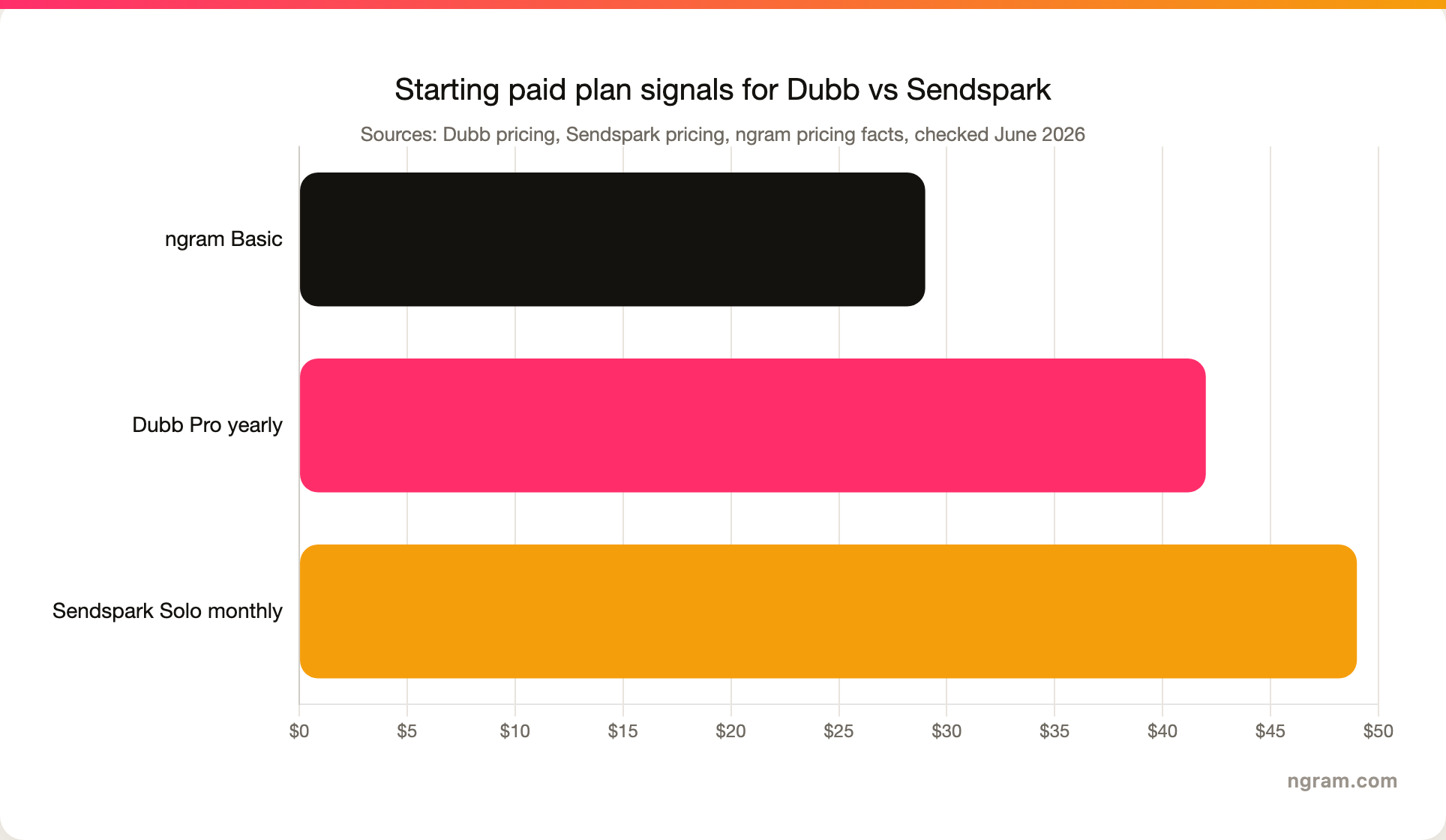
| Starting paid plan | Pro from $42/mo billed yearly, per Dubb pricing | Solo from $49/mo monthly or $39/mo annual, per Sendspark pricing | Basic from $29/mo, Premium from $59/mo, per ngram pricing |
| AI angle | Dubb AI writes scripts, generates captions, personalizes outreach, and supports the Sales Agent flow | AI voice cloning, name personalization, dynamic backgrounds, and Dynamic Video Minutes | Agentic video creation, script, storyboard, captions, voiceover, callouts, brand kits, and MP4 export |
| Main tradeoff | More sales-system depth, more moving parts | Strong personalization engine, less production depth | Strong production workflow, not a sales engagement platform |
For deeper ngram-specific context, read ngram vs Dubb and ngram vs Sendspark. If the workflow is prospecting rather than a general demo, the sales prospecting video page explains where finished video creation sits before outreach.
The short verdict
Pick Dubb if your team wants one workspace for personal sales videos, branded video pages, CTAs, campaign follow-up, and rep-level tracking. Dubb's own site frames the product as two pieces: Dubb Sales Studio for recording and sending videos, and Dubb Sales Agent for lead research, follow-ups, CRM logging, and meeting booking.
Pick Sendspark if your team wants a cleaner campaign-scale personalization engine. Sendspark's pricing page centers the product on Dynamic Video Minutes, where each minute powers one AI-personalized video with voice cloning, dynamic backgrounds, and personalized thumbnails. That model makes sense when one base video needs to become many recipient-specific videos.
Use ngram if your team is not stuck on outreach mechanics, but on production quality. ngram can turn prompts, PDFs, URLs, screenshots, screen recordings, raw video, decks, and Shopify product URLs into scripted, storyboarded, captioned, voiced, branded videos. That makes it the stronger option for product demos, launch videos, customer education, training, and polished sales enablement assets. It does not replace Dubb's CRM-style workflow or Sendspark's per-prospect outreach personalization.
Where Dubb wins
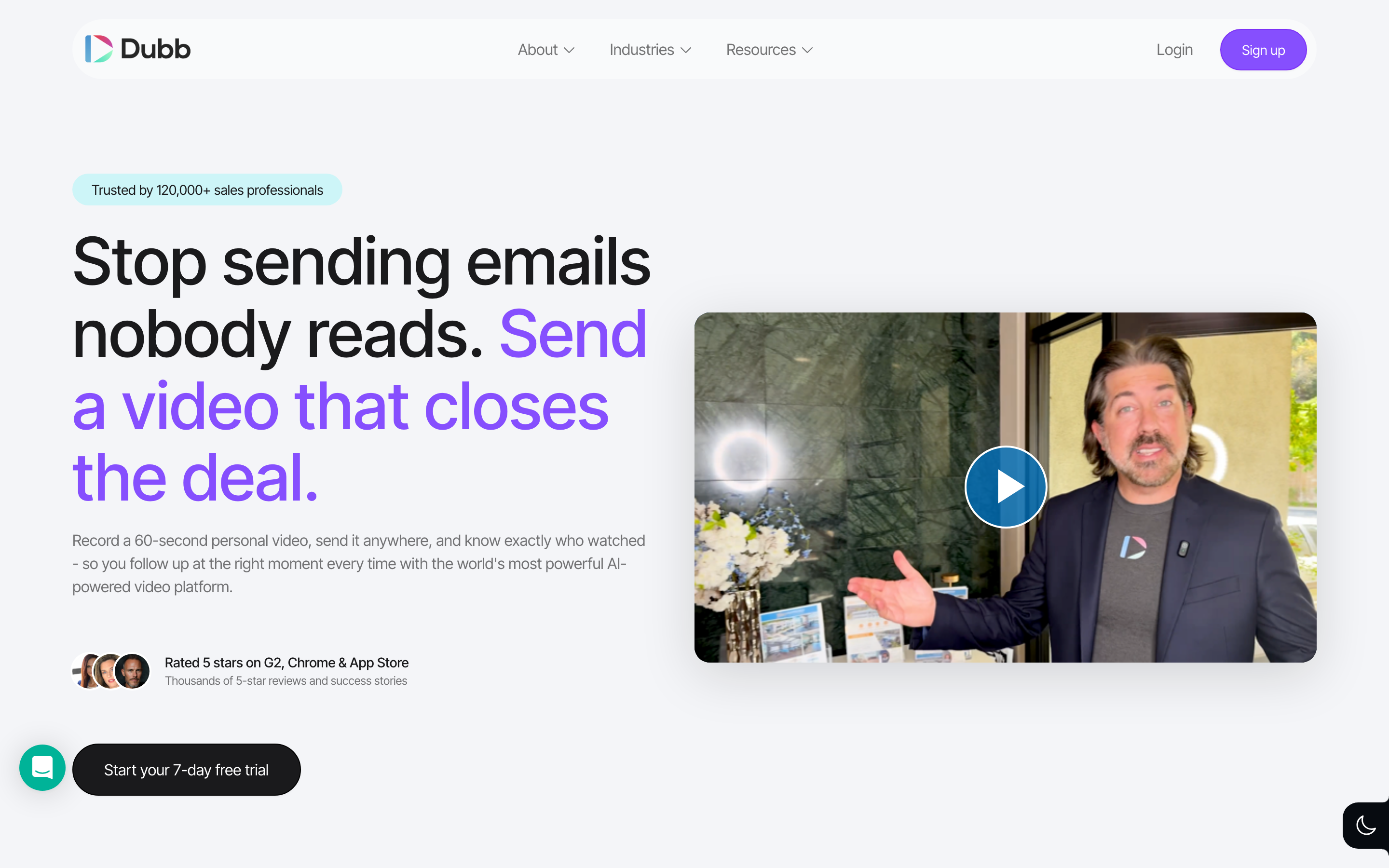
Dubb wins when the sales video is part of a broader follow-up system. The official Dubb homepage says reps can record from phone, computer, or browser, send by email, text, or LinkedIn, and see who watched, how long they stayed, and what they clicked. That matters for sellers who treat video as one step in a pipeline motion, not only as a file to share.
The Dubb Sales Agent layer is also worth separating from the recorder. Dubb describes the agent as a system that researches leads, verifies emails, drafts and sends personalized video follow-ups, updates the CRM, logs activity, and books meetings from Slack. That is broader than Sendspark's core "record once, personalize many" workflow. A manager who wants reps to live inside a sales-video operating system will probably prefer Dubb.
Dubb also has a natural fit in real estate, coaching, mortgage, agencies, and small-business sales teams where the rep's face, tone, and follow-up timing carry the relationship. Review platforms echo that shape: G2 categorizes both Dubb and Sendspark under video email and video hosting, while TrustRadius user comments around Dubb emphasize quick videos, video landing pages, personal branding, presets, and CTAs.
The tradeoff is focus. Dubb gives you more campaign and follow-up infrastructure, but it does not solve finished-video production the way ngram does. If a rep needs a fast personalized video page, Dubb is in its lane. If marketing needs a polished product demo with script, storyboard, smart zooms, captions, voiceover, motion graphics, brand treatment, and vertical and widescreen exports, Dubb becomes the distribution layer rather than the creation engine.
Where Sendspark wins
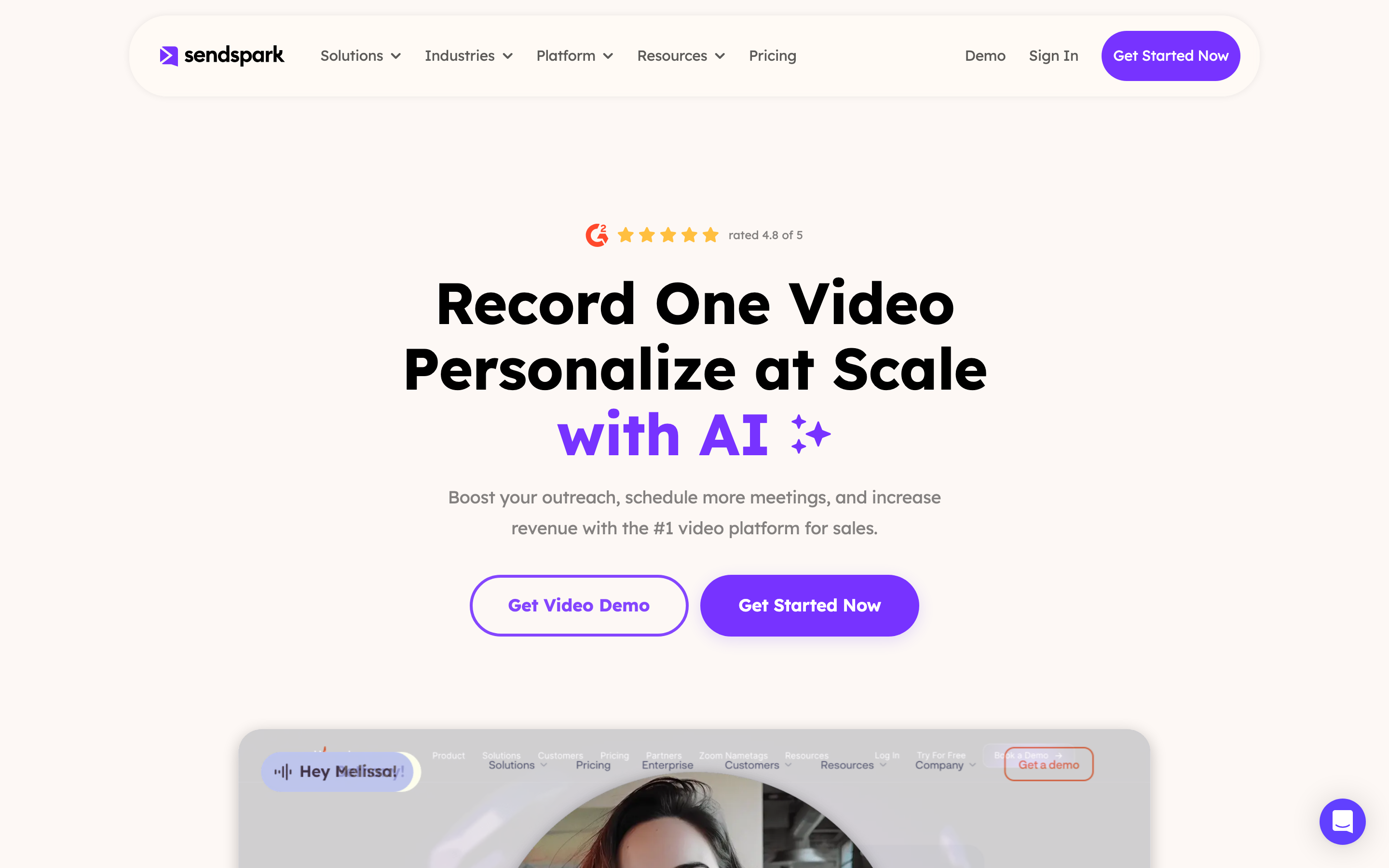
Sendspark wins when scale is the central problem. The product is built around a repeatable outbound pattern: record one message, then create personalized versions for each prospect. Sendspark's pricing page says Solo includes 100 Dynamic Video Minutes, while Growth, Team, and Business raise that capacity. The same page defines Dynamic Video Minutes as the engine behind AI voice cloning, dynamic backgrounds, and personalized thumbnails.
That is a different bet from Dubb. Dubb makes a stronger case for a sales workspace. Sendspark makes a stronger case for high-volume personalization. Its public comparison pages and resources repeatedly highlight AI voice cloning, prospect names spoken in the sender's voice, and company websites displayed behind the speaker. For SDR and agency teams running outbound through HubSpot, Outreach, Salesloft, Apollo, Smartlead, Clay, or similar systems, Sendspark's specialization is easier to understand.
G2's review summary for Sendspark also points in that direction: users praise ease of use, fast creation, integrations, and support, while asking for more editing depth and customization. TrustRadius user comments make a similar split. Sendspark is praised for one-click recording, quick link sharing, quality, CTA templates, and a low learning curve, but it is not framed as an advanced editor.
That tradeoff is fine if the team already has the core content. If your base video is a quick webcam message, Sendspark can make that message feel personal at scale. If your base video still needs planning, product footage, narration, callouts, scene pacing, or brand polish, Sendspark should sit after a creation workflow rather than replace it.
Workflow and output quality
The biggest difference between Dubb and Sendspark is not video quality in the abstract. It is the first step in the workflow.
Dubb starts with a rep creating or uploading a video, then adds sales pages, CTAs, analytics, campaigns, and follow-up. Sendspark starts with a recorded video too, but then uses AI to personalize the opener, background, thumbnail, and variables for each recipient. Both products assume the seller has a message to record.
ngram starts earlier. A user can bring a prompt, PDF, URL, screenshot, screen recording, raw video, or deck. ngram writes the script, builds the storyboard, plans scenes, generates voiceover, adds captions, applies brand kits, adds motion graphics and product callouts, polishes screen recordings with smart zooms and cursor emphasis, and exports a finished MP4; prepare channel-specific cuts separately. That is why ngram belongs in this comparison as the production-quality third option, not as a sales-video CRM.
Here is the practical test: if a rep can record a 45-second video and the only missing piece is outreach workflow, compare Dubb and Sendspark directly. If the team keeps saying "the recording looks too raw" or "we need a customer-ready demo from this deck and screen capture," bring ngram into the workflow before the send layer.
Personalization and scale
Sendspark has the clearest personalization edge. Its pricing and feature pages are organized around AI voice cloning, name personalization, dynamic backgrounds, and Dynamic Video Minutes. The value is easy to state: one base video becomes many prospect-specific videos without recording the greeting again and again.
Dubb does personalize outreach, but the shape is broader and less tied to a single AI-personalization unit. Dubb AI writes scripts, generates captions, and supports personalized outreach, while Dubb Sales Agent can research leads, draft follow-ups, update the CRM, and schedule the next step. That is less "one video becomes thousands" and more "sales-video activity becomes a managed workflow."
ngram's personalization is different again. ngram can create audience, channel, persona, and localized variants of a finished video. It can adapt a demo for a prospect segment, translate captions and on-screen text, generate multilingual voiceover, and export channel-specific cuts. It should not be described as a per-recipient outbound personalization engine. If you need each prospect to hear their own name in a cloned-voice intro, pick Sendspark.
Pricing and value
Pricing is where the tools look close at first, then separate by what the plan buys.
Dubb's pricing page lists a Starter plan at $0, Pro from $42 per month billed yearly, Pro Plus from $90 per month billed yearly, and Enterprise. The Pro and Pro Plus plans are attached to Dubb's broader video sales workspace. That makes Dubb easier to justify when the team will use CTAs, branded video pages, analytics, contacts, integrations, and follow-up features together.
Sendspark starts higher on the entry paid tier, with Solo at $49 per month monthly or $39 per month annual. The price is tied to AI personalization capacity: Solo includes 100 Dynamic Video Minutes, Growth includes 250, Team includes 1,000, and Business includes 3,000. Sendspark also lists extra Dynamic Video Minute overages by plan, so buyers should model usage by video length and recipient volume.
ngram's paid plans start at $29 per month for Basic, $59 per month for Premium, and $299 per month for Ultimate. The credit model is production-oriented: credits cover usage-heavy actions like AI video generation, AI editing, and exports. That value model fits teams making finished business videos, not teams buying a sales sequencer or per-recipient personalization engine.
Integrations, analytics, and follow-up
Dubb has the broader sales-workflow feel. Its site calls out email, text, LinkedIn, CRM updates, Slack-triggered Sales Agent workflows, and 3000+ integrations. G2 also shows Dubb and Sendspark sharing video email and video hosting categories, with Dubb's review base skewing toward small businesses, real estate, marketing, coaching, and consulting.
Sendspark is more explicit about modern outbound tooling. Its public pages call out integrations with platforms such as HubSpot, Outreach, Salesloft, Apollo, Smartlead, and Clay, plus API and webhook access on higher plans. That makes Sendspark a better fit when the existing stack already owns the contact data, sequences, enrichment, and campaign orchestration.
ngram should be judged on a different integration question. ngram has Zapier live for create-style automation, plus MCP and self-service bearer API keys and webhook subscriptions for qualified workflows. The GTM facts also list integration and publishing surfaces such as the Chrome extension, LinkedIn, X, and YouTube, but n8n is available as a create integration; Make.com is Coming Soon. The claim-safe point is narrower: ngram is stronger before distribution, when you need to create the actual video asset and export the right formats. It does not replace a CRM, sales sequencer, or Dubb/Sendspark's viewer-by-viewer outreach analytics.
Use ngram if production quality is the bottleneck
Watch how ngram turns an idea into a finished video:
Dubb and Sendspark both assume the seller is comfortable with a recorded sales message. That is often true for one-to-one outreach. It breaks down when the asset needs to be customer-facing, product-led, localized, or reused across channels.
ngram is strongest when the source material already exists, but the video does not. A product marketer can paste release notes or a product URL. A sales enablement lead can upload a deck and a rough demo recording. A customer success team can use a help article and screenshots. ngram turns those inputs into a planned video with script, storyboard, captions, voiceover, motion graphics, product callouts, brand styling, and MP4 export.
That makes ngram a better choice for videos that need to look intentional: product demos, feature announcements, customer onboarding, sales enablement, training, support walkthroughs, and social cutdowns. Then Dubb or Sendspark can still be useful downstream if the sales team wants to send that finished asset through a sales-video workflow.
A simple buying rule works here: choose Dubb or Sendspark when the video is already good enough and the problem is outreach. Choose ngram when the outreach is waiting on a better video.
Methodology
We compared Dubb and Sendspark using each vendor's current homepage, pricing page, and comparison resources, plus public review summaries from G2, Software Advice, and TrustRadius. We treated vendor claims as strongest for product features and pricing, and review sites as strongest for user sentiment and category fit. We did not use numerical star ratings in the verdict because scores shift by review platform and can make a buying decision look more precise than it is.
For ngram, every capability claim comes from docs/_Core/ngram-product-state.md or docs/_Core/ngram-gtm-facts.md. We claim self-service bearer API keys for Public API v1, n8n and Zapier, and no scene-level analytics or Make.com as a live create integration; Make.com is Coming Soon.
FAQ
Is Dubb better than Sendspark?
Dubb is better than Sendspark when the buyer wants a broader video sales workspace with CTAs, branded video pages, tracking, integrations, and AI-assisted follow-up. Sendspark is better when the buyer wants one recording to become many AI-personalized outbound videos with voice cloning and dynamic backgrounds.
Is Sendspark better than Dubb for AI personalization?
Sendspark is stronger for AI personalization at scale. Sendspark's Dynamic Video Minutes, AI voice cloning, name personalization, dynamic backgrounds, and personalized thumbnails are built for recipient-specific outreach. Dubb has AI scripting, captions, personalization, and a Sales Agent layer, but Dubb is less centered on the record-once-generate-many workflow.
Which is cheaper, Dubb or Sendspark?
Dubb's public Pro plan starts at $42 per month billed yearly, while Sendspark's Solo plan starts at $49 per month monthly or $39 per month annually. Sendspark can become the better value when AI-personalized volume is the key need, but buyers should model Dynamic Video Minutes and overages before comparing seat prices alone.
Does ngram replace Dubb or Sendspark?
ngram replaces neither tool for sales engagement. ngram replaces the manual production work that often happens before a sales video is ready to send. Use ngram to create polished demos, launch videos, training videos, support walkthroughs, and sales enablement assets. Use Dubb or Sendspark when the finished asset needs sales-specific sending, personalization, and tracking.
What should a sales team choose in 2026?
Choose Dubb for relationship-led sales video with CTAs, landing pages, and follow-up workflows. Choose Sendspark for high-volume B2B outreach where one recorded message needs AI-personalized intros and backgrounds. Choose ngram when your team needs the source material turned into a finished, branded video before a rep sends anything.








