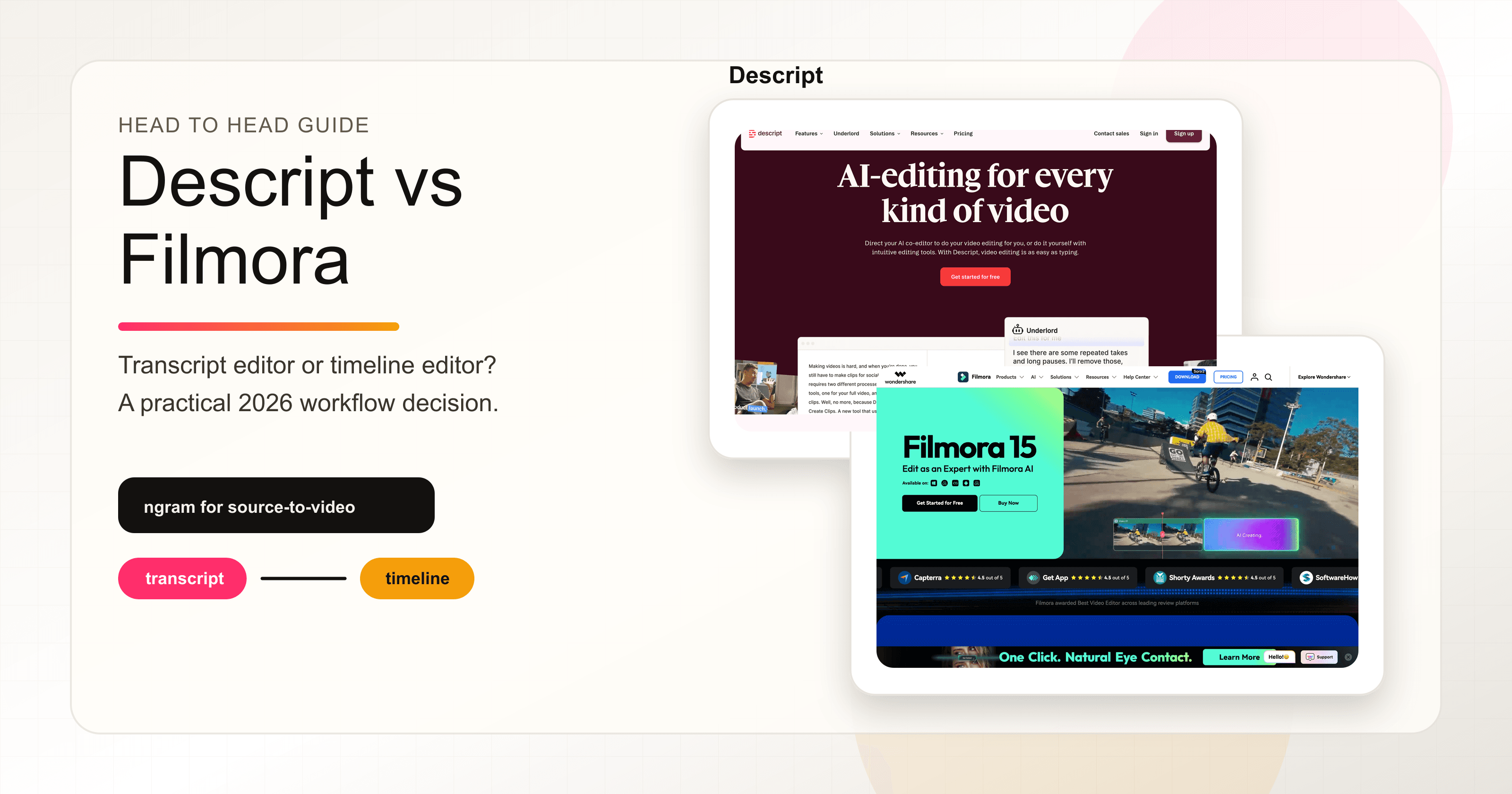


Descript vs Filmora looks like a normal AI video editor comparison until you open both products. Descript starts with spoken media. Filmora starts with a timeline. That difference matters more than the feature checklist, because it decides whether your day feels like editing a document or shaping clips by hand.
Both tools are credible in 2026. Descript is the faster path when the source is an interview, podcast, webinar, screen recording, or talking-head video. Filmora is the stronger pick when you want a traditional editor with effects, AI-generated clips, audio tools, and export control. ngram belongs in the conversation as the third option for a narrower business-video slice: source material to scripted, storyboarded, branded video.
The short answer is not one universal winner. Pick Descript if the edit follows the transcript. Pick Filmora if the edit follows the timeline. Use ngram if the hard part is turning a doc, URL, deck, screenshot set, or recording into a finished business video without building every scene manually.
Descript vs Filmora at a glance
| Tool | Best for | Starting paid plan | Main watch-out | Where ngram fits |
|---|---|---|---|---|
| Descript | Editing spoken audio and video by editing the transcript | Hobbyist at $24 per person monthly, or $16 per person monthly on annual billing | Less natural for detailed visual timeline work | Use ngram when the recording or source still needs a planned script and storyboard |
| Filmora | Hands-on timeline editing, creator videos, effects, AI clips, and 4K exports | Basic at $49.99 per year, Advanced at $59.99 per year | AI and asset add-ons can change the real cost | Use ngram when the buyer wants a finished business video, not a blank timeline |
| ngram | Finished business videos from prompts, PDFs, URLs, decks, screenshots, recordings, and raw video | Basic at $29 monthly, or $23.20 monthly on annual billing | Not a transcript-first podcast editor or offline desktop editor | Strongest when the job is source-to-video for launch, demo, training, or enablement content |
The buying rule is simple. Descript wins when the source is speech. Filmora wins when the source is a pile of clips and you want edit control. ngram wins when the source is business material and the output needs a script, storyboard, brand treatment, voiceover, captions, and exports.
Workflow: transcript editor versus timeline editor
Descript: edit the words, then the video follows

Descript's core idea is still the cleanest one in the category: edit video by editing text. Descript turns video into a transcript, so deleting words, moving sentences, and copy-pasting sections changes the underlying media. For podcasts, interviews, sales calls, founder videos, webinars, and training recordings, that removes a lot of timeline busywork.
Descript also bundles recording, screen capture, Studio Sound, filler-word removal, captions, AI speech, generated video, avatars, and Underlord, its AI co-editor. The official AI credit guide says tools such as Underlord, Studio Sound, filler-word removal, Green Screen, Eye Contact, AI speech, avatars, and generated video consume AI credits, and unused AI credits do not roll over month to month.
The tradeoff is focus. Descript can do timeline work, but the product feels best when the story is carried by words. If your edit depends on layered visual effects, color decisions, motion design, music timing, or frame-level polish, Filmora gives you a more familiar editor.
Filmora: edit the clips, then add AI around the timeline
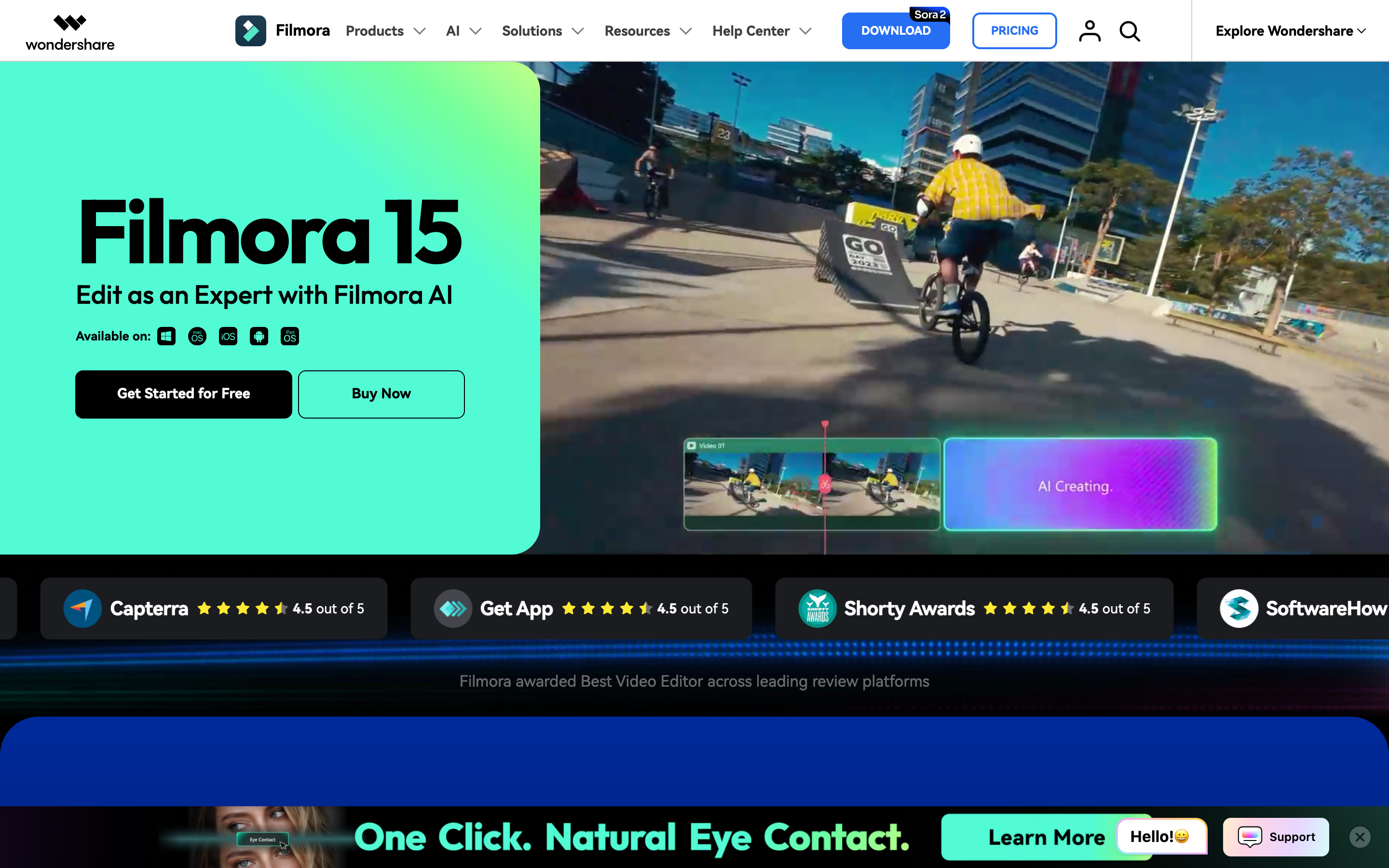
Filmora starts with a classic editor flow: upload media, cut and trim clips, add effects, stickers, captions, text, and audio, preview the result, then export or share. Wondershare's video editor page also lists screen recording, planar tracking, audio editing, visual effects, and a broad feature set around the timeline.
Filmora's newer AI layer is more generative than Descript's. Its AI Video Generator can generate from text, images, or audio, then keep the result editable in separate timeline tracks. The AI Text to Video page lists Seedance 2.0, Sora 2, and Veo 3.1, plus AI Text to Video, AI Idea to Video, and AI Script to Video.
That makes Filmora useful for creators who want one editor for imported clips, generated clips, effects, audio, captions, and final assembly. It is less useful when you do not want to make timeline decisions at all.
Winner: Descript for transcript-led edits. Filmora for hands-on timeline control. ngram for source material that still needs to become a planned business video.
AI features and creative control
Descript's AI is mostly editor-native. It cleans recordings, removes filler words, fixes audio, generates or edits speech, creates clips, supports avatars, and lets Underlord perform editing tasks inside the Descript workflow. The value is speed after recording: you already have media, and Descript helps you cut, clean, repurpose, and publish it.
Filmora's AI is closer to a creator production suite. Filmora can generate clips from prompts or images, turn scripts or ideas into editable video structures, use AI credits for more than twenty AI features on the Advanced plan, and route the result back into the timeline. It is a stronger fit for someone who wants AI footage and manual editing in the same place.
ngram starts one step earlier. It accepts text prompts, PDFs, URLs, screenshots, screen recordings, raw video, decks, and Shopify product URLs. The agent extracts the source material, writes the script, builds the storyboard, plans scenes, adds captions and AI voiceover, applies the brand kit, and lets the user revise with chat, visual chat, the script editor, scene regeneration, canvas controls, or a timeline editor.
Winner: Descript for AI cleanup of recorded speech. Filmora for AI generation inside a timeline editor. ngram for business videos where planning the message matters before rendering.
Pricing and value
Descript's pricing page lists a Free plan, Hobbyist at $24 per person monthly or $16 per person monthly on annual billing, Creator at $35 monthly or $24 annual, Business at $65 monthly or $50 annual, and Enterprise on custom terms. Hobbyist includes 10 media hours per month, 400 AI credits, 1080p watermark-free export, Underlord access, and AI tools such as Studio Sound, Remove Filler Words, and Create Clips.
Filmora's official shop lists Basic at $49.99 per year and Advanced at $59.99 per year. Basic includes watermark-free export, 4K HD export, multiple export formats, continuous version upgrades, 100+ advanced video editing features, 1GB cloud storage, and 2.9M+ Filmora Creative Assets. Advanced adds 1,000 Filmora AI credits per month for 20+ AI features and 10GB cloud storage. Filmora's AI credit page also says subscription-plan AI credits are valid for 30 days from issuance, while paid AI credit packs are valid for one year.
ngram is priced around generated output rather than editing software access. Basic is $29 monthly or $23.20 monthly on annual billing with 3,000 credits per month. Premium is $59 monthly or $47.20 annual with 10,000 credits. Ultimate is $299 monthly or $239.20 annual with 50,000 credits. Credits cover usage-heavy work such as AI video generation, AI editing, and exports.
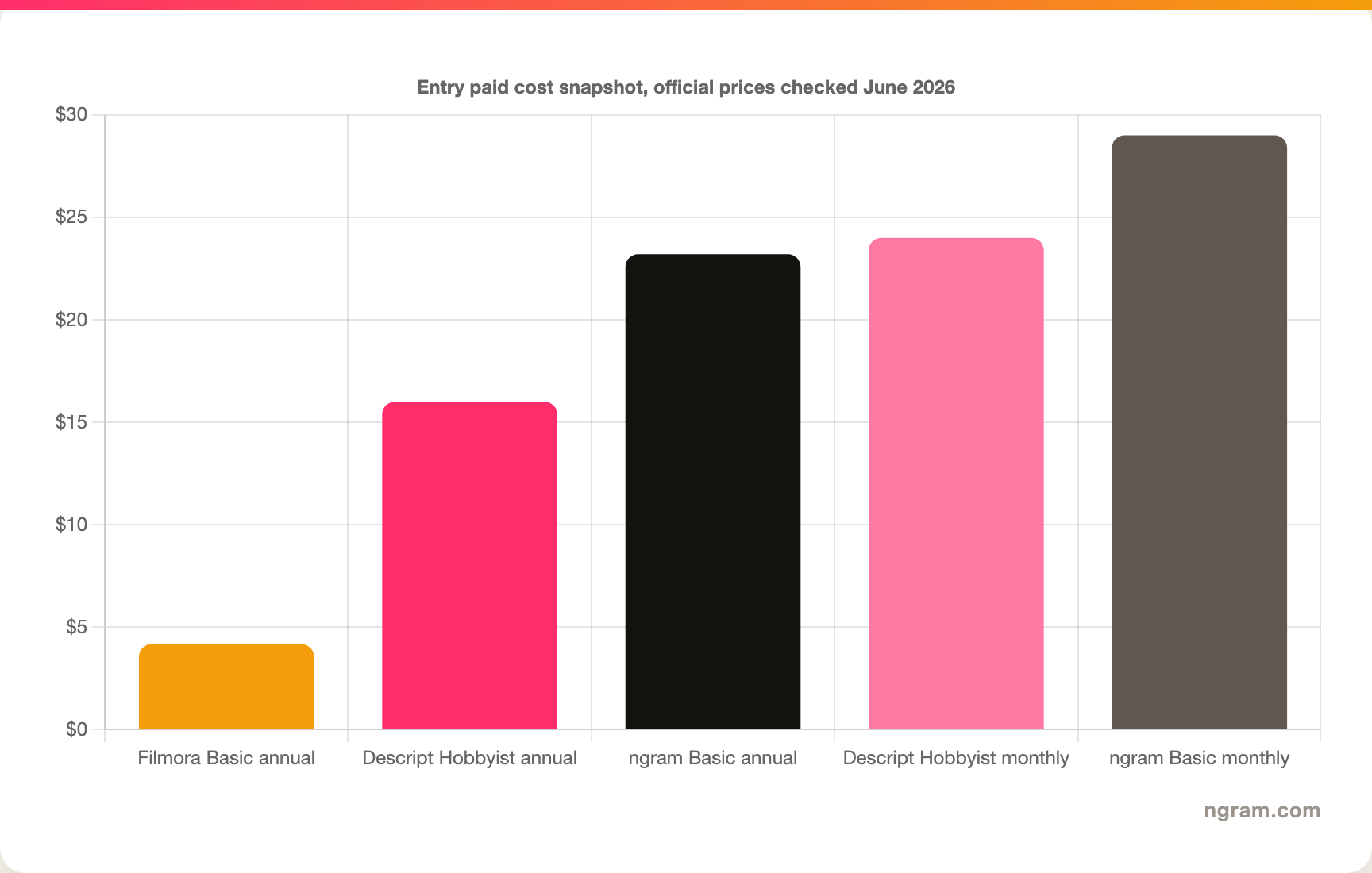
Do not read the chart as a quality ranking. Filmora is cheapest if you want a desktop editor and can live with annual billing. Descript costs more because it bundles transcription-led editing and AI cleanup for recorded media. ngram costs more than both entry plans because the system is doing planning, generation, editing, voiceover, captions, brand application, and export work.
Winner: Filmora for lowest entry cost. Descript for teams editing lots of spoken recordings. ngram for buyers measuring value by finished business video, not by editor license.
Brand, collaboration, and publishing
Descript is strong for collaborative recorded media. The Business plan adds team-wide Brand Studio, proofread translation and dubbing, custom avatars, priority support with SLA, and more credits and media hours. That makes sense for podcasts, courses, webinars, and teams that record first and edit later.
Filmora is more creator-centered. Wondershare sells individual, team, business, education, and asset plans, but the everyday workflow is still one editor shaping video on a timeline. It is a practical choice for YouTube creators, social editors, educators, and small teams that want a familiar editor without jumping into Premiere Pro or DaVinci Resolve.
ngram is built for repeatable business video. Team workspaces, brand kits, shared asset libraries, hosted video pages, share links, embeds, MP4 exports, custom faces, custom voices, captions, multilingual voiceover, and brand guardrails help one source message turn into several business assets. Keep the claim scoped: ngram has a generally available owner analytics surface today, while detailed watch-time analytics, scene-level analytics, and variant performance are roadmap items, not live claims.
Winner: Descript for collaborative spoken-media editing. Filmora for solo or small-team creator editing. ngram for repeatable branded business-video production.
Where ngram fits if you want to skip both
Watch how ngram turns an idea into a finished video:
ngram is not trying to be the best transcript editor or the cheapest timeline editor. Its fit is the source-to-video slice. Product marketers, founders, learning teams, sales enablement teams, and customer education teams often start with a release note, product page, help article, policy, deck, screenshot set, screen recording, or raw customer update. That source needs a story before it needs an editor.
For a deeper product-specific comparison, read ngram vs Descript and ngram vs Filmora. If the job is a demo or walkthrough, the product demo video page shows how ngram turns raw product material into a cleaner customer-facing video.
Choose ngram when the desired output is a launch video, product demo, training video, sales enablement clip, support tutorial, customer education asset, internal update, or social business video. Stay with Descript when the spoken recording already exists and the transcript is the right editing surface. Stay with Filmora when the editor wants to shape clips, effects, audio, and generated footage by hand.
Winner: ngram when the work starts with business source material and needs a finished video. Descript and Filmora still win their specialist editing jobs.
Pick Descript if
Pick Descript if most source material is spoken. Podcasts, interviews, webinars, lessons, founder videos, sales calls, and screen recordings all fit Descript's transcript model. You can cut words, clean audio, generate clips, remove filler words, add captions, and fix narration without living inside a traditional timeline all day.
Descript also makes sense when non-editors need to participate. A transcript is easier for marketers, subject-matter experts, and founders to review than a dense timeline. If the edit is mostly about what was said and what should be removed, Descript is the cleaner purchase.
Pick Filmora if
Pick Filmora if the edit is visual and hands-on. Filmora gives you the timeline, effects, transitions, AI-generated footage, screen recording, captions, audio cleanup, asset library, and export control that creators expect from a desktop editor. It is also the lower-cost entry plan if annual billing works for you.
Filmora is especially practical for YouTubers, short-form creators, educators, and social teams who want more control than a template editor but less complexity than professional post-production software. If the project needs motion tracking, layered audio, manual pacing, and creative effects, Filmora is the stronger fit.
Use ngram if
Use ngram if the source material is not ready to edit yet. A product page, rough recording, PDF, deck, support article, launch note, or screenshot folder still needs a message, script, storyboard, visual plan, voiceover, captions, brand treatment, and export formats. ngram handles that planning layer before the timeline becomes relevant.
ngram is also the better third option when the buyer is a business team, not an individual editor. A PMM turning release notes into a launch video, an L&D team turning an SOP into training, or a CS team turning a help article into a tutorial usually wants a finished asset, not another blank editing surface.
Methodology and source notes
We checked official product, pricing, and help pages on June 19, 2026. Descript claims came from the Descript home page, Descript video editing page, Descript pricing page, and Descript AI credits guide. Filmora claims came from the Filmora editor page, Filmora pricing page, Filmora AI Video Generator page, Filmora AI Text to Video page, and Filmora AI credits page.
We also reviewed current comparison pages from Software Advice, G2, TrustRadius, SelectHub, SoftwareSuggest, Submagic, and public Reddit threads to understand search intent and user language. We did not carry numerical review ratings into the page because review scores shift by source and the useful purchase question is workflow fit, not a star-score average.
ngram claims came from the local product-state and GTM fact files, not from external marketing copy. That is why this comparison keeps the boundary clear: ngram has brand kits, team workspaces, hosted video pages, embeds, and self-service bearer API keys for Public API v1, with `video.completed` and `video.failed` webhook events. It does not offer scene-level analytics today.
Final verdict: Descript, Filmora, or ngram?
Descript vs Filmora has no single winner. Descript wins when you record first and edit through the transcript. Filmora wins when you want a lower-cost timeline editor with effects, AI generation, and export control. ngram wins when the real job is turning source material into a scripted, storyboarded, branded business video.
That is the clearest buying rule: transcript, timeline, or source-to-video. Choose Descript for the transcript. Choose Filmora for the timeline. Choose ngram for source-to-video.








