

Animoto and Wave.video both sell themselves to small marketing teams that want polished video without an editor, but they solve different problems. Animoto is a template-first slideshow builder: drop in photos, clips, and a few lines of text, pick a style, and export a clean promo in minutes. Wave.video is a full video marketing suite that bundles a timeline editor, a thumbnail maker, live streaming, and a hosting layer with embeddable players and a landing-page widget. Choosing between them is really a choice between fast assembly and an all-in-one marketing operation that also publishes and streams.
Both tools assume you already know the message and have the assets ready; neither one reads a document or a recording and figures out the video for you. That is the gap ngram fills. Where Animoto asks you to start from a template and Wave.video asks you to start from a timeline, ngram starts from your raw source: a prompt, a PDF, a URL, a deck, or a screen recording. An agent drafts the script and storyboard, you review the plan, and only then does it render. We include ngram here as the option for teams whose real job is turning messy source material into a finished, on-brand business video rather than decorating assets they already have.
Animoto vs Wave.video at a glance
| Tool | Best for | Starting price | Main distinction |
|---|---|---|---|
| ngram | Teams turning prompts, PDFs, URLs, screenshots, recordings, decks, and product URLs into finished branded videos | Free, paid from $29/mo | Agentic planning, storyboard review, captions, voiceover, brand kits, localization, and timeline editing |
| Animoto | small businesses and marketers assembling social, promo, and training videos from existing photos, clips, screen recordings, templates, licensed music, and simple AI helpers | Free plan; Basic from $30/mo monthly or $15/mo billed annually | template-first video assembly with licensed music, stock media, and a low learning curve |
| Wave.video | teams that want editing, recording, live streaming, hosting, and marketing distribution in a single tool | Free plan; Streamer from $16/mo monthly or $12.80/mo billed annually | broad marketing video suite with live streaming and hosting beyond simple creation |
Core output and video quality
Animoto produces template-based marketing and social videos made from your own photos and clips, with Getty stock and licensed music to fill the gaps. Next to Wave.video it is the narrower, faster tool: pick a template, drop in assets, tune text and music, and export something that looks more finished than a slide deck. It is a good fit for small teams that already have the visuals and the message and just want a clean promo out the door.
Wave.video produces edited marketing videos, live streams, hosted clips, and social video assets. It is better when the source material needs more interpretation, when the buyer wants more automation, or when the video workflow extends beyond a one-off template. The output feels less like a simple slideshow and more like a production workflow for repeatable business content.
Winner: Wave.video. Wave.video has the stronger fit when the buyer expects the software to shape the story, not just decorate existing assets. Animoto still wins for fast template assembly with a lower learning curve.
ngram is strongest at the part both of these tools leave to the user: shaping a planned, branded video out of raw source. It does not stream, and it does not run a public hosting page the way Wave.video does, so it is not a drop-in replacement for that suite. Its edge shows when the buyer has outgrown template assembly but wants the software to plan and produce the video, not just hand over a wider editor to drive.
Inputs and workflow
The practical question is what you start with. Animoto works best when the source is already visual: photos, short clips, product shots, a webcam or screen recording, and a simple message. The workflow keeps the user close to the template, which is useful for speed but less useful when a team needs the tool to reason through a longer source. Wave.video accepts the same kind of assets, so the input story is similar; where the two diverge is what happens after, which is the next section.
Wave.video is broader on the output side rather than the input side. It accepts the same kind of visual assets but pairs them with a real timeline editor, a stock library, a thumbnail maker, and a publishing layer for streaming and hosting. That breadth helps when the same team also needs to go live, host the finished clip, and embed it on a landing page. What it does not do is read a long document or a raw recording and plan the video for you; like Animoto, it still expects you to bring the structure.
Winner: Wave.video. Wave.video gives teams more to do once the assets are in: a deeper editor, plus streaming and hosting that take the clip from edit to published. Neither tool plans the video from raw source, but Wave.video carries it further toward distribution.
ngram is built around the input step that Animoto's templates and Wave.video's timeline both skip. It starts from text prompts, PDFs, URLs, screenshots, screen recordings, raw video, PPTX or PDF decks, and Shopify product URLs, then the agentic chat plans the script, storyboard, scenes, captions, and CTA before anything renders. So instead of bringing your own structure to a Wave.video timeline, you review the structure the agent proposes and spend credits only on the version you approve.
Editing depth, brand control, and collaboration
Animoto is deliberately simple, and that is the cleanest way it differs from Wave.video. A marketer or founder can make something without training, but deeper edits feel constrained by the chosen template. You can change visuals, text, music, and styling, yet the workflow is still built around fast assembly rather than the multi-track timeline and aspect-ratio control Wave.video puts in front of you.
Wave.video gives teams more room to build a repeatable workflow. It pairs recording, timeline editing, and one-click resizing for different aspect ratios with a stock library, auto captions, and branded layouts, then adds live streaming, hosting, and social distribution on top. That combination makes it easier to standardize campaigns, repurpose longer material into shorter cuts, and bring more teammates into the process without leaving the tool.
Winner: Wave.video. Wave.video is the better choice for teams that need a system, while Animoto is better for solo or lightweight template work.
ngram's advantage here is that revising the first draft does not mean re-editing it on a Wave.video-style timeline. You can change the video through agentic chat, visual chat, a script editor, single-scene regeneration, or the full timeline when you want frame-level control. Brand kits enforce logo, colors, fonts, approved and blocked phrases, tone, and style on every generation, so the output reads like a company asset rather than a styled template, and standardizing across a campaign is the agent's job, not a manual one.
Pricing and value
Animoto's value is strongest when the team wants quick template output and does not need heavy source interpretation. Its entry paid plan, Basic, runs $30/mo billed monthly or $15/mo billed annually on top of a limited free tier, which is notably more month-to-month than Wave.video's entry tier even though Animoto does far less. The budget risk is not only the sticker price; it is whether the team pays for a template editor and then spends time forcing it to read a document or plan a narrative it was never built to handle.
Wave.video's value depends on how much of the suite the team actually uses. Its entry paid plan, Streamer, is $16/mo billed monthly or $12.80/mo billed annually, with the Creator ($24) and Business ($48) tiers adding more streaming, hosting, and team seats. That low entry price makes sense if you genuinely need the editing, live streaming, and hosting together; if you only need to assemble a quick promo, you are paying for breadth you will not touch.
Here are the entry paid plans side by side, shown both billed monthly and billed annually.
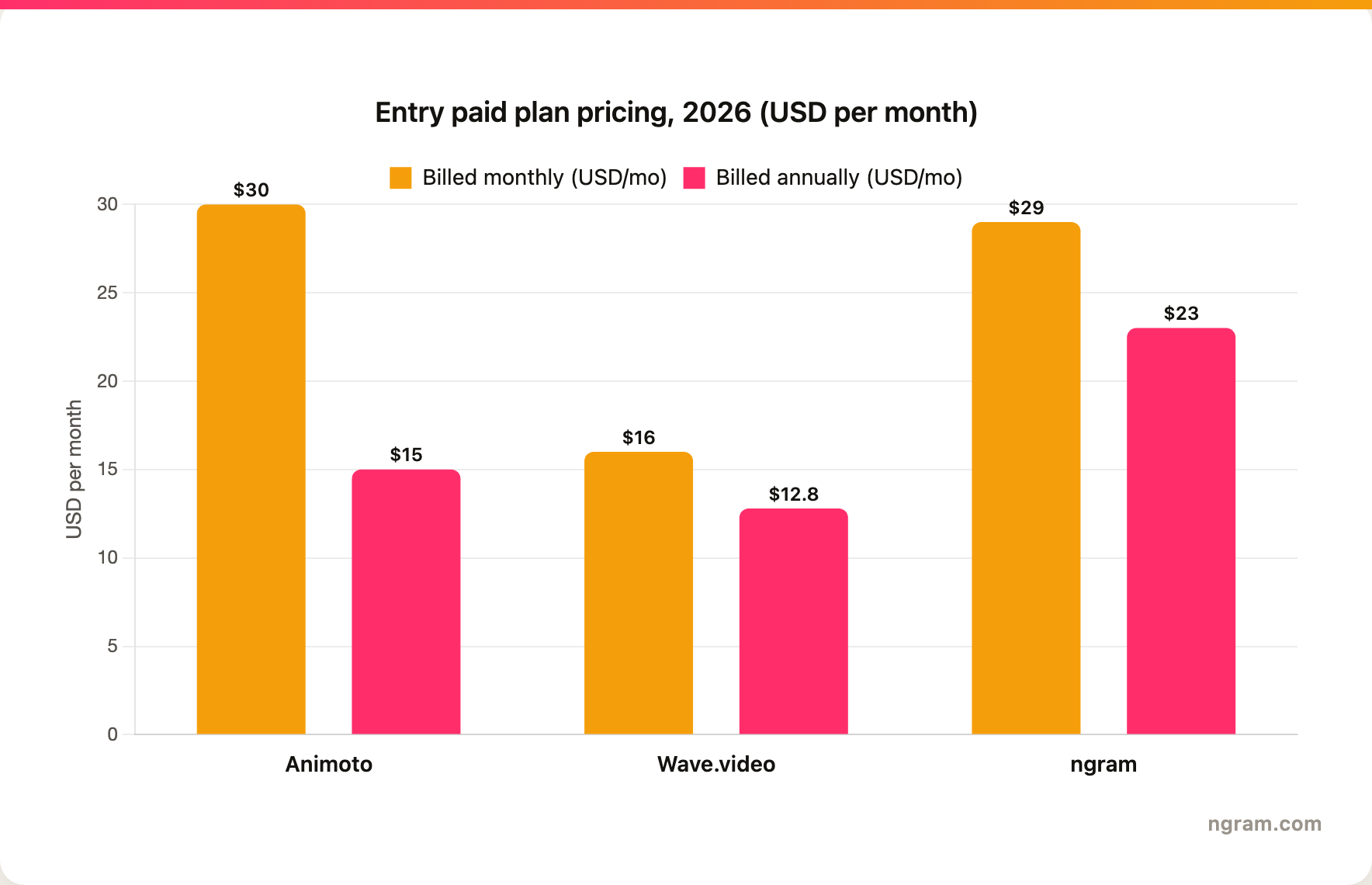
Winner: Wave.video. On entry price Wave.video is the clear winner: Streamer at $16/mo monthly ($12.80 annually) undercuts Animoto's $30/mo Basic ($15 annually) while bundling far more, including streaming and hosting. ngram's Basic costs $29/mo ($23 annually), close to Animoto, but it buys a different category of work, an agent that plans and produces the video from source, so the right comparison is value per finished video rather than raw sticker price.
ngram prices on credits instead of seats. The free plan ships 600 one-time credits with 720p watermarked exports, which is enough to test the source-to-video flow before paying. Basic is $29/mo monthly or $23.20/mo annually and includes 3,000 credits per month; 1080p and 4K export unlock on Premium ($59/mo) and Ultimate ($299/mo), with Enterprise custom. Credits do not roll over, so a team that regenerates scenes heavily should size the plan to that habit rather than the headline price.
Best fit by team and use case
Pick Animoto if your team mostly needs quick template-led videos from existing assets and has no real use for streaming or a hosting layer. It is the better fit for lightweight campaigns, event promos, social posts, and simple internal videos where speed matters more than a deeply planned narrative, and where Wave.video's broader suite would mostly go unused.
Pick Wave.video if your team needs editing, recording, live streaming, hosting, and marketing distribution in one tool. It is the stronger fit when video is an ongoing program rather than a one-off, and when you want to publish and stream the finished clip without stitching together separate apps.
Winner: split decision. Animoto wins for simple template assembly. Wave.video wins for the broader or more automated video workflow.
Use ngram if the hard part is producing the video, not streaming or hosting it. That covers product explainers, sales videos, training clips, launch videos, screen-recording polish, multilingual versions, and social variants that need captions, voiceover, callouts, motion graphics, and brand rules, all planned from the source and applied before render rather than assembled by hand the way Animoto and Wave.video both expect.
1. ngram
Watch how ngram turns an idea into a finished video:
ngram is the best fit when you do not want to start from either a template gallery or a blank timeline. Animoto hands you a template; Wave.video hands you an editor. ngram instead reads what you already have, a prompt, a PDF, a URL, a screenshot, a screen recording, raw video, a deck, or a product URL, and lets the agent plan a script, storyboard, scenes, captions, and CTA that you approve before anything renders.
Wave.video's suite is wide on distribution, with live streaming, hosting, and embeddable players, but the actual shaping of each video still falls to you on its timeline. ngram covers that production layer automatically once the storyboard is approved: auto captions, AI voiceover, multilingual voiceover, screen-recording polish with cursor smoothing and click emphasis, product callouts, motion graphics, branded intros and outros, background music, scene transitions, AI image generation, and short AI video b-roll, all applied per the brand kit. The trade is real: Wave.video can take the finished clip live and host it; ngram does not stream or run a public hosting page, but it gets you to a finished, on-brand video with far less hands-on editing.
What makes ngram different
- An agent plans the script and storyboard before rendering, so you review the structure instead of dragging clips onto a Wave.video timeline yourself.
- Reads source material that neither Animoto's templates nor Wave.video's editor interpret for you: prompts, PDFs, URLs, screenshots, screen recordings, raw video, decks, and Shopify product URLs.
- Brand kits enforce logos, colors, fonts, approved and blocked phrases, tone, and visual style on every video, not just the layout presets Wave.video offers.
- Edits land through agentic chat, visual chat, a script editor, single-scene regeneration, and a full timeline, so revisions do not mean rebuilding the cut by hand.
- Exports the same video as Finished videos export as MP4; separate media tools can derive GIF, WebM, PNG, or JPG from supplied media with separate channel-cut preparation, so one storyboard becomes social, web, and ad cuts.
Where ngram is honest about its limits
- ngram provides hosted video pages and embeds; a generally available owner analytics surface is not live.
- Public security certifications are not published, so do not treat it as SOC 2 or ISO certified.
- Public API v1 uses self-service bearer API keys.
- Zapier and n8n are available; Make.com is Coming Soon.
Who ngram is best for
ngram is best for marketing, sales, training, product, and founder-led teams whose bottleneck is producing the video itself, not publishing it. If your week is mostly quick promos from photos you already have, Animoto is enough; if your video program genuinely lives on live streams and a hosted player, Wave.video's distribution suite is hard to beat and ngram does not try to replace it. But if the hard part is turning a document, a recording, or a product page into a planned, branded, localized video, and you would rather review a storyboard than run a streaming desk, ngram is the stronger path.
Try ngram free, your first video in under five minutes. If Animoto's templates feel too rigid and Wave.video's suite feels like more than you need, let an agent plan and produce the video from your prompt, doc, URL, deck, or recording instead. Start free
For a direct ngram comparison, see ngram vs Animoto and ngram vs Wave.video.
2. Animoto
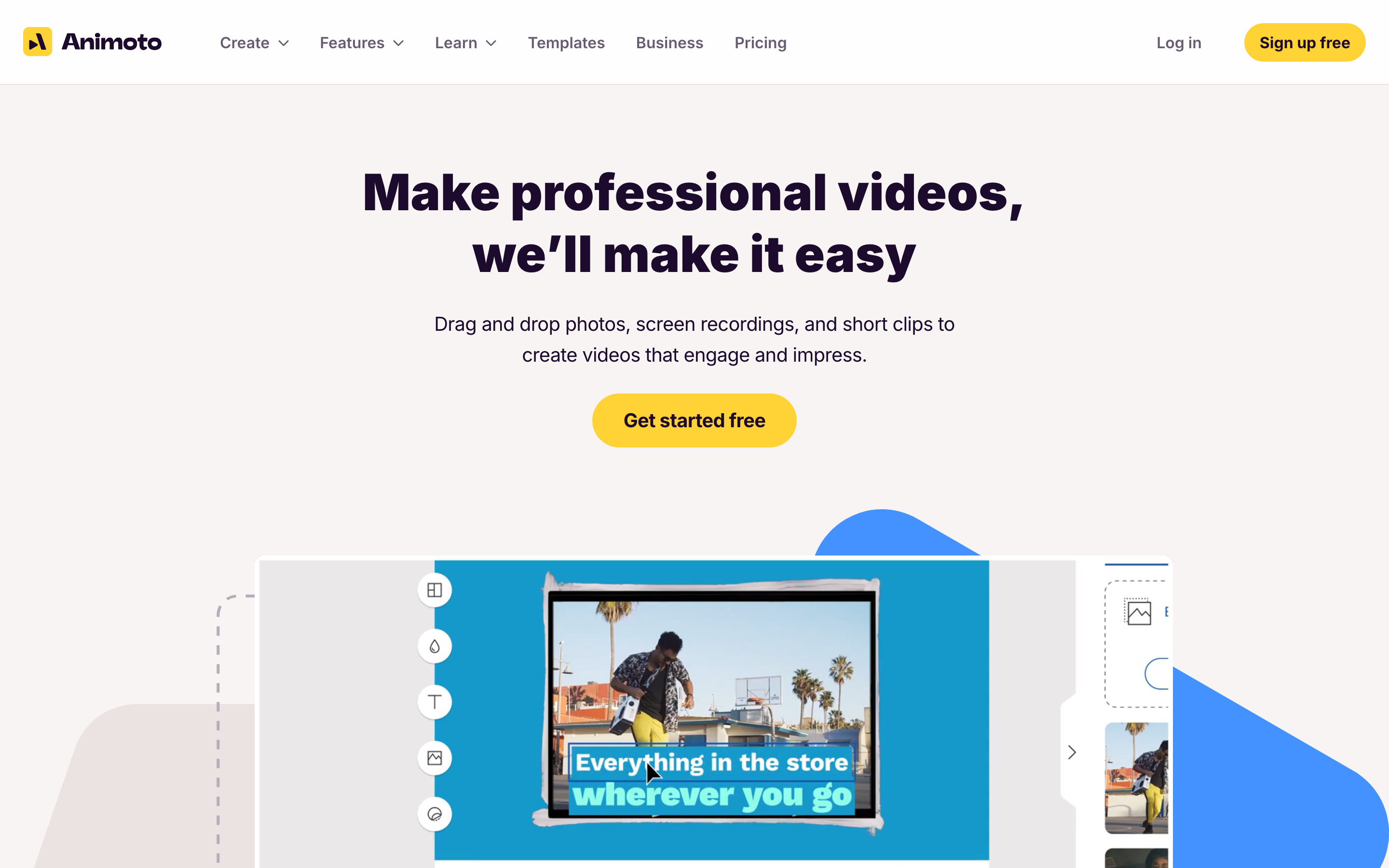
Animoto is the simpler, more focused side of this comparison. Where Wave.video sprawls across editing, streaming, and hosting, Animoto sticks to one job: getting a finished-looking promo out of your photos and clips fast, without learning a professional editor.
Key features
- Drag-and-drop templates for promos, ads, tutorials, and internal videos
- Getty Images stock media, licensed music, text, graphics, and simple animation controls
- Screen and webcam recording inputs for quick explainers or demos
- AI script and video helpers layered onto a template-first editor
- Team plans for brand control, collaboration, and reusable styles
What users say
Users tend to like Animoto for the same reason they sometimes outgrow it: it is deliberately small. The common praise is speed, since non-editors can assemble a decent social or business video without touching a timeline like Wave.video's. The tradeoff is ceiling. Teams that later want live streaming and hosting reach for Wave.video, and teams that want the tool to actually interpret a source and plan the story reach for an agentic option, because Animoto's template workflow is built for assembly, not interpretation.
Best for
Animoto is best for teams that already know the message and have visual material ready. It is less ideal when the job starts with a long document, a messy recording, or a need for the tool to plan the full video.
3. Wave.video
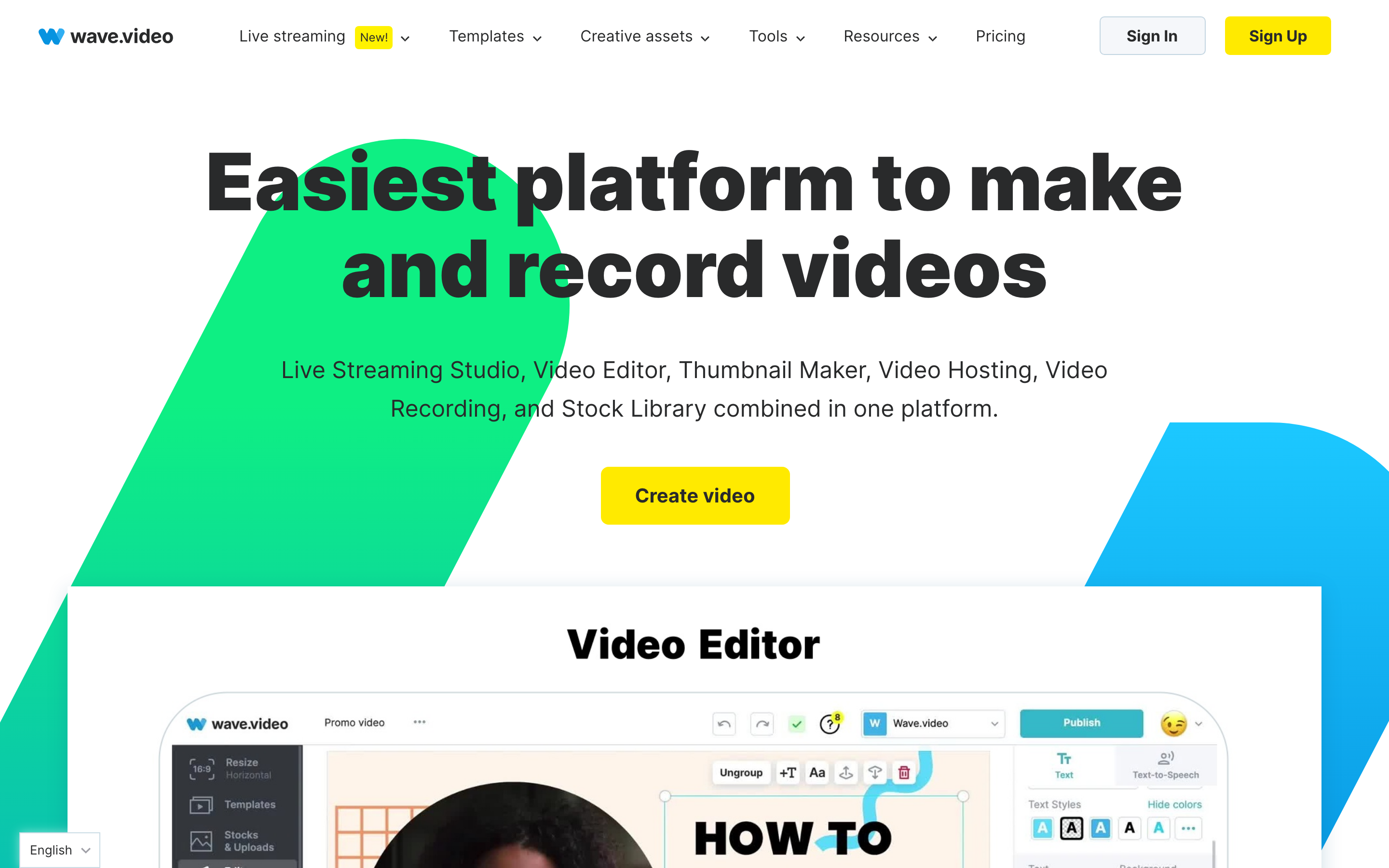
Wave.video is the deeper or more specialized option in this comparison. It fits teams that need more than a quick template and want the tool to support repeatable video production.
Key features
- Template and asset-based video creation for marketing and social channels
- Recording, editing, resizing, and lightweight publishing workflows
- Live streaming and hosting features that go beyond source-to-video generation
- Stock assets, captions, branded layouts, and social distribution support
- Tools for teams that want one surface for create, stream, host, and promote
What users say
Users tend to value Wave.video when creation is only one part of the job. Its broader suite is helpful if you need live streaming, hosting, and marketing distribution. If the core task is turning source assets into a polished business video, that breadth can be less important than stronger planning and editing assistance.
Best for
Wave.video is best for teams whose video process includes planning, repurposing, collaboration, or specialist capabilities beyond simple template assembly. It is less ideal when the fastest possible template video is enough.
How we compared these tools
| Criteria | Weight | What we looked at |
|---|---|---|
| AI capabilities | 30 | Source inputs, automatic planning, voiceover, captions, generation, and regeneration |
| Features | 30 | Editing depth, templates, brand controls, collaboration, localization, and export paths |
| Ease of use | 20 | How quickly a non-video user can make a useful first video |
| Value | 15 | Entry price, plan limits, credit or usage constraints, and time saved |
| Support | 5 | Team readiness, enterprise fit, and purchase clarity |
We weighted this around the job most teams are actually hiring these tools for: getting a finished business video out the door. Animoto earns credit for accessibility and speed of template assembly. Wave.video earns credit for the breadth of its suite, especially live streaming and hosting that the others do not offer. ngram is scored on its source-to-video planning and the production layer it automates. Pricing was checked against each vendor's current published plans in 2026.
Common questions
Is Animoto better than Wave.video?
It depends on scope. Animoto is better when you want the fastest path from existing photos and clips to a polished promo. Wave.video is better when video is an ongoing program and you also need a timeline editor, live streaming, and hosting in the same place. Animoto wins on simplicity; Wave.video wins on breadth.
Is Wave.video cheaper than Animoto?
Yes, at the entry tier. Wave.video's Streamer plan starts at $16/mo billed monthly, or $12.80/mo billed annually, while Animoto's Basic plan starts at $30/mo monthly, or $15/mo annually. Wave.video also bundles streaming and hosting at that price. Animoto is simpler, so the question is less about cost and more about whether you need the extra suite Wave.video carries.
What is the best Animoto and Wave.video alternative?
ngram is the best alternative when neither a template gallery nor a streaming suite is the point, and you just need a finished business video built from source. It starts from prompts, URLs, documents, decks, screenshots, and recordings, plans the storyboard for your review, then produces a branded video with captions, voiceover, motion graphics, and fully editable scenes.
Which tool is best for marketing videos in 2026?
For quick social promos assembled from photos and clips you already have, Animoto is the easiest pick. For a marketing program that also goes live, hosts its videos, and wants create, stream, and host under one roof, Wave.video is the stronger suite. For branded marketing videos planned and produced from a document, recording, or product page, ngram is the better third option, since it does the shaping work the other two leave to you.
Which one should you pick?
The Animoto vs Wave.video decision comes down to workflow fit. Pick Animoto if you want quick template assembly from assets you already have. Pick Wave.video if you need editing, recording, live streaming, hosting, and marketing distribution in one tool. Use ngram if your real job is turning prompts, docs, URLs, decks, screenshots, recordings, and product pages into finished, branded videos with storyboard review and editable scenes. In 2026, the best tool is the one that matches the starting material, not the one with the longest feature list.
---
Skip both the template gallery and the timeline. Hand ngram a document, URL, deck, or recording and review a planned storyboard before it produces the finished, on-brand video. Your first one is free and takes under five minutes. Start free








