
A feature announcement video is the fastest way to make sure a new feature actually gets noticed. Most teams ship an update, drop a line in the changelog, and hope someone reads it. Usually nobody does.
A short, focused feature announcement video turns "we shipped something" into "here is exactly what changed and why it matters to you" in under 90 seconds. Below we walk through how to make one that people watch to the end, with a repeatable six-step process and the 2026 data on what actually works.
Feature announcement video vs product launch video
These get confused, so it is worth being precise. A product launch video carries a big moment: a new product, a major release, a brand push. It is built for reach and first impressions.
A feature announcement video is narrower. It tells people who already use or evaluate your product about one specific thing that changed. The audience is warmer, the scope is tighter, and the job is simpler: show the change, explain the payoff, point to the next step. If you want a ready-made starting point, our feature announcement video workflow is built around exactly this.
Why feature announcement videos work
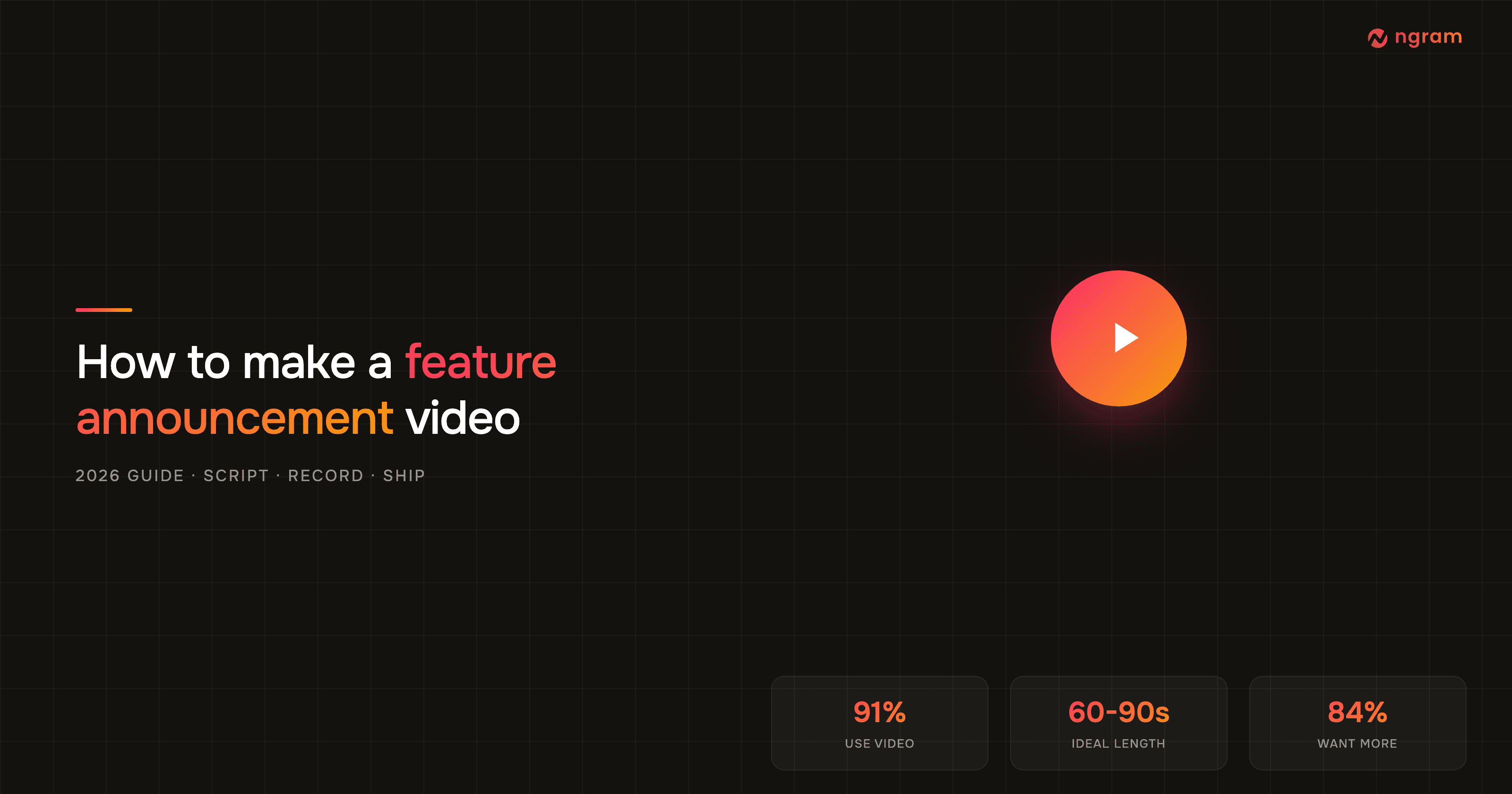
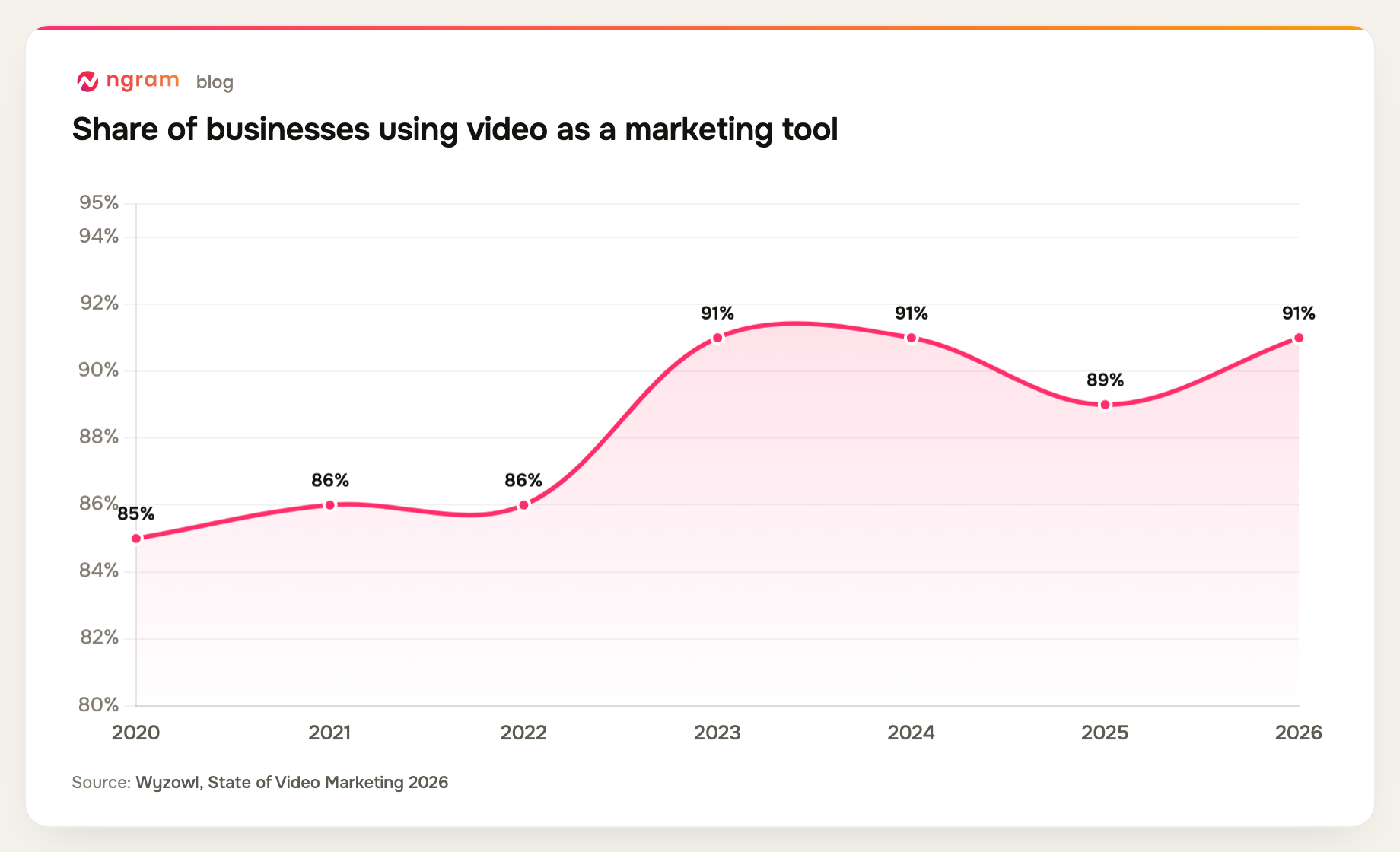
Video stopped being optional. As of 2026, 91% of businesses use video as a marketing tool, and adoption has held near all-time highs for three years running.
Demand from the audience side is just as clear. People want to learn about new things by watching, not reading.
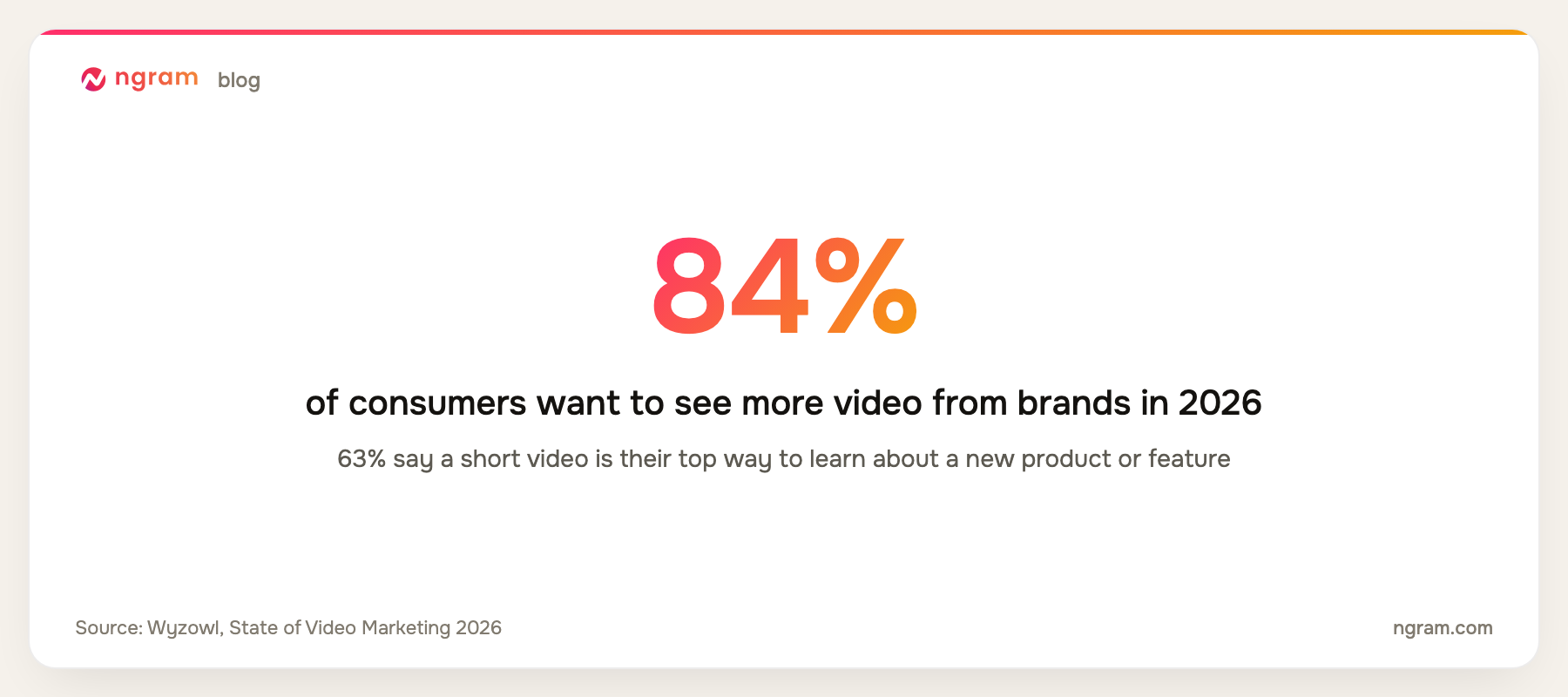
And the format pulls its weight where it counts. In Wyzowl's 2026 data, 93% of marketers say video increased understanding of their product, and most report stronger awareness, persuasion, and ROI.
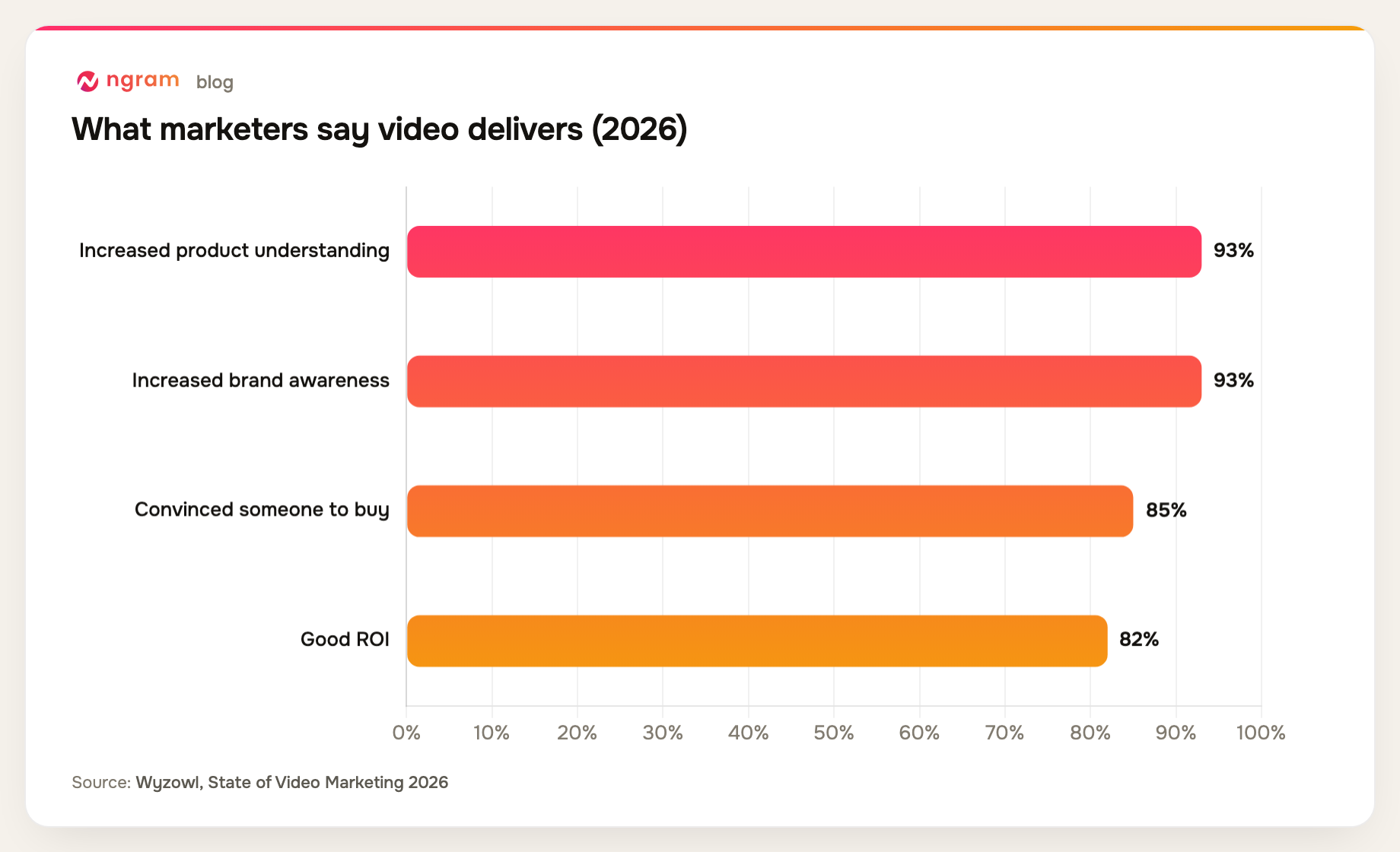
For a feature announcement, the "increased product understanding" number is the one to circle. Your whole goal is to make a change land clearly, and video is the highest-signal way to do it.
How to make a feature announcement video in 6 steps
This is the process we recommend whether you film it, screen-record it, or generate it.
1. Pick one feature and one outcome
The fastest way to lose a viewer is to announce five things at once. Choose a single feature and the single outcome it unlocks for the user. Everything else gets cut. If you have several updates, make several short videos, not one long one.
2. Write a tight 60 to 90 second script
Use a simple spine: hook, what changed, why it matters, how to use it, and one call to action. Lead with the user's problem, not your release number. If you would rather not start from a blank page, ngram can draft the script straight from your release notes, a PDF, or a URL, then you tighten it.
3. Storyboard and choose a format
Map the script to scenes before you record anything. For most feature announcements, a screen recording of the actual feature is the strongest format because it doubles as proof. Talking head adds a human touch; motion graphics work when the change is conceptual rather than visual.
4. Record or generate your assets
Capture the feature in action. A raw screen recording is fine to start: our screen recording editor cleans up dead air, smooths the cursor, and emphasizes clicks automatically, so the rough take turns into something watchable without manual editing.
5. Polish: captions, callouts, and brand
Most product video is watched on mute, so burn in captions by default. Add callouts that point at the exact part of the UI that changed, and apply your brand kit so the clip looks like you and not like a generic template. These are the details that separate "intentional" from "good enough."
6. Export per channel and ship
One video is rarely enough. Plan the site, email, social, and ad versions as separate edits so each gets the right framing and pacing. Studio downloads each finished version as MP4; the separate video converter changes that file to MOV, WebM, or MKV when a destination requires another container, but it does not reframe the edit. Every render also gets a hosted, brand-styled share page and an embed code, so you can drop the clip straight into your changelog, docs, or release email.
Want to skip the editing entirely? Try ngram for free and turn your release notes into a finished feature announcement video in minutes.
How long should a feature announcement video be?
Short. Aim for 60 to 90 seconds. Most viewers say videos between 30 seconds and two minutes are the most effective, and a single-feature update rarely needs more. Length is not where the value lives; clarity is.
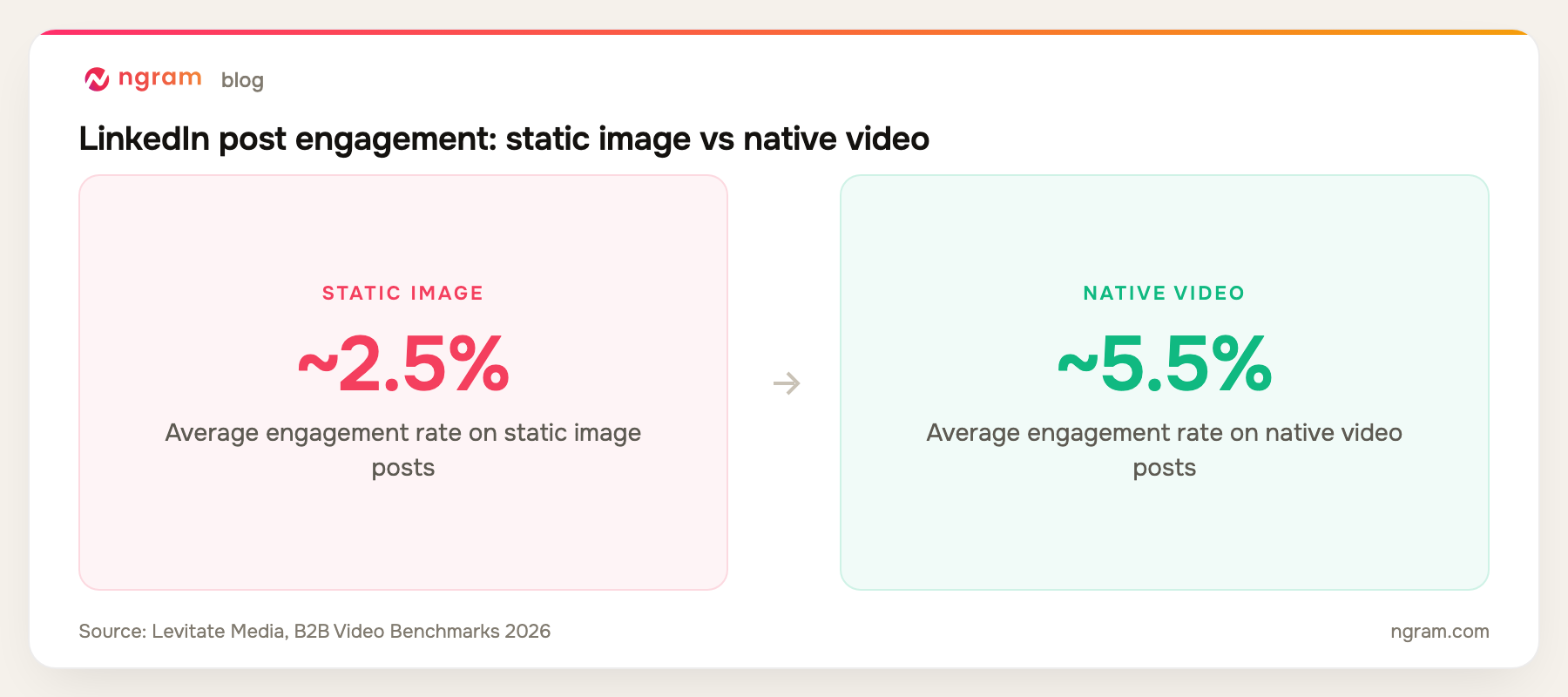
The format also earns more attention than the alternatives. On LinkedIn, native video posts roughly double the engagement of static image posts.
Where to share your feature announcement video
Distribution is half the job. Plan it before you export:
- In-app: trigger it where users will actually hit the new feature
- Email: a video thumbnail in a release email lifts click-through sharply
- LinkedIn and social: post it natively for the engagement bump above
- Changelog and docs: replace the wall of text with the clip
- Sales and customer success: hand reps a clip they can drop into threads
Common mistakes to avoid
- Running long. If it passes two minutes, cut it or split it.
- Touring features instead of selling the outcome. Lead with the payoff.
- Shipping without captions. Assume mute.
- Burying the call to action, or stacking five of them.
- Reusing your full product launch video. The audience and scope are different.
- Skipping distribution. A great video nobody sees is a waste.
Frequently asked questions
How long should a feature announcement video be?
Aim for 60 to 90 seconds. Most people find videos between 30 seconds and two minutes the most effective, and a single feature rarely needs more than that.
What should a feature announcement video include?
A hook, what changed, why it matters to the user, a quick look at how to use it, and one clear call to action. Keep it to one feature.
Do I need to appear on camera?
No. A screen recording of the feature with a voiceover or an avatar presenter works well, and for most software updates it is the strongest format because it shows the change directly.
How is a feature announcement video different from a product launch video?
A product launch video introduces a whole product or a major moment to a broad audience. A feature announcement video tells existing users or prospects about one specific update. It is shorter, warmer, and more focused.
What is the fastest way to make one?
Start from your release notes. With ngram you can turn that text, a PDF, or a URL into a scripted, captioned, on-brand video in minutes, then refine it in plain language. Try it free.